Our readers keep the lights on and my smoothie glass nicely filled. As an Amazon Associate, I earn from qualifying purchases.
Gaming monitors used to require a minimum just to get past 60Hz, but the price floor has collapsed. A 27-inch 120Hz IPS panel now lands for about the same as a dinner for two, making the biggest decision no longer about your wallet but about which corners you’re willing to live with.
I’m Mohammad Maruf — the founder and writer behind WellFizz. I’ve spent 15 years dissecting Amazon product specs and consumer-grade electronics, tracking the exact moment when a once-premium feature like 120Hz becomes a household baseline. This guide focuses on the real-world trade-offs in panel technology, connectivity, and ergonomics that define the best budget computer monitor picks available today.
Below, you’ll find nine monitors tested against the standards that matter most to a savvy buyer: refresh rate headroom, color accuracy out of the box, stand adjustability, and the quality of built-in speakers (or the wisdom of ignoring them entirely).
How To Choose The Best Budget Computer Monitor
The budget monitor market is a minefield of misleading specs and retailer-exclusive model numbers. A monitor that skips DisplayPort or runs a TN panel can sour your experience for years. Here are the three filters that separate a great value deal from a regrettable purchase.
Refresh Rate & Adaptive Sync
Standard 60Hz monitors create noticeable blur during basic desktop scrolling and make casual gaming feel sluggish. A 100Hz or 120Hz panel eliminates that judder entirely. Look for models that support FreeSync over HDMI — this eliminates screen tearing without forcing you into an expensive G-Sync module. However, remember that on entry-level monitors, FreeSync range may be narrow (e.g., 48–100Hz) and may not cover the full refresh window. Also check whether the monitor defaults to 60Hz out of the box; several models in this guide require a manual setting change in Windows to unlock the higher refresh rate.
Panel Type & Color Gamut
IPS panels dominate this price bracket because they offer wide viewing angles and accurate sRGB reproduction for under . A VA panel can deliver better native contrast (1500:1 or 2000:1), making blacks look deeper, but it typically crushes shadow detail and shifts color when you view it off-center. TN panels are now rare and should be avoided unless you find a screaming deal at under . Pay attention to the color gamut rating — a 99% sRGB spec is common and perfectly adequate for office work and media consumption, while a 72% NTSC or 72% sRGB rating will look noticeably washed out.
Ergonomics & Connectivity
The single biggest frustration with budget monitors is the stand. Almost every model under offers tilt-only adjustment (usually -5° to 20°), with zero height adjustment or pivot. That means you’ll likely need a – VESA arm if you want the panel at eye level. On the connectivity front, count the HDMI ports carefully. Many budget monitors include a single HDMI port plus a legacy VGA port — you cannot daisy-chain or connect both a console and a PC simultaneously without a switch. DisplayPort is becoming more common but is still absent on many sub- models.
Quick Comparison
On smaller screens, swipe sideways to see the full table.
| Model | Category | Best For | Key Spec | Amazon |
|---|---|---|---|---|
| ASUS VA279HG | 27-inch 120Hz | High-refresh gaming on a dime | 120Hz, 1ms MPRT, 99% sRGB | Amazon |
| Dell SE2725HM | 27-inch Office | Enterprise-grade color consistency | 100Hz, TÜV Rheinland 3-star | Amazon |
| Acer SB273 G0bi | 27-inch 120Hz | Zero-frame dual-screen setups | 120Hz, 1ms VRB, VESA ready | Amazon |
| ViewSonic VS2747-H | 27-inch MVA | Home office with preset modes | 100Hz, SuperClear IPS, 5 presets | Amazon |
| LG 24U411A-B | 24-inch 120Hz | Student dorm dual-monitor use | 120Hz, HDR10, 99% sRGB | Amazon |
| Sceptre E248W-FW100T | 24-inch VA | Built-in speakers / budget gaming | 100Hz, 1ms MPR, 2000:1 contrast | Amazon |
| AOC 27B35H3 | 27-inch 120Hz | Eco-conscious budget buyer | 120Hz, 1ms, 13W eco mode | Amazon |
| Lenovo L24-4e | 24-inch Office | Minimalist desk with VESA arm | 100Hz, 4ms MPRT, 99% sRGB | Amazon |
| Amazon Basics B0B… (AOC) | 24-inch IPS | Bulk office deployment | 75Hz, VGA + DP + HDMI | Amazon |
In‑Depth Reviews
1. ASUS VA279HG

The ASUS VA279HG punches well above its sticker price by combining a 120Hz refresh rate with a fast 1ms MPRT response time, making it one of the few sub- monitors that genuinely feels fluid for both productivity and competitive shooters. The 27-inch IPS panel delivers a solid 99% sRGB coverage with 300 nits of brightness — noticeably punchier than the 250-nit average in this class. The frameless edge-to-edge design also simplifies multi-monitor setups, as the bezel gap is nearly nonexistent when placed side by side.
Connectivity is basic but sufficient: one HDMI port and one VGA port. The inclusion of a physical joystick for the OSD menu is a welcome upgrade over the mushy four-button combos found on most competitors. The stand is tilt-only with no height adjustment, which is expected at this price point, but the 100x100mm VESA mount allows you to bolt it onto an arm for proper ergonomic positioning. ASUS also bundles a one-month Adobe Creative Cloud subscription, though that’s a minor perk for most buyers.
What seals the deal is the Adaptive-Sync (VRR) support, which works smoothly with both FreeSync and G-Sync Compatible GPUs. The combination of a 120Hz ceiling and VRR eliminates screen tearing across a wide frame-rate window. The only real sacrifice is the lack of built-in speakers, so you’ll need external audio. For anyone seeking the best balance of speed, color, and size without breaking triple digits, this is the one to beat.
Why it’s great
- True 120Hz with 1ms MPRT delivers tear-free gameplay
- Bright 300-nit IPS panel with 99% sRGB accuracy
- Edge-to-edge frameless design for seamless multi-monitor use
Good to know
- No built-in speakers — external audio required
- Tilt-only stand with zero height adjustment
- Only one HDMI port limits simultaneous devices
2. Dell SE2725HM

The Dell SE2725HM is the quiet workhorse of this list — it doesn’t scream high refresh rate numbers, but it delivers a TÜV Rheinland 3-star certified viewing experience that’s genuinely easier on the eyes during an eight-hour spreadsheet session. The 27-inch IPS panel runs at a smooth 100Hz, which is a meaningful step up from the 60Hz baseline and keeps desktop scrolling stutter-free. The matte anti-glare coating is aggressive and effective, a welcome feature for offices or dorm rooms with overhead lighting.
Color accuracy out of the box is a strong point here. The monitor covers 72% of the NTSC gamut (roughly 99% sRGB), and multiple users report excellent uniformity across units — an important detail if you buy two for a dual setup. The built-in cable holder and integrated power supply keep the desk tidy, and the thin bezel design looks modern despite the budget price. On the downside, the stand is tilt-only and lacks USB ports or a headphone jack, and there are no built-in speakers, so factor in the cost of a separate audio solution.
Dell’s ComfortView Plus technology is a hardware-based low-blue-light filter that shifts the white point slightly but preserves color accuracy far better than the typical software-based blue-light toggle. This is one of the few monitors under that prioritizes long-term comfort over flashy gaming specs. The VESA 100x100mm mount is centered perfectly, making it ideal for monitor arm setups where balanced weight distribution matters.
Why it’s great
- Excellent matte anti-glare coating reduces reflections
- Hardware low-blue-light with minimal color shift
- Uniform color temperature across multiple units
Good to know
- No DisplayPort or USB ports
- No built-in speakers or headphone jack
- Tilt-only stand with no height adjustment
3. Acer SB273 G0bi

The Acer SB273 G0bi manages to squeeze a 27-inch 120Hz panel with a zero-frame design into a price tier that usually maxes out at 24 inches. The Full HD resolution at this size yields a pixel density of roughly 81 PPI, which is fine for media consumption and productivity but won’t satisfy anyone doing precision photo editing. The 1ms Visual Response Boost (VRB) reduces motion blur during fast-paced scenes, though it slightly reduces overall brightness when engaged — a trade-off common in this class of overdrive technology.
Adaptive-Sync (FreeSync compatible) works over HDMI, which is the only modern video input alongside a legacy VGA port. There is no DisplayPort, so you’ll have to choose between hooking up a console or a PC unless you buy a switch. The stand is stable with no wobble, and the tilt range is adequate for most desk heights. The OSD menu offers plenty of presets (Game, Movie, Web, Text) and a blue-light filter that works as advertised. Several users noted that the power cord is unusually short, so plan your outlet placement carefully.
For anyone building a dual-screen setup without bezel gaps, the zero-frame design is a strong selling point. The left and top bezels are nearly invisible, matching nicely with other Acer thin-bezel models. The included accessories are meager — just an HDMI cable and power cord — but the price of entry is low enough that you can afford a decent VESA arm for proper ergonomics.
Why it’s great
- 27-inch 120Hz at an aggressive price point
- Zero-frame bezel practically disappears in multi-monitor setups
- Wide range of OSD presets for different tasks
Good to know
- Only one HDMI port and no DisplayPort
- Short power cord limits placement options
- 81 PPI lacks the pixel density for detailed design work
4. ViewSonic VS2747-H

The ViewSonic VS2747-H is a textbook example of a monitor that doesn’t try to be fancy but nails the fundamentals. The 27-inch IPS panel uses ViewSonic’s SuperClear technology, which delivers accurate colors and consistent brightness across a 178-degree viewing angle. The 100Hz refresh rate is buttery smooth for office work and casual gaming, and the 250-nit brightness is adequate for a room with controlled lighting. The thin bezels give it a contemporary appearance that blends into any setup.
What sets this model apart is the curated preset modes — Game, Movie, Web, Text, and Mono — each optimized for specific use cases. The Text mode warms the color temperature and reduces blue light effectively, making it a strong choice for anyone who spends hours reading PDFs or coding. The OSD is controlled via a single joystick at the back, which is more intuitive than the four-button arrangement on many budget monitors. The stand is tilt-only but feels solid, and the VESA 100x100mm mount gives you upgrade flexibility.
Connectivity is basic: one HDMI port and one VGA port, with no DisplayPort or USB hub. There’s a headphone out, but no built-in speakers. ViewSonic includes both an HDMI cable and an AC/DC adapter in the box. For a no-nonsense home office workhorse that does exactly what it promises without any gimmicks, this monitor represents excellent value.
Why it’s great
- Five well-tuned preset modes for different activities
- SuperClear IPS delivers wide viewing angles
- Single-joystick OSD is easy to navigate
Good to know
- No DisplayPort — only HDMI and VGA
- No built-in speakers or USB ports
- 250 nits can feel dim in a very bright room
5. LG 24U411A-B

The LG 24U411A-B is a compact 24-inch monitor that punches hard with a 120Hz refresh rate and HDR10 support — rare specs at this size and price level. The IPS panel covers 99% sRGB, producing rich, saturated colors right out of the box, though the default out-of-box calibration leans slightly green-tinted per multiple user reports. A quick tweak of the hue and saturation sliders in the OSD resolves this entirely. The 3-side virtually borderless design makes it a strong candidate for a dual-monitor laptop companion.
Gaming-oriented features include Dynamic Action Sync for reduced input lag and a Black Stabilizer to brighten dark scenes in games. The Switch app allows you to split the screen into up to 6 sections, which is genuinely useful for multitasking on such a compact display. Keep in mind that there are no built-in speakers, so you’ll need earbuds or external speakers, and the headphone jack is the only audio output. The stand is tilt-only with a metal base that feels sturdy, and it supports a 100x100mm VESA mount.
The single HDMI port can be a limitation if you plan to switch between a PC and a console. However, the 120Hz works perfectly over HDMI 1.4, and FreeSync is supported. The Reader Mode effectively low-blue light for long reading sessions. For students or remote workers looking for a small, fast, and colorful display that doesn’t dominate desk space, this LG model is a standout choice.
Why it’s great
- 120Hz and HDR10 on a compact 24-inch form factor
- 99% sRGB coverage with excellent color vibrancy
- Black Stabilizer and Dynamic Action Sync improve gameplay
Good to know
- Only one HDMI port — no DisplayPort
- No built-in speakers
- Out-of-box color can be slightly green-tinted
6. Sceptre E248W-FW100T
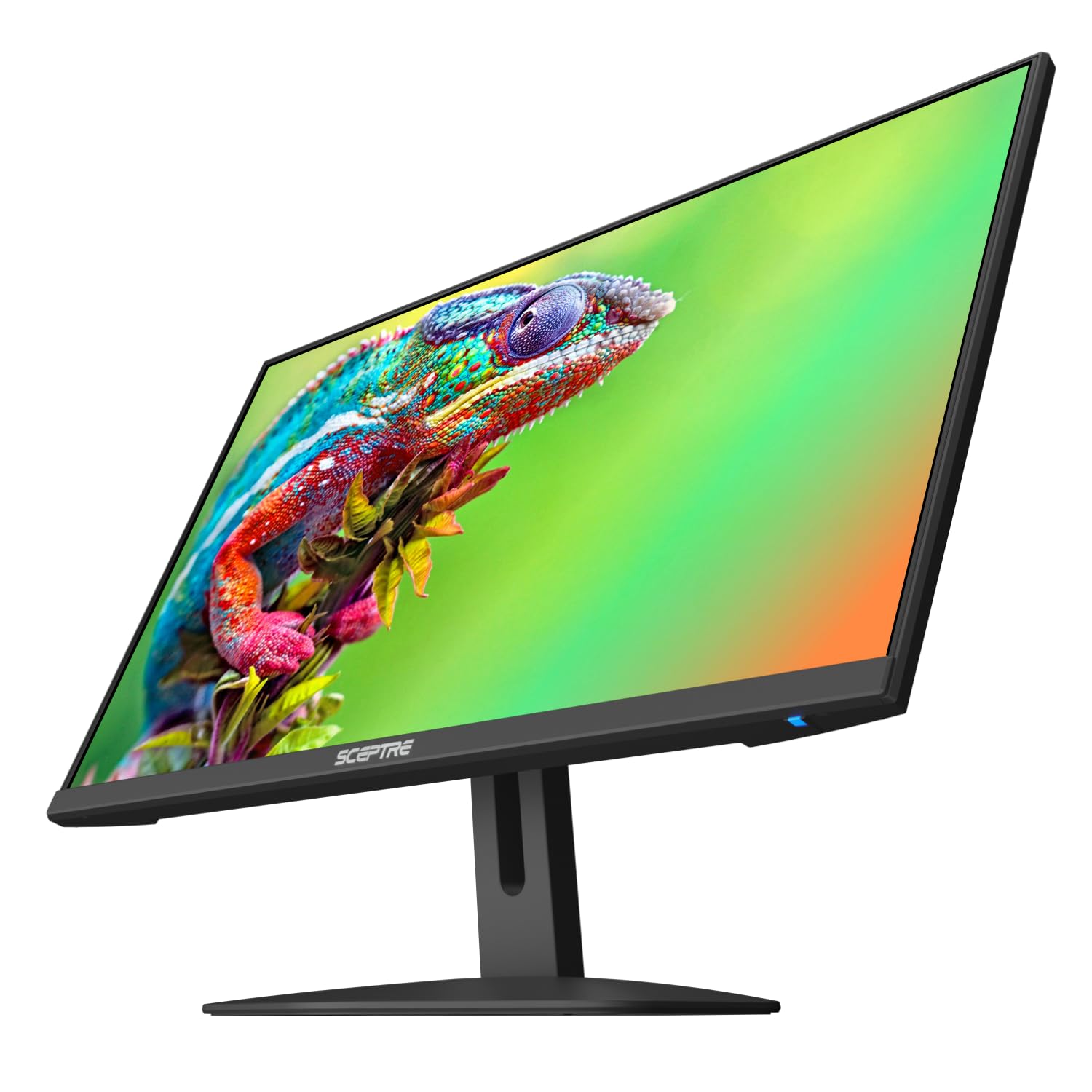
The Sceptre E248W-FW100T is a VA panel monitor that offers a native contrast ratio of 2000:1, which gives it visibly deeper blacks and better shadow detail than any IPS panel at the same price. The 100Hz refresh rate with 1ms Blur Reduction (MPRT) makes motion feel crisp, though the backlight strobing does reduce overall brightness slightly when enabled. For media consumption in a dimly lit room, this monitor’s contrast performance easily outclasses IPS alternatives.
The standout feature here is the inclusion of built-in speakers. They’re tinny and lack bass — as is typical for integrated monitor speakers — but they provide functional audio for YouTube, system sounds, and casual use, keeping your desk free of external speakers. The thin bezel design is nearly edgeless, which is a nice visual touch, and multiple users report that these monitors pair wonderfully in multi-screen arrays for stock trading or office work.
On the downside, the stand offers no height adjustment and the tilt mechanism is stiff. The DisplayPort cable is not included in the box (only HDMI), so you’ll need to buy one separately if you want to use that port. The Blue Light Shift feature works well, but the overall build quality feels slightly less premium than the Dell or ASUS options. For a bare-bones setup that includes audio and strong contrast, this Sceptre delivers solid value.
Why it’s great
- 2000:1 VA contrast ratio beats IPS black levels
- Built-in speakers eliminate need for external audio
- Nearly edgeless bezel for multi-monitor setups
Good to know
- No height adjustment and stiff tilt mechanism
- DisplayPort cable not included in the box
- Default refresh rate is 60Hz; must be manually changed to 100Hz
7. AOC 27B35H3
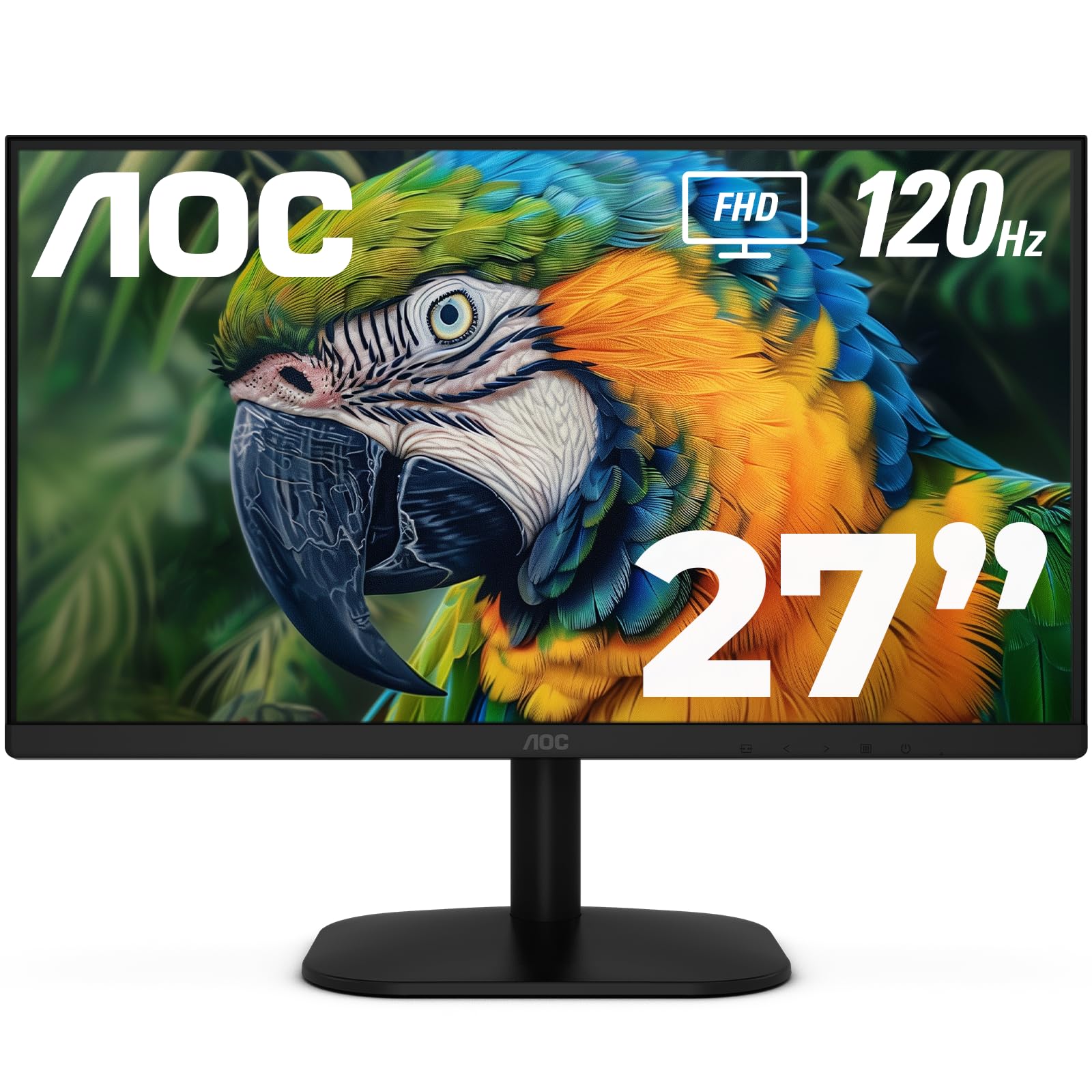
The AOC 27B35H3 is a 27-inch monitor that delivers a 120Hz refresh rate with 1ms response time, Adaptive Sync, and a 100.1% sRGB color gamut — all while sipping only 13 watts in eco mode. That energy efficiency is a big deal for anyone running a multi-monitor setup for long hours; the power savings add up quickly. The display is crisp and bright for office work and casual gaming, with a pixel density of 81 PPI that feels spacious without being overly sharp.
The connectivity suite includes one HDMI port and one VGA port, but no DisplayPort. This is a significant limitation if you’re trying to connect modern GPUs that may only have DisplayPort outputs. The stand offers tilt adjustment only, but the VESA 100x100mm mount is compatible with standard arms. AOC includes a suite of software utilities — eSaver for power management and i-Menu for OSD control via mouse — which is a nice touch not often seen at this price point.
The out-of-box color performance is good, though the HDR mode is basic and won’t satisfy purists. The Flicker-Free and Low Blue Light features are effective, and the OSD menu is straightforward. For an eco-conscious buyer who wants a large 27-inch display with smooth 120Hz motion without spending extra, this AOC model is a smart, efficient pick.
Why it’s great
- Energy-efficient 13W eco mode is a standout feature
- 120Hz, 1ms, and 100.1% sRGB for a smooth, colorful experience
- Software utilities (i-Menu, eSaver) add convenience
Good to know
- Only one HDMI port and no DisplayPort
- HDR support is basic and unconvincing
- Tilt-only stand with no height adjustment
8. Lenovo L24-4e
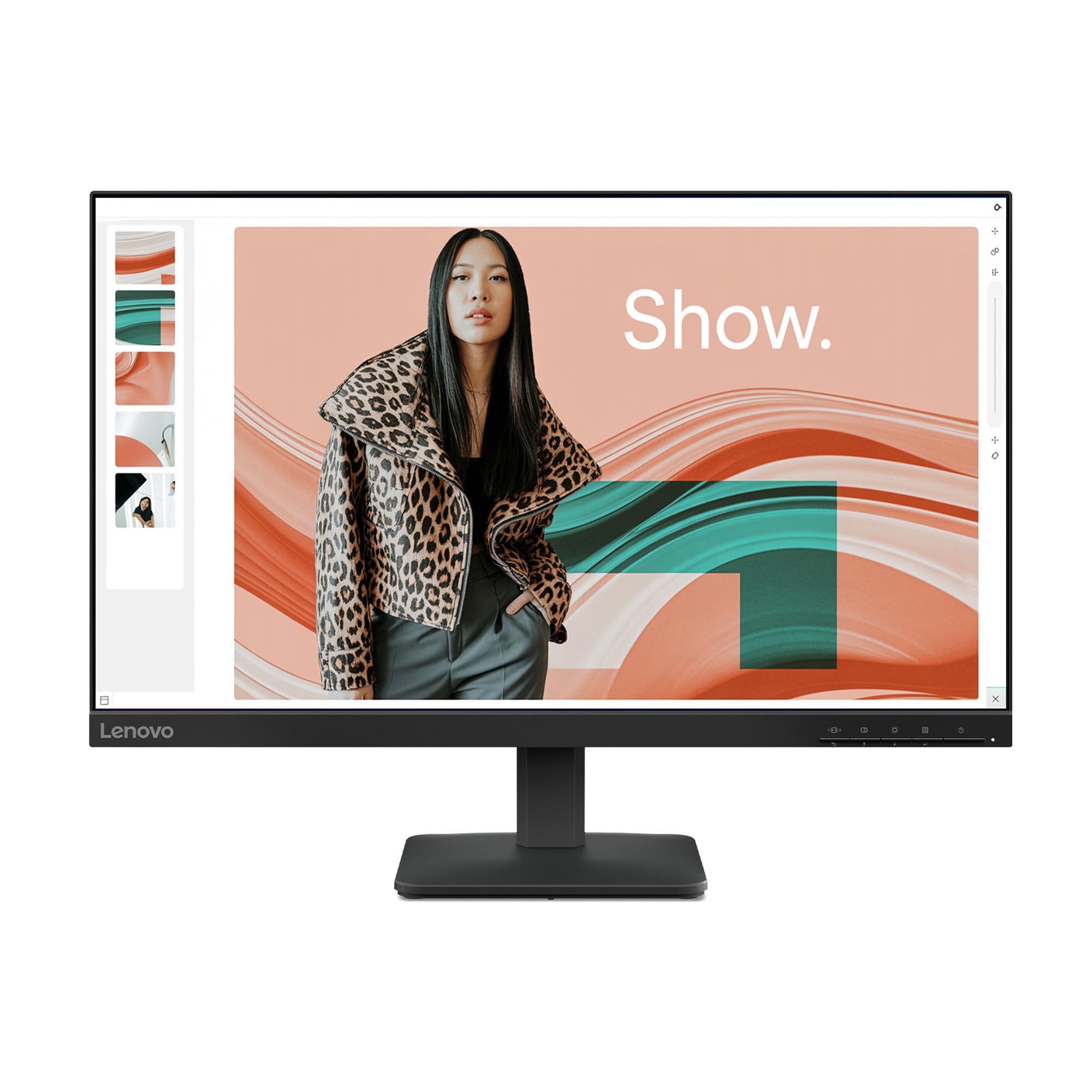
The Lenovo L24-4e is a 23.8-inch IPS monitor designed for the office, not the gaming den. The 100Hz refresh rate and 4ms MPRT response ensure smooth scrolling and acceptable motion clarity for casual use, but there’s no overdrive feature or low-lag gaming mode. The 99% sRGB color gamut delivers accurate, natural colors, and the anti-glare coating effectively diffuses overhead lighting without washing out the image. The 3-side borderless display looks clean and modern on any desk.
The stand is tilt-only, but it’s easy to assemble and feels solid. The VESA mount support (100x100mm) allows you to upgrade to an arm if needed. Connectivity includes one HDMI port and one VGA port, which is a slightly dated combo but still functional for most office peripherals. A notable omission is any form of built-in speaker — there’s not even a headphone jack, so plan for external audio. The packaging is 100% recyclable paper, which aligns with eco-conscious buying.
Multiple users praised the crystal-clear text rendering for reading and coding, which suggests strong pixel pitch and text clarity. The flicker-free technology is TÜV Rheinland certified, reducing eye strain during long sessions. This monitor is not for anyone seeking HDR, high brightness, or gaming features, but for a dedicated work display that’s easy on the eyes and easy on the wallet, it’s a polished choice.
Why it’s great
- Excellent text clarity for reading and coding
- Flicker-free and anti-glare for comfortable long sessions
- 100% recyclable paper packaging
Good to know
- No built-in speakers or headphone jack
- Only one HDMI port and no DisplayPort
- No height adjustment on the stand
9. Amazon Basics 24-inch IPS Monitor

The Amazon Basics 24-inch IPS monitor is effectively an AOC-manufactured display rebadged for Amazon’s house brand, and it’s been a staple for budget-conscious office buyers for years. The 75Hz refresh rate is a small step up from 60Hz, but it’s noticeable in desktop scrolling. The Full HD resolution and IPS panel deliver good color and wide viewing angles, making it suitable for webinars, meetings, and document work. The built-in speakers are functional — think conference calls, not music — which saves desk space for shared environments.
Connectivity is the strongest aspect here. You get HDMI 1.4, DisplayPort 1.2, VGA, and a 3.5mm audio jack for both input and output. That’s more flexibility than any other monitor in this list. The stand tilts from -5° to 23° and the monitor is VESA compatible (100x100mm), so you can mount it on an arm or a wall. The Energy Star certification means it draws minimal power, making it ideal for bulk deployment in an office setting.
The biggest caveat is the refresh rate cap of 75Hz. While fine for productivity, it won’t satisfy anyone who wants a smooth gaming experience. The menu buttons are located on the front bezel and are easy to access, though some users find the default brightness too high. The box reportedly ships with an HDMI cable, but some units may arrive with a torn box or missing VGA cable. For fleet purchases or entry-level setups that need solid connectivity and speakers, this is a reliable workhorse.
Why it’s great
- Robust connectivity: HDMI, DisplayPort, VGA, and audio jack
- Built-in speakers functional for calls and system sounds
- Proven bulk reliability — over three dozen purchased by one user
Good to know
- Only 75Hz — not ideal for gaming
- No height adjustment on the stand
- Some units arrive with damaged packaging or missing cables
FAQ
Does a 100Hz monitor make a noticeable difference for office work?
Why do budget monitors often lack a DisplayPort connection?
Can I use a budget 120Hz monitor with a PS5 or Xbox Series X?
How important is VESA mount support on a budget monitor?
Are built-in speakers on budget monitors worth using?
Final Thoughts: The Verdict
For most users, the budget computer monitor winner is the ASUS VA279HG because it delivers a true 120Hz panel with Adaptive-Sync, vibrant 99% sRGB colors, and a frameless design — all without crossing the triple-digit threshold. If you want enterprise-grade color consistency and anti-glare comfort for marathon work sessions, grab the Dell SE2725HM. And for an eco-friendly, high-refresh 27-inch display that sips power, nothing beats the AOC 27B35H3.

Mo Maruf
I created WellFizz to bridge the gap between vague wellness advice and actionable solutions. My mission is simple: to decode the research and give you practical tools you can actually use.
Beyond the data, I am a passionate traveler. I believe that stepping away from the screen to explore new environments is essential for mental clarity and physical vitality.