Our readers keep the lights on and my smoothie glass nicely filled. As an Amazon Associate, I earn from qualifying purchases.
Ditching the cable shouldn’t mean putting up with a finicky connection or a trackpad that leaves you swiping in frustration. A solid budget Bluetooth mouse delivers the freedom of wireless without the dreaded lag or battery anxiety, letting you click, scroll, and drag in peace. Whether you’re hopping between a laptop, tablet, and phone or just want to clear your desk of one more wire, the right choice hinges on a few key specs.
I’m Mohammad Maruf — the founder and writer behind WellFizz. I’ve spent years combing through technical specifications and user reports on budget-friendly accessories to separate the truly reliable picks from the ones that drop out mid-scroll.
In this guide, I cut through the noise to help you find the best budget bluetooth mouse that actually holds up for daily use, multi-device workflows, and quiet operation.
How To Choose The Best Budget Bluetooth Mouse
A low price tag doesn’t have to mean compromised performance, but you do need to check a few key areas. The difference between a mouse that feels cheap in a week and one that lasts for years often comes down to connectivity, power source, and how it fits your hand.
Prioritise Bluetooth Version and Multi-Device Support
Bluetooth 5.0 and newer versions offer better range, faster pairing, and lower power consumption than Bluetooth 4.0. If you plan to switch between a laptop, tablet, and phone, look for a model with dual Bluetooth channels plus a 2.4 GHz option. This tri-mode flexibility eliminates the need to re-pair devices every time you switch.
Choose Your Battery: Rechargeable vs. Disposable
Rechargeable mice with USB-C ports save you money on AA batteries over time and reduce electronic waste. However, some users prefer the simplicity of a single AA battery that can be swapped instantly when it dies. Check whether a charging cable is included — some budget models only provide a cable for charging, not for wired data transfer.
Don’t Overlook DPI and Sensor Quality
DPI (dots per inch) determines how fast the cursor moves across the screen. A range of 800 to 2400 DPI is adequate for most office and browsing tasks, while 4800 DPI helps for fast gaming movements. More important than the max number is the sensor’s tracking accuracy on different surfaces — a smooth optical sensor beats a jerky laser sensor every time.
Evaluate Ergonomics and Click Noise
If you spend hours mousing, the shape matters. Vertical designs reduce wrist strain by keeping your forearm in a neutral position, while contoured right-handed shapes offer thumb rests. Budget models often use plastic shells, but a soft-touch coating and silent clicks can make one feel significantly more premium. Test the click weight — too stiff and your fingers tire, too light and you risk accidental presses.
Quick Comparison
On smaller screens, swipe sideways to see the full table.
| Model | Category | Best For | Key Spec | Amazon |
|---|---|---|---|---|
| XBG B15pro | Premium | Hybrid office & home with LED status display | LED screen shows battery & DPI | Amazon |
| Uineer Ergonomic Vertical Mouse | Premium | Reducing wrist strain for small-to-medium hands | Vertical handshake grip | Amazon |
| TECKNET Bluetooth Mouse | Mid-Range | Multi-device control with 60-day battery | 6-level DPI up to 4800 | Amazon |
| Uciefy Tri-Mode Mouse | Mid-Range | Gamers wanting LED effects & magnetic cover | Honeycomb magnetic shell | Amazon |
| RAPIQUE Bluetooth Mouse | Budget | Simple, reliable wireless on a strict budget | Weight 65g (ultra-light) | Amazon |
In‑Depth Reviews
1. XBG B15pro

The XBG B15pro earns the top spot because it brings a unique feature usually reserved for much pricier peripherals: a built-in LED screen that shows real-time battery percentage, DPI level, and connection mode. No more guessing whether you have 20% or 80% charge. The tri-mode connectivity — Bluetooth 5.0, 4.0, and 2.4 GHz — lets you switch between a laptop, tablet, and PC in under a second.
Inside, a 500 mAh rechargeable battery powers the unit via USB-C, and the mouse automatically enters sleep mode after five minutes of inactivity to conserve energy. Users report that the 1600 DPI setting works smoothly across three external screens without noticeable lag. The contoured thumb rest and arched palm support make it comfortable for full workdays, and the matte finish resists fingerprints well.
While the button mapping is not customisable and the manual is sparse, the click feel is satisfyingly quiet — a boon for shared office spaces or late-night work. The LED screen alone justifies the slightly higher investment over typical budget options, giving you total visibility into your settings at a glance.
Why it’s great
- LED screen shows battery, DPI, and connection mode instantly.
- Tri-mode Bluetooth 5.0/4.0 + 2.4 GHz for seamless multi-device use.
- Quiet clicks and ergonomic thumb rest reduce noise and fatigue.
Good to know
- Buttons cannot be remapped via software.
- Sleep mode timing is not adjustable.
- Charging via USB-C is relatively slow.
2. Uineer Ergonomic Wireless Mouse Pink
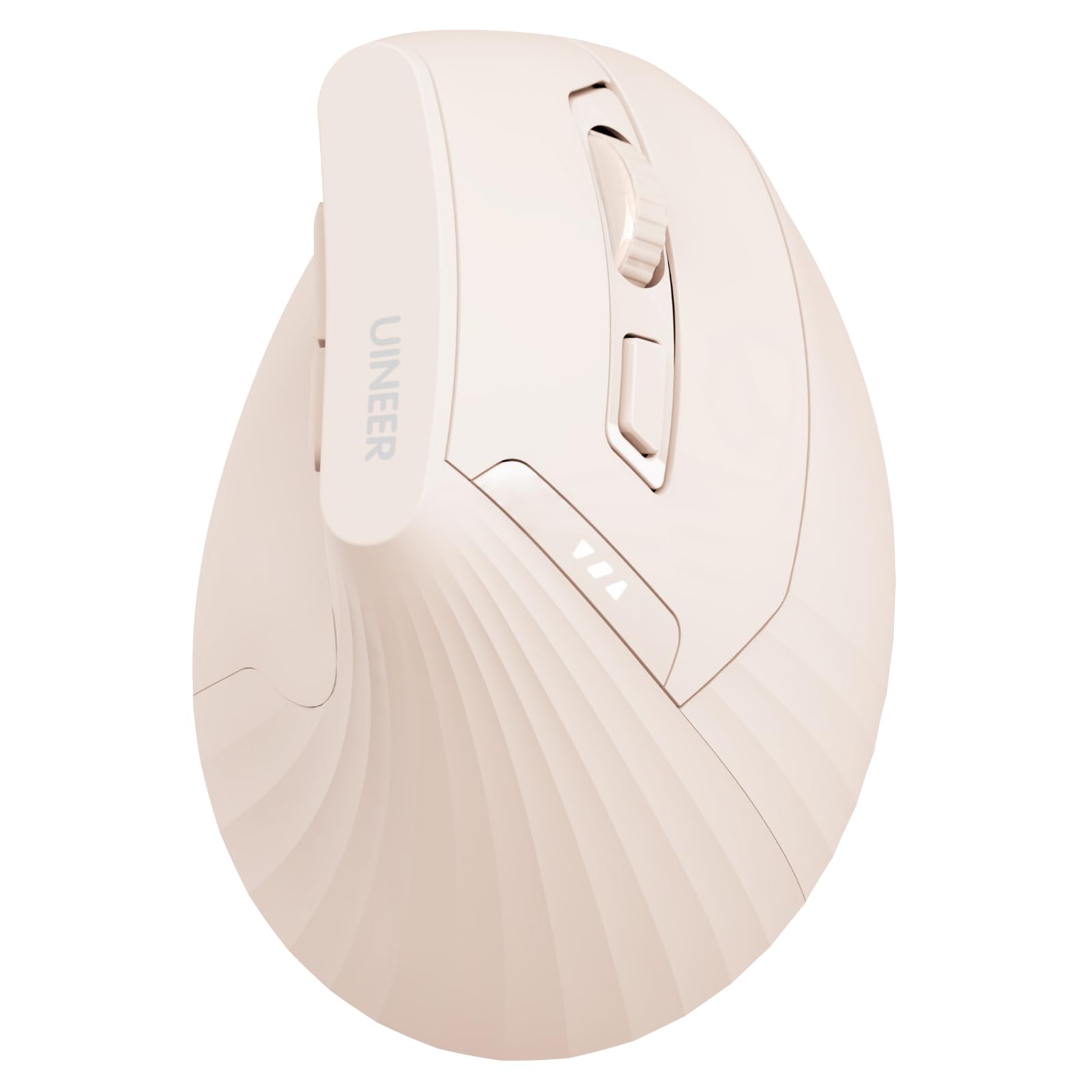
The Uineer vertical mouse is built specifically for users who feel wrist strain after standard mousing. Its handshake grip keeps your wrist and forearm aligned, reducing repetitive strain injuries. It connects to up to three devices via Bluetooth 5.0, 4.0, or the included 2.4 GHz dongle, and switching between them requires no re-pairing.
Four adjustable DPI levels (800, 1200, 1600, 2400) let you dial in cursor speed for precise graphic work or faster browsing. The left and right buttons produce soft clicks that are significantly quieter than typical vertical mice. The built-in 500 mAh battery recharges via USB-C, and a visible power indicator on the top prevents sudden shutdowns. Users with 17 cm hands report a comfortable fit, and the soft-touch plastic feels more premium than its price suggests.
One important note: the back and forward buttons do not work with Mac OS, and the scroll wheel click is louder than the main buttons. The vertical shape also takes about one to two weeks to adjust to. However, for anyone dealing with wrist discomfort from a conventional mouse, this model delivers noticeable relief at a fraction of the cost of premium ergonomic brands.
Why it’s great
- Vertical design effectively reduces wrist and forearm strain.
- Connects to three devices via dual Bluetooth and 2.4 GHz.
- Visible battery indicator and USB-C rechargeable.
Good to know
- Side buttons do not function on Mac OS.
- Requires a 1–2 week adaptation period.
- Scroll wheel and middle click are louder than main buttons.
3. TECKNET Bluetooth Wireless Mouse
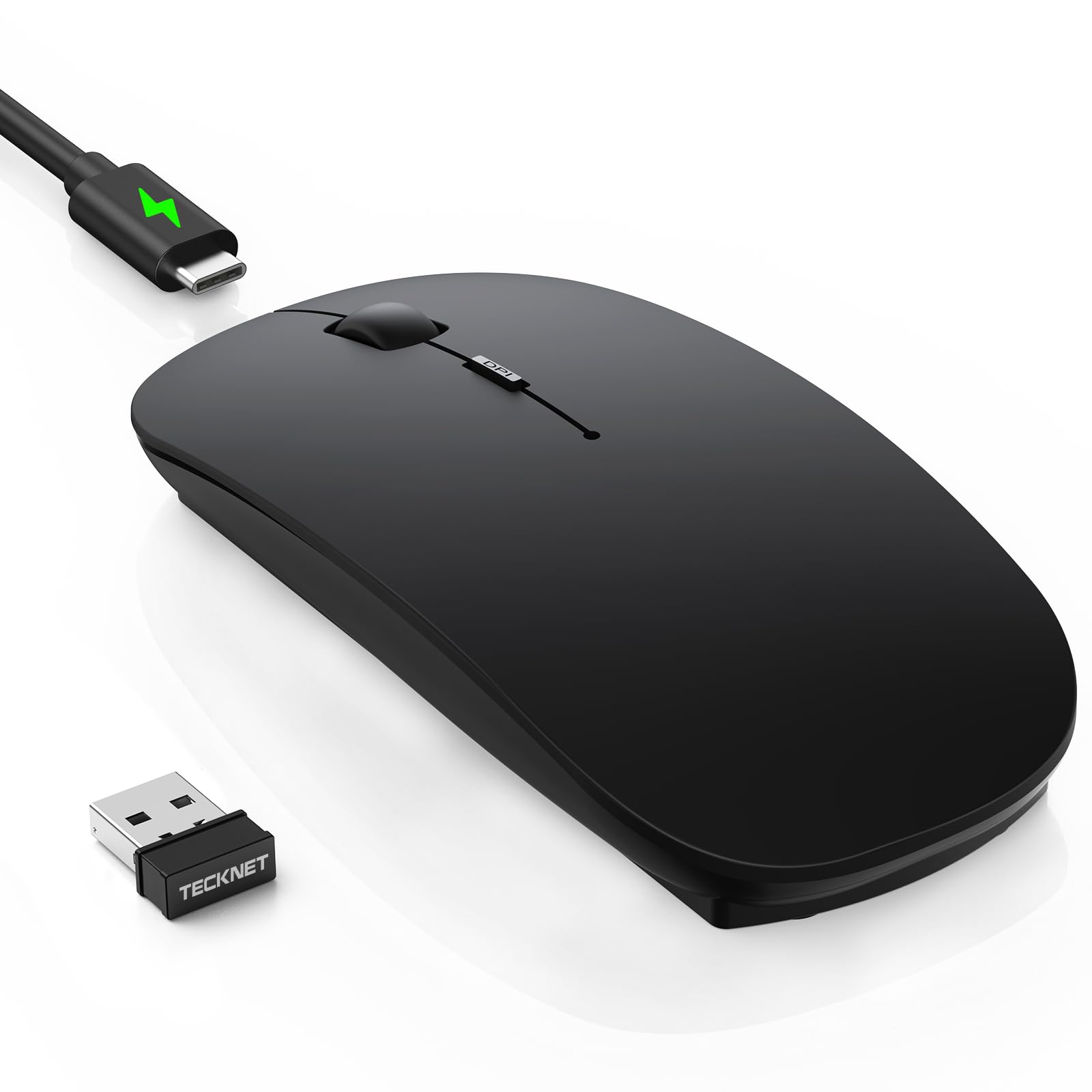
The TECKNET mouse packs impressive specs into an ultra-thin body measuring just 0.93 inches tall. It offers Bluetooth 5.2/3.0 plus a 2.4 GHz connection, and you can switch between three paired devices with a single button press. The 6-level adjustable DPI ranges from 800 all the way up to 4800, making it equally usable for detailed spreadsheet work and fast-paced gaming.
A USB-C rechargeable battery delivers up to 60 days of typical use on a two-hour charge, with a 12-month standby time. The auto-sleep function kicks in after 30 minutes, and the mouse wakes instantly. The soft, anti-slip skin-touch coating feels comfortable and resists fingerprints. Users highlight the quiet clicks — rated at 90% noise reduction — and the hidden USB dongle storage tucked under the body.
Some users noted a brief hunting or ghost-tracking issue during the first day of use, which cleared up after a couple of days. The black matte finish can show marks if hands are sweaty. Overall, for the price, the combination of high DPI, long battery life, and slim travel-friendly design makes this a versatile pick for anyone who wants one mouse to handle work, school, and casual gaming.
Why it’s great
- 6-level DPI up to 4800 for precision across tasks.
- USB-C rechargeable with 60-day battery life.
- Ultra-slim and pocketable with hidden dongle storage.
Good to know
- Initial 1–2 days may exhibit minor tracking hiccups.
- Matte black finish shows sweat marks easily.
- Charging cable is data-only; no wired use.
4. Uciefy Tri-Mode Wireless Mouse

The Uciefy mouse stands out visually with its honeycomb magnetic shell and seven-color LED breathing lights. But the design isn’t just for show — the perforated shell improves heat dissipation during extended use and magnetically attaches to hide the USB receiver inside the body, so you never lose the dongle. A spare cover is included in the box.
Connectivity is handled by tri-mode support: Bluetooth 5.0, 5.1, and 2.4 GHz via the USB receiver or a Type-C adapter, which makes it compatible with devices that only have USB-C ports. The mouse features a dedicated battery level indicator behind the mouse and a charging indicator near the scroll wheel. Three DPI options (1200, 1600, 2400) cover office and light gaming needs, and the clicks are satisfyingly quiet.
At 76 grams, it is light but not flimsy, though users with larger hands may find it slightly small. The mode selector switch on the bottom is prone to accidental presses when picking up the mouse. Despite that, the magnetic shell, extra cover, and vibrant LED lighting make it a unique choice for users who want personality in their peripherals without sacrificing performance.
Why it’s great
- Magnetic honeycomb shell for heat dissipation and dongle storage.
- Tri-mode connectivity includes a Type-C adapter for modern devices.
- LED battery level visible from the top at a glance.
Good to know
- Bottom mode switch can be bumped accidentally.
- Smaller size may not fit large hands comfortably.
- Sleep mode requires a button press to wake fully.
5. RAPIQUE Bluetooth Wireless Mouse
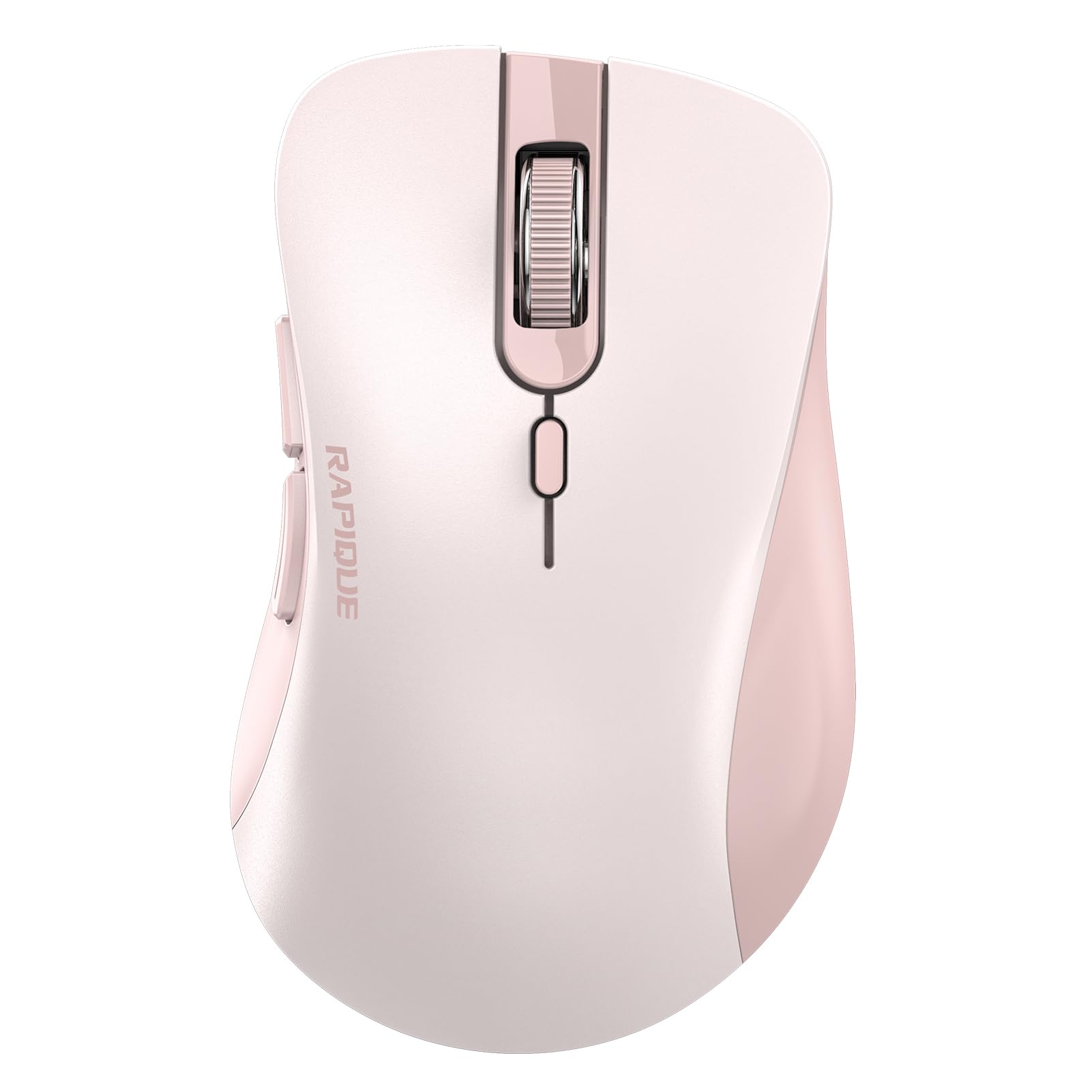
If your priority is the lowest possible entry price without sacrificing core wireless reliability, the RAPIQUE mouse delivers. It offers dual Bluetooth and 2.4 GHz connectivity, so you can connect to a laptop or tablet and switch between them. The ergonomic shape is designed for right-handed use and provides a secure grip for long work sessions.
The mouse runs on a single AA battery, which is not included, and users report excellent battery life due to low power consumption. The clicks are genuinely quiet — a standout feature at this price point — and the pink colourway with serrated scroll wheel adds a touch of style. Setup is simple: the 2.4 GHz mode is plug-and-play, while Bluetooth requires a long press on the mode switch button to initiate pairing.
At just 65 grams, it is extremely lightweight, which some users love for portability and others find less substantial. The product lacks on-board instructions for button functions, so you may need to search online. For someone buying their first Bluetooth mouse or needing a reliable spare for travel, this model covers all the essentials without hitting your wallet hard.
Why it’s great
- Ultra-light 65g body is ideal for portability.
- Quiet clicks suitable for libraries and shared spaces.
- AA battery delivers long runtime with low power draw.
Good to know
- AA battery is not included in the box.
- No printed button definitions included.
- Very light build may feel cheap to some users.
FAQ
Can a budget Bluetooth mouse handle gaming without noticeable lag?
How important is a USB-C rechargeable battery in a budget mouse?
Why does my budget Bluetooth mouse sometimes skip or freeze?
Final Thoughts: The Verdict
For most users, the best budget bluetooth mouse winner is the XBG B15pro because its built-in LED screen gives you total visibility into battery and DPI — a feature that completely removes guesswork and justifies the slight investment. If you need to reduce wrist strain during long workdays, grab the Uineer Ergonomic Vertical Mouse. And for sheer battery longevity and ultra-thin portability, nothing beats the TECKNET Bluetooth Mouse.

Mo Maruf
I created WellFizz to bridge the gap between vague wellness advice and actionable solutions. My mission is simple: to decode the research and give you practical tools you can actually use.
Beyond the data, I am a passionate traveler. I believe that stepping away from the screen to explore new environments is essential for mental clarity and physical vitality.