Our readers keep the lights on and my smoothie glass nicely filled. As an Amazon Associate, I earn from qualifying purchases.
The line between a functional workspace and a cluttered desk is often a single, unwieldy tower. An all-in-one PC cuts that cord, merging the monitor and the computer into a single, clean assembly that frees up square footage and eliminates cable nests. The challenge is finding a model that delivers reliable daily performance—web browsing, document editing, streaming—without demanding a premium budget for components you don’t actually need.
I’m Mohammad Maruf — the founder and writer behind WellFizz. I’ve spent years analyzing retail market data and dissecting hardware specifications across hundreds of consumer electronics categories to separate genuine value from marketing hype. This guide focuses on the specific CPU tiers, memory configurations, and display quality that define the real-world performance of a budget-friendly all-in-one.
After cross-referencing processor benchmarks, storage types, and verified buyer feedback on eleven distinct models, I’ve assembled a clear, practical guide to the best budget all in one pc options available today for home offices, students, and everyday family computing.
How To Choose The Best Budget All In One PC
Buying a budget all-in-one requires a careful trade-off between processing power, display quality, and storage speed. Unlike a full-sized desktop where you can upgrade components later, AIO systems are largely closed boxes—make the right choice upfront to avoid buyer’s remorse.
Processor Generation Over Core Count
A common trap is the “i7” or “i5” label on a processor that is several generations old. A 4th-gen Core i7 (Haswell, circa 2013) will struggle with modern Windows 11 and multi-tab browsing, while a newer, lower-tier chip like the Intel N100 or N200 will feel snappier despite having fewer cores. Always check the CPU generation number—for Intel, that’s the first digit after the dash (e.g., i7-7700HQ is 7th-gen, i5-12400 is 12th-gen). Newer architecture means better power efficiency, faster single-thread performance, and proper support for modern OS features.
RAM: 8GB Minimum, 16GB for Comfort
For basic web browsing and office work, 8GB of RAM is the absolute baseline. If you plan to keep more than ten browser tabs open while running a video call and a word processor simultaneously, 16GB of RAM eliminates stuttering and slowdowns. Most budget AIOs use DDR4 memory, which is perfectly adequate. Pay attention to whether the RAM is upgradable—some models solder it to the motherboard, locking you into the initial configuration.
Storage: SSD is Non-Negotiable
Never purchase an all-in-one with a mechanical hard drive (HDD). A solid-state drive (SSD) is mandatory for boot times under 30 seconds and responsive application loading. Look for a 256GB SSD at a minimum; 512GB offers comfortable breathing room for documents, photos, and a few applications. PCIe NVMe SSDs are faster than SATA SSDs, but for general use, the difference is often marginal. Beware of models that obscure storage type—if it doesn’t say “SSD,” assume it’s a slow HDD.
Quick Comparison
On smaller screens, swipe sideways to see the full table.
| Model | Category | Best For | Key Spec | Amazon |
|---|---|---|---|---|
| Acer Aspire C24-2G-UR15 | Mid-Range | Fast display & multitasking | 120Hz IPS, Ryzen 5 7430U | Amazon |
| Apple iMac M4 (2024) | Premium | Ecosystem & creative work | 24″ Retina 4.5K, M4 chip | Amazon |
| Fusion5 A7 N6 | Mid-Range | Value with 16GB RAM | Intel N150, 16GB LPDDR4 | Amazon |
| Lenovo V100 (23.8″) | Mid-Range | Reliable office workhorse | Intel N100, 512GB SSD | Amazon |
| Lenovo 24″ (N100, 16GB) | Mid-Range | Higher memory for multitasking | Intel N100, 16GB DDR4 | Amazon |
| HP 22-dg0340 (N200) | Mid-Range | Modern connectivity & eco-build | Intel N200, Wi-Fi 6 | Amazon |
| HP 2022 (J4025) | Entry-Level | Brand-name basic use | Intel Celeron J4025 | Amazon |
| MECHAZER NX5-23C | Entry-Level | Curved display immersion | i7-7700HQ, 16GB RAM | Amazon |
| STGSivir i7 (21.5″) | Entry-Level | Lowest entry with i7 label | 4th Gen i7, 16GB RAM | Amazon |
| STGSivir i5 (23.6″) | Entry-Level | Budget gaming look | 4th Gen i5, 16GB RAM | Amazon |
| Core Innovations 24″ | Entry-Level | Absolute lowest cost | Celeron N5095, 4GB RAM | Amazon |
In‑Depth Reviews
1. Acer Aspire C24-2G-UR15

The Acer Aspire C24 breaks the mold of what a budget all-in-one can deliver with a 120Hz refresh rate on its 23.8-inch FHD IPS panel. This is a feature typically reserved for gaming monitors, and it makes every window drag, scroll, and cursor movement feel fluid. The AMD Ryzen 5 7430U hexa-core processor provides genuine desktop-class performance, handling spreadsheet-heavy workflows and video streaming with no perceptible lag.
Storage and memory are both generous at 512GB PCIe SSD and 16GB of DDR4 RAM. The inclusion of Wi-Fi 6E ensures fast, modern wireless connectivity, and the 2MP webcam with a privacy shutter covers video-call basics. The front I/O access—USB Type-C port and audio jack—saves you from reaching behind the stand every time you need to plug in a drive.
The main compromise is fan noise; several users report the cooling fan can be audible under sustained load, though adjusting the power plan mitigates this. If you value a smooth-feeling desktop experience without moving to Apple territory, this is the most well-rounded performer in the price bracket.
Why it’s great
- 120Hz IPS display is exceptionally smooth for the category
- Hexa-core Ryzen 5 processor outperforms most Intel N-series chips
- Wi-Fi 6E and USB-C front port
Good to know
- Fan can become noticeable under heavy load
- Some users reported a loud fan out of the box requiring power setting adjustments
2. Apple iMac M4 (2024)

If your budget allows for an upgrade, the Apple iMac with the M4 chip redefines the all-in-one experience entirely. The 24-inch 4.5K Retina display is simply unmatched in this form factor—500 nits of brightness, support for 1 billion colors, and an anti-reflective coating that makes it pleasant to use in any lighting. The M4 processor delivers blistering single-thread performance that makes everything from photo editing to heavy multitasking feel instantaneous.
The iMac comes with 16GB of unified memory and a 256GB SSD as standard. The 12MP Center Stage camera, three-microphone array, and six-speaker system with Spatial Audio set a new standard for remote work clarity. The all-in-one design is astonishingly thin, and the multiple color options let you personalize your workspace. Connectivity includes Thunderbolt 4 ports, Wi-Fi 6E, and Bluetooth 5.3.
The obvious trade-off is the storage floor: 256GB fills up quickly, and Apple’s upgrade pricing is steep. The included Magic Mouse’s bottom-mounted charging port remains an ergonomic frustration, and the keyboard is compact with no numeric keypad. For users already in the Apple ecosystem or those who prioritize display quality above all else, this is the pinnacle.
Why it’s great
- Best-in-class 4.5K Retina display with vibrant colors
- M4 chip delivers industry-leading performance and efficiency
- Superb audio and video quality for conferencing
Good to know
- Base 256GB SSD fills quickly; upgrades are expensive
- Magic Mouse charges from bottom, unusable while charging
3. Fusion5 A7 N6
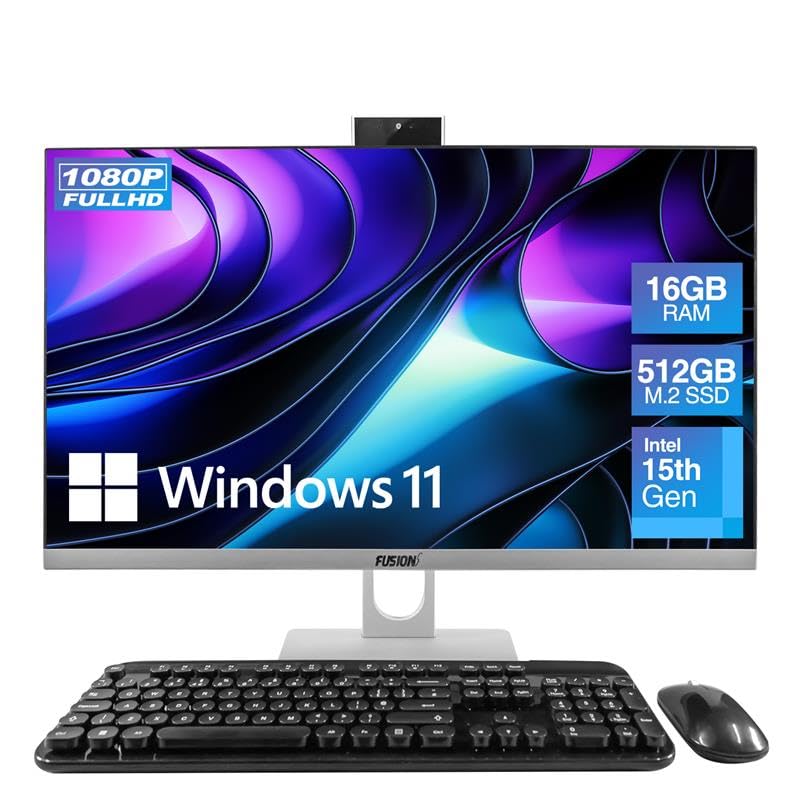
The Fusion5 A7 N6 offers a rare combination in the budget space: a 23.8-inch Full HD IPS display paired with 16GB of LPDDR4 RAM and a 512GB SATA SSD. The Intel 15th Gen N150 quad-core processor (up to 3.6GHz) is a modern low-power chip that handles daily tasks—web browsing, Office apps, video streaming—with minimal heat and near-silent operation. This is a quiet PC, a relief for those sensitive to fan noise.
The included wireless keyboard and mouse are functional, and the 3MP pop-up webcam is a thoughtful touch for privacy. Port selection is broad: two USB 3.0 ports, four USB 2.0 ports, HDMI output, and a Kensington security slot. Setup is straightforward, and the clear IPS display makes reading text comfortable for long sessions.
The wireless peripherals share a single USB receiver, which is fine for the desk but limits flexibility. The keyboard uses rounded keys that require a slight adjustment period. For anyone who needs 16GB of RAM for smooth tab-heavy browsing without paying a premium, this is the most sensible pick.
Why it’s great
- 16GB RAM and 512GB SSD at a very accessible price point
- Quiet operation with modern N150 processor
- Pop-up 3MP webcam for privacy
Good to know
- SATA SSD is slower than PCIe NVMe alternatives
- Wireless keyboard has unusual rounded keycap shape
4. Lenovo V100 (23.8″)
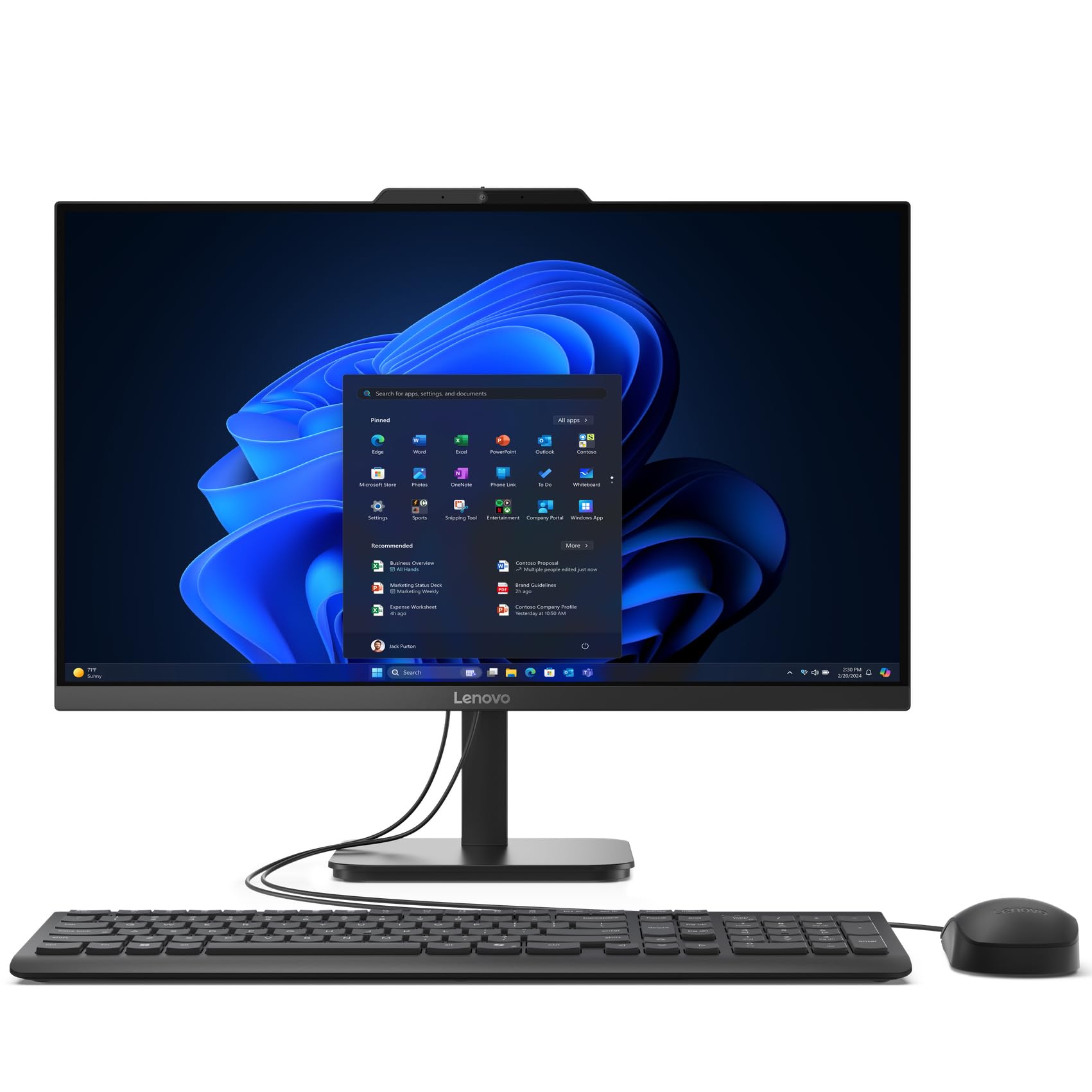
The Lenovo V100 is a straightforward, no-nonsense machine built for reliability. Its 23.8-inch FHD IPS anti-glare display with 99% sRGB coverage provides accurate color and wide viewing angles, making it suitable for basic photo browsing and streaming. The Intel N100 processor is a modern 4-core/4-thread Alder Lake-N chip that draws very little power while delivering snappy boot times and smooth application launching.
With 8GB of DDR4 RAM and a 512GB PCIe NVMe SSD, the V100 balances speed and capacity well. The storage is notably faster than SATA-based competitors. Connectivity is solid with Wi-Fi 6 and Bluetooth 5.2, and the array of USB-A ports is generous. The anti-glare coating on the screen reduces eye strain in brightly lit rooms.
The 8GB of RAM is sufficient for basic use, but heavy multitaskers will feel the ceiling quickly. Some users reported issues with the included keyboard—specifically a spacebar that only registers when pressed in the center. The stand lacks ergonomic tilt adjustment. This is a strong pick for a dedicated work-from-home setup where the computer stays put and runs one or two applications at a time.
Why it’s great
- PCIe NVMe SSD for fast storage speeds
- IPS anti-glare display with excellent sRGB coverage
- Wi-Fi 6 and Bluetooth 5.2 standard
Good to know
- 8GB RAM may limit heavy multitasking
- Keyboard quality reported as inconsistent
5. Lenovo 24″ (N100, 16GB)

This Lenovo 24-inch model is effectively the same platform as the V100 above, but with a critical upgrade: 16GB of DDR4 RAM instead of 8GB. For users who routinely juggle a dozen browser tabs, Slack, a word processor, and Spotify simultaneously, that extra headroom eliminates the stuttering that plagues 8GB systems. The 128GB PCIe SSD offers fast booting, but the storage capacity is notably smaller than similarly priced competitors.
The 23.8-inch IPS display maintains the same anti-glare 250-nit brightness and 99% sRGB coverage found in the V100. The wireless keyboard and mouse included are standard Lenovo peripherals. Connectivity covers dual-band Wi-Fi 6, Bluetooth 5.2, HDMI output, and multiple USB-A ports.
The 128GB SSD will feel cramped if you store many applications or large media files. The keyboard layout sometimes caused confusion with the @ key placement in user reports. This model makes sense if your priority is RAM capacity over storage space—or if you are comfortable offloading files to external drives or cloud storage.
Why it’s great
- 16GB RAM provides smooth multitasking headroom
- IPS anti-glare display with vivid colors
- Wireless keyboard and mouse included
Good to know
- 128GB SSD is very small; external storage likely needed
- Keyboard key mapping reported as incorrect on some units
6. HP 22-dg0340 (N200)
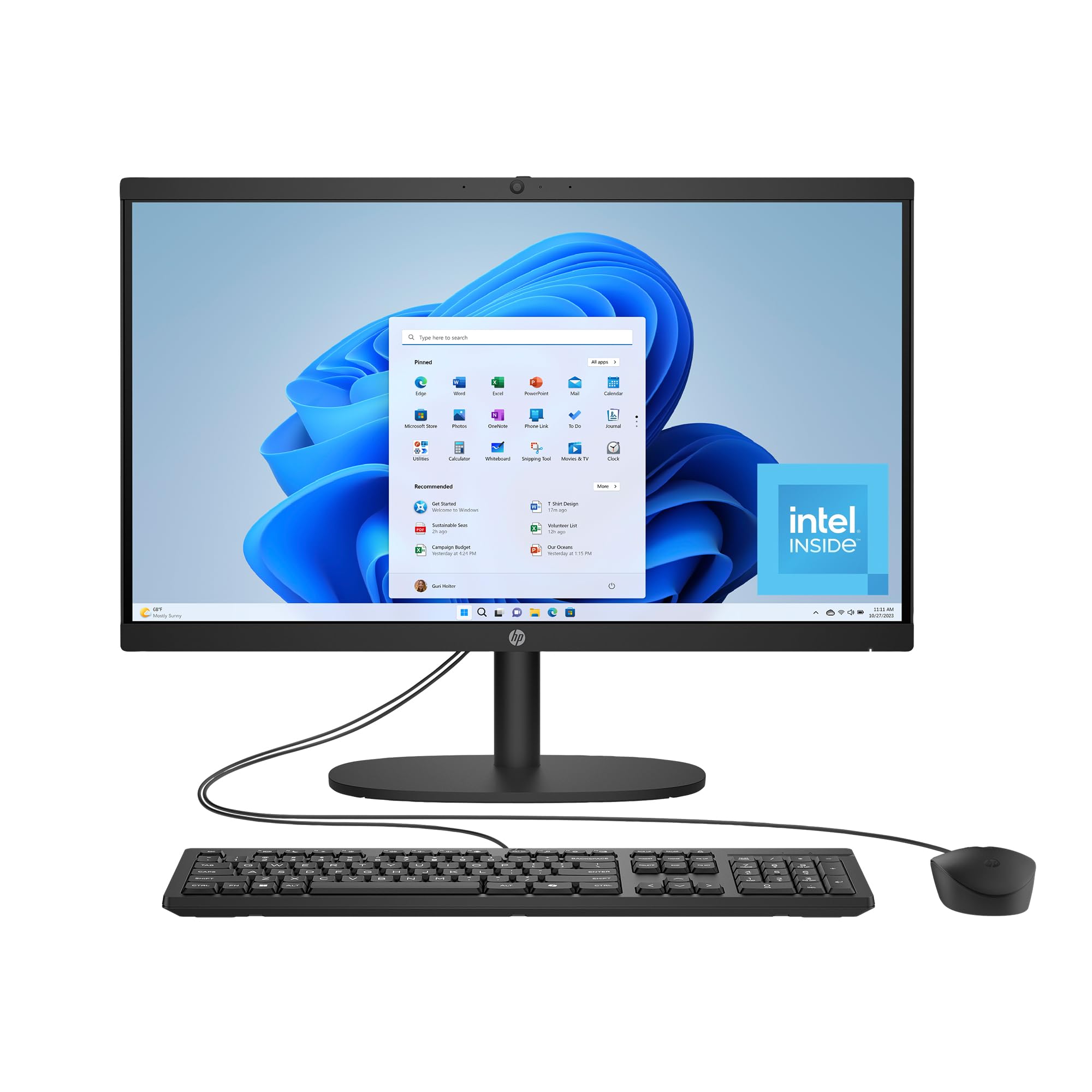
The HP 22-dg0340 stands out for its thoughtful design and environmental commitment, using post-consumer recycled plastics and earning EPEAT Gold and ENERGY STAR certifications. The Intel N200 processor is a slight step up from the N100, with a higher boost clock reaching 3.7GHz. This translates to marginally better responsiveness in bursty tasks like loading web pages or launching Office apps.
The 21.45-inch FHD VA display features DC Dimming for flicker-free viewing, which reduces eye fatigue during long work sessions. HP includes a manual camera shutter for privacy, and the AI noise reduction on the built-in microphone ensures your voice cuts through background noise on calls. Wi-Fi 6 and Bluetooth 5.3 keep wireless connectivity current, and the 8GB of RAM is paired with a 512GB SSD for balanced performance.
The 8GB RAM ceiling is the main bottleneck for users who enjoy heavy multitasking. The VA panel, while good, does not offer the wide viewing angles of an IPS screen. Some users reported the included mouse began exhibiting erratic scrolling behavior after a few weeks, though this is an accessory-level complaint rather than a system failure.
Why it’s great
- Flicker-free DC Dimming display reduces eye strain
- Environmentally conscious materials and certifications
- AI noise-canceling microphone and manual webcam shutter
Good to know
- 8GB RAM limits heavy multitasking capabilities
- Included mouse had quality consistency issues in some reviews
7. HP 2022 (J4025)

The HP 2022 all-in-one is a recognizable brand-name entry point with a clean, white aesthetic that fits well in a home office or kitchen nook. Its 21.5-inch FHD VA display delivers decent color and good contrast, and the micro-edge bezel design keeps the footprint compact. The 256GB PCIe SSD is surprisingly fast for the tier, making boot times and app launches reasonably quick.
Performance is limited by the Intel Celeron J4025, a low-power dual-core processor with a maximum turbo of 2.4GHz. This chip will handle email, document editing, and light web browsing competently, but stumbles noticeably with video conferencing combined with multiple applications. The 8GB of DDR4 RAM helps, but the CPU is the bottleneck in any demanding scenario.
Do not expect to run 4K video streams or complex spreadsheets without lag. The white plastic build feels less premium than aluminum competitors, and the included wired peripherals are basic. This is a passable choice for a strictly email-and-browser user who values the HP service network over raw performance.
Why it’s great
- Trusted HP brand with accessible support
- FHD VA display with micro-edge bezels
- 256GB PCIe SSD boots quickly
Good to know
- Celeron J4025 is very slow for multitasking
- Struggles with Zoom calls while running other apps
8. MECHAZER NX5-23C

The MECHAZER NX5-23C brings a 23.8-inch curved display to the budget AIO space, which is an unusual feature at this level. The curve creates a slight sense of immersion that can be pleasant for media consumption, and the 1080p resolution is standard for the size. The star here is the Core i7-7700HQ processor, a 7th-gen quad-core chip with a 3.8GHz turbo that still holds its own for office applications and light content creation.
With 16GB of DDR4 RAM and a 512GB SSD, multitasking is smooth. The port selection is generous at 4x USB 3.0, 2x USB 2.0, plus HDMI and VGA outputs. Fingerprint recognition adds a layer of biometric security for easy logins. The included wired keyboard and mouse are basic but functional, and the speaker output is surprisingly adequate for a built-in unit.
The 7th-gen chip is not compatible with all Windows 11 security features (TPM 2.0 support depends on the specific firmware). The curved panel is not IPS, so color accuracy and viewing angles are narrower. The stand is stable but offers limited tilt adjustment. This is a good pick if you want a larger, curved screen and high RAM out of the box, as long as you accept the older processor architecture.
Why it’s great
- 23.8-inch curved display is unique in this price bracket
- 16GB RAM and 512GB SSD provide smooth daily performance
- Fingerprint reader for convenient, secure login
Good to know
- i7-7700HQ is a 7th-gen chip lacking modern security features
- Curved VA panel has limited viewing angles vs IPS
9. STGSivir i7 (21.5″)
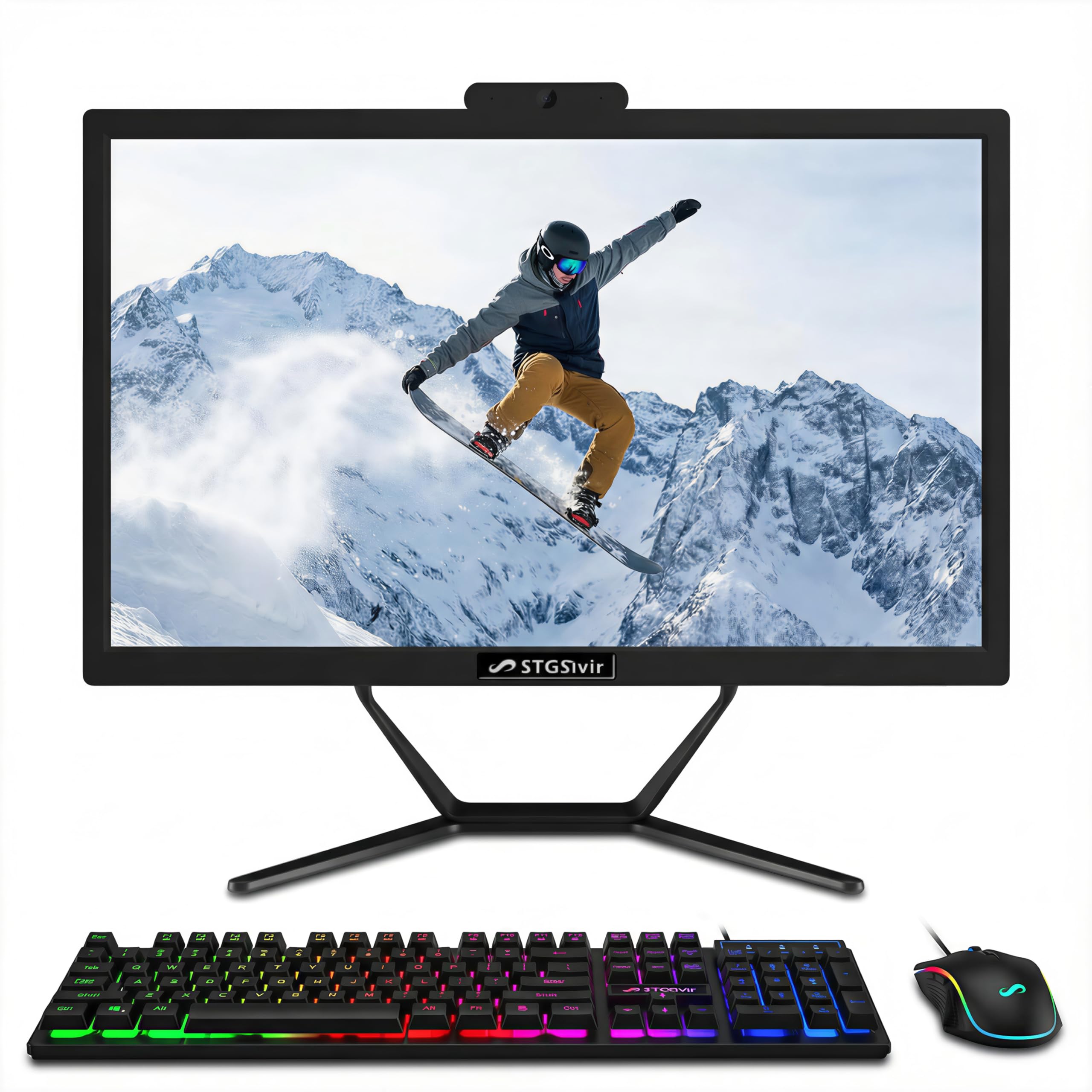
The STGSivir i7 model advertises an Intel Core i7 processor at a very low entry cost, but the fine print reveals it is a 4th-gen Haswell chip from 2013. This is a critical distinction: while it carries the “i7” moniker, its architecture is over a decade old and lacks hardware support for modern power management and security standards. The 16GB of RAM and 512GB SSD are generous for the price.
The 21.5-inch FHD LED display is adequate for basic tasks, and the included RGB keyboard and mouse add a gaming aesthetic that may appeal to younger users. Connectivity covers USB 3.0, HDMI, and VGA, plus Wi-Fi and Bluetooth 5.0. The built-in webcam is functional for video calls, and the speaker output is sufficient for system sounds.
Performance will feel sluggish by modern standards, especially during Windows 11 updates. There are credible reports of the operating system being a “hacked-on” version due to the lack of TPM 2.0 support. This model is only suitable if your budget is extremely tight and your computing needs are limited to single-task browsing.
Why it’s great
- Highest RAM/storage configuration for the price
- RGB peripherals add visual flair
- Includes webcam and speakers
Good to know
- CPU is a 4th-gen Haswell from 2013; very outdated
- Windows 11 may be running on unsupported hardware
10. STGSivir i5 (23.6″)
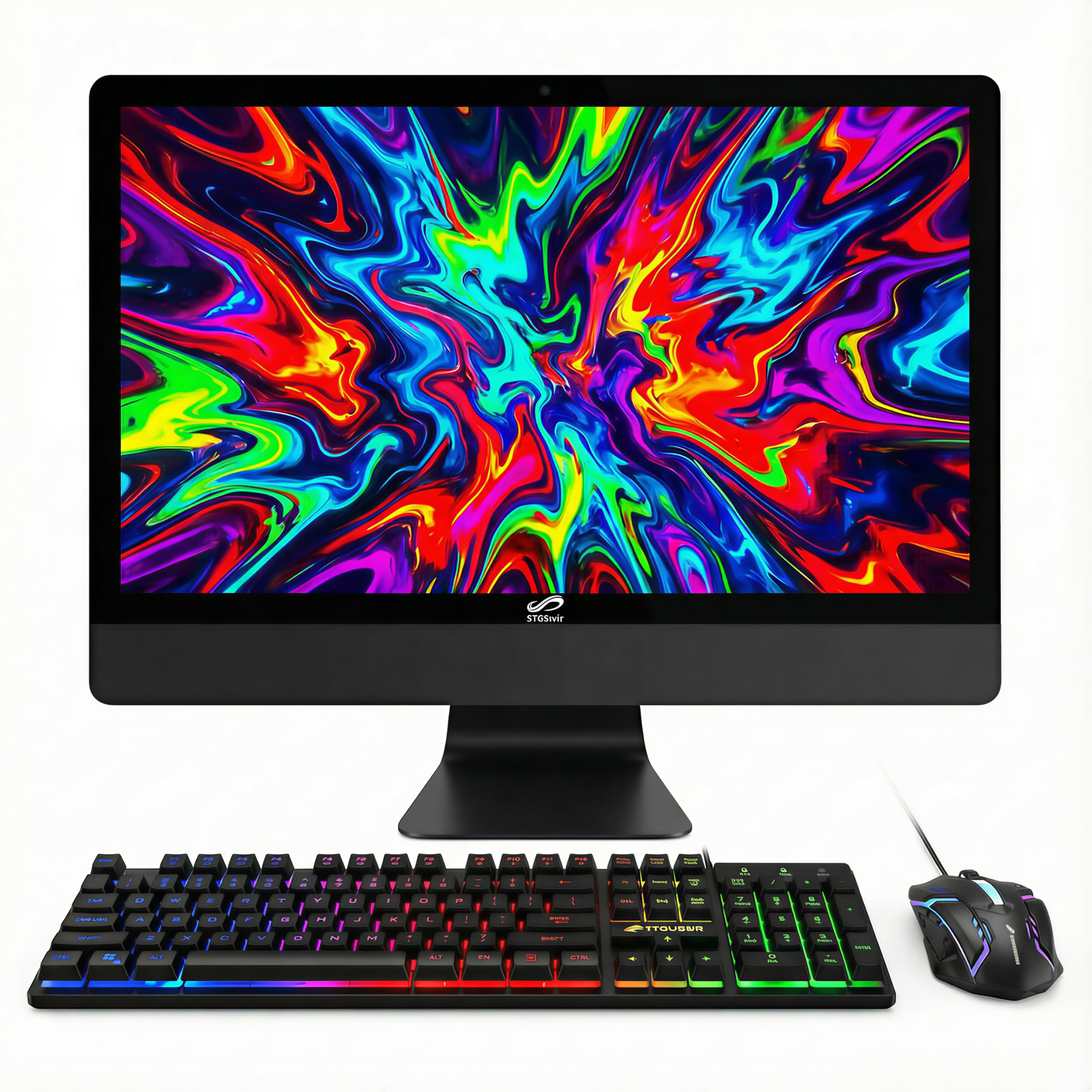
The larger sibling in the STGSivir lineup, this model swaps a 21.5-inch panel for a 23.6-inch FHD display and uses a Core i5-4xxx processor instead of the i7. The larger screen is nice for reading and media, but the performance trade-off is substantial. The 4th-gen i5 has just four cores and a maximum turbo of 3.7GHz, which is below the modern baseline for smooth Windows 11 operation.
The 16GB of RAM and 512GB SSD are commendable for the entry-level price. The RGB keyboard and mouse set enhances the visual appeal, and the built-in webcam and speakers cover basic needs. Connectivity includes USB 2.0, HDMI, VGA, and Wi-Fi with Bluetooth 5.0. The free lifetime tech support is a value-add that many competitors don’t offer.
This machine will boot and run simple applications, but any modern workload involving video streaming alongside other apps will produce noticeable lag. The primary buyer here is someone who needs a large screen and lots of storage for file organization and simple browsing, and who understands the performance ceiling of a decade-old processor.
Why it’s great
- Large 23.6-inch screen for basic tasks
- 16GB RAM and 512GB SSD at a low entry point
- Lifetime tech support included
Good to know
- 4th-gen i5 processor is too old for modern multitasking
- Concerns about Windows 11 legitimacy on older hardware
11. Core Innovations 24″

The Core Innovations 24″ all-in-one hits the lowest possible entry point but demands significant compromises. The Intel Celeron N5095 quad-core processor is from the Jasper Lake family, clocked at 2.9GHz, and while it can handle light browsing, it is paired with only 4GB of RAM.
The 24-inch FHD IPS display is genuinely good for the price tier, with decent color reproduction and wide viewing angles. The white chassis looks clean and modern, and the included keyboard and mouse get you started immediately. Wi-Fi is dual-band (2.4/5GHz), and the system includes a microphone for voice calls.
The fatal limitation is the 4GB RAM ceiling, which will cause system stutters during basic multitasking. The stand does not tilt, resulting in an awkward viewing angle on some desks. The build quality has been criticized, with one buyer reporting all four office units failing within eight months. This machine is strictly for a single, very simple task—like a dedicated recipe display or a single-app kiosk—not a daily driver.
Why it’s great
- Large 24-inch IPS display at an ultra-low entry cost
- Clean white design fits modern decors
- Includes keyboard and mouse
Good to know
- Only 4GB of RAM; Windows 11 runs poorly
- Non-tilting stand; build quality concerns
FAQ
Can I upgrade the RAM in a budget all-in-one PC later?
How do I check if the processor is modern enough for Windows 11?
Is a 4GB RAM all-in-one PC usable for basic tasks?
Why do some budget AIOs have older processors like “i7-7700HQ”?
What does “fan noise” tell me about build quality in an AIO PC?
Final Thoughts: The Verdict
For most users, the budget all in one pc winner is the Acer Aspire C24-2G-UR15 because the 120Hz display transforms the daily feel of the machine, and the Ryzen 5 7430U processor provides genuine multitasking power that outpaces the Intel N-series chips. If you want silent, fanless operation and a gorgeous Retina display, grab the Apple iMac M4. And for the absolute best balance of 16GB RAM and modern connectivity at a low entry point, nothing beats the Fusion5 A7 N6.

Mo Maruf
I created WellFizz to bridge the gap between vague wellness advice and actionable solutions. My mission is simple: to decode the research and give you practical tools you can actually use.
Beyond the data, I am a passionate traveler. I believe that stepping away from the screen to explore new environments is essential for mental clarity and physical vitality.