Our readers keep the lights on and my smoothie glass nicely filled. As an Amazon Associate, I earn from qualifying purchases.
The gap between a muddy 1080p experience and the razor-sharp precision of a true 4K gaming monitor has never been smaller—or more confusing. With refresh rates climbing past 240Hz and panel technologies like OLED and Fast IPS duking it out at ever-lower price points, the real challenge isn’t finding a 4K screen; it’s finding one that won’t bankrupt you while still delivering the fluidity and color depth that modern titles demand.
I’m Mohammad Maruf — the founder and writer behind WellFizz. I’ve spent years dissecting display specifications, from pixel response times to color gamut coverage, to separate genuine performance upgrades from marketing copy.
After crunching the data on refresh rates, panel types, adaptive sync standards, and real-world input lag across the current market, this guide cuts through the noise to find the true best budget 4k gaming monitor options that balance clarity, speed, and cost.
How To Choose The Best Budget 4K Gaming Monitor
Stepping up to 4K gaming means your graphics card now pushes four times the pixels of a 1080p display. That alone makes panel technology and refresh rate the deciding factors in whether your next monitor feels like an upgrade or a costly mistake. Here’s what to prioritize.
Panel Technology: IPS vs. VA vs. OLED
IPS panels dominate the budget-friendly 4K space because they offer wide viewing angles and strong color accuracy without the ghosting issues of older VA screens. VA panels, when well-implemented, deliver superior contrast ratios (3000:1 or higher) that make dark scenes pop, but they often suffer from slower pixel response times that create visible smearing in fast-paced games. OLED, while offering the best-in-class black levels and instant response, currently resides in the premium tier—its price premium is justified only if you prioritize absolute image fidelity over raw refresh rate value.
Refresh Rate & Adaptive Sync
A 60Hz 4K monitor feels sluggish once you’ve experienced 144Hz or higher. For under the premium ceiling, 144Hz to 180Hz is the sweet spot where motion stays fluid without demanding an unreasonable GPU. Equally important is adaptive sync: AMD FreeSync Premium and NVIDIA G-SYNC Compatible certification ensure the monitor’s refresh rate dynamically matches your frame output, eliminating screen tearing and stutter. A monitor without adaptive sync, even at a high refresh rate, will deliver a noticeably choppier experience during frame rate dips.
Color Gamut & HDR
Don’t mistake HDR support for HDR performance. A monitor labeled “HDR10” or “DisplayHDR 400” can accept an HDR signal but may lack the peak brightness and local dimming to actually display it convincingly. Look for VESA DisplayHDR 400 as a baseline—anything lower often looks worse than standard SDR content. Color gamut coverage of 95% DCI-P3 or higher ensures vibrant, accurate colors that make 4K games look their best. sRGB coverage matters less for gaming; DCI-P3 is the standard.
Quick Comparison
On smaller screens, swipe sideways to see the full table.
| Model | Category | Best For | Key Spec | Amazon |
|---|---|---|---|---|
| GIGABYTE M27UP | IPS 4K 160Hz | Dual-mode gaming & KVM productivity | 4K 160Hz / FHD 320Hz dual mode | Amazon |
| ASUS ROG Strix XG27UCG | IPS 4K 160Hz | Competitive FPS & esports | ELMB Sync + dual mode (4K 160Hz/FHD 320Hz) | Amazon |
| Samsung Odyssey G7 G70D | IPS 4K 144Hz | Smart TV features & console gaming | Built-in Gaming Hub + 4K AI upscaling | Amazon |
| CRUA 32″ 4K Curved | VA 4K 240Hz | High-contrast cinematic gaming | VA panel with 3000:1 native contrast | Amazon |
| Dell S3225QS | VA 4K 120Hz | All-day work & casual gaming | ComfortView Plus ≤35% blue light | Amazon |
| KTC H32P22P | IPS 4K 165Hz | Large-screen budget 4K gaming | 32″ Fast IPS with 3000:1 contrast | Amazon |
| LG 27G810A-B | IPS 4K 180Hz | High-refresh IPS gaming | Dual mode: 4K 180Hz / FHD 360Hz | Amazon |
| Samsung Odyssey G7 G70F | IPS 4K 180Hz | Console & PC dual-mode use | Dual mode: 4K 180Hz / FHD 360Hz | Amazon |
| MSI MAG 272UP QD-OLED | QD-OLED 4K 240Hz | True HDR & deep blacks at a value | 240Hz QD-OLED with 1.5M:1 contrast | Amazon |
| LG 32GX850A-B | OLED 4K 165Hz | Glossy OLED visual fidelity | 32″ Glossy WOLED with Micro Lens Array+ | Amazon |
| ASUS ROG Swift PG32UCDM | QD-OLED 4K 240Hz | Ultimate gaming performance | 240Hz QD-OLED with graphene heatsink | Amazon |
In‑Depth Reviews
1. GIGABYTE M27UP
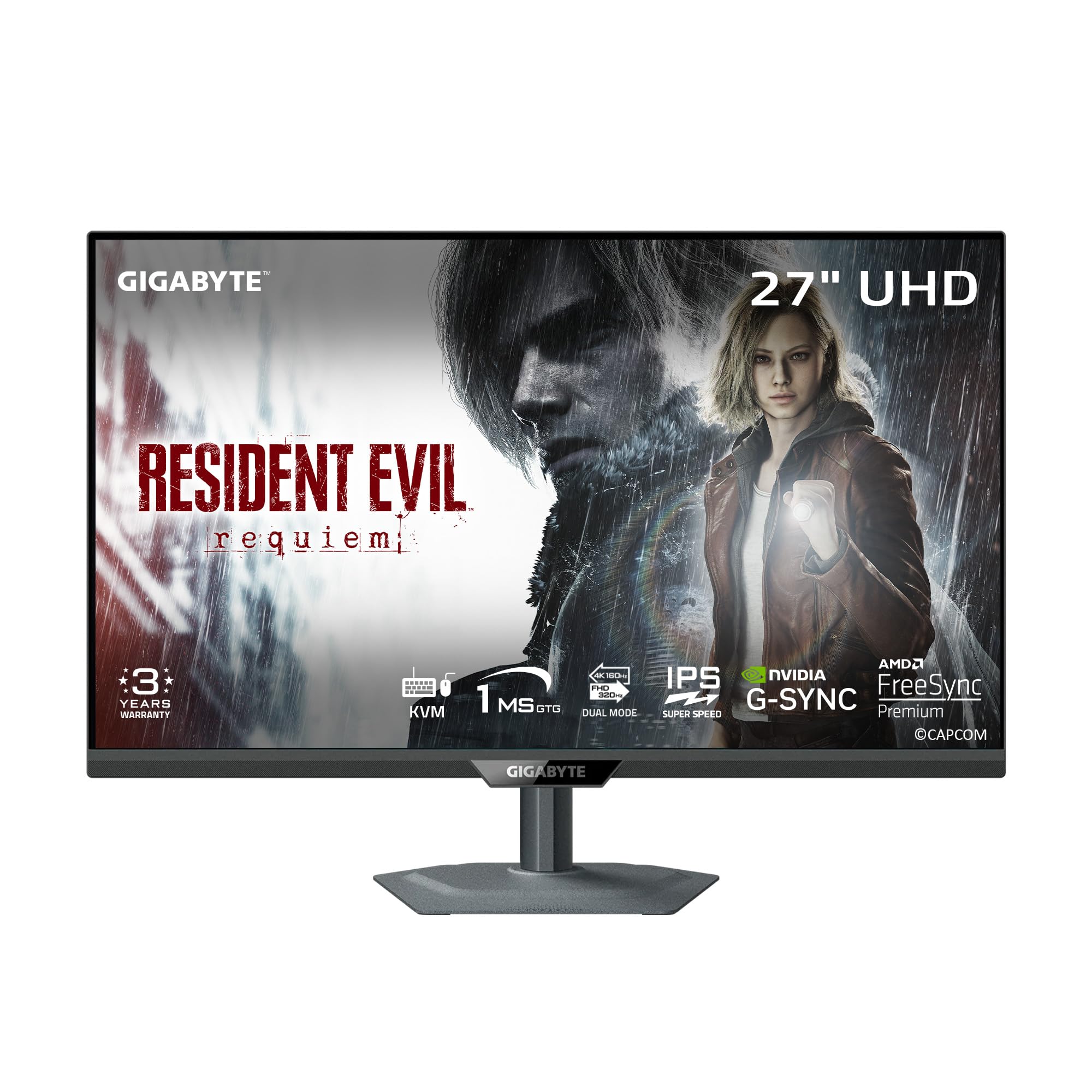
The GIGABYTE M27UP hits the trifecta of a budget 4K monitor: a sharp SuperSpeed IPS panel running at 4K 160Hz, the ability to drop to FHD 320Hz for competitive shooters, and a built-in KVM switch for sharing peripherals between a PC and a work laptop. The 1ms GtG response time keeps motion artifacts to a minimum, while VESA DisplayHDR 400 provides enough brightness to make HDR content look noticeably better than standard SDR.
Color coverage sits at 125% sRGB, which pushes beyond the standard gamut, but the real differentiator here is the dual-mode functionality. Press a button and you shift from a crisp 4K desktop to a silky 320Hz 1080p canvas where tearing and ghosting vanish. The ergonomic stand—130mm height, tilt, swivel, and pivot—gives you full control over positioning, a feature often skipped at this tier.
On the downside, the on-screen display is controlled by a single nub that requires some muscle memory to navigate, and a few users have noted minor vignetting along the edges of the panel. The viewing angles, while good for an IPS, show noticeable color shift when you move off-center. Still, for its feature density—dual mode, KVM, and strong build—this is the most well-rounded entry in the category.
Why it’s great
- True dual-mode (4K 160Hz / FHD 320Hz) with seamless switching
- Built-in KVM switch for dual-device productivity
- Full ergonomic stand with height, tilt, swivel, and pivot
Good to know
- On-screen display nub is fiddly to use at first
- Slight edge vignetting reported by some users
- No built-in speakers
2. ASUS ROG Strix XG27UCG

The ASUS ROG Strix XG27UCG is engineered for the competitive gamer who demands both clarity and speed. Its Fast IPS panel delivers a dual-mode experience—4K at 160Hz or FHD at 320Hz—but the standout feature is ASUS’s Extreme Low Motion Blur Sync (ELMB Sync), which enables backlight strobing simultaneously with variable refresh rate. This combination virtually eliminates ghosting and tearing without the typical brightness penalty of older blur-reduction technologies.
Color performance is strong with 95% DCI-P3 coverage and advanced gray-scale tracking that ensures smooth gradations, particularly in dark scenes. The stand is a heavy-duty unit with height, swivel, pivot, and tilt adjustments, plus an integrated tripod socket for streaming setups—a niche addition that speaks to the target audience. The rear RGB lighting, while not essential, adds a polished aesthetic for battlestation builders.
Port selection is generous with HDMI 2.1, DisplayPort, and a USB-C port, though the USB-C does not support video input on all configurations. The 400:1 contrast ratio listed is likely a typo in the spec sheet; real-world performance aligns with standard IPS contrast. For those who prioritize motion clarity and build quality over absolute contrast, this is a sharp buy.
Why it’s great
- ELMB Sync works alongside VRR for blur-free motion
- Heavy-duty stand with full ergonomic adjustments
- Excellent color accuracy with 95% DCI-P3 coverage
Good to know
- USB-C port does not support video input on all setups
- Contrast ratio is typical IPS, not deep black levels
- Premium price for a 27″ model
3. Samsung Odyssey G7 G70D (27″)

The Samsung Odyssey G7 G70D takes a different approach: it’s a 4K gaming monitor that doubles as a smart TV. The built-in Samsung Gaming Hub gives you instant access to cloud streaming services like Xbox Game Pass and NVIDIA GeForce NOW without a console or PC, while the NQM AI Processor upscales lower-resolution content to near-4K quality. The 27-inch Fast IPS panel runs at 144Hz with a 1ms GtG response time, and it’s G-SYNC Compatible and FreeSync Premium certified for tear-free gameplay.
Color accuracy is strong at 99% sRGB, and DisplayHDR 400 certification ensures enough peak brightness for convincing HDR highlights. The Dynamic Black Equalizer automatically adjusts gamma in dark scenes to reveal hidden enemies without washing out the overall image—a genuinely useful competitive feature. The included remote control and Wi-Fi/Bluetooth connectivity make it effortless to switch between gaming and streaming.
Where this monitor divides opinion is its smart TV integration: some users love the convenience of having apps built in, while others find the on-screen ads and forced updates intrusive. The panel runs noticeably warm during extended sessions, and the lack of a USB-C port limits modern laptop connectivity. For console gamers who also want a secondary TV, it’s a compelling hybrid.
Why it’s great
- Samsung Gaming Hub enables cloud gaming without a PC
- AI upscaling improves lower-resolution content
- Remote control and smart TV features are genuinely useful
Good to know
- Smart TV interface includes ads and forced updates
- Panel runs hotter than typical IPS monitors
- No USB-C port for modern laptop connectivity
4. CRUA 32″ 4K Curved Gaming Monitor

The CRUA 32″ 4K Curved Gaming Monitor makes a strong argument for VA panels in the budget 4K space. With a native contrast ratio of 3000:1, it delivers deep, inky blacks that IPS panels simply cannot match, making it ideal for cinematic single-player games and HDR movies. The 1500R curvature wraps around your field of view, reducing edge distortion on a 32-inch screen and enhancing immersion.
The 240Hz refresh rate is ambitious for a budget-tier VA panel, and while the pixel response time is not as fast as the best IPS displays, the trade-off is acceptable for the price. The monitor also includes PIP/PBP mode for multitasking, along with HDMI 2.1 ports that support full 4K 240Hz bandwidth on compatible GPUs. Rear RGB lighting adds a touch of gaming flair without feeling gaudy.
Build quality is a mixed bag: the stand offers only tilt adjustment, with no height or swivel, and at roughly 16 pounds the monitor is heavy enough to require a sturdy desk. A few users have reported minor uniformity issues, such as lighter patches across the screen. The built-in speakers are loud and clear but lack bass. For gamers who prioritize contrast over response time, this is a solid pick.
Why it’s great
- 3000:1 native contrast ratio for deep blacks
- 240Hz refresh rate on a budget-friendly 4K VA panel
- PIP/PBP mode for dual-input productivity
Good to know
- Stand only supports tilt adjustment, no height or swivel
- VA pixel response can show smearing in fast motion
- Screen uniformity may vary between units
5. Dell S3225QS

The Dell S3225QS is the monitor you buy when your eyes matter as much as your frame rate. Its 31.5-inch VA panel runs at 4K with a 120Hz refresh rate, but the real story is ComfortView Plus, which reduces harmful blue light emissions to ≤35% without the yellowish tint typical of blue-light filters. The 1500:1 contrast ratio and 95% DCI-P3 color coverage deliver rich, accurate colors for both gaming and productivity.
The ultra-thin bezel and ash white finish give it a clean, modern look that fits easily into a home office or living space. Built-in speakers have been re-engineered with deeper frequency response and more output power than previous Dell monitors, making them genuinely usable for casual media consumption without external speakers. The stand is sturdy and offers tilt and height adjustments, though it lacks swivel.
On the gaming side, 120Hz with AMD FreeSync Premium is sufficient for smooth gameplay, especially on console where most titles cap at 60-120 FPS. The VA panel’s slower pixel response means you may notice some ghosting in fast-paced shooters, but for immersive RPGs and strategy games, this trade-off is minimal. A minor quibble: the volume on the built-in speakers is loud even at the lowest setting.
Why it’s great
- ComfortView Plus reduces blue light without color shift
- Excellent color accuracy with 95% DCI-P3 coverage
- Improved built-in speakers with deeper bass response
Good to know
- 120Hz is adequate but not competitive-tier
- VA panel has minor ghosting in fast FPS games
- Speaker volume starts loud at minimum setting
6. KTC H32P22P (32″)

The KTC H32P22P delivers a 32-inch Fast IPS panel with 4K resolution and a 165Hz refresh rate at a price point that undercuts most competitors. It boasts a 3000:1 contrast ratio—unusually high for an IPS panel, which typically hovers around 1000:1—and 121% sRGB color gamut coverage, making it an appealing choice for gamers who want both size and color vibrancy without stepping into premium territory.
The Adaptive Sync technology supports both FreeSync and G-Sync, reducing screen tearing across a wide range of GPUs. Build quality is surprisingly solid for the price, with a metal stand that offers tilt and height adjustment, plus VESA 100x100mm mount compatibility. Connectivity includes HDMI 2.1 and DisplayPort 1.4, though some users have noted the HDMI ports may not support full 4K 165Hz on certain devices.
The main concerns revolve around quality control: a handful of users have reported dead pixels, backlight bleed, or HDMI port issues. The on-screen display is basic and the included DP cable is short. Despite these caveats, the core panel performance—especially the contrast and color saturation—is impressive for the price. If you get a good unit, it’s a strong contender for a large-screen budget build.
Why it’s great
- 3000:1 contrast ratio on a Fast IPS panel
- 165Hz refresh rate with FreeSync and G-Sync support
- Solid build with height-adjustable stand
Good to know
- Quality control can be inconsistent (dead pixels, backlight bleed)
- HDMI may not support full 4K 165Hz on all devices
- On-screen display is basic and the DP cable is short
7. LG 27G810A-B

The LG 27G810A-B pushes the budget-oriented 4K envelope higher with a 27-inch IPS panel that hits 180Hz native refresh rate in 4K mode and an impressive 360Hz in FHD mode. This dual-mode functionality, combined with a 1ms GtG response time and both G-Sync and FreeSync Premium support, makes it one of the fastest IPS options in its bracket. VESA DisplayHDR 400 certification and 95% DCI-P3 color coverage ensure that HDR content has enough punch without looking washed out.
LG’s suite of gaming enhancements—Dynamic Action Sync for input lag reduction, Black Stabilizer for visibility in shadows, and a customizable Crosshair overlay—are genuinely useful in competitive play. The 4-pole headphone jack with DTS HP:X provides spatial audio directly through the monitor, which is a thoughtful addition for headset users. The ergonomic stand offers height, tilt, swivel, and pivot adjustments, covering every possible viewing angle.
The biggest surprise is that this monitor includes a small fan for active cooling, which some users report is audible in a silent room. Additionally, while the panel is bright at 400 cd/m², it lacks the local dimming zones required for true HDR impact. Colors pop like an LG OLED in many scenes, but the contrast is standard IPS. For gamers who want the highest possible refresh rate in an IPS 4K monitor without jumping to OLED pricing, this is a top contender.
Why it’s great
- 180Hz 4K / 360Hz FHD dual mode is class-leading
- Excellent motion handling with 1ms GtG and ELMB-like support
- Full ergonomic stand with height, tilt, swivel, and pivot
Good to know
- Internal cooling fan is audible in quiet rooms
- Standard IPS contrast lacks local dimming for true HDR
- Limited to 95% DCI-P3; not a wide-gamut panel
8. Samsung Odyssey G7 G70F (27″)

The Samsung Odyssey G7 G70F delivers a Fast IPS panel with a dual-mode refresh rate—4K 180Hz for detailed single-player games and FHD 360Hz for competitive titles—along with G-Sync and FreeSync Premium support. Its 350 cd/m² brightness and HDR10 compatibility provide a respectable HDR experience, though it lacks the peak brightness of DisplayHDR 400-certified models. The matte finish effectively reduces glare without introducing significant graininess.
Build quality is a highlight: the stand is heavy and stable, with height, tilt, swivel, and pivot adjustments that make it easy to find the perfect angle. Auto Source Switch+ automatically detects and switches between connected devices, a convenience that simplifies multi-device setups. The monitor also includes a USB hub with Type-A to B upstream, allowing you to use the monitor as a KVM hub of sorts.
The monitor does not include built-in speakers—a notable omission at this price point—and some users report a slow wake from sleep. The thick bezel gives it a slightly less modern look compared to borderless competitors. For console gamers who want high refresh rate and 4K resolution in a single panel, the dual-mode and robust stand make it a strong option.
Why it’s great
- Dual-mode refresh rate (4K 180Hz / FHD 360Hz)
- Sturdy, heavy base prevents accidental bumps
- Auto Source Switch+ for seamless device switching
Good to know
- No built-in speakers
- Slow wake from sleep for some users
- Thick bezel feels less modern than competitors
9. MSI MAG 272UP QD-OLED X24

The MSI MAG 272UP QD-OLED X24 represents a significant leap in value for OLED gaming. It packs a 27-inch Quantum Dot OLED panel with a native 240Hz refresh rate, 0.03ms GtG response time, and a staggering 1,500,000:1 native contrast ratio. The result is per-pixel lighting that delivers true blacks and vibrant, lifelike colors with 99% DCI-P3 coverage and Delta E ≤2 color accuracy right out of the box.
The integrated graphene heatsink and fanless cooling design are a smart approach to OLED longevity, reducing the risk of burn-in without adding noise. MSI’s OLED Care 2.0 software provides multiple pixel refresh and panel protection routines, and the company includes a generous burn-in warranty in its 3-year coverage. Connectivity is future-proofed with DisplayPort 1.4a, HDMI 2.1 (both supporting UHD 240Hz), and USB-C with 15W Power Delivery.
The main drawback is the typical OLED concern: image retention risk over long-term static desktop use. The 27-inch size may feel small for users expecting a larger 4K canvas, and the glossy coating, while vibrant, can reflect ambient light. Some users have reported the monitor falling asleep during inactive periods even with protections disabled. For the price, this is the most affordable 4K 240Hz OLED on the market.
Why it’s great
- QD-OLED panel with true blacks and 240Hz refresh rate
- Graphene heatsink for fanless cooling and reduced burn-in risk
- Competitive pricing for a 4K 240Hz OLED
Good to know
- OLED burn-in risk requires ongoing mitigation
- Glossy screen reflects ambient light
- 27-inch size may feel small for some 4K users
10. LG 32GX850A-B

The LG 32GX850A-B brings a 32-inch glossy WOLED panel to the 4K gaming space, delivering the kind of deep blacks and vibrant colors that IPS panels can only approximate. With a native contrast ratio of 1,500,000:1 and VESA DisplayHDR True Black 400 certification, dark scenes in games like Diablo IV or Alan Wake 2 look genuinely inky with no backlight bloom. The Micro Lens Array+ technology pushes typical brightness to 275 nits, a solid improvement over previous LG OLEDs.
Gaming performance is impressive: the 0.03ms response time eliminates ghosting entirely, while the dual-mode functionality lets you switch between 4K 165Hz and FHD 330Hz. It’s G-SYNC Compatible and FreeSync Premium Pro certified, ensuring tear-free motion across GPU ecosystems. The ergonomic stand provides height, tilt, swivel, and pivot adjustments, and the glossy screen actually enhances vibrancy in controlled lighting environments.
The glossy finish is a double-edged sword: it produces the richest colors in a dim room but will show reflections in a bright space. Text clarity is slightly lower than a high-end IPS due to the OLED subpixel layout, and some users have reported dead green subpixels. The 165Hz refresh rate, while smooth, is not the highest available on OLED panels. For the price, it’s the most affordable 32-inch glossy OLED with a high refresh rate.
Why it’s great
- Glossy WOLED delivers unmatched color vibrancy and true blacks
- DisplayHDR True Black 400 for convincing HDR
- Dual-mode 4K 165Hz / FHD 330Hz is flexible
Good to know
- Glossy screen is reflective in bright rooms
- Text clarity is slightly lower than IPS due to subpixel layout
- 165Hz is good but not class-leading for OLED
11. ASUS ROG Swift PG32UCDM

The ASUS ROG Swift PG32UCDM represents the pinnacle of what a 4K gaming monitor can be in 2025. Its 32-inch QD-OLED panel delivers 4K resolution at 240Hz with a 0.03ms response time, creating a level of motion clarity that IPS panels simply cannot touch. VESA DisplayHDR 400 True Black compliance, combined with a native contrast ratio of 1,500,000:1 and 99% DCI-P3 coverage, delivers HDR performance that rivals high-end TVs.
The custom heatsink, advanced airflow design, and graphene film work together to dissipate heat and reduce burn-in risk, while the uniform brightness setting keeps luminance consistent across the panel—a feature often requested by professionals. The DisplayWidget Center software gives you mouse-level control over OLED Care functions, a thoughtful upgrade from fiddly on-screen menus. Build quality is exceptional, with a metal chassis and a stand that offers height, tilt, swivel, and pivot adjustments.
The glossy QD-OLED coating produces the most vibrant image in a dark room, but it is reflective and can show purple tint under direct overhead lighting. A few users have reported the auto-dimming feature is too aggressive in some HDR scenarios. Price is the biggest barrier: this is the most expensive monitor in the roundup, but it includes burn-in coverage in its 3-year warranty. For those who want uncompromising 4K performance and can manage the budget, it’s the clear winner.
Why it’s great
- 240Hz QD-OLED with true blacks and vibrant colors
- Advanced heatsink and graphene film for burn-in protection
- 3-year warranty includes burn-in coverage
Good to know
- Glossy QD-OLED is reflective in bright rooms
- Auto-dimming can be too aggressive in some HDR modes
- Premium pricing places it beyond the budget tier
FAQ
Is a 4K 60Hz monitor fine for gaming?
Do I need an expensive graphics card for 4K gaming?
How much faster is 0.03ms vs 1ms response time?
Should I get a 27-inch or 32-inch 4K monitor?
What does dual-mode actually do for gaming?
Final Thoughts: The Verdict
For most users, the best budget 4k gaming monitor winner is the GIGABYTE M27UP because it delivers a perfect balance of dual-mode refresh rate, KVM functionality, and full ergonomic adjustments at a price that punches well above its weight. If you want true HDR black levels and instantaneous response at the lowest possible OLED entry point, grab the MSI MAG 272UP QD-OLED. And for those who need high contrast and a large curved screen for cinematic single-player experiences, nothing beats the CRUA 32-inch 4K Curved. Choose based on your panel priority: IPS for all-around performance, VA for contrast, OLED for ultimate fidelity.

Mo Maruf
I created WellFizz to bridge the gap between vague wellness advice and actionable solutions. My mission is simple: to decode the research and give you practical tools you can actually use.
Beyond the data, I am a passionate traveler. I believe that stepping away from the screen to explore new environments is essential for mental clarity and physical vitality.