Our readers keep the lights on and my smoothie glass nicely filled. As an Amazon Associate, I earn from qualifying purchases.
If you are hunting for serious storage expansion without emptying your wallet, the current crop of 2TB SSDs offers a dramatic split between blistering NVMe Gen4 drives and reliable SATA III workhorses. Picking the right one for your rig—whether it is an aging laptop or a bleeding-edge PS5—comes down to matching the interface to your workload, not just going for the biggest number on the box.
I’m Mohammad Maruf — the founder and writer behind WellFizz. I have spent the last decade analyzing storage benchmarks, controller architectures, and endurance ratings to separate marketing hype from real-world throughput, specifically for value-conscious buyers.
After diving into the real specs and user experiences behind seven contenders, I have curated a focused list of the most compelling best budget 2tb ssd options that deliver genuine performance without demanding a flagship budget.
How To Choose The Best Budget 2TB SSD
Not all 2TB SSDs are created equal, and the “budget” label can mean very different things depending on whether you are looking at a SATA drive or an NVMe Gen4 stick. Focus on three pillars: interface compatibility, NAND type, and the workload you will throw at it.
Interface Match: SATA III vs. NVMe Gen3 vs. NVMe Gen4
The physical slot on your motherboard or laptop dictates your options. SATA III drives top out around 560 MB/s and are ideal for upgrading older machines or adding bulk game storage. NVMe Gen4 drives can surge past 7,000 MB/s but require a compatible M.2 slot and chipset. If your system only supports Gen3, a Gen4 drive will still run but will be limited to Gen3 speeds, making a premium Gen4 purchase wasteful for a legacy system.
NAND Type: TLC vs. QLC
Triple-Level Cell (TLC) NAND generally offers better endurance and sustained write performance compared to Quad-Level Cell (QLC) NAND. QLC drives can hit high sequential speeds using a fast SLC cache, but once that cache fills, write speeds can plummet. For everyday OS boot drives or gaming, TLC is a safer bet. For media libraries and read-heavy archives, QLC can be a cost-effective choice.
Endurance Rating (TBW) and Warranty
Terabytes Written (TBW) is the manufacturer’s guarantee for how much total data you can write to the drive before it may start degrading. A 2TB drive with a 600 TBW rating is fine for a typical gaming PC, while a workstation writing large video files daily would want something closer to 1,200 TBW or more. Pair this with a warranty period—three to five years is standard for this tier.
Quick Comparison
On smaller screens, swipe sideways to see the full table.
| Model | Category | Best For | Key Spec | Amazon |
|---|---|---|---|---|
| WD_BLACK SN850X | NVMe Gen4 | High-end gaming / workstation | 7,300 MB/s read | Amazon |
| Bestoss GM988 | NVMe Gen4 | PS5 / budget Gen4 upgrade | 7,350 MB/s read | Amazon |
| Crucial BX500 | SATA III | Laptop / desktop HDD replacement | 540 MB/s read | Amazon |
| Samsung 870 EVO | SATA III | Reliable SATA upgrade / NAS | 560 MB/s read | Amazon |
| TEAMGROUP T-Force Vulcan Z | SATA III | Budget SATA storage | 550 MB/s read | Amazon |
| SanDisk Extreme Portable | External NVMe | On-the-go backup / travel | 1,050 MB/s read | Amazon |
| Seagate Portable HDD | External HDD | Bulk media archival | 130 MB/s read | Amazon |
In‑Depth Reviews
1. WD_BLACK SN850X 2TB NVMe SSD

The WD_BLACK SN850X is the gold standard for NVMe Gen4 performance, delivering sustained read speeds up to 7,300 MB/s and writes up to 6,300 MB/s. Its TLC NAND and dedicated DRAM cache ensure that even heavy file transfers and game level loads remain consistently fast without the SLC cache bottleneck seen on cheaper drives.
Compatible with the WD_BLACK Dashboard, the SN850X offers exclusive Game Mode 2.0 features like Predictive Loading and Overhead Balancing that pre-load game assets in the background. It also includes Adaptive Thermal Management to throttle speeds gently when temps climb, keeping the drive stable under long gaming sessions without a heatsink.
While the price tag is certainly a premium commitment, the SN850X justifies it through brute-force consistency and a track record of reliability. Pair it with a board that has a Gen4 M.2 slot to unlock its full potential—any lesser interface leaves its speed on the table.
Why it’s great
- Top-tier sustained write speeds due to dedicated DRAM and TLC NAND.
- Proven controller firmware with Game Mode 2.0 for reduced load times.
- Strong thermal management keeps performance stable without throttling.
Good to know
- Runs warm in tight laptop chassis without a heatsink.
- Premium price reflects flagship performance tier.
2. Bestoss GM988 2TB NVMe SSD
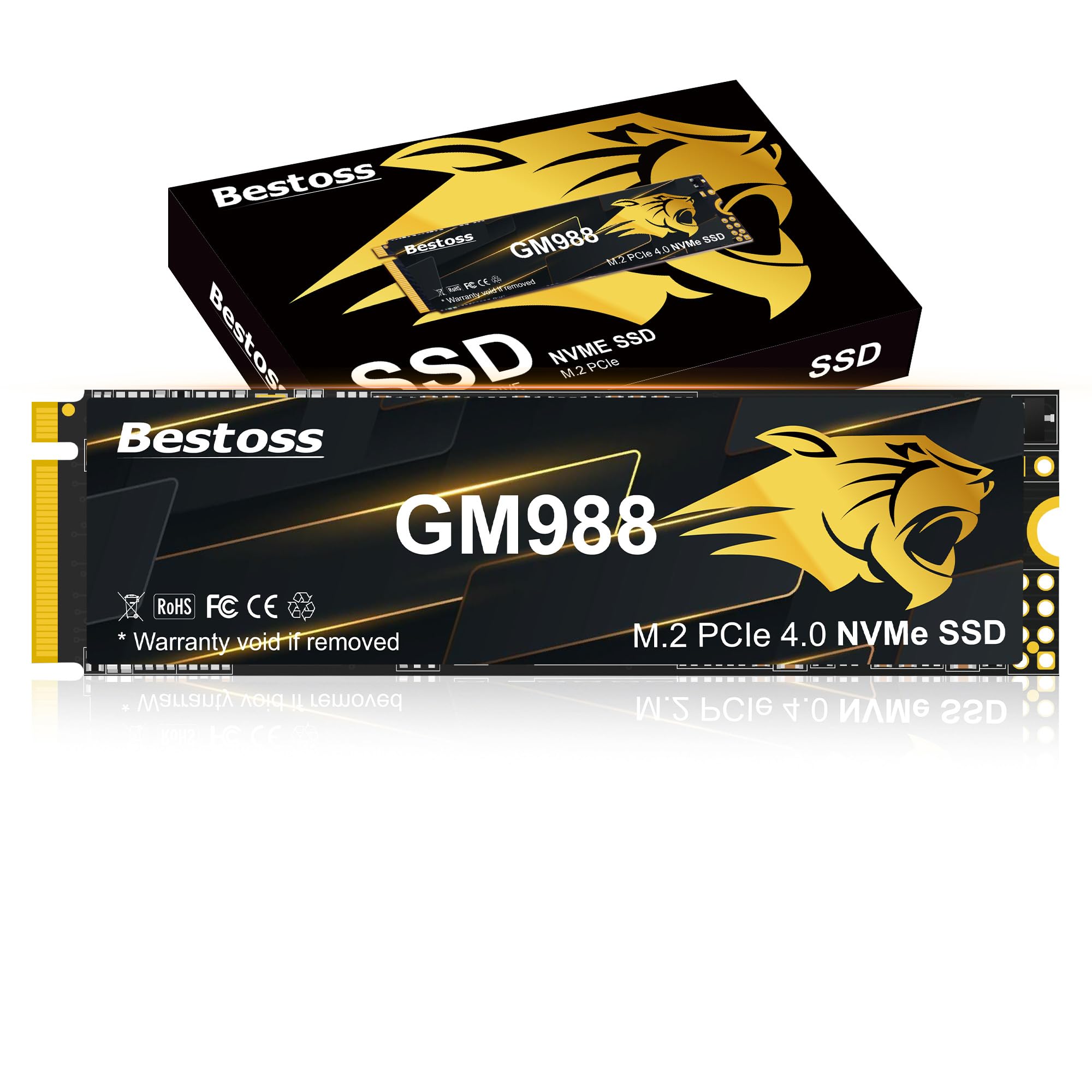
The Bestoss GM988 targets gamers and creators on a strict budget who still want Gen4-level transfer rates. It advertises sequential reads up to 7,350 MB/s and writes up to 6,600 MB/s, leveraging an HMB (Host Memory Buffer) architecture combined with a dynamic SLC cache to stay responsive during everyday tasks and 4K game loading.
Its graphene-copper cooling layer helps dissipate heat effectively, maintaining peak reads even during extended play sessions. This drive is fully compatible with the PlayStation 5 expansion slot and includes a screwdriver kit for easy M.2 2280 installation. The three-year warranty adds a safety net for budget-conscious buyers.
Bear in mind that, like many budget Gen4 drives, the sustained write speed may drop once the SLC cache is saturated during massive file transfers. For OS boot, game loading, and general creative work, however, the GM988 delivers impressive value without the premium brand tax.
Why it’s great
- Competitive Gen4 read speeds at a fraction of flagship pricing.
- Graphene-copper cooler aids thermal performance.
- PS5 compatible right out of the box.
Good to know
- SLC cache may limit sustained lengthy writes.
- Less established brand track record compared to WD or Samsung.
3. Crucial BX500 2TB SATA III SSD

The Crucial BX500 is a direct-to-consumer SATA III SSD that uses Micron 3D NAND to deliver up to 540 MB/s sequential reads. For anyone nursing an older laptop or desktop with a 2.5-inch drive bay, this drive offers a massive real-world boost—boot times drop from minutes to under 15 seconds and applications load noticeably faster without any interface upgrades.
Its energy efficiency is a standout benefit: it draws significantly less power than a traditional hard drive, which can improve battery life in laptops. The BX500 also operates silently with zero moving parts, making it a strong choice for noise-sensitive environments. Crucial backs it with a standard three-year limited warranty.
The BX500 uses QLC NAND, which means sustained write performance can dip after the SLC cache fills. For operating systems, browsers, and game loading, this rarely matters. Focus on it as a budget-friendly SATA upgrade that completely transforms the responsiveness of legacy hardware.
Why it’s great
- Massive speed leap over mechanical HDDs at a low entry cost.
- 45x more energy efficient than typical hard drives.
- Silent operation and simple 2.5-inch installation.
Good to know
- QLC NAND may slow down during large continuous writes.
- No DRAM cache; uses Host Memory Buffer for mapping.
4. Samsung 870 EVO 2TB SATA III SSD

The Samsung 870 EVO is the premium option for anyone who needs a SATA drive that pushes the interface to its limit. It delivers sequential reads up to 560 MB/s and writes up to 530 MB/s, consistently maxing out the SATA III ceiling. Its 32GB DRAM cache helps maintain peak performance during heavy multitasking and sustained writes.
Built with Samsung’s V-NAND and a proven controller, the 870 EVO offers excellent endurance ratings with up to 2,400 TBW on the 4TB model, scaling down for the 2TB variant. This makes it a reliable choice for NAS systems, video editing workstations, or servers that need fast SATA storage. The Samsung Magician software provides drive health monitoring and performance optimization.
The trade-off is that this SATA drive commands a noticeable premium over budget SATA options like the BX500. If you need the absolute best SATA III performance with proven long-term reliability in a NAS or production environment, the 870 EVO is the reference standard.
Why it’s great
- Top-of-class SATA III sequential speeds with DRAM cache.
- Excellent TBW rating for demanding write workloads.
- Proven Samsung reliability and robust Magician software.
Good to know
- Premium price relative to other 2TB SATA SSDs.
- Some firmware versions had early compatibility issues.
5. TEAMGROUP T-Force Vulcan Z 2TB SATA III SSD

The TEAMGROUP T-Force Vulcan Z is a straightforward SATA III SSD aimed at gamers and general users who need 2TB of reliable solid-state storage at a low cost. It claims read speeds up to 550 MB/s and write speeds up to 470 MB/s, which aligns closely with the SATA III standard for everyday system and game loads.
Based on QLC NAND with SLC caching, this drive works well for game libraries, media storage, and secondary drives. It comes in the standard 2.5-inch 7mm form factor, making it a drop-in replacement for most laptops and desktops. The Vulcan Z is also compatible with PlayStation 5 and Xbox Series X for expandable storage via USB enclosure.
Some users have reported that real-world sequential speeds may fall short of the advertised 550 MB/s mark. If you need consistent performance for write-heavy workloads, a TLC-based drive may be a better fit, but for pure bulk storage expansion on a tight budget, this is a solid contender.
Why it’s great
- Very low cost per gigabyte for SATA storage.
- Simple 2.5-inch installation with wide console compatibility.
- Adequate read speeds for everyday OS and game loading.
Good to know
- QLC NAND with potential for slower sustained writes.
- Some units may show lower-than-advertised read speeds.
6. SanDisk Extreme Portable SSD 2TB

The SanDisk Extreme Portable SSD is a rugged external drive built for on-the-go professionals who need fast access to large files. It leverages NVMe technology to deliver read speeds up to 1,050 MB/s and write speeds up to 1,000 MB/s over USB 3.2 Gen 2, making it quicker than most external HDDs or SATA-based portable SSDs.
Its IP65 water and dust resistance rating, combined with 3-meter drop protection, gives it real durability for fieldwork, outdoor photography, and daily commute carry. The included carabiner loop lets you attach it to a bag, and the 256-bit AES hardware encryption keeps sensitive data protected if the drive is lost. It comes with both USB-C to C and USB-C to A cables.
The drive can get noticeably warm during extended file transfers, which is typical for high-speed portable SSDs. The external form factor also means it is slightly slower than internal NVMe drives, but for backing up photo catalogs and video projects in the field, its combination of speed and durability is unmatched in this group.
Why it’s great
- Fast NVMe performance in a portable, drop-resistant chassis.
- IP65 water/dust resistance and 3-meter drop protection.
- 256-bit AES hardware encryption for travel security.
Good to know
- Runs warm during sustained high-speed transfers.
- External USB limitations cap speed versus internal Gen4 drives.
7. Seagate Portable 2TB External HDD

The Seagate Portable 2TB HDD is a mechanical hard drive designed for volume storage where speed is not the primary priority. With transfer rates averaging around 130 MB/s, it is dramatically slower than any SSD on this list, but its cost per gigabyte remains the lowest, making it ideal for archiving completed projects, media libraries, or system backup images.
It connects via USB 3.0 and offers true plug-and-play drag-and-drop operation on both Windows and Mac (though Mac users need to reformat via Disk Utility). The drive is bus-powered, requiring no external power adapter, and its compact build makes it easy to toss in a bag. Seagate includes a one-year Rescue Service for data recovery assistance in case of failure.
The main limitation of a mechanical drive is fragility—it is susceptible to drops and vibration damage. Additionally, write speeds can slow to around 25 MB/s after the drive’s SMR cache fills, so it is not suited for continuous heavy writes. For users who simply need a large, cheap external disk for occasional file dumps, it gets the job done.
Why it’s great
- Cost-effective bulk storage for media and backups.
- Compact, bus-powered, and truly plug-and-play.
- Includes one-year data recovery Rescue Service.
Good to know
- Mechanical HDD is fragile and not drop-resistant.
- SMR cache slows down significantly during long writes.
FAQ
Can I use a SATA SSD in a PS5?
What TBW rating should I look for on a budget 2TB SSD?
Final Thoughts: The Verdict
For most users, the best budget 2tb ssd winner is the WD_BLACK SN850X because it offers flagship Gen4 speed and rock-solid consistency that justifies its position as the performance leader. If you want excellent Gen4 value without the premium brand tag, grab the Bestoss GM988. And for a silent SATA upgrade that breathes new life into an older laptop, nothing beats the Crucial BX500.

Mo Maruf
I created WellFizz to bridge the gap between vague wellness advice and actionable solutions. My mission is simple: to decode the research and give you practical tools you can actually use.
Beyond the data, I am a passionate traveler. I believe that stepping away from the screen to explore new environments is essential for mental clarity and physical vitality.