Our readers keep the lights on and my smoothie glass nicely filled. As an Amazon Associate, I earn from qualifying purchases.
Upgrading to a high refresh rate monitor is the single most noticeable improvement you can make to your PC gaming experience, but the market is flooded with options that blur the line between a genuine performance upgrade and a compromised bargain. The difference between a 60Hz panel and a 144Hz panel isn’t subtle—it’s the difference between a blurry slideshow and buttery-smooth motion that lets you track targets and react in real time.
I’m Mohammad Maruf — the founder and writer behind WellFizz. I’ve spent hundreds of hours analyzing VA, IPS, and TN panel technologies, comparing response time implementations, and parsing the fine print on Adaptive-Sync compatibility to separate the monitors that actually deliver on their specs from those that cut corners where it matters most.
This guide breaks down the real-world performance, panel quality, and connectivity of the top contenders to help you find a best budget 144hz monitor that doesn’t force you to sacrifice image quality or essential features for the sake of hitting a lower price point.
How To Choose The Best Budget 144Hz Monitor
A budget-friendly high-refresh monitor should prioritize three things: a panel technology that doesn’t wash out colors, a reliable Adaptive-Sync implementation, and a stand that doesn’t force you to buy a VESA arm immediately. Here’s how to evaluate each aspect.
Panel Technology: IPS vs. VA vs. TN
IPS panels dominate the budget 144Hz space because they offer the best compromise between color accuracy (typically 99% sRGB or better) and wide viewing angles. VA panels deliver superior contrast ratios (often 3000:1 or higher) for deeper blacks, but they can suffer from slower pixel response times in dark transitions. TN panels are rare at this tier for good reason—they offer the fastest response times but sacrifice color reproduction and viewing angles so severely that the trade-off isn’t worth it for most users. Prioritize IPS unless you’re exclusively playing competitive shooters and value response time above all else.
Adaptive-Sync Certification: FreeSync vs. G-Sync Compatible
Almost every budget 144Hz monitor supports AMD FreeSync, which eliminates screen tearing by syncing the monitor’s refresh rate to your GPU’s frame output. NVIDIA G-Sync Compatible certification means the monitor has passed NVIDIA’s validation for stable Variable Refresh Rate (VRR) operation over DisplayPort. A monitor with both certifications offers the widest compatibility—you can switch between an AMD and NVIDIA GPU without losing tear-free gameplay. Check the fine print: some monitors only support VRR over DisplayPort, not HDMI.
Stand Quality and Ergonomics
The most common compromise in budget-tier monitors is the stand. Many ship with a tilt-only base that lacks height adjustment, swivel, or pivot, and some are so flimsy that the entire screen wobbles from a desk bump. If you plan to use the monitor out of the box without an aftermarket arm, look for models with a solid, weighted base and at least tilt adjustment. A 100x100mm VESA mount pattern is standard on most models, so factor the cost of a monitor arm into your total budget if the included stand is inadequate.
Quick Comparison
On smaller screens, swipe sideways to see the full table.
| Model | Category | Best For | Key Spec | Amazon |
|---|---|---|---|---|
| Alienware AW2725DM | Premium | QHD performance with adjustable stand | QHD 180Hz IPS, DCI-P3 95% | Amazon |
| AOC G2490VXS | Mid-Range | Limited edition design with VA contrast | FHD VA 144Hz, 126% sRGB | Amazon |
| Acer Nitro KG271U | Mid-Range | QHD resolution on a budget | QHD IPS 180Hz, DCI-P3 95% | Amazon |
| Dell S2425HSM | Mid-Range | Ergonomic office and gaming hybrid | FHD IPS 144Hz, 4-way adjustable | Amazon |
| ASUS TUF VG259Q3A | Mid-Range | Fast IPS with ELMB motion blur reduction | FHD Fast IPS 180Hz, 1ms GTG | Amazon |
| LG 24G411A-B | Mid-Range | Overclockable 144Hz with G-Sync | FHD IPS 144Hz OC, HDR10 | Amazon |
| XUNDEFINED 27″ 1440P | Mid-Range | Entry-level QHD with high refresh | QHD Fast IPS 200Hz, 125% sRGB | Amazon |
| Acer Nitro KG271 | Budget | 27-inch 1080p on a tight budget | FHD IPS 144Hz, sRGB 99% | Amazon |
| Sceptre E255B-FWD240 | Budget | Ultra-high 240Hz at a low entry point | FHD LED 240Hz, 100% sRGB | Amazon |
In‑Depth Reviews
1. Alienware AW2725DM

The Alienware AW2725DM sits at the top end of the budget spectrum for good reason—it delivers a true QHD (2560×1440) resolution with a 180Hz refresh rate and a 1ms gray-to-gray response time that matches panels costing significantly more. The IPS panel covers 95% DCI-P3, which translates to rich, vibrant colors that make both games and desktop use feel premium. VESA DisplayHDR 400 certification adds a real brightness punch for HDR content, though the 1000:1 contrast ratio is typical for IPS.
Where this monitor separates itself from the crowd is the stand. It offers full height adjustment, swivel, pivot, and tilt—a rarity at this price tier. The build quality is sturdy with no wobble, and the cable management channel in the stand keeps your desk clean. You get both DisplayPort 1.4 and HDMI inputs, plus USB upstream and downstream ports for peripheral connectivity.
The only catch is that you need to use DisplayPort to hit the full 180Hz refresh rate; HDMI tops out at 144Hz. There are no built-in speakers, and there is no headphone jack, so factor in external audio if you need it. The 10-bit color depth and lack of ghosting make this the most complete package for anyone who can stretch their budget slightly for a longer-lasting, higher-resolution display.
Why it’s great
- Full ergonomic stand with height/swivel/pivot
- Excellent color accuracy with DCI-P3 95% coverage
- G-Sync and FreeSync compatible for tear-free gaming
Good to know
- No built-in speakers or audio output
- Requires DisplayPort for max 180Hz refresh rate
2. AOC G2490VXS

The AOC G2490VXS stands out visually with its silver stand and three-sided frameless design, but the real story is the VA panel. At 23.8 inches with 1080p resolution, this monitor delivers a 3000:1 contrast ratio that produces deep, inky blacks that IPS panels simply cannot match. The 144Hz refresh rate and 1ms MPRT response time are backed by Adaptive-Sync (FreeSync Premium), making it a strong choice for single-player games where visual depth matters more than raw competitive speed.
AOC backs this monitor with one of the best warranties in the budget space: a 3-year zero-bright-dot policy covering dead pixels, 3-year advance replacement, and even one-time accidental damage coverage. The 126% sRGB and 93% DCI-P3 color gamut coverage is generous for a VA panel, though real-world color accuracy out of the box may need slight calibration. Brightness peaks at 350 cd/m², which is above average for this tier.
The stand is tilt-only and feels less premium than the monitor’s design suggests, so many users will want a VESA mount. The audio line-out is a welcome addition for connecting external speakers. Some users report minor ghosting on the desktop that resolves with overdrive adjustment. For the contrast ratio and warranty alone, this is a compelling option if you value deep blacks over wide viewing angles.
Why it’s great
- VA panel delivers superior contrast for deep blacks
- Excellent warranty with zero-dead-pixel and accidental damage coverage
- High brightness at 350 cd/m²
Good to know
- Tilt-only stand feels basic for the price
- Minor ghosting may require overdrive adjustment
3. Acer Nitro KG271U

The Acer Nitro KG271U punches well above its price by offering a 27-inch QHD (2560×1440) IPS panel with a 180Hz refresh rate and an impressive 0.5ms GTG response time. For users who want the sharper detail of 1440p without stepping up to premium-tier pricing, this monitor delivers the pixel density and fluidity that makes both gaming and productivity feel noticeably better than 1080p. The DCI-P3 95% color gamut coverage supports accurate color work.
AMD FreeSync is standard, and the zero-frame design is genuinely slim, making it a good candidate for multi-monitor setups. The on-screen display is controlled via a rear joystick, which is more intuitive than the button-based menus found on cheaper models. Inputs include two HDMI 2.0 ports and one DisplayPort 1.2, with the DisplayPort connection required to reach the full 180Hz refresh rate (HDMI tops out at 120Hz or 144Hz depending on the source).
The stand is the weakest link—it’s a basic tilt-only design that feels flimsy and causes noticeable wobble. The built-in speakers are present but weak, suitable only for system sounds or casual video playback. If you can budget for a third-party VESA arm, this monitor’s panel quality alone makes it one of the best values for QHD gaming on a budget.
Why it’s great
- QHD resolution at a price typically reserved for 1080p
- Fast 0.5ms GTG response time
- Excellent DCI-P3 color coverage
Good to know
- Stand is flimsy and non-adjustable
- Built-in speakers are weak
4. Dell S2425HSM

The Dell S2425HSM in Ash White breaks the mold of aggressive gaming aesthetics, offering a clean, professional design that fits seamlessly into a home office setup. The 23.8-inch IPS panel runs at a native 144Hz with a 1ms MPRT response time, and the 1500:1 contrast ratio is noticeably better than the typical 1000:1 found on budget IPS monitors. The 4-star TÜV-certified low blue light solution reduces eye strain without the yellow tint that plagues software-based blue light filters.
The stand is the standout feature here—it offers height adjustment, tilt, swivel, and pivot, giving you full ergonomic control without an aftermarket arm. The build quality is rock solid, and the cable management channel keeps the desk tidy. The integrated dual 3W speakers are genuinely usable for everyday listening, producing a wider frequency range than typical monitor speakers, which tend to sound tinny.
The trade-off is that this monitor is HDMI-only—there is no DisplayPort input, which limits VRR compatibility and makes it harder to hit 144Hz on some older GPUs. The 1080p resolution on a 23.8-inch screen means pixel density is fine, but it won’t match the sharpness of a 27-inch QHD panel. If ergonomics and all-day comfort matter more than raw resolution, this Dell is the most comfortable monitor you can buy in this price bracket.
Why it’s great
- Full ergonomic stand with height/swivel/pivot/tilt
- Usable built-in speakers for a monitor
- Excellent TÜV-certified low blue light filter
Good to know
- HDMI-only connectivity limits VRR flexibility
- 1080p resolution on a 24-inch panel
5. ASUS TUF VG259Q3A

The ASUS TUF VG259Q3A is built for competitive gamers who prioritize motion clarity above all else. The 24.5-inch Fast IPS panel delivers a native 180Hz refresh rate with a 1ms GTG response time, and ASUS’s Extreme Low Motion Blur (ELMB) technology reduces ghosting further by backlight strobing. The result is exceptional clarity during fast-paced motion—ideal for first-person shooters and racing games where every frame matters.
Shadow Boost is a genuinely useful feature that brightens dark areas of the image without over-exposing highlights, helping you spot enemies hiding in shadowy corners. The monitor supports both AMD FreeSync and is G-Sync Compatible, ensuring tear-free performance regardless of your GPU brand. The on-screen display can be controlled via the ASUS Display Widget software on PC, which is more convenient than fiddling with the rear joystick.
The built-in 1.5W x 2 stereo speakers are adequate for system sounds but lack bass and volume for serious gaming. The power consumption is impressively low at under 18W during operation. The stand offers tilt adjustment but no height adjustment, and the aggressive “TUF” aesthetic with red accents won’t suit every desk. For pure motion performance at 1080p, this is one of the sharpest options available.
Why it’s great
- ELMB technology drastically reduces motion blur
- Shadow Boost enhances visibility in dark scenes
- Low power consumption for a gaming monitor
Good to know
- Tilt-only stand with no height adjustment
- Speakers are weak—plan for external audio
6. LG 24G411A-B

The LG 24G411A-B brings the trusted UltraGear pedigree to the budget segment with a 24-inch IPS panel that runs at 120Hz natively and overclocks to 144Hz. The 1ms MBR (Motion Blur Reduction) keeps fast-moving action sharp, while both NVIDIA G-Sync Compatible and AMD FreeSync support ensure compatibility with any modern GPU. The slim, floating-like stand design helps the monitor disappear into your setup.
LG packs in useful gaming features like Dynamic Action Sync to reduce input lag and Black Stabilizer to improve visibility in shadowy areas. The Crosshair overlay is a practical tool for first-person shooters, placing a center reticle on the screen that works with any game. The Switch app allows screen splitting into up to six sections, which is more useful than the typical built-in split-screen implementation.
The stand is the monitor’s weakest aspect—many users report it’s prone to jiggling from desk movements, and it only offers tilt adjustment. The brightness tops out at 250 cd/m², which is on the dim side for brightly lit rooms. Color accuracy out of the box benefits from calibration. For the price, the G-Sync certification and the overclockable refresh rate add real value that most competitors at this level lack.
Why it’s great
- Official G-Sync Compatible and FreeSync support
- Useful gaming features like Dynamic Action Sync and Crosshair
- Overclockable 144Hz from 120Hz native
Good to know
- Stand is wobbly and tilt-only
- Brightness is limited to 250 cd/m²
7. XUNDEFINED 27″ 1440P Gaming Monitor
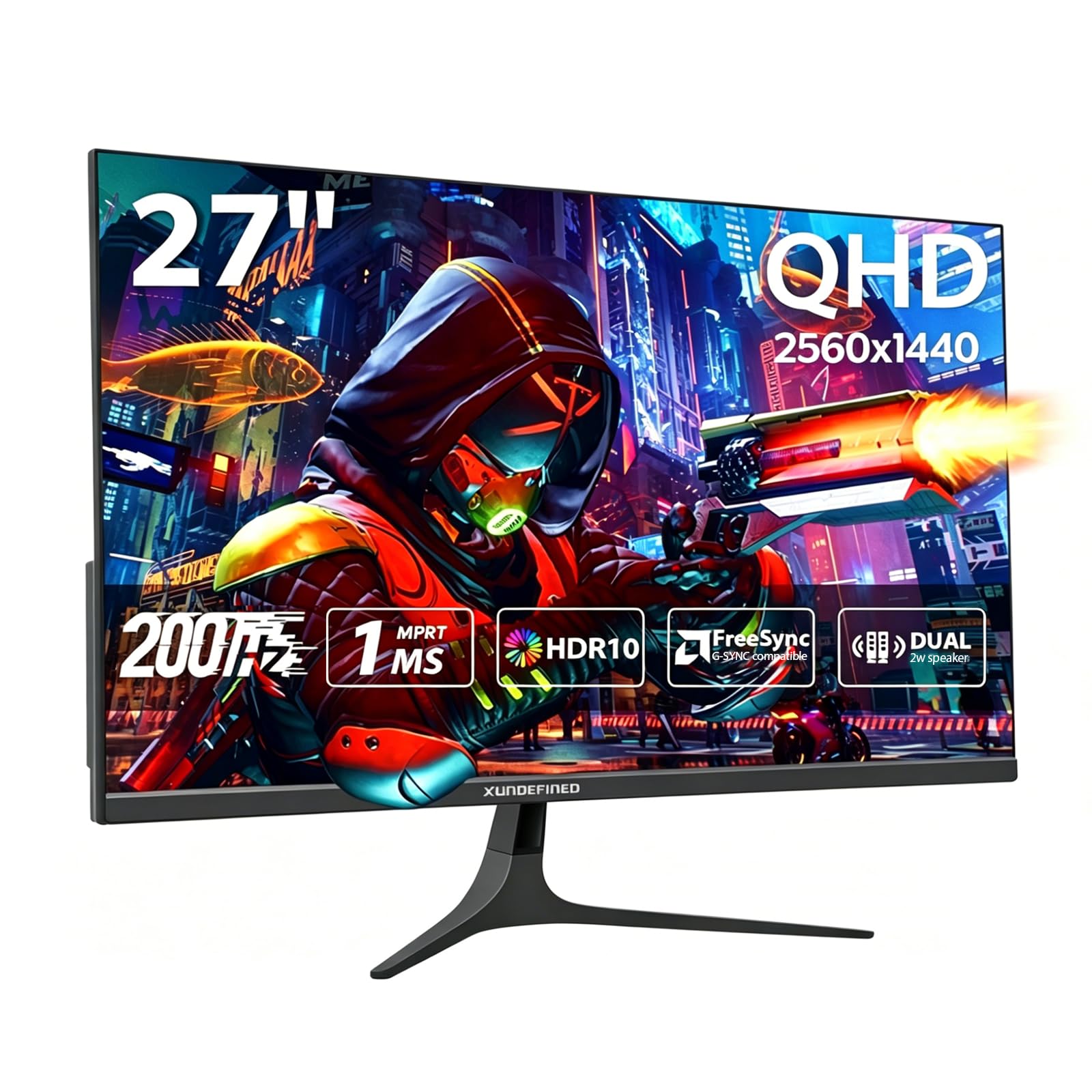
The XUNDEFINED 27-inch QHD gaming monitor is an aggressive value proposition that packs a 1440p resolution, a Fast IPS panel, and a 200Hz refresh rate (via DisplayPort 1.4) into a price point that typically only offers 1080p. The 125% sRGB color gamut coverage and HDR10 support deliver vibrant colors that make games and media pop, while the 1000:1 contrast ratio is standard for IPS. At 27 inches, the QHD pixel density of roughly 109 PPI provides a sharp image without needing GPU-crushing 4K hardware.
Connectivity is a strong point: two HDMI 2.0 ports (max 144Hz) and two DisplayPort 1.4 ports (max 200Hz) give you flexibility for multiple input sources, including consoles and PCs. The monitor supports both FreeSync Premium and G-Sync compatibility, ensuring tear-free gaming. The virtually bezel-free design is ideal for multi-monitor configurations, and VESA 75x75mm mounting is supported.
The stand is basic and clunky—it requires screw assembly, offers no height adjustment, and sits low on the desk. The built-in speakers are functional but not impressive. The brand is less established than Dell or ASUS, so long-term reliability is less certain, though the 2-year warranty and 90-day replacement policy provide some peace of mind. For the raw specs-to-price ratio, this is hard to beat if you’re willing to replace the stand.
Why it’s great
- QHD resolution at 200Hz for an exceptional price
- Two DisplayPort 1.4 inputs for max refresh rate
- 125% sRGB color gamut for vibrant colors
Good to know
- Stand is very basic and non-adjustable
- Brand reliability is unproven long-term
8. Acer Nitro KG271 P6bip
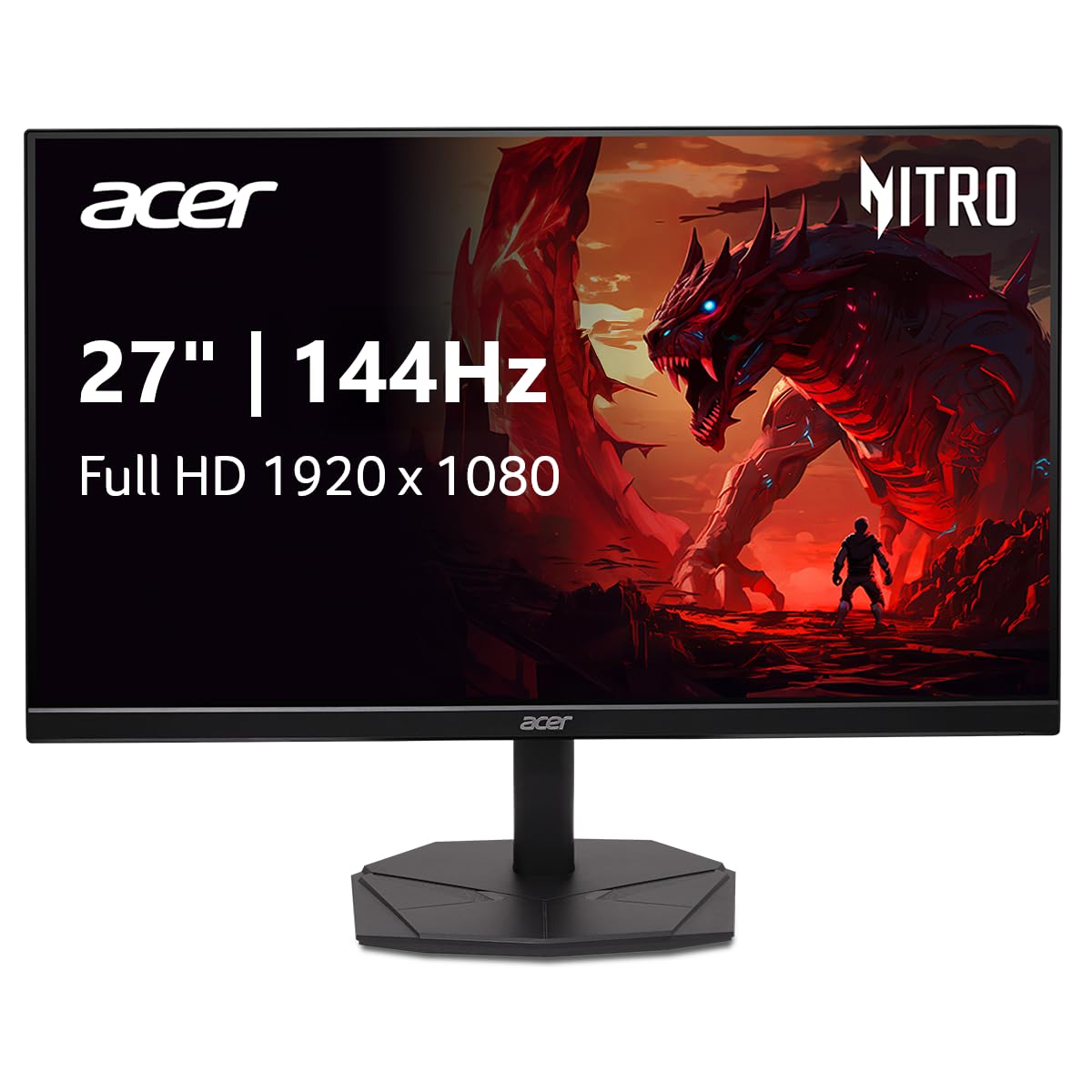
The Acer Nitro KG271 P6bip is a straightforward 27-inch 1080p IPS monitor that delivers a 144Hz refresh rate and 1ms VRB response time without any gimmicks. The zero-frame design keeps the bezels thin, and the 99% sRGB color gamut provides accurate, vibrant colors for the price. AMD FreeSync eliminates screen tearing, making this a solid option for budget PC builds or console gaming.
The larger 27-inch screen size at 1080p resolution means a lower pixel density (roughly 81 PPI) than a 24-inch 1080p panel, so individual pixels will be more visible at close viewing distances. This is a common trade-off on larger budget monitors, and it’s fine for gaming where you sit farther back, but text-heavy productivity work may look slightly soft. The stand is compact and doesn’t take up much desk space, which is helpful for dual-monitor setups.
Early reports indicate inconsistent quality control—some units arrive with a warped picture or audio issues despite the spec sheet listing an audio port that isn’t physically present. The lack of built-in speakers isn’t unusual at this tier, but the misleading documentation is frustrating. For the price, this monitor works well for gaming if you get a good unit, but be prepared to test it thoroughly during the return window.
Why it’s great
- 27-inch screen with 144Hz IPS panel at a low entry cost
- Compact stand footprint for dual monitor setups
- 99% sRGB color gamut coverage
Good to know
- 1080p on 27 inches results in lower pixel density
- Inconsistent quality control and missing audio port
9. Sceptre E255B-FWD240

The Sceptre E255B-FWD240 is an anomaly in the budget space—a 24.5-inch monitor with a 240Hz refresh rate at an entry-level price usually reserved for 144Hz panels. The 1ms Blur Reduction technology and FreeSync Premium support make this a compelling option for competitive gamers who want the smoothest possible motion without spending premium dollars. The 2000:1 contrast ratio is higher than typical IPS panels, delivering deeper blacks and better shadow detail.
Connectivity is generous for the price: two HDMI ports and two DisplayPort inputs give you plenty of options for multi-platform setups. The built-in speakers are functional for system sounds, though they distort at high volume. The 100% sRGB color gamut provides decent color reproduction, though users consistently note that colors look mediocre compared to higher-tier panels. The stand is stable and compact, with a metal base that feels more substantial than the price suggests.
The panel is LED-based, not IPS, so viewing angles are narrower and colors shift when viewed off-axis. HDR is listed but making the image too dark to be usable according to reviews. The blue light shift feature helps with eye strain during long sessions. If your priority is the highest possible refresh rate for competitive gaming and you’re willing to compromise on color accuracy and viewing angles, this Sceptre delivers performance that punches far above its price tier.
Why it’s great
- 240Hz refresh rate at budget-tier pricing
- High 2000:1 contrast ratio for deeper blacks
- Stable metal stand with compact footprint
Good to know
- Colors are mediocre compared to IPS panels
- Built-in speakers distort at higher volume
FAQ
Can my GPU actually run a 144Hz monitor at 144 frames per second?
Do I need DisplayPort or HDMI to get 144Hz?
Is a 144Hz monitor worth it if I mostly play single-player games?
What is the difference between 1ms MPRT and 1ms GTG response time?
Final Thoughts: The Verdict
For most users, the best budget 144hz monitor winner is the Alienware AW2725DM because it delivers true QHD resolution, a fully ergonomic stand, and premium color accuracy without stepping into enthusiast pricing. If you want the best value for pure specs and are willing to replace the stand, grab the Acer Nitro KG271U. And for competitive gamers who prioritize refresh rate above all else on a tight budget, nothing beats the Sceptre E255B-FWD240 for its 240Hz performance at an entry-level price.

Mo Maruf
I created WellFizz to bridge the gap between vague wellness advice and actionable solutions. My mission is simple: to decode the research and give you practical tools you can actually use.
Beyond the data, I am a passionate traveler. I believe that stepping away from the screen to explore new environments is essential for mental clarity and physical vitality.