Our readers keep the lights on and my smoothie glass nicely filled. As an Amazon Associate, I earn from qualifying purchases.
Most computer monitors produce audio that is thin, tinny, and completely incapable of rendering a bass line or a whispered dialogue track. You end up cranking the volume to hear anything, only to be met with distortion and listener fatigue. The fix is a dedicated set of desktop speakers that sit on your desk, connect via USB or Bluetooth, and deliver the clarity your monitor’s built-in drivers simply cannot produce.
I’m Mohammad Maruf — the founder and writer behind WellFizz. I have spent years analyzing audio hardware specifications, driver topologies, and signal path quality to separate products that merely get loud from those that actually reproduce sound with accuracy and depth for desktop use.
Whether you need clearer audio for video calls, richer gaming immersion, or a more enjoyable music listening session, this guide to the best bluetooth speakers for computer setups breaks down the key specs and real-world performance data you need to make a confident choice.
How To Choose The Best Bluetooth Speakers For Computer
Choosing the right desktop speakers means looking past marketing wattage claims and focusing on the three pillars that actually define desktop audio: driver configuration, connectivity reliability, and power delivery method. Here is how to break down the decision.
Driver Configuration: The Core of Sound Quality
A 2.0 system uses two satellite speakers, while a 2.1 system adds a dedicated subwoofer for deeper bass. For desktop use, a 2.0 system with drivers larger than 2 inches and a passive radiator or bass port can deliver satisfying low-end without the footprint of a subwoofer. If you watch action movies or play games with heavy soundtracks, a 2.1 system with a dedicated subwoofer driver (5 inches or larger) will provide the rumble a 2.0 system cannot match. Look for speakers with separate tweeters (dome-silk or carbon fiber) and dedicated woofers for clearer separation of highs and lows.
Input Options and Bluetooth Version
A versatile desktop speaker should offer at least two connection methods: Bluetooth for cable-free listening from your phone or secondary device, and a wired connection (USB, 3.5mm AUX, or RCA) for low-latency audio from your computer. Bluetooth 5.3 and 5.4 offer improved range, lower power consumption, and better audio stability compared to older versions like 4.2. For gaming, wired connections via USB or AUX eliminate any perceivable audio lag, making them essential for competitive play where timing matters.
Power Delivery: USB vs. AC Adapter
USB-powered speakers draw power directly from your computer’s port, which limits their total output to around 3-5 watts per channel. These are perfect for small desks, office environments, and users who prioritize a clean, cable-free setup. AC-powered speakers use a wall adapter to deliver significantly more power — often 15-30 watts per channel — enabling higher volume levels, deeper bass extension, and the ability to drive larger drivers without distortion. If your desk space allows for a power brick, AC-powered models almost always sound more dynamic and room-filling.
Quick Comparison
On smaller screens, swipe sideways to see the full table.
| Model | Category | Best For | Key Spec | Amazon |
|---|---|---|---|---|
| OHAYO 60W | Bookshelf 2.0 | Audiophile listening & music production | Carbon fiber drivers, MDF wood enclosure | Amazon |
| Nylavee 2.1 System | Soundbar + Sub | Immersive gaming & movie bass | 5.25″ subwoofer, 60W peak | Amazon |
| KEiiD KD-C02 | Compact 2.0 | Style-focused desk & wireless control | Wireless touch control pod | Amazon |
| BESTISAN GM07 | Compact 2.0 | RGB gaming setups & multi-device switching | 30W drivers, 6 RGB modes | Amazon |
| Bluedee USB-C (B0FG7S4PB4) | Compact 2.0 | USB-C plug-and-play with DSP tuning | Passive radiators, 8 RGB effects | Amazon |
| Bluedee Rechargeable Soundbar | Soundbar | Wireless, clutter-free desktop & portability | 3600mAh battery, 13hr playback | Amazon |
| Creative Pebble V2 | Mini 2.0 | Ultra-budget upgrade from monitor speakers | 50.8mm drivers, USB-C powered | Amazon |
In‑Depth Reviews
1. OHAYO 60W Computer Speakers

The OHAYO 60W speakers use a 0.75-inch carbon fiber silk dome tweeter paired with a 3-inch carbon fiber full-range driver, a combination typically found in bookshelf speakers twice their size. The MDF wooden enclosure dramatically reduces cabinet resonance compared to plastic alternatives, resulting in cleaner midrange reproduction and tighter bass response. The rear bass port extends low-end depth without the muddy bloom that plagues ported plastic speakers at this tier.
Connectivity is comprehensive with Bluetooth 5.3, RCA, AUX, and USB inputs alongside a separate TRS input for professional audio gear. The front-panel volume knob integrates power and Bluetooth pairing, and separate treble and bass knobs let you tune the sound signature without needing software. Real-world experience shows the USB input delivers the cleanest signal path, with the 3.5mm input sounding slightly hollow by comparison — a quirk worth noting for wired users.
Customer feedback from an experienced audiophile notes that these speakers produce crisp, clear sound at low volumes and fill a small to medium room with ease. The 20Hz–22.8kHz frequency response range covers the full audible spectrum, and the 30W per channel power output delivers clean, distortion-free sound even at high volume levels. For desktop users who want audiophile-grade sound without dedicating shelf space to passive speakers and an amplifier, this is the most rewarding option.
Why it’s great
- Carbon fiber drivers with silk dome tweeter deliver exceptional clarity and detail across the frequency range.
- MDF wood cabinet with bass port provides superior resonance control and deeper low-end extension than plastic rivals.
- Five input options including TRS make it the most versatile desktop speaker for audio production and casual listening.
Good to know
- 3.5mm AUX input sounds noticeably thinner than USB or Bluetooth, so plan your primary connection accordingly.
- Deep sub-bass extension is limited by the 3-inch drivers; users wanting chest-thumping bass should look to a 2.1 system.
2. Nylavee 2.1 PC Speakers System
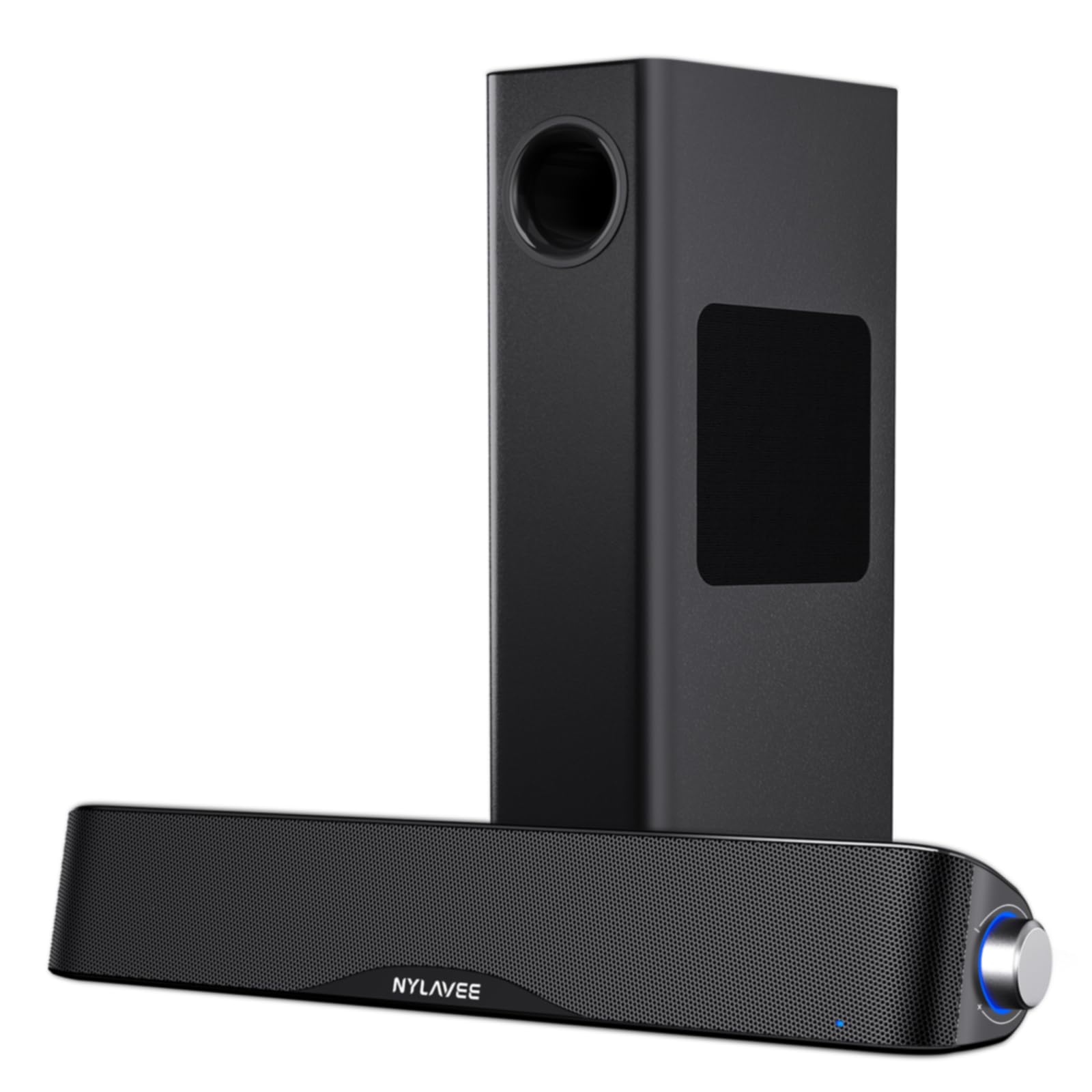
The Nylavee 2.1 system brings a proper 5.25-inch standalone subwoofer to the desktop, delivering 60W of peak power (30W RMS) that produces deep, tactile bass a 2.0 system simply cannot match. The soundbar itself houses dual soft-dome silk tweeters and full-range drivers for clear highs and balanced mids, while the subwoofer handles everything below 120Hz. This division of labor means vocals and instrument details remain clear even during explosions and heavy bass lines.
Bluetooth 5.4 provides the latest wireless standard with improved range and connection stability, while the 3.5mm AUX input offers a zero-latency wired option for gaming. The side-mounted control knob handles power, mode switching, volume adjustment, and Bluetooth pairing in one tactile interface. The soundbar is powered via an AC adapter rather than USB, which gives it the headroom to drive the larger drivers without the current limitations of a computer port.
Users consistently report that the subwoofer integration is seamless — no phase issues or muddy crossover regions that plague cheaper 2.1 setups. The ABS enclosure on the soundbar keeps weight low, and the compact footprint fits under most monitors without blocking the screen. For desktop gamers and movie watchers who want the physical sensation of bass without the cost of a full surround system, this is the most effective budget-to-performance ratio in the group.
Why it’s great
- Dedicated 5.25-inch subwoofer delivers deep, room-filling bass that adds immersion to games and movies.
- Bluetooth 5.4 ensures a stable wireless connection with longer range than older versions.
- AC-powered design provides clean, consistent power to the drivers without USB port limitations.
Good to know
- The subwoofer takes up additional floor or desk space; not ideal for cramped or minimalist setups.
- No USB or optical input limits digital connectivity to Bluetooth only — wired users need AUX or RCA.
3. KEiiD KD-C02 Computer Speakers

The KEiiD KD-C02 stands out immediately for its wireless touch control pod — a small, mouse-like puck that lets you adjust volume, mute, switch EQ modes, and control playback without reaching across cables to the speakers themselves. The speakers themselves use separate dome-silk tweeters in each satellite for crisp high-frequency reproduction, paired with a 12W woofer for bass. The steel mesh housing and compact footprint give it a premium aesthetic that fits both modern office and gaming desk environments.
Four EQ modes — News, Music, Movie, and Game — let you tailor the sound signature to the task at hand. The Game mode activates a 3D surround sound effect that widens the soundstage, which is useful for competitive audio cues in FPS titles. The speakers connect via Bluetooth or a 3.5mm AUX cable, and the included 12V power adapter ensures consistent power delivery. Setup is straightforward: connect the left and right speakers with the included cable, plug in power, and pair via Bluetooth or wire in.
Reviews highlight the touch pod as the standout feature — it makes volume and mode changes feel effortless. Sound quality out of the box is described as clear and balanced, though some users note the audio can sound slightly boxed in before adjusting the EQ. The build quality is solid for the price, with the metal mesh and wood-like side panels giving it a more expensive look than the price suggests. For users who value convenience and aesthetics alongside decent sound, the KEiiD is a compelling choice.
Why it’s great
- Wireless touch control pod is genuinely useful for desk use — no reaching or fumbling for knobs.
- Four dedicated EQ modes let you quickly match the sound signature to content type without software.
- Aesthetic steel mesh and wood panel design looks more expensive than the price suggests.
Good to know
- Some users report audio dropout issues in AUX mode when the PC goes to sleep, requiring a power cycle.
- Bass output is modest and can clip at lower volumes with certain EQ presets applied.
4. BESTISAN GM07 Gaming Speakers
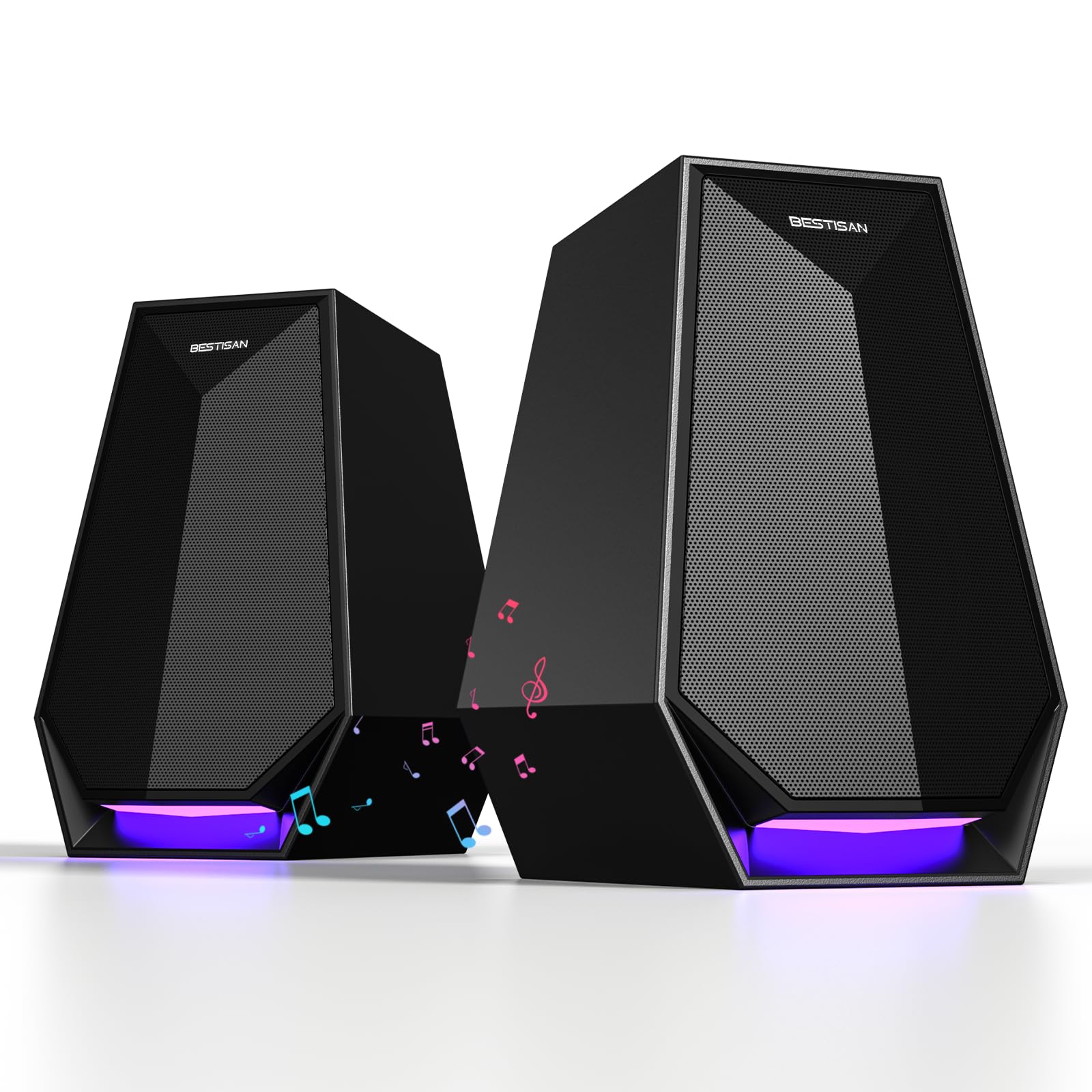
The BESTISAN GM07 packs 30W of peak power into a compact 2.0 configuration that stands vertically beside your monitor, saving horizontal desk space. It offers three connection methods — Bluetooth, AUX, and USB-C — making it compatible with desktop PCs, laptops, gaming consoles, and smartphones without needing to swap cables. The 6-color RGB lighting modes range from a calm static glow to vibrant cycling effects that sync with gaming setups.
Sound quality is described by users as clear and well-balanced, with surprising bass output given the compact driver size. The built-in DSP tuning helps maintain clarity at higher volumes, though the bass can slightly mask treble detail when pushed to maximum. The volume knob doubles as a control for switching input modes and lighting effects, keeping the interface clean and intuitive. Setup is genuinely plug-and-play: connect via any of the three methods and the speakers work immediately without drivers or software.
One reviewer with experience comparing Yamaha speakers noted the GM07 delivers incredible sound quality for its size and price — a testament to how far driver engineering has come in compact form factors. The primary limitation is that Bluetooth audio quality is noticeably duller and more compressed than a wired connection, so using AUX or USB-C for music is recommended. For a gaming-focused desktop that needs decent audio, RGB flair, and multi-device versatility, the BESTISAN hits a sweet spot.
Why it’s great
- Triple connectivity via Bluetooth, AUX, and USB-C provides maximum device compatibility without dongles.
- Vertical, compact design saves valuable desk space while still delivering room-filling sound.
- Adjustable RGB lighting with 6 modes adds aesthetic customization for gaming setups.
Good to know
- Bluetooth mode sounds noticeably duller and compressed compared to wired AUX or USB-C connections.
- No separate subwoofer output limits expansion options for users who want deeper bass later.
5. Bluedee USB-C Powered Speakers
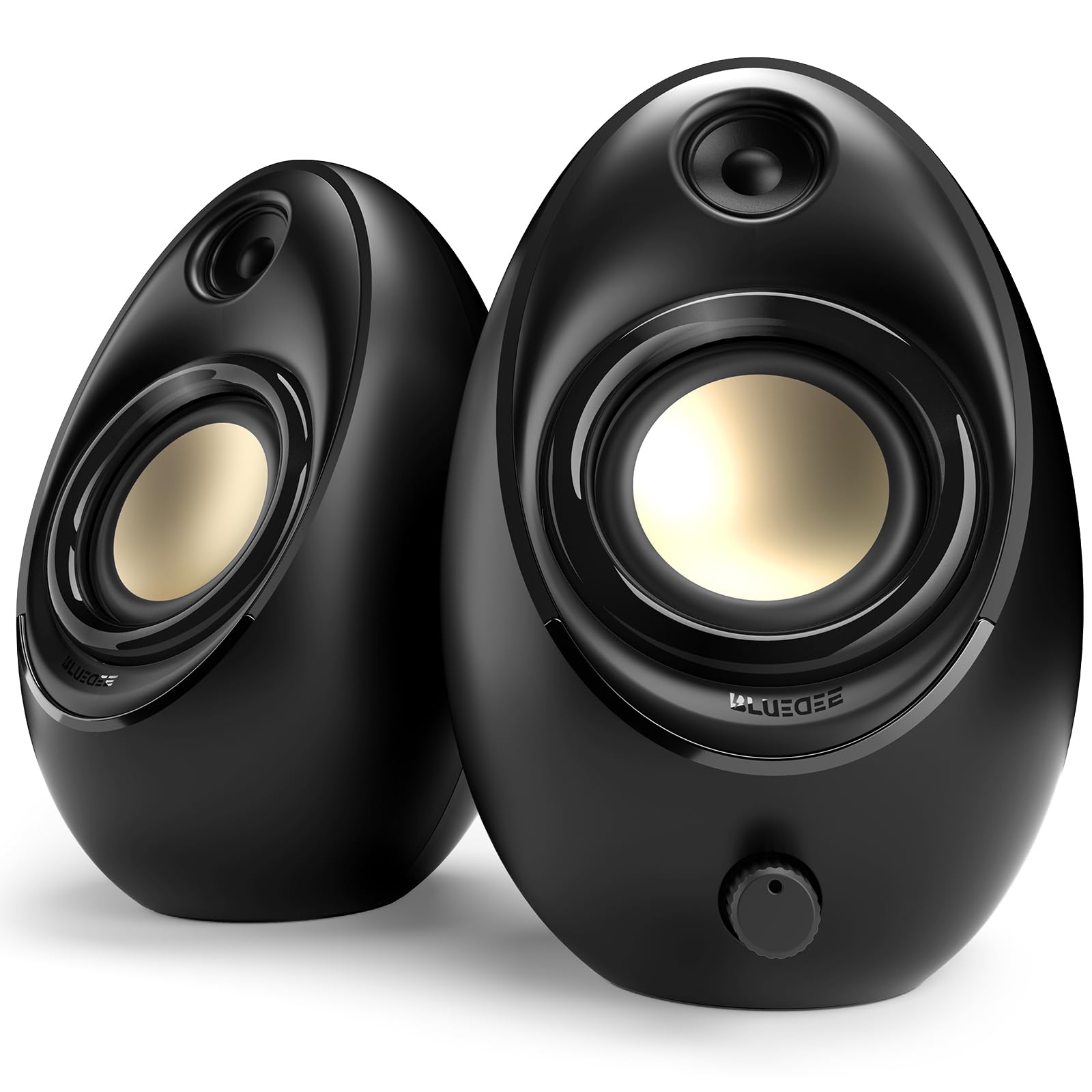
The Bluedee USB-C speakers use an unusual driver configuration: two tweeters, two full-range drivers, and two passive radiators — all powered directly via a single USB cable. The passive radiators are the key to its surprisingly deep bass output, because they resonate in response to the air pressure inside the cabinet, effectively extending low-end response without needing a separate amplifier channel or subwoofer. DSP tuning further smooths out harsh frequencies and minimizes distortion at moderate listening levels.
The all-in-one control knob integrates volume, playback, RGB lighting switching, and input selection into a single tactile interface. Bluetooth 5.4 provides the latest wireless standard with improved latency and connection stability, while the USB-C input supports true plug-and-play operation with no drivers needed. The compact size — roughly the width of a standard keyboard — fits easily under most monitors or beside a laptop without dominating the desk.
User feedback consistently praises the sound quality, describing it as clear and balanced with solid bass presence that defies the small size. The RGB lighting offers 8 effects including an off option for minimalists. The only recurring criticism is that the inter-speaker cable is relatively short at around 50 inches, which can make placement challenging if your monitor setup is wider than typical. For users who want maximum audio quality from a single USB-C connection without external power bricks, this Bluedee model is a standout.
Why it’s great
- Passive radiators and DSP tuning deliver surprisingly deep and clear bass from a USB-powered 2.0 system.
- Single USB-C cable handles both power and audio for a truly minimal desk setup with no wall plug required.
- Bluetooth 5.4 offers the latest wireless standard with improved range and lower latency.
Good to know
- Inter-speaker cable is only 50 inches, which can limit placement options on wide dual-monitor desks.
- USB power limits maximum volume compared to AC-powered alternatives in this guide.
6. Bluedee Rechargeable Soundbar

The Bluedee rechargeable soundbar is the only truly wireless option in this guide — its built-in 3600mAh battery delivers up to 13 hours of playback at moderate volume, freeing you from both cable clutter and wall outlet proximity. The slim 16.5x3x3-inch form factor slips neatly under most monitors, and the rechargeable design means you can move it from your desk to a kitchen counter, bedside table, or outdoor workspace without any wiring hassle.
Audio comes from dual full-range drivers and tweeters that deliver a Hi-Fi stereo profile described by users as crisp and clear with good bass for the size. Connection options include Bluetooth 5.3, 3.5mm AUX, and direct playback from USB flash drives or TF cards — a useful feature for presentations or music without a host device. The side-mounted buttons and knobs let you adjust volume, switch playback modes, and power the unit on or off easily.
Reviews consistently highlight the battery life and portability as the defining features, with one user noting the 3600mAh battery is the best thing about the unit because it allows truly wireless movement under the monitor. Sound quality is described as good for the price, though not competitive with premium bookshelf models — gamers seeking deep bass for explosive scenes may find it lacking. For office workers, students, or anyone who values a clean, cord-free desk, this soundbar delivers exactly that freedom with surprisingly capable audio.
Why it’s great
- Built-in 3600mAh battery provides up to 13 hours of cordless playback, eliminating desktop cable clutter.
- USB and TF card playback work without any connected device — ideal for presentations or standalone music.
- Slim soundbar design fits under virtually any monitor without blocking the screen or taking up desk space.
Good to know
- Sound quality, while good for the price, does not match the clarity and bass depth of dedicated bookshelf speakers.
- Battery charging adds a dependency — forgetting to charge means wired-only operation via USB-C.
7. Creative Pebble V2

The Creative Pebble V2 is the entry-level champion that proves you don’t need to spend much to get a meaningful upgrade over built-in monitor speakers. Its 50.8mm full-range drivers are angled upward by 45 degrees, directing sound toward your ears rather than your chest, which noticeably improves clarity and stereo imaging. Power comes solely from a single USB-C cable, making this the most cable-minimal option in the guide — no wall wart, no power brick, just one cable to your computer.
Sound quality is described as clear and crisp, with decent bass for a USB-powered speaker of this size and price. The built-in bass boost feature adds some low-end weight, though it cannot compete with AC-powered or larger-driver alternatives. A high/low gain switch on the back lets you adjust the input sensitivity depending on your source device, which helps avoid distortion when connecting to phones, tablets, or different PC audio outputs.
User feedback is overwhelmingly positive, with reviewers calling it an excellent value for the price and a dramatic upgrade over typical monitor speakers. The primary limitations are the lack of Bluetooth (wired only via USB-C and 3.5mm AUX), the absence of a front headphone jack, and the bass limitation inherent in USB-powered speakers. For anyone on a tight budget who simply wants clear, distortion-free desktop audio without any setup complexity, the Creative Pebble V2 remains the gold standard.
Why it’s great
- Single USB-C cable handles both power and audio — the simplest, cleanest setup possible for a desktop speaker.
- Upward-firing driver angle directs sound toward your ears, improving clarity and stereo imaging significantly.
- High/low gain switch prevents input distortion across different source devices like phones and PCs.
Good to know
- No Bluetooth connectivity — this is a wired-only speaker, which limits flexibility for wireless streaming.
- USB power limits maximum volume and bass extension; cannot fill a large room or compete with AC-powered speakers.
FAQ
Can I use Bluetooth computer speakers for gaming without noticeable audio lag?
What is the difference between USB-powered and AC-powered computer speakers?
Do I need a 2.1 system with a subwoofer for my desktop?
Final Thoughts: The Verdict
For most users, the best bluetooth speakers for computer setup is the OHAYO 60W because its carbon fiber drivers and MDF enclosure deliver audiophile-grade clarity without requiring a separate amplifier. If you want deep, tactile bass for movies and games, grab the Nylavee 2.1 system with its dedicated 5.25-inch subwoofer. And for a zero-compromise budget upgrade from monitor speakers, nothing beats the Creative Pebble V2 for its single-cable simplicity and unexpectedly clear sound.

Mo Maruf
I created WellFizz to bridge the gap between vague wellness advice and actionable solutions. My mission is simple: to decode the research and give you practical tools you can actually use.
Beyond the data, I am a passionate traveler. I believe that stepping away from the screen to explore new environments is essential for mental clarity and physical vitality.