Our readers keep the lights on and my smoothie glass nicely filled. As an Amazon Associate, I earn from qualifying purchases.
Phone cameras have replaced point-and-shoots, yet most of our best shots still sit trapped in the camera roll. A dedicated Bluetooth photo printer changes that, turning digital memories into sticky-backed keepsakes you can hand out at a party, paste into a journal, or pin on a corkboard — all without a single USB cable.
I’m Mohammad Maruf — the founder and writer behind WellFizz. I’ve spent hundreds of hours cross-referencing print resolution, ink technology, app stability, and real-world battery life to separate the printers that actually deliver from the ones that frustrate.
Whether you want wallet-size stickers for scrapbooking or 4×6 photos for a family album, the right bluetooth printer for phone needs to pair reliably, print vividly, and keep refill costs reasonable — and I’ve tested the specs to find the models that do all three.
How To Choose The Best Bluetooth Printer For Phone
Most buyers pick a phone printer based on size or price, but three deeper specs determine whether you’ll still be happy after the first refill. Here’s what to look for.
Print Technology: ZINK vs. Dye-Sublimation
ZINK (Zero Ink) printers embed dye crystals in the paper. Heat activates them, so you never buy cartridges — but color accuracy can lean warm or pink, and prints lack a protective coating. Dye-sublimation uses a ribbon, heats solid dyes into a gas, and seals each print with a clear layer. The result is sharper color, better water resistance, and longer archival life. If you care about photo quality that lasts, dye-sub is the better choice, even though it costs more per print.
Connection Stability & App Experience
A printer that disconnects mid-print defeats the whole purpose. Look for models that create a direct Wi-Fi or Bluetooth link (some offer both). The app matters just as much: does it let you crop, add borders, adjust brightness, or create collages before sending the image? Printers with poorly maintained apps are a common pain point. Read recent reviews to confirm the app hasn’t become buggy after an OS update.
Print Size & Paper Supply
Typical sizes are 2×3-inch stickers for journaling and 4×6-inch prints for framing. Make sure the printer supports the size you need. Also check what’s included in the box — some brands ship only five starter sheets, while others give you 50 or more. The ongoing availability and cost of replacement paper and ribbons will quickly add up, so factor in long-term value, not just the initial price.
Quick Comparison
On smaller screens, swipe sideways to see the full table.
| Model | Category | Best For | Key Spec | Amazon |
|---|---|---|---|---|
| Nelko PP01 | Inkjet | Vivid 2×3 stickers on the go | 603 DPI inkjet | Amazon |
| KODAK Step | ZINK | No-cartridge simplicity | ZINK zero-ink | Amazon |
| HP Sprocket | ZINK | Compact purse-carry daily printing | Bluetooth 5.3 | Amazon |
| YOTON | Dye-Sub | AR video + true 4×6 prints | Dye-sub 4×6 | Amazon |
| Fujifilm Instax Mini Link 3 | Instax Film | Classic Instax aesthetic | USB-C charge | Amazon |
| Liene Pearl N200 Pro | Dye-Sub | AI editing + vivid 2×3 stickers | 300×300 dpi dye-sub | Amazon |
| HPRT CP4100 | Dye-Sub | Studio-quality 4×6 prints | 300 dpi dye-sub | Amazon |
In‑Depth Reviews
1. Nelko PP01 Photo Printer

The Nelko PP01 uses advanced inkjet technology rather than ZINK or dye-sub, which gives it a noticeable edge in resolution — 603 DPI captures fine details and realistic skin tones that many mini printers blur. Each print comes out with adhesive backing and resists smudging and water, so you can stick them in a journal or on a fridge without worry.
Setup is genuinely quick: download the Nelko app, load the 2×3 sticky-backed paper with the smooth side down, snap in the ink cartridge, and pair via Bluetooth. The app includes AI image editing, filters, borders, and collage tools, so you can polish a shot before it hits the paper. A full charge lasts through dozens of prints, and the whole unit weighs just 0.6 pounds.
The ink cartridge prints about 80 full-color 2×3 photos before needing replacement, which keeps per-print costs lower than most dye-sub competitors. If you want a portable printer that balances vivid color, affordable refills, and a robust editing app, the Nelko PP01 is the strongest all-around pick in this roundup.
Why it’s great
- 603 DPI delivers sharp, vibrant prints with accurate skin tones
- Ink lasts for 80 prints, lowering per-photo cost
- App offers AI editing, collages, and border options
- Smudge-proof, water-resistant, tear-resistant sticky paper
Good to know
- Prints only 2×3 size — no 4×6 option
- USB cable included but power adapter is not
- Ink cartridge can clog if the printer sits idle for weeks
2. KODAK Step Instant Smartphone Printer
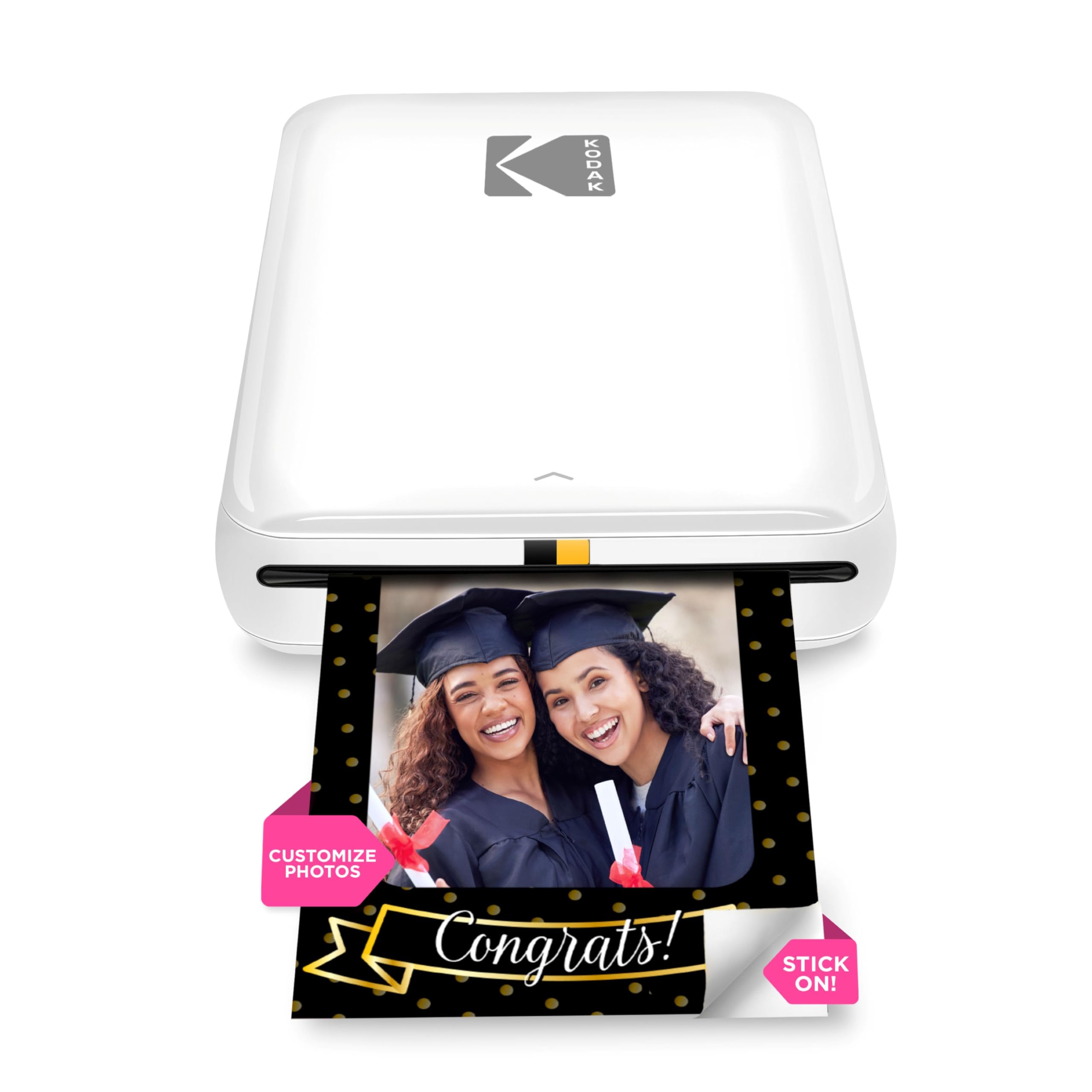
The KODAK Step relies on ZINK technology, which means there are no ink cartridges to replace — the color crystals are embedded in the paper itself. That makes refills simpler: just buy new paper packs. The 2×3 prints have a peel-and-stick backing and are reasonably resistant to moisture, rips, and smudges, though color accuracy tends to run slightly pink compared to the source image.
Pairing works via Bluetooth or NFC, and the KODAK app lets you add filters, borders, stickers, and text before printing. The printer weighs under a pound and fits easily in a purse or small backpack. Battery life supports about 25 prints per charge, which is adequate for a party or outing, though you may want to recharge halfway through a heavy session.
One common pain point: the app can be glitchy, occasionally backing out during editing or requiring a restart. The printer also won’t fire if the battery drops below 50%, but it will work while plugged in. For casual journaling and scrapbooking where perfect color isn’t critical, the KODAK Step offers a fuss-free no-cartridge experience.
Why it’s great
- No ink cartridges — color is in the paper
- Compact and lightweight for on-the-go use
- Peel-and-stick backs work well for planners and journals
- NFC pairing for quick connection on Android
Good to know
- Print colors lean pink — may need editing correction
- Battery won’t print below 50% charge
- Comes with only 5 starter sheets in the box
3. HP Sprocket 2nd Edition
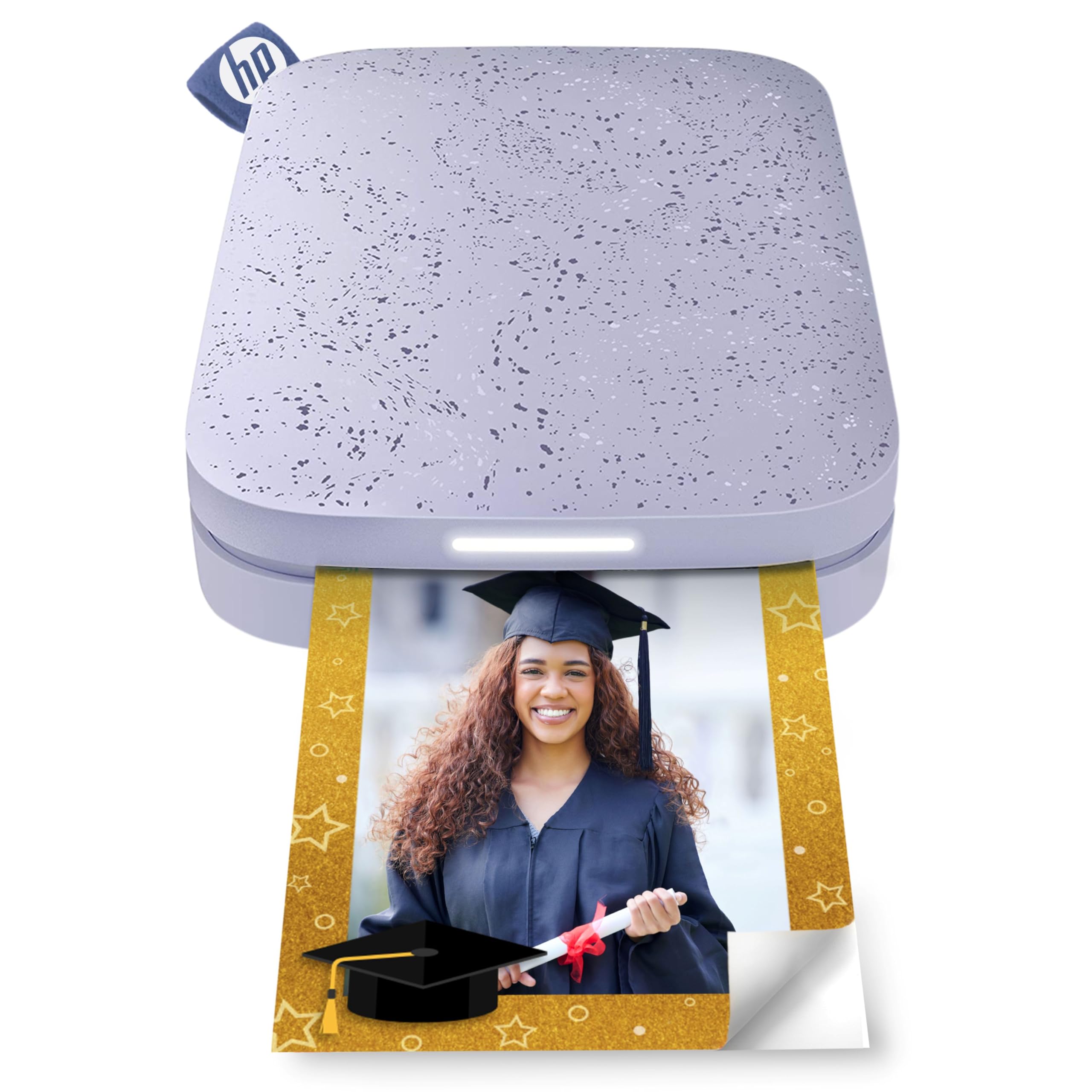
The HP Sprocket has been a staple of the mini photo printer category for years, and the second edition refines the formula with Bluetooth 5.3 for faster, more stable pairing. It uses ZINK technology like the KODAK Step, so you never buy toner or ribbons — just load the glossy sticky-backed paper and print. The prints are 2×3 and come out decently detailed for the size, though you’ll notice a slight color cast (usually pink or blue) that takes some in-app adjustment to correct.
The HP app offers filters, borders, stickers, and emoji overlays, and you can connect multiple devices so friends can take turns printing at a party. A built-in LED indicates who is actively printing. The charger is Micro USB (not USB-C), and a full charge delivers about 35 prints — the best battery life in this ZINK group.
Owners consistently report the hardware lasts 2-3 years with regular use, which is strong for a pocket-sized device. The main trade-off is the same as any ZINK printer: prints lack the protective coating of dye-sub, so they are less water-resistant. For casual sharing and scrapbooking, the Sprocket’s reliability and long battery make it a solid daily driver.
Why it’s great
- Bluetooth 5.3 provides quick, stable pairing
- 35 prints per charge — class-leading battery life
- Multi-device support for group printing at events
- Proven durability over 2-3 years of ownership
Good to know
- Color accuracy leans warm/pink — requires app tweaks
- Uses Micro USB charging, not USB-C
- ZINK prints lack a protective coating like dye-sub
4. YOTON Photo Printer

The YOTON Photo Printer steps up to true 4×6 prints using dye-sublimation, which gives you much richer color depth and a protective coating that ZINK printers can’t match. The standout feature is AR video printing: you can embed a 15-second video into a printed photo. When you scan the photo with the app, the still image plays back as a video on your phone — a clever way to combine physical prints with digital memories.
Connectivity is handled via a direct Wi-Fi link (the printer creates its own network), which avoids Bluetooth range issues. The app includes border and brightness adjustments, and the print quality rivals a desktop photo printer. Each ink ribbon is good for 40-50 prints, and the box includes 54 sheets of paper and one ribbon to get you started.
The biggest headache is the initial setup: the printer insists on a 2.4GHz Wi-Fi connection or its own direct network, and the app requests extensive permissions. A few users report the connection process feels finicky and may require customer support. Once it’s up and running, though, the print quality is genuinely impressive for a portable unit.
Why it’s great
- Dye-sublimation delivers vivid, waterproof 4×6 prints
- AR video feature brings still photos to life on your phone
- Comes with 54 sheets of paper and one ribbon in the box
- Direct Wi-Fi connection eliminates Bluetooth dropouts
Good to know
- Initial Wi-Fi setup is often frustrating and finicky
- App requires location tracking and extensive permissions
- Build feels a bit plasticky for the feature set
5. Fujifilm Instax Mini Link 3

The Instax Mini Link 3 uses genuine Instax film, which means you get that classic square Instax look with a slight grain and soft saturation that many users prefer over hyper-sharp digital prints. The print size is 2.4×2.4 inches with the iconic white frame. This is not a ZINK or dye-sub printer — it’s a digital hybrid that exposes Instax film, so every print is a true analog photo with the same chemistry as a traditional Instax camera.
Setup is straightforward: charge via USB-C (a welcome modern touch), install the Instax Mini Link app, and pair via Bluetooth. The app includes a “Click to Collage” feature that automatically arranges multiple shots and a “Match Test” quiz game for parties. Battery life is solid, and the printer itself feels premium — the Clay White finish has a distinctive textured look.
The trade-off is print cost: Instax film packs are more expensive per print than ZINK or dye-sublimation options. And because it uses real film, there’s no preview correction — what you send is what you get. For buyers who love the Instax aesthetic and want to print photos directly from their phone without the waste of a bad Instax camera shot, the Mini Link 3 is the premium choice.
Why it’s great
- Authentic Instax film look with classic grain and color
- USB-C charging is convenient and modern
- Fun app features like Collage and Match Test
- High-quality build with a premium finish
Good to know
- Per-print cost is higher than ZINK or dye-sub options
- No preview editing — send the image as-is
- Print size is 2.4×2.4 inches with mandatory white border
6. Liene Pearl N200 Pro
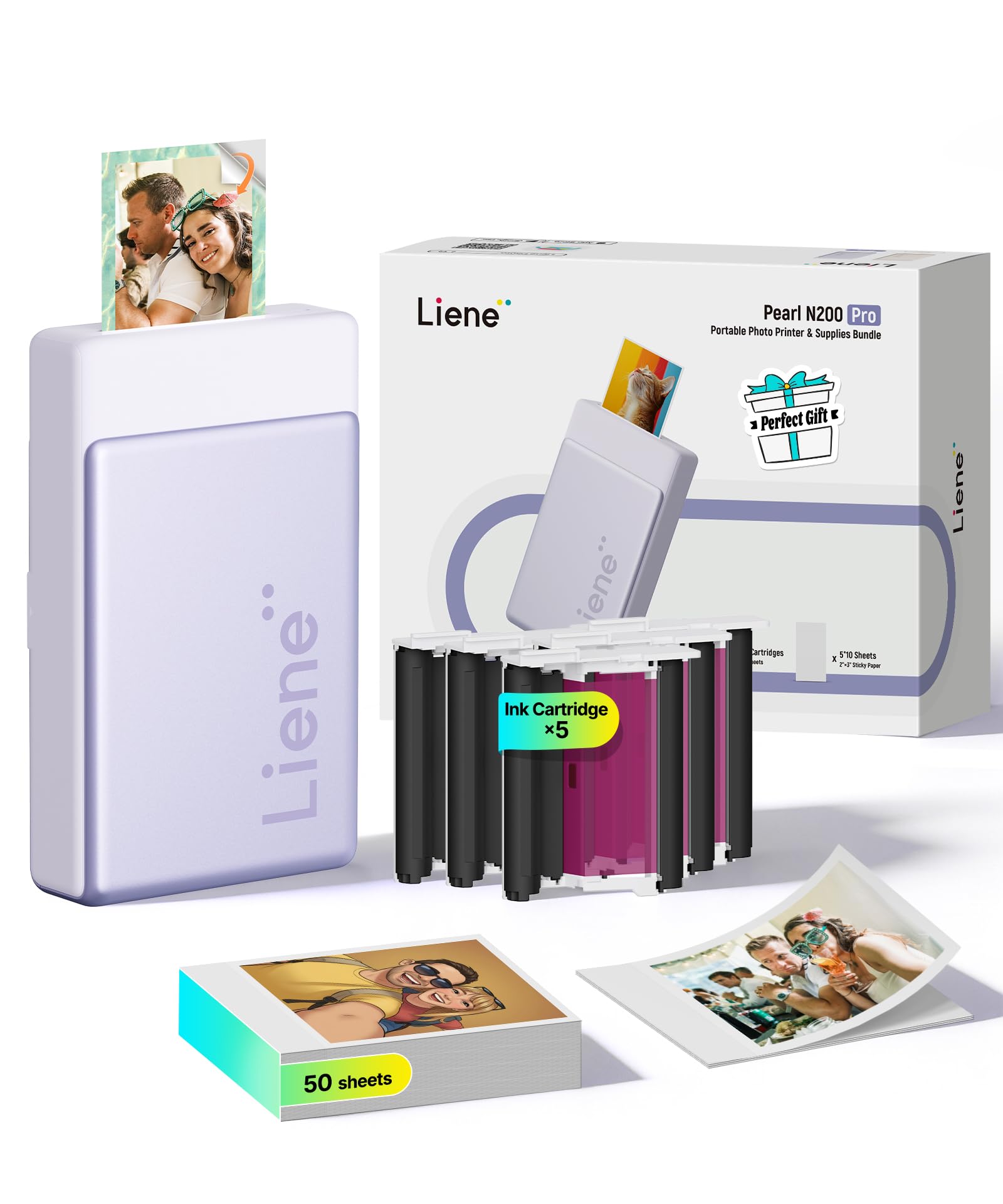
The Liene Pearl N200 Pro is a dye-sublimation printer that targets the creative crowd. It produces 2×3 sticker prints with noticeably better color vibrancy and accuracy than ZINK alternatives — customers who have owned multiple mini printers consistently rank Liene’s print quality at the top. The 300×300 DPI resolution is sufficient for the small format, delivering crisp details and rich saturation.
The Liene app is the real differentiator. It offers AI-powered background removal, custom borders, personalized watermarks with timestamps, and an “InstaPic Print” mode that lets you shoot and print in one step using built-in CCD camera filters. You can also upload a photo and let AI reimagine it in different artistic styles without switching to another app. That’s a lot of creative control for a pocket-sized printer.
The caveats: each ink cartridge prints only about 5-10 full-color 2×3 photos, so refills can add up quickly. The app is occasionally finicky — if a photo upload fails, closing and reopening the app usually fixes it. The printer itself is slightly louder than the competition, about the size of a thick smartphone. For users who prioritize creative editing and vivid sticker quality, the Liene is a powerful but slightly premium option.
Why it’s great
- Dye-sub produces vivid, accurate colors better than ZINK
- AI background removal and artistic style edits in the app
- InstaPic Print mode for one-tap shooting and printing
- Peel-and-stick backs tear cleanly without residue
Good to know
- Only 5-10 prints per cartridge — high per-print cost
- App can be finicky and requires occasional restart
- Printer is slightly noisy during operation
7. HPRT CP4100 Photo Printer
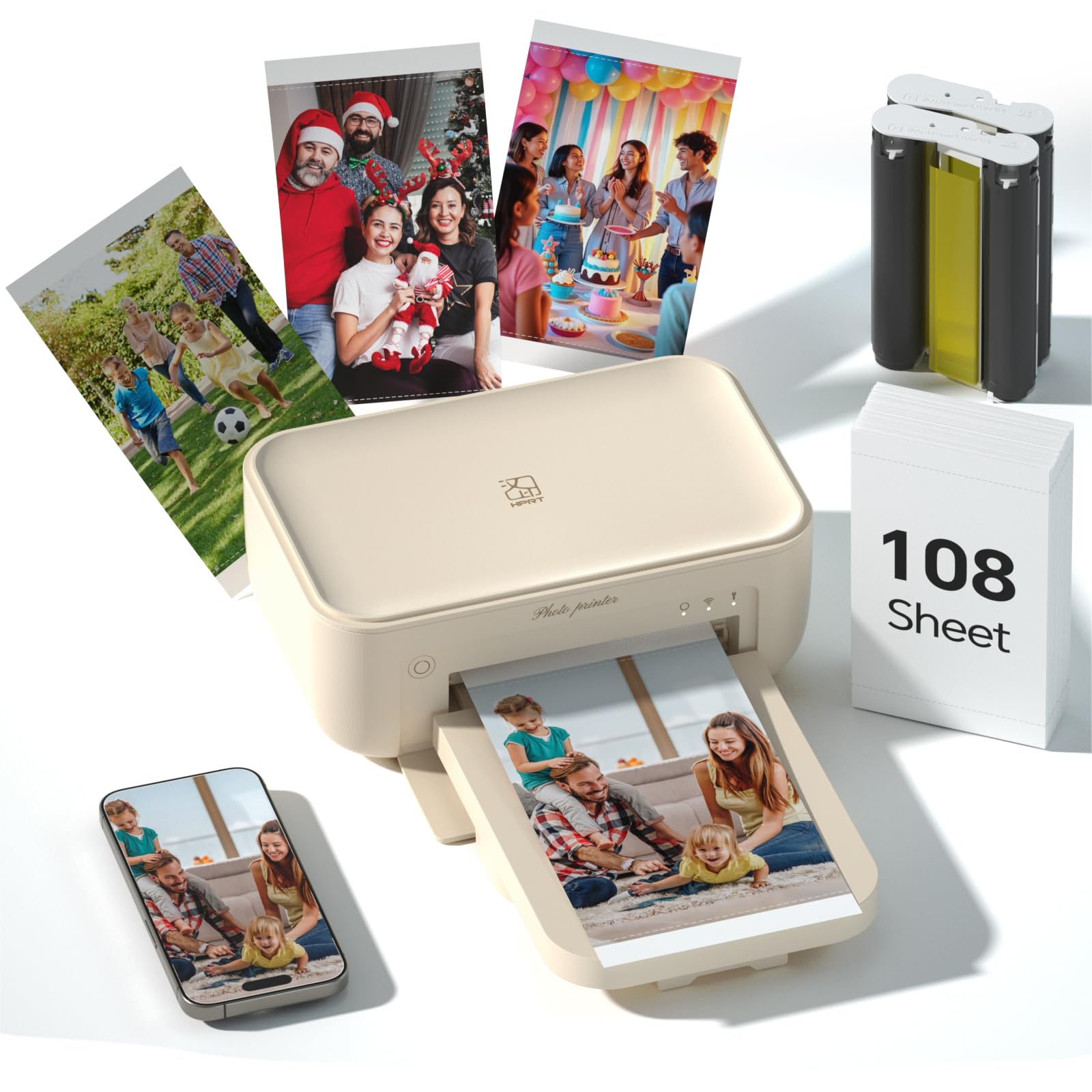
The HPRT CP4100 brings dye-sublimation printing to the 4×6 format with a compelling starter bundle: 108 sheets of photo paper and two ink ribbons are included in the box, which is the most generous supply of any printer in this lineup. Prints are 300 DPI and coated with a protective film that makes them waterproof, scratch-proof, and fade-proof — a genuine archival-quality result.
Connection is handled through the HeyPhoto app, which supports home Wi-Fi or a direct wireless link. The app allows you to print photos, collages, ID photos with preset templates, and even AR videos. Once you select an image, the printer finishes in under a minute. The beige design is compact enough to pack for trips or keep on a home desk.
A few friction points: the initial Bluetooth pairing can take two people to figure out, and you cannot use your phone for anything else while the print is processing — leaving the app cancels the job. The printer also requires a power adapter (included), so it’s less purely portable than battery-powered options. For anyone who wants true 4×6 keepsakes without subscription services like Walgreens, the HPRT offers the best value-per-print in this group.
Why it’s great
- 108 sheets and 2 ribbons included — best starter bundle
- Dye-sub with protective coating for waterproof, fade-proof prints
- ID photo templates and collage options in the app
- Studio-quality color reproduction for a portable device
Good to know
- Initial Bluetooth pairing may require technical patience
- Cannot use your phone for other apps during printing
- Requires a power outlet — not fully battery portable
FAQ
Why do my ZINK printed photos look pink or warm compared to my phone screen?
Can I print from my phone if there is no Wi-Fi or cellular signal?
How many prints do I actually get from a starter ZINK pack vs a dye-sub ribbon?
Final Thoughts: The Verdict
For most users, the bluetooth printer for phone winner is the Nelko PP01 because it combines the highest DPI in this category, a robust editing app, and affordable ink refills that last twice as long as many competitors. If you want instant no-cartridge simplicity for casual journaling, grab the KODAK Step. And for studio-quality 4×6 prints that rival desktop photo printers, nothing beats the HPRT CP4100 with its generous starter bundle of 108 sheets and two ribbons.

Mo Maruf
I created WellFizz to bridge the gap between vague wellness advice and actionable solutions. My mission is simple: to decode the research and give you practical tools you can actually use.
Beyond the data, I am a passionate traveler. I believe that stepping away from the screen to explore new environments is essential for mental clarity and physical vitality.