Our readers keep the lights on and my smoothie glass nicely filled. As an Amazon Associate, I earn from qualifying purchases.
The right mouse should feel like an extension of your hand, not a source of daily frustration or wrist fatigue. Whether you’re powering through spreadsheets, designing graphics, or just browsing, a laggy or uncomfortable pointer throws off your entire rhythm, and the standard bundled mouse rarely cuts it.
I’m Mohammad Maruf — the founder and writer behind WellFizz. I’ve spent hundreds of hours cross-referencing connectivity standards, DPI ranges, battery capacities, and ergonomic designs to separate the real performers from the shelf fillers in this specific category.
This guide breaks down the top contenders on the market today to help you find the best bluetooth computer mouse for your setup, workflow, and comfort needs.
How To Choose The Best Bluetooth Computer Mouse
Not all wireless mice are created equal. Before you click ‘add to cart’, understanding a few core specifications will save you from a purchase you’ll regret by lunchtime.
Ergonomics & Hand Size
The shape of the mouse dictates how your hand, wrist, and forearm align during extended use. Vertical designs promote a handshake grip that keeps the wrist straight, ideal for combating carpal tunnel or repetitive strain. Ambidextrous mice offer symmetry for lefties, while right-handed sculpted grips provide dedicated thumb rests. Ignoring hand size relative to the mouse dimensions is the most common mistake — a mouse too small forces a claw grip, while one too large causes unnecessary stretching.
Connectivity & Multi-Device Pairing
A true Bluetooth mouse offers freedom from dongles, but the version number matters. Bluetooth 5.0 and above provide lower latency, better range, and improved power efficiency compared to older 3.0 or 4.0 standards. Many premium models also include a 2.4GHz USB receiver as a backup for systems with flaky Bluetooth stacks. If you switch between a laptop, tablet, and desktop, look for tri-mode mice that pair with up to three devices and let you toggle between them instantly without re-pairing.
DPI & Tracking Performance
DPI (dots per inch) measures how far the cursor moves per inch of physical mouse movement. Lower DPI (800-1200) offers precise, slow cursor control suited for detailed photo editing or CAD work. Higher DPI (2400-6000) lets you zip across multiple monitors with minimal wrist motion. Most mid-range mice offer at least four switchable levels, while premium options reach up to 4800 or 6000 DPI. Optical sensors track on most surfaces, but laser sensors handle glass and glossy desks better.
Battery Type & Life
The choice between built-in rechargeable batteries and replaceable AAs shapes your long-term experience. Rechargeable mice with USB-C ports are convenient for desk setups — you top up overnight and avoid disposable waste. However, a single AA battery can last up to 24 months in power-efficient models, making them ideal for travel or backup bags. Check whether the mouse automatically enters deep sleep after inactivity; a model that stays awake drains its battery in days rather than months.
Quick Comparison
On smaller screens, swipe sideways to see the full table.
| Model | Category | Best For | Key Spec | Amazon |
|---|---|---|---|---|
| HP 400 Quiet Wireless Mouse | Premium | All-day office & travel | 6000 DPI / 24-month battery | Amazon |
| XBG B15pro | Premium | Multi-device hybrid work | LED status display / 500mAh | Amazon |
| TECKNET RGB Ergonomic Mouse | Mid-Range | Gaming & wrist relief | 4800 DPI / 11 RGB modes | Amazon |
| Uineer Ergonomic Vertical Mouse | Mid-Range | Budget wrist comfort | 7-color LED / 4 DPI levels | Amazon |
| Normdecos Multi-Mode Mouse | Budget | MacBook & quiet workspaces | Jiggler mode / USB-C & USB-A | Amazon |
In‑Depth Reviews
1. HP 400 Quiet Wireless Mouse
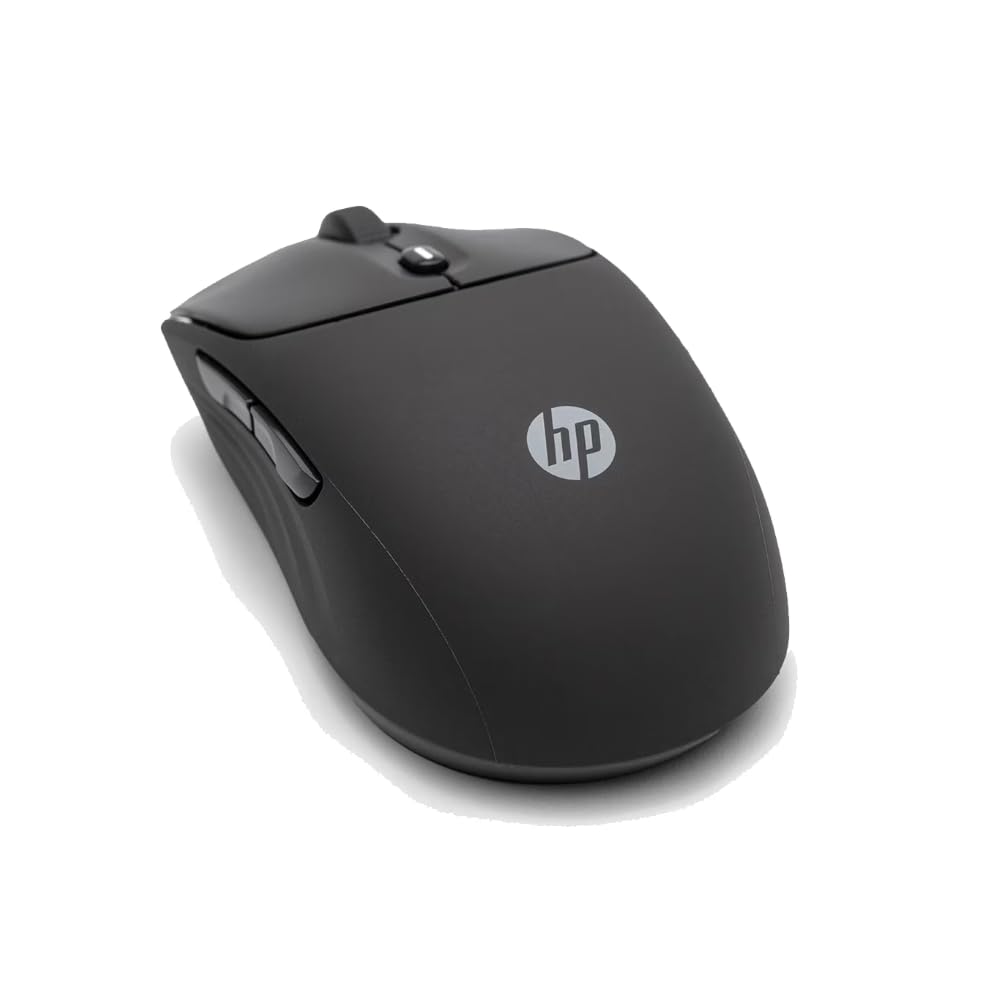
The HP 400 sits at the top of the list because it nails the fundamentals without any unnecessary extras. Its 6000 DPI optical sensor tracks flawlessly on almost any surface, from a wooden desk to a glass tabletop, making it a true set-and-forget tool. The ambidextrous shape is rare in this category and works equally well for left- and right-handed users, while the soft silicone outer layer provides a grippy, easy-to-clean surface that resists daily wear.
Wireless connectivity is split between Bluetooth and a 2.4GHz dongle, and the Microsoft Wheel integration adds vertical and horizontal scrolling shortcuts that serious productivity users will appreciate. The quiet clicks live up to the name — you can use this mouse in a shared office or library without drawing a single glance. At 24 months of battery life from a single AA, this is the most low-maintenance option in the lineup, ideal for users who hate hunting for charging cables.
The build quality feels reassuringly dense for its weight, and the eco-friendly construction using 40% post-consumer recycled materials is a genuine bonus. The only real compromise is the lack of customizable RGB lighting or an ergonomic vertical tilt, which some users with existing wrist pain may miss. For everyone else, this is the all-around champion of Bluetooth mice.
Why it’s great
- Exceptional 6000 DPI tracking with broad surface compatibility.
- Industry-leading 24-month battery life from a single AA.
- Quiet clicks and ambidextrous design suit shared workspaces.
Good to know
- No ergonomic vertical grip for severe wrist strain.
- Side buttons may feel small for larger hands.
- No onboard DPI switch indicator visible during use.
2. XBG B15pro Wireless Bluetooth Mouse

The XBG B15pro stands out immediately thanks to its built-in LED status display, a feature almost unheard of at this price point. The tiny screen shows real-time battery percentage, current DPI level, and active connection mode, eliminating the guesswork that comes with most Bluetooth mice. Tri-mode connectivity (Bluetooth 5.0, 4.0, and 2.4GHz) lets you pair with a laptop, tablet, and phone simultaneously, switching between devices in under a second.
Silent buttons are a highlight here, retaining a satisfying tactile bump without the loud clacking that disturbs others. The contoured thumb rest and arched palm support encourage a natural hand position that reduces fatigue over long work sessions. The 500mAh rechargeable battery lasts around a month with normal use, and the USB-C charging port means you can top up with the same cable you use for your phone or laptop.
The B15pro is also notably portable — its compact footprint and lightweight plastic shell make it a great travel companion. A few users have noted that the button remapping software is absent, and the sleep timer cannot be adjusted, but these are minor complaints for a mouse that delivers such clear visual feedback and multi-device flexibility. If you juggle multiple screens, this is your best bet.
Why it’s great
- Unique LED screen shows battery, DPI, and connection mode.
- Tri-mode connectivity with seamless device switching.
- Comfortable ergonomic shape with thumb rest for all-day use.
Good to know
- No programmable button mapping available.
- 500mAh battery requires weekly charging for heavy users.
- Sleep timeout is fixed at 5 minutes and cannot be changed.
3. TECKNET RGB Rechargeable Ergonomic Mouse
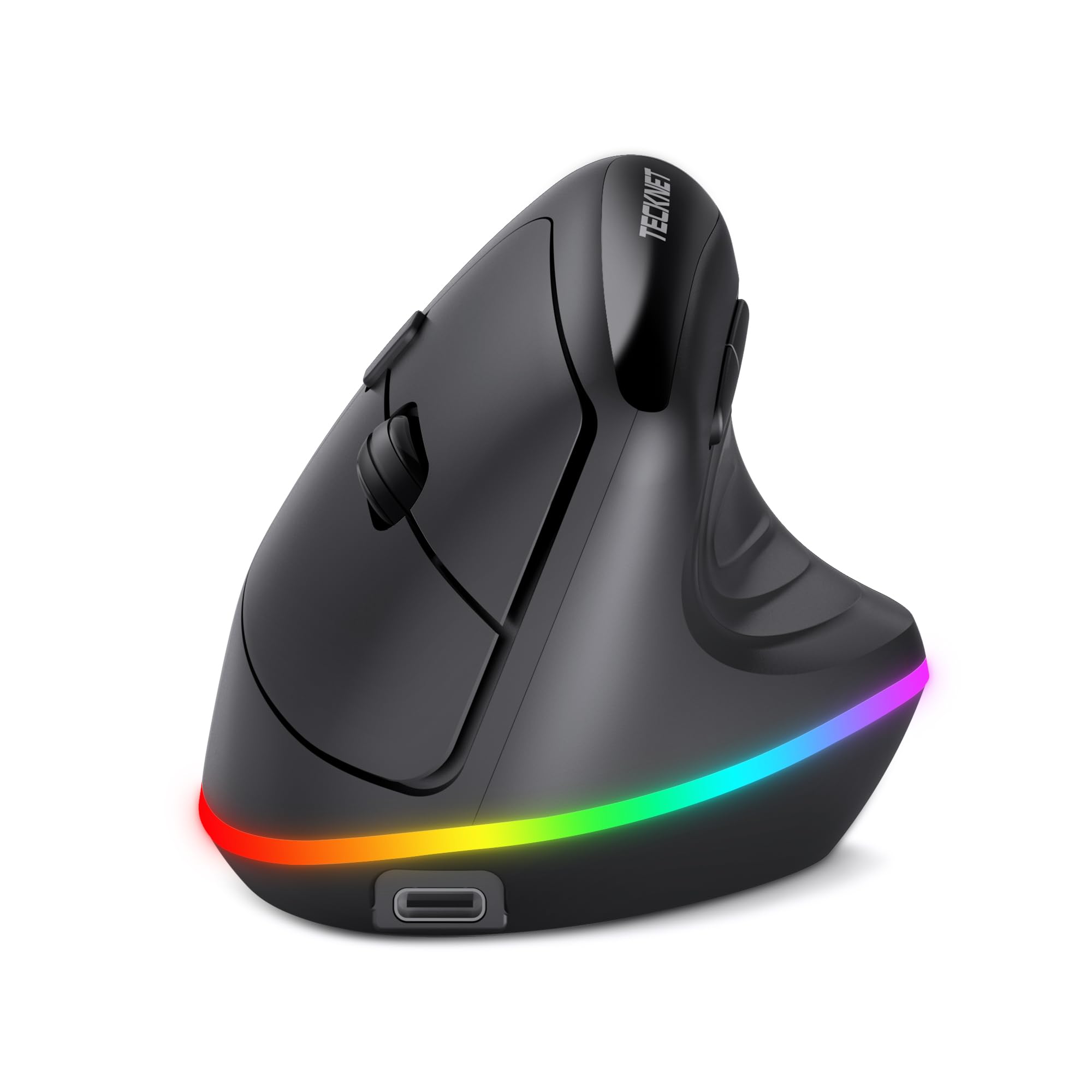
TECKNET brings serious style to the ergonomic segment with 11 RGB backlight modes that wrap around the base of the mouse. The effect is more than just cosmetic — the lighting also acts as a visual indicator for battery level and connection channel. Under the glow, you get a vertical design that rotates your wrist into a natural handshake position, which users consistently report eliminates wrist and forearm pain within two weeks of adaptation.
The 6-level DPI adjustment ranges from a precise 800 up to a speedy 4800, covering everything from detailed photo retouching to fast-paced gaming. Wireless connectivity supports both Bluetooth 5.0 and 2.4GHz, and switching between three paired devices is straightforward. The 800mAh battery is the largest in this roundup, and the smart sleep feature cuts the RGB after just 10 seconds of inactivity to conserve power, delivering multi-week runtimes between charges.
Silent clicks on the main buttons make this viable for quiet offices, and the dedicated forward/back side buttons speed up document navigation. The biggest caveat is hand size — this vertical mouse favors medium hands, and users with larger palms may find the grip too short. Also, side buttons are not functional on macOS. If you want wrist relief with a dash of desk personality, this mouse delivers in spades.
Why it’s great
- 11 RGB lighting modes with functional battery indicators.
- Large 800mAh battery with aggressive auto-sleep for extended use.
- Vertical ergonomic design proven to reduce wrist strain.
Good to know
- Side buttons are not compatible with macOS systems.
- Vertical shape may feel awkward for the first 1-2 weeks.
- Better suited for small to medium-sized hands.
4. Uineer Ergonomic Vertical Mouse
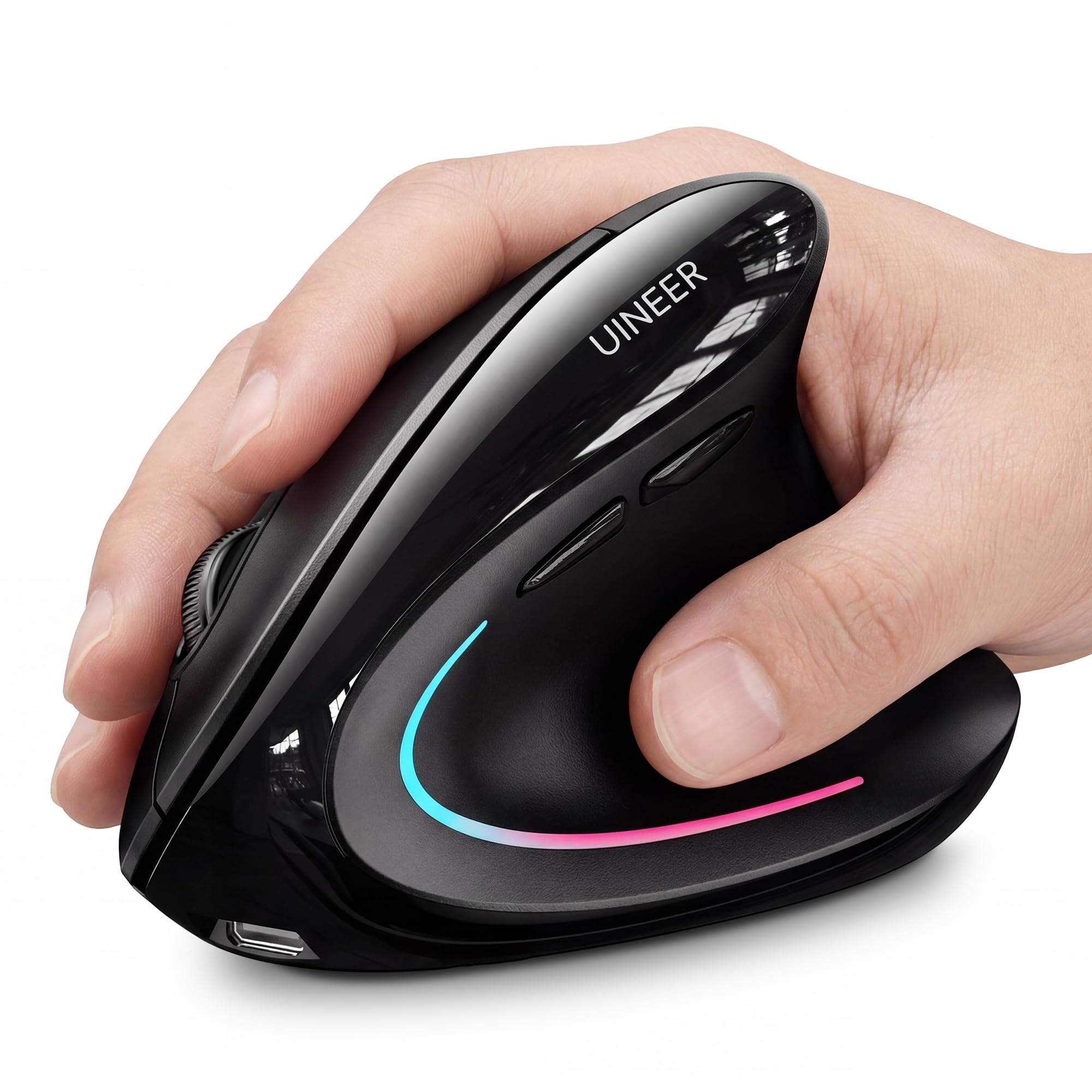
The Uineer Vertical Mouse proves you don’t need to spend a premium for genuine ergonomic benefits. Its 57-degree vertical angle forces your hand into a handshake posture, keeping the wrist straight and the forearm relaxed. Multiple customer reviews confirm a noticeable reduction in wrist pain after switching from a traditional flat mouse, with the 7-color ambient LED adding a touch of visual flair without being distracting.
Dual Bluetooth 5.0/4.0 plus 2.4GHz connectivity allows this mouse to sync with up to three devices simultaneously, making it a strong candidate for multi-monitor or multi-platform workflows. The 4-level DPI adjustment (800/1200/1600/2400) provides enough range for daily office tasks and light design work. Tracking is smooth on most surfaces, and the responsive clicks deliver a crisp tactile feedback that suits both productivity and casual gaming.
Battery life is a genuine strong point — users report over a week of continuous 8-hour workdays on a single charge, and the low-battery LED reminder prevents sudden shutdowns. The unit is best suited for small to medium hands; larger palms may find the grip too short. A few users noted that the scroll wheel can develop a squeak after a month of use, but a drop of grease resolves it. For the price, the feature set is hard to beat.
Why it’s great
- Effective vertical ergonomics relieve wrist and forearm strain.
- Dual Bluetooth + 2.4GHz with 3-device pairing.
- Strong battery life with clear low-battery warning.
Good to know
- Designed for small to medium hands only.
- Scroll wheel may require lubrication after extended use.
- Side buttons are not functional on macOS systems.
5. Normdecos Multi-Mode Bluetooth Mouse
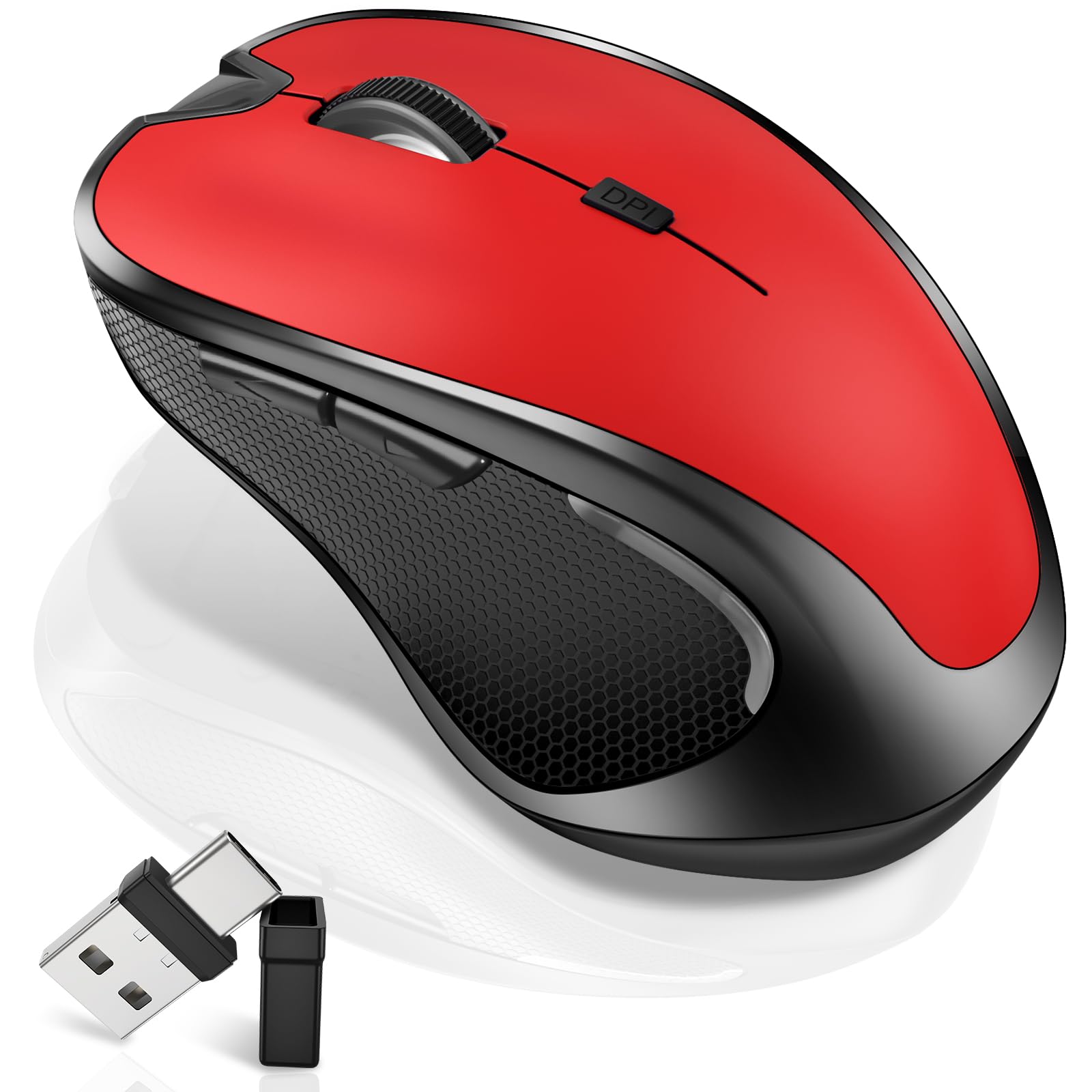
The Normdecos mouse is purpose-built for MacBook users who need a quiet, portable companion that works with both USB-C and USB-A ports. The dual-port 2-in-1 receiver stores inside the mouse, so you never lose it, and the 4-mode switching (BT 5.2, BT 3.0, 2.4GHz USB-A, and 2.4GHz USB-C) covers just about every scenario you can throw at it. The jiggler mode is a standout addition — hold the DPI button for three seconds, and the mouse randomly moves the pointer to keep your computer awake during downloads, presentations, or remote monitoring.
With three adjustable DPI levels (800/1200/1600), this is a strictly office-focused tool — don’t buy it for gaming. The slim, contoured profile and rubberized scroll wheel offer a comfortable grip for smaller hands, and the silent clicks produce barely a whisper. The 800mAh rechargeable battery delivers 3-4 weeks of runtime on a full charge, and the mouse automatically enters sleep mode after eight minutes of inactivity.
Build quality is solid for the price bracket, though the all-plastic construction feels light. The red color option adds a welcome pop of personality to an otherwise black-and-gray accessory landscape. The main limitation is the capped DPI ceiling — heavy multi-monitor users may find 1600 DPI too slow for zipping across screens. For students, remote workers, and MacBook owners who value quiet operation and versality, this is a slick choice.
Why it’s great
- Innovative jiggler mode keeps computer awake automatically.
- Dual-port receiver (USB-A + USB-C) stores inside the mouse.
- Ultra-quiet clicks and long 3-4 week battery life.
Good to know
- Max 1600 DPI is too low for multi-monitor setups.
- Not suitable for gaming or high-speed cursor tracking.
- Plastic build feels lightweight and less premium.
FAQ
Can I use a Bluetooth mouse on a Windows PC without a dongle?
What does the jiggler mode on a mouse actually do?
Is a vertical mouse really better for wrist pain than a flat one?
Final Thoughts: The Verdict
For most users, the best bluetooth computer mouse winner is the HP 400 Quiet Wireless Mouse because it combines an exceptional 6000 DPI sensor, 24-month battery life, ambidextrous comfort, and silent clicks into a single refined package. If you want multi-device flexibility with a unique LED status screen, grab the XBG B15pro. And for budget-conscious users who need wrist relief without spending big, the Uineer Ergonomic Vertical Mouse delivers proven ergonomics and strong battery life at a fraction of the cost.

Mo Maruf
I created WellFizz to bridge the gap between vague wellness advice and actionable solutions. My mission is simple: to decode the research and give you practical tools you can actually use.
Beyond the data, I am a passionate traveler. I believe that stepping away from the screen to explore new environments is essential for mental clarity and physical vitality.