Our readers keep the lights on and my smoothie glass nicely filled. As an Amazon Associate, I earn from qualifying purchases.
Moving to a larger display is one of the most impactful upgrades you can make to your workspace or gaming rig, unlocking a level of immersion and multitasking capability that smaller panels simply cannot match. The sweet spot has expanded well beyond 27 inches, with 32-inch, 34-inch ultrawide, and even 49-inch super-ultrawide options now offering resolutions from sharp QHD to crisp 4K UHD. The challenge is navigating the specifications—refresh rates, panel types, color gamut coverage, and connectivity standards—to find the display that fits your specific use case, eyestrain needs, and performance expectations.
I’m Mohammad Maruf — the founder and writer behind WellFizz. My approach to reviewing big monitors centers on analyzing real-world specifications like contrast ratios, color accuracy metrics, refresh rate ceilings, and ergonomic adjustability to separate marketing hype from genuine performance gains.
After evaluating eleven large-format displays ranging from budget-friendly productivity models to high-end QD-OLED gaming powerhouses, this guide delivers a detailed breakdown to help you invest wisely in your next big monitor. Each recommendation is rooted in clear performance targets for specific work and play scenarios.
How To Choose The Best Big Monitor
Choosing the right large display requires balancing resolution, panel technology, connectivity, and ergonomics. A 32-inch 4K monitor excels for detailed productivity work, while a 34-inch ultrawide QHD display favors immersive gaming and side-by-side application windows. Your core decision points start with what you will view most and how much desk space you have.
Panel Type and Image Quality
The panel technology defines your viewing experience. VA panels offer deep contrast ratios (3000:1 typical) and good black levels but narrower viewing angles. IPS panels provide superior color accuracy and wide viewing angles, making them ideal for photo editing and collaborative work. QD-OLED panels deliver the highest contrast with perfect blacks and vibrant color volume, but they require burn-in mitigation habits and carry a premium price. For a big monitor used primarily for office tasks and media consumption, a quality VA or IPS panel provides excellent value. For HDR gaming and content creation, QD-OLED is the current peak.
Resolution and Scaling at Large Sizes
Resolution directly impacts text sharpness and usable workspace. At 32 inches, 4K UHD (3840×2160) provides a crisp 140 pixels per inch, allowing comfortable 150% scaling without visible jagged edges. QHD (2560×1440) at 32 inches has a lower pixel density, which may appear softer for detailed work but is far easier for your graphics card to drive in games. Ultrawide 3440×1440 at 34 inches offers the vertical height of QHD with extra horizontal width for multitasking. 4K at 37 inches remains sharp, but requires adequate desk depth to avoid leaning forward.
Refresh Rate and Adaptive Sync
Refresh rate determines motion smoothness. 60Hz is perfectly adequate for productivity, document editing, and video playback. Moving to 100Hz, 120Hz, or 180Hz makes cursor movement feel significantly smoother and reduces perceived eye strain during scrolling. For competitive gaming, 165Hz and 240Hz panels provide a measurable advantage in motion clarity. Adaptive sync technologies like AMD FreeSync and NVIDIA G-Sync Compatible eliminate screen tearing when frame rates fluctuate. Ensure your graphics card can drive the chosen resolution at the desired refresh rate to fully benefit from a high-refresh big monitor.
Connectivity and USB-C Power Delivery
A big monitor should simplify your desk setup. HDMI 2.1 is essential for 4K at 120Hz on modern consoles. DisplayPort 1.4 is standard for high-bandwidth PC connections. USB-C with power delivery (65W or higher) is the key feature for laptop users, enabling video signal, data transfer, and laptop charging through a single cable. Additional USB-A ports and a headphone jack add convenience. Check if the monitor includes an integrated KVM switch for sharing peripherals between two computers.
Quick Comparison
On smaller screens, swipe sideways to see the full table.
| Model | Category | Best For | Key Spec | Amazon |
|---|---|---|---|---|
| MSI MPG 321URX QD-OLED | Premium OLED | 4K Gaming & HDR Creation | 240Hz QD-OLED, 0.03ms | Amazon |
| ASUS ROG Swift PG32UCDM | Premium OLED | Competitive Gaming | 240Hz, G-SYNC Compatible | Amazon |
| Samsung 37” Odyssey G7 | Curved 4K | Immersive Gaming & Work | 165Hz, 1000R Curve | Amazon |
| INNOCN 49C1G | Super Ultrawide | Productivity Multitasking | 32:9, 144Hz, USB-C 65W | Amazon |
| Dell S3425DW | Ultrawide Mid-Range | Office & Casual Gaming | 120Hz, USB-C 65W | Amazon |
| Alienware AW3425DWM | Gaming Ultrawide | High-Refresh Gaming | 180Hz, 3440×1440 | Amazon |
| LG 32UR550K-B | 4K Workhorse | Home Office & Streams | 4K, DCI-P3 90% | Amazon |
| Samsung 34” ViewFinity S50GC | Budget Ultrawide | Multitasking & Spreadsheets | 3440×1440, 100Hz | Amazon |
| Dell 27 Plus S2725QS | Compact 4K | Color-Accurate Work | 27”, 120Hz, IPS | Amazon |
| LG 32G600A-B UltraGear | Value Gaming | High FPS Gaming | QHD, 180Hz, 1ms | Amazon |
| ViewSonic VX3276-4K-MHD | Entry-Level 4K | Budget 4K Media | 32”, 4K, 60Hz | Amazon |
In‑Depth Reviews
1. MSI MPG 321URX QD-OLED

The MSI MPG 321URX is a 32-inch 4K QD-OLED monitor that redefines what a big screen can deliver for both gaming and professional work. The 240Hz refresh rate with a 0.03ms gray-to-gray response time produces motion clarity that VA and IPS panels simply cannot match. Combined with VESA DisplayHDR True Black 400 certification, this monitor presents infinite contrast ratios with perfectly inky blacks and vibrant highlight details that make HDR content truly pop.
Color performance is exceptional out of the box, covering 99% DCI-P3 with a Delta E of less than 2, making it suitable for color-critical creative tasks. The inclusion of USB-C with 90W power delivery, HDMI 2.1, and DisplayPort 1.4a ensures compatibility with modern laptops and gaming consoles alike. The KVM function with Picture-in-Picture and Picture-by-Picture makes it easy to run two systems from a single desk setup.
OLED Care 2.0 provides peace of mind through pixel refresh, panel protection, and screen move features designed to minimize burn-in risk over extended use. The 4-way adjustable stand offers height, tilt, swivel, and pivot adjustments for ergonomic setup. While text clarity is excellent for a QD-OLED, some users may notice minor fringing at close distances, which disappears at normal viewing distances.
Why it’s great
- 240Hz refresh rate with 0.03ms response for unmatched motion clarity
- Perfect black levels and vibrant HDR from QD-OLED panel
- Excellent color gamut and accuracy for professional creative work
- USB-C 90W, KVM, and HDMI 2.1 for modern connectivity
Good to know
- Premium price point requires serious budget allocation
- Requires burn-in mitigation habits for long-term pixel health
- Stand lacks full articulation compared to some competition
2. ASUS ROG Swift PG32UCDM

The ASUS ROG Swift PG32UCDM is a 32-inch 4K QD-OLED monitor engineered for competitive and immersive gaming. It matches the MSI’s 240Hz and 0.03ms response but distinguishes itself with a highly efficient custom heatsink, advanced airflow design, and graphene film for superior heat management. This thermal engineering reduces peak panel temperatures, which directly mitigates OLED burn-in risk over extended gaming sessions.
HDR performance is outstanding with VESA DisplayHDR 400 True Black certification, delivering a 1,500,000:1 contrast ratio. The glossy screen finish enhances perceived contrast and color vibrancy, making in-game environments feel more three-dimensional. It supports both FreeSync Premium Pro and is G-SYNC Compatible, ensuring smooth tear-free gameplay across NVIDIA and AMD graphics cards. The DisplayWidget Center software provides convenient mouse-controlled access to OLED Care functions and on-screen settings.
Connectivity is comprehensive with two HDMI 2.1 ports, DisplayPort 1.4, and USB-C with 90W power delivery. The uniform brightness setting is a notable feature that maintains consistent luminance levels across the screen, ideal for desktop work. The stand provides height, tilt, and swivel adjustments with a 100x100mm VESA mount option. ASUS backs this with a 3-year warranty including burn-in coverage, which adds significant long-term value.
Why it’s great
- Custom heatsink and graphene film reduce burn-in risk effectively
- Superb HDR with true blacks and vibrant highlights
- FreeSync Premium Pro and G-SYNC Compatible for universal adaptive sync
- 3-year warranty with burn-in coverage for peace of mind
Good to know
- Glossy finish may bother some in brightly lit rooms
- No built-in speakers require external audio solution
- Premium pricing places it at the top of the budget
3. Samsung 37” Odyssey G7 G75F

The Samsung 37-inch Odyssey G7 (G75F) is a 4K UHD curved gaming monitor that uses a 1000R curvature to wrap around the viewer’s peripheral vision. This aggressive curve matches the natural shape of the human eye, creating a deeply immersive experience for gaming and media consumption. The 165Hz refresh rate with 1ms GtG response ensures smooth motion reproduction, making it a solid choice for fast-paced shooters and racing titles.
The VA panel delivers a 3000:1 native contrast ratio, providing deep black levels that significantly outperform conventional IPS monitors. VESA DisplayHDR 600 certification means the monitor can achieve brighter highlights and better shadow detail in HDR content compared to HDR400-rated competitors. The 4K resolution at 37 inches results in approximately 120 pixels per inch, which is sharp enough for comfortable productivity work without aggressive scaling.
Ergonomics are strong with height, tilt, and swivel adjustments, plus standard VESA mount compatibility. Connectivity includes DisplayPort 1.4 and HDMI inputs for PC and console use. Some users report that the aggressive curve may not suit everyone, particularly for color-critical design work where straight reference lines are preferred. The large 37-inch size requires a desk depth of at least 30 inches for comfortable viewing.
Why it’s great
- 1000R curve provides deep visual immersion for gaming
- High contrast VA panel with HDR600 certification
- 165Hz refresh rate for smooth gameplay
- Full ergonomic stand with height, tilt, and swivel
Good to know
- Aggressive curve may distort flat design layouts
- Large footprint needs significant desk space
- Premium pricing compared to flat 4K alternatives
4. INNOCN 49C1G

The INNOCN 49C1G is a 49-inch super-ultrawide monitor with a 32:9 aspect ratio that effectively replaces a dual-monitor setup without the bezel gap. Its 3840×1080 resolution provides Double Full HD workspace, allowing you to keep four full-sized applications or browser windows side by side simultaneously. The 1800R curvature ensures the entire screen width remains comfortably within your field of view.
Gaming performance is solid with a 144Hz refresh rate on a VA panel delivering a 3000:1 contrast ratio. HDR400 certification provides acceptable dynamic range for casual HDR gaming and video content. The connectivity suite is generous, featuring DisplayPort 1.4, HDMI 2.1, USB-C with 65W power delivery, and a built-in RJ45 Ethernet port, making it a complete docking station replacement for laptop users.
The 49C1G excels specifically in productivity scenarios where spreadsheet triangulation, code editing, and content timeline work are the primary tasks. PBP and PIP functions allow simultaneous input from two computers with clear split-screen operation. The included tilt, swivel, and height adjustable stand provides good ergonomic range, though finding third-party monitor arms for the non-standard VESA pattern requires careful selection.
Why it’s great
- Replaces dual monitors with a seamless 32:9 workspace
- USB-C 65W, HDMI 2.1, and RJ45 for all-in-one connectivity
- 144Hz refresh rate for smooth motion at ultra-wide
- Excellent productivity multitasking with PBP/PIP
Good to know
- 1080p vertical resolution limits detail in professional editing
- Requires significant desk depth and space
- Standard 16:9 content has large black bars on sides
5. Dell 34 Plus S3425DW

The Dell S3425DW is a 34-inch ultrawide curved monitor designed to enhance productivity while providing a comfortable viewing experience for all-day use. The VA panel with 3000:1 contrast ratio delivers deeper blacks and richer shadow detail than typical IPS office monitors, making text and UI elements stand out with excellent definition. The 3440×1440 resolution offers 30% more horizontal space than a standard QHD monitor.
AMD FreeSync Premium at up to 120Hz provides smooth scrolling and casual gaming fluidity. A standout feature is the improved ComfortView Plus hardware blue light solution, which reduces harmful blue light emissions to 35% or less without washing out colors like traditional software filters. The USB-C port delivers 65W power delivery, allowing a clean single-cable connection for compatible laptops while keeping the desk uncluttered.
The built-in speakers are notably better than typical monitor audio, with increased power output and deeper frequency response. The ash white finish and ultra-thin bezels give it a clean, modern look on any desk. The stand provides height and tilt adjustments, though it lacks swivel compared to some competitors. Port selection is limited to HDMI and USB-C without a dedicated DisplayPort, which may be a consideration for dual-PC setups.
Why it’s great
- USB-C 65W simplifies laptop desk setup
- Great VA contrast ratio for deep blacks
- ComfortView Plus reduces eye strain without color shift
- Better-than-average built-in speakers for a monitor
Good to know
- No DisplayPort input limits PC connectivity options
- Limited ergonomic adjustment without swivel
- 120Hz refresh rate is adequate but not for competitive gaming
6. Alienware AW3425DWM

The Alienware AW3425DWM is a 34-inch ultrawide QHD gaming monitor that balances high refresh rate performance with immersive screen real estate. The 180Hz refresh rate and 1ms GtG response time on a VA panel provide fluid motion for fast-paced games, while the 1500R curvature draws the edges of the display into your peripheral vision for deeper game world immersion. VESA DisplayHDR 400 certification ensures bright highlights with decent contrast.
Color reproduction is strong with 95% DCI-P3 coverage, delivering vibrant and saturated visuals in supported titles. The AMD FreeSync Premium certification ensures tear-free gameplay across a wide variable refresh rate range. The dedicated console mode and hardware-based low blue light solution extend usability for both PC and console players who want to reduce eye fatigue during longer sessions.
The stand offers comprehensive height, tilt, and swivel adjustments for finding your perfect viewing angle. Port selection includes HDMI, DisplayPort, and USB connectivity. The inclusion of both HDMI and DisplayPort cables in the box is a welcome convenience. Some users report noticeable blooming in high-contrast scenes, which can be mitigated through OSD adjustment. The lack of built-in speakers is a common omission in gaming monitors but worth noting.
Why it’s great
- 180Hz refresh rate and 1ms response for smooth gaming
- Excellent ultrawide field of view for racing and shooters
- Full ergonomic stand with height, tilt, and swivel
- 95% DCI-P3 color coverage for vibrant visuals
Good to know
- No built-in speakers require external audio
- Blooming in high-contrast scenes on VA panel
- Not OLED, so black levels are good but not perfect
7. LG 32UR550K-B

The LG 32UR550K-B is a 32-inch 4K UHD monitor built for productivity, streaming, and casual content work. It delivers a sharp 3840×2160 resolution at a comfortable 140 PPI, which scales perfectly at 150% for crisp text without scaling artifacts. The VA panel provides solid contrast at 3000:1, making text pop against dark backgrounds for extended reading and document work.
HDR10 support with up to 90% DCI-P3 color gamut coverage produces vibrant color reproduction for photo viewing and video streaming. The monitor includes gaming-oriented features like Dynamic Action Sync and Black Stabilizer, which reduce input lag and brighten shadows in games. DAS (Dynamic Action Sync) is particularly useful for minimizing processing delay in competitive titles, though 60Hz limits overall gaming smoothness.
Ergonomics are a highlight with full height, tilt, and pivot adjustments, allowing portrait mode rotation for code or document work. Built-in speakers with Waves MaxxAudio provide usable sound for conference calls and ambient audio. The stand is sturdy with a tool-free assembly process. Connectivity includes HDMI and DisplayPort, though it lacks USB-C, which is a consideration for modern laptop users seeking single-cable convenience.
Why it’s great
- Full ergonomic stand with pivot for portrait mode
- Sharp 4K resolution at 32-inch for productivity
- Excellent VA contrast ratio for deep blacks
- Built-in speakers for desk clutter reduction
Good to know
- 60Hz refresh rate not suited for gaming
- No USB-C connectivity limits modern laptop use
- Brightness at 250 nits is modest for well-lit rooms
8. Samsung 34” ViewFinity S50GC

The Samsung 34-inch ViewFinity S50GC is an ultrawide QHD monitor that delivers significant multitasking utility at a budget-friendly tier. The 3440×1440 resolution across the 21:9 format provides ample horizontal space for spreadsheets, code editors, and timeline-based applications. The VA panel achieves a native 3000:1 contrast ratio, producing solid black levels that enhance reading comfort during long document sessions.
HDR10 support enables the display of over 1 billion colors, significantly exceeding the 16.7 million typical of standard SDR panels, resulting in more nuanced gradients and realistic image depth. The 100Hz refresh rate is a noticeable upgrade from 60Hz for general desktop usage and light gaming, providing smoother cursor movement and scrolling. AMD FreeSync support eliminates screen tearing during casual gaming.
An ambient light sensor automatically adjusts screen brightness according to room lighting, reducing manual adjustment and improving visual comfort. Eye Saver Mode and Flicker Free certification further enhance long-session comfort. PIP and PBP functions allow simultaneous input from two sources, useful for monitoring a secondary system. The stand only offers tilt adjustment, which may necessitate a third-party arm for optimal ergonomics. Built-in speakers are notably weak.
Why it’s great
- Ultrawide 21:9 provides excellent multitasking workspace
- Ambient light sensor auto-adjusts for comfort
- High VA contrast ratio for deep blacks
- PIP and PBP for dual input sources
Good to know
- Stand is limited to tilt adjustment only
- Built-in speakers are weak and tinny
- Configuration for macOS may require tweaks for max refresh
9. Dell 27 Plus S2725QS

The Dell S2725QS is a 27-inch 4K monitor that pairs the pixel density benefits of 4K UHD with a smooth 120Hz refresh rate, making it a strong choice for mixed-use scenarios involving productivity and light gaming. The screen is an IPS panel with a 1500:1 contrast ratio, which is slightly above typical IPS standards, providing decent depth and shadow detail. AMD FreeSync Premium ensures tear-free motion across the full refresh range.
Color accuracy is one of its primary strengths, covering 99% sRGB with consistent results straight out of the box, making it suitable for amateur photo editing and design work. The Ultra HD 4K resolution running at 120Hz provides a noticeable improvement in everyday desktop fluidity. The 350-nit brightness is adequate for most indoor lighting conditions.
Dell’s improved ComfortView Plus reduces blue light emissions effectively without the yellow tint common to older blue light filters. The built-in speakers have been re-engineered with greater output power and deeper frequency response, providing a more substantial audio experience than typical monitor speakers. The ash white finish and ultra-thin bezels give it a clean, minimalist appearance. The stand provides height, tilt, swivel, and pivot adjustments for full ergonomic flexibility.
Why it’s great
- 4K resolution with 120Hz for smooth productivity and gaming
- Excellent color accuracy with 99% sRGB coverage
- Full ergonomic stand with multiple adjustments
- Improved built-in speakers with decent sound quality
Good to know
- 27-inch is smaller than the big monitor category average
- Noticeable ghosting in fast-paced competitive games
- USB-C power delivery is not available
10. LG 32G600A-B UltraGear
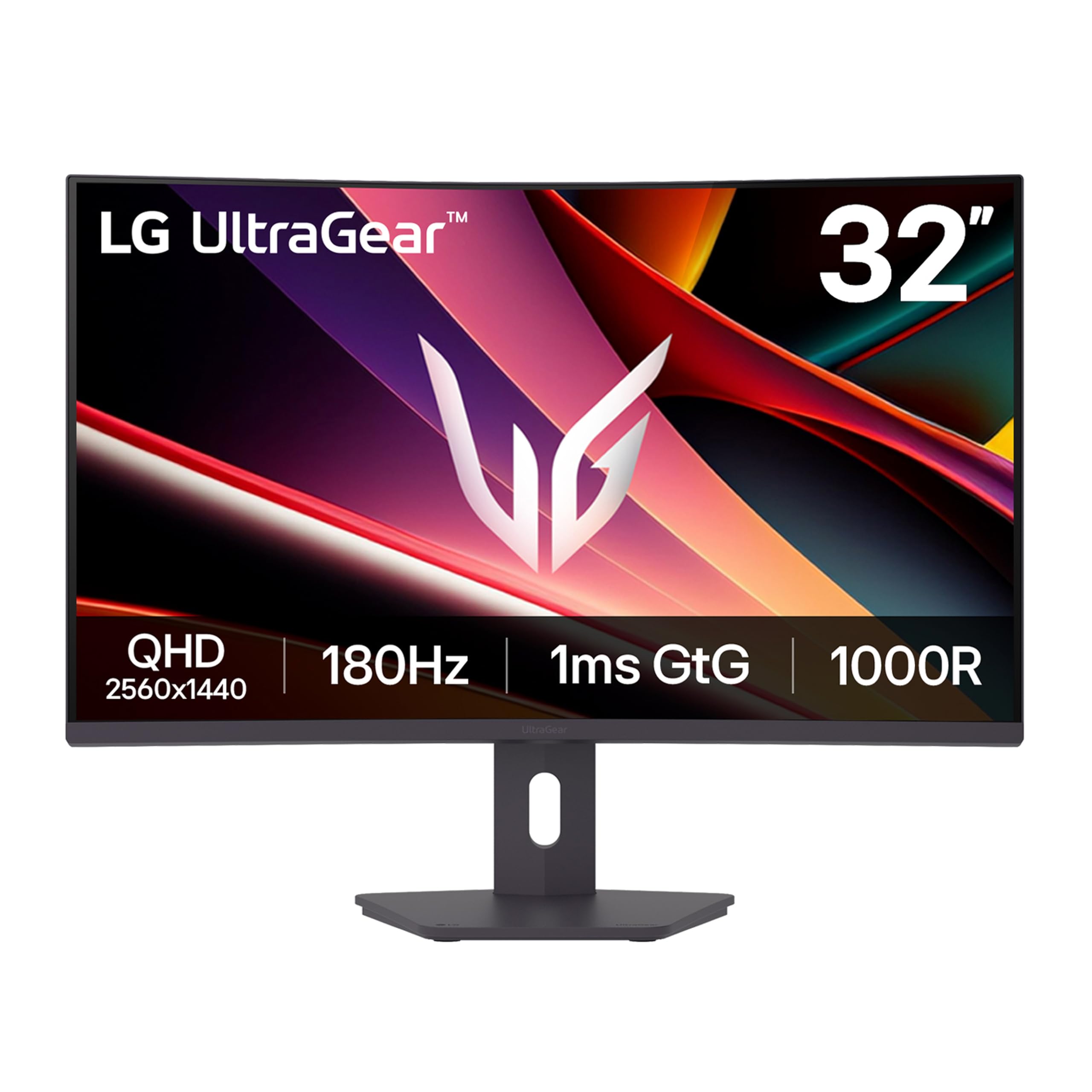
The LG 32G600A-B UltraGear is a 32-inch QHD gaming monitor that prioritizes high refresh rate performance at a mid-range cost. The 2560×1440 resolution running at 180Hz provides smooth, responsive gameplay that is easier for mid-range graphics cards to drive compared to 4K panels. The 1ms GtG response time on the VA panel keeps motion blur to a minimum, while the 1000R curvature wraps the display around the viewer for enhanced immersion.
AMD FreeSync support ensures tear-free gaming across the variable refresh rate range, and the HDR10 support with up to 99% sRGB coverage produces vibrant colors in supported titles. The Black Stabilizer and Dynamic Action Sync features are practical gaming aids that improve visibility in dark scenes and reduce input lag respectively. The on-screen crosshair overlay is a useful addition for first-person shooter accuracy.
The stand provides height, tilt, and swivel adjustments for ergonomic customization. Built-in speakers are notably absent, which is standard for gaming-focused monitors. The VA panel offers deep blacks with its 3000:1 contrast ratio, though viewing angles are narrower than IPS, meaning color shifts become apparent when not sitting directly in front. The slim bezel design supports multi-monitor setups with minimal gap.
Why it’s great
- 180Hz refresh rate for smooth competitive gameplay
- QHD resolution balances sharpness and GPU demands
- 1000R curve provides strong immersion
- Full ergonomic stand with height, tilt, and swivel
Good to know
- No built-in speakers require separate audio
- VA panel has narrower viewing angles
- QHD resolution lower than 4K for productivity
11. ViewSonic VX3276-4K-MHD

The ViewSonic VX3276-4K-MHD is a 32-inch 4K UHD monitor designed for budget-conscious users who want a large, sharp display for general computing and media consumption. The 3840×2160 resolution provides ample workspace for side-by-side windows and crisp text at 150% scaling. The MVA panel delivers a 2500:1 static contrast ratio, providing deeper blacks than typical IPS panels at this price point.
HDR10 support allows the display to accept and process HDR signals, though the 300-nit brightness limits the HDR experience compared to higher-end displays. The monitor includes multiple viewing presets optimized for Game, Movie, Web, Text, and Mono modes, which adjust gamma and color temperature for different content types. Flicker-Free technology and a Blue Light Filter help reduce eye fatigue during extended use.
Connectivity is versatile with HDMI, DisplayPort, and Mini DisplayPort inputs, supporting a wide range of devices from PCs to laptops. The thin bezels and brushed metal frame give the monitor a premium aesthetic despite its accessible price point. The stand is fixed with no height adjustment, which may require a desk riser for comfortable viewing. The on-screen buttons located on the back can be frustrating to navigate by feel, and some units have reported reliability issues over extended use.
Why it’s great
- Affordable 32-inch 4K resolution for large workspace
- Good contrast from MVA panel for better blacks
- Multiple connectivity options including Mini DisplayPort
- Slim bezel design with attractive brushed metal finish
Good to know
- Stand has no height adjustment for ergonomic setup
- 60Hz refresh rate limited for gaming
- On-screen menu buttons are challenging to use
FAQ
Is a curved monitor better than a flat monitor for a large screen?
Can my graphics card run a 4K 240Hz monitor at full performance?
What desk depth do I need for a 49-inch super-ultrawide monitor?
Do I need HDMI 2.1 for a high-refresh big monitor?
How important is USB-C power delivery in a big monitor?
Final Thoughts: The Verdict
For most users, the big monitor winner is the MSI MPG 321URX QD-OLED because it delivers the best combination of 4K resolution, high 240Hz refresh, perfect OLED blacks, and professional-grade color accuracy in a 32-inch package. If you want the absolute best thermal management and burn-in warranty for competitive gaming, grab the ASUS ROG Swift PG32UCDM. And for maximum productivity and screen real estate to replace a dual-monitor setup without gaps, nothing beats the INNOCN 49C1G super-ultrawide.

Mo Maruf
I created WellFizz to bridge the gap between vague wellness advice and actionable solutions. My mission is simple: to decode the research and give you practical tools you can actually use.
Beyond the data, I am a passionate traveler. I believe that stepping away from the screen to explore new environments is essential for mental clarity and physical vitality.