Our readers keep the lights on and my smoothie glass nicely filled. As an Amazon Associate, I earn from qualifying purchases.
Staring at a bright screen in a dark room creates high contrast that forces your pupils to constantly readjust, leading to rapid eye fatigue, headaches, and reduced focus during long work or gaming sessions. Bias lighting solves this by placing a soft glow behind your monitor, balancing the luminance ratio and reducing the perceived strain on your visual system.
I’m Mohammad Maruf — the founder and writer behind WellFizz. I’ve spent years analyzing lighting specs, color temperature accuracy, and smart control ecosystems to separate real performance from marketing fluff in the monitor accessory space.
This guide breaks down the top options for adding ambient backlighting to your display, whether you need color-matched immersion for gaming or a simple warm white glow for late-night coding, helping you find the bias lighting for monitors that fits your setup and budget.
How To Choose The Best Bias Lighting For Monitors
Not all backlighting is created equal. The right choice depends on whether you prioritize immersive screen sync, simple eye-strain relief, or smart home integration. Focus on these three factors before buying.
Color Temperature and CRI
Look for a tunable white range from 2700K (warm amber) to 6500K (cool daylight). This lets you shift from a relaxing evening glow to a focused work tone. A CRI of 90 or higher ensures the light renders colors on your desk accurately, which matters if you do photo editing or design work.
Screen Mirroring vs. Ambient Modes
Screen mirroring (via USB app or desktop software) reads pixel data from your display and replicates dominant colors in real time — ideal for gaming and movies. Basic ambient modes simply cycle through preset colors or let you pick a static hue. If you want immersion, prioritize a strip with active screen sync; for pure eye comfort, a static warm white strip or a light bar with a backlight is sufficient.
Mounting and Fit
Measure your monitor’s diagonal and thickness. LED strips are flexible and work on curved screens, but you need enough length to wrap all four sides for a proper glow. Light bars clamp onto the top bezel and require at least 0.17 inches of clearance. Curved monitors with a 1000R radius may need specific clamp designs, so check the compatibility notes carefully.
Quick Comparison
On smaller screens, swipe sideways to see the full table.
| Model | Category | Best For | Key Spec | Amazon |
|---|---|---|---|---|
| BenQ ScreenBar Halo 2 | Premium Light Bar | Eye comfort & auto dimming | CRI > 95, 2700-6500K | Amazon |
| Philips Hue Gradient Strip | Premium Strip | Smart home integration | Zigbee / Hue Bridge required | Amazon |
| Quntis RGB Pro+ Light Bar | Mid-Range Light Bar | RGB backlight & work light | 20-inch, 15 RGB modes | Amazon |
| Govee Gaming Light G1 | Mid-Range Strip | RGBIC screen mirroring | 108 LEDs, 27-34 inch | Amazon |
| Nanoleaf PC Mirror Strip | Mid-Range Strip | USB-C screen mirror | 75 RGB LEDs, 2.5M | Amazon |
| Quntis Monitor Light Bar | Mid-Range Light Bar | Work light with backlight | 900 lux center illumination | Amazon |
| Miwise COB LED Strip | Budget Strip | DIY bias lighting setup | 32.8ft, 2700-6500K | Amazon |
In‑Depth Reviews
1. BenQ ScreenBar Halo 2

The Halo 2 is the gold standard for monitor bias lighting, combining a glare-free front light with a wide ambient backlight that significantly reduces the contrast between your screen and the dark wall behind it. Its Asym-Light technology angles the front beam at 18°, so no light reflects off your panel, making it perfect for color-critical work like photo editing.
The wireless dial controller is intuitive, offering stepless brightness and a color temperature range from 2700K to 6500K. A built-in motion sensor automatically turns the light on when you sit down and off when you walk away, and the “My Favorite” mode remembers your last setting. The clamp fits monitors up to 2.36 inches thick and supports 1000R to 1800R curved displays.
At over 50,000 hours of LED lifespan and a premium aluminum build, this is a long-term investment in visual comfort. The backlight could project further down the wall for a larger halo effect, and the external webcam placement requires a small accessory, but the overall execution is unmatched for sheer ergonomic quality.
Why it’s great
- Zero screen glare thanks to asymmetric optical design
- Auto brightness and motion sensor reduce manual tuning
- Wide color temp range suits work, reading, and relaxation
Good to know
- Premium price reflects the build and feature set
- Backlight could be wider for larger monitors
- Wireless controller takes a moment to learn
2. Philips Hue White and Color Ambiance Gradient PC Lightstrip

If you already own a Hue Bridge and live in the Philips ecosystem, this gradient lightstrip is the most polished bias lighting solution available. It uses Zigbee for a stable, low-latency connection and supports millions of colors with gradient technology — meaning the strip can display multiple colors simultaneously for a smooth transition across your monitor’s back.
The strip is designed for 24-to-27-inch flat or curved screens, and the included mounts let you bend it around corners cleanly. The Hue Sync app on desktop reads your screen content and replicates the dominant colors in real time, making games and movies feel significantly more immersive. It also works with Alexa, Google Assistant, and HomeKit for voice control and automation routines.
The biggest catch is the mandatory Hue Bridge, which adds to the overall cost. The strip length is fixed for smaller monitors, so owners of larger screens may find the coverage lacking. But for deep smart home integration and gradient effects, no other strip comes close in reliability.
Why it’s great
- True gradient lighting with multi-color zones
- Rock-solid Zigbee connection, not reliant on Wi-Fi
- Deep integration with Hue ecosystem and voice assistants
Good to know
- Hue Bridge sold separately, raising total investment
- Fixed length only fits 24 to 27 inch monitors
- Limited to Philips ecosystem for advanced features
3. Quntis RGB Pro+ Monitor Light Bar
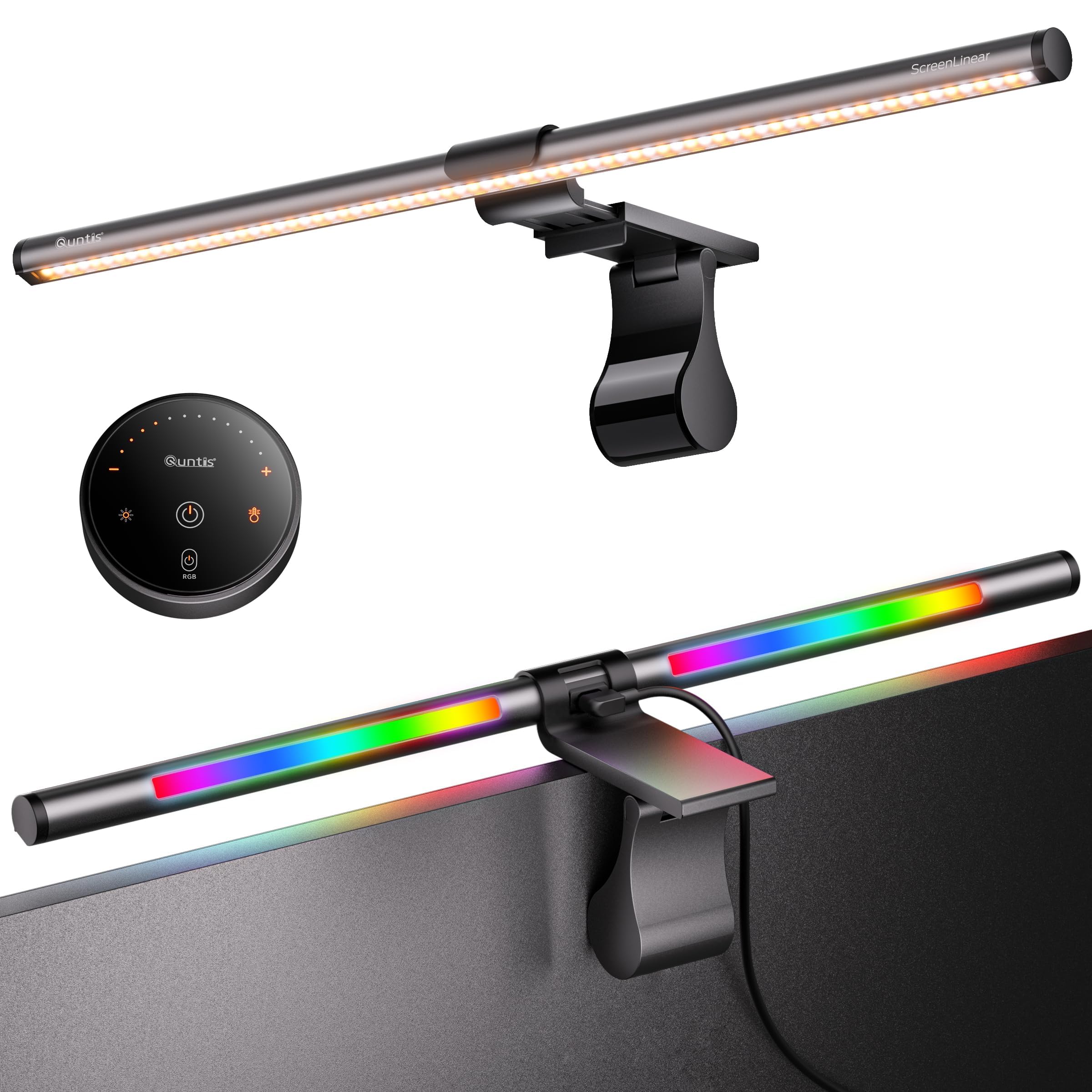
The Quntis RGB Pro+ bridges the gap between a productivity work light and an ambient gaming backlight, making it one of the most versatile options in the mid-range tier. The 20-inch aluminum body provides wide coverage for ultrawide and large monitors, and the patented sliding weighted clamp fits curved displays from 1500R upward without damaging the bezel.
The front light delivers over 800 lux at center with an Ra95 CRI, ensuring accurate color rendering for design or reading. The rear-facing RGB strip offers 15 different ambient modes, and the touch remote lets you cycle through colors and brightness levels independently. You get 100 stepless brightness levels for the front light and four preset color temperatures from 3000K to 6500K.
The remote runs on replaceable batteries instead of USB-C rechargeable, and the RGB backlight is noticeably dimmer than dedicated LED strips. Still, for users who want one device that handles both desk illumination and bias lighting, this is the most balanced choice at a mid-range price.
Why it’s great
- Combines high-CRI front light with RGB backlight
- Fits large and curved monitors securely
- Touch remote with stepless front dimming
Good to know
- RGB backlight is less vibrant than dedicated strips
- Remote uses disposable batteries
- No app control for color customization
4. Govee Gaming Light G1

Govee’s G1 is built specifically for gamers who want vibrant, reactive backlighting without breaking the bank. Its VibraMatch technology reads pixel data from your screen via the Govee Desktop app and replicates the dominant colors in real time, creating an immersive halo effect around the monitor. The strip uses 108 high-density RGBIC LEDs that produce smooth color transitions with no visible hotspots.
The strip fits 27-to-34-inch flat and curved monitors, wrapping around all four sides for a 360-degree glow. You get 123 preset scene modes and 11 music modes that respond to in-game audio, making explosions and environmental sounds feel more tactile. The adhesive backing is strong and shows no signs of peeling after extended use.
On the downside, the DreamView color matching can be slightly inaccurate during fast-paced scenes, and the software uses noticeable CPU resources which can impact frame rates in demanding titles. For lighter games, streaming, or video content, the experience is fluid and visually striking.
Why it’s great
- Vivid RGBIC colors with real-time screen mirroring
- Easy Govee Home and Desktop app setup
- Strong adhesive and wrap-around four-side fit
Good to know
- Color matching accuracy drops in fast gameplay
- Desktop software consumes noticeable CPU
- Too long for 24-inch monitors without bunching
5. Nanoleaf PC Screen Mirror Lightstrip
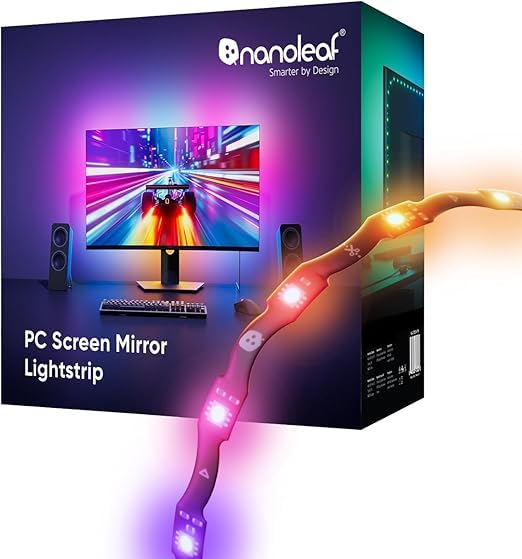
Nanoleaf’s entry into monitor backlighting stands out for its compact USB-C form factor and zigzag design that fits behind 27-to-32-inch screens without leaving bare spots. The 75 RGB LEDs deliver 16 million colors plus tunable whites from 2700K to 6500K, making it equally suitable for work and entertainment.
The Nanoleaf Desktop App handles screen mirroring by capturing your display’s average color and projecting it behind the monitor. It also has a music sync mode that reacts to direct PC audio. The strip is trimmable along marked cut lines, and the smart remapping feature automatically adjusts the lighting pattern to match your trimmed length — a convenience that few competitors offer.
The software is the weakest link. Users report that the lights fail to turn off when the PC sleeps, and there is no scheduling option within the app. The mobile app is also incompatible with this strip. If you can tolerate the software quirks, the hardware delivers smooth, responsive backlighting in a clean package.
Why it’s great
- Trimmable design with smart remapping
- USB-C powered, no wall adapter clutter
- Screen mirror and music sync in one app
Good to know
- Desktop software has no sleep-off or scheduling
- Not compatible with Nanoleaf mobile app
- Setup requires careful alignment for even glow
6. Quntis Monitor Light Bar with Remote
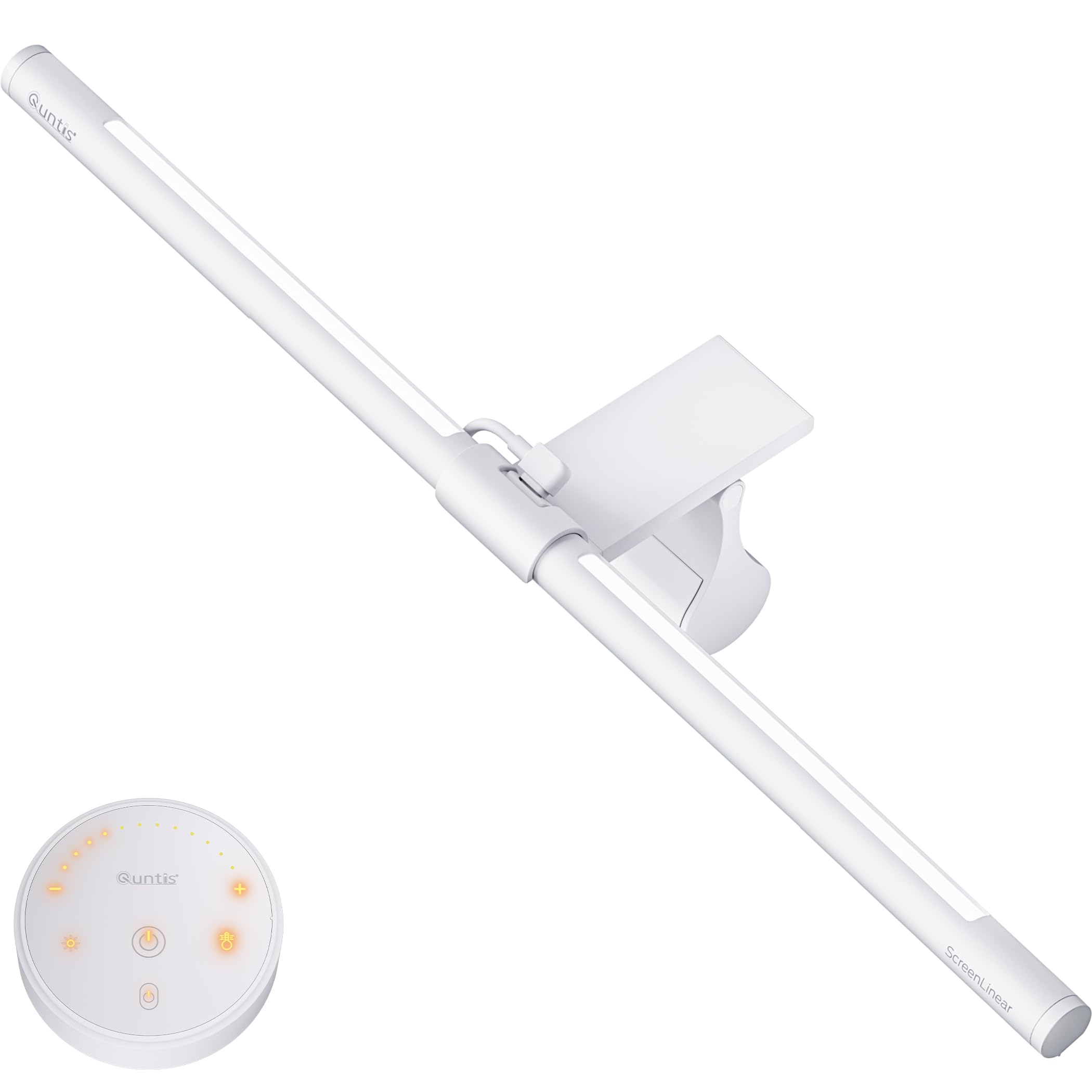
This non-RGB version of Quntis’s monitor light bar focuses purely on functional bias and desk lighting, making it ideal for home offices where eye comfort is the priority. It delivers over 900 lux of center illumination with a CRI of 95, so printed documents and screen images look accurate and vibrant.
The design includes both a front-facing asymmetric light and a rear-facing backlight. The front beam is glare-free and does not reflect off the screen, while the backlight casts a warm or cool halo on the wall behind. The included white remote has a soft orange backlight for visibility in the dark and offers stepless dimming for both light zones.
The sliding weighted clip works on curved monitors down to 1000R and does not leave scratches. The backlight angle is fixed and slightly too high for some setups, and the remote’s battery compartment is tricky to open. For pure work-focused bias lighting without RGB distractions, this is a strong contender at a very accessible price.
Why it’s great
- Excellent color accuracy with CRI 95
- Separate front and backlight zones for balance
- Fits curved monitors without damage
Good to know
- Backlight angle is not adjustable
- Remote battery compartment is tight
- No RGB modes for gaming ambiance
7. Miwise COB LED Strip Light
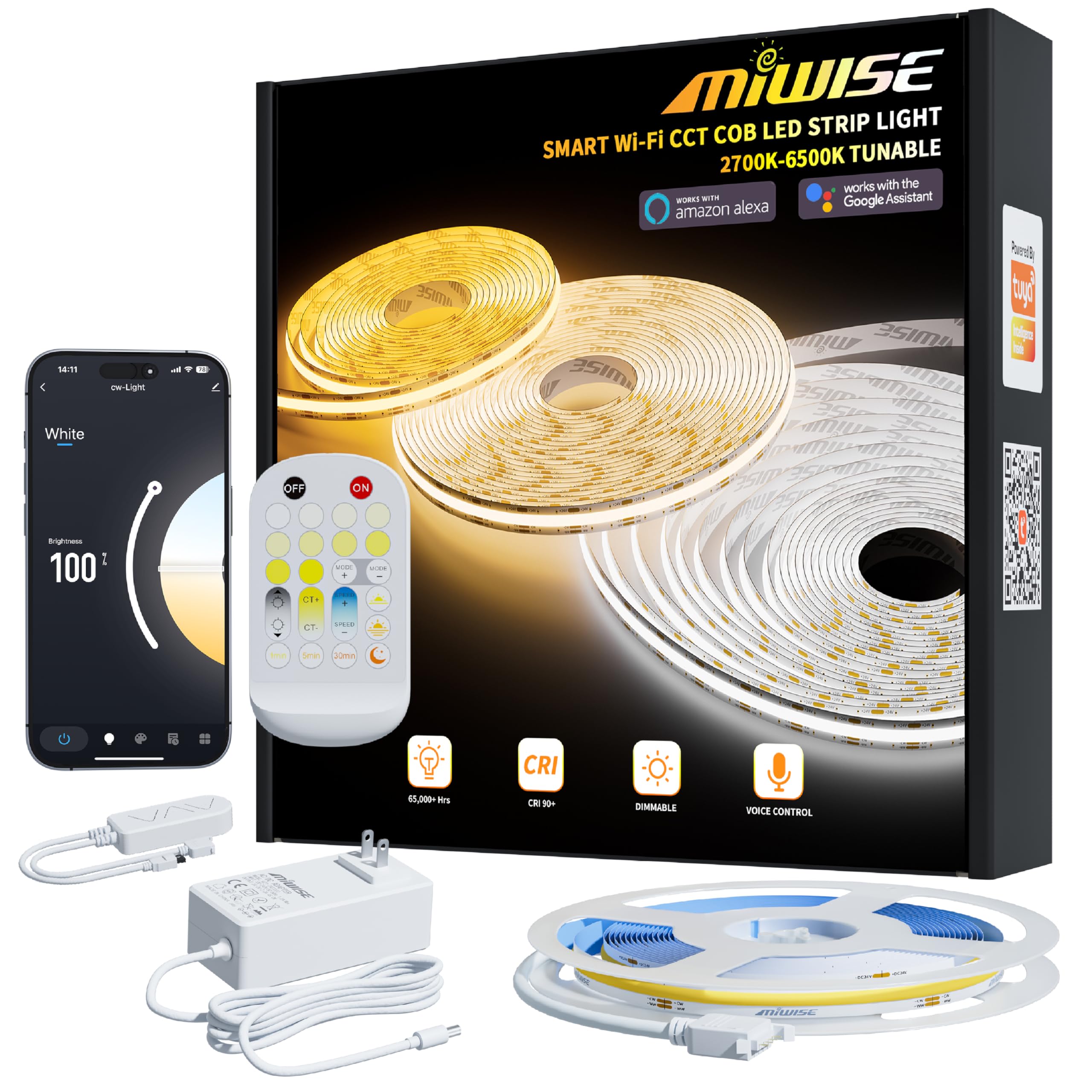
The Miwise COB strip is a budget-friendly, ultra-flexible solution for DIY bias lighting. Unlike standard LED strips that show individual dot points, COB (Chip-on-Board) technology creates a continuous, uniform light line with a 180-degree beam angle. This makes it ideal for mounting behind a desk, monitor, or shelving for a clean, professional glow.
The strip spans 32.8 feet, so you have plenty of length to wrap multiple monitors or route it around an entire desk perimeter. It offers tunable white from 2700K to 6500K, is UL-certified for safety, and runs on 24V for efficient power delivery. The Tuya app allows Wi-Fi and Bluetooth control, including timers and memory settings.
Installation requires cutting at marked intervals and using separate connectors (sold separately) if you want to reconnect segments. Some users report inconsistent connector orientation and short lead wires that require an extension. For pure bias lighting on a budget, the light quality is excellent, but expect some tinkering during setup.
Why it’s great
- COB technology delivers dot-free uniform light
- Very long length covers multiple monitors
- Full smart control via Tuya app and voice
Good to know
- Requires extra connectors for segment reconnection
- Short lead wires limit mounting options
- Not specifically designed for monitor back shape
FAQ
Does bias lighting really reduce eye strain?
Can I use a regular LED strip as monitor bias lighting?
Do I need a smart hub for screen-mirroring bias lights?
What color temperature should I set for gaming vs. work?
Final Thoughts: The Verdict
For most users, the bias lighting for monitors winner is the BenQ ScreenBar Halo 2 because it combines a precision front light with an ambient backlight, auto-dimming sensors, and a premium build that eliminates eye strain without any setup hassle. If you want vibrant screen-mirroring immersion for gaming, grab the Govee Gaming Light G1. And for a versatile budget-friendly DIY solution, nothing beats the Miwase COB LED Strip.

Mo Maruf
I created WellFizz to bridge the gap between vague wellness advice and actionable solutions. My mission is simple: to decode the research and give you practical tools you can actually use.
Beyond the data, I am a passionate traveler. I believe that stepping away from the screen to explore new environments is essential for mental clarity and physical vitality.