Our readers keep the lights on and my smoothie glass nicely filled. As an Amazon Associate, I earn from qualifying purchases.
You’ve seen the aerial footage from a friend’s living room and figured flying looks easy. Then you picked up a controller, hit the throttle, and watched a drone ricochet off three walls before settling under the couch. The difference between a frustrating pile of plastic and a genuinely fun flight is not budget — it’s stability features designed specifically for indoor first flights. Altitude hold, propeller guards, and headless mode separate a toy that stays airborne from one that stays broken.
I’m Mohammad Maruf — the founder and writer behind WellFizz. I’ve spent years analyzing the hardware specifications that matter in consumer drones, from optical flow sensors to battery chemistry, and I’ve watched dozens of beginners struggle with the wrong pick.
Buying your first flying machine for indoor use means weighing flight stability against crash resistance and camera clarity against ease of control. This guide walks through the most reliable options to help you find the best beginner indoor drone for your living room or backyard.
How To Choose The Best Beginner Indoor Drone
Indoor flying changes the math. No GPS lock, limited space, furniture to dodge, and no ground crew to help with orientation. A drone that works well in a park might feel uncontrollable inside a living room. The key specs are not the same ones outdoor pilots chase.
Stability Systems: Altitude Hold and Optical Flow
Altitude hold uses a barometer to keep the drone hovering at a fixed height without constant throttle adjustment. Optical flow positioning uses a downward-facing camera to track movement across the floor, helping the drone hold its lateral position. Together, they turn a twitchy toy into something a beginner can actually fly without crashing every ten seconds. For indoor use, optical flow is a bigger differentiator than camera resolution.
Cage or Propeller Guards
A fully enclosed cage — like a ducted fan design — protects both the blades and your furniture. Partial prop guards are lighter but leave the tips exposed. The tradeoff is flight time versus safety. For a first indoor drone, choose full guards or a cage unless you have a very large, clear space. A drone that bounces off a wall and keeps flying is worth more than a sleeker model that breaks on the first bump.
Headless Mode
Standard drone controls are relative to the nose: push forward and the drone flies in the direction its camera is facing. When a beginner loses orientation — and they will — left becomes right and forward becomes backward. Headless mode re-maps controls relative to the pilot’s position. Forward is always away from you, backward is always toward you. It eliminates the single most common cause of indoor crashes and is non-negotiable for absolute beginners.
Quick Comparison
On smaller screens, swipe sideways to see the full table.
| Model | Category | Best For | Key Spec | Amazon |
|---|---|---|---|---|
| SIMREX X800 | Best Overall | Absolute beginners wanting stability | Optical Flow + Altitude Hold | Amazon |
| Oddire HK11 | GPS Upgrade | Transitioning to outdoor flight | GPS Auto Return, 4K camera | Amazon |
| REDRIE JY02 | Value Compact | Budget-conscious new pilots | 1080P FPV, 2 batteries | Amazon |
| RELIDOL PK01 | Screen Controller | Kids flying without a phone | Built-in controller screen | Amazon |
| Holy Stone HS210T | 2-in-1 Toy | Young kids wanting land/air play | Land & Fly Mode, 3D flips | Amazon |
| SYMA X100 | Obstacle Avoid | Crash-prone indoor flying | Infrared obstacle avoidance | Amazon |
| Oviliee S17 | Entry Level | Lowest-cost way to start | 1080P adjustable lens | Amazon |
In‑Depth Reviews
1. SIMREX X800 Mini Drone

The SIMREX X800 earns the top spot because it combines two stability technologies — altitude hold and optical flow positioning — that are usually absent in this tier. Optical flow uses its bottom camera sensors to lock the drone over a specific spot on the floor, which makes hovering feel almost motionless even in a drafty room. Most indoor drones under this price point rely on altitude hold alone, leaving them drifting sideways with every air current.
The 1080P camera with a 90-degree adjustable lens is functional for capturing family moments, though the effective still resolution of 2.1 MP matches what reviewers describe as solid but not sharp. Its weight of 96 grams keeps it under FAA registration requirements and light enough that minor wall taps rarely cause damage. Rainbow RGB lights on the arms help with night orientation, a nice touch when flying in dimmer indoor spaces.
The included two 1000mAh modular batteries deliver roughly 30 minutes of total flight time — a genuine improvement over the 6-8 minute single-battery models. The phone holder on the controller feels a bit precarious, but the automatic takeoff and landing features mean new pilots can focus on steering from the first flight. This is the best starting point for anyone who wants a drone that flies well indoors without immediately upgrading.
Why it’s great
- Optical flow positioning for rock-steady hover indoors
- 30 minutes of flight time across two modular batteries
- Foldable design packs easily into a backpack
Good to know
- Camera quality is decent but not as sharp as 1080P marketing suggests
- Phone mount on controller feels flimsy during use
2. Oddire HK11 4K Drone

The Oddire HK11 is the only model in this roundup with GPS capabilities — a feature that pushes it beyond pure indoor use. GPS Auto Return means the drone flies itself back to its takeoff point when the battery runs low or signal drops, a safety net that indoor-only drones simply lack. The brushless motors are quieter and more durable than the brushed motors found on cheaper models, and they provide enough torque to handle light wind when you eventually move your flights outside.
The adjustable 4K UHD camera captures images at 4096x3072P resolution, which puts it in a different class from the 1080P cameras on the rest of this list. The 110-degree wide-angle lens gives a broader field of view for capturing rooms or landscapes. 5G WiFi transmission reaches up to 500 meters, meaning you can fly further than any beginner needs, but the stability of the video feed at range is noticeably better than 2.4 GHz alternatives.
Its 249-gram weight sits right at the FAA registration threshold — no registration required, but also not heavy enough to feel planted in strong winds. The two 1800mAh batteries provide a total of 48 minutes of flight time, comfortably the longest in this group. For a beginner who wants one drone that can fly indoors today and handle a park next month, this is the natural answer.
Why it’s great
- GPS Auto Return prevents lost drones on first outdoor flights
- 4K camera with wide-angle lens captures genuinely sharp footage
- Brushless motors run quieter and last longer than brushed options
Good to know
- SD card not included for saving photos and video
- Build quality feels lighter than premium DJI alternatives
3. REDRIE JY02 1080P Drone
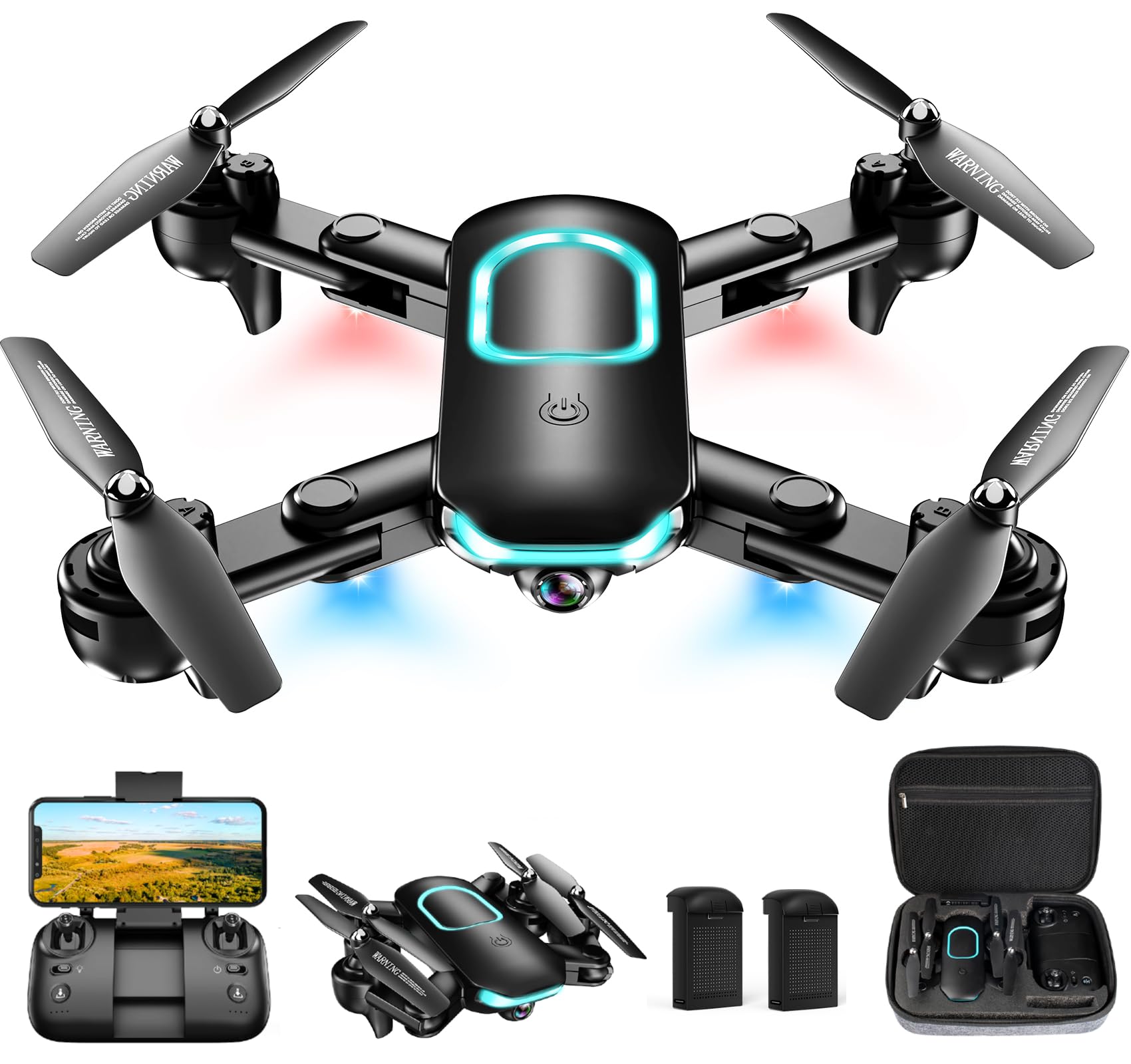
The REDRIE JY02 delivers a remarkably well-rounded package for beginners without pushing toward premium pricing. Its 1080P HD FPV camera with an adjustable angle provides clear enough live feed for framing shots, and the “Redrie Fly” app includes useful training aids like Waypoint fly and circle fly that help new pilots learn navigation patterns without drifting into furniture. The upgraded altitude hold system locks height tightly enough that even first-timers can shoot consistent video.
Included two rechargeable batteries offer 20-25 minutes of total air time, which is standard for this price tier but still enough for multiple learning sessions between charges. The foldable design and included storage case make it easy to carry to a friend’s house or pack for a trip. Four propeller guards are installed out of the box, so there is no extra assembly step before the first flight.
Gesture selfie and voice control add some wow factor for kids, though the voice recognition works best in quiet rooms. One recurring detail from owner feedback is that the drone handles 1080P video well indoors but the footage can show compression artifacts in bright outdoor light. For a budget-friendly option that actually includes a carrying case and two batteries, this is a solid choice for families.
Why it’s great
- Comes with storage case and two batteries from the start
- Altitude hold and headless mode make first flights easy
- Voice and gesture controls add fun for younger pilots
Good to know
- Video compression visible in bright outdoor conditions
- App interface feels basic compared to more polished apps
4. RELIDOL PK01 Drone with Screen Controller
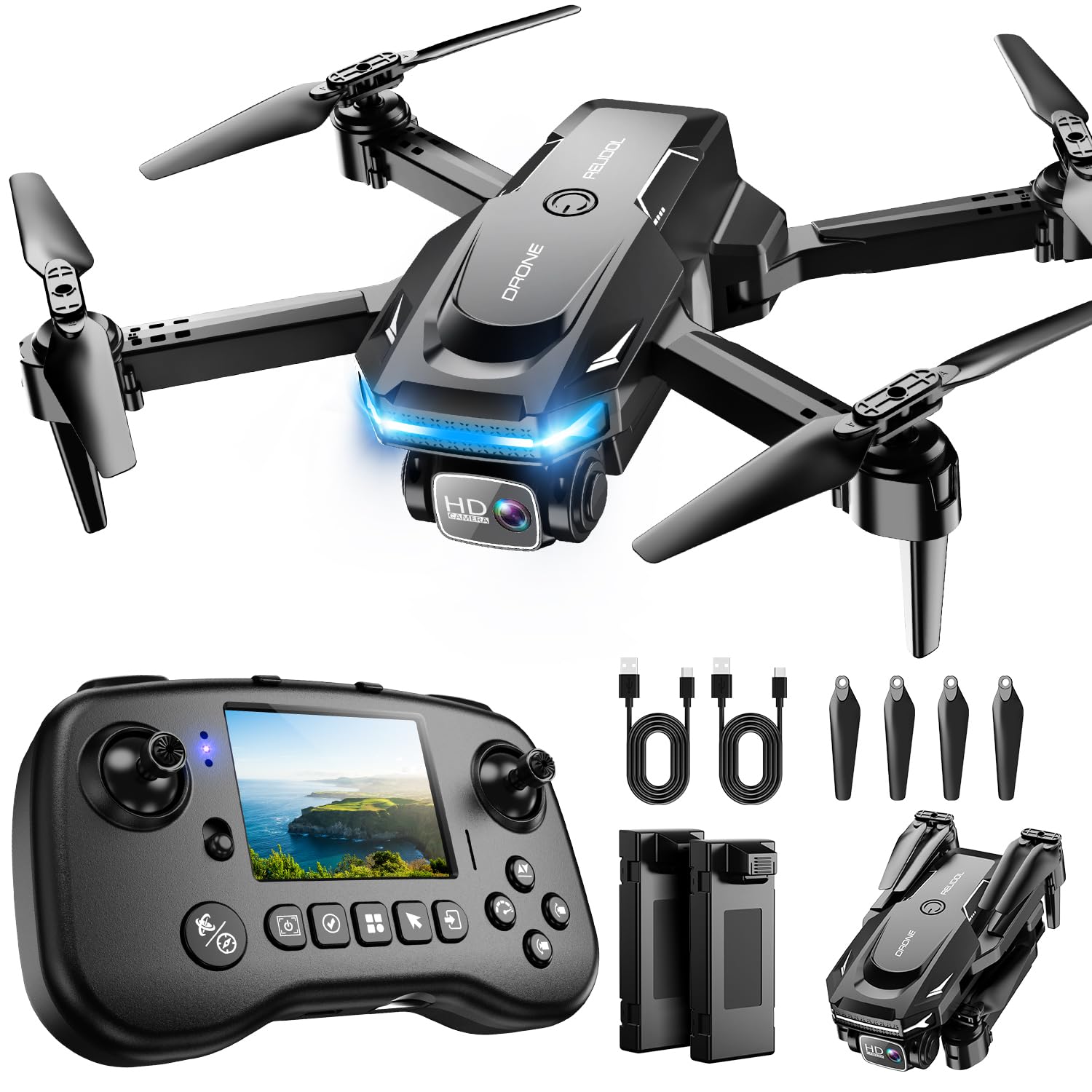
The RELIDOL PK01 solves a specific pain point: not having a phone handy for FPV viewing. The remote control has a built-in screen that shows live HD footage from the drone’s 1080P camera, along with flight stats like battery level and altitude. This is especially useful for kids who may not have a smartphone or for parents who do not want to hand their phone to a child who is about to crash. The screen is small but functional, and it eliminates the Wi-Fi connection step that slows down setup on phone-based systems.
Under the hood, the PK01 uses brushless motors — a feature usually reserved for more expensive drones. Brushless motors mean less noise, cooler operation, and significantly longer lifespan compared to the brushed motors found on budget models. The 80-degree adjustable lens captures decent 1080P footage, and gesture control allows hands-free photo capture once the drone is hovering. The 25-minute total flight time from the two included batteries is solid for this class.
One limitation is the 30-meter maximum range, which is tight even for indoor use — you will lose video feed if you fly into the next room. The drone requires an SD card to save footage, and one is not included. For a beginner who wants the convenience of an all-in-one controller and the reliability of brushless motors, this is a strong contender.
Why it’s great
- Built-in controller screen removes need for a phone
- Brushless motors are more reliable and quieter than brushed alternatives
- Gesture control and one-key flips keep flying engaging
Good to know
- Maximum range of 30 meters limits distance flying
- SD card required for saving photos and video, not included
5. Holy Stone HS210T

The Holy Stone HS210T is not trying to be a camera drone. It is a toy-first flying machine that transforms into an RC car when you want to keep playing on the floor. This dual-mode approach is genuinely clever for younger kids who lose interest in flying after a battery cycle — when the drone lands, they can switch to land mode and drift around the living room instead. The four-posture deformation adds a visual gimmick that children find endlessly entertaining.
The 2.4GHz remote supports multiple drones flying simultaneously without interference, which matters if siblings or friends have their own units. Full propeller guards made from nylon ABS plastic wrap completely around the blades, so crashes into walls or curtains rarely cause damage. The 16-minute total flight time from two modular batteries is shorter than most competitors, but the land mode extends active play beyond the flight window.
There is no camera on this model, so it is not suitable for anyone wanting aerial photos or video. The drone is also noticeably less stable than optical-flow-equipped models — it drifts more and requires constant stick correction. For a pure fun-first toy for children ages 5-10 who want to crash and keep playing, this works beautifully. Adults looking for a serious flying experience should look elsewhere.
Why it’s great
- Dual land and air modes keep play going after batteries drain
- Full propeller guards survive heavy crashes by young children
- Multiple units can fly simultaneously without signal interference
Good to know
- No camera means no photo or video capture whatsoever
- Shorter flight time than competitors with similar battery count
6. SYMA X100 Indoor Drone

The SYMA X100 is built specifically for indoor environments where collisions are inevitable. Its 4-way infrared obstacle detection system senses objects within 12 inches and automatically adjusts the drone’s path to avoid them. This is not GPS-based obstacle avoidance — it is infrared, so it works on walls, furniture, and people, but not on transparent glass or dark surfaces. For a beginner flying in a furnished room, this feature alone prevents most crashes before they happen.
The fully enclosed propeller guard is the most comprehensive in this roundup, covering all four rotors completely rather than just adding bumper rings. The ABS plastic body is tough enough to survive repeated drops, and the 180-degree flip-to-stop safety design cuts power instantly when the drone is inverted. Two speed modes let beginners start slow and progress to faster flight as confidence grows, and the 360-degree flip button adds stunt capability without any extra piloting skill.
Total flight time across the two 700mAh batteries reaches about 20 minutes, which is average for this class. There is no camera, so this drone is strictly for flying practice rather than photography. The X100 is the best option for households with narrow hallways, lots of furniture, or younger children who need maximum crash forgiveness.
Why it’s great
- Infrared obstacle avoidance actively prevents wall and furniture collisions
- Fully enclosed propeller guard offers the best blade protection available
- Two speed modes allow skill progression without changing drones
Good to know
- No camera means zero photo or video functionality
- Infrared sensors do not detect transparent surfaces like glass windows
7. Oviliee S17 Mini Drone

The Oviliee S17 is the most affordable drone in this guide that still includes a 1080P camera, and that alone makes it worth considering for absolute beginners who want to capture footage without a major investment. The 90-degree manually adjustable lens is surprisingly useful for angling shots downward or forward, and the FPV function lets you see the live feed on your phone. The one-key start and landing features work reliably, and altitude hold keeps the drone steady enough for basic shots.
Voice control is a standout feature at this price point — commands like “Fly,” “Land,” “Forward,” and “Backward” work reasonably well in quiet indoor environments. Gesture selfie mode recognizes palm and V-sign poses for hands-free photos. The gravity control mode, which lets you steer the drone by tilting your phone, is intuitive for kids who struggle with joysticks. Two modular batteries provide a total flight time of about 15-18 minutes, which is on the lower end but acceptable for short practice sessions.
The camera, while advertised as 1080P, produces softer images than the REDRIE or the Oddire. The drone is also sensitive to wind, as noted in the manufacturer’s own guidance to fly in open indoor areas. For a low-cost entry point that still offers camera functionality, this works, but expect to upgrade quickly if flying becomes a regular hobby.
Why it’s great
- Lowest entry price point with a functional 1080P camera
- Voice and gesture controls make flying accessible for young kids
- Headless mode eliminates orientation confusion for beginners
Good to know
- No optical flow positioning leads to noticeable drift indoors
- Camera quality is softer than similarly spec’d competitors
FAQ
How much space do I need to fly a beginner indoor drone?
What does headless mode actually do for a beginner pilot?
Do I need FAA registration for a beginner indoor drone?
Final Thoughts: The Verdict
For most users, the best beginner indoor drone winner is the SIMREX X800 because it combines optical flow positioning and altitude hold for the most stable indoor hover in this price range, plus two batteries for extended flight time. If you want GPS features and a 4K camera to grow into outdoor flying, grab the Oddire HK11. And for a pure crash-resistant toy that keeps young children entertained on the floor as well as in the air, nothing beats the Holy Stone HS210T.

Mo Maruf
I created WellFizz to bridge the gap between vague wellness advice and actionable solutions. My mission is simple: to decode the research and give you practical tools you can actually use.
Beyond the data, I am a passionate traveler. I believe that stepping away from the screen to explore new environments is essential for mental clarity and physical vitality.