Our readers keep the lights on and my smoothie glass nicely filled. As an Amazon Associate, I earn from qualifying purchases.
Nothing kills the joy of a first flight faster than the sickening crunch of a drone meeting a tree. You bought a beginner drone to learn the ropes, not to spend every session patching plastic. The entire point of building a drone around collision avoidance is to let you focus on the view through the lens rather than the panic in your gut. A proper sensor suite buys you the margin to make mistakes, and that margin is what turns a frustrated new pilot into a confident one.
I’m Mohammad Maruf — the founder and writer behind WellFizz. I’ve spent years dissecting the hardware specifications and real-world flight logs of consumer drones to understand exactly which features matter when you’re still building muscle memory.
Whether you are looking for a lightweight model that skirts FAA registration or a unit with a built-in screen to get airborne faster, this guide cuts through the marketing noise to help you find the absolute best beginner drone with collision avoidance that fits your actual flight plan and your skill level.
How To Choose The Best Beginner Drone With Collision Avoidance
The collision avoidance market for entry-level drones has split into two camps: true sensor-based systems that see depth and software-driven systems that rely on optical flow and downward-facing cameras. A new pilot should care less about the technology name and more about how many directions the drone actually scans. Side and rear sensors are what save you when you lose orientation and push the stick the wrong way. Forward-only avoidance is better than nothing, but it is the minimum viable safety net.
Sensor Coverage and What It Actually Protects
A drone with only forward-facing obstacle sensors will stop before it hits a wall you are flying toward, but it will still back into a tree branch if you reverse without looking. Omni-directional or 360-degree systems — whether they use LiDAR, binocular vision, or infrared — give you a full safety bubble. For a beginner, the difference between a crash and a save often comes down to whether the drone can see what is behind it. Read the spec line carefully: “obstacle sensing” without a directional qualifier often means downward-only, which is mostly for landing and has zero effect on horizontal collisions.
Gimbal Type and Crash Resilience
A three-axis mechanical gimbal gives you the smoothest footage because it physically isolates the camera from the drone’s vibrations and tilting. But it is also a fragile component. When a beginner drone bumps into a branch, a mechanical gimbal can jam or knock the camera out of alignment. Electronic image stabilization (EIS) is less smooth in heavy wind, but it has no moving parts — meaning a minor collision is far less likely to send the drone back for repairs. Beginners who plan to fly in tight spaces near obstacles should weigh that trade-off carefully.
Weight Class and Regulatory Hassle
Drones under 250 grams (including battery and propellers) are exempt from FAA registration and Remote ID rules in most regions. That simplicity is a huge benefit for a beginner who just wants to open the box and fly. The catch is that sub-250-gram drones typically use smaller batteries that deliver shorter flight times — usually 15 to 20 minutes per battery rather than 30. If you are flying in a wide-open field without trees, the extra weight from a larger battery is worth the longer session. If you are practicing in a backyard near fences and shrubs, the lightweight exemption is more valuable than a few extra minutes of airtime.
Quick Comparison
On smaller screens, swipe sideways to see the full table.
| Model | Category | Best For | Key Spec | Amazon |
|---|---|---|---|---|
| DCX Volo X EZ AI | Premium | Full sensor coverage & flight time | 360° LiDAR Obstacle Avoidance | Amazon |
| Bwine F7MINI 4K(RC3) | Premium | Built-in screen & FAA exemption | 5.5″ 1080p RC Screen / Under 249g | Amazon |
| DJI Neo 2 Fly More Combo | Premium | Pro-grade tracking & 360° sensors | Omnidirectional Obstacle Sensing | Amazon |
| Ruko F11PRO 2 | Mid-Range | Mechanical gimbal stability | 3-Axis Mechanical Gimbal / 70 Min | Amazon |
| Bwine F7GB2 Pro | Mid-Range | Maximum battery capacity | 3 Batteries / 75 Min Total | Amazon |
| Holy Stone HS600 | Mid-Range | Wind resistance & range | Level 6 Wind Resistance / 20000ft | Amazon |
| PLEGBLE Drone | Mid-Range | Controller screen convenience | 5.0″ Screen on Controller | Amazon |
| DJI Neo 2 (Drone Only) | Entry-Level | Ultra-portable gesture-control | 151g / Palm Takeoff & Landing | Amazon |
| Potensic ATOM LT | Budget | Maximum flight time per dollar | 80 Min Total / 2 Batteries | Amazon |
In‑Depth Reviews
1. DCX Volo X EZ AI
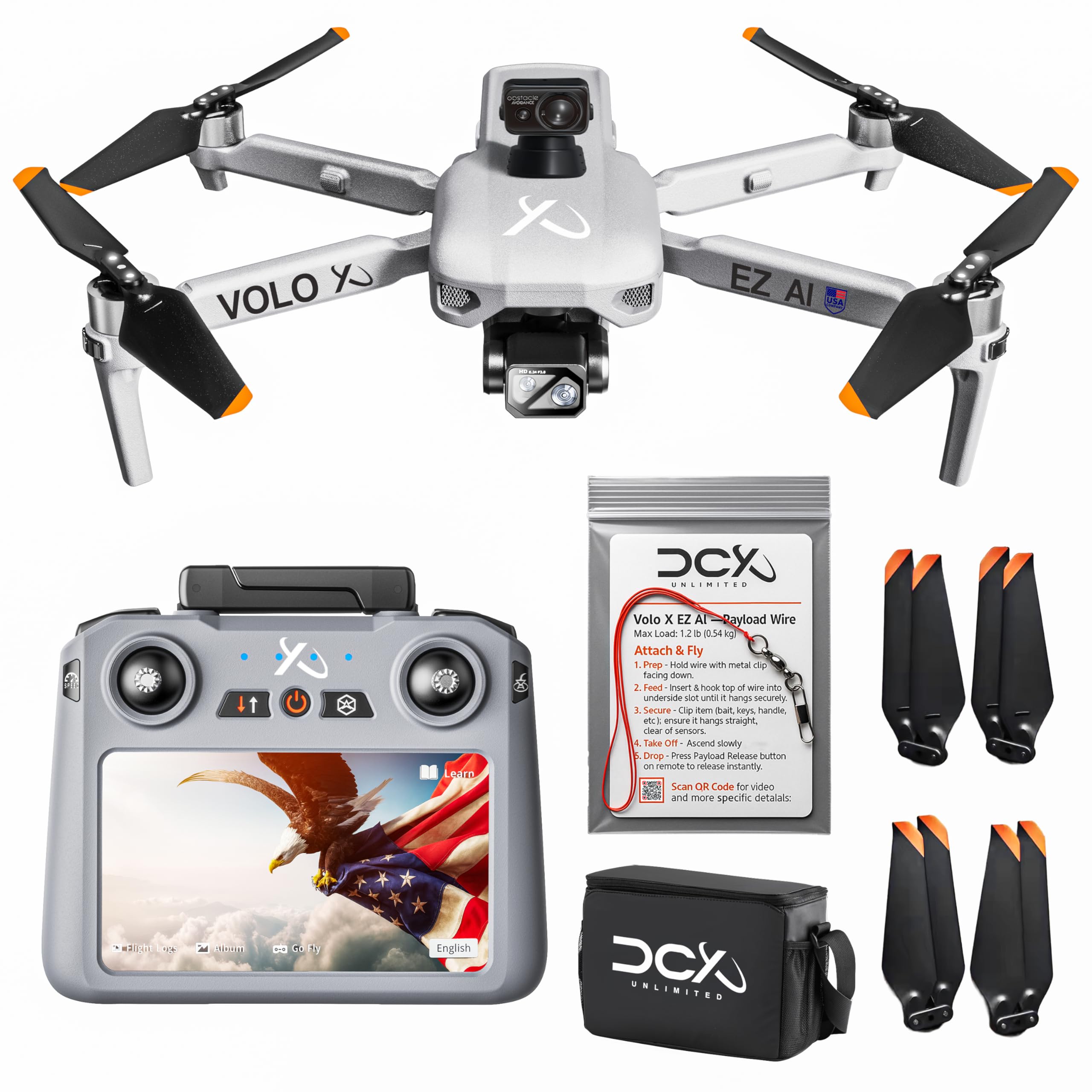
The Volo X EZ AI is the only model on this list that pairs a true 360-degree LiDAR obstacle avoidance system with a 45-minute flight time and a 4-mile transmission range. For a beginner, that combination means you can fly in a moderately wooded park or around a house without needing a spotter to constantly shout directions. The LiDAR sensors scan in every direction and decelerate the drone before it reaches an object, which is a more forgiving experience than the sudden stop of vision-based systems. The 4K camera rides on a three-axis mechanical gimbal with electronic image stabilization as a secondary layer, so the footage is genuinely smooth — even in the 20-mph gusts this drone can handle.
The built-in payload release mechanism that can carry and drop up to 1.2 pounds is an unusual bonus for this price tier. It is not essential for learning, but it adds a tinkering dimension that keeps the drone interesting after you master basic maneuvers. The remote controller includes a screen, eliminating the need to strap your phone on in the sun. FAA Remote ID compliance is built in, and the support team is US-based, which removes the typical frustration of troubleshooting with a time-zone delay.
There are two honest trade-offs. The 14.4-ounce weight pushes it over the 250-gram FAA exemption threshold, so you will need to register it for a small fee. And while the LiDAR handles most obstacles, one reviewer noted that very thin branches can still slip past the sensors — so it is not a force field, just a very good safety net. For a new pilot who wants the most forgiving sensor suite and the longest flight session before needing to land, this is the pick.
Why it’s great
- Full 360° LiDAR obstacle detection covers all approach angles
- 45-minute flight time is class-leading for a beginner drone
- Built-in screen controller and US-based support reduce hassle
Good to know
- Exceeds 250 grams, requiring FAA registration
- Very thin branches may evade LiDAR detection
2. Bwine F7MINI 4K(RC3)
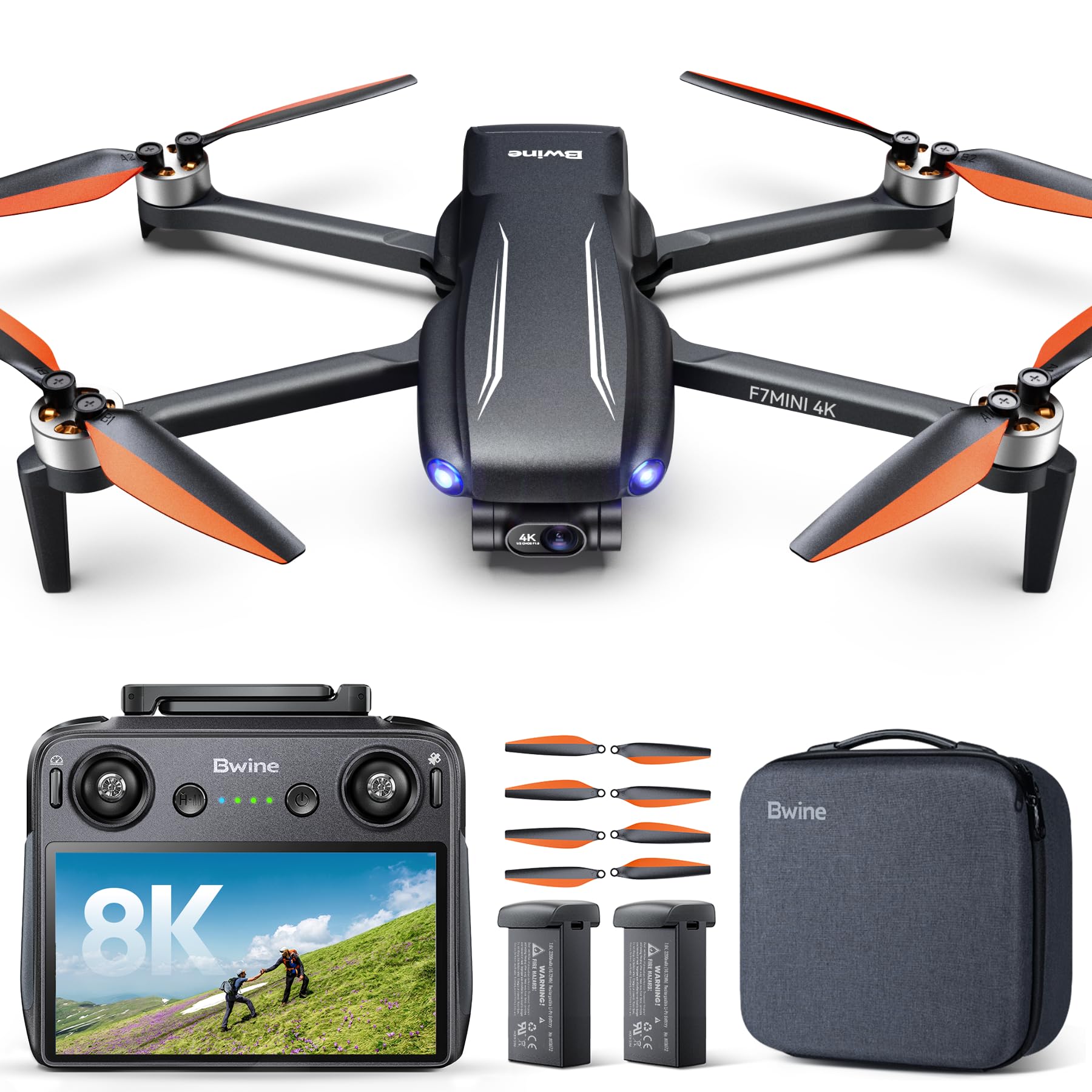
The F7MINI 4K(RC3) solves the two biggest annoyances a beginner faces: fumbling with a phone mount and worrying about FAA registration. The remote controller has a built-in 5.5-inch 1080p screen that is bright at 500 nits — bright enough to see in direct sunlight without cupping your hand over the display. No phone cable, no app crash, no incoming call interrupting your video feed. The drone itself weighs just 249 grams, which keeps it under the FAA registration threshold, so you can fly legally without paying the five-dollar fee or displaying a Remote ID number.
The 48-megapixel stills and 4K video are stabilized by a three-axis brushless gimbal and electronic image stabilization, and the 20,000-foot transmission range is among the longest in this weight class. The drone includes a “drone locator” function that sounds a 120-decibel buzzer when you lose sight of it in tall grass — a genuinely useful safety net for a new pilot who might misjudge a landing zone. The two included batteries deliver a combined 64 minutes of flight time, and they support PD 3.0 fast charging.
It is worth noting that this model uses optical flow positioning when flown indoors, so the collision avoidance is less robust without a strong GPS lock. Outdoors in open sky, the GPS return-to-home and waypoint features work reliably. The carbon-fiber-reinforced plastic frame feels denser than the typical sub-250 drone, which contributes to stable flight in light wind. If you want a premium controller experience without the weight registration headache, this is your drone.
Why it’s great
- Built-in 5.5″ 1080p controller screen eliminates phone dependency
- Under 249 grams, no FAA registration needed
- Long 20,000ft transmission range for exploration
Good to know
- Obstacle avoidance relies on GPS; less precise indoors
- No mechanical gimbal, uses EIS for stabilization
3. DJI Neo 2 Fly More Combo
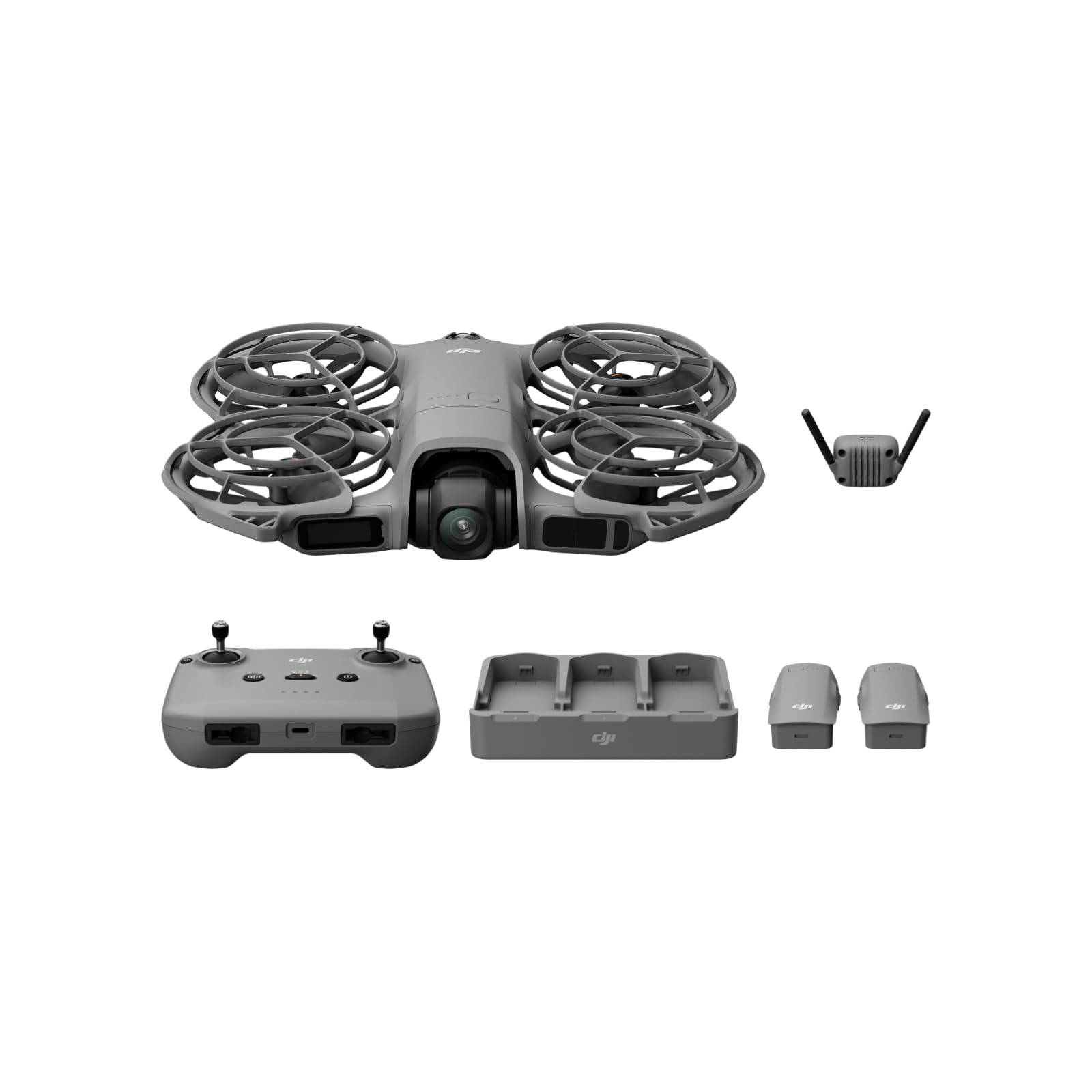
The DJI Neo 2 in its Fly More Combo configuration is the most polished entry point into DJI’s ecosystem for a beginner who values automated tracking and omnidirectional safety. The drone weighs only 151 grams, making it the lightest model on this list, and its full-coverage propeller guards combined with omnidirectional obstacle sensing let you fly indoors near furniture or outdoors near tree lines with genuine confidence. The palm takeoff and landing — you literally hold the drone in your hand, tap a button, and it lifts off — removes the need for a flat launch surface, which is a huge convenience when you are hiking or at a park without a table.
ActiveTrack locks onto a subject and keeps it centered in frame while the drone autonomously avoids obstacles. For a beginner who wants to film themselves biking, running, or playing with kids, that feature alone makes the learning curve nearly flat. The 4K camera delivers crisp footage, and the three-axis stabilization keeps it watchable even during quick turns. The Combo includes three batteries, a charging hub, and the RC-N3 remote controller, plus a digital transceiver for stable long-range transmission. That three-battery setup compensates for the short per-battery flight time of roughly 18 minutes.
The single biggest limitation is that per-battery endurance. The Neo 2 is designed around portability and sensor density, not marathon flights. You will swap batteries every 15 to 20 minutes of active flying. The Fly More Combo makes that manageable with three packs and a charging hub, but if you are the type of pilot who wants to stay airborne for 40 minutes straight without landing, the Neo 2 will feel constrained. Also, the app must be downloaded from the DJI website — it is not on Google Play — so set that up before your first flight.
Why it’s great
- Omnidirectional obstacle sensing with full propeller guards
- Palm takeoff, gesture control, and ActiveTrack for hands-free flying
- Ultra-light 151g frame is the most portable option
Good to know
- Per-battery flight time is only ~18 minutes
- DJI Fly app must be sideloaded on Android devices
4. Ruko F11PRO 2

The F11PRO 2 is the only mid-range model that pairs a genuine three-axis mechanical gimbal with a sub-400-dollar price tag. That mechanical gimbal is the single most important feature for a beginner who cares about video quality because it physically counteracts the drone’s own vibrations and wind-induced tilting. The resulting footage looks like it came from a drone that costs twice as much. The 6K photo resolution and 4K video at 30 frames per second are backed by a Sony-style sensor that handles variable lighting better than the budget 2.5K cameras found on cheaper models.
The 10,000-foot transmission range is shorter than the premium contenders, but it is still enough to fly over a large farm or a lake without losing signal. The two 3,200mAh batteries deliver a combined 70 minutes of flight time, which is competitive with models that cost more. Beginner Mode limits the drone’s altitude and speed, letting you build competence without accidentally shooting the drone into the stratosphere on your first launch. The auto return-to-home triggers on low battery, signal loss, or manual command, and it works within a six-foot radius of the launch point.
A few users reported that the GPS pairing process can be fiddly during the first flight — expect to spend five to ten minutes getting a satellite lock. The camera is good but not phone-grade: a 48-megapixel phone will out-resolve it for still photos. If your priority is smooth, gimbal-stabilized video on a budget, the F11PRO 2 delivers that specific spec better than anything near its price point.
Why it’s great
- 3-axis mechanical gimbal delivers professional-grade stability
- 70 minutes total flight time with two included batteries
- Beginner Mode limits altitude and speed for safe learning
Good to know
- Initial GPS satellite lock can take several minutes
- Photo quality is good but not on par with a flagship phone
5. Bwine F7GB2 Pro

The F7GB2 Pro throws a simple math problem at the competition: three batteries, 75 minutes of total flight time for under 400 dollars. That is the best raw endurance in this price band, and for a beginner who lives far from a charging outlet or wants to spend an afternoon practicing without constantly swapping packs, that number matters more than maximum resolution. Each battery is a 2,600mAh unit that has passed UL 2054 safety certification, so you can charge without worrying about thermal runaway. The 4K camera sits on a three-axis gimbal with 5x digital zoom, and a 120-degree field-of-view lens captures wide landscapes without the fisheye distortion typical of ultra-wide sensors.
The FAA Remote ID is built directly into the drone arm with a QR code, so there is no separate module to buy or attach. Level-6 wind resistance and a 2,000-meter altitude ceiling mean you can fly in conditions that would ground lighter sub-250 models. The Bwine Mini app includes in-editor filters and background music, which is a nice touch for a beginner who wants to share footage straight to social media without opening a separate editing app. The return-to-home function triggers on low battery, signal loss, or one-button command, and it navigates back within a reasonable radius of the launch point.
The trade-off is weight. At 550 grams, this drone is more than double the mass of the sub-250 models, so you will need FAA registration and you cannot slip it into a jacket pocket. The controller works via app rather than a built-in screen, which means your phone battery will drain during longer sessions. If maximum airtime per dollar is your metric, the F7GB2 Pro wins that contest decisively.
Why it’s great
- 75 minutes total flight time with three UL-certified batteries
- Level-6 wind resistance handles gusty conditions
- FAA Remote ID is integrated with no extra module needed
Good to know
- 550g weight requires FAA registration
- No built-in controller screen; relies on phone app
6. Holy Stone HS600

The HS600 is built for the beginner who wants to fly in conditions that keep most sub-300-dollar drones grounded. Its Level-6 wind resistance rating means it can maintain stable hover and controlled flight in winds up to about 30 to 40 mph, which is the kind of breeze that typically sends lighter drones tumbling into a fence. The 4K camera uses a Sony sensor and is mounted on a two-axis gimbal with additional electronic image stabilization — not quite as smooth as a full three-axis mechanical gimbal, but more than adequate for social-media-quality footage. The 20,000-foot transmission range gives you room to explore without worrying about signal dropout.
FAA Remote ID is integrated directly into the drone, so you are compliant out of the box without an external module. The controller uses a single USB-C cable to connect your phone for live video, which is more reliable than Wi-Fi-based connections that can drop when you move the phone even slightly. The included carrying case is hard-shell and well-padded, protecting the drone during transport. GPS intelligent features — one-key return, low battery return, and signal loss return — all function consistently based on user reports, with the drone landing within about six feet of its takeoff point.
The two-axis gimbal is the main compromise. It stabilizes pitch and roll but not yaw, so rapid turns produce a slight wobble that a three-axis gimbal would eliminate. Some users also noted that the gimbal occasionally required multiple calibrations during the first few flights. If you regularly fly in breezy coastal or plains environments, the wind resistance advantage of the HS600 outweighs the gimbal limitation.
Why it’s great
- Level-6 wind resistance handles strong, gusty conditions
- 20,000ft transmission range for long-distance exploration
- Integrated FAA Remote ID; USB-C phone connection is stable
Good to know
- Two-axis gimbal lacks yaw stabilization during turns
- Gimbal may need multiple calibrations initially
7. PLEGBLE Drone (5.0” Screen Controller)
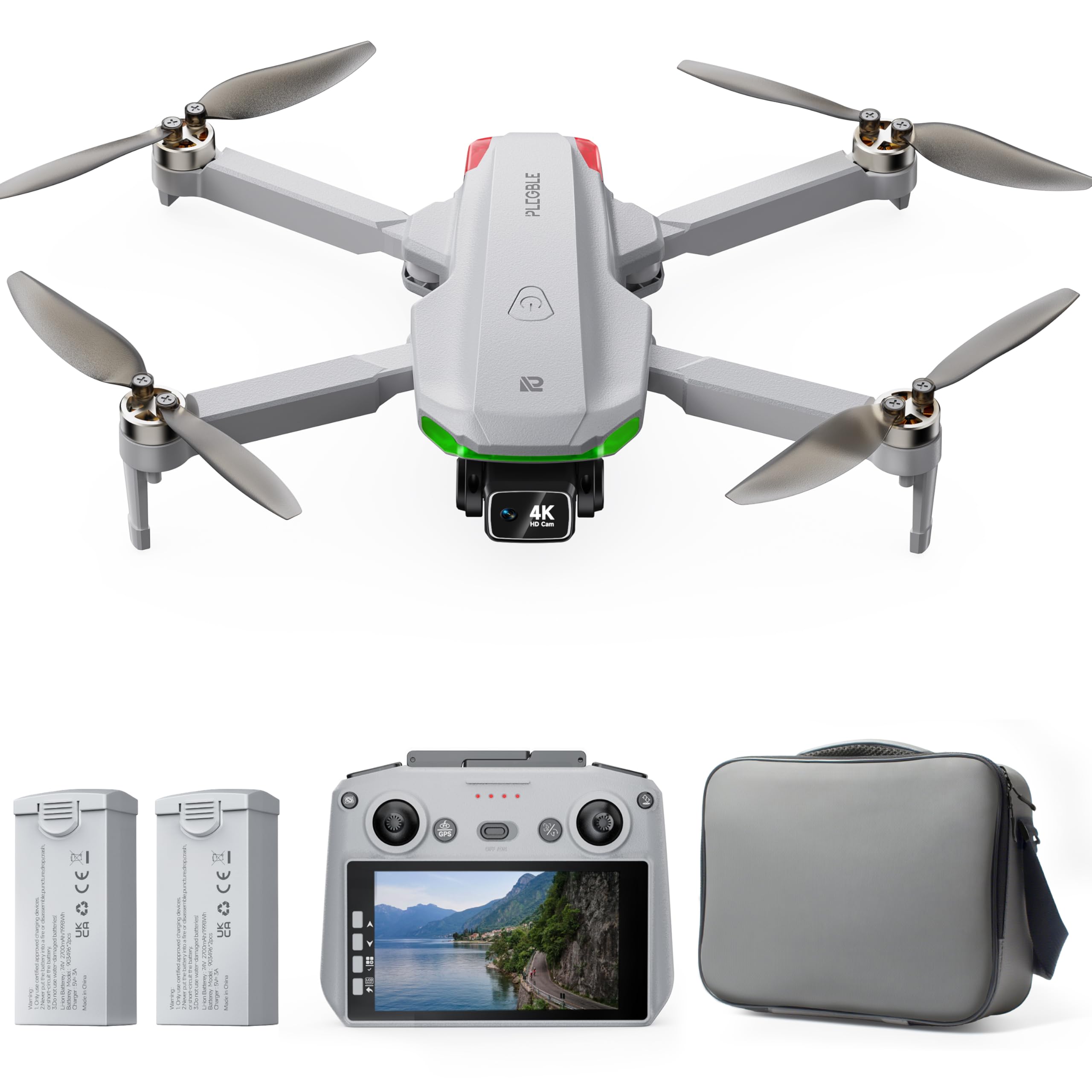
The PLEGBLE drone is built around a single idea: a 5.0-inch HD screen built directly into the controller so you never have to mount your phone, open an app, or worry about overheating your display in the sun. That convenience is the main selling point, and it works well — the screen shows real-time FPV video, lets you preview and format an SD card, and displays flight telemetry without any extra setup. For a beginner who just wants to fly without troubleshooting app permissions, that plug-and-play experience is worth the compromise in other areas.
The 4K camera with EIS stabilization and a 130-degree wide-angle lens produces footage that is clean enough for social sharing, though it lacks the smoothness of a mechanical gimbal. GPS features include smart return-to-home triggered by low battery or signal loss, plus Follow Me, Waypoint Fly, and Circle Flight modes. The two 2,700mAh batteries deliver a combined 70 minutes of flight time, and the drone weighs under 249 grams, making it FAA-exempt. The brushless motors provide Level-5 wind resistance, which is adequate for light breezes but not gusty conditions.
The main limitation is transmission range. The PLEGBLE drone has a rated range of about 2,000 feet — far shorter than the 10,000- to 20,000-foot ranges of the premium models. If you plan to fly long distances over open water or large fields, you will hit the range limit quickly. Also, the controller screen, while convenient, is not as bright as the 500-nit panel on the Bwine F7MINI, so glare can be an issue in direct midday sunlight. For backyard flying and park cruising, the convenience of the built-in screen is a genuine advantage.
Why it’s great
- Built-in 5.0″ HD controller screen eliminates phone setup
- Under 249g, no FAA registration required
- 70-minute total flight with two batteries and fast USB-C charging
Good to know
- Transmission range is limited to roughly 2,000 feet
- Controller screen can be hard to read in direct sunlight
8. DJI Neo 2 (Drone Only)
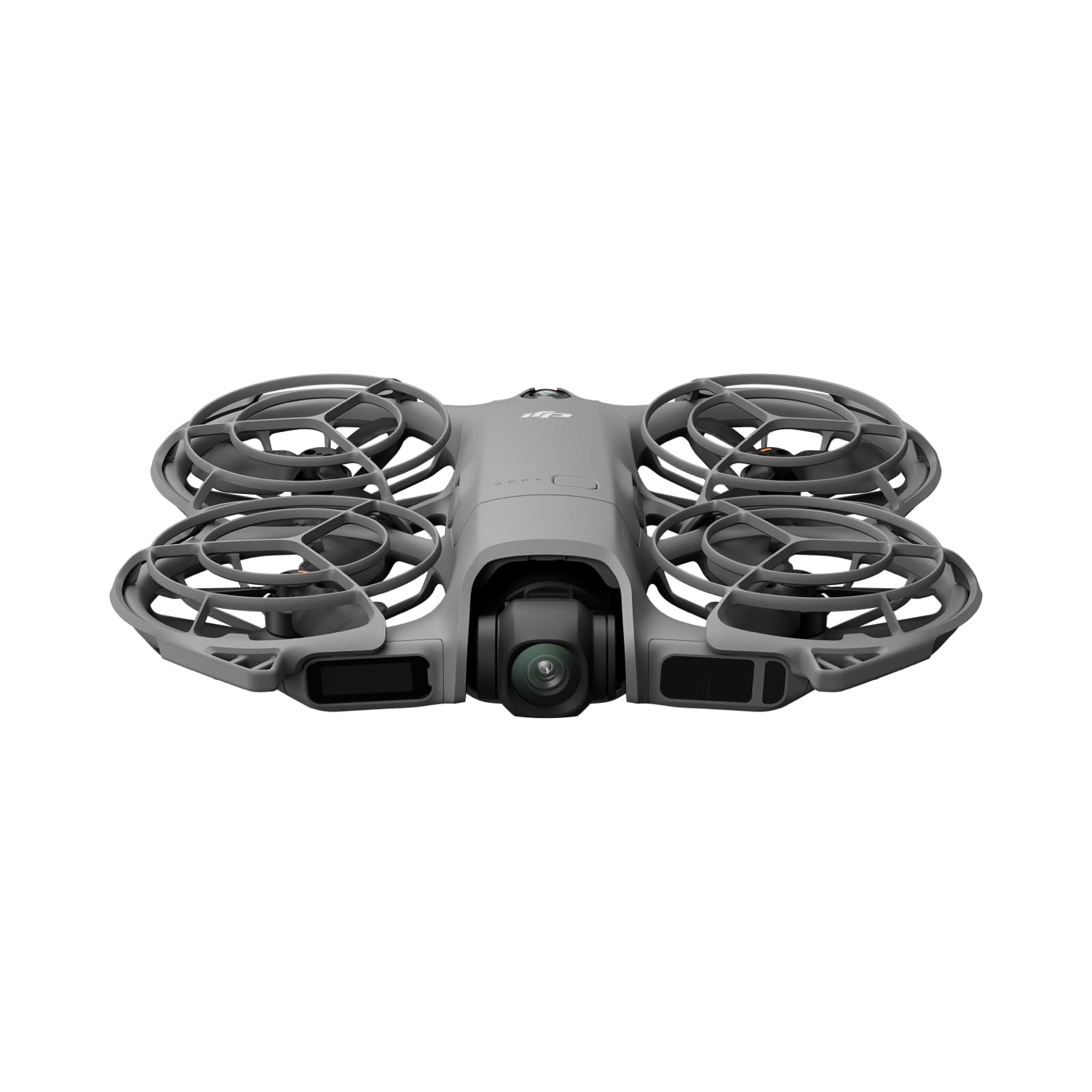
The drone-only version of the DJI Neo 2 is the lowest-cost entry point into DJI’s obstacle avoidance ecosystem, and it includes the same omnidirectional sensing and palm takeoff technology as the Fly More Combo. At 151 grams with full-coverage propeller guards, it is the safest drone to fly indoors or near people — the guards prevent propeller strikes on furniture or skin, and the obstacle sensors stop the drone before it contacts walls. Gesture control lets you wave to start recording or to command the drone to land in your hand, which is genuinely useful for solo content creation.
The 4K camera is stabilized by a single-axis gimbal combined with electronic stabilization, which handles gentle movements well but shows jitter during aggressive yaw turns. ActiveTrack keeps the drone locked on a moving subject, and the SelfieShot mode automates the framing for quick social-media clips. Because this is the drone-only SKU, it does not include a physical remote controller — you control it via your phone or through gesture commands. That keeps the price low but limits your control range and precision compared to a dedicated controller.
The biggest compromise is battery life. The single included battery provides only about 18 minutes of flight time, which is enough for a quick session but not for extended exploration. The lack of a controller also means you lose some fine-grained control over settings like exposure and gimbal tilt. This configuration is best for the absolute beginner who wants to test the waters with the lowest possible upfront cost, with the option to upgrade to the Fly More Combo later by buying the controller and extra batteries separately.
Why it’s great
- Lowest-cost access to DJI’s omnidirectional obstacle sensing
- Ultra-light 151g frame with full propeller guards for safe indoor flight
- Gesture and palm controls eliminate the need for a controller
Good to know
- Single battery provides only ~18 minutes of flight time
- No included remote controller limits range and manual control
9. Potensic ATOM LT

The ATOM LT is the budget champion of flight endurance. Its two 3,000mAh batteries deliver a combined 80 minutes of airtime — more than any other drone at this price point — and the sub-249-gram weight keeps you clear of FAA registration. For a beginner on a tight budget who wants to maximize practice time per dollar, that endurance is the deciding metric. The 2.5K camera with Sony sensor and EIS stabilization (marketed as ShakeVanish 2.0) produces usable footage, though the resolution is noticeably softer than native 4K when you zoom in on playback.
The PixSync 2.0 transmission system provides a smooth video feed out to 4 kilometers in open areas, and the brushless motors handle Level-5 wind conditions without the yaw drift common in brushed-motor budget drones. GPS functions include auto return-to-home triggered by low battery or signal loss, plus Follow Me, Waypoint Fly, and Circle Fly modes. The drone folds down to about the size of a smartphone, making it genuinely pocketable. The controller includes adapter cables for both USB-C and Lightning devices, so no compatibility surprises.
The main concessions for the low price point are in low-light performance and obstacle sensing. The ATOM LT lacks a dedicated time-of-flight sensor for stabilization in dim conditions, so flying near dusk or under heavy tree cover can cause the drone to drift. Several users noted that satellite acquisition is slower than premium models, and the drone is more prone to losing GPS lock in areas with partial canopy coverage. This drone is best suited for open-field flying in good light, where the long battery life and low price make it an excellent trainer.
Why it’s great
- 80-minute total flight time with two 3000mAh batteries
- Under 249g and folds small enough for a pocket
- 4km transmission range is impressive for the price
Good to know
- No dedicated obstacle avoidance sensors; GPS-only collision mitigation
- Camera struggles in low-light conditions; 2.5K max resolution
FAQ
Does obstacle avoidance work when flying backwards?
Will obstacle avoidance prevent a crash in a tree with thin branches?
Is a sub-250-gram drone with obstacle avoidance better than a heavier model?
Can I use a beginner drone with collision avoidance for FPV racing?
How important is a built-in controller screen for a beginner?
Final Thoughts: The Verdict
For most users, the best beginner drone with collision avoidance winner is the DCX Volo X EZ AI because its 360-degree LiDAR obstacle detection gives you the most forgiving safety margin while still delivering a 45-minute flight time and a built-in screen controller. If you want a sub-250-gram drone that avoids FAA registration and includes a premium controller screen, grab the Bwine F7MINI 4K(RC3). And for the lowest-cost entry into true omnidirectional obstacle sensing with DJI’s palm-launch ecosystem, nothing beats the DJI Neo 2 Fly More Combo.

Mo Maruf
I created WellFizz to bridge the gap between vague wellness advice and actionable solutions. My mission is simple: to decode the research and give you practical tools you can actually use.
Beyond the data, I am a passionate traveler. I believe that stepping away from the screen to explore new environments is essential for mental clarity and physical vitality.