Our readers keep the lights on and my smoothie glass nicely filled. As an Amazon Associate, I earn from qualifying purchases.
Stepping into the world of CO2 lasers for the first time is a mix of excitement and confusion. Diode lasers dominate the beginner market, but the jump to a true CO2 tube opens up material capabilities—like clear acrylic and thick hardwood—that diode units simply cannot handle. The challenge is separating the machines built for learning from those designed to frustrate you.
I’m Mohammad Maruf — the founder and writer behind WellFizz. I have spent over one thousand hours analyzing laser engraver specifications, cross-referencing component quality, and evaluating software ecosystems so you can avoid the pitfalls that plague first-time buyers.
This guide isolates the machines that combine real cutting power with beginner-friendly safety, software, and assembly, giving you the clearest path to your best beginner co2 laser choice without wasting money on promotional fluff.
How To Choose The Best Beginner CO2 Laser
A beginner CO2 laser is a long-term purchase. Unlike a craft cutter you replace every season, a laser engraver should stay relevant for years as your skills grow. Focus on the frame, the safety system, and the software compatibility first—raw wattage is secondary for learning.
Safety Certifications and Enclosure Build
The single biggest complaint from new owners is smoke inhalation and accidental laser exposure. Look for an enclosure that is fully enclosed with a lid interlock—when the lid opens, the laser stops. Class 1 certification means the machine contains the beam entirely so you do not need external goggles. A built-in exhaust fan or a vent port for an external air pump is non-negotiable for indoor use.
Laser Power and Material Compatibility
For a beginner, 10W (10,000mW) diode modules can cut through 4-6mm pine and engrave coated metals. If you plan to cut thicker acrylic (8mm+) or dense hardwood regularly, step up to a 20W (20,000mW) unit. Real-world cutting depth varies by brand, so check user reports for single-pass versus multi-pass performance. The spot size (0.01mm to 0.08mm) determines fine detail resolution.
Software Ecosystem and Connectivity
LightBurn is the industry standard for laser control, but it costs extra. Some machines ship with proprietary software (AlgoOS, TOOCAA Studio, LaserGRBL) that can get you started without an immediate LightBurn purchase. Wi-Fi and USB-C connectivity allow you to send files from a phone or tablet, while offline operation via TF card is ideal for workshops without a dedicated computer.
Assembly Time and Build Quality
Beginners should avoid machines requiring belt tensioning, gantry alignment, or mainboard wiring. Look for modular assembly where the frame clicks together in 15–30 minutes. Aerospace-grade aluminum frames reduce vibration during engraving, which directly affects edge sharpness. A metal frame also resists warping if the machine is moved between rooms.
Quick Comparison
On smaller screens, swipe sideways to see the full table.
| Model | Category | Best For | Key Spec | Amazon |
|---|---|---|---|---|
| Genmitsu L8 | Premium Diode | Plug-and-play with camera alignment | 20W optical, 40000mm/min speed | Amazon |
| AlgoLaser Alpha MK2 | Premium Diode | Touchscreen standalone operation | 20W COS module, dual-core CPU | Amazon |
| TOOCAA L2 | Premium Diode | Large bed with enclosed rails | 10W, 40000mm/min, 22″x22″ bed | Amazon |
| OMTech K40+ | True CO2 | Real CO2 tube cutting power | 45W CO2 tube, 300mm/s | Amazon |
| LONGER RAY5 20W | Mid-Range Diode | Camera positioning and air assist | 20W optical, 256-bit color scale | Amazon |
| Twotrees TTS-20 Pro | Mid-Range Diode | Large format 418x418mm work area | 20W, 32-bit mainboard, Wi-Fi | Amazon |
| Creality Falcon Pro | Mid-Range Diode | Bundled rotary roller for tumblers | 10W, 72000mW output, 0.06mm spot | Amazon |
| AlgoLaser Pixi 10W | Compact Diode | No-laptop engraving with AlgoOS | 10W, 3.5″ touchscreen, 160 projects | Amazon |
| Woxcker L2 MAX | Modular Diode | Fast 20000mm/min with safety lock | 10W, 300x300mm, 0.01mm focus | Amazon |
| Ortur Laser Master 2 Pro S2 | Value Diode | Budget-friendly with 10W cut power | 10W, 390x410mm area, 15000mm/min | Amazon |
| BlazeX M3 | Entry-Level Diode | Starter kit with enclosure and materials | 10W, 0.01mm precision, 13 materials | Amazon |
In‑Depth Reviews
1. Genmitsu L8 20W
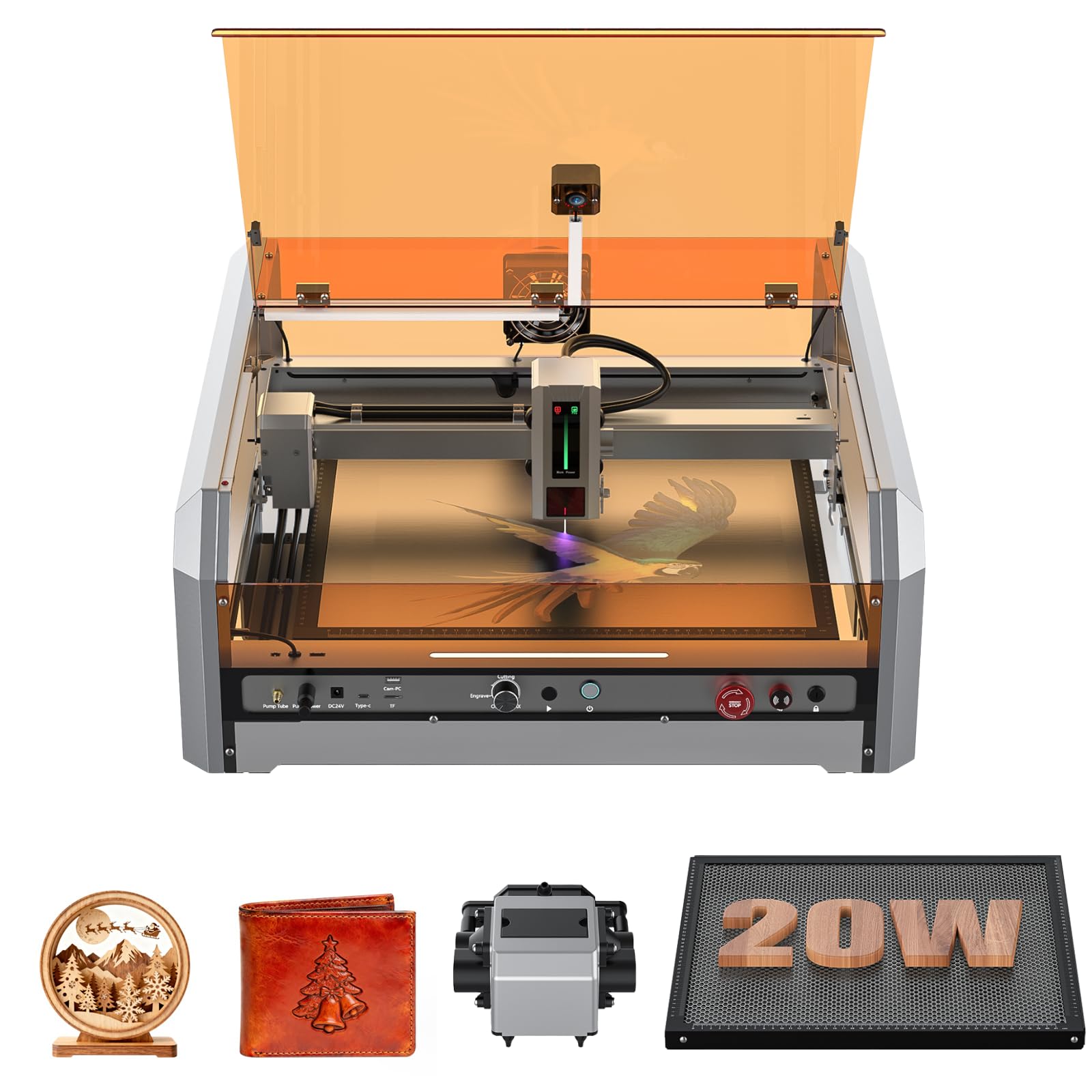
The Genmitsu L8 arrives fully assembled—no frame building, no belt tensioning. Its 20W diode module cuts 12mm pine and 8mm black acrylic in a single pass, which is on par with many mid-range units that cost more. The built-in LightBurn-compatible camera lets you preview and position artwork directly on the material surface, eliminating the trial-and-error waste of paper test runs.
Beyond raw cutting, the L8 includes a 30L/min smart air assist pump and a large honeycomb bed, both critical for reducing charring on wood edges and preventing smoke buildup inside the enclosure. The 360° acrylic shield with door interlock, flame detection, and tilt sensor make it a true Class 1 certified machine—you can operate it on a desk without external eye protection.
Setup requires 15–20 minutes, mostly plugging in cables and attaching the exhaust vent. Customer support from Sainsmart is responsive, though the included USB drive may arrive unreadable (the software is available for download). For a beginner who wants to start engraving within an hour, not a weekend, this machine delivers the smoothest on-ramp available.
Why it’s great
- Pre-assembled out of the box; no frame construction needed
- 20W cuts thick acrylic and hardwood in one pass
- Camera integration with LightBurn for precise placement
- Full Class 1 safety enclosure with lid interlock and tilt detection
Good to know
- Included USB drive may be unreadable; requires manual download
- Wood engraving crispness depends on material quality and speed settings
- Customer support response time can vary during peak seasons
2. AlgoLaser Alpha MK2 20W

The AlgoLaser Alpha MK2 stands out because it is built for standalone operation. Its 3.5-inch smart touchscreen runs the proprietary AlgoOS system, so you do not need a laptop to send files, adjust power, or start a job. The 20W COS laser module can cut 15mm wood in a single pass, and the dual-core CPU delivers engraving speeds up to 20,000mm/min—roughly three times faster than typical desktop units.
Safety is handled through a semi-enclosed design with a smart air pump and internal exhaust that keep smoke away from the lens and your workspace. The machine also supports LightBurn and LaserGRBL for users who prefer desktop control. Its work area measures 15.7 by 16 inches, expandable to 33.35 inches with an optional extension kit—so this machine scales with your projects.
Review customers consistently praise the build quality and the responsiveness of AlgoLaser’s support team. The trade-off is that the proprietary touchscreen interface, while intuitive, does lock you into AlgoOS for some advanced features. For a beginner who values simplicity over total software freedom, this is a compelling choice.
Why it’s great
- Standalone touchscreen operation, no computer required
- 20W cuts 15mm wood in a single pass
- Expandable work area for larger projects
- Smart air pump reduces smoke and extends lens life
Good to know
- Proprietary AlgoOS limits full control compared to LightBurn
- Heavier footprint than open-frame designs at 19.2 pounds
- Semi-enclosed design may still allow some smoke leakage
3. TOOCAA L2 10W
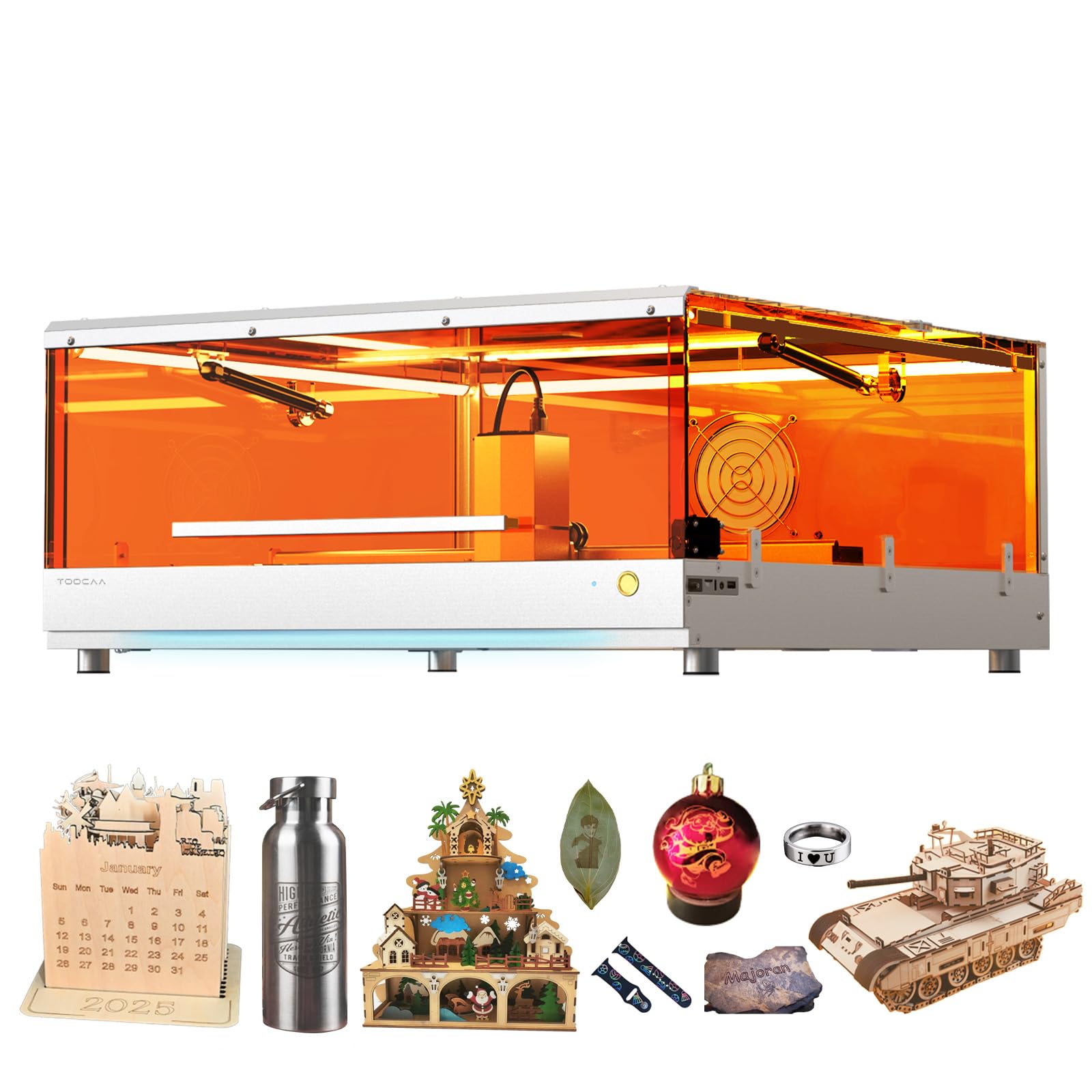
The TOOCAA L2 is one of the few machines in this guide that ships with a 22-by-21.65-inch bed, giving you room to work on larger signage or multiple small items simultaneously. Its Cartesian motion system uses dual motors for faster and more accurate positioning compared to CoreXY designs. The 10W module cuts 8mm pine in one pass at a blazing 40,000mm/min speed.
Safety is front and center: the 360-degree fully-enclosed lid filters 99 percent of laser emissions, earning it a Class 1 certification. The amber-colored cover blocks the wavelength without needing external goggles. An integrated smoke exhaust, auxiliary lighting, and a nitrogen gas spring that makes opening the heavy lid effortless are thoughtful touches for daily use.
Setup takes about an hour. The included TOOCAA Studio software works, but most users switch to LightBurn for better control. The machine does support LightBurn and LaserGRBL natively. Customer support is split—some users report excellent replacement service, while others mention missing components like the air assist. Verify your bundle contents at delivery.
Why it’s great
- Large 22-inch bed accommodates signage and multiple items
- Class 1 amber enclosure eliminates need for safety glasses
- Cartesian motion system with dual motors for speed and accuracy
- Nitrogen gas spring prevents lid from slamming or detaching
Good to know
- Assembly instructions lack detail; missing files on SD card reported
- Some units ship without bundled air assist despite listing
- Gantry alignment issue reported after three weeks of use
4. OMTech K40+ 45W

The OMTech K40+ is a true CO2 laser—no diode module, no compromise on material compatibility. Its 45W glass tube cuts 10mm acrylic and 8mm wood with a 1.5-2x speed improvement over older K40 models. The included laser coolant system circulates water to maintain tube temperature during longer jobs, a feature missing from most diode-based machines.
OMTech has pre-installed the upgrades that K40 owners traditionally had to do themselves: a GRBL-compatible mainboard for LightBurn, contact sensors for homing, an adjustable lens, and a honeycomb bed. The 12-by-8-inch work area is smaller than most diode frames, but the CO2 beam produces smoother edges on acrylic and deeper cuts on hardwood without material discoloration.
Assembly is straightforward, though the 89.8-pound shipping weight means you need a sturdy table. The collection drawer sensor is overly sensitive—if the drawer is not fully seated, the laser will not fire. Dual packages (laser and coolant arrive separately) can cause confusion. For the beginner who specifically needs CO2 cutting quality, this is the most practical entry point.
Why it’s great
- True 45W CO2 tube cuts acrylic and wood without charring edges
- Pre-installed GRBL board for direct LightBurn compatibility
- Contact sensors, honeycomb bed, and adjustable lens included
- Laser coolant system extends tube lifespan during long sessions
Good to know
- Small 12×8 inch work area limits project size
- Heavy unit at nearly 90 pounds requires permanent workstation
- Sensitive drawer sensor can cause intermittent firing frustration
5. LONGER RAY5 20W
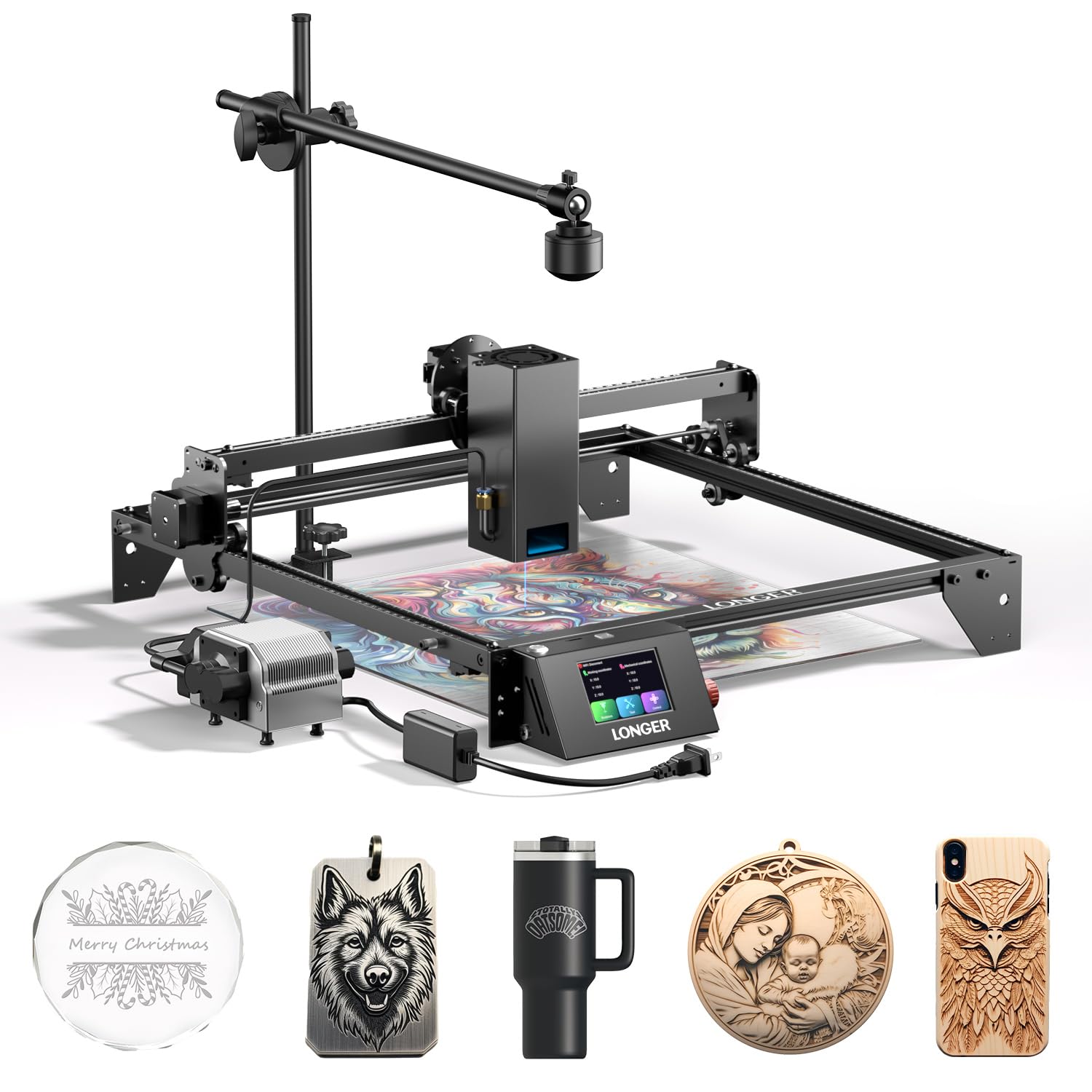
The LONGER RAY5 20W distinguishes itself with a 500W-resolution wide-angle camera that integrates directly into LightBurn. This auto-positioning feature lets you drop artwork onto a live preview of your material, which is especially valuable for multi-colored engraving projects. The 20W optical module can cut 15mm pine in a single pass and engrave stainless steel with precise 0.08×0.1mm spot focus.
The machine ships with an adjustable 10-30L/min air pump that runs at only 60 decibels—quieter than a household fan. The 256-bit color scale on the upgraded 32-bit motherboard produces smooth tonal transitions for photo engraving. Safety features include emergency stop, thermal protection, and a move protection design that halts the laser if the gantry encounters unexpected resistance.
Setup takes about 30 minutes, and reviewer feedback is consistent that the camera is the standout feature. Some users note that the advertised cut depth is slightly optimistic—occasionally requiring a second pass on 15mm wood. The customer support team responds quickly and will replace defective cameras without hassle. For beginners focused on precise placement and photography-level engraving, this is a solid choice.
Why it’s great
- 500W camera with LightBurn integration for live preview positioning
- 256-bit color scale for detailed photographic engravings
- Quiet 60dB air pump with adjustable 10-30L/min flow
- Versatile material compatibility from wood to stainless steel
Good to know
- Single-pass cut depth sometimes requires a second pass
- Camera calibration may drift over time without firmware updates
- Wi-Fi connectivity issues reported by some users
6. Twotrees TTS-20 Pro 20W

The Twotrees TTS-20 Pro is engineered for users who need a large work envelope without jumping to a professional-grade price tag. Its 418x418mm engraving area allows you to work on sizable signs, stencils, or multiple smaller items in one pass. The 20W diode module cuts 20mm acrylic and 30mm pine, making it one of the most physically capable units in the mid-range.
Behind the scenes, a 32-bit MKS ESP32 PRO mainboard with TMC2209 silent drivers enables speeds up to 500mm/s while maintaining ±0.1mm accuracy. Built-in Wi-Fi lets you send files directly from a phone or tablet browser without installing drivers. The machine is compatible with LightBurn and LaserGRBL, and it works on Windows, macOS, and Linux.
Assembly is straightforward, with most users reporting completion in under 30 minutes. The open-frame design lacks an enclosure, so you will need to purchase or build a housing for smoke management and eye safety. The honeycomb panel and air pump are sold separately, which adds to the total cost. For beginners comfortable with a DIY safety setup, the TTS-20 Pro offers cutting capacity that punches above its price class.
Why it’s great
- Large 418x418mm work area for oversized projects
- 20W cuts 20mm acrylic and 30mm pine in single pass
- Silent TMC2209 drivers and 32-bit mainboard for smooth motion
- Built-in Wi-Fi for wireless file transfer from phone or tablet
Good to know
- Open-frame design requires separate enclosure for eye and smoke safety
- Honeycomb bed and air pump sold separately
- Customer support response time varies
7. Creality Falcon Pro 10W
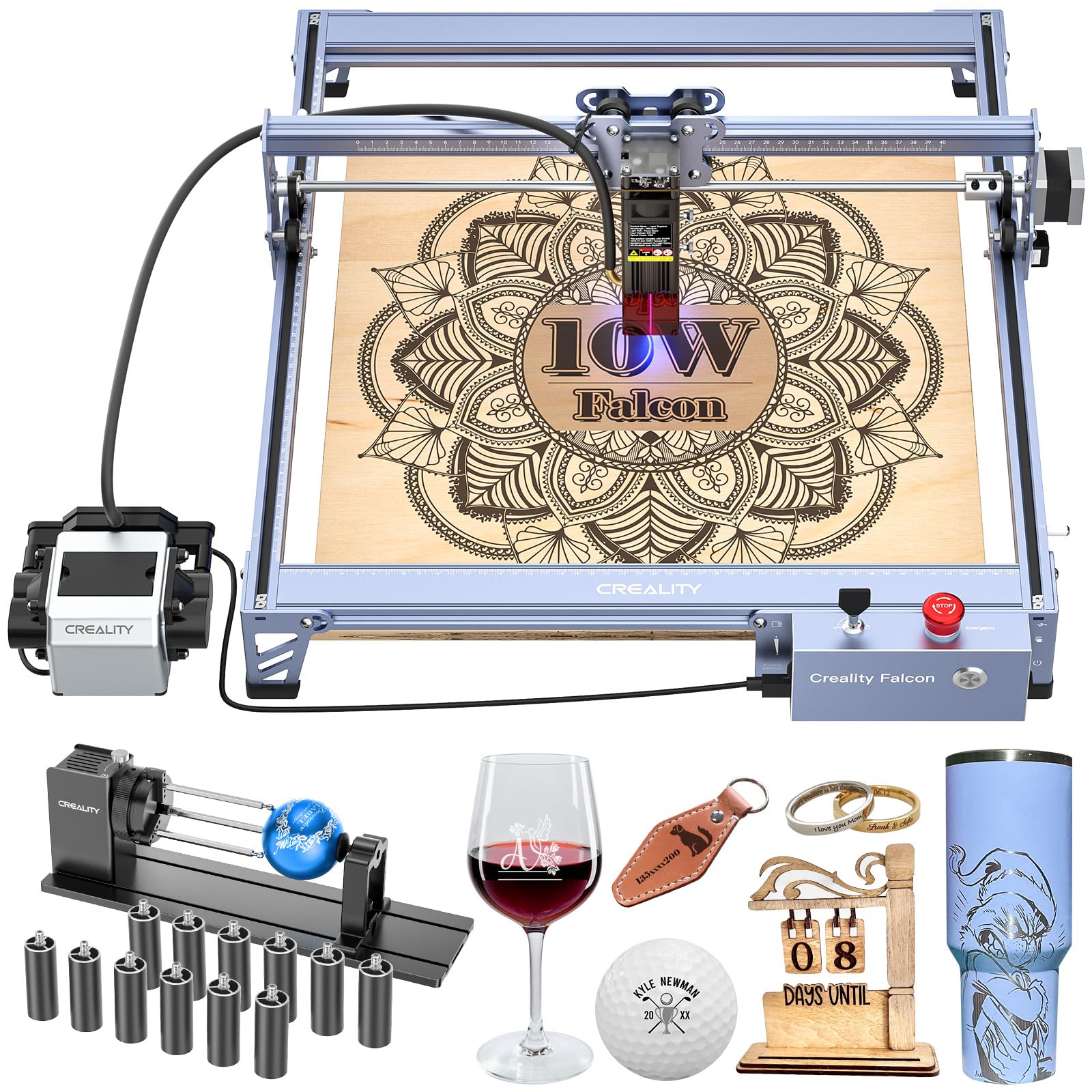
The Creality Falcon Pro combines a 10W laser module with a 3-in-1 rotary roller kit, making it one of the best entry points for users who want to engrave cylindrical items like tumblers, rings, and wine glasses. The 10W module delivers 72000mW total output and a 0.06mm spot size, which captures fine detail in pet hair, text, and logos on wood, leather, and coated metal.
A built-in air assist nozzle keeps the lens clear and reduces charring during cutting, while the emergency stop button, safety lock, and active stop function provide reassurance during unattended runs. The machine can operate offline via TF card, so you do not need to keep a computer tethered to the bench. The bundled risers allow taller items to fit under the gantry.
Assembly is streamlined, but the included printed instructions are sparse—most users rely on online videos. The power adapter has been reported to blow a fuse after minimal use at 20 percent power, so monitoring initial operation is wise. The LightBurn 30-day trial gives you time to evaluate before buying a license. For the beginner set on personalizing drinkware as a side business, this bundle saves the separate rotary purchase.
Why it’s great
- Includes 3-in-1 rotary roller for tumblers, rings, and glasses
- 0.06mm spot size produces crisp engraving detail
- Offline TF card operation eliminates need for tethered computer
- Air assist and safety lock included at bundle price
Good to know
- Printed assembly instructions are minimal; online videos recommended
- Power adapter fuse may blow under low-power operation
- Customer support can be slow for warranty replacements
8. AlgoLaser Pixi 10W

The AlgoLaser Pixi is purpose-built for users who want to skip the software learning curve entirely. Its 3.5-inch color touchscreen runs the proprietary AlgoOS, which supports hand-drawing via AlgoSketch, text input via AlgoType, and file upload over Wi-Fi or USB-C. You can engrave from a phone or tablet without ever opening a laptop. The 10W module has a 0.08mm spot size and 317.5 LPI resolution, producing clean results on wood, leather, and thin metal.
The machine is fully enclosed with a Class 1 certified lid interlock that stops the laser the instant the cover is lifted. A password-protected lock screen prevents unsupervised operation, and real-time fault alerts flag issues like tilt or vibration. The compact footprint (10.5 by 8.5 inches) fits next to a standard monitor, though the small work area limits you to items that fit within the 4×4-inch internal bay.
Reviewers praise the plug-and-play simplicity and preloaded library of 160 projects. The trade-off is that the AlgoOS, while intuitive, lacks the full parameter control of LightBurn—things like power ramping and custom layer processing are less accessible. Smoke can seep out of the front door gap, so good ventilation is still required. For the absolute beginner who finds traditional laser software intimidating, this is the most approachable machine on the list.
Why it’s great
- Touchscreen AlgoOS eliminates need for laptop or design software
- Hand-draw and text input directly on the machine
- Class 1 safety enclosure with password lock and tilt detection
- 160 preloaded projects for immediate creativity
Good to know
- Small 4×4 inch internal bed limits project size
- AlgoOS lacks advanced LightBurn features like power ramping
- Smoke leakage reported from front door gap
9. Woxcker L2 MAX 10W

The Woxcker L2 MAX is designed around a modular assembly that splits into five main components, letting beginners complete setup without belt tensioning or gantry alignment. The 10W semiconductor laser achieves a 0.01mm ultra-fine square focus through advanced point compression technology, allowing precise engraving on metal, wood, leather, plastic, and even food-grade surfaces.
Safety is comprehensive: a 360-degree fully enclosed cover with lid interlock, built-in flame sensor, emergency stop, safety lock, and 15-degree tilt stop that halts operation if the machine is bumped. The enclosure also contains fumes and dust, reducing the need for an external ventilation system in small spaces. Speeds reach 20,000mm/min, with 52-58 percent time savings on common projects compared to slower units.
Compatibility extends to LightBurn, LaserGRBL, and CutLabx, with connection options including Wi-Fi, USB, app, and TF card. The 300x300mm work area is large enough for coasters, small signs, and jewelry. The orange aluminum frame is rigid but lightweight. Some reviewers note that the phone app is still rough around the edges. For the beginner who values safety and modular assembly over maximum power, this delivers a calm learning environment.
Why it’s great
- Modular 5-piece assembly takes only minutes without special tools
- 0.01mm ultra-fine focus for high-detail engraving
- Seven safety features including flame sensor and 15° tilt stop
- Fully enclosed design contains smoke and reduces eye hazard
Good to know
- 10W power limits single-pass cut depth on thick hardwood
- Phone app functionality still has bugs and limited features
- Small 300x300mm bed restricts large format projects
10. Ortur Laser Master 2 Pro S2 10W
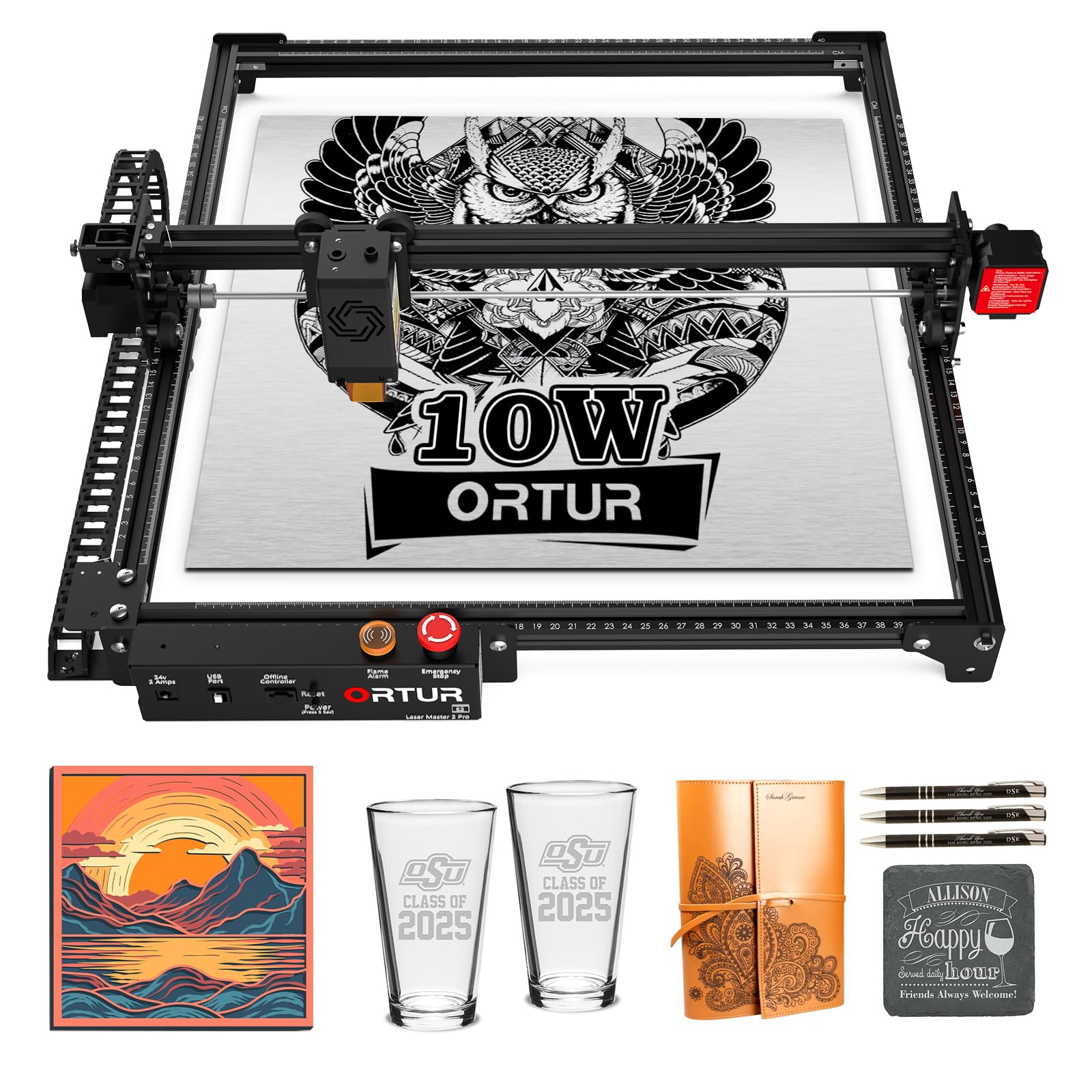
The Ortur Laser Master 2 Pro S2 is a second-generation open-frame laser with a track record of reliability. The LU2-10A laser module provides a true 10W output with a compressed spot of 0.05×0.1mm, enabling detailed engraving on wood, leather, and metal. The 390x410mm engraving area gives you significant room for larger projects without stepping up to a premium bracket.
The industrial-grade full metal frame adds rigidity and reduces vibration. The laser module includes dual fan cooling and a built-in air-assist interface, improving cut quality on materials prone to scorching. Safety features include active position protection, a flame alarm, exposure time detection, and an emergency stop switch. The machine supports LaserGRBL and LightBurn, plus the Inspiraesth app for simple drag-and-drop projects.
Assembly can be done in 10-15 minutes, though the instructions are sparse and some users rely on YouTube. The USB-C connection is stable, but the machine requires the computer to remain connected during operation. The open design means safety goggles are mandatory, and you will need to manage smoke extraction separately. For the budget-conscious beginner who does not mind a simple open-frame workflow, this is a capable and proven entry point.
Why it’s great
- Large 390x410mm engraving area for larger designs
- Dual fan cooling and air assist interface improve cut quality
- Full metal frame reduces vibration and ensures durability
- 4 safety features including flame alarm and emergency stop
Good to know
- Open-frame design requires safety goggles and separate exhaust
- Assembly instructions are minimal; videos recommended
- Computer must stay connected during operation; no offline mode
11. BlazeX M3 10W
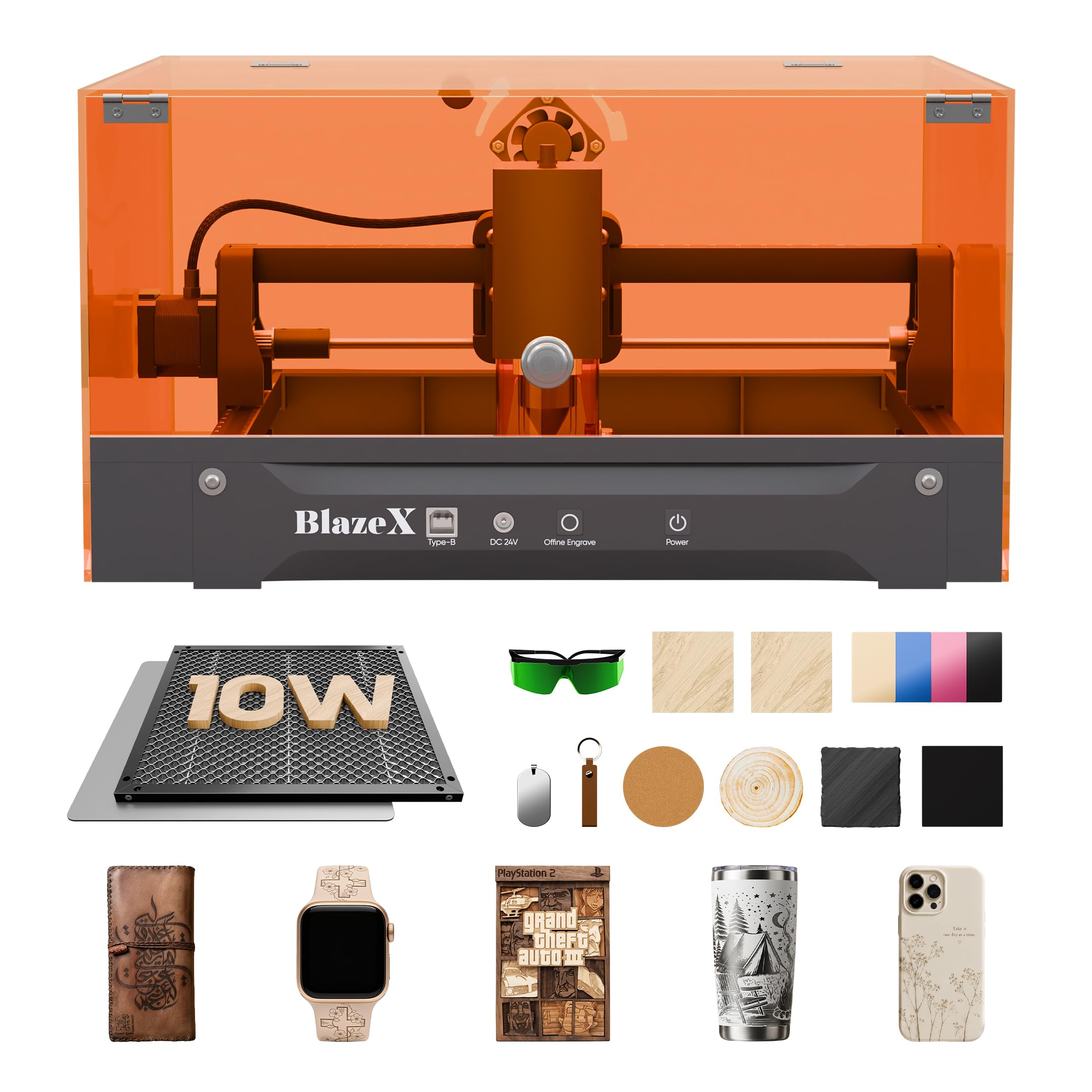
The BlazeX M3 is the most complete starter kit in the lineup, including the laser, protective enclosure, honeycomb bed, 13 pieces of engraving materials, goggles, and a tool kit. The 10W module delivers 0.01mm ultra-fine accuracy and is optimized for desktop DIY projects, personalized jewelry, and small-batch production across over 200 materials including wood, leather, glass, and coated metal.
Class 1 safety certification means the enclosure filters harmful radiation. An integrated fan exhausts smoke while keeping noise low. Smart sensors trigger an automatic stop if the machine tilts or if the lid is opened. Compatibility spans LightBurn, LaserGRBL, and CutLabX across Windows, macOS, iOS, and Android. The modular accessory ecosystem—rotary roller, air assist, and purifier—lets you upgrade without replacing the base machine.
Setup is fast, and the included test materials allow immediate first projects. Some users report initial connection issues with Windows computers, but customer service and YouTube tutorials help resolve them. The one-year warranty and active Facebook community provide ongoing support. For the absolute newcomer who wants everything in one box and a safety-first design, the BlazeX M3 reduces the friction of getting started.
Why it’s great
- Complete starter kit with enclosure, honeycomb bed, and 13 materials
- 0.01mm ultra-fine accuracy for detailed engraving
- Class 1 enclosure with auto-stop tilt sensor and smoke exhaust
- Modular accessory ecosystem for future upgrades
Good to know
- Windows connection issues reported by some users
- 10W power is entry-level for cutting thicker materials
- Customer support relies on Facebook community for some issues
FAQ
Do I need LightBurn or can I use free software with a beginner CO2 laser?
Can a 10W beginner CO2 laser cut through acrylic without melting the edges?
How important is a honeycomb bed on a beginner CO2 laser?
What is the real difference between a diode laser and a CO2 tube laser?
How do I safely operate a beginner CO2 laser indoors without an external vent?
Final Thoughts: The Verdict
For most users, the best beginner co2 laser winner is the Genmitsu L8 because it arrives pre-assembled, includes a camera for precise placement, and offers 20W cutting power in a Class 1 safety enclosure. If you want a standalone touchscreen that works without a laptop, grab the AlgoLaser Alpha MK2. And for the beginner who specifically needs CO2 tube performance on acrylic and thick hardwood, nothing beats the OMTech K40+.

Mo Maruf
I created WellFizz to bridge the gap between vague wellness advice and actionable solutions. My mission is simple: to decode the research and give you practical tools you can actually use.
Beyond the data, I am a passionate traveler. I believe that stepping away from the screen to explore new environments is essential for mental clarity and physical vitality.