Our readers keep the lights on and my smoothie glass nicely filled. As an Amazon Associate, I earn from qualifying purchases.
The biggest trap in buying a computer for basic home use is the assumption that you need to sacrifice speed for a low footprint, or that you must settle for a bulky tower to get reliable performance. Modern mini PCs and compact desktops have erased that compromise, offering solid-state storage, efficient multi-core processors, and enough memory to handle video calls, homework, spreadsheets, and 4K streaming without the fan screaming or the desk disappearing.
I’m Mohammad Maruf — the founder and writer behind WellFizz. For years I’ve been tracking the performance of entry-level and mid-range desktop hardware, comparing benchmark data, real-world boot times, and thermal noise to separate the machines that genuinely serve a home from those that ship on hype alone.
If you look past the confusing model numbers and RAM specs, the honest best basic computer for home use is the one that boots quickly, stays quiet during a full day of browser tabs, and doesn’t force you to learn a new set of port adapters just to connect your monitor.
How To Choose The Best Basic Computer For Home Use
A home computer doesn’t need to cost a fortune, but it does need to stay responsive for years. The wrong choice means constant frustration with slow boot times, freezing browser sessions, or a tiny SSD that fills up within months. Focus on these four areas to make a solid pick.
Processor: Don’t Buy a Decade-Old Chip
For basic home tasks, a modern dual-core or quad-core processor from Intel’s N-series or AMD’s Ryzen 3 or 5 line handles everything smoothly. Avoid any CPU that lacks hardware support for Windows 11 (Intel 8th-gen or newer, AMD Ryzen 2000 or newer). A chip like the Ryzen 5 3500U or the Intel i3-14100 offers far better efficiency and graphics performance than older i5 or i7 models from five years ago.
Memory and Storage: 16GB and an SSD Are Non-Negotiable
8GB of RAM works for the absolute basics, but a modern browser with a few tabs, a video call, and a word processor will easily push that to the limit. 16GB is the sweet spot for a stress-free home experience. For storage, a 512GB PCIe NVMe SSD offers enough room for the operating system, applications, and a reasonable media library without the slowdown of a traditional hard drive. Avoid any machine that still uses an HDD as the primary drive.
Form Factor: Mini PC, Tower, or All-in-One
A mini PC takes up virtually no space and mounts behind a monitor, making it ideal for a clean desk. A tower (or Small Form Factor desktop) offers easier expansion for extra drives or a dedicated graphics card later. An All-in-One combines the screen and computer in one unit, reducing cable clutter but making upgrades difficult. For most home users, a mini PC offers the best balance of performance, price, and footprint.
Connectivity: Check for Modern Ports and Wireless
Your basic home computer needs at least one HDMI or DisplayPort for your monitor, a few USB 3.0 ports for peripherals, and built-in Wi-Fi 5 or 6 for a stable internet connection. Bluetooth 5.0 or higher ensures smooth pairing with wireless keyboards, mice, and headphones. Avoid machines that require a dongle for basic Wi-Fi connectivity—this is often a sign of an older refurbished model that wasn’t designed for modern networks.
Quick Comparison
On smaller screens, swipe sideways to see the full table.
| Model | Category | Best For | Key Spec | Amazon |
|---|---|---|---|---|
| GEEKOM A5 | Mini PC | Long-term reliability & performance | Ryzen 5 7430U, 16GB DDR4 | Amazon |
| Dell Pro Desktop 7060 SFF | Renewed Tower | Multitasking with 32GB RAM | i7-8700, 512GB NVMe | Amazon |
| GMKtec G10 | Mini PC | Best value Ryzen mini | Ryzen 5 3500U, 16GB DDR4 | Amazon |
| BOSGAME E5 | Mini PC | Dual LAN & storage capacity | Ryzen 3 5300U, 1TB SSD | Amazon |
| KAMRUI Pinova P1 | Mini PC | Office multitasking & light reporting | Ryzen 4300U, 16GB DDR4 | Amazon |
| ACEMAGIC K1 | Mini PC | Entry-level office performance | Ryzen R2544, 8GB DDR4 | Amazon |
| Dell Pro Desktop i3-14100 | Tower PC | Modern business-grade compact | i3-14100, 16GB DDR5 | Amazon |
| HP ProDesk 600G4 Tower | Renewed Tower | High RAM & storage for heavy files | i7-8700, 32GB DDR4, 1TB SSD | Amazon |
| HP Desktop 8th Gen | Renewed All-in-One | Complete family setup with monitor | i5-8500, 16GB DDR4, 500GB SSD | Amazon |
| Lenovo IdeaCentre | All-in-One | Out-of-box simplicity with minimal wires | Intel N100, 16GB DDR4 | Amazon |
| Core Innovations All-in-One | All-in-One | Budget-friendly integrated display | Celeron N5095, 4GB RAM | Amazon |
In‑Depth Reviews
1. GEEKOM A5 Mini PC

The GEEKOM A5 is powered by an AMD Ryzen 5 7430U, a 7nm processor that offers a noticeable jump in efficiency and single-thread performance compared to older 3xxx and 4xxx series chips. With 16GB of dual-channel DDR4 RAM and a 512GB NVMe SSD, this machine handles twelve browser tabs, a 4K YouTube stream, and a video call simultaneously without any perceptible lag. The Vega 7 integrated graphics also drives up to four displays, including an 8K output via USB-C, which is overkill for a basic home machine but future-proofs your setup if you ever add a high-resolution monitor.
Physically, the A5 is a compact metal chassis with vibration-damping feet and a reinforced ABS+PC shell. It ships with Wi-Fi 6 and Bluetooth 5.2, so your connection stays strong even in a crowded home network. The unit includes a VESA mount, allowing you to bolt it directly behind a monitor for a zero-footprint desk. The three-year warranty from GEEKOM is far longer than the typical one-year coverage offered by most mini PC brands, which speaks to their confidence in the build quality.
One real-world nuance: the initial Windows 11 Pro setup can take over an hour due to background updates, but once past that hurdle, boot times are under fifteen seconds. The fan remains silent during typical office work but becomes audible under sustained load, though never distracting. For a home user who wants a machine that will stay snappy for half a decade, the A5 is the most balanced pick on this list.
Why it’s great
- Modern Ryzen 5 7430U offers excellent efficiency and graphics for a mini PC.
- Three-year warranty is class-leading for this price tier.
- Dual HDMI and dual USB-C ports support up to four displays.
Good to know
- Initial Windows setup is slow due to system updates.
- Top-end performance can be limited for heavy creative workloads.
2. DELL Optiplex 7060 SFF Desktop

This Dell OptiPlex 7060 is a refurbished business-class Small Form Factor tower that packs an 8th-generation Intel Core i7-8700, a hexa-core processor with a max turbo of 4.6 GHz. Combined with 32GB of DDR4 RAM, this machine tears through heavy multitasking—think 20 browser tabs open, a full Microsoft Office suite, and a 1080p video stream running concurrently—without any lag. The included 512GB NVMe SSD ensures boot times and file transfers are crisp, though some units have shipped with a SATA SSD instead of the advertised NVMe, a known inconsistency with third-party refurbishers.
The form factor is genuinely small: the SFF chassis measures about 12 inches tall and 6 inches wide, making it easy to place on a desk or inside a cabinet. Port selection is generous, with five USB 3.0 ports, two USB 2.0 ports, and two DisplayPort outputs. However, there is no native HDMI port, which means you’ll need a DisplayPort-to-HDMI adapter if your monitor only uses HDMI. The included wireless keyboard and mouse are functional but feel cheap, and many users report the keyboard failing within days. Plan to replace them immediately.
Reliability is a mixed bag with any refurbished unit. Some buyers report the machine arriving in nearly new condition, while others experience power supply failures or network problems after a few months. The 32GB RAM configuration is overkill for basic home use, but for a power user who runs multiple virtual machines or heavy spreadsheet models, this refurbished Dell offers tremendous value per dollar. Just budget for a good wired keyboard and mouse, and read the seller’s return policy carefully.
Why it’s great
- 32GB RAM and a fast hexa-core i7 make it a multitasking beast.
- Compact SFF case saves desk space while offering expansion options.
- Pre-installed Windows 11 Pro with decent security features.
Good to know
- Refurbished condition can vary significantly from unit to unit.
- No HDMI port—requires adapter for most modern monitors.
- Included keyboard and mouse are low quality.
3. GMKtec G10 Mini PC
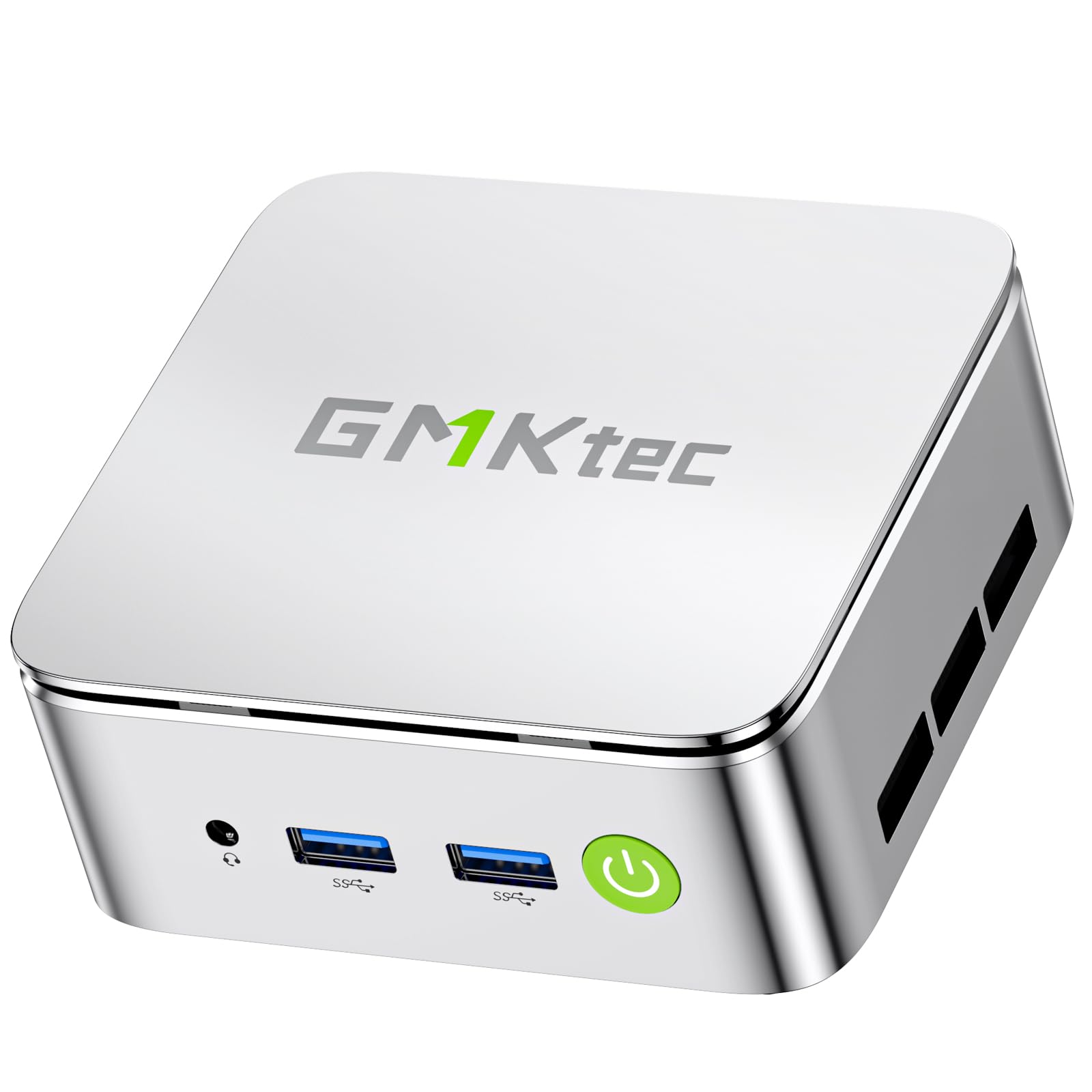
The GMKtec G10 is a strong contender for anyone who wants solid Ryzen performance without stretching their budget. It’s built around the AMD Ryzen 5 3500U, a quad-core, eight-thread processor from the Zen+ generation. While it’s not as fast as newer chips like the 7430U, it still delivers roughly 35% better multi-core performance than the Intel N150, making it more than capable for web browsing, office applications, and even light photo editing. The Vega 8 integrated graphics can push triple displays via HDMI 2.1, DisplayPort, and USB-C, which is a rare feature at this price tier.
The unit ships with 16GB of dual-channel DDR4 RAM and a 512GB SSD, with two M.2 slots supporting up to 16TB of total storage expansion. One standout feature is the 2.5GbE Ethernet port, which offers faster networking than the typical gigabit port found on most home computers. This makes the G10 ideal not only as a daily driver but also as a home server, NAS, or Pfsense router. The Type-C PD power input means you can run it off a USB-C charger or even a portable power bank, adding flexibility for mobile office setups.
Build quality is respectable, with a metal top and plastic bottom, and the fan stays quiet during normal use. However, reliability reports are somewhat split: while the majority of users praise its speed and silence, a notable minority report the unit failing completely after a few months. The one-year warranty covers defects, but the failure rate is a genuine concern. For the price, the G10 offers outstanding features and performance, but it carries more risk than a premium brand like GEEKOM.
Why it’s great
- Ryzen 5 3500U offers the best performance in its price bracket.
- Triple 4K display support via modern ports.
- 2.5GbE LAN and USB-C PD charging are rare at this price.
Good to know
- Some units have experienced complete failure within 6 months.
- Wi-Fi 5 instead of Wi-Fi 6 may feel slower on modern networks.
4. BOSGAME E5 Mini PC

The BOSGAME E5 is a compact workhorse that stands out for its combination of a Ryzen 3 5300U processor and a generous 1TB NVMe SSD. The 5300U is a 4-core, 8-thread chip built on AMD’s Zen 3 architecture, which offers a solid IPC (instructions per clock) improvement over Zen 2. It performs well for everyday tasks and even handles light retro gaming or PS2 emulation at acceptable frame rates. The Radeon integrated graphics clock up to 1500 MHz, which is enough for casual titles like PUBG or Valorant at very low settings.
Where the E5 really distinguishes itself is in connectivity. It features dual 2.5GbE LAN ports, making it a natural choice for a home NAS, virtualization lab, or router firewall. The triple display output via HDMI 2.0, DisplayPort, and USB-C supports 4K at 60Hz, and the 16GB of DDR4 RAM is sufficient for most home office workflows. BOSGAME offers a lifetime after-sales service promise and a 3-year warranty on parts, which is an unusually long commitment for a mini PC at this price point.
On the downside, the BIOS interface is dated and lacks advanced RAM timing or voltage controls, which may frustrate power users trying to squeeze extra performance from the system. The included power adapter is a standard 19V brick, though the unit also supports USB-C PD in some configurations. For a home user who wants a single machine to handle both daily computing and home server duties, the E5 is a versatile and well-supported option.
Why it’s great
- Dual 2.5GbE LAN ports allow for advanced networking setups.
- 1TB NVMe SSD provides ample space right out of the box.
- Lifetime technical support and 3-year parts warranty.
Good to know
- BIOS lacks advanced overclocking or tuning options.
- Fan can become audible under sustained gaming loads.
5. KAMRUI Pinova P1 Mini PC
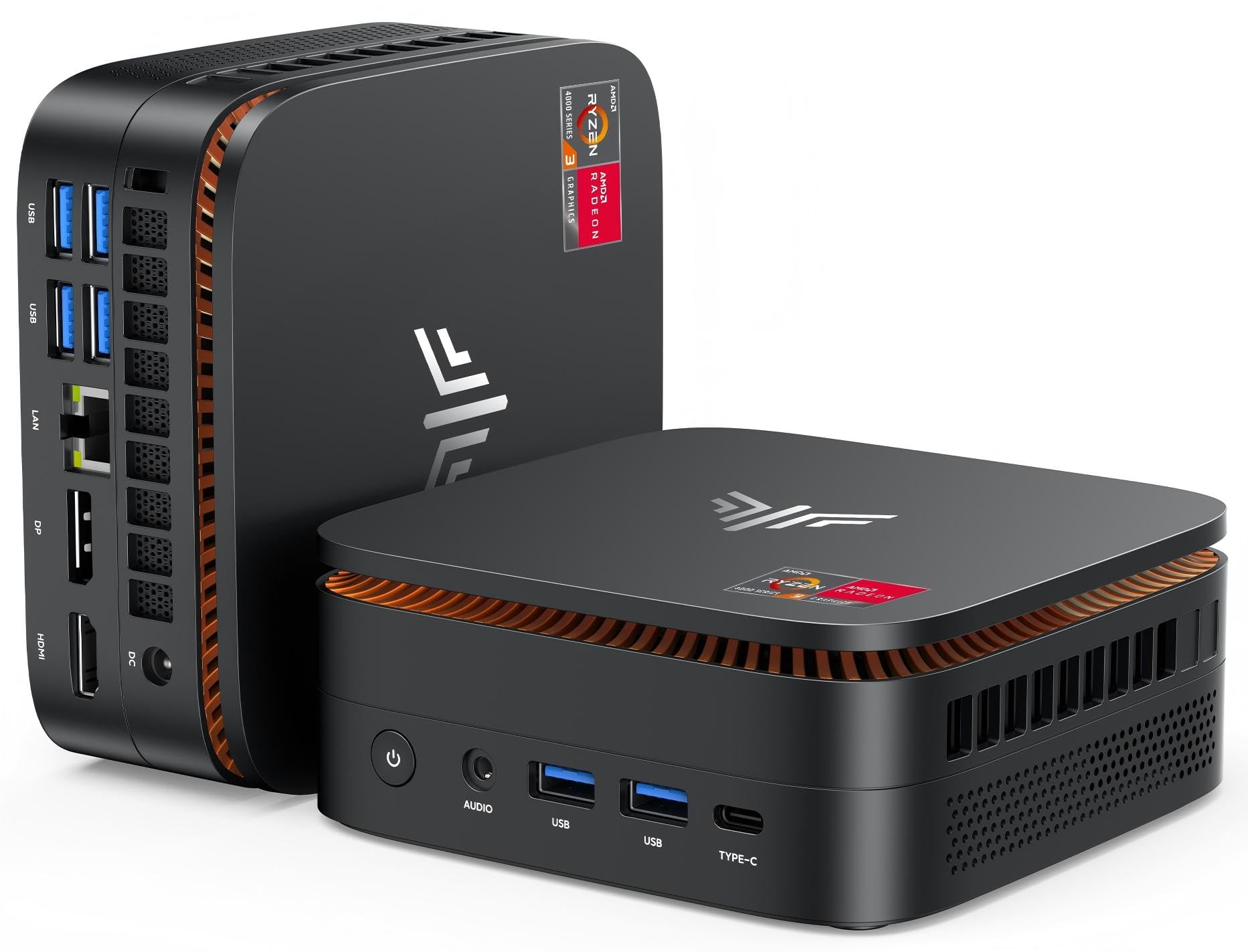
The KAMRUI Pinova P1 is a compact and quiet mini PC built around the AMD Ryzen 4300U, a quad-core processor with a 28W TDP that still outperforms Intel’s N-series chips by a wide margin. It ships with 16GB of RAM and a 512GB SSD, providing a responsive experience for web browsing, streaming, and productivity tools. The unit is exceptionally quiet—many users describe it as silent, even during long video encodes or system updates. Its thermal management, aided by a large fan and aluminum chassis, keeps temperatures in check without intrusive noise.
Port selection is practical: two USB 3.2 ports, two USB 2.0 ports, HDMI, DisplayPort, a Type-C port with DP and data, and a gigabit Ethernet jack. The P1 supports triple 4K displays at 60Hz, making it suitable for multi-monitor workflows like stock trading or research. The chassis has a subtle blue LED glow that looks clean in a low-light home office, and the VESA mount allows for a clean monitor-back installation. Users also praise its Linux compatibility, with Mint and Ubuntu running without driver issues.
The main drawback is the 4300U’s older Zen 2 microarchitecture, which means single-threaded tasks are slower than what you’d get from a Zen 3 chip like the 5300U. While it’s still plenty fast for basic home use, users who plan to keep their computer for more than four years might find the processor starting to feel dated sooner than a newer Ryzen 5 or Intel i3. The warranty is a standard one year, and customer support responsiveness varies by region. For a quiet, affordable mini PC that does the basics exceptionally well, the P1 is a solid choice.
Why it’s great
- Very quiet operation, even under sustained workloads.
- Triple 4K display support via HDMI, DP, and USB-C.
- Solid Linux compatibility for advanced users.
Good to know
- Zen 2 architecture is starting to show its age.
- Standard one-year warranty may be short for long-term users.
6. ACEMAGIC Kron K1 Mini PC
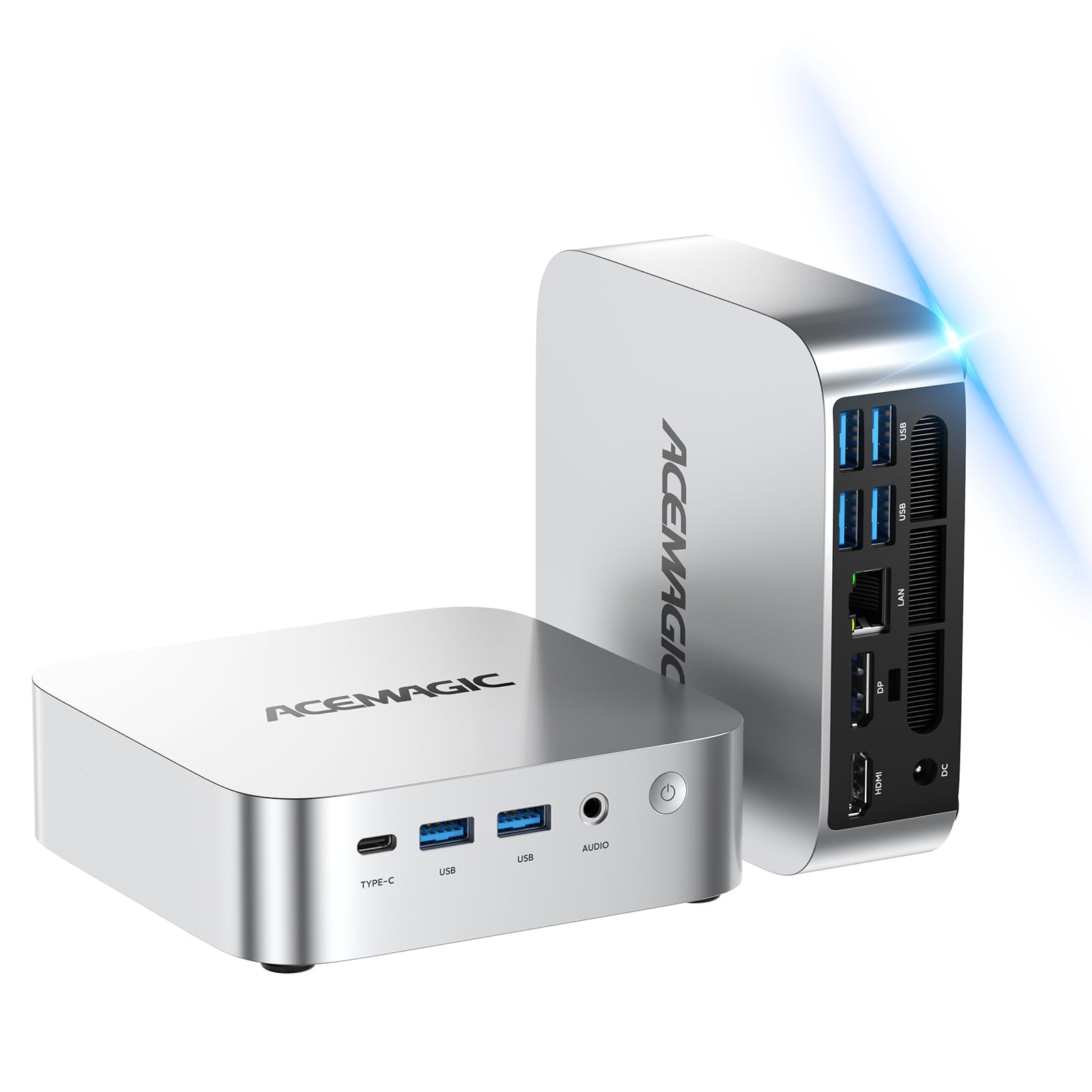
The ACEMAGIC K1 uses an AMD Ryzen Embedded R2544 processor, which is a quad-core, eight-thread chip with a base clock of 3.35 GHz and a boost up to 3.7 GHz. This isn’t a standard Ryzen mobile chip—it’s an embedded variant designed for industrial reliability, so it trades peak performance for stability. For browsing, word processing, email, and 4K video playback, it runs without issue. However, users with heavier multitasking needs (10+ chrome tabs, simultaneous video calls, or large spreadsheets) will notice the 8GB RAM ceiling becoming a bottleneck quickly.
The machine comes with dual memory slots that support up to 32GB, so you can upgrade the RAM later, but the base configuration ships with only 8GB. The 256GB SSD is also on the smaller side, though the dual M.2 slots allow for easy expansion. The I/O array includes HDMI 2.0, DisplayPort, and a USB-C port that supports video output and data transfer. The aluminum chassis and 80mm fan keep temperatures in check, but the fan is noticeably louder than the KAMRUI P1 and the BOSGAME E5 under load.
Customer support from ACEMAGIC receives strong praise, with many users reporting quick resolution of issues and even free replacements for defective units. The unit is pre-installed with Windows 11 Pro and activates automatically. The main compromise here is the base RAM and storage—plan to budget for an upgrade if you want a smooth long-term experience. For a secondary home computer or a first machine for a child, the K1 offers a stable platform at a reasonable starting point.
Why it’s great
- Dual memory and dual storage slots offer solid upgrade paths.
- Excellent customer support from the manufacturer.
- Stable embedded processor suitable for 24/7 operation.
Good to know
- Base 8GB RAM and 256GB storage are limiting for future use.
- Fan is louder than many competing mini PCs.
7. Dell Pro Desktop i3-14100 Tower
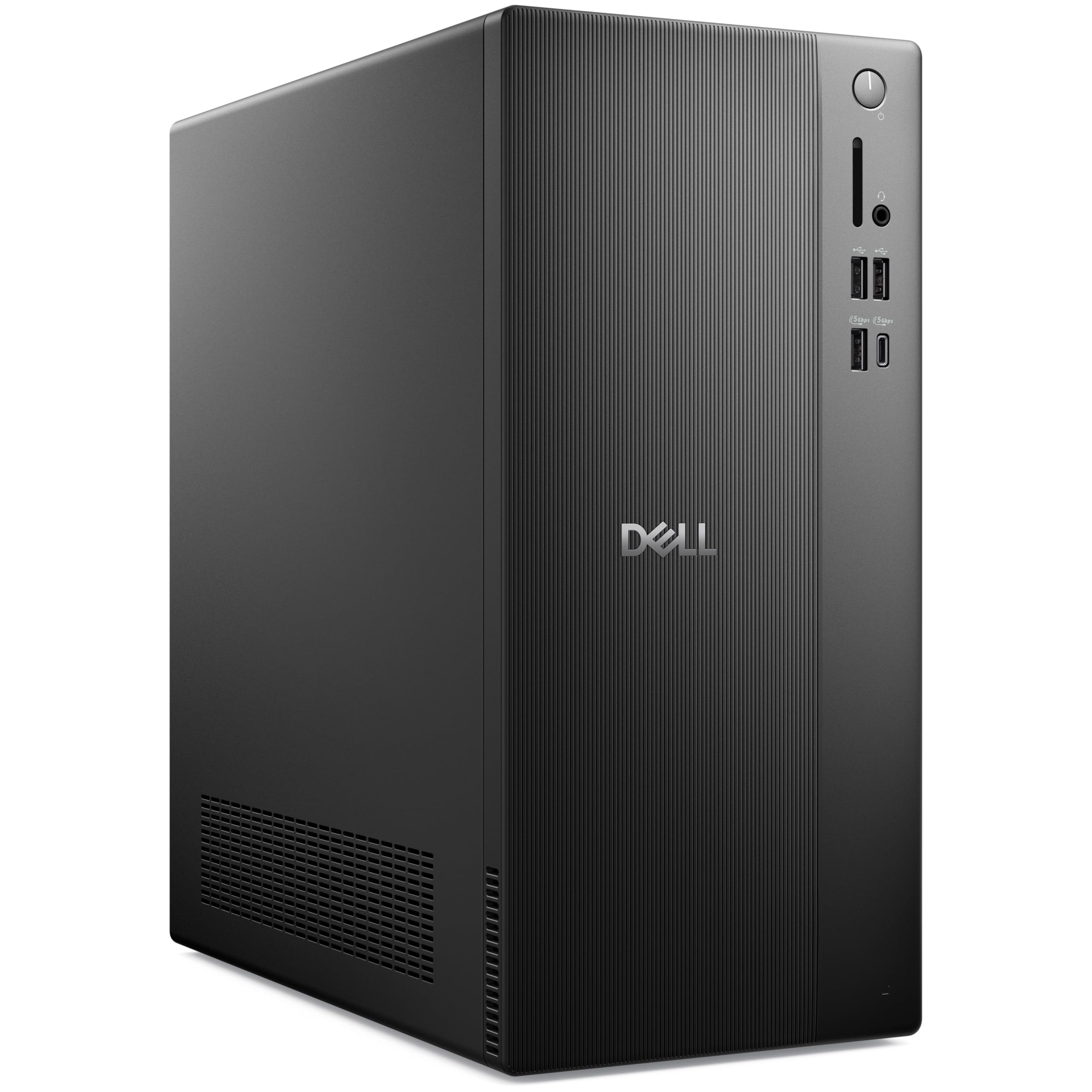
This is the most modern computer on the list, featuring an Intel Core i3-14100 processor from the 14th generation. With four performance cores boosting up to 4.7 GHz and DDR5 RAM running at high frequencies, this machine delivers a snappy, responsive feel that even cheaper i5 refurb units can’t match. The 16GB DDR5 memory is faster than DDR4 in latency-sensitive tasks, and the 1TB PCIe SSD provides generous storage for a home user’s photo, video, and document library. Intel UHD Graphics 730 handles 4K video playback and dual monitor setups via HDMI 2.1 and DisplayPort 1.4.
The tower case is a compact design measuring about 12.8 by 6.1 inches, using recycled materials and featuring a clean modern look. It includes Wi-Fi 6 and Bluetooth 5.2, so no dongles are needed. The port selection is comprehensive: 7 USB ports including a USB-C port, Gigabit Ethernet, and both HDMI and DP outputs. The pre-installed Windows 11 Pro supports Copilot AI features, though whether you use those depends on your workflow. The included keyboard and mouse are basic but functional, suitable for getting started.
The biggest hurdle is the price tag, which sits at a premium compared to refurbished options with similar specs. If you value a brand-new machine with a full manufacturer’s warranty and the latest DDR5 technology, this Dell is a safe, long-term buy. However, for the same budget, you could get a refurbished i7 OptiPlex with more RAM and a larger SSD, albeit on older DDR4 and a previous CPU generation. For home users who prioritize reliability and a no-hassle out-of-box experience over maximum specs per dollar, the Dell Pro is the most straightforward choice.
Why it’s great
- Brand-new 14th-gen i3 and DDR5 RAM ensure long-term compatibility.
- Fast 1TB NVMe SSD and Wi-Fi 6 are premium features.
- Compact, eco-conscious design with full manufacturer warranty.
Good to know
- More expensive than refurbished options with higher RAM counts.
- Integrated graphics limit gaming and creative workloads.
8. HP ProDesk 600G4 Tower

The HP ProDesk 600G4 is a full-size tower that pairs an Intel i7-8700 (hexa-core, up to 4.6 GHz) with a massive 32GB of DDR4 RAM and a 1TB SSD. This configuration is built for users who run memory-hungry applications like photo editing software, large spreadsheets with thousands of rows, or multiple virtual machines. The i7-8700, while from the 8th generation, still offers excellent multi-core performance that matches or exceeds many newer budget i3 chips, making it a cost-effective choice for power multitaskers.
The full-size tower offers ample internal space for future expansion, with four internal SATA slots and support for additional drives. Port selection is generous, with six USB 3.0 ports, four USB 2.0 ports, and a USB Type-C port. However, like the Dell 7060, this unit lacks a native HDMI port—you’ll need DisplayPort cables or adapters for your monitors. The included Wi-Fi and Bluetooth come via USB dongles rather than built-in adapters, and these dongles have been reported to be of mediocre quality, with some users experiencing dropouts on the 5GHz band.
This is a refurbished unit, and quality control varies. Some users report receiving a machine that looks nearly new, while others note cosmetic damage like wrinkled adhesive plastic or signs of repainting. The power supply can also be a weak point, with some units failing after weeks of use. The i7-8700 is a powerful chip, but the 8th generation’s limited integrated graphics (UHD 630) means this is purely a productivity machine—don’t expect smooth 4K gaming. For a home user who needs maximum memory and storage at a reasonable price, this is a strong option if you’re comfortable with the risks of refurbished hardware.
Why it’s great
- 32GB RAM and 1TB SSD provide excellent storage and speed.
- Full-size tower allows for easy expansion and upgrades.
- i7-8700 delivers strong multi-core performance for productivity.
Good to know
- Refurbished condition can vary significantly.
- Wi-Fi and Bluetooth via dongles, not built-in.
- No HDMI port—requires DisplayPort adapters for monitors.
9. HP Desktop with Monitor Bundle

This HP desktop bundle is the complete package for a family that just wants everything to work out of one box. It includes a refurbished HP ProDesk Small Form Factor PC, a 24-inch LCD monitor, an RGB gaming-style keyboard and mouse, speakers, and a 2K webcam. The PC itself is built around an Intel Core i5-8500 hexa-core processor, 16GB of DDR4 RAM, and a 500GB SSD. This configuration handles schoolwork, streaming, and video calls comfortably, and the included peripherals mean you don’t need to buy additional accessories.
The bundled monitor is a 1080p LCD panel with a decent refresh rate for office use, though it’s not IPS, so viewing angles can be narrow. The RGB keyboard and mouse are clearly entry-level gaming peripherals, but they offer a fun aesthetic for young users and feel solid enough for daily typing. The webcam is a 2K model, which is a nice upgrade over the typical 720p cameras included in many bundles. The PC also includes Wi-Fi and Bluetooth support, though some users report that the Wi-Fi adapter isn’t internally installed and requires a separate USB dongle to function.
The biggest caveat is the refurbished nature of the PC. While many units work flawlessly, a non-trivial number of buyers have reported defective machines or missing components. The 500GB SSD is adequate, but users who store a lot of photos or videos may need an external drive. For a household that needs a complete, ready-to-use computing setup without the hassle of piecing components together, this HP bundle delivers good value. Just verify the seller’s return policy and test the system thoroughly within the first week.
Why it’s great
- Complete setup includes monitor, keyboard, mouse, speakers, and webcam.
- 16GB RAM and i5 processor handle family multitasking well.
- Compact SFF form factor saves desk space.
Good to know
- Refurbished condition means potential for defects or missing parts.
- Wi-Fi adapter may require a separate USB dongle.
- 500GB SSD can fill up quickly for media-heavy users.
10. Lenovo 24 IdeaCentre All-in-One

The Lenovo IdeaCentre is a clean and simple all-in-one desktop that integrates a 23.8-inch FHD IPS display, a computer, speakers, and a webcam into a single chassis. It’s powered by an Intel N100 processor, a modern Alder Lake-N quad-core chip that is efficient enough for basic home tasks like browsing, email, and streaming. The 16GB of DDR4 RAM is a generous upgrade from the 4GB or 8GB that most budget all-in-ones ship with, providing a noticeably smoother multitasking experience. The 512GB PCIe SSD is also a solid spec for this form factor.
The all-in-one design means you only need to plug in the power cable—everything else is built in. The included keyboard and mouse are quiet and compact, and the built-in 1080p webcam with a privacy shutter is a thoughtful addition for video calls. The IPS display offers wide viewing angles and 250 nits of brightness, which is perfectly adequate for a home office or student desk. Wi-Fi 6 and Bluetooth 5.2 ensure fast wireless connectivity, and the unit includes multiple USB-A ports and a headphone jack for peripherals.
The main limitation of the IdeaCentre is its upgrade potential. The N100 processor is soldered, the RAM may be soldered depending on the specific configuration, and the storage, while replaceable, isn’t easily accessible for the average user. This machine is designed to serve its purpose for 3-5 years with no modifications. It’s not suited for gaming or heavy multitasking, but for a home user who values simplicity and a clean, clutter-free desk, the IdeaCentre is a well-rounded choice that comes with Lenovo’s quality assurance and a full manufacturer’s warranty.
Why it’s great
- All-in-one design eliminates cable clutter.
- 16GB RAM and 512GB SSD are solid for the form factor.
- IPS display with built-in camera and speakers is convenient.
Good to know
- N100 processor is slow for intensive multitasking.
- Limited upgrade options for RAM and CPU.
11. Core Innovations All-in-One PC

The Core Innovations All-in-One is the most budget-oriented machine in this roundup. It features an Intel Celeron N5095 processor, a quad-core Jasper Lake chip that tops out at 2.9 GHz, paired with just 4GB of RAM and 128GB of eMMC storage. This configuration is fine for the most basic tasks—checking email, reading news, and watching standard-definition video. The included 24-inch 1080p IPS display is actually quite decent for the price, with good colors and viewing angles. The unit also includes a simple keyboard and mouse in the box.
However, the limitations of the hardware are immediate. The 4GB of RAM is simply not enough for modern Windows 11 multitasking. Opening a few browser tabs and a Word document will exhaust the memory, causing the system to slow down dramatically. The 128GB eMMC storage is also very limited and slow compared to a true SSD, contributing to longer boot times. The N5095 processor struggles with 4K video playback and will feel sluggish with even moderate multitasking.
Reliability is a significant concern. Some buyers report the units failing within months, and the manufacturer’s warranty support appears inconsistent. There are also reports of the webcam issue, and the stand does not allow for tilt or height adjustment, forcing an awkward viewing angle. This all-in-one may be tempting for its very low upfront cost, but the performance ceiling and reliability reports suggest that saving a bit more for a machine with at least 8GB of RAM and a real SSD would be a far better long-term investment. For a home user, this machine is best reserved as a very light-use secondary computer or for a child who only needs access to web-based learning apps.
Why it’s great
- Very affordable price for an all-in-one with a 24-inch IPS display.
- Includes keyboard, mouse, and built-in webcam.
- Simple, clean design for basic desk setups.
Good to know
- 4GB RAM and Celeron processor are too slow for modern home tasks.
- 128GB eMMC storage is tiny and slow.
- Reported reliability issues and limited warranty support.
FAQ
Can a mini PC with an Intel N100 processor handle video editing?
How much RAM is actually enough for a home computer in 2025?
Why do some cheap mini PCs have Wi-Fi 5 instead of Wi-Fi 6?
Is a refurbished business PC a good buy for a home user?
Final Thoughts: The Verdict
For most users, the best basic computer for home use winner is the GEEKOM A5 because it combines a modern Ryzen 5 7430U processor, 16GB of dual-channel RAM, and a generous three-year warranty in a compact, quiet chassis that can drive multiple 4K displays. If you want maximum RAM and storage for heavy multitasking, grab the HP ProDesk 600G4. And for a simple all-in-one solution that keeps your desk completely wire-free, nothing beats the Lenovo IdeaCentre.

Mo Maruf
I created WellFizz to bridge the gap between vague wellness advice and actionable solutions. My mission is simple: to decode the research and give you practical tools you can actually use.
Beyond the data, I am a passionate traveler. I believe that stepping away from the screen to explore new environments is essential for mental clarity and physical vitality.