Our readers keep the lights on and my smoothie glass nicely filled. As an Amazon Associate, I earn from qualifying purchases.
Typing in a dimly lit room or late at night shouldn’t mean guessing where your keys are. A quality backlit wireless keyboard keeps your workspace illuminated while cutting the cord, but with so many options, it’s easy to end up with one that drains battery too fast or has a dim, uneven glow.
I’m Mohammad Maruf — the founder and writer behind WellFizz. I’ve spent years analyzing market trends and poring over user feedback to separate flashy marketing from genuinely reliable tools.
After evaluating dozens of models, I’ve curated a list of the top performers. Whether you’re a night owl or work in low-light conditions, finding the best backlit wireless keyboard means balancing illumination with battery life and comfort.
How To Choose The Best Backlit Wireless Keyboard
Finding the right backlit wireless keyboard means understanding what matters most for your setup. Here are the key factors to consider before buying.
Connectivity & Multi-Device Support
Most modern backlit wireless keyboards offer Bluetooth, a 2.4GHz USB dongle, or both. Bluetooth is great for switching between a laptop, tablet, and phone, while 2.4GHz provides lower latency for gaming. Some models also include a wired USB-C option for zero lag and charging. Look for keyboards that can pair with at least three devices if you work across multiple screens.
Backlight Quality & Battery Life
Backlighting varies from single-color white to full RGB with multiple modes. Brighter lights drain batteries faster, so a keyboard with adjustable brightness and an auto-off sensor helps extend runtime. Battery capacities range from 1,500 mAh to 10,000 mAh — bigger isn’t always better if the keyboard is heavy, but it does mean fewer charges.
Switch Type & Typing Feel
Mechanical switches offer tactile feedback and durability (50 million keystrokes) but can be noisy. Membrane or scissor-switch keyboards are quieter and lighter, often preferred for office environments. Hot-swappable mechanical boards let you change switches without soldering, giving you the freedom to customize the feel later.
Quick Comparison
On smaller screens, swipe sideways to see the full table.
| Model | Type | Best For | Key Feature | Amazon |
|---|---|---|---|---|
| MOFII Upgraded Ergonomic | Ergonomic | Budget ergonomic typing | Natural curve + RGB backlight | Amazon |
| Nulea RT05 | Ergonomic | Split keyboard comfort | 7‑color backlight + wrist rest | Amazon |
| CORBOBO K108 Pro | Mechanical | Feature‑rich full size | Smart screen + 10,000 mAh battery | Amazon |
| Logitech MX Keys (Renewed) | Membrane | Productivity & multi‑device | Perfect Stroke keys + auto backlight | Amazon |
| AULA F108 | Mechanical | Gaming & creamy sound | Hot‑swappable + 5‑layer foam | Amazon |
| EPOMAKER Galaxy100 | Mechanical | Aluminum build & QMK/VIA | 8,000 mAh battery + aluminum case | Amazon |
| Keychron K10 Pro | Mechanical | Customization & white backlight | QMK/VIA support + 4,000 mAh | Amazon |
| Keychron K10 Max | Mechanical | 2.4 GHz + full RGB | South‑facing RGB + PBT keycaps | Amazon |
| Kensington MK7500F QuietType Pro | Mechanical | Quiet office work | Sound‑dampened + spill‑proof | Amazon |
| Logitech MX Mechanical | Mechanical | Premium productivity | Clicky low‑profile + smart illumination | Amazon |
| Cherry KW X ULP | Mechanical | Ultra‑slim design | Ultra low profile + 4‑device support | Amazon |
In‑Depth Reviews
1. MOFII Upgraded Wireless Ergonomic Keyboard
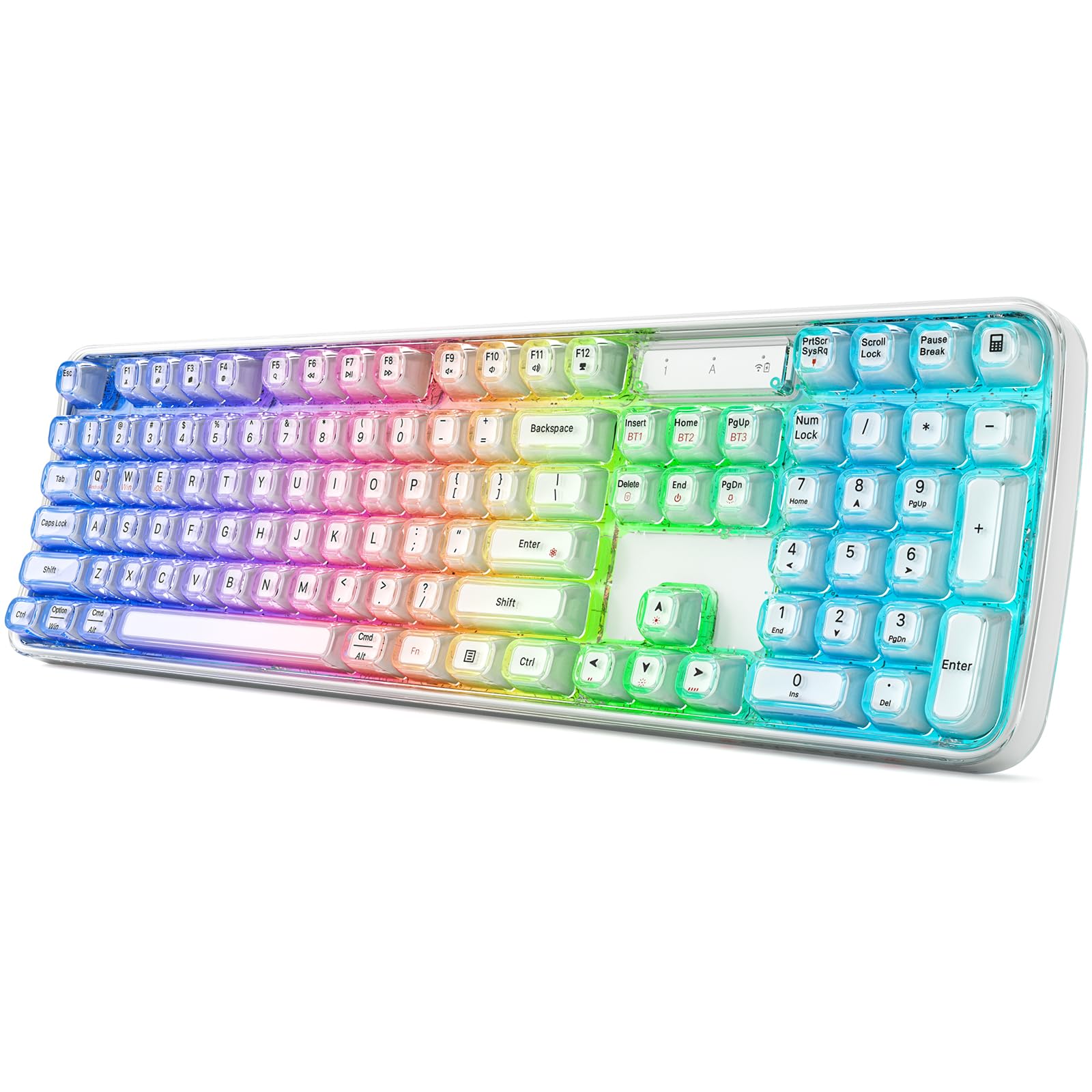
The MOFII keyboard stands out with its natural curved body that matches the resting position of your hands, making it a budget-friendly entry into ergonomic typing. It connects via Bluetooth, 2.4GHz, or USB-C, so you can use it with your laptop, tablet, or phone without any hassle.
The RGB backlight offers eight dynamic modes, and the rechargeable battery means you won’t be swapping AA batteries every month. However, some users have reported that the ‘A’ key can become flaky over time, especially during fast gaming sessions.
For the price, you get a comfortable typing experience with decent illumination. It’s best suited for everyday office work and light home use, not for competitive gaming where every keystroke must be perfect.
Why it’s great
- Ergonomic natural curve reduces wrist strain
- RGB backlight with 8 modes
- Tri-mode connectivity (BT/2.4G/USB-C)
Good to know
- Some keys may become less reliable over time
- Not ideal for heavy gaming
2. Nulea RT05 Wireless Ergonomic Keyboard

The Nulea RT05 features a split, splayed, and curved design that encourages a more natural shoulder and wrist position. It comes with an integrated wrist rest and adjustable tilt legs, making it a strong contender for anyone dealing with repetitive strain discomfort.
It switches between Bluetooth and 2.4GHz, and you can pair up to three devices. The 7‑color backlight has three brightness levels, and the 2,000 mAh battery lasts about a month with regular use. The keys are quiet and comfortable, though the layout is non‑standard, so the arrow keys may take some getting used to.
If you prioritize ergonomics and don’t mind a learning curve, the RT05 delivers solid build quality and excellent customer support. The included wrist rest adds extra value for long typing sessions.
Why it’s great
- Split ergonomic design with wrist rest
- Multi‑device switching (BT/2.4G)
- Adjustable backlight and tilt legs
Good to know
- Non‑standard layout takes adjustment
- Wrist rest may wear over time
3. CORBOBO LINGBAO K108 Pro
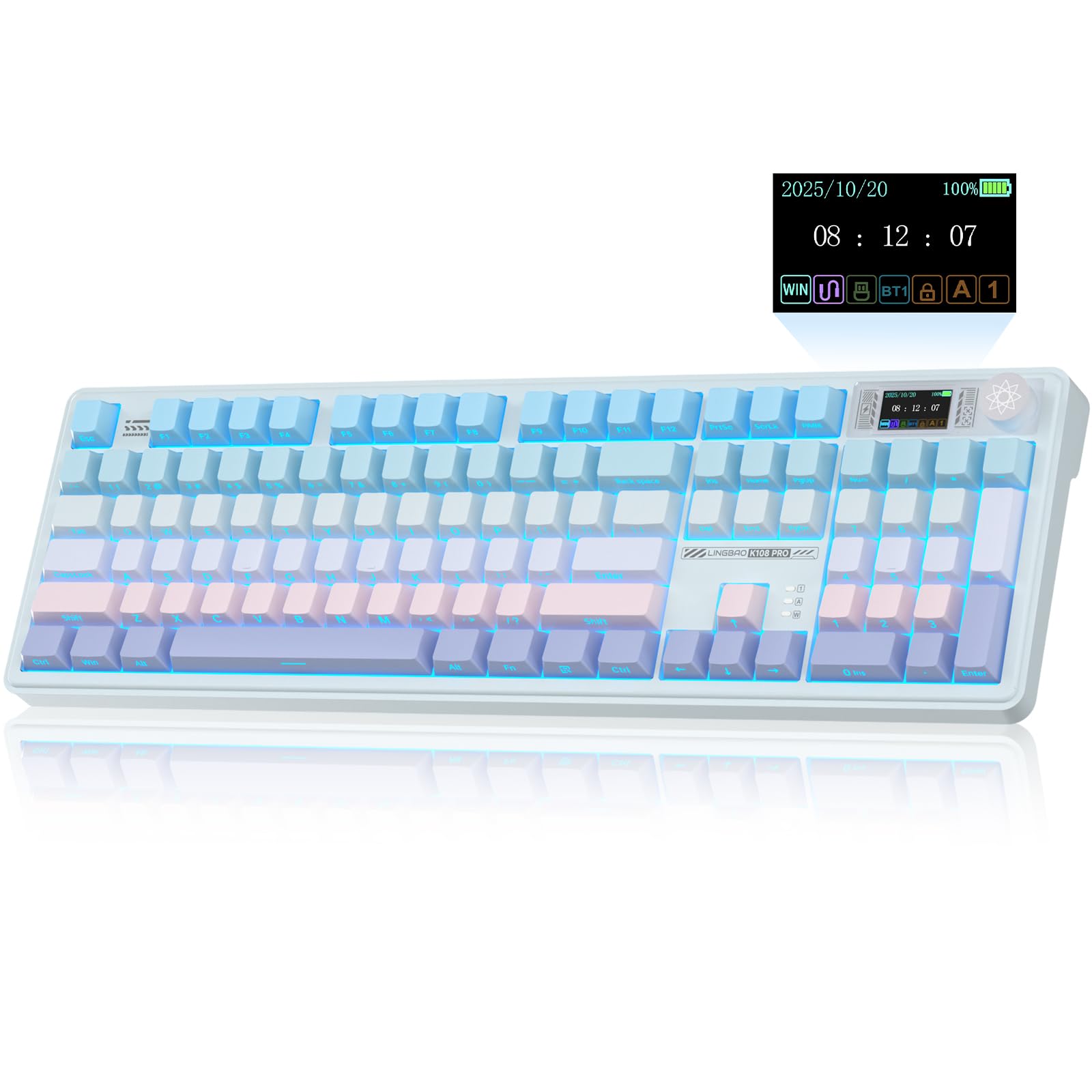
The CORBOBO K108 Pro is a full‑size mechanical keyboard that packs a 1.14‑inch smart display, a rotary knob, and a massive 10,000 mAh battery. It connects via Bluetooth, 2.4GHz, or USB‑C, and can store up to five devices. The screen shows time, connection mode, and battery level, and you can even upload custom GIFs.
It features hot‑swappable switches (3‑pin/5‑pin), pre‑lubed linear switches that produce a creamy, satisfying sound, and five layers of gasket‑mount foam for a soft, thocky feel. The PBT keycaps are wear‑resistant, and the RGB backlight offers 16.8 million colors with music‑sync mode. Battery life reaches up to 114 hours with the backlight off.
This keyboard is an incredible value for its feature set. The smart screen and knob make it a joy to use, and the battery life is unmatched. It’s perfect for anyone who wants a premium mechanical experience without spending a fortune.
Why it’s great
- Smart screen with customizable GIFs
- 10,000 mAh battery – longest in class
- Hot‑swappable + creamy sound
Good to know
- Driver installation needed for screen calibration
- Large and heavy – not travel‑friendly
4. Logitech MX Keys Advanced (Renewed)

The Logitech MX Keys is a classic productivity keyboard that uses scissor‑switch “Perfect Stroke” keys. The renewed version offers the same build quality at a lower price. The backlit keys light up as your hands approach and adjust to ambient light, saving battery when not needed.
It pairs with up to three devices via Bluetooth or the Unifying receiver, and you can use Logitech Flow to move the cursor between computers. The full‑size layout includes a numeric keypad, and the metal frame feels premium. Battery life is excellent – many users report weeks between charges.
If you need a reliable, quiet keyboard for office work, this is one of the best. The renewed version is a great way to save money without sacrificing performance. Just note that the keys are not programmable out of the box.
Why it’s great
- Smart backlight with proximity sensor
- Multi‑device + Logitech Flow
- Premium build and typing feel
Good to know
- Not programmable without third‑party software
- Renewed condition may vary
5. AULA F108 Wireless Mechanical Keyboard
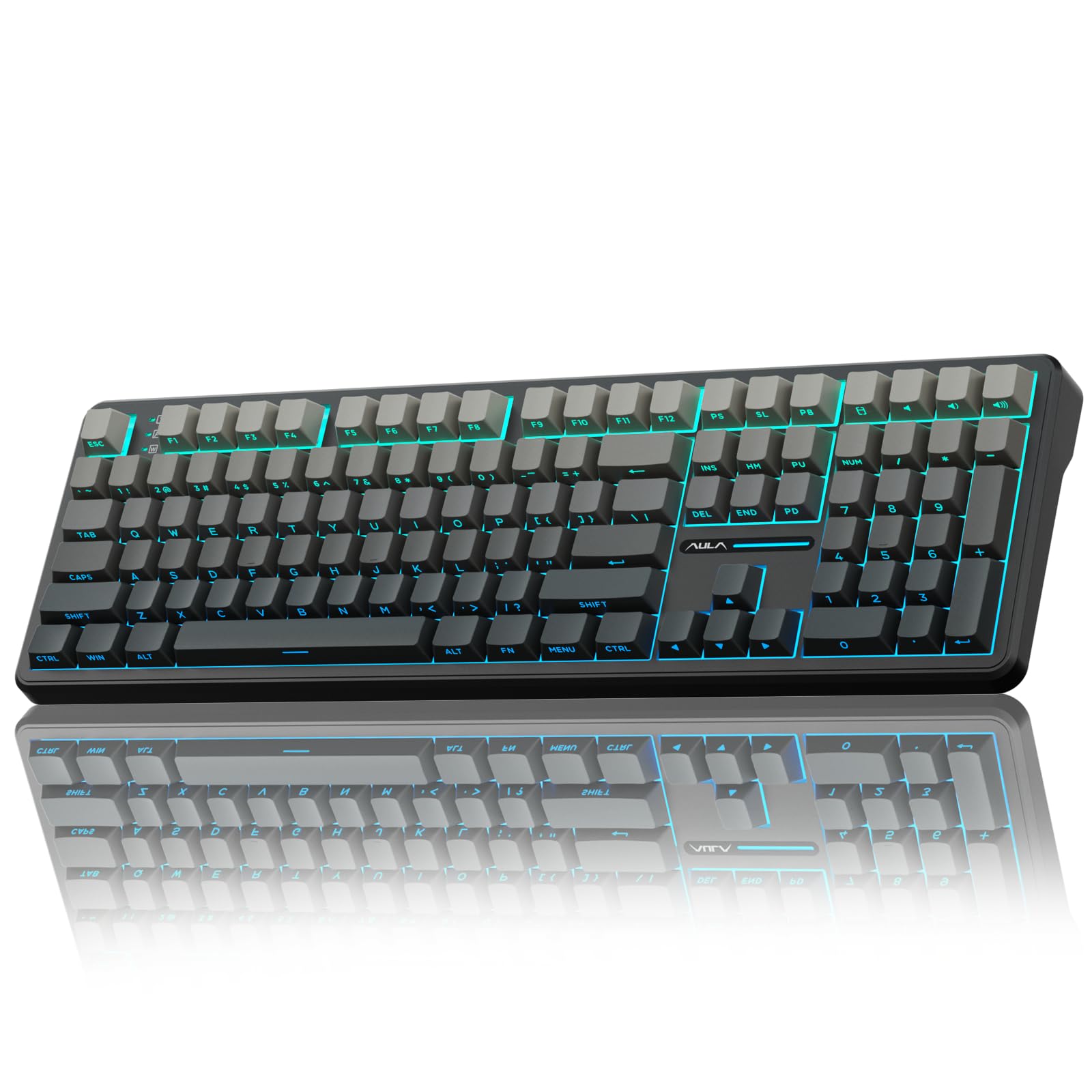
The AULA F108 is a full‑size mechanical keyboard built for gamers who want a creamy sound without breaking the bank. It supports tri‑mode connectivity (BT 5.0, 2.4GHz, USB‑C) with a 1000 Hz polling rate in wired and 2.4GHz modes for low latency. The 108‑key layout includes a numeric pad.
It comes with pre‑lubed switches, a hot‑swappable PCB (3‑pin/5‑pin), and five layers of sound‑dampening foam that produce a pleasant thock. The RGB backlight features side decorative light bars and 16.8 million colors, all customizable via software. Battery life is around three days with RGB on, which is average.
For the price, the AULA F108 offers impressive build quality and sound. It’s a great option for gamers who want a full‑size board with hot‑swap capability. The only downside is that the driver software can be a bit tricky to find.
Why it’s great
- Great creamy sound out of the box
- Hot‑swappable with many switch options
- RGB side bars + software customization
Good to know
- Driver download not straightforward
- Battery life with RGB is moderate
6. EPOMAKER Galaxy100

The EPOMAKER Galaxy100 is a premium mechanical keyboard with a solid aluminum alloy shell that gives it a satisfying weight and stability. It features a gasket-mounted structure with five soft cushioning layers, producing a creamy, thocky sound. The 1800 compact layout includes a numpad and a metal knob for volume control.
It supports QMK/VIA for full key remapping and macro creation, and connects via Bluetooth, 2.4GHz, or USB-C. The 8,000 mAh battery offers excellent endurance, and the south-facing RGB backlight is bright from the typist’s angle. The pre-lubed marble white linear switches are smooth, and the hot-swappable PCB lets you experiment with other switches.
This keyboard is ideal for enthusiasts who want a high-quality aluminum board with deep customization. The wireless performance is reliable, and the build quality rivals keyboards costing much more. A minor note: the driver software could be more user-friendly for lighting customization.
Why it’s great
- Aluminum case – heavy and premium feel
- QMK/VIA support for full customization
- 8,000 mAh battery for long use
Good to know
- Software for lighting could be better
- Non-shine-through keycaps (south‑facing LEDs)
7. Keychron K10 Pro

The Keychron K10 Pro is a full-size wireless mechanical keyboard that offers deep customization through QMK and VIA. You can remap every key, create macros, and adjust layers – all via a simple web app. It connects via Bluetooth 5.1 (up to 3 devices) or USB-C, and has a 4,000 mAh battery that lasts up to 100 hours with backlight at lowest brightness.
The keyboard comes with pre-lubed brown switches (tactile) and a hot-swappable PCB compatible with 3-pin/5-pin switches. It features sound-absorbing foam and a silicone bottom pad for a quieter, more refined typing sound. The white LED backlight is uniform and easy on the eyes, though not RGB.
If you want a programmable keyboard without breaking the bank, the K10 Pro is a top contender. The build is solid, the typing experience is excellent, and the QMK support gives you endless possibilities. It’s a favorite among developers and power users.
Why it’s great
- Full QMK/VIA customization
- Hot-swappable – easy to mod
- Great battery life with backlight
Good to know
- White backlight only – no RGB
- Keycaps not shine-through
8. Keychron K10 Max

The Keychron K10 Max builds on the K10 Pro by adding 2.4 GHz wireless (with 1000 Hz polling rate) and full RGB backlighting. It still supports QMK and VIA via the Keychron Launcher web app, and you can connect up to three devices via Bluetooth 5.1. The full-size 108-key layout includes a numpad and a steel plate for stability.
It features enhanced acoustic foams (IXPE and EPDM) for a more refined typing sound, and comes with pre-lubed Super Brown switches that are hot-swappable. The OSA-profile PBT keycaps are oil-resistant and durable. The south-facing RGB backlight is customizable through software, though the stock keycaps don’t let the light shine through the legends.
This is a fantastic choice if you want the customization of Keychron with the low latency of 2.4 GHz and vibrant RGB. The build is tank-like, and the typing feel is superb. Consider picking up shine-through keycaps if backlit legends are important to you.
Why it’s great
- 2.4 GHz + Bluetooth + USB-C
- QMK/VIA support + RGB
- Solid build with steel plate
Good to know
- Stock keycaps not shine-through
- RGB resets after reboot sometimes
9. Kensington MK7500F QuietType Pro

The Kensington MK7500F is a silent mechanical keyboard designed for professional office environments. It uses tactile switches combined with sound‑dampening pads to keep typing quiet. The white backlight has five brightness levels, and the 4,000 mAh battery delivers up to 450 hours without backlighting.
It connects via Bluetooth, 2.4GHz dongle (with AES‑128 encryption), or USB‑C, and can pair with up to four devices. The full‑size aluminum frame feels premium, and it’s IPX4 spill‑proof and MIL‑STD‑810H tested. It includes a gel wrist rest, dust cover, and customizable keys via Kensington Konnect software.
If you need a keyboard for a shared office where noise is a concern, this is a top option. The build is excellent, and the included accessories add value. Some users find the backlight dim, and the caps‑lock indicator is tiny, but overall it’s a reliable workhorse.
Why it’s great
- Very quiet mechanical switches
- Spill‑proof and durable build
- Long battery life with backlight off
Good to know
- Backlight may be too dim for some
- Expensive compared to similar options
10. Logitech MX Mechanical

The Logitech MX Mechanical is a premium low‑profile mechanical keyboard aimed at productivity users. It features clicky switches that provide satisfying tactile feedback without being too loud. The smart backlight turns on when your hands approach and adjusts to ambient light, saving battery when not in use.
It connects via Bluetooth Low Energy or Logi Bolt receiver, pairing with up to three devices. The USB‑C charging provides up to 15 days of use with backlight on, or 10 months with it off. The full‑size layout includes a numeric keypad, and you can customize Fn keys and backlight effects using Logi Options+ software.
This keyboard is ideal for professionals who want a mechanical feel without the bulk of traditional mechanical boards. The build quality is excellent, and the multi‑device switching is seamless. The main downsides are that keycaps are not swappable, and the backlight doesn’t stay on in bright ambient light due to the hand‑awareness sensor.
Why it’s great
- Low‑profile mechanical with great feel
- Smart backlight + long battery life
- Seamless multi‑device switching
Good to know
- Keycaps not replaceable
- Backlight behavior may not suit all
11. Cherry KW X ULP
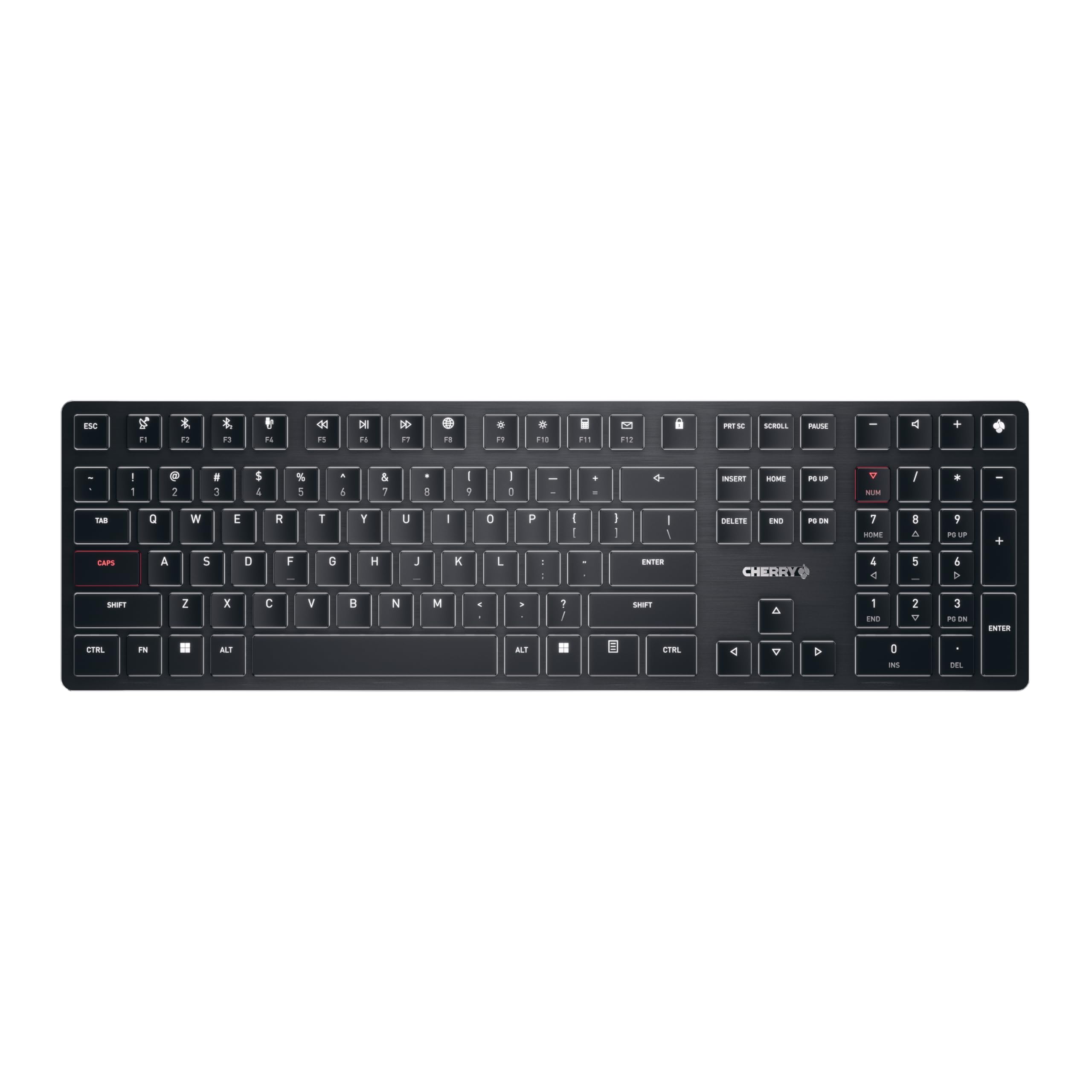
The Cherry KW X ULP is an ultra‑flat mechanical keyboard that combines a slim profile with genuine Cherry MX Ultra Low Profile switches made in Germany. It’s only 0.63 inches tall, making it one of the thinnest mechanical keyboards available. The white backlight is tasteful, with a dedicated RGB LED in the Cherry key for battery status.
It supports up to four devices: two Bluetooth 5.2 channels, one 2.4GHz channel (with AES‑128 encryption), and one wired USB‑C channel. The switches have a 1.8 mm stroke and are rated for 50 million keystrokes. The typing feel is precise and crisp, with no bottom mush – a significant improvement over typical slim keyboards.
This keyboard is perfect for minimalists who want a mechanical typing experience in a portable form factor. The build quality is excellent, and the multi‑device support is robust. It is expensive, and the keys are not serviceable, but if you value a thin, high‑quality mechanical keyboard, it’s hard to beat.
Why it’s great
- Ultra‑thin mechanical design
- Cherry MX switches – precise feel
- Connects to 4 devices
Good to know
- Expensive compared to alternatives
- Keys not serviceable
Understanding the Specs
Connectivity Triad
Bluetooth is convenient for switching between devices but may have slight latency. 2.4GHz wireless offers a more stable, low‑latency connection ideal for gaming. Wired USB‑C provides zero lag and simultaneous charging. Many modern keyboards combine all three for maximum flexibility.
Backlight Types & Battery
RGB backlighting offers millions of colors and dynamic effects but drains the battery faster than single‑color white LEDs. Auto‑dimming or proximity sensors help conserve power. A battery capacity of 4,000 mAh or higher generally gives a full work week of use with moderate backlighting.
Switch Selection
Mechanical switches provide tactile feedback and durability but can be noisy. Linear switches are smooth, tactile switches have a bump, and clicky switches add an audible click. Hot‑swappable boards let you change switches without soldering, making it easy to customize the feel later.
Ergonomics & Build
Split or curved designs promote a natural wrist angle, reducing strain during long typing sessions. Aluminum frames add weight and stability but also increase cost. PBT keycaps resist shine and wear better than ABS, while adjustable tilt legs let you find the perfect typing angle.
FAQ
Can I use a backlit wireless keyboard with my tablet or phone?
How long does the battery last on a backlit wireless keyboard?
Are mechanical keyboards better than membrane for backlighting?
What does hot‑swappable mean and do I need it?
Final Thoughts: The Verdict
For most people, the best backlit wireless keyboard winner is the CORBOBO LINGBAO K108 Pro because it offers the best balance of features, battery life, and value. If you want premium build and QMK customization, grab the EPOMAKER Galaxy100. And for a quiet, professional office environment, nothing beats the Kensington MK7500F QuietType Pro.

Mo Maruf
I created WellFizz to bridge the gap between vague wellness advice and actionable solutions. My mission is simple: to decode the research and give you practical tools you can actually use.
Beyond the data, I am a passionate traveler. I believe that stepping away from the screen to explore new environments is essential for mental clarity and physical vitality.