Our readers keep the lights on and my smoothie glass nicely filled. As an Amazon Associate, I earn from qualifying purchases.
That nagging feeling — you pull away from the driveway and instantly wonder, “Did I lock the front door?” — is exactly what an automatic door lock is designed to eliminate. These smart deadbolts use biometric sensors, keypads, and built-in timers to secure your home the moment you walk through the frame, turning a daily anxiety into a forgotten habit.
I’m Mohammad Maruf — the founder and writer behind WellFizz. I’ve spent years analyzing consumer hardware across thousands of data points, from fingerprint recognition speed and battery cycle life to weatherproofing ratings and mounting plate torque tolerances, specifically in the home security and smart lock space.
Whether you’re a homeowner wanting keyless access for the family or a landlord managing short-term rentals, finding the best automatic door lock demands a close look at biometric accuracy, connectivity protocol, and real-world battery endurance rather than just a low price tag.
How To Choose The Best Automatic Door Lock
Choosing the right automatic door lock comes down to matching its hardware and connectivity to your door type and daily routine. Here are the three most critical factors to evaluate before buying.
Biometric Speed & Accuracy
The fingerprint sensor is your primary entry method in most models. Look for a quoted recognition time under 0.5 seconds and a sensor that supports at least 50 fingerprint profiles. AI-learning sensors that improve over time — like those found on the Wyze Lock Bolt v2 — reduce failed scans as the lock adapts to your fingertip’s unique patterns and moisture levels.
Auto-Lock Timer & Reliability
An automatic lock is only as good as its timer. Most models offer a configurable delay from 5 seconds to 3 minutes after the door closes. The best units — such as those from Philips and Veise — let you adjust this range in the app, so you can set a longer delay for trips to the mailbox and a shorter one for bedtime. Make sure the model you choose does not lock while the door is still open, a common flaw in budget-tier units.
Connectivity & Remote Access
Built-in Wi-Fi allows you to monitor and control the lock from anywhere without extra hardware. Thread-based locks, like the ThorBolt X1, offer faster response times and lower battery drain but require an Apple Home hub nearby. Bluetooth-only models need a separate bridge for remote access — always check whether the gateway is included or sold separately before you buy.
Quick Comparison
On smaller screens, swipe sideways to see the full table.
| Model | Category | Best For | Key Spec | Amazon |
|---|---|---|---|---|
| Wyze Auto-Lock Bolt v2 | Mid-Range | Budget-conscious homeowners | 0.5 sec fingerprint sensor | Amazon |
| Veise VE07-L | Mid-Range | All-around smart lock with handle | 0.2 sec fingerprint, 99.9% accuracy | Amazon |
| Philips Wi-Fi Smart Door Lock | Premium | Remote access via built-in Wi-Fi | 0.3 sec fingerprint, 99.99% accuracy | Amazon |
| Tapo Smart Wi-Fi Door Lock DL110 | Premium | Year-long rechargeable battery | 0.42 sec fingerprint, BHMA Grade 2 | Amazon |
| ThorBolt X1 | Premium | Apple HomeKit & Thread users | Apple Home Key, Thread protocol | Amazon |
| Philips 4200 Series | Premium | Complete handle set upgrade | 0.3 sec fingerprint, 6-month battery | Amazon |
| Veise VE07-H | Premium | Full handle set with 8 unlock methods | 0.3 sec fingerprint, 12-month battery | Amazon |
In‑Depth Reviews
1. Wyze Auto-Lock Bolt v2

The Wyze Lock Bolt v2 packs an AI-learning fingerprint scanner that improves recognition over time, unlocking in about half a second. Its scratch-resistant tempered glass keypad stays clear after months of use, and the scratch-prone surface is a non-issue in real-world testing. The included Wi-Fi module gives you remote lock/unlock directly through the Wyze app without needing a separate bridge.
Battery life is rated at up to eight months using eight AA batteries, and a USB-C port on the interior lets you jump-start the lock with any power bank if the batteries die — a smarter backup than the 9V terminals found on older models. The auto-lock function engages reliably, though one quirk is that it does not detect whether the door is open before locking, so you may hear the bolt extend into open air.
The physical backup key is included, and the lock integrates with Alexa for voice control. For homeowners already in the Wyze ecosystem, this lock is a no-brainer. The only real downside is the lack of a backlit keypad, making code entry tricky in complete darkness.
Why it’s great
- AI-learning fingerprint sensor that improves with use
- USB-C emergency power backup
- Built-in Wi-Fi, no hub required
- Fast 10-minute installation
Good to know
- Keypad not backlit for night use
- Auto-lock does not detect open door status
- Requires Phillips screwdriver for install
2. Veise VE07-L Fingerprint Smart Lock
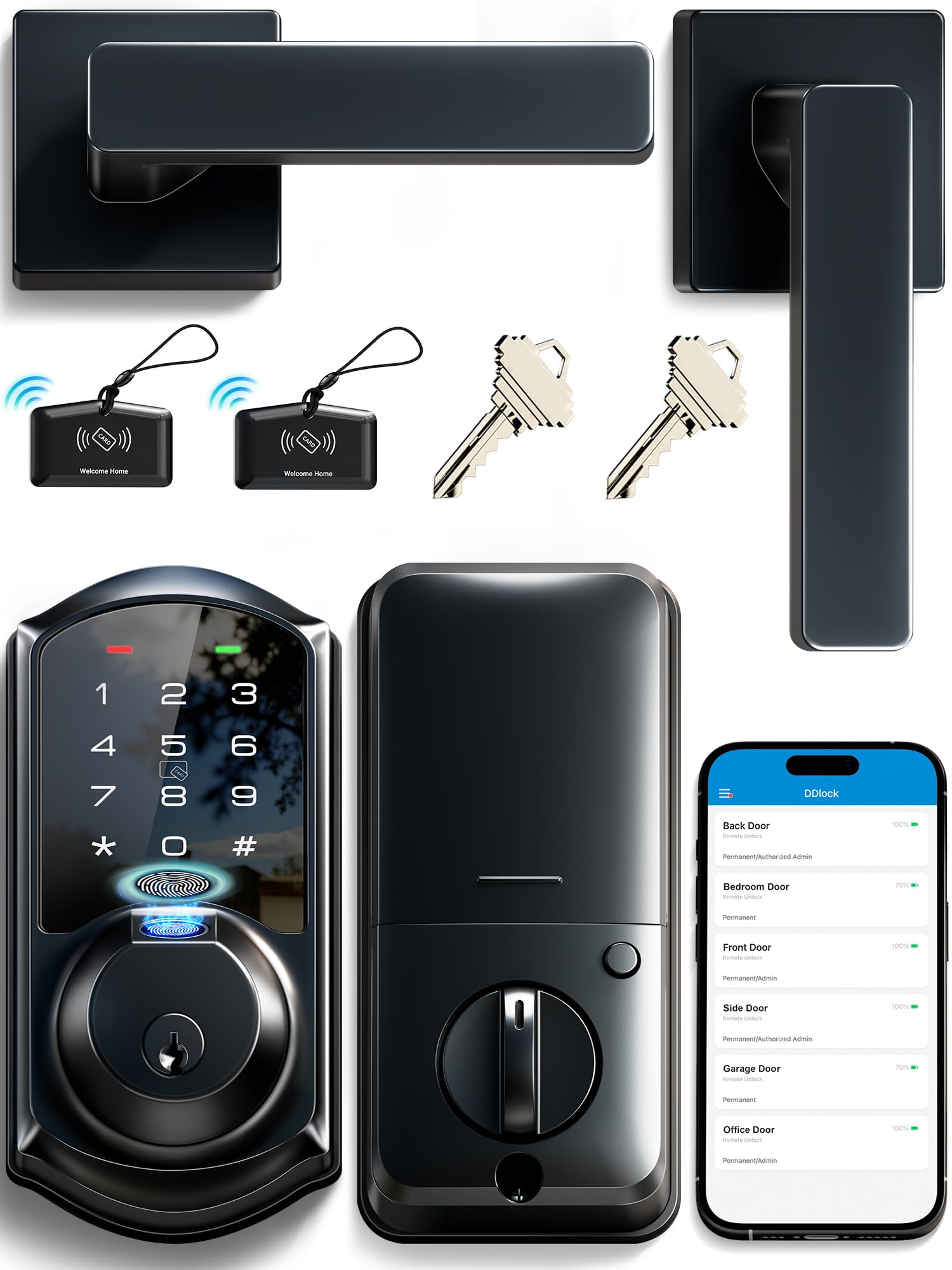
The Veise VE07-L stands out for its heavy-duty zinc alloy construction — both handles and the lock body feel solid in the hand compared to plastic competitors. The fingerprint reader claims 0.2-second recognition with 99.9% accuracy, and real users confirm it works nearly instantly with dry fingers. An anti-peep password feature lets you type random digits before and after your real code to mask it from onlookers.
This lock supports eight different unlock methods: app, fingerprint, Apple Watch, web portal, codes, eKeys, fobs, and mechanical key. The auto-lock timer is adjustable from 5 to 900 seconds via the app, giving you fine control. For smart home integration, you need an optional Veise G2 gateway (sold separately) to enable Alexa and Google Assistant voice control and real-time access logs.
Weatherproofing is rated IP55, and the lock operates in temperatures from -35°F to 160°F, making it a legitimate choice for uncovered front doors in extreme climates. All user data is stored locally on the lock chip with AES encryption, not in the cloud, which matters for privacy-minded buyers. The only catch is that the fingerprint scanner unlocks but does not lock the door — you have to use the keypad or app to secure it.
Why it’s great
- Heavy-duty zinc alloy handles and lock body
- IP55 weatherproof rating for outdoor use
- Anti-peep password with random digit masking
- Eight different unlock methods
Good to know
- Wi-Fi gateway sold separately for remote access
- Fingerprint only unlocks, does not lock
- Requires careful check of door dimensions before install
3. Philips Wi-Fi Smart Door Lock
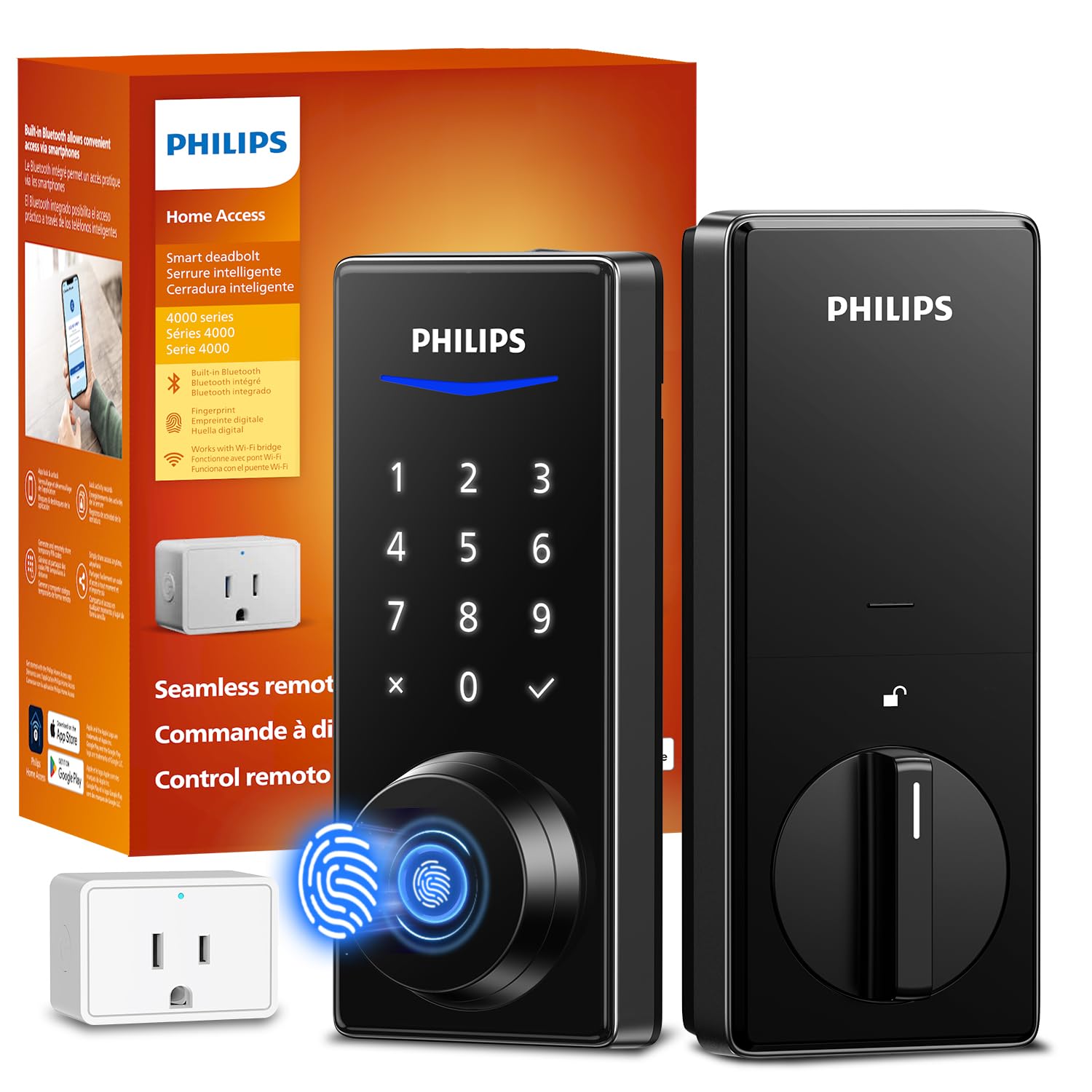
Philips brings its industrial design reputation to the smart lock market with a deadbolt that recognizes fingerprints in 0.3 seconds at a 99.99% accuracy rate. The lock comes with a Wi-Fi bridge adapter, so you get remote app control out of the box without buying additional hardware. The Philips Home Access app lets you generate unlimited one-time PINs and up to 100 user PINs, making it ideal for short-term rental management.
The auto-lock timer is adjustable from 30 to 180 seconds, and a door ajar sensor alerts you if the door was left open when the timer triggers. The exterior screw hole is optional but recommended for weak or warped doors — you will need to drill a 19/32-inch hole if you use it. Users report excellent battery life, with some units lasting eight months on a set of alkaline batteries.
One significant limitation: this lock lacks direct integration with Alexa or Google Assistant for voice control. You can only use the app for remote access, which may be a dealbreaker for buyers invested in a smart home ecosystem. The build quality is solid but not as robust as the all-metal Veise units — the exterior is powder-coated metal, not solid zinc alloy.
Why it’s great
- Wi-Fi bridge included for remote access
- 99.99% fingerprint recognition accuracy
- Unlimited one-time PINs for guests
- Door ajar sensor alert
Good to know
- No Alexa or Google Assistant voice control
- Exterior screw requires drilling if used
- Build feels less robust than all-metal competitors
4. Tapo Smart Wi-Fi Door Lock DL110

The Tapo DL110 is built for the user who hates changing batteries. Its removable, rechargeable battery pack delivers a full year of continuous operation, and a USB-C port lets you top it up without removing the pack. After two months of daily use, early adopters report the battery still sits at 100%, supporting the manufacturer’s claim. The fingerprint sensor unlocks in 0.42 seconds and can store up to 100 fingerprints.
This lock offers six unlock methods: fingerprint, passcode, Wi-Fi app, Bluetooth, voice assistant, and backup physical key. The auto-lock function is configurable in the app, and the lock is rated BHMA Grade 2, which is the standard for residential exterior doors and indicates decent durability. The Tapo app integrates seamlessly with other TP-Link Tapo devices, making it a compelling choice if you already own Tapo cameras or plugs.
The installation is straightforward, requiring only a Phillips screwdriver and about 20 minutes. The interior assembly is compact at 5.91 x 2.69 x 1.29 inches, leaving clearance for most door handles. The polished black finish looks clean but may show fingerprints more readily than matte alternatives. The app allows creation of resident profiles with permanent codes and one-time or scheduled guest codes.
Why it’s great
- Rechargeable battery lasts up to one year
- USB-C charging without removing pack
- BHMA Grade 2 certification for durability
- Stores up to 100 fingerprints
Good to know
- Polished finish shows smudges easily
- Auto-lock only configurable via app
- Requires Tapo app for full feature set
5. ThorBolt X1
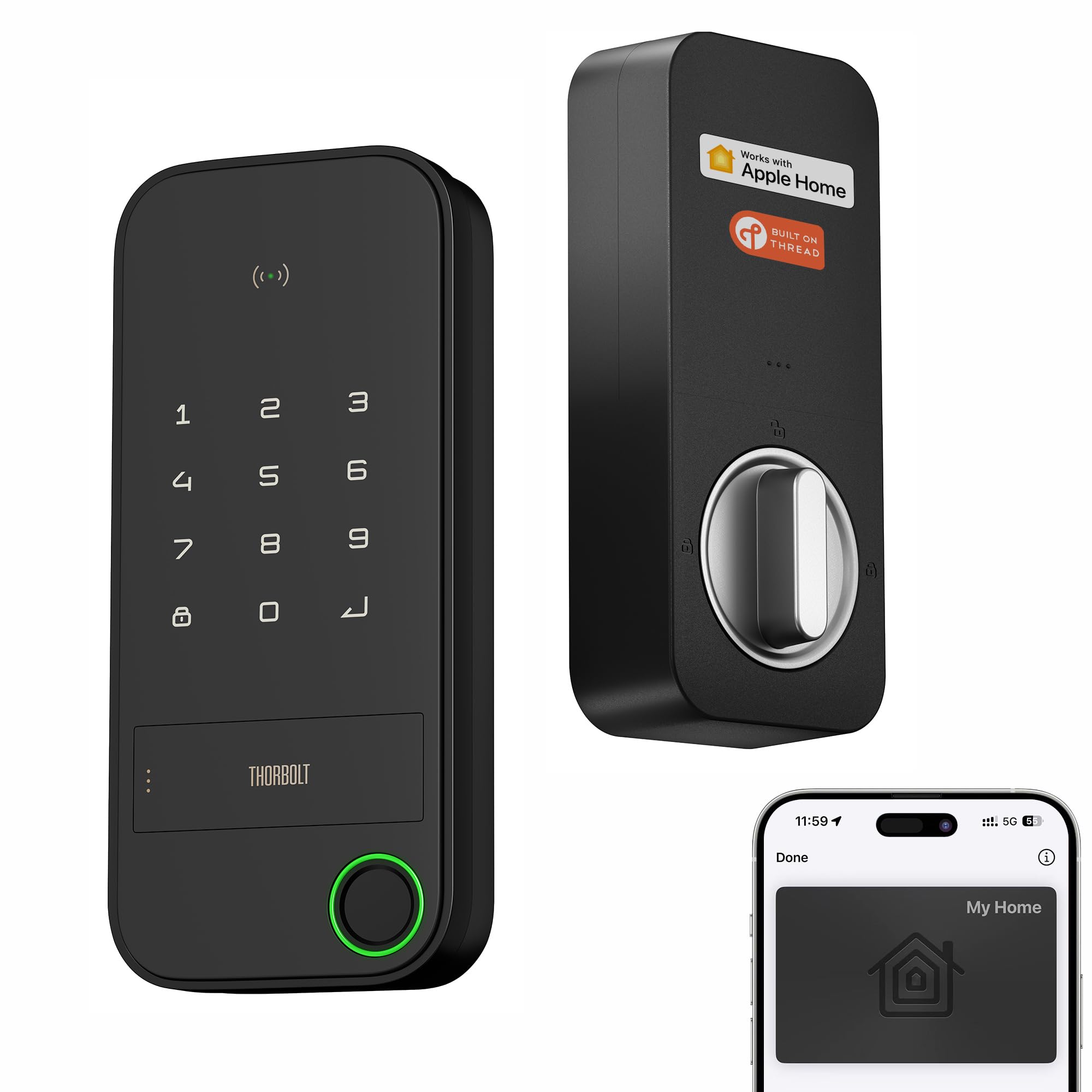
The ThorBolt X1 is the only lock on this list that supports Apple Home Key, letting you tap your iPhone or Apple Watch against the lock to unlock — even if your device battery is dead. It uses Thread protocol for ultra-reliable, low-latency communication with the Apple Home app, and remote access is possible if you have a Thread-enabled Apple Home hub within 33 feet. Setup can take under five minutes, and multiple users confirm it works seamlessly with HomeKit.
The fingerprint sensor features intelligent learning that improves recognition speed the more you use it, and it stores data locally with encryption. Six unlock methods include Home Keys, Siri voice, app, passcodes, traditional keys, and the fingerprint reader itself. The lock uses eight AA alkaline batteries and is rated for up to one year of typical use, with users reporting no connectivity issues after months of daily operation.
The build quality is aluminum, which feels lighter than the zinc alloy on Veise locks but still sturdy. Some users note the physical keyhole is hidden under two cover pieces, adding a small step to emergency key entry. The keyboard backlight lacks a motion sensor, so you need to touch the keypad first to illuminate it. For iPhone users who want the convenience of Apple Wallet keys, this lock delivers at a competitive price.
Why it’s great
- Apple Home Key support in Wallet
- Thread protocol for fast, reliable response
- Works even when iPhone battery is dead
- Lightning-fast fingerprint recognition
Good to know
- Requires Apple Home hub for remote access
- Build feels lighter than all-metal competitors
- Keyhole hidden under two covers
6. Philips 4200 Series WiFi Keypad Door Lock with Handle

The Philips 4200 Series is a complete front door lock set — it includes both the deadbolt and matching lever handles, saving you a separate hardware purchase. The lock connects directly to 2.4GHz Wi-Fi without needing any hub or bridge, and the Philips Home Access app gives you real-time lock status and access history from anywhere. The fingerprint reader is rated at 0.3 seconds, and users confirm it is fast and reliable even with slightly moist fingers.
Voice control works with both Alexa and Google Assistant, letting you lock the door or check status hands-free. The auto-lock timer is adjustable from 0 to 180 seconds, though it defaults to off — you must enable it manually in the app. Battery life is rated at six months using standard 1.5V alkaline batteries, and a low-battery alert appears in the app before the lock stops working. The physical backup key is hidden under the fingerprint pad, a clean design touch.
The lever handle design is especially helpful for users with arthritis or limited hand mobility — no need to grip and turn a knob. Installation takes about 20 minutes with a screwdriver, though the included instructions caution against overtightening screws, which can cause the latch to bind. The matte black finish matches most modern entry doors, and the lock is designed for doors 1-3/8 to 1-3/4 inches thick.
Why it’s great
- Complete handle set included — no extra purchase
- Built-in Wi-Fi, no hub required
- Lever handle is easier for arthritic hands
- Voice control with Alexa and Google Assistant
Good to know
- Auto-lock is disabled by default
- Batteries not included
- Overtightening screws can cause binding
7. Veise VE07-H Fingerprint Smart Locks with Handle Set
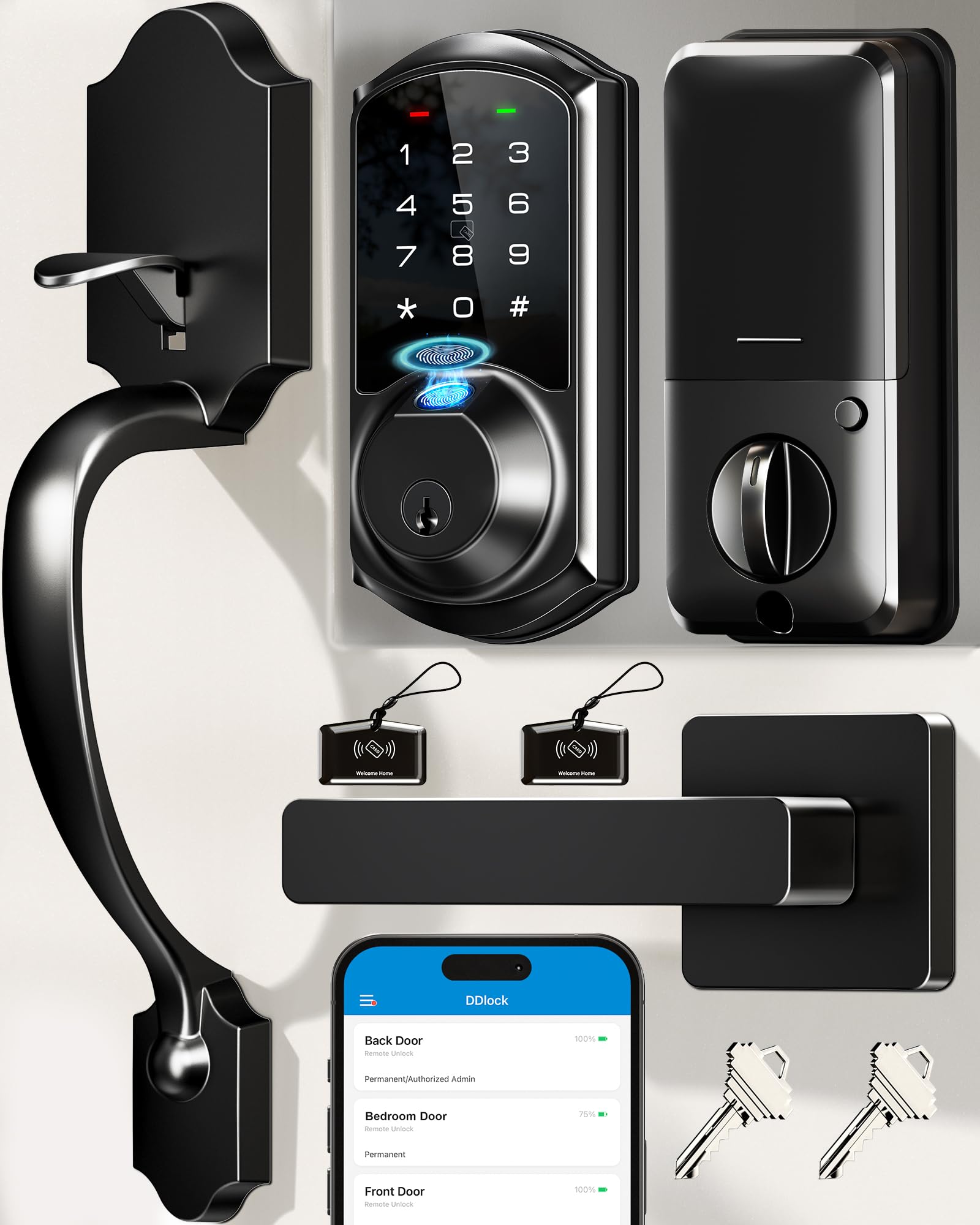
The Veise VE07-H delivers the same eight unlock methods as the VE07-L but bundles them with a full zinc alloy handle set, making it a turnkey solution for replacing your entire front door lock in one box. The fingerprint reader is rated at 0.3 seconds with 99.99% accuracy, and real users report it works reliably for both adult and teen fingerprints. The auto-lock timer spans from 5 to 900 seconds, giving you the longest configurable range on this list.
Battery life is claimed at up to 12 months using four AA batteries — impressive given the handle set adds no extra power draw. Like the VE07-L, this model stores all data locally on the lock chip with AES encryption, and optional Wi-Fi access via the Veise G2 gateway adds Alexa and Google Assistant compatibility. The keypad is backlit, solving the nighttime visibility issue that plagues the Wyze Bolt v2.
The main drawback is that the interior assembly is bulkier than some competitors, and installation on metal doors may require drilling additional holes — at least one user reported it required a three-person effort on a metal door. For standard wooden doors, setup takes about 20 minutes. The included key cards and fobs are a nice bonus for kids or elderly family members who struggle with touchscreens.
Why it’s great
- Complete handle set with zinc alloy construction
- Up to 12-month battery life
- Backlit keypad for night use
- Includes fobs and key cards for non-tech users
Good to know
- Wi-Fi gateway sold separately
- Interior assembly is bulkier than competitors
- Metal door install may need extra holes
Understanding the Specs
Fingerprint Recognition Time
Measured in seconds (0.2 to 0.5 is the typical range), this spec determines how fast you can unlock the door with a touch. Faster sensors reduce wear on the touchpad and feel more natural in daily use. AI-learning models improve over time, while cheaper sensors degrade with scratches or moisture buildup on the glass.
BHMA Grade Rating
The Builders Hardware Manufacturers Association grades locks from 1 to 3. Grade 1 is commercial-grade security, Grade 2 is standard for residential exterior doors, and Grade 3 is the minimum for interior use. For a front door automatic lock, Grade 2 is the baseline you should accept — it ensures the deadbolt can withstand repeated cycles and moderate forced entry attempts.
FAQ
Do automatic door locks work without Wi-Fi or internet?
How long do the batteries typically last in an automatic door lock?
Can an automatic door lock be installed on any standard door?
Final Thoughts: The Verdict
For most users, the best automatic door lock winner is the Wyze Auto-Lock Bolt v2 because it offers an AI-learning fingerprint sensor, built-in Wi-Fi, and USB-C emergency power at a price that undercuts most competitors. If you want a full handle set with heavy-duty zinc alloy construction and backlit keypad, grab the Veise VE07-H. And for Apple users who want Home Key and Thread support, nothing beats the ThorBolt X1 for its seamless iPhone and Apple Watch integration.

Mo Maruf
I created WellFizz to bridge the gap between vague wellness advice and actionable solutions. My mission is simple: to decode the research and give you practical tools you can actually use.
Beyond the data, I am a passionate traveler. I believe that stepping away from the screen to explore new environments is essential for mental clarity and physical vitality.