Our readers keep the lights on and my smoothie glass nicely filled. As an Amazon Associate, I earn from qualifying purchases.
The challenge of managing daily tasks without clear visual feedback is a real hurdle for those with low vision or blindness. Standard keyboards, clocks, and reading aids often create more frustration than function, turning simple actions into exercises in guesswork.
I’m Mohammad Maruf — the founder and writer behind WellFizz. I focus on analyzing hardware specifications and user reports for specialized wellness and accessibility products, zeroing in on the measurable metrics that matter most for independent living.
This guide evaluates five purpose-built tools designed to restore autonomy. From talking clocks to large-print keyboards and digital magnifiers, we break down what makes each device effective. If you are searching for the best assistive devices for vision impairment, this analysis will help you choose wisely.
How To Choose The Best Assistive Devices For Vision Impairment
Selecting the right assistive device depends entirely on the specific daily barrier you need to overcome. A talking watch solves a different problem than a digital magnifier or a large-print keyboard. Focus on the task the device must perform — reading, typing, or telling time — and evaluate the specs that directly improve that task.
Keyboard Considerations: Contrast and Keystroke Feedback
For typing, large print keys are only effective if the contrast between the letter and the keycap is high. Yellow or white letters on a black background offer the most visibility. Backlighting with adjustable brightness and multiple color options helps in varied lighting. The switch type is also critical: membrane keys are quiet but require full depression, while scissor-switch keys offer a tactile bump that confirms activation without a heavy press.
Voice Output Quality for Clocks and Watches
A talking clock or watch is useless if the voice is unintelligible or too quiet. Look for a device with a decibel rating above 80 dB for hearing-impaired users. The announcement should be clear, with an option to disable it during sleep hours. For watches, atomic time-setting is a premium feature that guarantees accuracy and adjusts for daylight saving automatically, removing the need to find tiny buttons to change the time.
Magnifier Resolution and Color Modes
Digital video magnifiers should offer a range of optical zoom levels, from at least 2x to 25x. A 3.5-inch screen is the minimum for comfortable reading, but larger screens reduce the need for constant repositioning. Color modes are essential: high-contrast options like white text on a black background or yellow text on a blue background reduce eye strain. The ability to freeze a frame (screen lock) allows you to read a captured image without holding the device steady.
Quick Comparison
On smaller screens, swipe sideways to see the full table.
| Model | Category | Best For | Key Spec | Amazon |
|---|---|---|---|---|
| Eyoyo Digital Magnifier | Digital Magnifier | Reading small print with customizable contrast | 2x-25x Zoom | Amazon |
| Top Life Talking Clock | Talking Clock | Clear, loud time announcements for the visually impaired | 85 dB Max Volume | Amazon |
| Fonicer Large Print Keyboard & Mouse | Keyboard Combo | Low-vision users needing a wireless setup | 2.4G Wireless | Amazon |
| KOPJIPPOM Large Print Keyboard | Keyboard | Budget-friendly typing with backlight options | 7 Backlight Colors | Amazon |
| Hearkent Atomic Talking Watch | Talking Watch | Wearable time-telling without looking at a dial | Atomic Time Sync | Amazon |
In‑Depth Reviews
1. Eyoyo Digital Magnifier
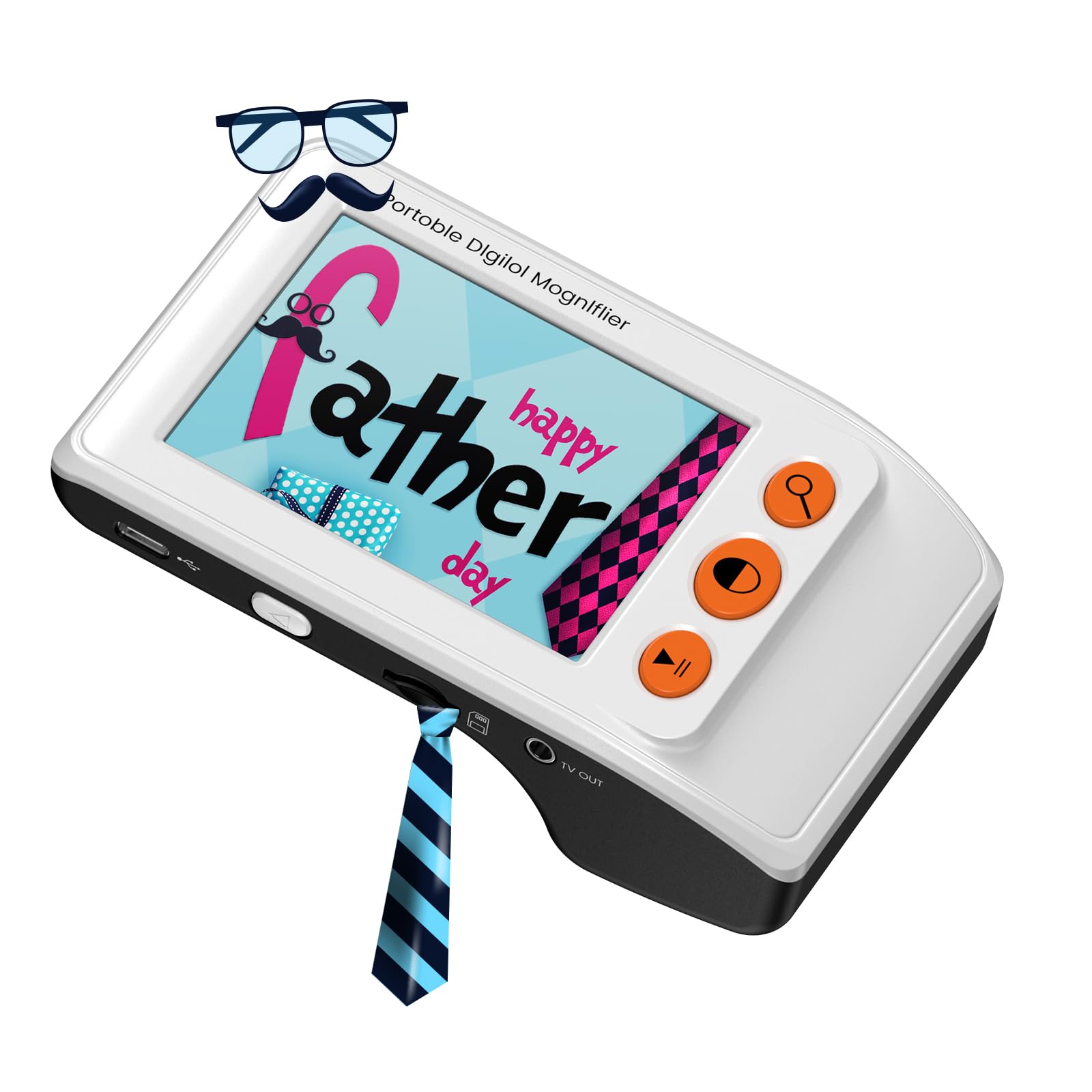
The Eyoyo Digital Magnifier is the most versatile tool in this lineup, offering a range of 2x to 25x magnification that suits everything from reading medication bottles to scanning newspaper articles. Its 3.5-inch LCD screen is small enough to be portable but large enough to read a full line of text at lower zoom levels. The foldable bracket allows it to sit flat on a page, reducing hand fatigue during extended reading sessions.
What sets this device apart are the eight adjustable color modes. Users with conditions like macular degeneration often find that yellow-on-blue or white-on-black backgrounds significantly reduce glare and improve letter clarity. The included snapshot function lets you capture an image and review it later, which is useful for reading price tags or labels in a store. It weighs only 4.8 ounces, making it easy to carry in a pocket or bag.
The device connects to a television via AV output, allowing for larger screen viewing when needed. The lithium-ion battery is included, which is a welcome addition at this tier. Some users note that holding it too far from the page causes blurring, so a steady hand is required. The manual could be clearer, but the essential functions are intuitive once practiced.
Why it’s great
- Wide magnification range allows reading of very small print.
- Multiple high-contrast color modes reduce eye strain.
- Lightweight and portable with a built-in battery.
- AV output enables use with a larger TV screen.
Good to know
- Requires holding the device within a precise 1/8 inch of the page.
- Hand tremors can make the image appear jittery.
- Manual lacks detailed guidance on all features.
2. Top Life Talking Clock

The Top Life Talking Clock solves a fundamental problem for those with vision impairment: knowing the time without deciphering a dial or reading a digital display. Its single-button interface is elegantly simple — one press announces the time, a second press gives the day and date. The male voice is clear and loud, reaching up to 85 dB, which is well above the threshold needed for users with combined hearing and vision loss.
The large digital display offers high contrast and is readable from across a room, but the clock is designed so you rarely need to look at it. You can turn the display off entirely to prevent light disturbance during sleep while still using the voice function. It operates on AC power and retains settings with three AA batteries during a power outage, which is a critical reliability feature for elderly users.
The red case is functional but may not match all home decors. The voice announcement is accurate, though some users find the preamble (“It is…”) slightly verbose. Programming is straightforward with large-font instructions, making it accessible for the user to set up independently. This is the fifth purchase for one reviewer, underscoring its reliability as a consistent solution for the blind and visually impaired community.
Why it’s great
- Exceptionally loud 85 dB voice announcement.
- Simple single-button operation for time and date.
- Display can be turned off to prevent light disturbance.
- Battery backup retains settings during power loss.
Good to know
- Red color case may not suit all decor preferences.
- Voice announcement includes a lengthy preamble.
- Batteries for backup are not included.
3. Fonicer Large Print Keyboard & Mouse

The Fonicer large-print keyboard combo removes the tangle of wires while providing high-contrast keys that are easy to spot. The oversized white lettering on black keys is specifically designed for low-vision users, making it a step up from standard keyboards that rely on tiny, low-contrast print. The scissor-key switches provide a quiet but responsive typing feel, with a tactile feedback that helps prevent missed keystrokes.
The wireless connection uses a single 2.4G USB receiver for both the keyboard and mouse, simplifying setup. The keyboard is full-size with 101 keys, including a numeric keypad, and the mouse uses optical tracking. Both are ambidextrous, making them suitable for any user. The keyboard requires two AA batteries and the mouse requires a third, all of which are included according to some reports, but always check. The ultra-thin profile allows it to be stored easily.
While the device works well out of the box for most Windows systems, some users report that the mouse connection can drift and requires replugging the receiver. The lack of a Caps Lock indicator light is a common complaint, as it makes password entry difficult without visual confirmation. Durability is a mixed bag — it works great until an electronic component fails. It is best suited for users who prioritize visibility and wireless freedom but are comfortable with potential reliability trade-offs.
Why it’s great
- High-contrast white-on-black keys are very easy to see.
- Wireless 2.4G setup reduces desk clutter.
- Quiet scissor-switch keys provide good tactile feedback.
- Full-size layout with included mouse.
Good to know
- Mouse connection can become unreliable over time.
- No Caps Lock indicator light for visual feedback.
- Uses AA batteries, not rechargeable.
4. KOPJIPPOM Large Print Keyboard

The KOPJIPPOM Large Print Keyboard distinguishes itself with a customizable backlight that has seven color options and three brightness levels. For users with low vision, this feature is transformative — it allows the key legends to be read clearly in very dim or brightly lit environments by adjusting the backlight to provide optimal contrast. The keys are four times larger than standard, reducing the chance of pressing two keys at once.
The keyboard is a full 104-key layout with a numeric keypad, making it suitable for data entry and general computing. It is a membrane keyboard, meaning the keys are soft and require a very light touch, which is helpful for users with limited hand strength or arthritis. The spill-resistant design is a practical safety net, protecting the device from accidental coffee or water spills during use. The USB connection is plug-and-play with no drivers needed for Windows systems.
The build is heavy and stable, which prevents it from sliding across a desk. However, it lacks a backlight color memory — it resets to white every time it is unplugged, requiring the user to re-select their preferred color. The keys also flash when the computer enters sleep mode, which can be distracting. It does not include a mouse, so that is a separate purchase for a full desk setup.
Why it’s great
- Adjustable 7-color backlight improves key visibility in any lighting.
- Very large, easy-to-read key legends.
- Spill-resistant design adds durability.
- Plug-and-play USB connection works with most operating systems.
Good to know
- Backlight settings reset when unplugged, no memory.
- Keys flash when the computer enters sleep mode.
- No mouse included; must be purchased separately.
5. Hearkent Atomic Talking Watch

The Hearkent Atomic Talking Watch is the most wearable solution for time-telling without visual cues. It connects to atomic satellite signals to automatically set the correct time, date, and daylight saving adjustments — a massive convenience for users who cannot see small dials or buttons. A single button press triggers a clear voice that announces the time, date, and alarm status.
This watch is unisex and light enough for daily wrist wear, weighing just 1.76 ounces. The LCD screen is large and readable, although it lacks a backlight, making it impossible to see in the dark by glance alone — but the voice function compensates fully. It chimes on the hour, which can be turned off to avoid disturbance at night. The battery is a standard CR2032 coin cell that lasts several months with regular use.
Setup is easy: you select the time zone, and the watch does the rest. It automatically adjusts for daylight saving, so you never have to remember manual changes. The display shows seconds, which is useful for timing tasks. One limitation is the lack of a backlight, making the screen less useful in dark rooms. It is a practical, low-maintenance device for those who need audible time-telling in a compact form factor.
Why it’s great
- Atomic time sync ensures accurate time, date, and DST adjustment.
- Voice announcement with easy-to-find button.
- Lightweight and comfortable for daily wear.
- Hourly chime can be toggled on or off.
Good to know
- No backlight; screen is hard to read in the dark.
- CR2032 battery is not rechargeable.
- LCD display is small, requiring close inspection for some users.
FAQ
Can a talking clock be used without any visual contact at all?
What is the advantage of an atomic talking watch over a standard one?
Final Thoughts: The Verdict
For most users, the best assistive devices for vision impairment winner is the Eyoyo Digital Magnifier because it combines a powerful zoom range with multiple color modes and portability, solving the core challenge of reading small print. If you want crystal-clear, loud time announcements, grab the Top Life Talking Clock. And for a reliable, wearable solution for hands-free time-telling, nothing beats the Hearkent Atomic Talking Watch.

Mo Maruf
I created WellFizz to bridge the gap between vague wellness advice and actionable solutions. My mission is simple: to decode the research and give you practical tools you can actually use.
Beyond the data, I am a passionate traveler. I believe that stepping away from the screen to explore new environments is essential for mental clarity and physical vitality.