Our readers keep the lights on and my smoothie glass nicely filled. As an Amazon Associate, I earn from qualifying purchases.
Staring at a standard glossy LCD while trying to get through a few chapters of a novel or a dense PDF can leave your eyes tired, dry, and strained long before you finish a single page. The problem isn’t your dedication to reading; it’s the harsh blue-light emission and reflective glass surface most generic tablets ship with. A dedicated reading device needs to prioritize eye comfort, long battery endurance for sustained sessions, and a display that looks crisp and clear from any angle.
I’m Mohammad Maruf — the founder and writer behind WellFizz. I’ve spent the last several years analyzing display panel technologies, blue-light reduction certifications, and the weight-to-screen-size ratios that define a comfortable handheld reading experience. My research focuses on separating marketing fluff from measurable specs that actually reduce eye fatigue during extended use.
Whether you prefer sprawling out with a paperback-sized slate or need a large canvas for sheet music and PDFs, the right screen makes the difference. This guide breaks down the top nine contenders to help you find the best android tablet for reading that matches your specific habits, eyesight needs, and endurance expectations.
How To Choose The Best Android Tablet For Reading
Picking a tablet purely for reading means shifting your priorities away from raw gaming power or camera resolution. The display quality, physical weight, and battery endurance become the deciding factors that separate a device you’ll actually finish books on from one that collects dust after the first week.
Display technology and eye strain reduction
The most critical spec for a reading tablet is how it treats your eyes over a two-hour session. Standard IPS LCDs emit a high level of blue light that suppresses melatonin and causes digital eye strain. Look for panels with TÜV Rheinland low blue light certification or manufacturers that use DC dimming instead of PWM to reduce flicker. Matte or anti-glare coatings (like TCL’s NXTPAPER) diffuse overhead light reflections, meaning you can read under a lamp or in a coffee shop without tilting the device to find a usable angle.
Battery capacity for marathon sessions
Nothing kills a reading flow faster than a low-battery warning halfway through a chapter. A tablet with a 5,000mAh battery might last an afternoon, but if you want weekend-long endurance without carrying a charger, aim for 8,000mAh or higher. Devices with efficient processors (like MediaTek Helio or Exynos chips) and lower-refresh-rate displays (60Hz is perfectly fine for reading) stretch that capacity further — some hitting 12 to 16 hours of mixed browsing and reading.
Form factor: weight, size, and one-handed comfort
Reading is a physical activity — your wrists and hands will fatigue if the tablet is too heavy or awkwardly balanced. An 8-inch tablet like the Lenovo Tab One weighs under a pound and is easy to hold with one hand while lying on the couch or commuting. A 12-inch slate offers more text on screen for PDFs and sheet music but often requires a stand or a lap desk for comfortable long sessions. Consider where you read most often and whether you need a device that slips into a small sling bag or one that stays on a desk.
Quick Comparison
On smaller screens, swipe sideways to see the full table.
| Model | Category | Best For | Key Spec | Amazon |
|---|---|---|---|---|
| Lenovo Idea Tab | Premium | Students & note-taking | 2.5K IPS, 90Hz, 7216mAh | Amazon |
| TCL NXTPAPER 14 | Premium | Sheet music & large format | 14.3″ 2.4K paper-like matte | Amazon |
| Samsung Galaxy Tab S10 FE | Premium | All-day productivity | S Pen, 90Hz, IP68 | Amazon |
| TECLAST Artpadpro | Mid-Range | Multimedia & creative work | 12.7″ 2K, 10000mAh | Amazon |
| TCL NXTPAPER 11 Gen 2 | Mid-Range | Eye-comfort reading | 11″ 2K NXTPAPER 4.0 matte | Amazon |
| SVITOO 12 Inch | Mid-Range | Large-screen value | 12″ 2K, 8800mAh, Widevine L1 | Amazon |
| Lenovo Tab One | Mid-Range | Compact one-handed use | 8.7″ HD, 480 nits, 12.5hrs | Amazon |
| URAO 10.1 Inch | Budget | Entry-level browsing | 10.1″ 1280×800 IPS, 8hrs | Amazon |
| Amazon Fire HD 8 | Budget | Basic reading & Alexa | 8″ HD, 13hrs, 3GB RAM | Amazon |
In‑Depth Reviews
1. Lenovo Idea Tab

The Lenovo Idea Tab targets the student crowd, and it shows in every critical spec for reading and note-taking. The 11-inch 2.5K IPS touchscreen delivers a 2560 x 1600 resolution that makes textbook PDFs and journal articles razor-sharp, and the 90Hz refresh rate provides buttery smooth scrolling through long documents. The MediaTek Dimensity 6300 processor is paired with 8GB of RAM and 256GB of storage, which keeps Google Play Books, Kindle, and note-taking apps running without stutter.
Battery life is the standout feature here: the 7216mAh cell pushes up to 12 hours of YouTube streaming, so real-world reading sessions will comfortably exceed that. TÜV Rheinland low blue light certification means you can read for hours without the usual eye fatigue, and the inclusion of the Lenovo Tab Pen with Circle to Search functionality makes it easy to highlight text or quickly look up unfamiliar words.
The quad Dolby Atmos-tuned speakers are a bonus for audiobook listeners, and the included folio case provides a hands-free stand for desk reading. The bundled software (AI Note, Squid, Nebo) gives it an edge for active readers who like to annotate directly on the page. It’s a complete package for anyone who reads, studies, and takes notes daily.
Why it’s great
- Sharp 2.5K display with 90Hz smooth scrolling for PDFs and articles.
- Excellent battery life that easily lasts a full day of reading and note-taking.
- Included Tab Pen and productivity apps enhance study workflows.
Good to know
- The included folio case feels a bit flimsy for daily campus carry.
- Not designed for heavy 3D gaming; focus is on reading and productivity.
2. TCL NXTPAPER 14

The TCL NXTPAPER 14 is a category-defining device for anyone who reads sheet music, full-page PDFs, or large-format textbooks. Its 14.3-inch 2.4K display uses NXTPAPER 3.0 technology, which layers an anti-glare coating and DC dimming to create a genuinely paper-like reading surface. Reflections from overhead lights are diffused rather than bounced back, making it usable in a brightly lit orchestra pit or a sunny reading room.
Battery capacity reaches 10,000mAh, which translates to roughly 10 hours of continuous use — enough for an entire day of rehearsals or academic reading. The MediaTek Helio G99 processor and 8GB of RAM (plus 8GB of virtual expansion) handle split-screen multitasking between a PDF reader and a note-taking app without lag. The 3-in-1 VersaView Modes (Regular, Ink Paper, Color Paper) let you toggle between a vibrant streaming display and a low-saturation e-reader mode instantly using the dedicated NXTPAPER Key.
The included T-PEN stylus provides 4096 levels of pressure for annotating scores or highlighting passages, and the flip case doubles as a stand for hands-free use. The quad stereo speakers with Smart PA are loud enough for a small room, which helps during video-based learning. It’s a specialized tool for readers who need maximum real estate without the glare of a standard glossy display.
Why it’s great
- Matte NXTPAPER display eliminates glare and mimics paper texture beautifully.
- Massive 10,000mAh battery supports full-day reading sessions.
- Three dedicated display modes optimize for reading, art, and streaming.
Good to know
- No microSD card slot; storage is fixed at 256GB.
- Charger not included in the box; must supply your own 33W PD adapter.
3. Samsung Galaxy Tab S10 FE

Samsung’s Galaxy Tab S10 FE brings the full ecosystem advantage: the S Pen is included in the box and pairs seamlessly with Samsung Notes, making it ideal for annotating PDFs, writing journal entries, or solving equations directly on the screen. The 90Hz refresh rate on the large display ensures that every page turn and scroll feels fluid, while the Exynos 1580 processor handles multitasking between Kindle, Chrome, and a note-taking app simultaneously.
Battery life is rated at up to 20 hours for video playback, so real-world reading endurance will comfortably exceed a full day away from a charger. The 8,000mAh cell supports Super Fast Charging, meaning a quick top-up during lunch gets you through an afternoon of reading. IP68 water resistance is rare in this category — a spill at the coffee shop or a splash by the pool won’t end your session.
The AI-powered features like Handwriting Assist and Math Solver add genuine utility for students who need to tidy up sloppy notes or check calculations. Storage starts at 128GB and expands via microSD up to 1TB, which is crucial if you maintain a large library of downloaded PDFs and EPUBs. For readers who want a premium note-taking experience in a durable, long-lasting package, this is a top-tier choice.
Why it’s great
- S Pen provides precise, latency-free note-taking and annotation.
- IP68 rating protects against accidental water damage during reading.
- Expandable storage up to 1TB supports massive digital libraries.
Good to know
- No 3.5mm headphone jack; requires USB-C or Bluetooth audio.
- S Pen tip may loosen over time; replacement nibs can be hard to source locally.
4. TECLAST Artpadpro

The TECLAST Artpadpro is built for readers who also want to sketch, annotate, and create. The 12.7-inch 2176 x 1600 IPS display offers a 4:3 aspect ratio that mirrors standard book and magazine proportions, which means less wasted space when viewing PDFs and comics. The TDDI technology makes the touch response feel snappy, and the 10,000mAh lithium cobalt oxide battery ensures you won’t be hunting for a plug mid-chapter.
Under the hood, the MediaTek Helio G99 processor paired with 20GB of RAM (8GB physical + 12GB virtual) keeps the Android 15 interface and multitasking fluid. The included T-Pen stylus offers 4096 levels of pressure sensitivity with global anti-misclick functionality, so highlighting text or drawing diagrams feels natural. Widevine L1 certification means you can stream HD content from services like Netflix, which is useful if you alternate between reading and watching.
The Artpadpro also supports 4G LTE, GPS, and dual-band Wi-Fi, making it a viable travel companion for downloading books and navigating to a new library cafe. The proprietary Symphony Sound Chamber System with four speakers delivers room-filling audio for audiobooks and educational videos. For readers who want a single device that bridges the gap between a reading slate and a creative tablet, this is a compelling mid-range option.
Why it’s great
- 4:3 aspect ratio is ideal for book and magazine layout reading.
- Massive 10,000mAh battery with 30W fast charging for minimal downtime.
- Includes a responsive stylus with 4096 pressure levels for annotation.
Good to know
- Stylus may skip with very light pressure; palm rejection needs refinement.
- Limited accessories and aftermarket support compared to major brands.
5. TCL NXTPAPER 11 Gen 2
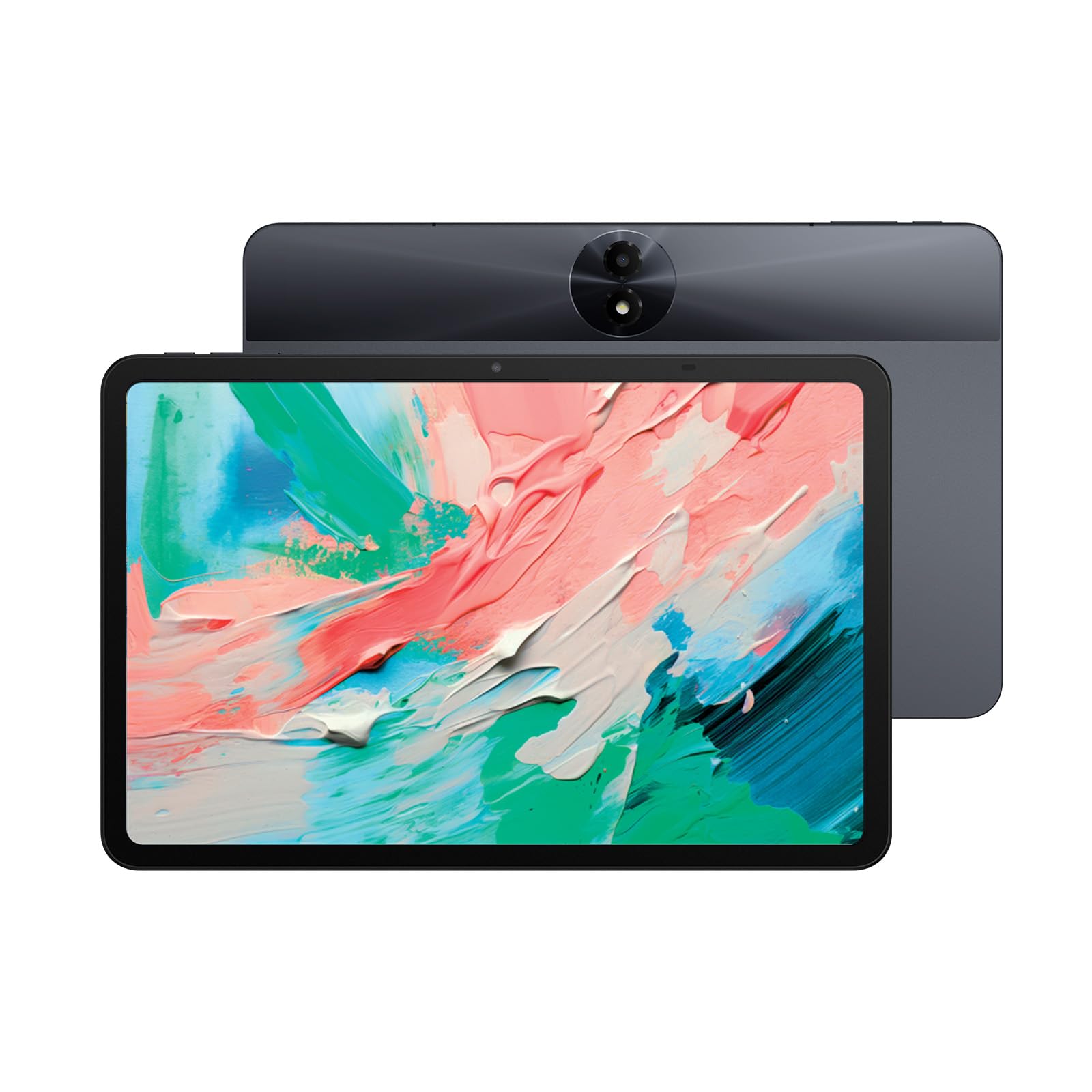
The TCL NXTPAPER 11 Gen 2 is the sweet spot for dedicated readers who prioritize eye health above all else. Its 11-inch 2K display uses NXTPAPER 4.0 technology, which includes TÜV-certified low blue light, an anti-glare coating, and DC dimming to eliminate PWM flicker. The result is a screen that genuinely looks and feels like matte paper, drastically reducing eye strain compared to any glossy IPS panel. The Eye Care Assistant automatically adjusts brightness and color temperature based on ambient light.
The 8,000mAh battery delivers up to 16 hours of reading time, making it one of the most endurance-focused options at this price tier. The MediaTek Helio G80 processor paired with 6GB of RAM (plus 6GB of virtual expansion) provides snappy performance for apps like Moon+ Reader and Google Play Books. The 3-in-1 VersaView Modes let you switch between a vibrant regular mode, a grayscale Ink Paper mode for long sessions, and a low-saturation Color Paper mode for comics and illustrated books.
AI productivity tools such as smart voice memo, real-time bilingual subtitles, and Circle to Search add value for bilingual readers or students. The T-PEN stylus (sold separately) provides 4,096 pressure levels for note-taking, though the primary draw here is the display. If you struggle with digital eye strain from traditional tablets, this is the most effective solution in the mid-range.
Why it’s great
- Anti-glare matte NXTPAPER 4.0 display eliminates reflections and blue light.
- 16-hour battery life supports marathon reading weekends.
- Three display modes adapt to reading, art, and streaming needs.
Good to know
- No headphone jack; relies on Bluetooth or USB-C for private audio.
- No guaranteed major Android OS updates beyond what TCL provides.
6. SVITOO 12 Inch Tablet
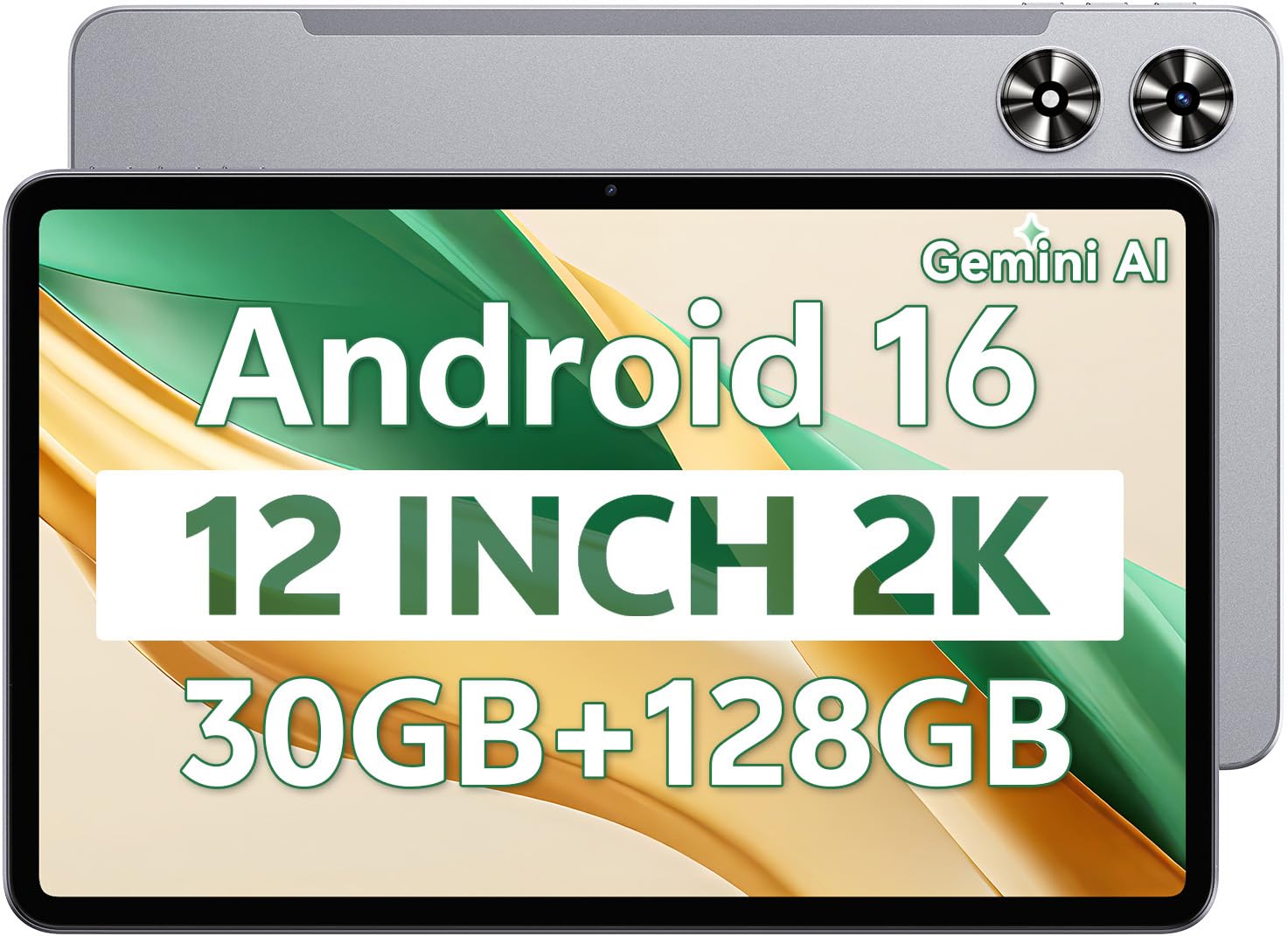
The SVITOO 12 Inch tablet offers exceptional screen real estate at an accessible price point, making it a strong contender for readers who want a large canvas without a premium investment. The 12-inch IPS in-cell display delivers a 2K resolution (2000 x 1200), providing sharp text clarity and vibrant colors for graphic novels and illustrated books. The Unisoc T7250 octa-core processor keeps the Android 16 interface responsive during everyday reading and browsing tasks.
Battery capacity hits 8,800mAh, which the manufacturer rates for up to 12 hours of mixed use — enough for multi-day reading trips. The tablet supports Widevine L1 certification, ensuring HD streaming from services like Netflix and Prime Video when you step away from reading. The slim 7.8mm metal body gives it a premium feel that belies its budget-friendly positioning, and the included face unlock adds convenient security.
The dual 13MP rear camera and 5MP front camera are adequate for document scanning and video calls, while the GPS support is useful for navigation during travel. Storage starts at 128GB with expansion up to 1TB via microSD, which is sufficient for a large EPUB and PDF library. The main trade-off is a case that feels somewhat flexible, but the core display and battery experience are solid for the price.
Why it’s great
- Large 12-inch 2K display provides excellent real estate for PDFs and sheet music.
- 8,800mAh battery supports long reading sessions without recharging.
- Slim metal build feels more premium than its price suggests.
Good to know
- Case is thin and flexible, creaking when held tightly.
- Battery drains more quickly than expected under continuous use.
7. Lenovo Tab One

The Lenovo Tab One is the ideal choice for readers who value portability above all else. The MediaTek Helio G85 processor handles light multitasking between reading apps and web browsing without noticeable lag.
Battery life is rated at up to 12.5 hours of YouTube streaming, so real-world reading sessions will easily clear a full day away from a charger. The dual Dolby Atmos speakers provide impressive sound depth for such a small device, which is handy for audiobook listening. The included folio case shields the device from accidental drops and doubles as a stand for hands-free reading on a desk or nightstand.
The Android 14 operating system comes with Google Kids Space pre-installed, making it a family-friendly option for parents who want a reading device for their children. The 64GB of internal storage (expandable via microSD) is adequate for a personal library, and the 4GB of RAM keeps the interface feeling snappy. For readers who want a dedicated, pocketable second device that won’t tire their wrists, this Lenovo delivers.
Why it’s great
- Ultra-lightweight design (<1 lb) and 8.7-inch screen for one-handed reading.
- Excellent battery life that lasts through a full day of reading.
- Comes with a protective folio case and fast 15W charging.
Good to know
- Comes with some pre-installed bloatware that requires manual removal.
- Not suitable for demanding gaming; optimized for reading and media.
8. URAO 10.1 Inch Tablet
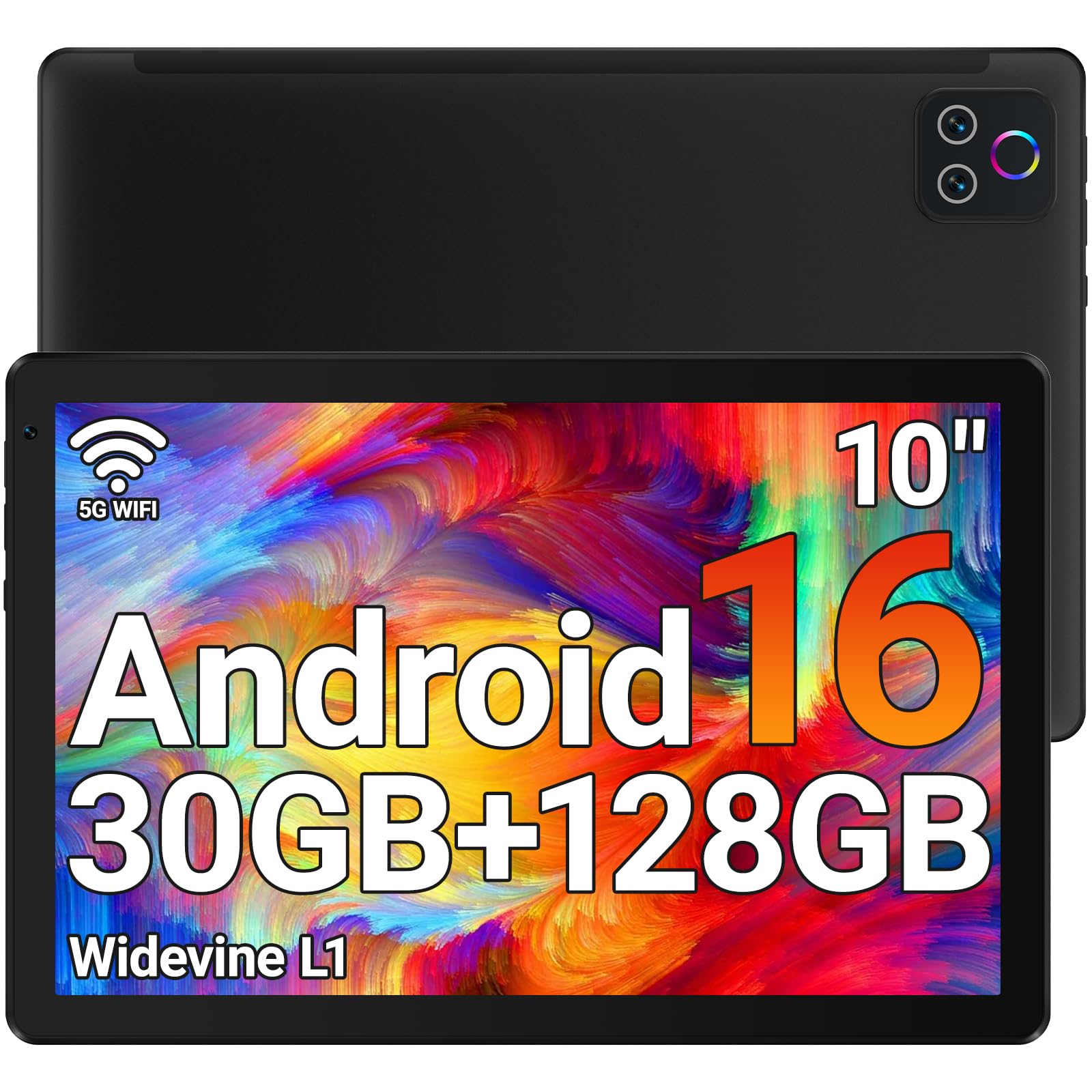
The URAO 10.1 Inch tablet is a reliable entry-level option that covers the basics of reading and media consumption without breaking the bank. Its 1280 x 800 IPS display includes low blue light technology to reduce eye strain, and the 10.1-inch size provides a comfortable middle ground between compact portability and screen real estate for novels and web articles. The octa-core processor and 30GB of RAM (6GB physical + 24GB virtual) keep the Android 16 interface moving at a reasonable pace for app switching.
Battery life is rated at up to 8 hours of mixed reading and video use, which covers a typical day of casual use. The USB Type-C fast charging port (1.5 hours for a full charge) minimizes downtime. Wi-Fi 6 support provides stable connectivity for downloading books and streaming, while Bluetooth 5.4 ensures compatibility with wireless headphones and keyboards for extended reading comfort.
The 128GB of internal storage with expansion up to 1TB via microSD gives you plenty of room for a growing library. The dual cameras (5MP front, 8MP rear) are functional for document scanning and video calls, and the pre-installed Google Play Store provides access to all major reading apps. It’s a straightforward, no-fuss tablet for readers who want a capable device at the most accessible price point.
Why it’s great
- Low blue light LCD helps reduce eye strain during extended reading.
- Wi-Fi 6 ensures fast, stable connections for downloading books.
- Generous 128GB storage with 1TB expandable via microSD.
Good to know
- No GPS module; not suited for navigation or location-based apps.
- Battery life is adequate but requires daily charging under regular use.
9. Amazon Fire HD 8 (Newest Model)

The Amazon Fire HD 8 is the most cost-conscious option for reading, especially if you are already integrated into the Amazon ecosystem. The 8-inch HD display is compact and lightweight, designed for easy one-handed use during commutes or quick reading breaks.
This Like-New model is refurbished and tested to look and work like new, coming with the same limited warranty as a new device. It runs Amazon’s Fire OS, which provides tight integration with Kindle, Prime Reading, and Audible, making it a natural choice if you already buy books from Amazon. The hands-free Alexa functionality lets you set reading timers, adjust lighting, or add books to your wishlist without touching the screen.
The 32GB of internal storage is expandable up to 1TB via microSD, which helps offset the limited base capacity. It’s worth noting that Google Play is not supported — you’ll rely on Amazon’s Appstore, which has fewer reading apps compared to the Google Play ecosystem. For readers who primarily use Kindle and Audible and want the lowest entry cost, this Fire HD 8 is a practical, durable choice.
Why it’s great
- Very affordable entry point for dedicated Kindle and Audible readers.
- 13-hour battery life supports all-day reading sessions.
- Lightweight and compact design is easy to hold for long periods.
Good to know
- Runs Amazon Fire OS, not standard Android; no Google Play Store access.
- Base storage of 32GB is limited; expansion via microSD is recommended.
FAQ
Is an e-ink tablet like a Kindle better than an Android tablet for reading?
How does the NXTPAPER matte display reduce eye strain compared to a standard glass screen?
What aspect ratio is best for reading books and PDFs?
Can I replace the stock reading app with a third-party reader?
Final Thoughts: The Verdict
For most readers, the best android tablet for reading winner is the TCL NXTPAPER 11 Gen 2 because its NXTPAPER 4.0 matte display provides the most paper-like reading experience without the eye strain of a glossy panel, and the 16-hour battery life ensures you won’t be interrupted mid-chapter. If you need a built-in stylus and AI-powered note-taking for academic work, grab the Lenovo Idea Tab. And for musicians or readers who need the largest possible anti-glare screen for sheet music or full-page PDFs, nothing beats the TCL NXTPAPER 14.

Mo Maruf
I created WellFizz to bridge the gap between vague wellness advice and actionable solutions. My mission is simple: to decode the research and give you practical tools you can actually use.
Beyond the data, I am a passionate traveler. I believe that stepping away from the screen to explore new environments is essential for mental clarity and physical vitality.