Our readers keep the lights on and my smoothie glass nicely filled. As an Amazon Associate, I earn from qualifying purchases.
Staring at a backlit LCD screen for hours strains your eyes, robs your sleep, and makes reading feel like work. An Android ereader solves this by combining a paper-like E Ink display with the freedom to install any reading app from the Google Play Store. You get the eye comfort of a dedicated e-reader and the flexibility to switch between Kindle, Kobo, Libby, and Moon+ Reader without being locked to a single bookstore.
I’m Mohammad Maruf — the founder and writer behind WellFizz. I’ve spent countless hours dissecting the processor speeds, screen resolutions, battery capacities, and app compatibility of every major Android ereader to identify which models actually deliver a smooth, distraction-free reading experience.
This guide breaks down the top options to help you find the perfect android ereader for your needs, whether you prioritize a color screen for comics, a large display for note-taking, or a budget-friendly device that simply works.
How To Choose The Best Android Ereader
Picking the right Android ereader comes down to balancing screen technology, app access, and battery life. Unlike a standard tablet, these devices use E Ink displays that consume minimal power and cause zero eye fatigue, but they trade off smooth animations and vibrant colors. Understanding the core specs will help you decide which trade-offs you are willing to make.
Screen Technology: E Ink vs. LCD and Color vs. Monochrome
The biggest decision is between a monochrome E Ink screen for pure reading and a color E Ink (Kaleido) screen for comics, magazines, and note-taking. Monochrome panels offer higher contrast and sharper text, making them ideal for novels. Color E Ink screens are noticeably darker and have a lower PPI for color content, but a front light solves this. Some Android ereaders also use matte LCDs (like TCL NXTPAPER) that mimic paper without using E Ink at all, offering smoother performance at the cost of higher battery drain.
Processor and RAM: The Speed Factor
E Ink devices are not meant for gaming or video, but a faster processor and adequate RAM directly impact how snappy the interface feels. A low-end chip with 2GB of RAM can make app switching sluggish, especially with heavier apps like the Kindle or Libby app. Models with 4GB of RAM and modern octa-core processors handle multitasking and larger PDF files much more smoothly. Pay attention to the Android version as well; devices running Android 13 or newer will support the latest apps longer.
Battery Life and Charging: Weeks vs. Days
A true E Ink reader can last weeks on a single charge because it only consumes power when the screen refreshes. This is the primary advantage over any LCD or OLED tablet. However, running Android apps in the background and using Wi-Fi constantly will drain the battery faster. Models with 2,300mAh to 3,000mAh batteries typically survive one to three weeks with moderate use. If you plan to use the backlight frequently or leave Wi-Fi on, look for a device with a larger battery capacity and USB-C fast charging.
Quick Comparison
On smaller screens, swipe sideways to see the full table.
| Model | Category | Best For | Key Spec | Amazon |
|---|---|---|---|---|
| Musnap Ocean | E Ink | Pure reading with handwritten notes | 7″ E Ink, 4GB RAM, 64GB | Amazon |
| BOOX Go Color 7 Gen II | Color E Ink | Comics and color note-taking | 7″ Kaleido 3, 4GB RAM | Amazon |
| Kobo Libra Colour | Color E Ink | Color reading with Overdrive access | 7″ Kaleido 3, 32GB | Amazon |
| TCL NXTPAPER 14 | Matte LCD | Sheet music and large-format reading | 14.3″ 2.4K, 10000mAh battery | Amazon |
| Amazon Kindle Scribe Colorsoft | Color E Ink | Color note-taking and document markup | 11″ Color E Ink, 64GB | Amazon |
| Amazon Kindle Scribe (64GB) | E Ink | Notebook replacement and document reading | 10.2″ E Ink, 300 PPI | Amazon |
| Amazon Kindle Paperwhite 16GB | E Ink | Long battery life and waterproof reading | 7″ E Ink, 300 PPI | Amazon |
| TCL NXTPAPER 11 Gen 2 | Matte LCD | Versatile tablet with paper-like screen | 11″ 2K, 8000mAh battery | Amazon |
| BNCF BPad T1 | LCD Tablet | Budget-friendly tablet with latest Android | 8.4″ FHD+, 90Hz, 5500mAh | Amazon |
In‑Depth Reviews
1. Musnap Ocean
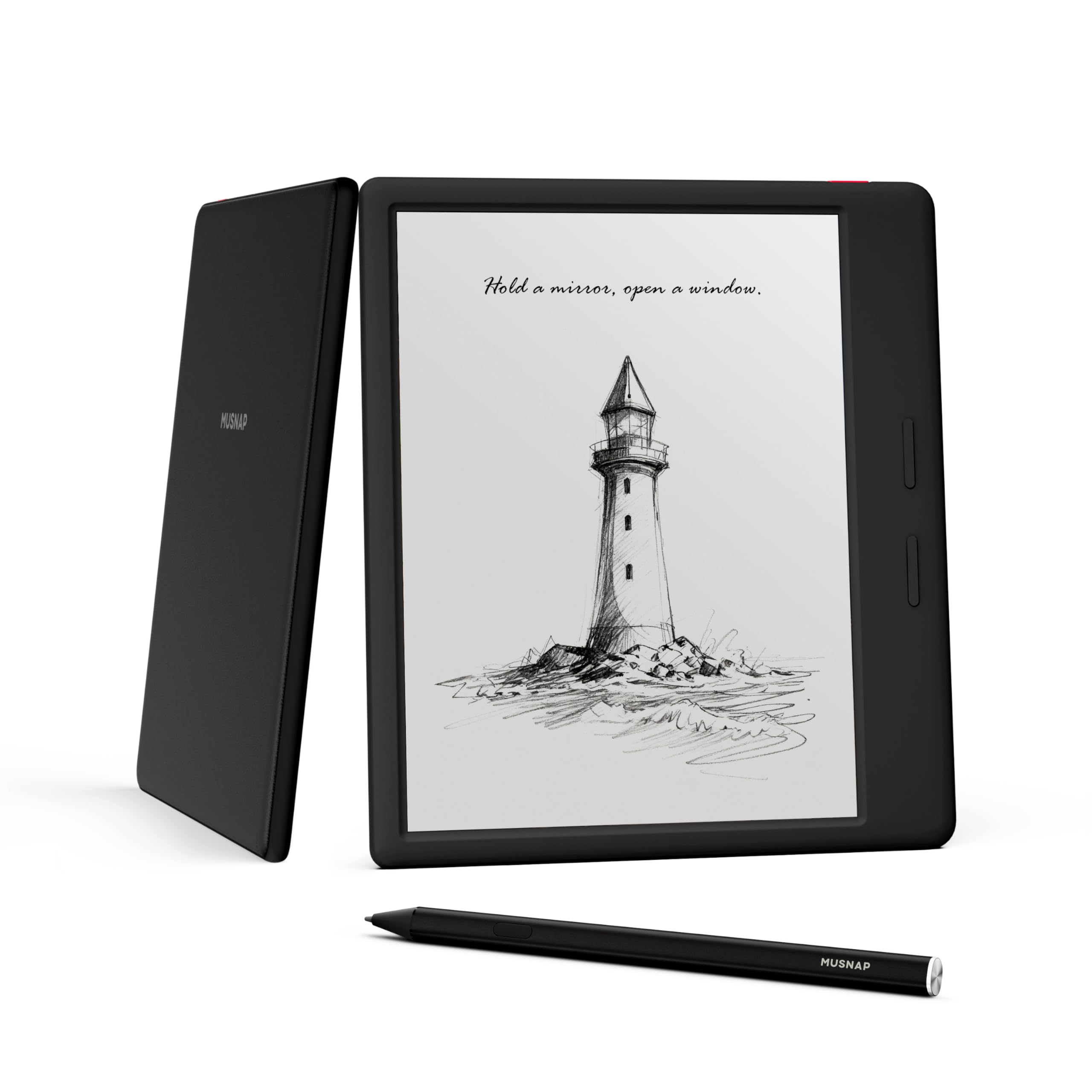
The Musnap Ocean earns its top spot by delivering a true open Android experience on a 7-inch black-and-white E Ink panel. With an octa-core processor, 4GB of RAM, and 64GB of storage, it handles the Kindle, Libby, and Moon+ Reader apps without the lag common on cheaper e-readers. The recessed screen and matte finish reduce glare and fingerprints, making it feel like a premium device in hand.
Page-turn buttons and the ability to rotate the screen for left-handed use add real-world ergonomics. The front light offers separate brightness and warmth controls, though some users note a slight unevenness on the right edge. The battery life rivals that of a Kindle Paperwhite when Google services are toggled off, extending to several weeks of moderate reading.
For anyone who wants the freedom to buy books from any store, borrow from libraries via Libby, and take handwritten notes on an E Ink screen, the Musnap Ocean represents the best balance of performance, price, and open functionality. The stylus is sold separately, but the writing feel on the textured surface is excellent.
Why it’s great
- Fast page turns with octa-core processor and 4GB RAM
- Comfortable, recessed matte screen with minimal glare
- Excellent battery life with Google services disabled
- Customizable per-app reading settings
Good to know
- Stylus sold separately
- Front lighting can be uneven on some units
- No microSD card slot for expansion
2. BOOX Go Color 7 Gen II

The BOOX Go Color 7 Gen II brings a 7-inch Kaleido 3 color E Ink display to an Android 13 platform. The color is muted compared to an LCD, but it is sufficient for comic book panels, color-coded notes, and magazine layouts. The flat glass screen with a cover-lens design feels modern and integrates well with the included page-turn buttons.
With 4GB of RAM and an octa-core processor, the device handles app switching better than most color E Ink readers, though some users report that heavier apps like the Kindle app can occasionally be closed when switching between multiple apps. The microSD card slot is a welcome addition for expanding the 64GB of internal storage, especially for manga and PDF collections.
Battery life sits at around one to three weeks depending on backlight usage and Wi-Fi activity. The custom refresh modes (HD, Balanced, Fast, Ultrafast) allow you to optimize for text clarity or smoother scrolling. The Go Color 7 Gen II is ideal for readers who want color content without abandoning the Android app ecosystem, but it requires some willingness to tinker with settings to get the best experience.
Why it’s great
- Color E Ink display for comics and color notes
- Page-turn buttons and microSD card slot
- Customizable refresh modes for different content types
- Runs full Android with Google Play Store access
Good to know
- Color image is noticeably darker and muted than LCD
- Battery drain is higher when running multiple apps
- Active stylus sold separately
3. Kobo Libra Colour

The Kobo Libra Colour offers a more curated, distraction-free reading experience compared to full Android devices. While it runs a proprietary Linux-based OS instead of open Android, it supports OverDrive integration directly on the device, allowing you to borrow library books without a computer. The 7-inch Kaleido 3 color display is good for book covers, comics, and color highlights, though like all color E Ink, it requires the front light for comfortable reading in dim conditions.
Ergonomically, the Libra Colour is a standout. The asymmetrical design with physical page-turn buttons makes one-handed reading comfortable for extended periods. The device is IPX8 waterproof, so you can take it to the pool or read in the bath without worry. Battery life is excellent, lasting several weeks on a single charge.
The main limitation is the lack of an open Android app store. You are limited to the Kobo store and OverDrive for content. However, sideloading via USB is straightforward and supports EPUB, PDF, and common comic formats. For readers who value simplicity, excellent build quality, and library access, the Libra Colour is a fantastic dedicated reading device.
Why it’s great
- Excellent ergonomics with page-turn buttons and lightweight design
- IPX8 waterproof rating for worry-free reading
- Seamless OverDrive library integration
- Long battery life measured in weeks
Good to know
- Not a full Android device; limited to Kobo ecosystem
- Color screen is dark and needs backlight often
- Stylus for note-taking sold separately
4. TCL NXTPAPER 14

The TCL NXTPAPER 14 is not an E Ink device but uses a specialized matte LCD that mimics the paper-like reading experience. The 14.3-inch 2.4K display is ideal for reading sheet music, technical PDFs, and large-format magazines. The anti-glare coating and DC dimming significantly reduce eye strain compared to standard glossy tablets, making it a strong alternative for long reading sessions.
Musicians will love this tablet. It is lightweight for its size, works seamlessly with page-turn pedals, and runs full Android apps like MobileSheets. The included 4096-level stylus works well for annotating scores or taking handwritten notes. The 10,000mAh battery delivers a full day of heavy use, and the 33W fast charging gets you back up quickly.
However, the LCD display means you cannot expect weeks of standby time like an E Ink reader, and the battery will drain noticeably faster if you leave Wi-Fi on. The lack of a microSD card slot and headphone jack may also be deal-breakers for some. For students, professionals, and musicians who need a large, eye-friendly screen for reading and note-taking, the NXTPAPER 14 is a unique and compelling option.
Why it’s great
- Massive 14.3-inch paper-like matte display for PDFs and sheet music
- Excellent battery life and fast charging
- Three display modes for optimized reading
- Pressure-sensitive stylus included
Good to know
- LCD battery is measured in hours/days, not weeks like E Ink
- No microSD card slot or headphone jack
- Wall charger not included in the box
5. Amazon Kindle Scribe Colorsoft
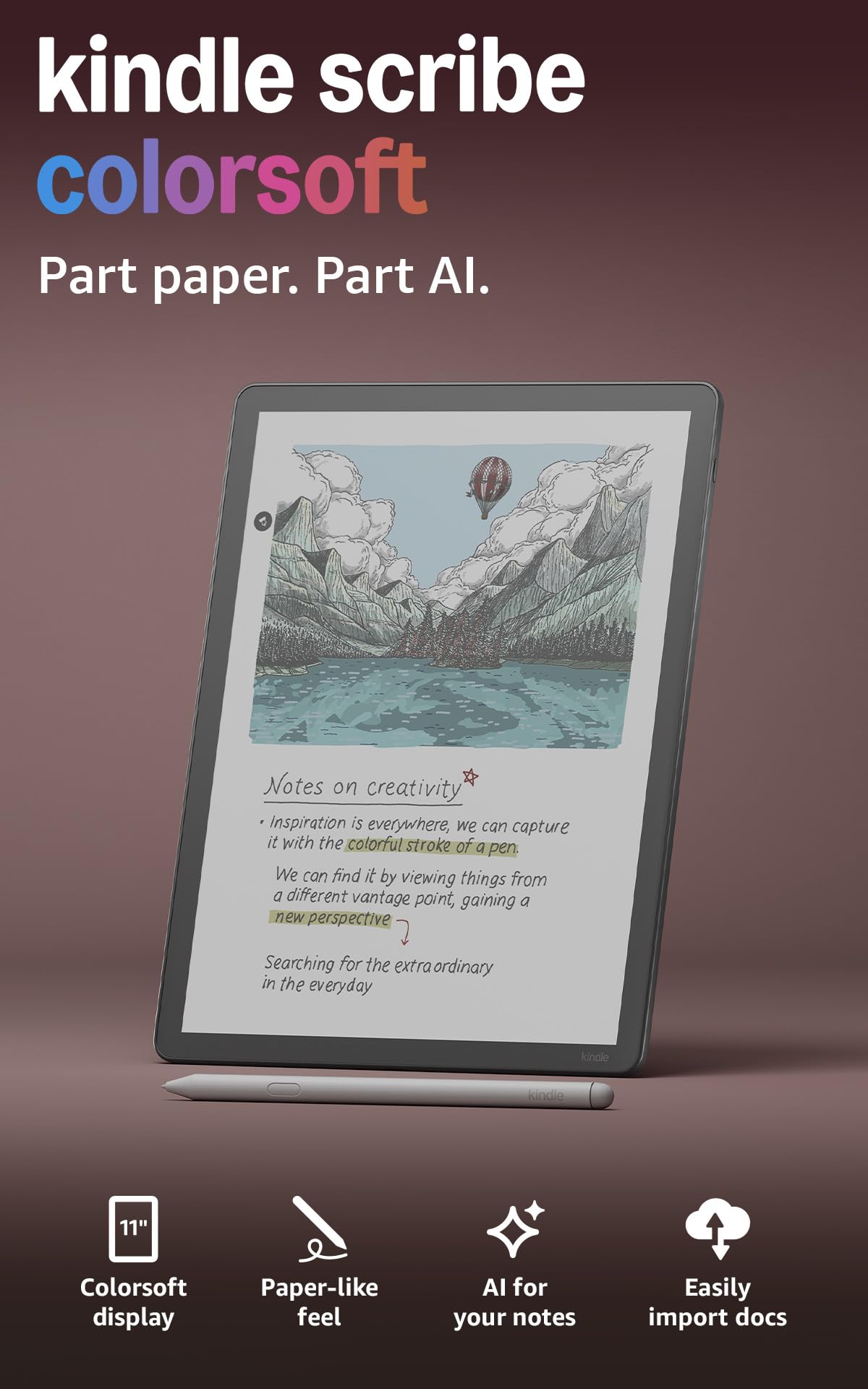
The Kindle Scribe Colorsoft is Amazon’s most advanced ereader, combining an 11-inch color E Ink display with a robust note-taking system. The custom oxide-based display offers higher contrast than standard Kaleido screens, making color feel more vibrant on a page. The included Premium Pen magnetically attaches and offers a textured writing surface that feels convincingly like pen on paper.
The device runs a modified version of Amazon’s operating system, not open Android. This means you cannot install the Google Play Store or apps like Libby natively. However, it excels at its intended purpose: reading Kindle books, marking up PDFs, and organizing handwritten notebooks. The new AI tools for note summarization and handwriting conversion are genuinely useful for work and study.
Battery life is excellent for an E Ink device, lasting weeks for reading and a week or more for moderate writing. The 64GB of storage is ample for thousands of books and notebooks. The main trade-offs are the restricted app ecosystem and the high price point. The Scribe Colorsoft is ideal for Amazon loyalists who want a premium device for reading, writing, and document management.
Why it’s great
- High-contrast color E Ink display with excellent front lighting
- Premium Pen feels natural with good friction
- AI-powered note organization and summarization
- Integration with Google Drive and Microsoft OneDrive
Good to know
- Not an open Android device; locked to Amazon ecosystem
- Color is still muted compared to LCD/OLED
- High price point for a reading device
6. Amazon Kindle Scribe (64GB)
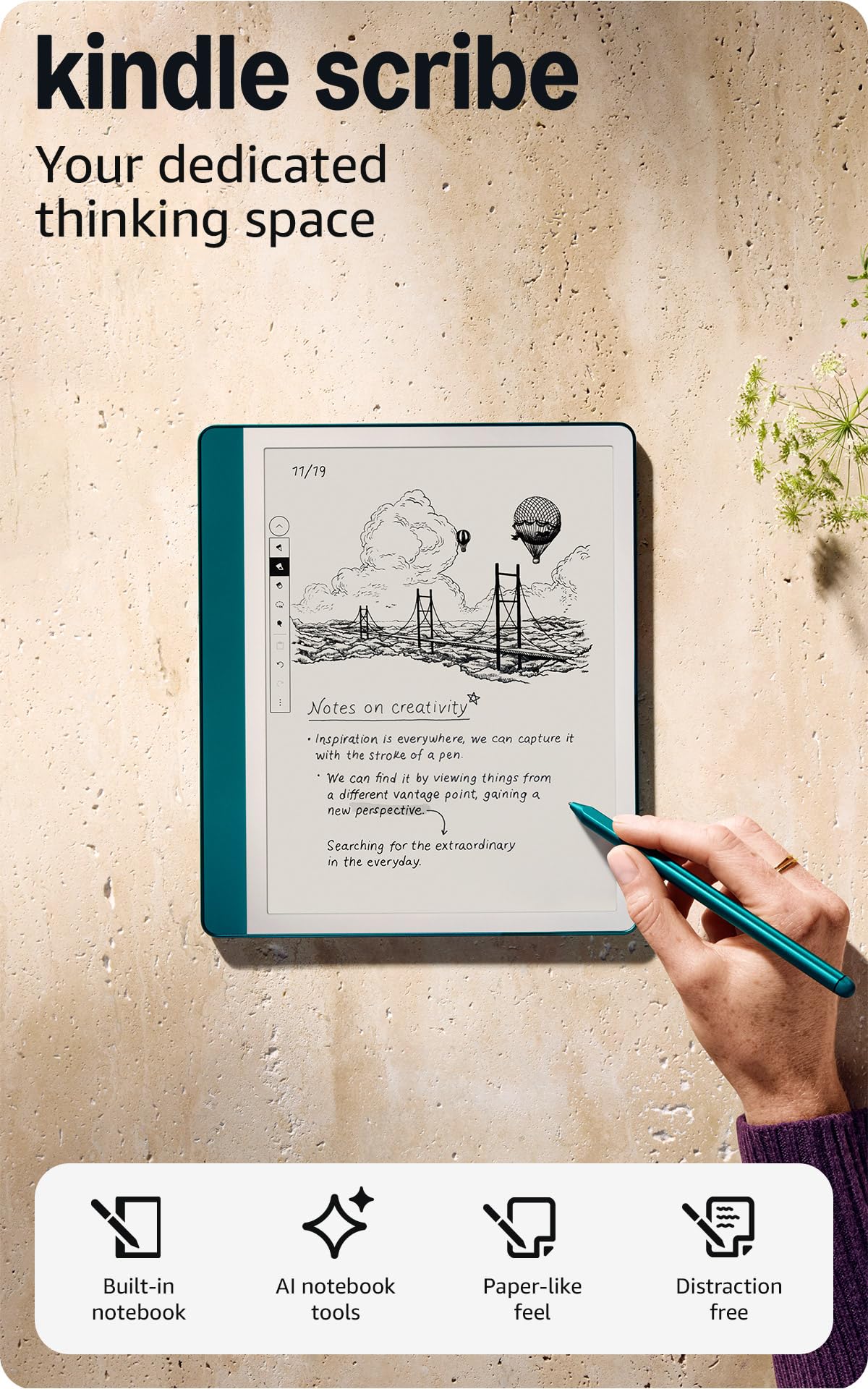
The original Kindle Scribe (now available as a Like-New refurbished model) remains a fantastic choice for note-takers and heavy readers. The 10.2-inch monochrome E Ink display at 300 PPI provides razor-sharp text, and the large canvas is perfect for journaling, planning, and annotating PDFs. The included Premium Pen requires no charging and writes with satisfying friction.
The device is purpose-built for distraction-free productivity. There are no notifications, social media, or web browsers to tempt you away from your reading or writing. The battery life is outstanding, lasting months in reading-only mode and weeks with regular note-taking. The Active Canvas feature lets you write directly on book pages without covering the text.
As a refurbished model, it offers excellent value for budget-conscious buyers who want the premium Scribe experience without the full price. The main considerations are the lack of a color display and the closed Amazon ecosystem. If you primarily read Kindle books and want a massive, glare-free screen for notes, the refurbished Scribe is one of the best values on the market.
Why it’s great
- Sharp 300 PPI display with excellent contrast
- Natural writing feel with the Premium Pen
- Exceptional battery life lasting weeks or months
- Active Canvas for writing on book pages
Good to know
- Closed ecosystem; no Google Play Store access
- Refurbished model, not brand new
- Web browser is slow and limited
7. Amazon Kindle Paperwhite 16GB

The Kindle Paperwhite is the benchmark for dedicated e-readers, and the newest model offers a 7-inch 300 PPI display with 25% faster page turns than its predecessor. While it is not an open Android device, it remains the most accessible and reliable reading option for millions of users who are locked into the Amazon ecosystem.
The device is fully waterproof with an IPX8 rating, making it the best choice for reading by the pool or in the bath. The adjustable warm light allows you to shift from cool white to amber, reducing blue light exposure before bed. Battery life is rated at up to 12 weeks on a single charge, which is class-leading.
The main drawback is the lack of Android app support. You are limited to the Kindle Store and cannot install Libby, Kobo, or other reading apps directly. However, you can still borrow library books via Libby and send them to your Kindle through Amazon’s website. For readers who want a simple, durable, and long-lasting device for pure reading, the Paperwhite remains the gold standard.
Why it’s great
- Excellent 300 PPI display with adjustable warm light
- IPX8 waterproof rating for worry-free reading
- Up to 12 weeks of battery life
- Fast page turns and responsive touch controls
Good to know
- Closed Amazon ecosystem; no Android apps
- No physical page-turn buttons
- Cannot directly borrow library books without a computer
8. TCL NXTPAPER 11 Gen 2

The TCL NXTPAPER 11 Gen 2 is an affordable Android tablet that prioritizes eye comfort with its matte NXTPAPER 4.0 display. It reduces blue light and eliminates glare, making it far more comfortable for long reading sessions than a standard glossy tablet. The 11-inch 2K resolution is sharp enough for crisp text and detailed images.
Unlike E Ink devices, this tablet can handle video streaming, web browsing, and light gaming. The included T-PEN stylus with 4096 pressure levels works well for note-taking and drawing. The 8,000mAh battery delivers a full day of mixed use, and the reverse charging feature is a handy bonus for topping up your phone or earbuds.
The main trade-off is battery life; you will need to charge this tablet every few days with regular use, unlike E Ink readers that last weeks. The LCD display also cannot match the contrast and sunlight readability of a monochrome E Ink screen. For students or professionals who want a single device for reading, note-taking, and media consumption, the NXTPAPER 11 Gen 2 is a well-rounded and budget-friendly choice.
Why it’s great
- Eye-friendly matte display with excellent antireflection
- Versatile Android tablet for reading, streaming, and note-taking
- Included stylus with 4096 pressure levels
- Long-lasting battery with reverse charging
Good to know
- LCD battery life is measured in days, not weeks
- No headphone jack
- Speakers are mediocre for music and video
9. BNCF BPad T1
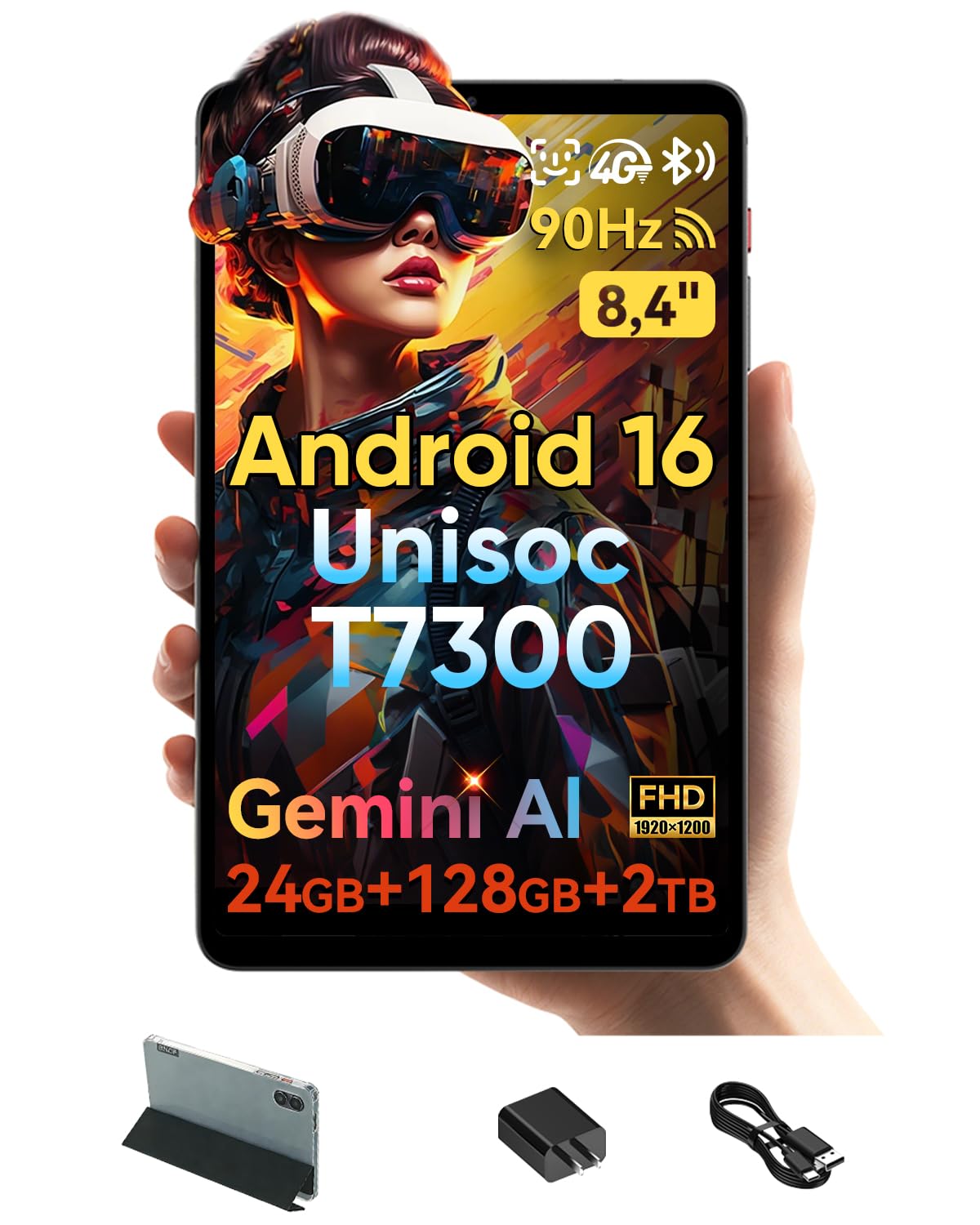
The BNCF BPad T1 is an entry-level Android tablet that offers incredible value for budget-conscious readers. It comes with Android 16 out of the box, which is rare at this price point, and combines 8GB of physical RAM with 16GB of virtual RAM for smooth multitasking. The 8.4-inch FHD+ display has a 90Hz refresh rate, making the interface feel fluid and responsive.
The included protective case adds value, and the slim 7.6mm profile makes it easy to hold for extended reading sessions. The 5,500mAh battery provides enough power for a full day of reading and light media consumption. The presence of 4G LTE, dual-band Wi-Fi 6, and Bluetooth 5.4 ensures you stay connected wherever you go.
The biggest difference between the BPad T1 and dedicated E Ink readers is the eye strain factor. The LCD screen, while bright and colorful, will cause more fatigue after hours of reading compared to an E Ink panel. The camera and speaker quality are basic, but they suffice for video calls. For readers on a tight budget who need a full Android tablet for reading, browsing, and occasional gaming, the BPad T1 is a solid entry-level pick.
Why it’s great
- Latest Android 16 with Gemini AI integration
- Fast 90Hz display for smooth scrolling
- Generous RAM and storage configuration for the price
- Includes a protective case
Good to know
- LCD screen causes more eye strain than E Ink
- No fingerprint reader; face unlock inconsistent
- Limited one-year warranty only
FAQ
Can I use my Kindle books on an Android ereader?
Why is the battery life on color E Ink devices shorter than black-and-white ones?
Are Android ereaders good for taking notes?
What screen size is best for reading manga and comics?
Final Thoughts: The Verdict
For most users, the android ereader winner is the Musnap Ocean because it provides the perfect balance of a fast, crisp monochrome E Ink screen with full open Android functionality and excellent battery life. If you want a color screen for comics and note-taking, grab the BOOX Go Color 7 Gen II. And for musicians or professionals who need a massive, paper-like canvas for sheet music and large PDFs, nothing beats the TCL NXTPAPER 14.

Mo Maruf
I created WellFizz to bridge the gap between vague wellness advice and actionable solutions. My mission is simple: to decode the research and give you practical tools you can actually use.
Beyond the data, I am a passionate traveler. I believe that stepping away from the screen to explore new environments is essential for mental clarity and physical vitality.