Our readers keep the lights on and my smoothie glass nicely filled. As an Amazon Associate, I earn from qualifying purchases.
An Android E Ink tablet bridges two worlds: the distraction-free, eye-comfortable reading experience of an e-reader with the flexibility of a full app ecosystem. Unlike closed ecosystems like the standard Kindle, an Android E Ink tablet lets you install reading apps, note-taking tools, and even productivity software from the Google Play Store, all on a screen that eliminates the harsh blue light and glare of a standard LCD or OLED display. This makes it a unique tool for anyone who spends hours reading, annotating PDFs, or taking handwritten notes in meetings.
I’m Mohammad Maruf — the founder and writer behind WellFizz. My deep-dive research into digital paper technology focuses on how hardware specifications like screen resolution, stylus pressure sensitivity, and Android OS version directly impact the real-world performance of these specialized devices.
Whether you’re a student, academic, or professional looking to consolidate your notebooks, this guide breaks down the top contenders. After extensive analysis, you’ll have a clear view of the current best android e ink tablet options for your specific workflow.
How To Choose The Best Android E Ink Tablet
The decision comes down to balancing the unique limitations of E Ink technology with your need for a versatile Android environment. You are not buying a laptop replacement; you are buying a focused tool for reading, writing, and organizing thoughts. Here are the key factors to evaluate.
Screen Technology and Resolution
The screen is the defining component. For pure reading, a monochrome E Ink Carta 1200 display with 300 PPI offers the sharpest text and highest contrast. If you need color for highlighting in textbooks, reading comics, or annotating charts, the Kaleido 3 color ePaper displays a 4096-color palette but at a reduced 150 PPI for color content, making it appear darker and grainier. Some alternatives, like TCL’s NXTPAPER, use a modified LCD with a matte, anti-glare coating that mimics e-paper but has a faster refresh rate, though it retains some backlight characteristics.
Android Version, RAM, and App Compatibility
An Android tablet is only as good as its app support. A device running an older version of Android (11 or 12) might lack compatibility with the latest versions of your favorite note-taking or reading apps. The amount of RAM is critical too. 2GB or 3GB of RAM will limit you to simple, single-app usage. For a smoother experience when switching between a reading app and a notebook, 4GB or 6GB is the sweet spot. Premium models with Android 14 or 15 and 6GB+ RAM offer a much closer experience to a standard tablet for task switching.
Stylus Support and Writing Feel
The entire value of a note-taking tablet hinges on the writing experience. Look for two things: pressure sensitivity (4096 levels is the baseline for a good feel; 8192 is premium) and surface texture. A screen with a textured film provides satisfying paper-like friction, while a bare glass screen can feel slippery and echo a “glass pen” sensation. Also confirm whether the stylus is included, requires charging (active stylus), or is a passive EMR pen that never needs a battery.
Battery Life and Physical Design
E Ink’s core advantage is its ultra-low power consumption—it only draws power when the screen changes. A premium model can last weeks on a single charge. However, a device running a power-hungry Android interface, Wi-Fi, and a front light will deplete the battery much faster. A 3000mAh battery in a reading-focused device could last a week, while a 3700mAh battery in a high-performance model with a color screen might require a charge every 2-3 days under heavy use. Also consider weight and thickness; the lightest models hover around 200 grams, making them far more comfortable for one-handed reading than a 1.5-pound standard tablet.
Quick Comparison
On smaller screens, swipe sideways to see the full table.
| Model | Category | Best For | Key Spec | Amazon |
|---|---|---|---|---|
| BOOX Note Air 5 C | Premium | Color note-taking & reading | 10.3″ Kaleido 3 300 PPI (B/W) | Amazon |
| iFLYTEK AINOTE Air 2 | Premium | Voice-to-text productivity | 8.2″ E Ink, 4,096 pressure levels | Amazon |
| Penstar eNote 2 | Mid-Range | Distraction-free writing | 10.3″ 300 PPI pen-only display | Amazon |
| Amazon Kindle Scribe Colorsoft | Premium | Amazon ecosystem & reading | 11″ Colorsoft display | Amazon |
| BOOX Go Color 7 | Mid-Range | Compact color reading | 7″ Kaleido 3 (150 ppi color) | Amazon |
| TCL NXTPAPER 14 | Mid-Range | Large-screen sheet music | 14.3″ 2.4K NXTPAPER display | Amazon |
| Geniatech Kloudnote Slim | Entry-Level | Budget writing tablet | 10.3″ E Ink, 227 PPI | Amazon |
| Musnap Ocean | Entry-Level | 7-inch B&W reading | 7″ E Ink, 2.2GHz octa-core | Amazon |
| TCL NXTPAPER 11 Gen 2 | Budget | Versatile eye-care tablet | 11″ 2K NXTPAPER display | Amazon |
In‑Depth Reviews
1. BOOX Tablet 10.3″ Note Air 5 C

The BOOX Note Air 5 C sets a high benchmark for a premium color E Ink tablet. The 10.3-inch Kaleido 3 display offers a crisp 300 PPI for black-and-white content, making text look sharp, while the 150 PPI color layer is useful for highlighting and viewing charts, though it introduces a visible “screen door” grid effect in bright conditions. The included stylus provides a textured, pencil-on-paper feel, and the 6GB of RAM paired with Android 15 allows for relatively fluid multitasking between reading apps and native note-taking tools without constant app reloads.
One of its strongest features is the open Android 15 OS, which provides access to the full Google Play Store, giving you freedom from a single proprietary bookstore. The build quality is luxurious, with a thin profile of just 5.8 mm and a sturdy metal chassis. The front light offers warm and cold settings, which is essential for the color screen, as it is noticeably darker than a standard e-reader and often needs the light to look its best.
While the hardware is impressive, the software requires patience. The default reader and note apps have a steep learning curve with highly customizable but sometimes clunky file management. The 3,700mAh battery drains faster than monochrome rivals, often requiring a charge every two to three days with heavy use. This is a device for those who want a top-tier, feature-rich writing slate, not a worry-free appliance.
Why it’s great
- Excellent build quality with a thin, lightweight aluminum design.
- Android 15 grants full access to Google Play Store and sideloading.
- MicroSD slot expands storage for large PDF and manga libraries.
Good to know
- Color screen is noticeably dark and often requires the front light.
- Battery life is significantly shorter than B&W E Ink tablets.
- Native software has a steep learning curve and can be clunky.
2. iFLYTEK AINOTE Air 2 Bundle

The iFLYTEK AINOTE Air 2 is a niche tool designed specifically for professionals who need to transcribe meetings. Its core strength is the integrated AI that records, transcribes, and summarizes conversations in real-time across 17 languages, syncing the audio with your handwritten notes. The 8.2-inch screen makes it highly portable, and the writing feel is extremely natural for an E Ink device, with 4,096 pressure levels providing accurate line variation.
This is not a general-purpose Android tablet. While it runs Android, the OS is heavily locked down to focus on the note-taking experience. You cannot easily install any third-party app; the device works best as a dedicated super-notebook. The reading experience for PDFs and ePub books is smooth, with an adjustable dual-color front light that makes it comfortable to use even in dark rooms.
The biggest drawback is the restricted software environment. Users have reported issues with Google Play Protect certification, making it difficult to sync with Gmail or Google Drive. The battery life is its saving grace, often lasting for weeks on standby, which is the norm for E Ink devices. If your primary goal is top-tier voice transcription and you value a distraction-free environment over app flexibility, this is a powerful choice.
Why it’s great
- Exceptional AI-powered voice-to-text with multi-language support.
- Ultraslim design at 5mm and weighs very little for easy portability.
- Long battery life measured in weeks, not days.
Good to know
- Restricted Android OS limits third-party app installation.
- Not a flexible e-reader; the app store is very limited.
- Relies on a network connection for best transcription features.
3. Penstar eNote 2

The Penstar eNote 2 is the closest you can get to a premium paper notebook without the backlight or touch distractions. It uses a “pen-only” 10.3-inch display that disables finger touch input, which completely eliminates palm rejection issues that plague other tablets. The result is a flawless, friction-filled writing surface that feels remarkably similar to a quality fountain pen on smooth paper. The 300 PPI display provides incredibly sharp text, and the hardware features 9 physical shortcut keys for instant tool switching.
This model excels at document management. It supports over 30 file formats and offers robust cloud syncing with Google Drive, Dropbox, and OneDrive. The inclusion of two B5 stylus pens in the box, each with 18 total spare nibs, means you are ready to go from the moment you open the packaging. The handwriting-to-text conversion, powered by MyScript, is highly accurate and works without an internet connection.
The lack of a front light is a significant trade-off. You cannot use this device in the dark, and the screen’s contrast relies entirely on ambient light. This is also not a device for running heavy Android apps; its focus is singular. The battery life, however, is exceptional—lasting up to two weeks with heavy writing use. It is a specialized tool for anyone who wants a laser-focused, premium digital notebook without the feature bloat of a full tablet.
Why it’s great
- Premium, paper-like writing experience with zero palm rejection.
- Exceptional battery life lasting up to two weeks.
- Comes with two B5 pens and a leather folio cover included.
Good to know
- No front light makes it unusable in low-light or dark conditions.
- No touchscreen limits reading and navigation to stylus only.
- Not a full Android tablet; limited app store and no Play Store access.
4. Amazon Kindle Scribe Colorsoft 64GB
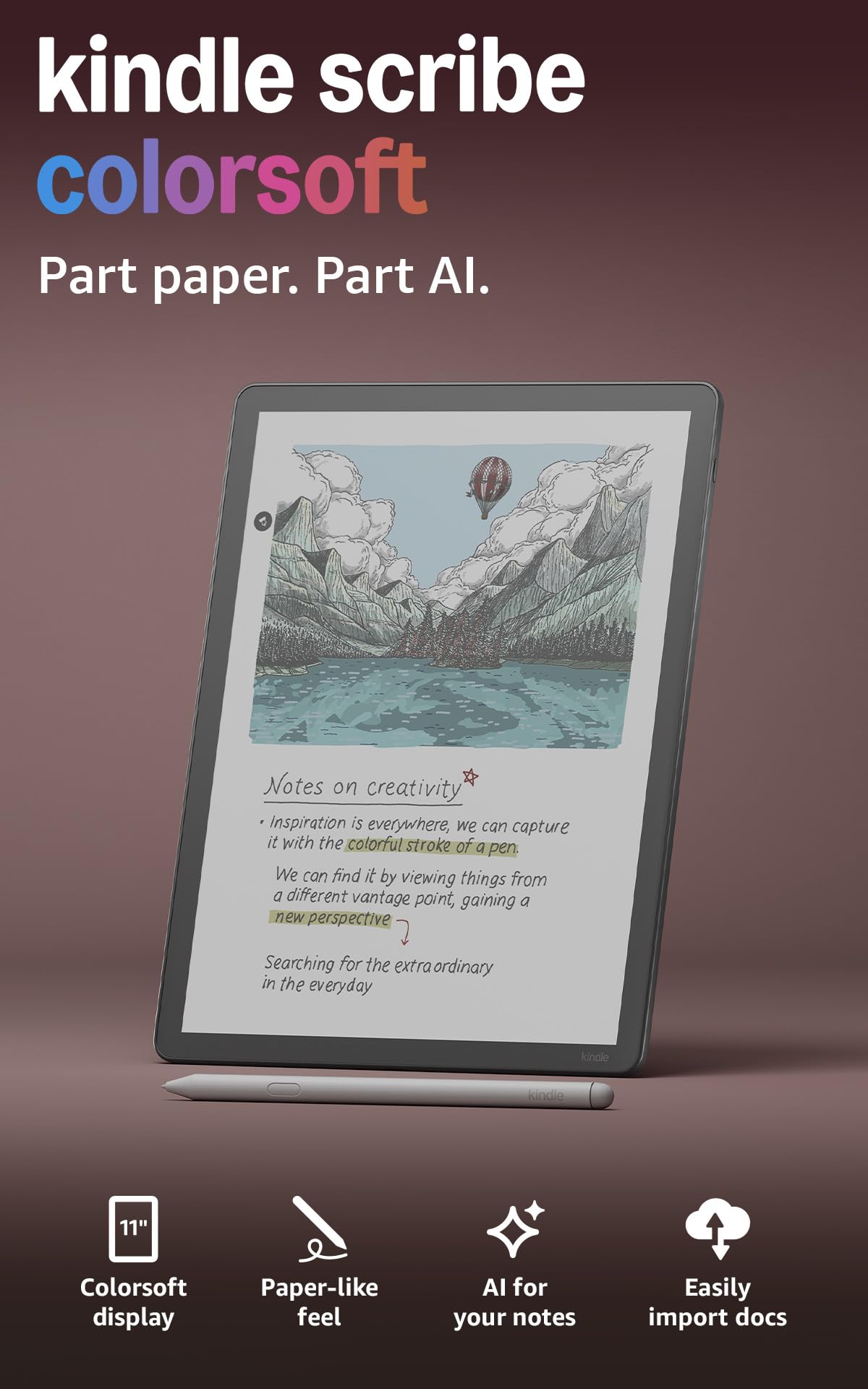
The Amazon Kindle Scribe Colorsoft marks Amazon’s entry into the color e-ink space, and it does so with a focus on the reading experience. The 11-inch Colorsoft display delivers a high-contrast, paper-like image that is easy on the eyes, with colors that are more muted and pastel-like compared to the vibrant Kaleido 3 screens from Onyx. The included Premium Pen requires no charging and has a textured tip that provides a satisfying resistance on the screen, making writing in notebooks and within books feel natural.
Its biggest advantage is seamless integration with the Kindle store. You can write directly into any book, and the AI-powered “Active Canvas” feature automatically creates space for your notes within the margins. The device supports direct document import from Google Drive and Microsoft OneDrive, making it a good tool for annotating academic papers. The build is incredibly thin at just 5.4mm, and the strong magnetic pen attachment is the best in class.
The main limitation is the operating system. This is not an Android tablet; it runs a locked-down Fire OS variant. You are restricted to the Kindle Store and Amazon’s ecosystem. There is no support for standard Android reading apps like Moon+ Reader or Kobo. The high price point places it in competition with fully open Android devices that offer much more app flexibility, making it a specific choice for those deeply invested in Amazon’s content library.
Why it’s great
- Seamless integration with the Kindle store and Amazon ecosystem.
- Excellent Premium Pen with a natural writing feel and no charging needed.
- Incredibly thin and light design for an 11-inch device.
Good to know
- Locked-down OS prevents installing third-party Android apps.
- Colors are muted and less vivid than competing Kaleido 3 screens.
- High price point for a device that is primarily an e-reader.
5. BOOX Tablet Go Color 7 Gen II

The BOOX Go Color 7 is a purpose-built device for reading color content—comics, magazines, and illustrated textbooks—in a 7-inch form factor. It uses the latest Kaleido 3 color ePaper technology, which brings 4096 colors to the screen. While the colors are muted and the screen appears darker than a monochrome e-reader (a characteristic of all color E Ink), it is fantastic for manga and graphic novels where the color layer adds context without needing a backlit LCD.
It runs on Android 13, giving you full access to the Google Play Store. This means you can install Kindle, Kobo, Libby, and any manga app, offering a unified library. The inclusion of physical page-turn buttons is a significant ergonomic win for one-handed reading, and the front light with adjustable warm and cold color temperatures allows you to customize the screen clarity in any lighting condition.
The 2,300mAh battery is serviceable but will not match the longevity of larger B&W devices. You will likely need to charge it every week under heavy daily reading. The glass screen is prone to reflections, and the device is not optimized for heavy video use or general web browsing. It is a reader first and a writer second—the stylus is an active InkSense pen (sold separately), which adds cost if you want to take notes.
Why it’s great
- Compact 7-inch size is ideal for portable color reading.
- Physical page-turn buttons for comfortable one-handed use.
- Full Android 13 with Play Store for flexible app choices.
Good to know
- Color screen is darker and less vibrant than standard displays.
- Note-taking requires a separate active stylus purchase.
- Battery life is shorter than monochrome E Ink readers.
6. TCL NXTPAPER 14

The TCL NXTPAPER 14 is a unique entry that does not use traditional E Ink, but its own “NXTPAPER” technology—a matte, anti-glare LCD that mimics e-paper. The 14.3-inch size makes it a standout for one specific use case: digital sheet music. Musicians report it being excellent with apps like MobileSheets, offering a clear, bright screen that does not reflect stage lights, and the large 10,000mAh battery lasts through long rehearsals and performances.
Performance is driven by a MediaTek Helio G99 processor with 8GB of RAM, making it snappier than any current E Ink tablet for app switching. The 4096-pressure-level stylus works well for annotations, though it requires USB-C charging. The dedicated NXTPAPER key allows you to switch between vibrant color mode for media and a monochrome “Ink Paper Mode” for reading, which significantly reduces blue light emission.
The trade-offs are significant. At 1.67 pounds, it is heavy for handheld reading. It lacks a microSD card slot, and the speakers are considered lackluster for multimedia. It is an LCD panel, so it lacks the true zero-power static display of a real E Ink panel, just an aggressive anti-glare coating. It is a niche tool for creatives who need a large, eye-friendly canvas that still performs like a standard tablet.
Why it’s great
- Massive 14.3-inch screen is perfect for sheet music and large PDFs.
- Ideal anti-glare coating for reading in bright or dim environments.
- Strong performance for standard Android apps and multitasking.
Good to know
- Heavy and cumbersome for one-handed reading.
- No microSD card slot and poor built-in speakers.
- Not a true E Ink screen; still an LCD with an anti-glare treatment.
7. Geniatech Kloudnote Slim 10.3″

The Geniatech Kloudnote Slim is a budget-friendly entry point into the world of large-screen E Ink note-taking. It features a 10.3-inch display with a 227 PPI resolution, which is noticeably less sharp than 300 PPI panels but still adequate for handwritten notes and basic PDF reading. The writing feel is smooth with minimal latency, and it comes with a pen for immediate use, making it a direct competitor to the reMarkable at a fraction of the price.
It runs a customized version of Android with its own AppStore, which is very limited compared to the Google Play Store. This is the primary compromise. You can sideload apps via APK, but the experience is not guaranteed to be smooth. The device excels as a dedicated notebook and e-reader for simple formats, offering 39 note templates, basic OCR, and cloud sync to services like OneDrive and Dropbox.
Long-term reliability is a concern based on user feedback, with some reporting glitches like ghosting and file corruption after months of use. The 3000mAh battery offers up to 40 hours of reading time, which is decent but not class-leading. It is a good choice for a student or writer who needs a digital notebook on a strict budget but is willing to accept limited app support and potential software quirks.
Why it’s great
- Affordable entry point for a large 10.3-inch E Ink tablet.
- Comes with a stylus for immediate note-taking functionality.
- Slim 5.3mm profile is lightweight and highly portable.
Good to know
- Limited proprietary app store with no Google Play access.
- Lower 227 PPI screen resolution is less sharp for fine text.
- Reports of long-term software stability and glitch issues.
8. Musnap Ocean 64GB
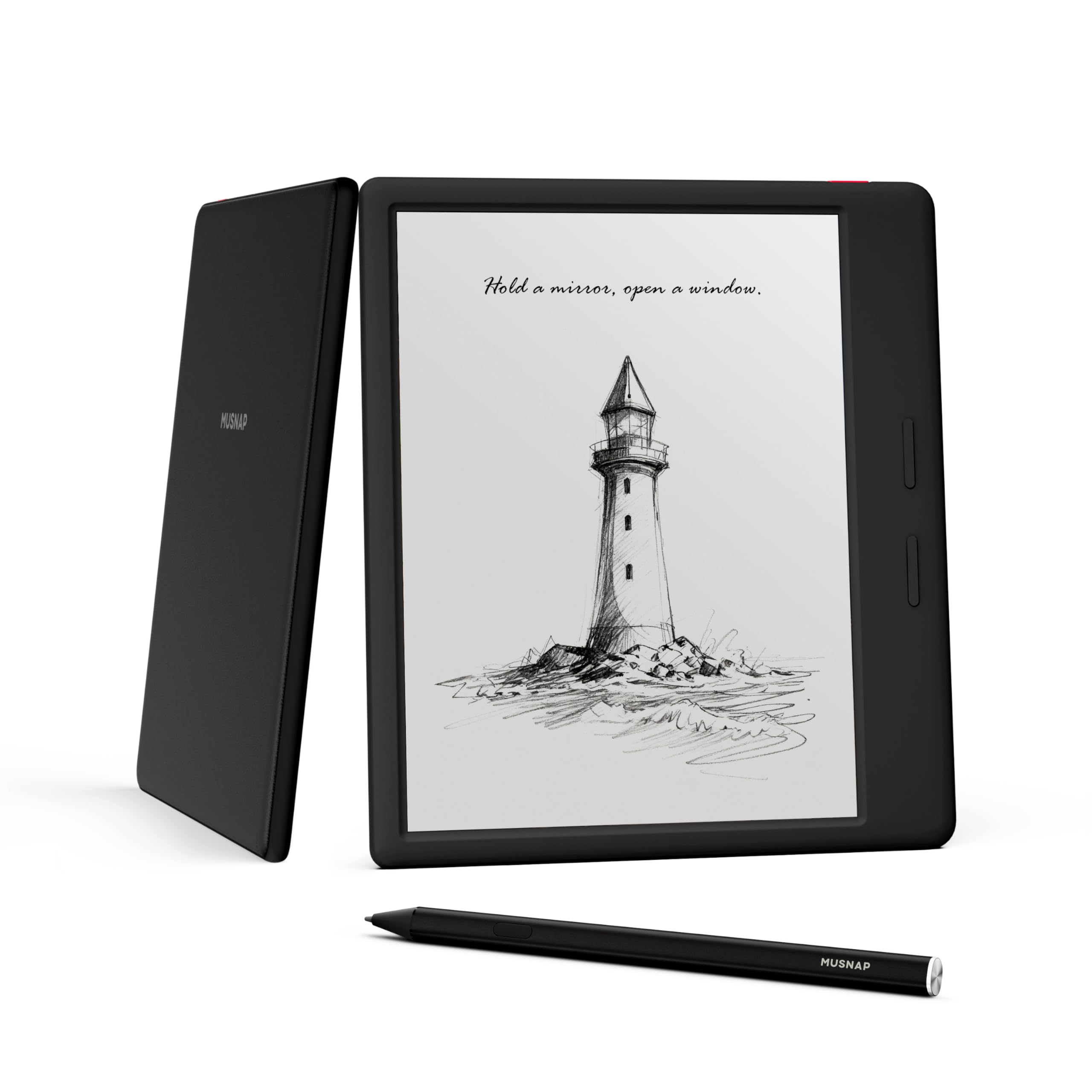
The Musnap Ocean is a head-turning value proposition in the Android e-reader space. It offers a sharp 7-inch monochrome E Ink display with physical page-turn buttons, a powerful 2.2GHz octa-core processor, 4GB of RAM, and 64GB of storage—all at a very accessible price point. It is an open Android device, meaning you can install any reading app from the Google Play Store, including Kindle, Kobo, Libby, and Moon+ Reader, without any restrictions.
User feedback highlights its fast performance, crisp text, and excellent battery life, which is a rare combination at this price. The 7-inch size is perfect for comfortable one-handed reading, and the recessed screen design protects it from scratches when placed face down. The device supports a stylus for handwriting (sold separately), turning it into a competent note-taking device, though its primary focus remains reading.
The build quality feels good, with a leatherette grip on the back that adds a premium touch. The main drawbacks are minor software quirks, such as limited customization options for the app bar and the inability to hide system UI elements like the clock and date. It also lacks a MicroSD card slot, which means you are limited to the 64GB of internal storage, though that is ample for thousands of books.
Why it’s great
- Excellent value with fast performance and a crisp 7-inch display.
- Physical page-turn buttons enhance the one-handed reading experience.
- Open Android OS with full Google Play Store access.
Good to know
- Software UI has minor customization limitations.
- No MicroSD card slot for storage expansion.
- Stylus for note-taking must be purchased separately.
9. TCL NXTPAPER 11 Gen 2
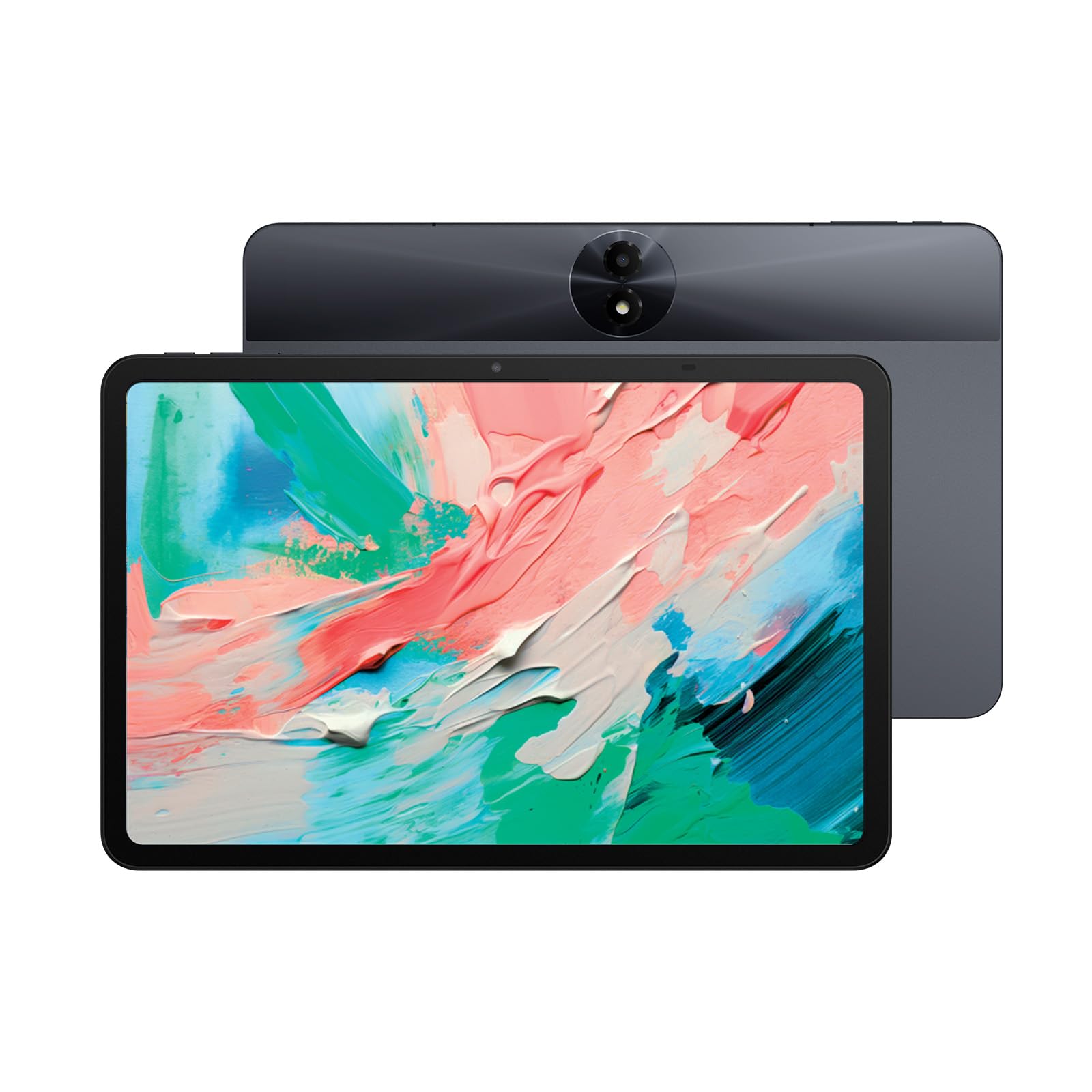
The TCL NXTPAPER 11 Gen 2 is the most compelling budget-friendly option for those who want an eye-care display without sacrificing the full Android app experience. It uses TCL’s NXTPAPER 4.0 technology, which features a matte, anti-glare LCD that drastically reduces blue light and screen flicker compared to a standard tablet. It runs full Android 15, giving you access to every app in the Google Play Store, including streaming services and games, making it a true general-purpose device.
The 11-inch 2K display is vibrant in its “Regular Mode” for movies, but its true strength is “Color Paper Mode” and “Ink Paper Mode,” which lower saturation and mimic e-paper for reading. The 8000mAh battery provides a full day of mixed usage, and the 18W charging is acceptable. The MediaTek Helio G80 processor and 6GB of RAM handle daily tasks smoothly, and the inclusion of “Circle to Search with Google” is a surprisingly useful productivity addition.
The main compromise is the screen technology itself. While excellent for eye comfort, it is still an LCD with a backlight, meaning it is not truly paper-like like real E Ink. It is heavier than a dedicated e-reader and the aluminum body, while sturdy, adds weight. The stylus is sold separately, and the speakers are mediocre. It is an ideal choice for a student who wants one device for streaming, note-taking, and reading, without eye strain.
Why it’s great
- Excellent eye-care display with anti-glare coating and blue light reduction.
- Runs full Android 15 with full access to the Google Play Store.
- Long battery life from an 8000mAh cell supports all-day use.
Good to know
- It is still an LCD screen, not a true zero-power E Ink panel.
- The stylus for note-taking is sold separately.
- Heavier and larger than most dedicated e-readers.
FAQ
Can an Android E Ink tablet replace my iPad or standard tablet for work?
Are color E Ink screens (Kaleido 3) good enough for reading comics and manga?
Why does my E Ink tablet have ghosting and how do I fix it?
What happens to my notes if my E Ink tablet breaks or I want to switch devices?
Final Thoughts: The Verdict
For most users, the best android e ink tablet winner is the BOOX Note Air 5 C because it offers the best balance of a premium color display, a fully open Android ecosystem, and top-tier build quality for both reading and writing. If you want a distraction-free writing experience with the best possible battery life and a paper-like feel, grab the Penstar eNote 2. And for a budget-friendly entry point that still provides an excellent eye-care screen and full Android flexibility, nothing beats the TCL NXTPAPER 11 Gen 2.

Mo Maruf
I created WellFizz to bridge the gap between vague wellness advice and actionable solutions. My mission is simple: to decode the research and give you practical tools you can actually use.
Beyond the data, I am a passionate traveler. I believe that stepping away from the screen to explore new environments is essential for mental clarity and physical vitality.