Our readers keep the lights on and my smoothie glass nicely filled. As an Amazon Associate, I earn from qualifying purchases.
The loudest complaint about home and small-office printing isn’t paper jams anymore—it’s the slow bleed of overdosing on tiny, overpriced cartridges. An all-in-one tank printer ends that racket by replacing disposable cartridges with refillable reservoirs, dropping per-page costs to fractions of a cent while delivering print, scan, and copy capabilities in a single machine. The shift is permanent, but not every tank system handles high-volume demands, pigment-based text sharpness, or maintenance-free operation the same way.
I’m Mohammad Maruf — the founder and writer behind WellFizz. I’ve combed through hundreds of verified user reports, spec sheets, and real-world durability accounts to isolate which models actually deliver on the cartridge-free promise without introducing new headaches like clogged print heads or cryptic error codes.
Whether you run a home office, manage a classroom, or just refuse to pay cartridge ransom again, this guide breaks down the measurable differences between the leading contenders to help you find the best all-in-one tank printer for your specific workload and budget.
How To Choose The Best All-in-One Tank Printer
All-in-one tank printers share the same core premise—refillable ink tanks instead of cartridges—but diverge sharply on print speed, paper handling, ink chemistry, and long-term maintenance. Sorting through the options requires understanding which specs translate to real-world reliability for your specific print volume.
Ink Chemistry: Pigment vs. Dye
Pigment-based black ink resists water and smudging, making it ideal for official documents and labels. Dye-based ink produces more vibrant colors on glossy photo paper but tends to run if wet. Many premium tank models use pigment black with dye colors, striking a balance that suits both office paperwork and occasional photo prints.
Print Head Durability and Maintenance
Tank printers rely on stationary print heads that can clog if left idle for weeks. Replaceable print heads (found on some HP Smart Tanks) reduce the cost of a clog, while integrated print heads (common in Epson EcoTanks) often require full printer replacement if they fail. Look for models with built-in print head cleaning routines and accessible maintenance cartridge slots to minimize downtime.
Paper Handling: ADF and Duplex
An Automatic Document Feeder (ADF) lets you scan, copy, or fax multi-page stacks without standing at the machine. Auto duplex (two-sided printing) cuts paper waste in half. For a home office handling reports or client contracts, both features save hours per month. Budget models often omit one or both, so prioritize them if your workflow involves multi-page documents.
Connectivity and Control
Dual-band Wi-Fi (2.4 and 5 GHz) prevents interference from other household devices. A color touchscreen simplifies navigation without needing a phone app for every task. Ethernet ports provide the most stable connection for busy offices. Models lacking a display often force you to rely on a companion app, which can be a frustration during quick copy jobs.
Ink Yield and Refill Cost
The headline number—thousands of pages per ink set—matters less than the cost per page after the starter ink runs out. Compare the price of replacement bottles (black and color) against the claimed page yield. Premium models with higher-capacity bottles often deliver the lowest long-term cost, though the upfront investment is steeper.
Quick Comparison
On smaller screens, swipe sideways to see the full table.
| Model | Category | Best For | Key Spec | Amazon |
|---|---|---|---|---|
| Epson EcoTank ET-4760 | SuperTank | High-volume office | 7,500-pg black yield, 2.4″ touchscreen | Amazon |
| Canon MegaTank GX7120 | MegaTank | Business & duplex scanning | 24 ppm black, 2.7″ LCD touchscreen | Amazon |
| Canon MegaTank GX4020 | MegaTank | Mid-volume color work | 18 ppm black, 50-sheet SADF | Amazon |
| Epson EcoTank ET-4950 | SuperTank | Fast mono & color mix | 18 ppm black, 2.4″ color display | Amazon |
| HP OfficeJet Pro 9135 | Cartridge Inkjet | Office productivity suite | 25 ppm black, 4.3″ touchscreen | Amazon |
| Canon MegaTank MAXIFY GX2020 | MegaTank | Compact home office | 15 ppm black, 2.7″ LCD | Amazon |
| Epson EcoTank ET-2980 | SuperTank | Value color printing | 15 ppm black, color touchscreen | Amazon |
| HP Smart Tank Plus 570 | Smart Tank | Entry-level tank simplicity | 11 ppm black, LED display | Amazon |
| HP Smart Tank 7001 | Smart Tank | AI-assisted home office | 15 ppm black, auto duplex | Amazon |
In‑Depth Reviews
1. Epson EcoTank ET-4760 Wireless All-in-One
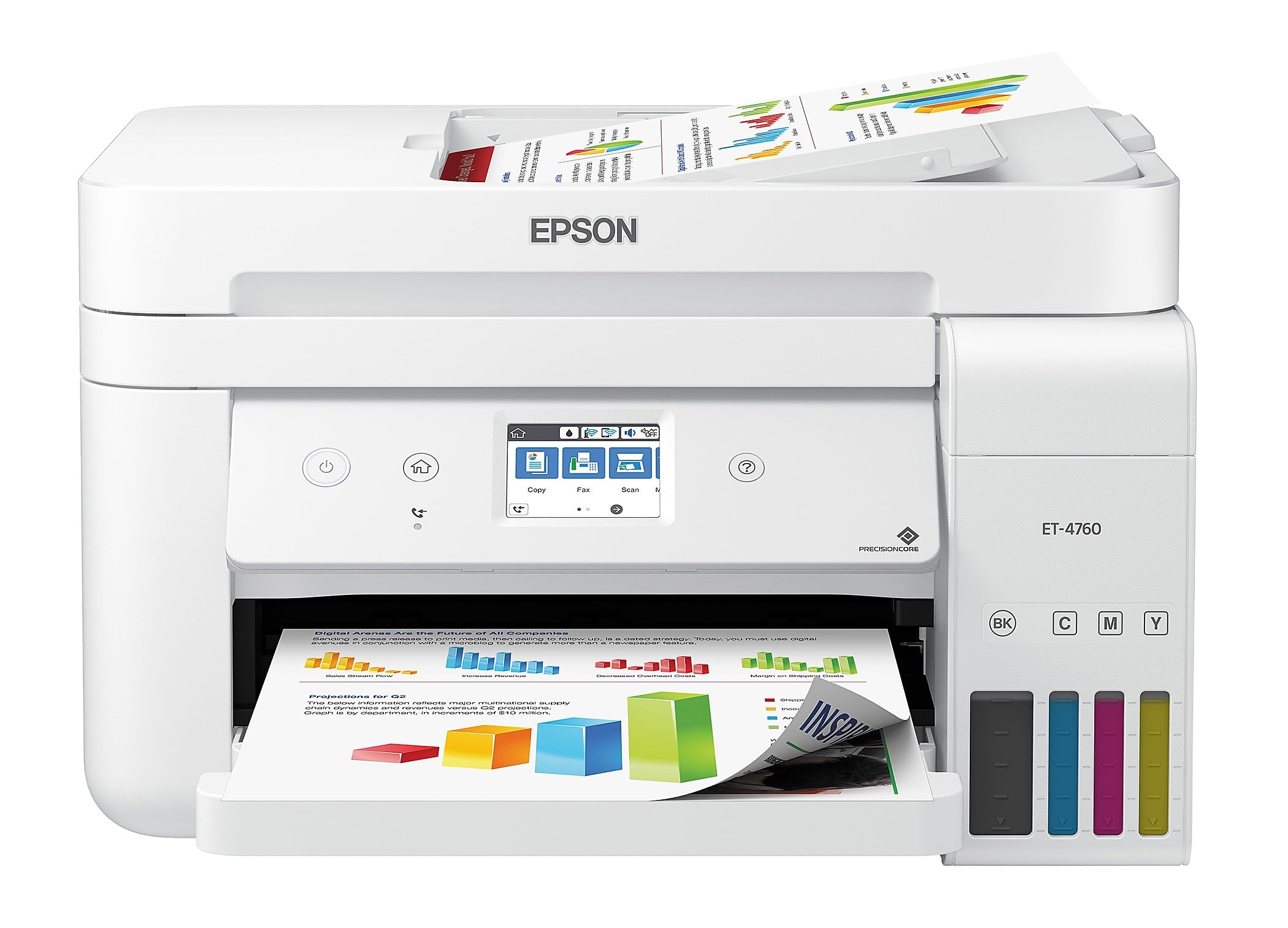
The Epson EcoTank ET-4760 claims a black yield of 7,500 pages from its starter ink set (6,000 color), which effectively removes cartridge anxiety for a year or more in a small office. Its PrecisionCore Heat-Free print head produces crisp black text using pigment-based Claria ET ink, making official documents resistant to water and highlighter smudging. The flatbed scanner and 30-sheet Auto Document Feeder support duplex scanning, which is a rare productivity boost at this level.
The 2.4-inch color touchscreen is functional but not the most responsive—users report a slight lag navigating menus. The front-loading 250-sheet paper tray keeps the footprint compact, though the machine is noticeably loud during black-and-white printing. Wireless connectivity is reliable across both 2.4 and 5 GHz bands, and the Epson Smart Panel app provides solid mobile control. Setup can throw a firmware update hurdle, but once past that, operation is straightforward.
Long-term durability is a strong suit, with many owners reporting years of service without a clog or hardware failure. The trade-off is an upfront price that sits near the top of the mid-range bracket, though the per-page savings with genuine Epson 502 bottles recoup that quickly for anyone printing over 200 pages per month. The lack of an Ethernet port is a rare omission for a model at this price.
Why it’s great
- Excellent pigment black text with highlighter resistance
- 7,500-page black yield slashes per-page cost
- Auto duplex scanning via ADF saves multi-page time
Good to know
- Audible noise, especially during mono printing
- Touchscreen is small and can feel sluggish
- No Ethernet port for wired networks
2. Canon MegaTank GX7120 Wireless All-in-One

The Canon MegaTank GX7120 is built for speed, pushing 24 pages per minute in black and 15.5 in color—numbers that match many mid-range laser printers. It uses pigment-based GI-26 ink for all four colors, so both text and color graphics resist smudging on plain paper. The 2.7-inch LCD touchscreen is intuitive, and the 50-sheet Auto Document Feeder handles two-sided scanning automatically, making it a strong candidate for offices that process contracts or forms daily.
Setup is genuinely quick: Canon’s streamlined process gets you printing within minutes via Wi-Fi, and the wireless connection is stable across both bands. The front-loading paper tray holds 250 sheets, and the output tray ejects to the front, saving desk space. Owners who push past 10,000 pages report that manual print head cleaning is occasionally needed to maintain quality, but the maintenance cartridge is easy to replace.
The printer is also on the heavier side at 28.6 pounds, so plan your workspace placement carefully. For a business that prints several hundred pages per week and values duplex scanning, the GX7120 justifies its premium placement with genuine time savings.
Why it’s great
- Fast 24 ppm black speed rivals entry-level lasers
- Pigment-based ink in all colors for smudge resistance
- Auto duplex ADF streamlines bulk scanning
Good to know
- Cardstock prints show noticeable curl
- Heavy build (28.6 lbs) limits desk mobility
- Occasional print head cleaning required at high volumes
3. Canon MegaTank GX4020 All-in-One Wireless Supertank
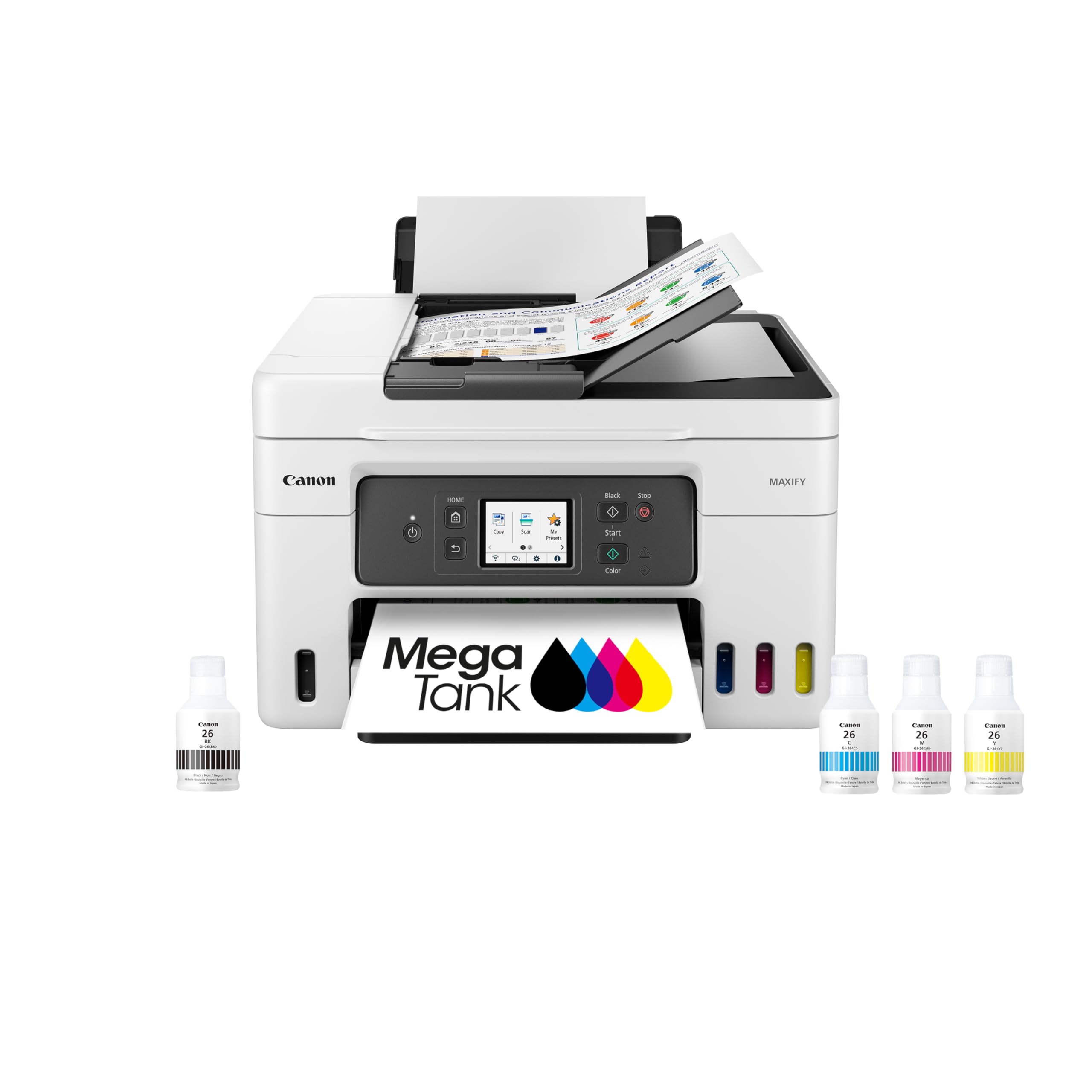
The Canon MegaTank GX4020 sits as a faster, higher-yield sibling to the GX2020, offering 18 ppm black and 13 ppm color with a claimed 6,000 black pages and a massive 14,000 color pages per ink set. It uses the same pigment-based GI-26 ink across all four channels, producing documents that are water-resistant and suitable for professional client deliverables. The 2.7-inch color LCD touchscreen provides full menu access without needing a phone.
The 50-sheet Semi-Auto Document Feeder (SADF) requires you to feed one sheet at a time rather than a stack—a distinction that matters if you regularly scan multi-page contracts. Auto duplex printing is standard, and the paper tray holds 250 sheets. Over a 2,000-page period, reliability holds up well with no paper jams reported in most user accounts, though the printer has an aggressive sleep setting that requires pressing the power button to wake up.
Ink refills are straightforward: the bottle nozzles are keyed to prevent mixing up colors, and the tanks are visible from the front. Long-term concerns center on the integrated print head—if it fails, the entire printer is affected. For a busy home office or small creative studio that prints mostly color marketing materials, the GX4020’s yield and speed make it a smart mid-tier investment.
Why it’s great
- Exceptional 14,000-page color yield per ink set
- Fast color output at 13 ppm
- Pigment-based ink for smudge-free color documents
Good to know
- SADF feeds one sheet at a time, not a stack
- Printer goes into deep sleep requiring manual wake
- Integrated print head is not user-replaceable
4. Epson EcoTank ET-4950 Wireless All-in-One

The Epson EcoTank ET-4950 targets users who prioritize black-and-white print speed without sacrificing color capability. Its 18 ppm mono output (9 ppm color) comes with almost zero warm-up time, making it ideal for burst printing of invoices or drafts. It ships with enough ink for 6,600 black and 5,500 color pages, and the replacement 502 bottles bring the cost per page down sharply compared to any cartridge-based system.
The 2.4-inch color display is slightly larger than the ET-4760’s and is tilt-adjustable for better viewing angles. An Auto Document Feeder handles multi-page scanning and copying, and auto duplex is standard. Ethernet is included, which is a welcome addition for wired office networks. Users report that wireless range is excellent and remains stable even after power outages, which isn’t always true for budget tank models.
The build quality feels lighter than the price suggests—some owners hear plastic creaking when handling the unit. Setup took one user 45 minutes due to a paper jam during the initial ink charge cycle, though most completed it in under 15 minutes. The ET-4950 is a strong choice for a home office or small business that runs heavy mono volumes but wants reliable color on demand without cartridge swapping.
Why it’s great
- Fast 18 ppm mono with zero warm-up time
- Ethernet and stable dual-band Wi-Fi included
- Excellent wireless range that survives power cycles
Good to know
- Build feels flimsy given the price point
- Color print speed lags behind mono performance
- Setup can encounter a paper jam during ink charge
5. HP OfficeJet Pro 9135 Wireless All-in-One
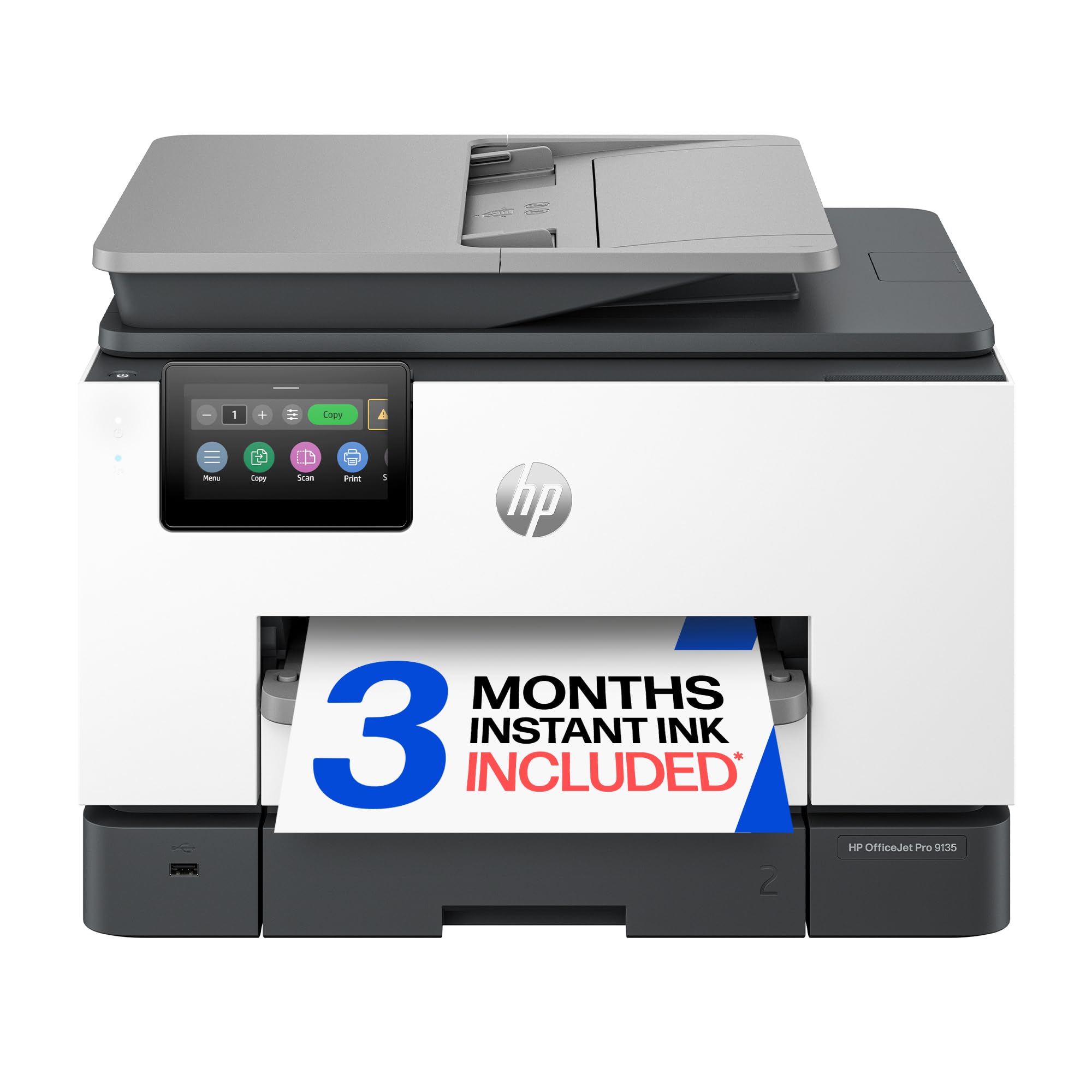
The HP OfficeJet Pro 9135 is technically a cartridge-based printer, not a true tank system, but it earns a spot for offices that need blistering speed—25 ppm black and 20 ppm color—plus a 4.3-inch color touchscreen that rivals a smartphone interface. It includes a single-pass duplex ADF, two 250-sheet input trays, and HP Wolf Pro Security for network protection. The HP AI feature removes unwanted content from web page prints, saving paper.
Setup is quick: scan a QR code, download the HP app, and you’re printing within five minutes. Print quality is exceptional for an inkjet, with sharp black text and near-photo color reproduction. The auto duplex scanning is truly single-pass, meaning a 20-page two-sided document scans in one pull rather than flipping and re-feeding.
The catch is ongoing ink cost. The included setup cartridges yield roughly 800 black and 420 color pages, after which you’re paying premium prices for HP 936 cartridges or enrolling in Instant Ink (3-month trial included). The printer also blocks non-HP cartridges via firmware. For an office that prints fewer than 300 pages per month, the subscription route can work, but high-volume users should consider a true tank model for lower per-page costs over time.
Why it’s great
- Class-leading 25 ppm black and 20 ppm color speed
- Single-pass duplex ADF saves major scan time
- Large touchscreen with intuitive phone-like interface
Good to know
- Cartridge system keeps per-page cost higher than tanks
- Blocks non-HP cartridges via firmware
- Setup cartridges have relatively low page yield
6. Canon MegaTank MAXIFY GX2020 All-in-One

The Canon MegaTank MAXIFY GX2020 delivers a true tank experience in a compact desktop footprint, making it a top pick for home offices where desk space is at a premium. It prints 15 ppm black and 10 ppm color using pigment-based GI-25 ink, producing sharp text that won’t run if a coffee cup sweats nearby. The 2.7-inch LCD touchscreen provides full control without needing a phone, and auto duplex printing is standard.
Ink economy is a major draw: a single set of included bottles is rated for 3,000 black and 3,000 color pages, and users report that after hundreds of prints, the ink level indicators barely move. The paper tray holds 250 sheets and handles plain paper without jams. Setup is straightforward on both Mac and Windows, and wireless connectivity has been reliable across user reports.
The printer lacks an ADF, so scanning multi-page documents requires lifting the lid for each page—a meaningful omission for anyone handling contracts or multi-page forms. Cardstock feeding also produces pronounced curl, which can be an issue for brochure printing. For a light- to medium-volume home office focused on plain-paper documents, the GX2020 offers strong value, but the lack of ADF limits its productivity ceiling.
Why it’s great
- Compact footprint fits tight desks
- Pigment-based ink for smudge-resistant documents
- Auto duplex printing saves paper
Good to know
- No Automatic Document Feeder for multi-page scanning
- Cardstock prints show noticeable curl
- Color photo quality is adequate but not photo-lab grade
7. Epson EcoTank ET-2980 Wireless All-in-One

The Epson EcoTank ET-2980 brings the company’s seventh-generation SuperTank technology to a mid-range price bracket, offering 15 ppm black and 8 ppm color with a 2.4-inch color touchscreen. It ships with three years’ worth of ink (6,600 black / 5,500 color pages) according to Epson’s formula, making it one of the most generous starter ink packages per dollar in this class. The EcoFit bottle system uses keyed nozzles that only fit the correct tank, eliminating the risk of cross-contamination.
Print quality is solid for general office documents—text is sharp on plain paper, and color graphics are vibrant enough for internal reports. The white chassis is a departure from the usual black or gray office printer, which may appeal to a home workspace aesthetic. Mobile printing via the Epson Smart Panel app works reliably from both Android and iOS after initial Wi-Fi setup.
The biggest drawback is the lack of an ADF and the omission of auto duplex printing. For someone scanning the occasional single page, that’s fine, but for a student or home worker processing multi-page assignments, the manual duplex and single-page scanning become tedious. A minority of users also report memory limitations when trying to print at 1200 DPI. For light-volume home use with modest scanning needs, the ET-2980 is a strong entry into the tank world.
Why it’s great
- Included ink covers up to 6,600 black pages out of box
- Keyed EcoFit bottles prevent ink color mix-ups
- Compact white design fits home decor
Good to know
- No ADF and no auto duplex printing
- Memory issues at high-resolution print settings
- Wi-Fi setup can require multiple attempts on Windows
8. HP Smart Tank Plus 570 Wireless All-in-One
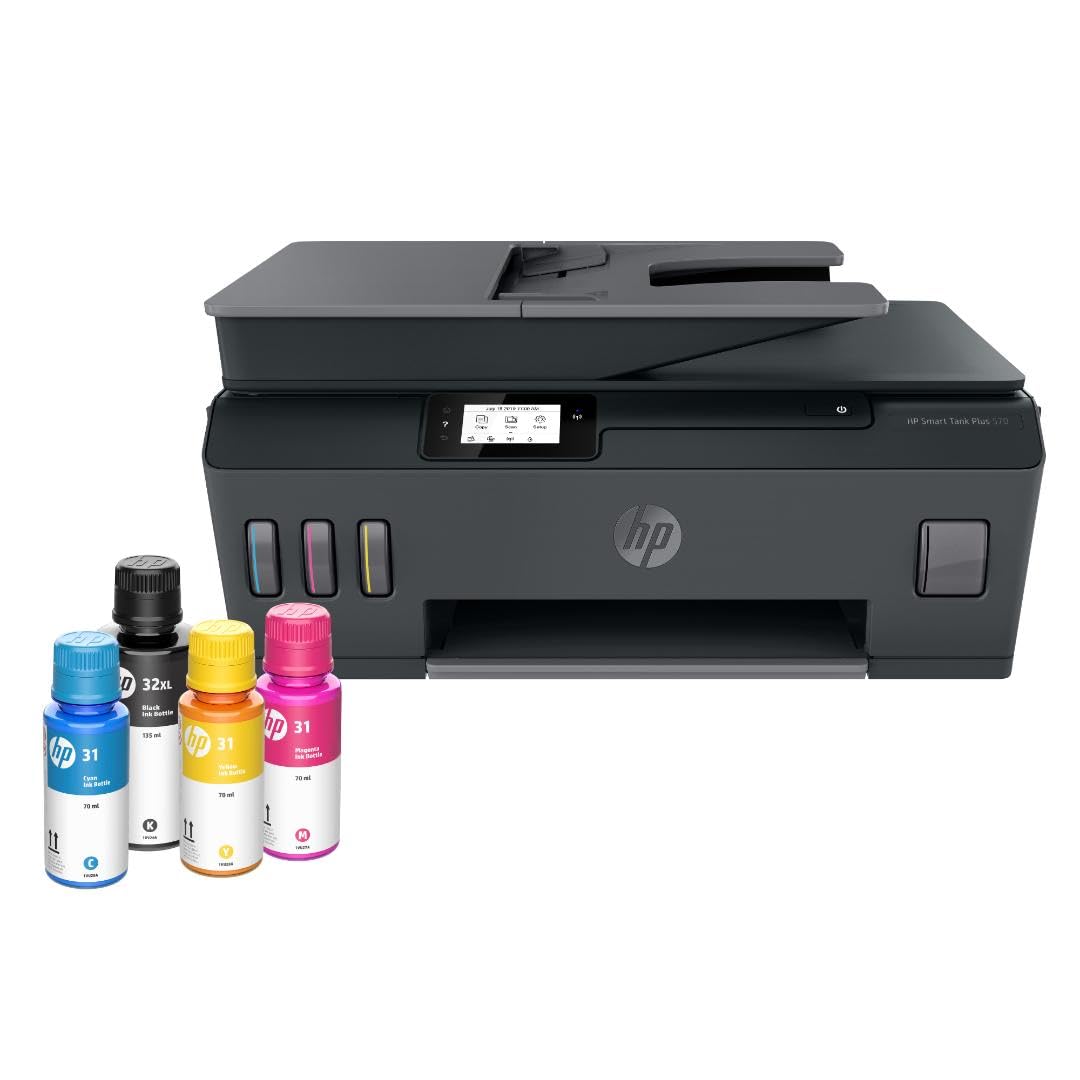
The HP Smart Tank Plus 570 is the most budget-conscious way to enter the tank ecosystem, offering print, copy, and scan functions with up to two years of ink included (8,000 color or 6,000 black pages). It uses HP’s mess-free refill system where bottles plug into the tank and drain automatically—no squeezing, no syringes. The print head is user-replaceable, which is a meaningful advantage if a clog occurs after months of idle sitting.
Text quality is standard inkjet—fine for homework, forms, and household correspondence, though it doesn’t rival the crispness of pigment-based systems on plain paper. Borderless photo printing up to 8.5×11 is supported, and wireless printing via the HP Smart app works reliably after the initial setup hurdle. The LED display is minimal: it shows ink levels and status icons but lacks a menu system for deeper settings.
The build quality is the main trade-off here. Multiple users report that the chassis feels light and plasticky, and there are isolated accounts of paper jam errors appearing after fewer than 20 prints. The printer only supports 2.4 GHz Wi-Fi, which can cause interference on congested routers. For someone printing a few dozen pages per month who wants the absolute lowest entry point to tank printing, the Plus 570 delivers—but expect to size up if your volume or reliability demands are higher.
Why it’s great
- Lowest cost of entry into tank printing
- User-replaceable print heads reduce long-term risk
- Mess-free ink bottle refill system
Good to know
- Build quality feels cheap and plasticky
- Only 2.4 GHz Wi-Fi, no 5 GHz support
- Minimal LED display limits onboard controls
9. HP Smart Tank 7001 Wireless All-in-One

The HP Smart Tank 7001 upgrades the basic tank formula with a 15 ppm black print speed, auto duplex printing, and an LCD screen (not a full touchscreen, but a navigable display). Like the Plus 570, it ships with enough ink for two years (8,000 color / 6,000 black pages) and uses HP’s automated refill bottles. It also includes HP AI, which reformats web pages and emails before printing to eliminate extra pages—a genuinely useful feature for anyone who prints from browsers.
Print quality is a step above the Plus 570: text is sharper and color output is richer, making it suitable for client-facing documents. The ink tank system is the same mess-free design, and the replaceable print heads offer the same long-term security against clogs. The auto duplex function works reliably, and dual-band Wi-Fi (2.4 and 5 GHz) provides flexible connectivity options that the lower-priced Plus 570 lacks.
The control panel is basic for its bracket—some users expected a full touchscreen at this level. The paper tray lacks a rear guide, which can lead to slightly crooked feeding if you don’t fan the paper carefully. A few owners report the Wi-Fi setup process is more complex than it should be, requiring the HP Smart app and multiple confirmation screens. For a home office that wants tank economics with a bit more speed and AI-assisted print formatting, the Smart Tank 7001 is a solid middle-ground pick.
Why it’s great
- Auto duplex printing saves time and paper
- HP AI reformats web pages to prevent wasted pages
- Dual-band Wi-Fi reduces connection dropouts
Good to know
- Control panel is LCD, not a full touchscreen
- Paper tray lacks a rear guide for alignment
- Setup can require multiple app steps on first use
FAQ
How often do I need to refill the ink tanks on an all-in-one tank printer?
Can I use third-party ink in a tank printer without voiding the warranty?
Why does my tank printer show a maintenance cartridge message and how do I fix it?
Is it safe to leave a tank printer unused for a month without the print head clogging?
Final Thoughts: The Verdict
For most users, the all-in-one tank printer winner is the Epson EcoTank ET-4760 because it combines the best balance of ink yield, productivity features (ADF, auto duplex), and proven long-term reliability for high-volume home offices. If you want true business speed and need single-pass duplex scanning for contracts, grab the Canon MegaTank GX7120. And for a budget-friendly entry into the tank world with user-replaceable print heads, nothing beats the HP Smart Tank Plus 570.

Mo Maruf
I created WellFizz to bridge the gap between vague wellness advice and actionable solutions. My mission is simple: to decode the research and give you practical tools you can actually use.
Beyond the data, I am a passionate traveler. I believe that stepping away from the screen to explore new environments is essential for mental clarity and physical vitality.