Our readers keep the lights on and my smoothie glass nicely filled. As an Amazon Associate, I earn from qualifying purchases.
Finding an all-in-one printer that actually handles two-sided scanning without dropping pages or slowing to a crawl is a specific challenge. Most multifunction devices advertise duplex printing, but when you need to digitize a 50-page contract with both sides captured in a single pass, the difference between a capable machine and a frustrating one becomes painfully clear.
I’m Mohammad Maruf — the founder and writer behind WellFizz. I’ve spent years analyzing printer hardware specifications, from ADF roller durability and scan sensor arrays to toner yield economics and network stack stability, to separate the truly productive machines from the paper-jam nightmares.
This guide breaks down the top contenders for the best all in one printer with duplex scanning, focusing on models that deliver genuine two-sided document handling without the usual compromises in speed or reliability.
How To Choose The Best All In One Printer With Duplex Scanning
Choosing a duplex-capable all-in-one requires looking beyond the marketing claim of “automatic two-sided printing.” The real productivity bottleneck is the scanner’s automatic document feeder (ADF) — specifically whether it performs one-pass duplex scanning or two-pass. One-pass ADFs scan both sides of a page simultaneously in a single sheet pass, nearly doubling your scanning speed for double-sided documents. Two-pass ADFs flip the page and scan the second side, which is slower and introduces a higher risk of paper jams.
Monochrome Laser vs. Color Inkjet for Duplex Work
If your primary workload is black-and-white text documents, a monochrome laser printer delivers far faster duplex speeds than any similarly priced color inkjet. Laser engines can output 30+ pages per minute on duplex jobs without drying time, while inkjets often slow down significantly when printing on both sides of the page to allow ink to dry. Color laser printers bridge the gap, offering both speed and color, but the initial machine cost and toner replacement expense are higher. For pure document throughput, mono laser remains the most effective solution.
Scan Resolution and ADF Capacity
Two specifications determine whether duplex scanning is practical for your volume: the ADF sheet capacity and the optical scan resolution. A 50-sheet ADF lets you load a full document at once, but if the scan resolution is limited to 300 dpi for duplex jobs, the resulting digital files may lack the clarity needed for OCR or archiving. Look for ADFs that maintain at least 600 dpi optical resolution during duplex scanning and offer a minimum 50-sheet input tray to minimize reloading.
Connectivity and Workflow Integration
The best duplex scanning printer is useless if it can’t integrate into your existing document workflow. Ethernet connectivity ensures stable high-speed transfers for large scanned files, while dual-band Wi-Fi (2.4GHz and 5GHz) reduces interference in crowded office environments. Native support for scan-to-network-folder, scan-to-email, and cloud destinations like Google Drive and Dropbox eliminates the need to manually transfer files from a connected PC, making duplex scanning a true time-saving feature.
Quick Comparison
On smaller screens, swipe sideways to see the full table.
| Model | Category | Best For | Key Spec | Amazon |
|---|---|---|---|---|
| Canon imageCLASS MF462dw | Mono Laser | High-speed duplex scanning & printing | One-pass duplex ADF at 100 ipm | Amazon |
| Brother MFC-L3720CDW | Color Laser | Color duplex documents & graphics | 19 ppm color duplex laser | Amazon |
| Canon imageCLASS MF751Cdw | Color Laser | Fast color duplex with expandable tray | 35 ppm color, expandable 850-sheet | Amazon |
| Xerox B315DNI | Mono Laser | Ultra-fast mono printing | Up to 42 ppm print speed | Amazon |
| Epson EcoTank ET-4950 | Color Inkjet | Low-cost color duplex printing | 6,600 pages ink included | Amazon |
| HP LaserJet Pro MFP 3101sdw | Mono Laser | Small-team office duplex printing | 35 ppm black duplex | Amazon |
| Brother MFC-L2820DW | Mono Laser | Compact home office with ADF | 36 ppm duplex, 2.7″ touchscreen | Amazon |
| Epson EcoTank ET-2980 | Color Inkjet | Budget-friendly color duplex | Automatic duplex, no ADF | Amazon |
| HP LaserJet MFP M235sdw | Mono Laser | Entry-level duplex laser | 28 ppm duplex, dual-band Wi-Fi | Amazon |
In‑Depth Reviews
1. Canon imageCLASS MF462dw

The Canon imageCLASS MF462dw is the clear leader in this category because it offers a true one-pass duplex automatic document feeder that scans both sides of a page simultaneously at up to 100 images per minute in black and white. This feature alone saves significant time when digitizing two-sided documents, eliminating the need to flip and feed sheets a second time. The monochrome laser engine delivers 37 pages per minute with a five-second first-page-out time, making it one of the fastest in its class.
The 5-inch color touchscreen with Application Library provides customizable shortcuts for your most-used scan and copy functions, reducing navigation time for repetitive tasks. Build quality is sturdy, and the 50-sheet one-pass ADF handles mixed paper types reliably without frequent jams. The included 3-year limited warranty offers peace of mind for a business-critical device.
Connectivity is robust with Ethernet, dual-band wireless, and mobile support via the Canon PRINT Business app, Apple AirPrint, and Mopria Print Service. The expandable paper capacity of up to 900 sheets (with optional cassette) suits medium-volume offices. Some users report occasional network connectivity hiccups that require a printer restart, but overall this machine is the gold standard for duplex scanning productivity.
Why it’s great
- True one-pass duplex ADF for ultra-fast scanning
- Fast 37 ppm print speed with low first-page-out time
- Large touchscreen with customizable shortcuts
- 3-year limited warranty included
Good to know
- Occasional Wi-Fi disconnects reported by some users
- Color depth limited to monochrome only
- Starter toner cartridge has lower page yield
2. Brother MFC-L3720CDW

For offices that need color documents with duplex scanning and printing, the Brother MFC-L3720CDW delivers professional-grade laser output without the premium price of enterprise models. Its color laser engine reaches 19 pages per minute for both black and color, with automatic duplex printing handling double-sided color documents without smearing or drying delays. The 50-sheet auto document feeder supports duplex scanning, though it uses a two-pass method, which is slightly slower than one-pass but remains reliable for most business needs.
The 3.5-inch color touchscreen with 48 customizable shortcuts is highly intuitive, and the built-in dual-band Wi-Fi and Ethernet provide flexible networking options. Direct cloud connectivity to Google Drive, Dropbox, and OneNote streamlines scan-to-digital workflows without requiring a computer as an intermediary. Print quality is sharp for text and vibrant for graphics, making it suitable for client-facing materials.
Toner cartridge yields are generous, and Brother’s Refresh subscription service can reduce supply costs. The machine feels solidly built with a compact footprint. A few isolated complaints about toner chip lockout and firmware issues exist, but the vast majority of users report trouble-free operation. This is a strong color laser choice for teams that regularly produce double-sided color reports.
Why it’s great
- Excellent color laser quality at a competitive price
- Intuitive 3.5″ touchscreen with customizable shortcuts
- Dual-band Wi-Fi and Ethernet included
- Cloud scan-to capabilities out of the box
Good to know
- Duplex scanning is two-pass, slower than one-pass
- Toner chip may cause false “empty” alerts
- Photo output not as good as inkjet
3. Canon imageCLASS MF751Cdw

The Canon imageCLASS MF751Cdw is a speed demon in the color laser category, delivering up to 35 pages per minute in both color and black-and-white, with automatic duplex printing that doesn’t sacrifice pace. This makes it the fastest color duplex machine on this list, ideal for environments where every meeting room needs handouts in minutes. The 50-sheet simplex automatic document feeder handles scanning and copying of multi-page documents, though it does not offer one-pass duplex scanning.
Paper capacity is generous with a 250-sheet standard cassette and 50-sheet multipurpose tray, expandable to 850 sheets with an optional cassette. The 5-inch color touchscreen is responsive, and the Canon PRINT Business app enables mobile printing and scanning. The 3-year limited warranty is a strong differentiator in this price range, reflecting Canon’s confidence in the hardware.
Toner cartridge options include high-capacity 069H variants that reduce replacement frequency. Some users note that the starter toner yields are modest, but the overall cost-per-page with high-capacity cartridges is competitive. A few reports mention that initial network setup can be finicky, especially on Windows 10, but once configured, the machine runs reliably.
Why it’s great
- Class-leading 35 ppm color print speed
- Expandable paper capacity up to 850 sheets
- 3-year limited warranty coverage
- Fast duplex printing without slowdown
Good to know
- ADF is simplex only, no duplex scanning
- Initial network setup can be complex
- Starter toner cartridges have short page yields
4. Xerox B315DNI
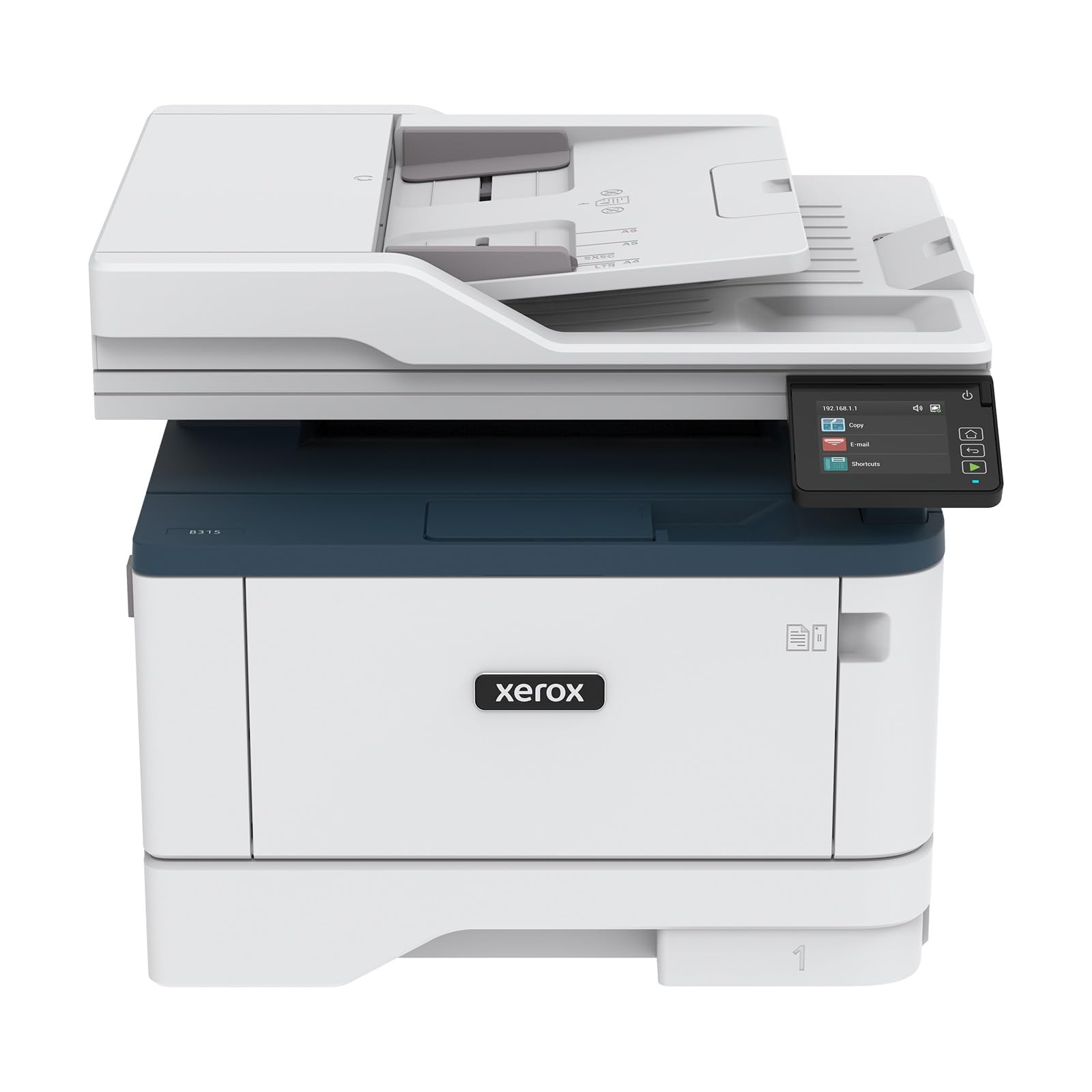
The Xerox B315DNI is built for pure throughput, churning out up to 42 letter-sized pages per minute with automatic duplex printing that keeps pace. This makes it the fastest mono laser on this list, ideal for high-volume document production where every second counts. The machine includes a reversed automatic document feeder (RADF) for duplex scanning, though it uses a two-pass method — acceptable given its speed advantage in output.
Build quality feels solid and commercial-grade, with a compact footprint that fits a small office desk. The intuitive LCD touchscreen and Xerox Print & Scan Experience software simplify complex tasks like receipt scanning and auto-straightening. Security features are comprehensive for a device in this class, including secure print release and data encryption.
Some users report that the initial setup can be challenging, especially for those not experienced with network printers. Toner costs are on the higher side compared to Brother or HP alternatives, but the raw speed makes it worthwhile for high-volume users. A small number of units have experienced Wi-Fi stability issues, but Ethernet connectivity completely resolves this.
Why it’s great
- Fastest print speed at 42 ppm in this category
- Solid commercial build quality
- Comprehensive security features
- RADF for duplex scanning capability
Good to know
- Higher toner replacement cost per page
- Setup can be complex for non-technical users
- Some Wi-Fi connectivity reports
5. Epson EcoTank ET-4950

The Epson EcoTank ET-4950 is the inkjet champion for duplex scanning, offering a generous Auto Document Feeder with automatic duplex scanning and printing. The refillable ink tank system comes with enough ink in the box to print up to 6,600 black pages and 5,500 color pages, dramatically reducing the cost-per-page compared to cartridge-based inkjets. Print speeds reach 18 pages per minute in black and 9 in color, which is adequate for home and small office use.
The 2.4-inch color display is bright and responsive, and the wireless connectivity — including Wi-Fi Direct — makes it easy to print from phones and tablets. The included ADF supports automatic duplex scanning, a significant productivity boost for digitizing double-sided documents. Dual-band Wi-Fi and Ethernet ensure stable network connections even in wireless-congested environments.
Setup can be a bit involved, requiring a 15-minute ink charge and driver installation. Some users find the Epson Smart Panel app to be essential for initial configuration. The machine’s plastic build feels less robust than laser competitors, but the ink savings over time are substantial. Photo print quality is very good for an inkjet, making this a solid choice if you need occasional color prints alongside frequent duplex scanning.
Why it’s great
- Extremely low cost-per-page with included ink
- Includes ADF with automatic duplex scanning
- Good photo and color print quality
- High-yield ink bottles last for years
Good to know
- Setup is time-consuming with ink charging
- Print speeds slower than laser alternatives
- Build quality is primarily plastic
6. HP LaserJet Pro MFP 3101sdw

The HP LaserJet Pro MFP 3101sdw is a reliable workhorse for small teams, printing up to 35 pages per minute with automatic duplex functionality. The 50-sheet auto document feeder supports duplex scanning, making it easy to copy or digitize two-sided documents without manual intervention. HP’s Smart app streamlines mobile printing and scanning, and the dual-band Wi-Fi with self-reset technology helps maintain connectivity.
Output quality is crisp and professional, with toner formulated for sharp text and clean graphics. The 250-sheet input tray handles typical office volumes, and the overall design is compact for a laser multifunction. HP’s security features are robust, protecting against network vulnerabilities.
Be aware that this printer uses HP’s dynamic security feature, which may block non-HP toner cartridges. Some users report that firmware updates reinforce this lockout, potentially increasing supply costs. Despite this, for those who stick with genuine HP toner, the reliability and print quality are excellent. A few users mention occasional Wi-Fi drops, but the self-reset feature usually resolves these quickly.
Why it’s great
- Fast 35 ppm print speed with auto duplex
- 50-sheet ADF with duplex scanning support
- Strong security features for business use
- Smart app for mobile workflow integration
Good to know
- Dynamic security blocks third-party toner
- Firmware updates may enforce toner lockout
- Some Wi-Fi reliability reports
7. Brother MFC-L2820DW

The Brother MFC-L2820DW proves that you don’t need a large chassis to get solid duplex scanning and printing performance. Its compact footprint houses a 50-sheet auto document feeder that supports duplex scanning (two-pass), a 250-sheet paper tray, and a fast 36 ppm monochrome output. The 2.7-inch touchscreen is surprisingly intuitive for a machine in this size class, allowing easy navigation of scan-to-cloud and copy functions.
Dual-band wireless and Ethernet give you flexible connection options, and Brother’s Mobile Connect app provides remote printing and scanning. The machine supports popular cloud services like Google Drive and Dropbox directly, simplifying document archiving. Build quality is typical Brother — sturdy and dependable, with reliable paper handling that minimizes jams.
Setup can be slightly confusing for some users, particularly regarding Wi-Fi configuration, but once running, the L2820DW is remarkably low-maintenance. Brother’s toner is reasonably priced, and the Refresh subscription can reduce costs. Some users note that the touchscreen is smaller than premium models, but for a compact office printer, it offers excellent functionality.
Why it’s great
- Compact size with full duplex scanning capability
- Fast 36 ppm print speed for a small machine
- Intuitive touchscreen with cloud connectivity
- Dual-band Wi-Fi and Ethernet included
Good to know
- Duplex scanning is two-pass, slower than one-pass
- Setup instructions could be clearer
- Touchscreen is smaller than premium models
8. Epson EcoTank ET-2980

The Epson EcoTank ET-2980 is an entry-level color all-in-one that includes automatic duplex printing, making it a budget-friendly option for home users who occasionally need double-sided color pages. The cartridge-free EcoTank system comes with enough ink for up to 6,600 black pages and 5,500 color pages, virtually eliminating the per-page cost anxiety that plagues traditional inkjets. Print speeds are modest — 15 ppm black and 8 ppm color — but sufficient for light home use.
This model does not include an auto document feeder, so duplex scanning is not possible without manually flipping pages on the flatbed scanner. The 2.4-inch color display is basic but functional, and the Epson Smart Panel app enables mobile printing and scanning. Setup involves a straightforward ink charging process, and the refillable tanks are genuinely mess-free with the keyed EcoFit bottles.
Print quality is good for documents and acceptable for photos, though not at the level of dedicated photo printers. The lack of an ADF makes it less suitable for digitizing multi-page double-sided documents, but for a family printer that needs duplex output, the ET-2980 delivers exceptional ink economy. Some users report that the automatic output tray mechanism can be fiddly, and the LCD viewing angle is narrow.
Why it’s great
- Extremely low running costs with included ink
- Auto duplex printing for double-sided documents
- Easy and clean ink refilling system
- Very affordable entry price point
Good to know
- No auto document feeder for scanning
- Print speeds are slower than laser
- Basic display with narrow viewing angle
9. HP LaserJet MFP M235sdw

The HP LaserJet MFP M235sdw is an accessible monochrome laser all-in-one with automatic duplex printing, designed for small offices or home workspaces with moderate print volumes. Print speeds reach 28 pages per minute, and the dual-band Wi-Fi with self-reset helps maintain a stable connection. The machine supports scanning and copying, though the flatbed scanner requires manual page flipping for duplex documents.
Setup is straightforward via the HP Smart app, and the printer works seamlessly with Windows, Mac, iOS, Android, and Chromebook devices. HP’s built-in security features add a layer of protection for sensitive documents. The compact dimensions fit easily on a standard desk, and the 250-sheet input tray handles daily needs without constant refilling.
Some users have reported a false paper jam error after limited use, though a firmware update often resolves this. The scanner is single-sided only, so digitizing double-sided documents requires manual intervention. Toner costs are reasonable, especially with high-yield cartridges. For a simple, budget-friendly monochrome laser with duplex printing, this is a capable starting point.
Why it’s great
- Budget-friendly monochrome laser with duplex
- Reliable dual-band Wi-Fi with self-reset
- Universal OS and mobile device support
- Compact footprint for small spaces
Good to know
- Scanner is flatbed only, no ADF for duplex
- Some firmware issues reported early on
- Print speed is lower than mid-range models
FAQ
What does “one-pass duplex scanning” mean for a printer?
Can I use third-party toner in a printer with duplex scanning?
Is a laser printer better than an inkjet for duplex scanning?
Why does my duplex scanning printer jam on two-sided documents?
Final Thoughts: The Verdict
For most users, the best all in one printer with duplex scanning winner is the Canon imageCLASS MF462dw because it offers true one-pass duplex scanning in the ADF, fast 37 ppm printing, and a 3-year warranty at a mid-range price. If you need color duplex documents, the Brother MFC-L3720CDW delivers excellent color laser output with a reliable duplex ADF. And for the lowest running costs with frequent color duplex scanning, the Epson EcoTank ET-4950 provides thousands of pages of ink in the box and an ADF with automatic duplex support.

Mo Maruf
I created WellFizz to bridge the gap between vague wellness advice and actionable solutions. My mission is simple: to decode the research and give you practical tools you can actually use.
Beyond the data, I am a passionate traveler. I believe that stepping away from the screen to explore new environments is essential for mental clarity and physical vitality.