Our readers keep the lights on and my smoothie glass nicely filled. As an Amazon Associate, I earn from qualifying purchases.
Specs are compiled from manufacturer listings and verified buyer reviews and can change over time — please confirm the key details on the product page before buying.
You want a home printer that does not drain your wallet every time the ink runs low. This guide shows you the all-in-one printers that actually deliver low running costs without sacrificing print quality, wireless convenience, or everyday reliability.
I’m Mohammad Maruf — the founder and writer behind WellFizz. This guide is built by comparing the manufacturers’ published specifications and the patterns across verified customer reviews, so you get each pick’s real strengths and trade-offs instead of marketing spin.
if you need a budget-friendly cartridge model, a refillable tank system, or a fast office-level machine, this guide finds the best all-in-one printer for home use with cheap ink for your specific printing habits.
Our Picks at a Glance


How To Choose The Best All-In-One Printer For Home Use With Cheap Ink
Choosing a cheap-ink printer means looking beyond the upfront machine price. Your real cost is the ink you buy month after month. Focus on a few key decisions.
Cartridge vs. Supertank: The Biggest Cost Decision
Traditional cartridge printers have a lower upfront cost, but replacement ink adds up. Supertank printers (like Epson’s EcoTank) come with refillable ink tanks. You pay more upfront for the printer, but the ink bottles last far longer than a pack of cartridges. For regular weekly printing, a supertank often pays for itself within a year. For light, occasional use, a cartridge printer with cheap third-party refills may still make sense.
The Functions That Save You Paper and Time
Automatic duplex (2-sided) printing cuts paper costs in half. An auto document feeder (ADF) (a slot that feeds a stack of pages through the scanner automatically) lets you scan or copy a stack of pages without standing at the machine. These features cost a little more upfront but pay off quickly in efficiency. A 2.7-inch color touchscreen or an OLED display also makes daily navigation faster and less frustrating.
Wireless and Mobile Printing
Dual-band Wi-Fi (2.4GHz and 5GHz) gives you a stable connection from anywhere in the house. Look for mobile printing support like the Canon PRINT App, Apple AirPrint, or Mopria Print Service. This lets you send a document straight from your phone without ever touching a computer.
Quick Comparison
| Model | Best For | Print Speed (B&W) | Key Supply | Duplex / ADF | Amazon |
|---|---|---|---|---|---|
| Canon PIXMA TR7120★ Best Overall | Budget all-around home use | 14 ppm | 2-cartridge system | Yes / Yes | Amazon |
| Canon PIXMA TR4720Versatile 4-in-1 | Value 4-in-1 with fax | — | PG-275 / CL-276 | Yes / Yes | Amazon |
| HP OfficeJet Pro 8125 | Fast home-office printing | 20 ppm | HP 923 cartridge | Yes / Yes | Amazon |
| Brother Work Smart 1410 | Third-party ink freedom | 16 ppm | LC501 cartridge | Yes / Yes | Amazon |
| HP OfficeJet Pro 8139 | Premium home office with fax | 20 ppm | HP 923 cartridge | Yes / Yes | Amazon |
| Epson EcoTank ET-2980 | Lowest ink cost (supertank) | 15 ppm | 502 Ink bottles | Yes / No | Amazon |
| HP Envy Photo 7975 | Photo-focused home printing | 15 ppm | HP 64 cartridge | Yes / Yes | Amazon |
In‑Depth Reviews
1. Canon PIXMA TR7120 Wireless Color Inkjet Printer
The compact home printer that keeps running on affordable two-cartridge ink.
If you want cheap ink without a subscription, the Canon PIXMA TR7120 uses a 2-cartridge hybrid ink system (one black, one tri-color). Buyers report that after four months of regular use, the original cartridges still deliver “perfect performance.” That kind of low-cost endurance is rare at this price level. The print quality gets the most praise — 72 owners highlight how sharp and clear the output is, both for black-and-white documents and color photos.
Setup is equally smooth: 62 buyers specifically call out the easy on-screen prompts and quick wireless connection to dual-band Wi-Fi. The 1.42-inch monochrome OLED (organic light-emitting diode) display shows you ink levels and printer status at a glance, so you are never guessing when to refill. At 14 pages per minute (ppm) for black-and-white, it is noticeably slower than the HP OfficeJet Pro 8125 (20 ppm) above it, but for light to moderate home use, you likely will not feel the lag. The auto document feeder (ADF) handles multi-page scan-and-copy jobs, while automatic duplex (2-sided) printing saves paper.
Why owners love it
- Print quality is the top praise — 72 owners call out sharp, clear output for both documents and photos
- Setup scores almost as high, with 62 mentioning easy wireless connection and clear on-screen instructions
- Auto Document Feeder (ADF) and automatic duplex printing for easy multi-page jobs
- Compact white design with a 1.42-inch OLED display for checking ink levels
The honest trade-off
- 14 ppm black-and-white print speed is slower than some office-focused models (the HP below does 20 ppm)
- Paper tray capacity is on the small side per review comments
- Connectivity gets mixed feedback — while many connect easily, a portion of owners struggled with the Wi-Fi setup
Your best fit if: you want a low-cost home printer with genuinely cheap ink, easy wireless setup, and a compact footprint that handles scanning and copying without fuss.
Think twice if: you print heavy volumes daily — the slower speed and smaller paper tray may frustrate you. For that, look at the HP OfficeJet Pro 8125 or the Brother Work Smart 1410.
2. Canon PIXMA TR4720 All-in-One Wireless Printer
A true 4-in-1 that adds fax without inflating the ink bill.
The Canon PIXMA TR4720 goes a step beyond the TR7120 by adding built-in fax (a machine that sends documents over a phone line) — making it a true 4-in-1 (print, scan, copy, fax) for home offices that still rely on the phone line. It uses the PG-275 black and CL-276 color cartridges, which are widely available and often sold in value multipacks. The value pitch is strong enough that owners consistently call it a “must for every home.” The setup through the Canon PRINT app is straightforward, and the ink cartridge installation is tool-free, so you are in and out in minutes.
The 4.6-star rating across 200+ reviews signals very high satisfaction, with buyers praising the quality of documents and photos. The compact black design fits easily on a small desk, though it does not have the OLED display of the TR7120 — it uses a standard LCD (liquid crystal display) screen instead. The automatic document feeder and duplex printing are present, so multi-page stacks are still handled efficiently. The main trade-off is that the TR4720 runs slightly slower than the TR7120 in black-and-white, but for a typical home with light to moderate printing, that difference is imperceptible.
What stands out
- True 4-in-1 functionality with built-in fax for home offices that still use a phone line
- 4.6-star rating across 200+ reviews — owners consistently call it a “must for every home”
- Easy ink cartridge installation with no tools needed
- Auto Document Feeder and automatic duplex printing included
What to keep in mind
- LCD display instead of the OLED screen found on the TR7120 — less visual feedback at a glance
- Starter ink cartridges (PG-275/CL-276) have lower page yield than high-capacity alternatives
- Compact design means a smaller paper tray than standard
Reach for this if: you need fax capability from a compact all-in-one, or you want a simple, well-rated printer with cheap ink refills that are easy to find.
skip it if: you prefer an OLED display for at-a-glance status — the TR7120 above offers that for a slightly lower upfront cost.
3. HP OfficeJet Pro 8125 Wireless All-in-One Printer

The fastest in this lineup — ideal if you regularly print multi-page documents.
At 20 pages per minute for black-and-white and 10 pages per minute for color, the HP OfficeJet Pro 8125 blows past the Canon PIXMA TR7120’s 14 ppm speed by a 43% margin. For a busy home office churning out reports, presentations, or client flyers, that speed difference is real. The print quality is the second most-praised feature, with 27 owners saying the color output rivals professional print shops. The 225-sheet input tray is noticeably larger than the smaller trays on the Canon models, meaning fewer reloads during a long job.
Setup is the top-rated aspect with 29 mentions, and the 2.7-inch color touchscreen makes navigation feel phone-like. The printer comes with a 3-month trial of HP Instant Ink, a subscription service that delivers ink to your door before you run out. After the trial, a monthly fee applies unless you cancel — and some owners note that the subscription prompts are easy to skip if you prefer buying cartridges your way. The dual-band Wi-Fi automatically detects and resolves connection issues, which cuts down on the “why won’t it print” frustration. The one catch is that this printer only works with original HP cartridges, blocking third-party refills. If you plan to buy cheap aftermarket cartridges, the Brother Work Smart 1410 below is a better choice.
Why it leads
- 20 ppm black-and-white speed — the fastest in this lineup, 43% faster than the Canon TR7120
- 225-sheet input tray holds more paper, so fewer reloads during big jobs
- 2.7-inch color touchscreen for phone-like navigation
- 3-month trial of HP Instant Ink included (delivery service)
The honest catch
- Only works with original HP cartridges — firmware blocks third-party refills
- The HP Instant Ink subscription can feel pushy until you figure out how to cancel after the trial
- Connectivity received mixed feedback — some owners mention Wi-Fi hiccups
Perfect for: a home office that prints multiple documents daily and values speed. The 20 ppm black-and-white speed alone justifies the step up.
Not for you if: you prefer buying cheap third-party cartridges — this printer locks you into HP’s ink ecosystem. The Brother 1410 is the better alternative.
4. Brother Work Smart 1410 Wireless Color Inkjet All-in-One

The rare home printer that lets you use generic ink cartridges without a fight.
Most modern printers actively block third-party ink — the Brother Work Smart 1410 is the exception. Owners explicitly note that you “can use generic ink cartridges,” which opens the door to the cheapest refills on the market. That makes this among the most affordable long-term options in this list. Print quality is the most-praised feature, with 30 owners specifically calling out crisp text and vivid colors. At 16 pages per minute for black-and-white and 9 pages per minute for color, it is fast enough for a home office but not quite as quick as the HP OfficeJet Pro 8125 (20 ppm).
The 2.7-inch color touchscreen connects to cloud apps like Google Drive, Dropbox, and OneDrive, so you can scan directly to your online storage without a computer. The automatic duplex printing and 20-sheet ADF (single-sided) handle multi-page documents efficiently. Setup is the second most-praised aspect with 25 mentions, and the Brother Mobile Connect app gives you full control from your phone. One common observation is that the ink does drain faster than some would like — but as owners put it, “don’t they all?” The compact dimensions (13.5 inches deep by 15.4 inches wide) make it one of the more space-friendly models in this tier.
What wins people over
- Accepts generic ink cartridges — a major cost saver that most competitors block
- Print quality is the top-rated feature, with 30 owners praising sharp text and vivid colors
- Cloud connectivity via the 2.7-inch touchscreen for scanning to Google Drive and Dropbox
- Compact footprint (13.5 x 15.4 inches) fits small desks
The trade-off
- Black-and-white print speed (16 ppm) is lower than the HP OfficeJet Pro 8125 (20 ppm)
- Ink seems to drain faster than some owners prefer — a common theme even if it is typical for the category
- Reliability and ease of use both get mixed feedback in reviews
Best for: budget-conscious homes or offices that want the freedom to buy the cheapest third-party ink. This printer pays for itself quickly if you refill often.
Look elsewhere if: you need faster, high-volume output — the HP OfficeJet Pro 8125 is the speedier pick.
5. HP OfficeJet Pro 8139 Wireless All-in-One Printer
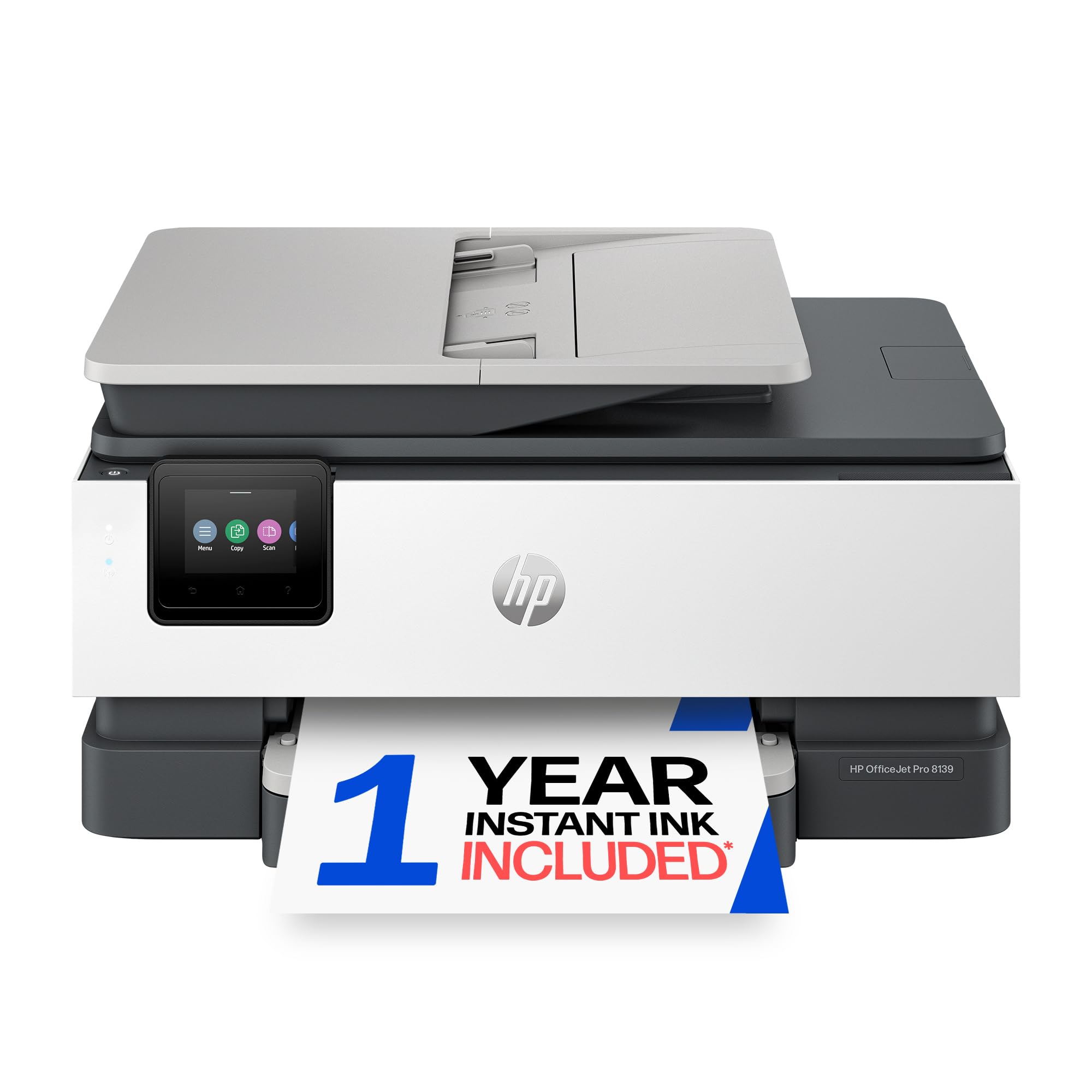
The OfficeJet Pro 8125’s sibling adds fax and a full year of Instant Ink.
The HP OfficeJet Pro 8139 is essentially the OfficeJet Pro 8125 plus built-in fax and a year-long trial of HP Instant Ink instead of three months. If you need to send faxes from a home office, this is the version to grab. The core specs match the 8125: 20 pages per minute for black-and-white, 10 pages per minute for color, a 225-sheet input tray, and the same dual-band Wi-Fi that, according to the manufacturer, auto-resolves connection hiccups. The 2.7-inch color touchscreen makes navigation intuitive, and the HP AI web print tool removes clutter from web pages before printing.
Setup is the most positive aspect with 8 mentions, and owners describe the print quality as “excellent” for business documents and presentations. The catch is that connectivity gets mixed feedback — 9 owners mention it as an issue, which is the highest single aspect count in this product’s data, so some users do run into Wi-Fi hiccups that the auto-resolution feature does not always catch. The printer also locks you into original HP cartridges, blocking third-party refills. For the premium price, you are paying for speed, fax, and the Instant Ink trial, not freedom to buy cheap cartridges elsewhere.
What you get extra
- 1-year trial of HP Instant Ink included — far longer than the 3-month trial on the OfficeJet Pro 8125
- Built-in fax for home offices that still transmit documents over phone lines
- Fast 20 ppm black-and-white, matching the OfficeJet Pro 8125
What to consider
- Connectivity is a mixed area — some customers note Wi-Fi issues that require unplugging and reconnecting
- Blocks non-HP cartridges, so you cannot use cheap third-party ink
- Initial page print time of 18 seconds is slower than some competitors
Pick this if: your home office absolutely needs fax, or you want a full year of Instant Ink service to simplify supply management.
pass on it if: you do not need fax — the HP OfficeJet Pro 8125 is essentially the same machine for a lower cost.
6. Epson EcoTank ET-2980 Wireless All-in-One Supertank Printer

The printer that comes with three years of ink in the box — no cartridges ever.
The Epson EcoTank ET-2980 is a cartridge-free supertank (refillable ink tank) printer. The box includes enough ink to print up to 6,600 pages in black and 5,500 in color — a stash that Epson claims lasts up to three years for a typical home. Each replacement bottle set is equivalent to about 90 individual cartridges, which is the real cheap-ink story here. For families or students who print regularly, this eliminates the recurring “out of ink” emergency runs to the store. The printer itself is the 7th generation of EcoTank, representing a platform that, according to Epson, has sold 100 million units worldwide.
Setup consistently gets high marks, with owners calling the directions “clearly written and easy to understand.” The 2.7-inch color touchscreen guides you through the initial ink filling and wireless connection. At 11.5 pounds, it is one of the heavier machines in this list, but the extra weight comes from the large internal ink tanks. The biggest trade-off is that the ET-2980 does not include a document feeder (ADF), unlike the Canon TR7120 or HP OfficeJet Pro 8125. That means scanning or copying a stack of pages requires feeding them one at a time. The other potential pitfall: if you leave the printer unused for many days, some reviewers point out the print heads can clog, so regular use is important.
Why it is a money saver
- 3 years of ink in the box — up to 6,600 black / 5,500 color pages at no extra cost
- Each replacement bottle equals about 90 cartridges, cutting ink cost to pennies per page
- Clear, easy setup process — owners say the directions are some of the best they have seen
- 7th-generation EcoTank from a platform with 100 million units shipped globally, according to Epson
The honest trade-offs
- No automatic document feeder — you must feed multi-page scan/copy jobs one page at a time
- At 11.5 pounds, it is heavier than cartridge-based competitors
- The 15 ppm black-and-white speed is slower than the HP OfficeJet Pro 8125
- Can clog if left unused for several days — best for those who print at least a few times per week
Your printer if: you want the absolute lowest per-page ink cost for regular home printing. The up-front investment pays for itself over a few years.
Not for you if: you only print a few pages every other week — the risk of print head clogging is higher, and you might not use all the included ink before it expires.
7. HP Envy Photo 7975 Wireless Color Inkjet Photo Printer

The home printer that treats photo color as seriously as document quality.
If printing photos is your primary reason to own a printer, the HP Envy Photo 7975 is made for it. It includes a separate photo tray for borderless 4×6 or 5×7 prints, a feature the standard home-office printers in this list lack. The print quality is the most praised aspect by a wide margin — 72 owners call it excellent for true-to-screen color and sharp detail. The HP Envy Photo 7975 handles 10 color pages per minute and 15 black-and-white pages per minute, which is competitive for a photo-focused machine. It uses the HP 64 series of cartridges (standard and XL high-yield options), so refill costs are manageable if you buy the XL sizes.
Setup is the second strongest point with 43 positive mentions, and the color touchscreen makes selecting photo paper types straightforward. The automatic document feeder and duplex printing handle regular document jobs just fine. The main trade-off is that connectivity and print speed receive mixed feedback — some shoppers say it is slower than expected for document printing, and a few struggled with the initial wireless connection. The initial page print time is 22 seconds, which is a touch slower than the HP OfficeJet Pro 8125 (18 seconds). Still, for a family that wants a single machine for homework, office documents, and high-quality photo prints, this is the most versatile.
What stands out
- Print quality is the top feature — 72 owners praise the vivid color and sharp photo detail
- Separate photo tray for borderless 4×6 and 5×7 prints, a feature standard printers lack
- Setup is easy, with 43 owners mentioning smooth onboarding
- Automatic duplex printing and auto document feeder for everyday document tasks
What to note
- 22-second initial page print time is slower than the HP OfficeJet Pro 8125 (18 seconds)
- Connectivity and print speed are mixed — some owners find it slow for heavy document use
- Standard HP 64 cartridges have a lower page yield unless you buy the XL high-yield versions
Ideal for: families or hobbyists who print photos regularly alongside typical household documents. The separate photo tray and vivid color output are worth the premium.
Consider an alternative if: you mostly print text documents — the HP OfficeJet Pro 8125 is faster and uses a more cost-effective cartridge system for pure text.
Understanding the Specs
Print Speed (Pages Per Minute)
Print speed tells you how many pages the machine can produce in one minute — typically measured separately for black-and-white (B&W ppm) and color. A higher ppm number means less waiting at the printer. For a home office, 15-20 ppm is comfortable for daily use. If you mostly print a few pages at a time, speed matters less; if you batch-print 20-page documents, prioritize 20 ppm models like the HP OfficeJet Pro 8125.
Duplex Printing and Auto Document Feeder
Duplex (automatic 2-sided) printing flips the page for you, cutting your paper costs in half. An Auto Document Feeder (ADF) lets you load a stack of originals and scan or copy them without feeding each page manually. Both features are small luxuries that become genuinely useful once you use them. Every printer in this list includes duplex; only the Epson EcoTank ET-2980 lacks an ADF — something to check if you regularly handle multi-page paperwork.
FAQ
Which printer has the cheapest ink in this list?
Can I use third-party ink with the HP OfficeJet Pro 8125?
Is a supertank printer better than a cartridge printer for light home use?
Do I need an auto document feeder (ADF)?
Does duplex (2-sided) printing save a lot of paper?
Which printer is easiest to set up for a non-technical user?
Will a printer with cheap ink still produce good photo quality?
How often should I use my printer to avoid problems?
Final Thoughts: The Verdict
For most buyers, the all-in-one printer for home use with cheap ink winner is the Canon PIXMA TR7120 because it combines a low upfront cost, a simple two-cartridge ink system that keeps refill prices down, and strong print quality praised by 72 owners. If you want the absolute lowest per-page ink cost long-term and print regularly, choose the Epson EcoTank ET-2980, which, according to Epson, comes with three years of ink in the box. And for a home office that needs speed and fax functionality, the HP OfficeJet Pro 8125 is the fast, touchscreen-driven workhorse to reach for.
How We Picked
We do not accept paid placement. Every pick is matched to a real buyer and a real use-case; we do not hands-on test units.
Sources & Methodology
Specifications: manufacturer listings and product documentation. Review insights: verified customer reviews, as of July 2026. Pricing: not shown on this page (it changes often); check the current price via the retailer link.
As an Amazon Associate, WellFizz earns from qualifying purchases. This does not affect which products we feature.
Related Guides

Mo Maruf
I created WellFizz to bridge the gap between vague wellness advice and actionable solutions. My mission is simple: to decode the research and give you practical tools you can actually use.
Beyond the data, I am a passionate traveler. I believe that stepping away from the screen to explore new environments is essential for mental clarity and physical vitality.