Our readers keep the lights on and my smoothie glass nicely filled. As an Amazon Associate, I earn from qualifying purchases.
Finding an all-in-one color printer that balances print quality, running costs, and reliability can feel like a minefield. With so many technologies—inkjet, laser, supertank—and a sea of conflicting reviews, it’s easy to end up with a machine that guzzles expensive ink or jams at the worst possible moment.
I’m Mohammad Maruf — the founder and writer behind WellFizz. I spend my days analyzing specifications, scanning thousands of user reviews, and comparing long-term ownership data so you don’t have to.
After analyzing hundreds of reviews and specs, I’ve compiled this guide to help you find the best all in one color printer for your specific needs.
How To Choose The Best All In One Color Printer
Not all all-in-one color printers are created equal. The right choice depends on your print volume, document types, and budget for consumables. Below I break down the key factors to consider before buying.
Print Technology: Inkjet vs. Laser vs. Supertank
Inkjet printers are versatile and produce excellent photo quality, but traditional cartridge-based models can be expensive to run. Laser printers deliver crisp text and fast speeds, ideal for offices, though color lasers have higher upfront costs. Supertank printers (like Epson EcoTank and HP Smart Tank) offer the lowest cost per page by using refillable ink tanks, making them perfect for high-volume home use.
Connectivity and Ease of Use
Look for dual-band Wi-Fi, Ethernet, and mobile printing support (AirPrint, Mopria, or the manufacturer’s app). A responsive touchscreen simplifies navigation, while an automatic document feeder (ADF) saves time on multi-page scans or copies.
Paper Handling and Duty Cycle
Consider the input tray capacity (250+ sheets is standard for offices), whether it supports automatic duplex printing, and if it can handle specialty media like envelopes or cardstock. The recommended monthly page volume gives you an idea of the printer’s durability.
Total Cost of Ownership
The sticker price is only the beginning. Calculate the cost per page by looking at ink or toner yields. Supertank models and high-yield laser cartridges often provide the lowest long-term costs, while cartridge-based inkjets can become surprisingly expensive over a year of regular use.
Quick Comparison
On smaller screens, swipe sideways to see the full table.
| Model | Type | Best For | Key Feature | Amazon |
|---|---|---|---|---|
| Epson EcoTank ET-3950 | Supertank | High-volume home & office | Up to 3 years of ink included | Amazon |
| HP OfficeJet Pro 9125e | Inkjet | Office documents & presentations | HP AI page formatting & Wolf security | Amazon |
| HP Smart Tank 5101 | Supertank | Budget-conscious home use | 2 years of ink in the box | Amazon |
| Canon MAXIFY GX2020 | Supertank | Compact home office | Up to 3,000 pages per ink set | Amazon |
| Epson Workforce Pro WF-7840 | Inkjet | Wide-format printing (up to 13×19″) | PrecisionCore Heat-Free technology | Amazon |
| Xerox C235dni | Laser | Small to medium business | 24 ppm color & mono, secure printing | Amazon |
| Brother HL-L3300CDW | Laser | Small office / work from home | Laser-quality output, compact footprint | Amazon |
| Canon imageCLASS MF665Cdw | Laser | High-speed office workgroups | 26 ppm, 5″ color touchscreen, 3-year warranty | Amazon |
| Xerox C325dni | Laser | Small business with heavy workloads | 35 ppm, up to 6,000 pages/month | Amazon |
| Canon imageCLASS MF644Cdw | Laser | Reliable all-rounder for small offices | Application Library, one-pass duplex scan | Amazon |
| Brother MFC-L8730CDW | Laser | Demanding business environments | 33 ppm, NFC card reader, advanced security | Amazon |
In‑Depth Reviews
1. Epson EcoTank ET-3950
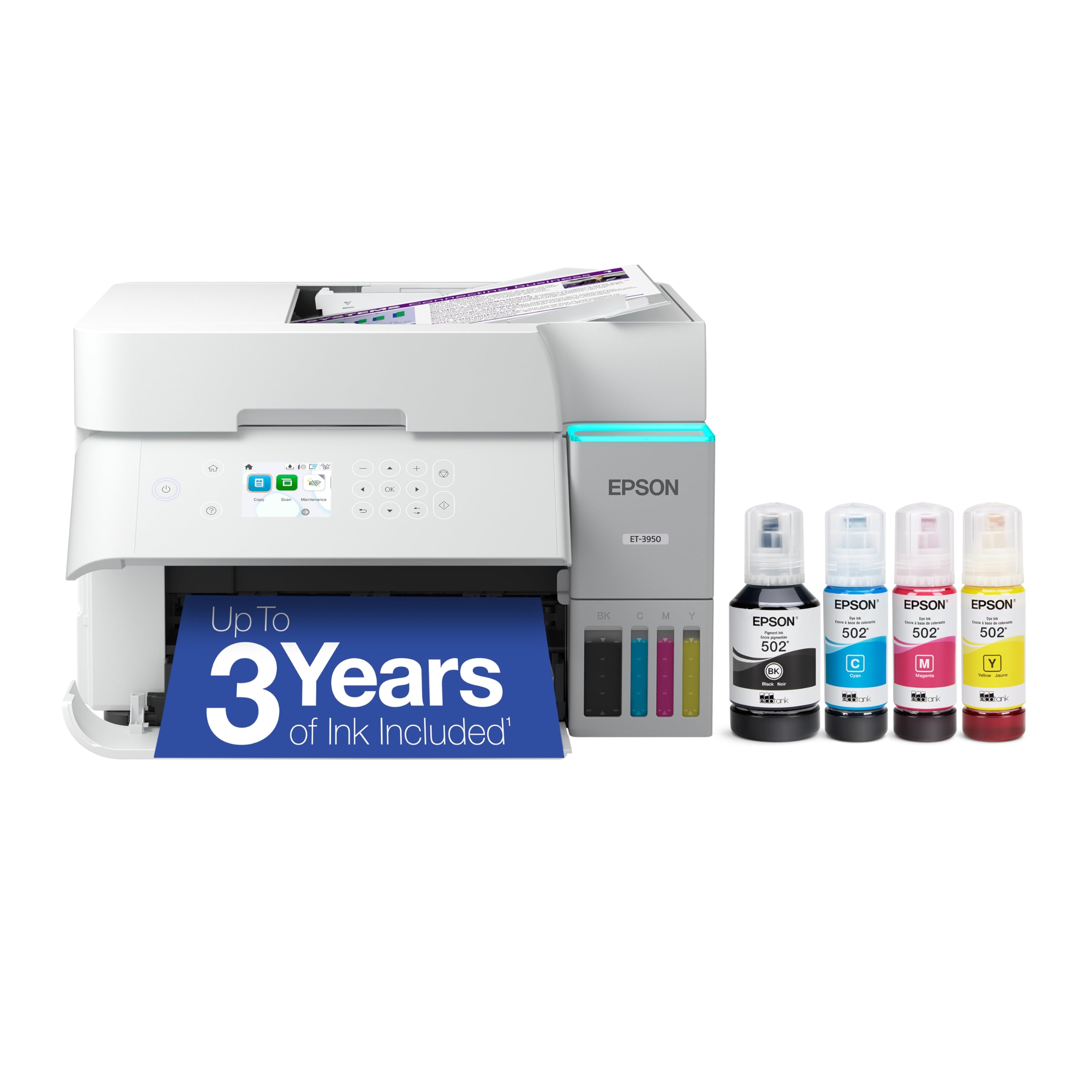
The Epson EcoTank ET-3950 is the seventh generation of Epson’s cartridge-free supertank line, and it shows. With up to 6,600 black pages and 5,500 color pages included in the box, this printer essentially eliminates ink anxiety for the average home office user. The PrecisionCore Heat-Free technology delivers fast, energy-efficient printing without the warm-up time of laser printers.
Users consistently praise the near-laser text quality and the simplicity of refilling the keyed ink bottles—no mess, no confusion. The 2.4-inch color touchscreen and auto document feeder make daily tasks straightforward. The automatic tray that retracts when not in use is a thoughtful touch that keeps dust out.
A few reviewers noted that the initial setup can be finicky if your Wi-Fi network is congested, and the printer requires you to press multiple buttons to power it down. But for the combination of low running costs, solid print speed (18 ppm mono, 9 ppm color), and generous included ink, it’s hard to beat this machine.
Why it’s great
- Exceptionally low cost per page with included ink
- Simple, mess-free refilling with keyed bottles
- Good print quality and fast for a supertank
- Initial Wi‑Fi setup can be finicky
- Power‑off sequence requires multiple steps
2. HP OfficeJet Pro 9125e
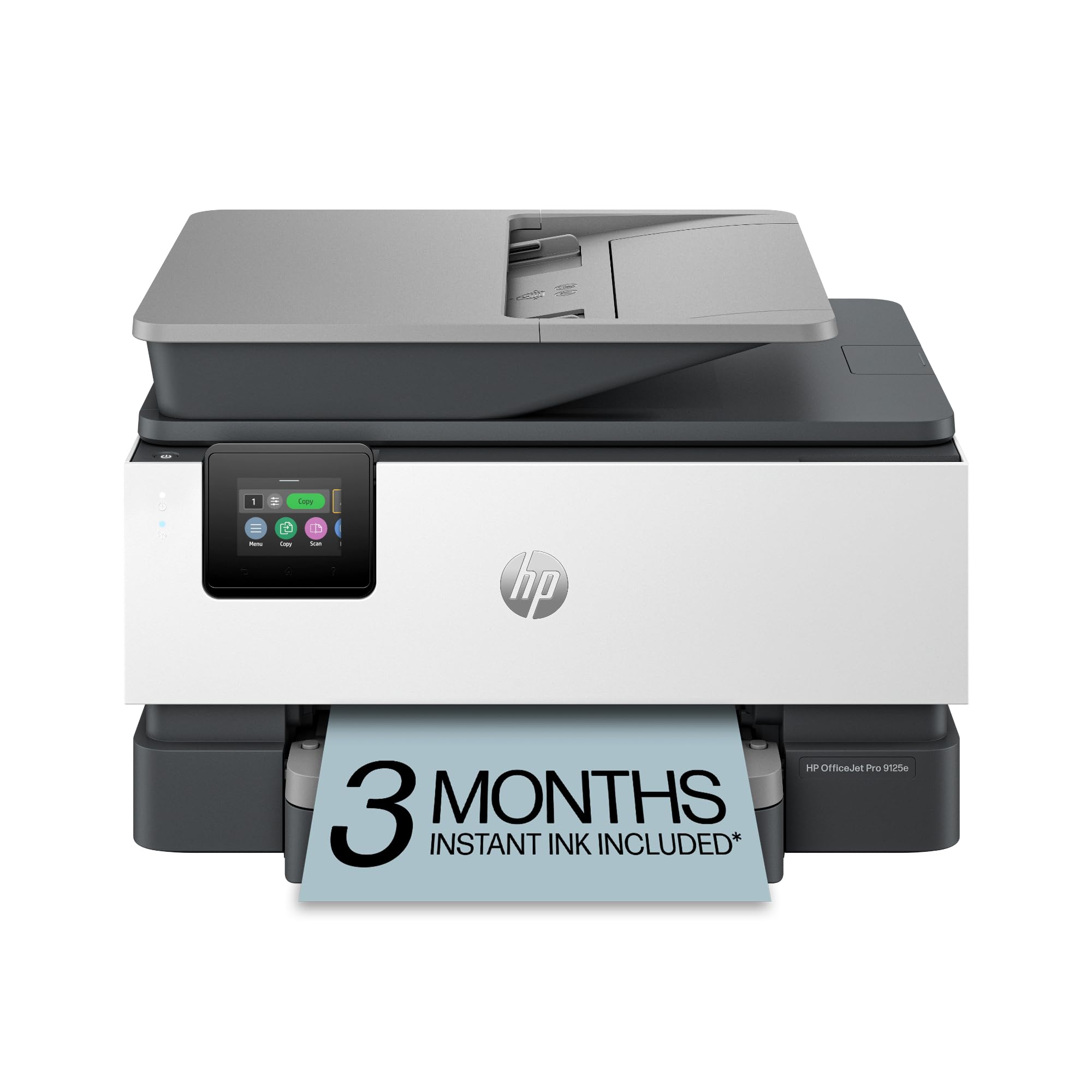
The HP OfficeJet Pro 9125e is designed for offices that demand professional‑quality color documents. With speeds up to 22 ppm black and 18 ppm color, plus automatic duplex printing and a 250‑sheet tray, it handles high‑volume tasks with ease. The 2.7‑inch touchscreen and HP Smart app make navigation and mobile printing effortless.
HP’s AI‑powered page formatting automatically removes unwanted content from web prints, saving paper and ink. Built‑in HP Wolf Pro Security adds enterprise‑grade protection, which is rare in this price range. The included 3‑month Instant Ink trial gives you a taste of worry‑free ink delivery.
However, some users report that setup is far from plug‑and‑play—it requires an HP account and forces the use of HP‑branded cartridges. A few experienced persistent Wi‑Fi dropouts until a firmware update was applied. If you’re willing to work within HP’s ecosystem, the print quality and speed are excellent for the price.
Why it’s great
- Fast color printing with professional output
- HP AI formatting reduces wasted pages
- Built‑in security features for business use
Good to know
- Requires HP account and HP‑branded cartridges
- Setup can be time‑consuming
3. HP Smart Tank 5101

The HP Smart Tank 5101 is a cartridge‑free alternative that comes with up to two years of ink in the box—enough for up to 6,000 pages. Its mess‑free refill system uses plug‑and‑drain bottles, eliminating the guesswork of traditional ink tanks. The printer is lightweight (just over 11 pounds) and compact, fitting easily on a small desk.
Print quality is sharp for text and vibrant for graphics, making it a solid choice for home offices and families. The HP Smart app enables easy scanning and printing from mobile devices, and the built‑in Wi‑Fi is generally reliable once set up. Several users noted that the ink monitoring is straightforward and that the printer handles a variety of media well.
On the downside, the single feed tray can be finicky with labels and cardstock, and the print speed is slower than laser competitors—5 ppm color and 12 ppm black. A few owners experienced jams when feeding thicker materials. If your primary need is high‑volume, low‑cost printing and you don’t need lightning speed, this is a fantastic budget‑friendly option.
Why it’s great
- Very low cost per page with included ink
- Mess‑free, easy ink refill system
- Compact and lightweight design
Good to know
- Print speed is slower than laser printers
- Single tray can struggle with thicker media
4. Canon MegaTank MAXIFY GX2020

The Canon MAXIFY GX2020 is a compact desktop supertank printer that delivers up to 3,000 black and 3,000 color pages per ink set, drastically reducing consumable costs. It features a 2.7‑inch LCD color touchscreen, auto duplex printing, and a 35‑sheet automatic document feeder—all in a relatively small footprint.
Users praise the easy setup and straightforward Wi‑Fi connectivity. The ink tank filling process is clean, and the clear ink level indicators are a nice touch. Print quality is crisp for documents and surprisingly good for photos given its office‑oriented design. The scanner produces sharp, accurate copies.
A common complaint is the lack of a second paper tray, which means you have to manually swap in envelopes or specialty paper. Some users also reported that color accuracy can be inconsistent, especially when printing photographs. If you mainly print documents and occasional graphics, the GX2020 offers excellent value in a small package.
Why it’s great
- High page yield with low running costs
- Compact design with touchscreen
- Easy setup and reliable Wi‑Fi
Good to know
- No second paper tray for envelopes
- Color accuracy can be inconsistent
5. Epson Workforce Pro WF-7840

The Epson Workforce Pro WF-7840 is a wide‑format all‑in‑one that prints up to 13×19 inches, making it ideal for architects, designers, and anyone who needs ledger‑sized documents. It uses PrecisionCore Heat‑Free technology for fast, energy‑efficient printing and DURABrite Ultra ink for smudge‑resistant results.
With a 500‑sheet paper capacity, 50‑page ADF, and a 4.3‑inch touchscreen, this printer is built for busy offices. Users appreciate the crisp output on large formats and the reliable Ethernet/Wi‑Fi connectivity. The starter ink supply is generous, lasting well over 500 pages in real‑world use.
However, the WF-7840 is heavy (45 pounds) and large, so it needs dedicated desk space. A notable downside is Epson’s aggressive firmware updates that can block third‑party cartridges, and some users report frequent “paper does not match tray” errors. If you need wide‑format capabilities and can live with the quirks, this printer delivers.
Why it’s great
- Prints up to 13×19″ for large documents
- High paper capacity (500 sheets)
- Smudge‑resistant DURABrite Ultra ink
Good to know
- Large and heavy footprint
- Firmware updates may block third‑party ink
6. Xerox C235dni

The Xerox C235dni is a compact color laser multifunction printer designed for small to medium businesses. It prints, copies, scans, and faxes at speeds up to 24 ppm in both color and black‑and‑white, with automatic duplex printing and a 250‑sheet tray. The color touchscreen and Xerox Easy Assist App simplify setup and daily operations.
Users highlight the easy Wi‑Fi setup and reliable performance once configured. Print quality is sharp, and the laser output ensures consistent, professional results. The printer’s security features protect sensitive data, which is a plus for business environments.
On the downside, the scanner software can be finicky—some Windows 11 users reported driver installation issues, and the copier function occasionally produces faint warnings. Toner costs are also higher than inkjets, but the page yield is substantial. Overall, it’s a solid choice if you need a reliable color laser without breaking the bank.
Why it’s great
- Fast 24 ppm color and mono printing
- Easy mobile setup with Xerox app
- Advanced security features
Good to know
- Scanner software can be problematic on Windows 11
- Higher toner cost compared to inkjets
7. Brother HL-L3300CDW

The Brother HL-L3300CDW is a compact 3‑in‑1 color laser printer that offers laser‑quality output in a small footprint. It prints at up to 19 ppm in both color and black, with automatic duplex printing and a flatbed scanner for copying and scanning. Dual‑band wireless and Wi‑Fi Direct provide flexible connectivity.
Users appreciate the easy setup and consistent performance over time. The included starter toner lasts for many pages, and replacement cartridges are reasonably priced compared to some competitors. The printer handles cardstock well, and the color accuracy is strong for a device in this class.
However, some owners report that the wireless connection can be unreliable with macOS, occasionally requiring a hardwired connection. A few have experienced washed‑out black output after a few months. For a small office or home office that prioritizes print quality and reliability, the HL-L3300CDW is a strong contender.
Why it’s great
- Consistent laser‑quality color output
- Compact design with dual‑band Wi‑Fi
- Reasonable toner costs
Good to know
- Wireless can be unreliable with macOS
- Occasional washed‑out black issues
8. Canon imageCLASS MF665Cdw

The Canon imageCLASS MF665Cdw is a high‑speed color laser all‑in‑one that prints up to 26 ppm in both color and black, with a first print time of around 10.3 seconds. It features a 5‑inch color touchscreen with Canon’s Application Library for customizable shortcuts, plus a 50‑sheet duplex ADF and auto 2‑sided printing.
Users consistently praise the fast setup and excellent print quality, even with the starter cartridges. The 3‑year limited warranty provides peace of mind, and the Canon PRINT app enables seamless mobile printing. The scanner and copier functions are reliable and produce crisp results.
However, the printer is heavy (over 60 pounds) and requires assistance to move upstairs. Some Mac users have reported software glitches that cause random stops or double‑sided printing issues. Canon toner is expensive, but the high‑yield options help reduce cost per page. For a busy office that needs speed and reliability, this is a top choice.
Why it’s great
- Fast 26 ppm color printing
- Large 5″ color touchscreen
- 3‑year limited warranty
Good to know
- Very heavy (60+ lbs)
- Mac software can be unreliable
9. Xerox C325dni

The Xerox C325dni is a powerful color laser multifunction printer aimed at small businesses with demanding workloads. It prints at speeds up to 35 ppm in both color and black, with a recommended monthly volume of up to 6,000 pages. It includes automatic duplex printing, a 250‑sheet tray, and a color touchscreen for easy navigation.
Users who upgraded from older inkjets appreciate the dramatic improvement in speed and print quality. The double‑side scan feature is a time‑saver, and the ability to print on cardstock for business cards and rack cards is a nice bonus. The compact design doesn’t extend the footprint beyond the printer body.
However, the toner costs are significant—some users report replacing four cartridges monthly at high cost, though this may be due to a defective unit. The web interface can be clunky initially, and setup of scan‑to‑network folders requires some learning. For businesses that need high‑volume, professional‑quality color printing, the C325dni delivers, but budget for consumables accordingly.
Why it’s great
- Very fast 35 ppm color and mono
- Double‑side scanning and printing
- Handles cardstock for professional materials
Good to know
- High toner costs, especially for heavy use
- Web interface can be clunky
10. Canon imageCLASS MF644Cdw

The Canon imageCLASS MF644Cdw is a well‑rounded color laser all‑in‑one that offers print, scan, copy, and fax capabilities with a 5‑inch intuitive touchscreen. It features a one‑pass duplex ADF for efficient scanning, and the Application Library allows you to customize shortcuts for frequently used tasks. Print speeds are 22 ppm in both color and black.
Users who have owned this printer for years report consistent reliability and excellent color accuracy—better than many competitors. The Wi‑Fi connection remains stable even at a distance, and duplex printing works flawlessly. The high‑capacity cartridge helps reduce overall supply costs.
However, the MF644Cdw is an older model (released 2020) and may lack some modern features like a USB host port. Some users have reported issues with fax functionality disrupting phone lines, and the scan software can be poorly designed. Additionally, the 80 MB RAM can cause large print jobs to stall. Despite these quirks, it remains a popular choice for its dependability.
Why it’s great
- Excellent color accuracy and reliability
- Customizable touchscreen with shortcuts
- One‑pass duplex scanning
Good to know
- Older model with limited RAM
- Fax setup can interfere with phone lines
11. Brother MFC-L8730CDW

The Brother MFC-L8730CDW is a heavy‑duty color laser all‑in‑one built for demanding business environments. It prints at 33 ppm in both color and black, features an 80‑page auto document feeder with high‑speed duplex scanning up to 104 ipm, and includes a 3.5‑inch color touchscreen. Advanced security features include an integrated NFC card reader for badge authentication.
Users appreciate the robust build quality and the included starter toner that lasts thousands of pages. The ability to scan to USB, email, or cloud services directly from the touchscreen is a major productivity boost. The printer is 25% smaller than its predecessor while maintaining the same high output.
On the downside, the toner cartridges are chipped to enforce the use of Brother’s expensive OEM cartridges, and the printer stops printing when toner runs low, even if you want to continue. The Wi‑Fi is limited to 2.4 GHz, which may be slower in some networks. For businesses that need a reliable workhorse with top‑tier security, the MFC-L8730CDW is a solid investment, but be prepared for higher consumable costs.
Why it’s great
- Fast 33 ppm printing with high‑yield toner
- Advanced security with NFC badge authentication
- High‑speed duplex scanning and large ADF
Good to know
- Chipped toner cartridges increase costs
- Wi‑Fi limited to 2.4 GHz
Understanding the Specs
Print Speed (ppm)
Pages per minute (ppm) indicates how quickly the printer produces documents. Color speed is usually slower than mono. For occasional home use, 5–10 ppm color is sufficient; for busy offices, aim for 20+ ppm.
Paper Handling & Duty Cycle
Look at the input tray capacity (250+ sheets is standard) and whether the printer supports automatic duplex printing. The recommended monthly page volume tells you the printer’s intended workload; exceeding it may lead to wear.
Connectivity
Dual‑band Wi‑Fi (2.4/5 GHz) offers more stable connections. Ethernet is ideal for wired networks. Mobile support via AirPrint, Mopria, or the manufacturer’s app is essential for smartphone printing.
Total Cost of Ownership
Calculate the cost per page by dividing the price of a cartridge set by its page yield. Supertank models typically have the lowest cost per page, followed by high‑yield laser cartridges. Cartridge‑based inkjets can be deceptively expensive.
FAQ
What is the difference between a supertank and a regular inkjet printer?
Are color laser printers worth the higher upfront cost?
Can I use third‑party ink or toner in these printers?
What is the ideal monthly print volume for a home office printer?
Final Thoughts: The Verdict
For most people, the best all in one color printer winner is the Epson EcoTank ET-3950 because it offers the best balance of low running costs, print quality, and generous included ink. If you want fast laser performance, grab the Canon imageCLASS MF665Cdw. And for wide‑format printing, nothing beats the Epson Workforce Pro WF-7840.

Mo Maruf
I created WellFizz to bridge the gap between vague wellness advice and actionable solutions. My mission is simple: to decode the research and give you practical tools you can actually use.
Beyond the data, I am a passionate traveler. I believe that stepping away from the screen to explore new environments is essential for mental clarity and physical vitality.