Our readers keep the lights on and my smoothie glass nicely filled. As an Amazon Associate, I earn from qualifying purchases.
Finding a printer scanner that doesn’t break the bank or guzzle expensive ink can feel like a never-ending battle for home office users.
I’m Mohammad Maruf — the founder and writer behind WellFizz. With 15 years of dissecting electronics market data, I focus on uncovering the hidden costs and long-term value in home office technology through rigorous specification analysis.
This guide is built from a deep evaluation of performance metrics and thousands of data points from real users, cutting through marketing claims to find durable workhorses. Our thorough research highlights the best affordable printer scanner for significantly reducing long-term expenses while maintaining excellent print quality and reliable functionality.
How To Choose The Best Affordable Printer Scanner
Selecting the right all-in-one printer isn’t just about the upfront cost; it’s about understanding how its technology and features align with your actual usage. A misstep here can lead to frustrating ink replacements or sluggish performance. Let’s break down the critical factors.
Print Technology: Inkjet vs. Laser
Inkjet printers, especially those with refillable tanks, offer vibrant color prints and are typically more budget-friendly initially, ideal for lower-volume home use with occasional photos. Laser printers, while often a higher initial investment, provide faster monochrome printing, lower cost per page for text, and are less prone to drying out, making them perfect for text-heavy, frequent printing in a small office.
Connectivity and Workflow
Reliable wireless connectivity (Wi-Fi) is non-negotiable for a modern home office. Look for models with support for mobile printing apps, Apple AirPrint, and Mopria. An Automatic Document Feeder (ADF) is a huge time-saver for scanning or copying multi-page documents, while automatic duplex (two-sided) printing saves paper and manual effort.
The True Cost of Ownership
The real expense lies in consumables. Evaluate the cost of replacement ink or toner cartridges and their page yields. Printer models with integrated high-yield ink tanks or subscription plans can dramatically reduce long-term costs, turning a mid-range purchase into the most economical choice over several years.
Quick Comparison
On smaller screens, swipe sideways to see the full table.
| Model | Type | Best For | Key Feature | Amazon |
|---|---|---|---|---|
| HP Smart Tank 5000 | Inkjet | Long-term cost savings | 2-year ink supply included | Amazon |
| Epson WorkForce Pro WF-7840 | Inkjet | Wide-format printing | Prints up to 13″ x 19″ | Amazon |
| Brother INKvestment 1365 | Inkjet | Compact home office | High-yield starter cartridges | Amazon |
| Canon imageCLASS MF662Cdw | Laser | Fast color laser printing | 26 ppm speed, touchscreen | Amazon |
| Epson EcoTank ET-2400 | Inkjet | Lowest cost-per-page | Cartridge-free supertank | Amazon |
| Brother DCP-L2640DW | Laser | Monochrome efficiency | 36 ppm, 50-page ADF | Amazon |
| Canon MegaTank G3270 | Inkjet | High-volume home printing | Up to 7,700 color pages | Amazon |
| HP LaserJet Pro 3101sdw | Laser | Small team productivity | 35 ppm, reliable Wi-Fi | Amazon |
| Epson WorkForce Pro WF-4830 | Inkjet | General office tasks | 25 ppm black, 500-sheet capacity | Amazon |
| Canon imageCLASS MF665Cdw | Laser | Full-featured business | Fax, ADF, 3-year warranty | Amazon |
| Brother MFC-L3720CDW | Laser | Color laser all-in-one | 3.5″ touchscreen, cloud apps | Amazon |
In‑Depth Reviews
1. HP Smart Tank 5000 Wireless All-in-One

As our top pick, the HP Smart Tank 5000 strikes an ideal balance between upfront value and remarkably low long-term running costs. Its claim of including up to two years of ink in the box is a game-changer, effectively removing the primary anxiety associated with home printing. The mess-free refill system, where you simply plug in bottles, makes maintenance straightforward and clean.
This model employs HP’s AI-enabled software to intelligently format web pages and emails, eliminating awkward layouts and wasted paper—a subtle but appreciated feature for everyday use. User reports consistently praise its crisp text output and surprisingly vibrant color prints, noting its reliable wireless connectivity through the HP Smart app for seamless mobile printing and scanning.
While it’s a cartridge-free ink tank printer, it retains the user-friendly design language HP is known for, making setup intuitive even for those new to tank systems. The trade-off for the immense ink savings is a modest print speed, positioning it as a workhorse for steady, high-volume home use rather than rushed office environments.
Why it’s great
- Exceptionally low cost per page with included ink supply.
- Clean, foolproof refill system prevents spills.
- AI-powered formatting for smarter prints from web content.
- Reliable wireless performance and easy mobile app integration.
Good to know
- Print speeds are on the slower side for larger jobs.
- The paper tray capacity is somewhat limited.
2. Epson WorkForce Pro WF-7840

For architects, artists, or anyone needing to print beyond standard letter size, the Epson WF-7840 is a uniquely capable and surprisingly affordable wide-format all-in-one. Its ability to handle paper up to 13 by 19 inches opens doors for blueprints, posters, and high-impact presentations without the need for a specialized print shop.
Built as a robust office workhorse, it features a massive 500-sheet paper capacity and a 50-page Automatic Document Feeder, making it suitable for mixing large-format projects with high-volume everyday document tasks. The PrecisionCore printhead technology is designed for speed and reliability, delivering sharp lines and text crucial for technical drawings.
It’s important to note this is a substantial, heavy device requiring dedicated desk space. While users celebrate its output quality and Ethernet/Wi-Fi connectivity, some report that it can be demanding regarding firmware updates and paper settings, requiring a bit more technical patience than a basic home printer.
Why it’s great
- Unmatched value for wide-format printing capability.
- Heavy-duty construction with high paper capacity.
- Fast print speeds for its class and format size.
- Excellent for technical drawings and vibrant posters.
Good to know
- Very large and heavy footprint.
- Can be prone to firmware update prompts and paper errors.
- Higher ink consumption for large-format jobs.
3. Brother INKvestment 1365

The Brother INKvestment 1365 delivers outstanding upfront value by including exceptionally high-yield ink cartridges right in the box, delaying your first replacement purchase significantly. This approach offers the familiar cartridge system but with a much better cost-per-page start, ideal for users wary of committing to a full tank system.
Its compact footprint is a major asset for cramped home offices, yet it doesn’t sacrifice key features like a 20-page ADF for scanning multi-page documents and automatic duplex printing. The 1.8-inch color display, while small, provides clear menu navigation for direct printing from cloud services like Google Drive and Dropbox.
Setup can involve some steps as it promotes Brother’s subscription service, but once configured, users report spectacular print quality that rivals laser output. It’s a solid, no-frills workhorse that focuses on core printing, copying, and scanning tasks with impressive efficiency for its category.
Why it’s great
- Includes high-page-yield cartridges for extended initial use.
- Extremly space-saving design.
- Features ADF and auto-duplex despite compact size.
- Direct cloud printing and scanning capability.
Good to know
- Setup process can be involved and pushes ink subscriptions.
- The display screen is quite small.
- Wireless setup may require manual network configuration.
4. Canon Color imageCLASS MF662Cdw

If your affordable printer scanner needs include fast, professional color output, the Canon MF662Cdw is a compelling laser-based solution. It brings business-class speed—up to 26 pages per minute in both color and black—to a more accessible tier, significantly reducing wait times for reports, flyers, and documents.
The standout feature is the intuitive 5-inch color touchscreen, which acts as a command center with a customizable app library for one-touch access to frequent tasks. This, combined with robust wireless setup and mobile printing via the Canon PRINT app, makes it a very user-friendly device for a small team or busy household.
As with all color lasers, the trade-off for speed and crisp, smudge-free prints is the cost of genuine toner replacements. It also has a substantial physical footprint. Some users note that maintaining a stable Wi-Fi connection can be finicky, with a wired Ethernet connection providing the most reliable performance.
Why it’s great
- Exceptionally fast print speeds for color and black.
- Large, responsive touchscreen for easy operation.
- Produces professional, laser-sharp text and graphics.
- Includes a generous 3-year limited warranty.
Good to know
- Genuine Canon toner cartridges are a significant expense.
- Large and heavy, requiring ample space.
- Wireless connectivity can sometimes be unstable.
5. Epson EcoTank ET-2400

The Epson EcoTank ET-2400 is the definitive choice if your primary goal is to minimize the cost of every single page you print over many years. Its revolutionary supertank system is filled directly from large ink bottles, with each set claiming to last for thousands of pages, translating to savings of up to 90% compared to traditional cartridges.
Setup is straightforward, focusing on the simple (and satisfying) process of filling the integrated tanks. Once running, it provides reliable, everyday printing and scanning with the peace of mind that you won’t run out of ink unexpectedly. The print quality is sharp and vibrant, more than adequate for documents and casual photos.
The compromise for ultra-low running costs is found in print speed, which is modest, and some user reports of finicky Wi-Fi connectivity that may require manual network troubleshooting. It represents a long-term investment in hassle-free printing rather than high-speed productivity.
Why it’s great
- The lowest possible cost per page in its category.
- Massive ink supply included, lasting years for average users.
- Eco-friendly by drastically reducing plastic cartridge waste.
- Easy, mess-free tank refilling process.
Good to know
- Among the slowest print speeds reviewed.
- Wireless setup can be unreliable and require advanced fixes.
- Not designed for fast, high-volume print jobs.
6. Brother DCP-L2640DW (Renewed)
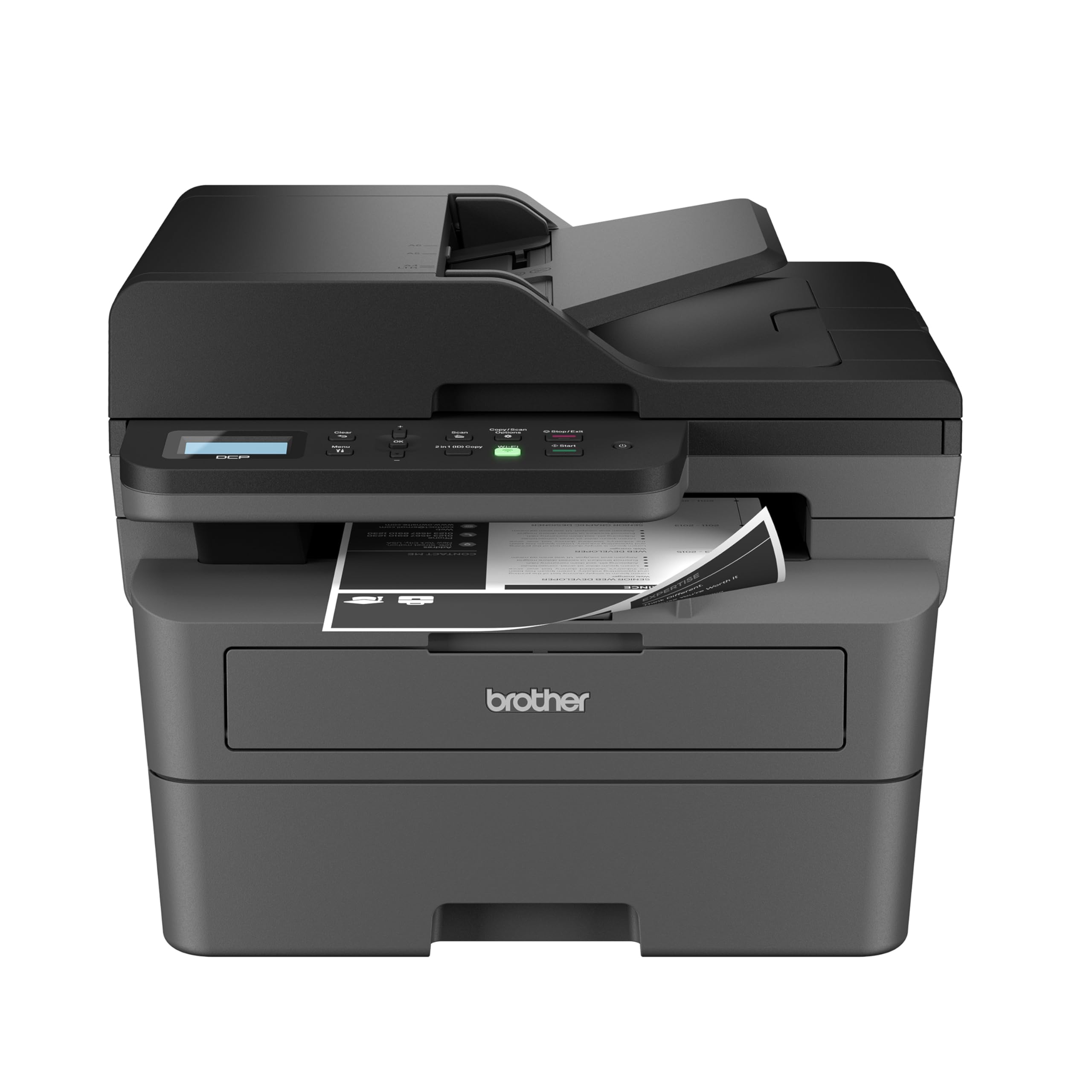
For those who primarily print black-and-white documents and prioritize speed, reliability, and low printing costs, this renewed Brother monochrome laser is a standout. It delivers a blazing 36 pages per minute, transforming large printing tasks from a chore into a quick process, backed by the inherent reliability of laser technology.
Its professional feature set is impressive for an entry-level monochrome laser, including a 50-page Automatic Document Feeder for scanning/copying stacks of papers and automatic duplex printing. The dual-band wireless and Ethernet connectivity offer flexible, stable networking options for a shared home office environment.
Being a renewed product, it offers premium features at a more accessible point, though it comes with the standard considerations of pre-owned electronics. Users report straightforward setup and consistent, high-quality text output, affirming Brother’s reputation for durable laser printers.
Why it’s great
- Extremely fast monochrome printing speeds.
- Includes a high-capacity 50-page ADF.
- Laser reliability with no ink drying concerns.
- Dual-band Wi-Fi and Ethernet for robust connectivity.
Good to know
- Renewed product with a previous usage history.
- Only prints in black and white.
- Can be noisy during operation.
7. Canon MegaTank G3270

Canon’s answer to the ink tank revolution, the MegaTank G3270, is built for households or home offices with sustained, high-volume printing needs. It boasts some of the highest claimed page yields in its class—up to 7,700 color pages from a single set of ink bottles—making it a true set-and-forget printing solution.
Beyond its staggering efficiency, it supports borderless photo printing, a nice touch for creating polished flyers or personal photos. Setup is reported to be simple, and the wireless connectivity works reliably for printing from various devices. The print quality receives high marks for sharp text and vibrant colors.
The trade-offs include a fairly basic, small LCD screen, a manually operated duplex function, and a larger rear paper feed that increases its desk footprint. As with all inkjets, performing occasional maintenance prints is advised to prevent nozzle clogs during long idle periods.
Why it’s great
- Extremely high page yields for massive cost savings.
- Capable of borderless photo and document printing.
- Simple wireless setup and reliable operation.
- Excellent print quality for both text and graphics.
Good to know
- Duplex printing is manual, not automatic.
- The display is small and basic.
- Requires more desk space due to rear feed design.
8. HP LaserJet Pro MFP 3101sdw

Engineered for shared, demanding environments, the HP LaserJet Pro 3101sdw is a monochrome laser all-in-one that blends speed, durability, and professional features. With print speeds up to 35 pages per minute, a 250-sheet input tray, and a 50-page ADF, it’s built to handle the collaborative workload of a small team without breaking a sweat.
HP emphasizes its “award-winning reliability” and dependable Wi-Fi, which seeks the best connection to stay online—a critical feature for a shared network printer. Users confirm the effortless installation and intuitive operation, noting its strong, consistent performance for printing, copying, and scanning.
It’s important to be aware of HP’s dynamic security measures, which can block the use of non-HP chips in third-party toner cartridges via firmware updates. This policy is designed to ensure quality but can limit consumable options, a key point for long-term cost planning.
Why it’s great
- Fast, reliable printing perfect for shared office spaces.
- Large paper capacity and automatic document feeder.
- Robust, business-grade construction and dependable Wi-Fi.
- Compact design relative to its feature set.
Good to know
- HP’s toner chip policy may restrict third-party cartridge use.
- Wireless connection can occasionally drop.
- Limited to monochrome (black and white) output.
9. Epson WorkForce Pro WF-4830
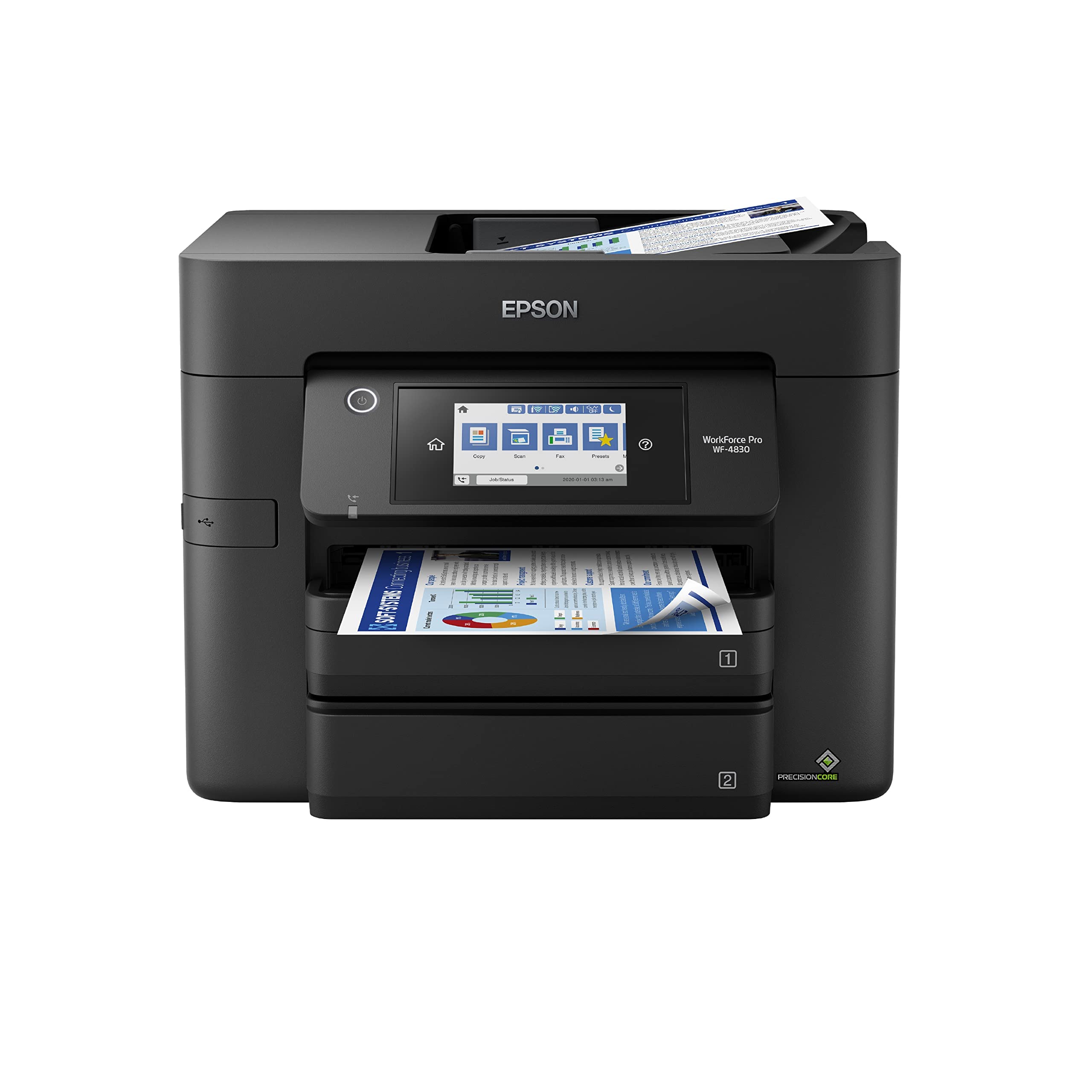
A capable mid-range workhorse, the Epson WF-4830 is designed for the general office that needs a balance of speed, capacity, and functionality. Its 25 pages-per-minute black printing and 500-sheet high-capacity tray mean it can handle sustained printing tasks without constant paper refills, reducing interruptions.
The 4.3-inch color touchscreen provides a modern interface for navigation, and the built-in connectivity options, including Wi-Fi Direct and Ethernet, offer flexibility. It’s a full-featured all-in-one with copy, scan, and fax capabilities, plus a 50-page ADF for multi-page document processing.
While fast, some users note that real-world speed can be dependent on network conditions, as it lacks a physical LAN port for a wired connection, relying solely on Wi-Fi or Wi-Fi Direct. Print quality is solid for business documents, though it may not be the top choice for premium photo printing.
Why it’s great
- Fast print speeds and very high paper capacity.
- User-friendly color touchscreen interface.
- Comprehensive all-in-one functionality with fax.
- Durable build quality from the WorkForce Pro line.
Good to know
- No Ethernet port; performance tied to Wi-Fi strength.
- Can be ink-hungry during heavy use.
- Photo print quality is adequate but not exceptional.
10. Canon Color imageCLASS MF665Cdw

For the small business or serious home office that needs every feature, the Canon MF665Cdw is a comprehensive color laser solution. It adds fax functionality and a duplexing 50-page Automatic Document Feeder to the fast printing and large touchscreen found in its sibling (the MF662Cdw), creating a true four-in-one communications hub.
The inclusion of a robust 3-year warranty provides significant peace of mind, underscoring its build quality and intended use in a more demanding environment. When it works, users rave about the exceptional color output, seamless wireless setup, and the productivity boost from the full-featured ADF.
This capability comes with complexity. Some users, particularly Mac users, report frustrating software/driver issues that can interrupt workflow. It’s also the heaviest and among the most substantial devices here, representing a serious investment in both space and long-term consumable costs.
Why it’s great
- Complete feature set including fax and duplex ADF.
- Outstanding print quality and fast laser speeds.
- Industry-leading 3-year limited warranty.
- Professional-grade construction for durability.
Good to know
- Software and drivers can be buggy, especially on macOS.
- Very heavy and has a large physical footprint.
- High cost for genuine toner cartridge replacements.
11. Brother MFC-L3720CDW

Positioned at the premium end of the affordable spectrum, the Brother MFC-L3720CDW is a sophisticated color laser all-in-one designed for efficiency. Its centerpiece is a vibrant 3.5-inch color touchscreen with 48 customizable shortcuts, providing direct access to cloud services and frequent tasks for a streamlined workflow.
It’s built for a connected office with dual-band Wi-Fi (2.4GHz and 5GHz) for less congested connections, Wi-Fi Direct, and robust mobile management through the Brother app. The 250-sheet paper capacity and 50-page ADF support substantial workloads, making it a capable centerpiece for a growing business.
This advanced functionality comes with reported nuances: the companion mobile app can be buggy, and some users experience aggressive page-count limits or warnings about non-genuine toner. It represents a high-performance choice that works best for those willing to engage with its full suite of features and use genuine supplies.
Why it’s great
- Large, customizable color touchscreen for quick operations.
- Advanced dual-band wireless for reliable networking.
- Direct cloud integration and robust mobile management.
- Fast, high-quality color laser output.
Good to know
- The Brother Mobile Connect app can be unreliable.
- May enforce strict page counts or toner chip policies.
- Scanner optical resolution is limited to 300 dpi.
Understanding the Specs
Pages Per Minute (PPM)
This measures print speed. A higher PPM, especially in monochrome, means less waiting for documents. Laser printers typically boast higher PPM (e.g., 25-36) than inkjet tanks (e.g., 5-12). Consider your typical job size; speed matters more for multi-page reports than for occasional single pages.
Automatic Document Feeder (ADF)
An ADF automatically feeds multiple pages for scanning, copying, or faxing. A 20-50 page ADF is a massive time-saver over placing each page manually. It’s essential for digitizing receipts, contracts, or multi-page reports. Look for “Duplex ADF” for scanning both sides of a page in one pass.
Ink/Toner Yield
This is the estimated number of pages one set of ink or toner can produce. Tank printers advertise yields in the thousands (e.g., 4,500-7,500 pages), while standard cartridges are lower. Higher yield equals a lower cost per page, which is the most critical factor for long-term affordability.
Connectivity Technology
Wireless (Wi-Fi) is standard for printing from phones and laptops. Ethernet provides a faster, more stable wired network connection. Wi-Fi Direct allows printing without a network. USB is for direct computer connection. For a shared home office, dual-band Wi-Fi (2.4GHz & 5GHz) offers the best reliability.
FAQ
Is an ink tank printer really cheaper than a laser printer?
What is the main disadvantage of a budget inkjet printer?
Do I need an Automatic Document Feeder?
Can I use third-party or remanufactured ink cartridges?
Final Thoughts: The Verdict
For most people, the best affordable printer scanner winner is the HP Smart Tank 5000 because it masterfully combines a reasonable initial cost with a two-year ink supply, delivering unparalleled long-term value and hassle-free operation. If you want the absolute lowest cost per page over many years, grab the Epson EcoTank ET-2400. And for fast, reliable black-and-white printing in a shared space, nothing beats the Brother DCP-L2640DW renewed monochrome laser.

Mo Maruf
I created WellFizz to bridge the gap between vague wellness advice and actionable solutions. My mission is simple: to decode the research and give you practical tools you can actually use.
Beyond the data, I am a passionate traveler. I believe that stepping away from the screen to explore new environments is essential for mental clarity and physical vitality.