Our readers keep the lights on and my smoothie glass nicely filled. As an Amazon Associate, I earn from qualifying purchases.
Finding a great PC monitor shouldn’t mean emptying your wallet. The right affordable screen can transform your work-from-home setup, enhance casual gaming, or simply give you the space you need to breathe and create. This guide cuts through the noise to show you where today’s best value truly lies, beyond just the bottom-line number.
I’m Mohammad Maruf — the founder and writer behind WellFizz. For years, I’ve analyzed market trends and technical specifications to identify which features deliver real-world benefits and which are just marketing fluff, helping you make informed decisions without the hype.
We’ve meticulously researched the current market, comparing specifications, real user feedback, and long-term reliability to bring you this curated selection of high-value displays that prove you can get exceptional performance without a premium spend for the best affordable pc monitors.
How To Choose The Best Affordable PC Monitors
Navigating the world of budget monitors is about smart trade-offs. The goal isn’t to find the absolute cheapest screen, but the one that delivers the most essential features for your specific needs without breaking the bank. Focus on these core aspects to make a confident choice.
Size and Resolution: The Foundation of Clarity
For most desks, 24-inch and 27-inch screens offer the best balance of immersion and practicality. At 24 inches, Full HD (1920×1080) is sharp. At 27 inches, while 1080p is common and very budget-friendly, a 1440p (QHD) resolution provides significantly more screen real estate and sharper text—a worthy upgrade if your budget allows. For ultra-wide productivity, 34-inch screens with a 21:9 aspect ratio are transformative, letting you view multiple windows side-by-side.
Panel Technology: IPS vs. VA
IPS panels are renowned for excellent color accuracy and wide viewing angles, making them ideal for office work, content consumption, and any task where color consistency is key. VA panels typically offer much higher contrast ratios for deeper blacks, which is great for movies and games with dark scenes, but viewing angles can be narrower. Your primary task dictates the better choice.
Refresh Rate and Response
A standard 60Hz refresh rate is fine for general use. However, stepping up to 100Hz or 120Hz makes everyday scrolling noticeably smoother and improves the experience in casual gaming. Look for support for Adaptive-Sync (AMD FreeSync or NVIDIA G-Sync Compatible) to eliminate screen tearing without a premium cost. For fast-paced gaming, a 144Hz option is the sweet spot in the mid-range.
Connectivity and Ergonomics
Ensure the monitor has the ports you need—at least one HDMI is standard, but DisplayPort is useful for higher refresh rates. Built-in speakers are convenient for basic audio but often lack depth. An adjustable stand (height, tilt, swivel) dramatically improves long-term comfort, but many budget models have tilt-only stands, making a VESA mount a worthwhile future investment.
Quick Comparison
On smaller screens, swipe sideways to see the full table.
| Model | Type | Best For | Key Feature | Amazon |
|---|---|---|---|---|
| Dell 24 Plus S2425HSM | 24″ FHD | Smooth Multimedia & Office | 144Hz, Adjustable Stand | Amazon |
| KTC 27″ QHD Monitor | 27″ QHD | Sharp Detail on a Budget | IPS Panel, 123% sRGB | Amazon |
| Samsung 34″ ViewFinity S50GC | 34″ Ultra-Wide | Immersive Multitasking | Ultra-WQHD, PBP/PIP | Amazon |
| Samsung 27″ S3 FHD | 27″ FHD | Balanced Daily Driver | 120Hz IPS, Eye Care | Amazon |
| Dell 27 Monitor SE2725HM | 27″ FHD | Reliable Office Work | 100Hz IPS, ComfortView+ | Amazon |
| Philips 27″ 271V8LB | 27″ FHD | Large Screen Value | VA Panel, 100Hz, 3-Side Bezels | Amazon |
| Sceptre 24″ Gaming 100Hz | 24″ FHD | Entry-Level Gaming | 100Hz, 1ms BR, Edgeless | Amazon |
| Sceptre 24″ Prime | 24″ FHD | Basic Home Office | 99% sRGB, Built-in Speakers | Amazon |
| Philips 22″ 221V8LB | 22″ FHD | Compact Second Screen | 100Hz, Adaptive-Sync | Amazon |
| LG 32MR50C-B Curved | 32″ Curved FHD | Immersive Media & Work | 32″ Curved VA, 100Hz | Amazon |
| LG 34SR60QC-W Smart Monitor | 34″ Curved Smart | All-in-One Entertainment Hub | webOS, AirPlay 2, Ultrawide | Amazon |
In‑Depth Reviews
1. Dell 24 Plus Monitor – S2425HSM

The Dell S2425HSM stands out as our top pick because it delivers a premium-tier feature—a high 144Hz refresh rate—coupled with exceptional ergonomics, all at a mid-range point. This combination is rare in this category and provides a smooth, versatile experience whether you’re working, streaming, or enjoying casual games.
Beyond the silky-smooth motion, it includes integrated dual 3W speakers that offer better-than-average audio for a monitor, reducing desktop clutter. The fully adjustable stand (height, tilt, pivot, swivel) is a major comfort win, allowing you to find the perfect viewing angle for long sessions. Dell’s ComfortView Plus technology is also TÜV-certified, actively reducing blue light emissions without the dull yellow tint common in basic blue light filters.
User feedback highlights its “plug and play” simplicity and excellent color accuracy right out of the box. It’s a monitor that feels thoughtfully designed, offering features that you’ll appreciate daily without pushing into a premium price bracket, making it the best overall value proposition for a wide audience.
Why it’s great
- High 144Hz refresh rate for incredibly smooth visuals.
- Fully ergonomic stand with height, tilt, swivel, and pivot adjustments.
- Integrated dual 3W speakers provide decent built-in audio.
- TÜV-certified ComfortView Plus for effective eye comfort.
Good to know
- Speakers, while good for a monitor, lack deep bass for music or immersive gaming.
- The design is functional but may not stand out for those seeking a flashy “gamer” aesthetic.
2. KTC 27 Inch QHD Monitor

If your priority is crystal-clear text and ample screen real estate for productivity, the KTC 27-inch QHD monitor is a standout value. It delivers a 2560×1440 resolution on an IPS panel, which is a significant upgrade in pixel density over 1080p at this size, resulting in sharper images and more workspace for multitasking.
The color performance is impressive for the category, covering 123% of the sRGB color gamut, which translates to vibrant and accurate colors suitable for photo editing and content consumption. With a 100Hz refresh rate and support for both FreeSync and G-Sync compatible technology, it also capably handles casual gaming, ensuring smooth gameplay without screen tearing.
Users praise its “perfect” screen resolution and good contrast. It’s important to note the on-screen display is controlled by a small joystick on the rear, which some find a bit finicky. However, for a monitor that brings a QHD IPS experience to a very competitive price point, it represents exceptional value for detail-oriented users.
Why it’s great
- QHD resolution provides exceptional sharpness and desktop space.
- Wide 123% sRGB color gamut for vibrant, accurate colors.
- 100Hz refresh with Adaptive-Sync support for smooth motion.
- Strong value for a 1440p IPS monitor.
Good to know
- Rear control joystick can be difficult to locate and operate.
- As a lesser-known brand, long-term support experiences may vary.
3. SAMSUNG 34″ ViewFinity S50GC Ultra-WQHD Monitor

For those who need to manage multiple applications simultaneously, an ultra-wide monitor is a game-changer, and the Samsung ViewFinity S50GC brings this productivity powerhouse into a surprisingly accessible range. Its 34-inch screen with a 21:9 aspect ratio and 3440×1440 resolution effectively replaces a dual-monitor setup without a bezel in the middle.
Features like Picture-by-Picture (PBP) and Picture-in-Picture (PIP) allow you to display inputs from two different sources simultaneously, perfect for monitoring a secondary PC or console while working. The 100Hz refresh rate and AMD FreeSync keep scrolling and motion fluid, while HDR10 support adds depth to supported content. The borderless design on three sides looks sleek and is ideal for multi-monitor arrays.
Reviewers consistently note the “outstanding value” and how it boosts productivity. The stand is height-adjustable, which is a bonus at this size. It’s a premium-feeling display that caters to professionals, students, or anyone who thrives with expansive screen real estate.
Why it’s great
- Massive 34-inch ultra-wide screen replaces a dual-monitor setup.
- Useful PBP and PIP modes for multi-source viewing.
- 100Hz refresh rate and FreeSync for smooth performance.
- Borderless design and height-adjustable stand.
Good to know
- Its large size requires a deep desk.
- Color calibration out of the box may not be perfect for professional color work.
4. Samsung 27″ S3 FHD 120Hz Monitor

Samsung’s 27-inch S3 strikes an excellent balance as a daily-use monitor that feels a step above basic. The 120Hz refresh rate on an IPS panel is its headline feature, providing noticeably smoother motion in everything from window dragging to video playback and gaming, compared to standard 60Hz displays.
The IPS technology ensures colors remain consistent even when viewed from the side, which is great for collaborative settings or if you tend to move around your desk. Combined with flicker-free technology and an Eye Saver Mode to reduce blue light, it’s built for comfort during long work or study sessions. The design is modern and slim with ultra-thin bezels, fitting seamlessly into any environment.
Users find it an “inexpensive upgrade” that’s easy to set up. Some note the stand offers only tilt adjustment, and the included HDMI cable’s fit can be loose for some. However, as a reliable, brand-name 27-inch monitor with a smooth 120Hz refresh, it’s a very solid all-rounder.
Why it’s great
- Smooth 120Hz IPS panel for fluid everyday use.
- Good color consistency and wide viewing angles.
- Effective eye comfort features with flicker-free and blue light reduction.
- Sleek, modern design with thin bezels.
Good to know
- Stand only offers tilt adjustment, no height control.
- The power/menu button requires a firm press, and the included HDMI cable may be subpar.
5. Dell 27 Monitor – SE2725HM

From a trusted brand in business environments, the Dell SE2725HM is a workhorse designed for reliability and eye comfort. It features a 27-inch IPS panel with a 100Hz refresh rate, which adds a touch of smoothness to scrolling through documents and web pages that you’ll immediately appreciate.
Dell’s ComfortView Plus technology is a standout, a hardware-based solution that reduces harmful blue light while maintaining better color accuracy than software filters. The monitor is TÜV Rheinland certified, and it has a built-in power supply (no bulky external brick) and a cable management hole, contributing to a tidy desk setup. The matte anti-glare screen is excellent for well-lit rooms.
Feedback highlights its “vivid color” and clarity, making it great for spreadsheets and general office tasks. It lacks built-in speakers, so you’ll need external audio. For a no-fuss, dependable monitor from a major brand with great eye-care credentials, this is a top contender for home office use.
Why it’s great
- Dell reliability with a 100Hz IPS panel for smooth operation.
- Superior ComfortView Plus blue light reduction that doesn’t ruin colors.
- Clean design with integrated power supply and cable management.
- Matte anti-glare screen handles ambient light well.
Good to know
- No built-in speakers.
- Stand offers tilt only; height adjustment requires a VESA mount.
6. Philips 27″ Frameless 100Hz Monitor

The Philips 271V8LB offers a large 27-inch canvas at a very accessible price point, making it an attractive option for movie watchers and general users who want more screen without a significant investment. Its VA panel provides a high 3000:1 contrast ratio, delivering deeper blacks and more impactful visuals compared to many IPS panels at this price.
The virtually bezel-free design on three sides gives it a modern look and is perfect for creating a seamless multi-monitor setup. Features like the 100Hz refresh rate, Adaptive-Sync, and LowBlue mode add to its versatility for both work and play. An “EasyRead” mode creates a paper-like effect for reading long documents, reducing eye strain.
Users praise its “crisp resolution” and “great value for the money.” The trade-offs are typical for the category: the stand only tilts, and there are no extra ports like USB. But if you want a big, good-looking screen with solid performance for everyday tasks and media, this Philips delivers.
Why it’s great
- Large 27-inch screen at an entry-level cost.
- High-contrast VA panel for deep blacks.
- Modern, three-sided frameless design.
- Includes 100Hz and Adaptive-Sync for smooth motion.
Good to know
- Stand only tilts; no height adjustment.
- No built-in speakers or USB hub.
7. Sceptre New 24-inch Gaming Monitor 100Hz
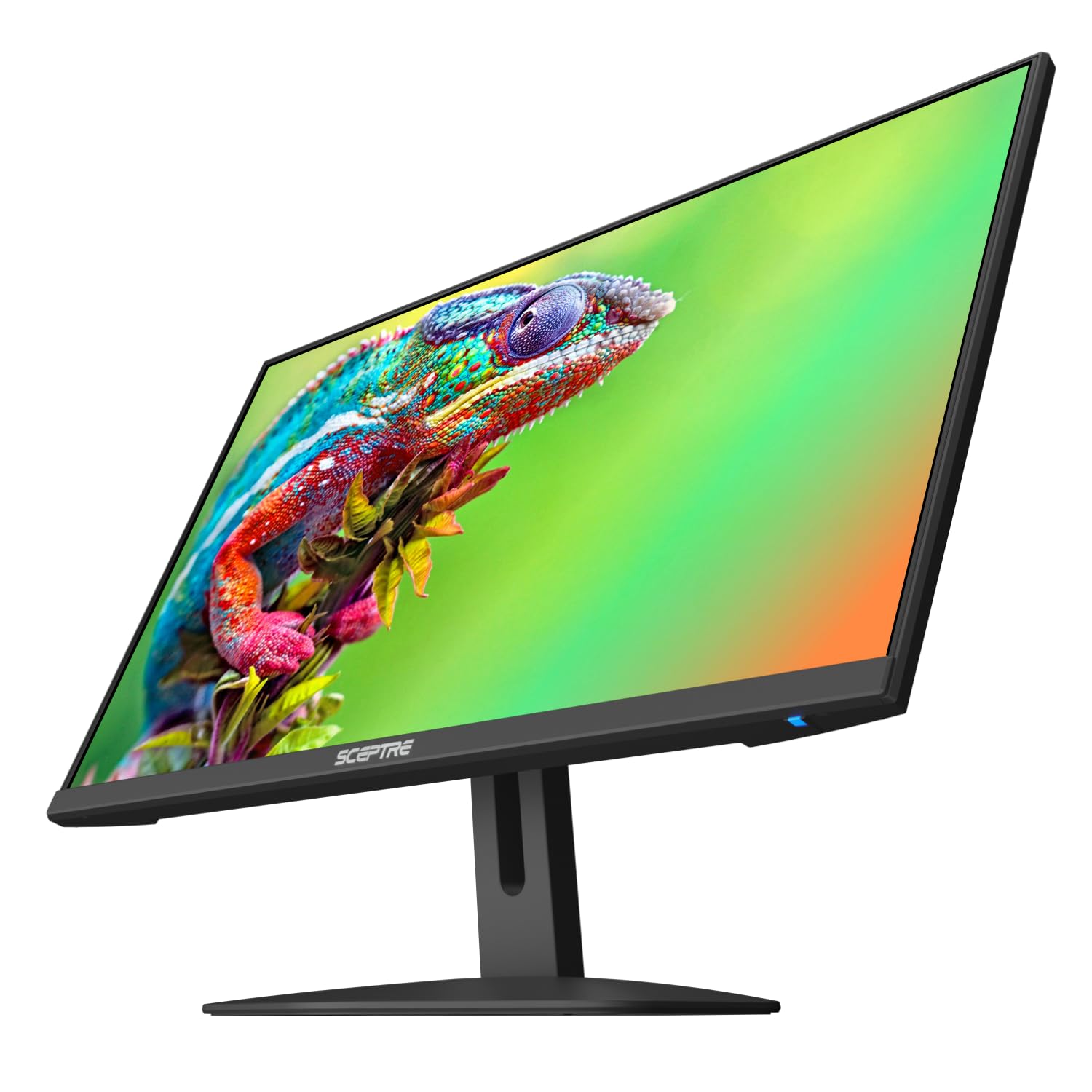
This Sceptre monitor is tailored for the budget-conscious geter looking to step up from a basic 60Hz screen. It packs a 100Hz refresh rate and a 1ms Blur Reduction (BR) response time, which are key specs for reducing motion blur and lag in fast-paced games, all wrapped in a sleek, nearly bezel-free design.
It includes built-in speakers, saving desk space, and features like Blue Light Shift to help during long sessions. The 24-inch size at 1080p remains a sweet spot for gaming, offering good pixel density. Users report a “crisp picture” for gaming and streaming, noting that it represents solid value for its intended purpose.
It’s important to go into the display settings after setup to manually select the 100Hz refresh rate, as it may default to 60Hz. The speakers are quite basic, and the stand is tilt-only. But as a dedicated, no-frills gaming monitor at a very competitive price, it hits the right notes.
Why it’s great
- 100Hz refresh and 1ms BR for smoother gameplay.
- Affordable entry point into enhanced gaming performance.
- Sleek, edgeless design looks modern.
- Includes basic built-in speakers.
Good to know
- You must manually set the refresh rate to 100Hz in your OS.
- Speakers are very low quality; plan to use external audio.
- Stand offers limited adjustability.
8. Sceptre 24-inch Prime Monitor

The Sceptre Prime is the definition of a reliable, entry-level workhorse. It covers all the basics well: a 24-inch 1080p screen, a wide 99% sRGB color gamut for decent color reproduction, and the convenience of built-in speakers. It’s a monitor that gets the job done without any fuss.
With two HDMI ports and a VGA port, it offers good connectivity for older and newer devices alike. Features like Blue Light Shift help with eye comfort during long workdays. Users who have deployed multiple units in office settings report excellent durability, with monitors lasting for years under constant use.
Reviews consistently highlight its “affordable, good quality” nature. The speakers are adequate for system sounds and conference calls but lack bass for music. If you need a simple, dependable screen for general computing, web browsing, and office applications, this Sceptre represents straightforward value.
Why it’s great
- Covers all fundamentals at a budget-friendly point.
- Wide 99% sRGB color gamut for good color.
- Includes built-in speakers and multiple ports.
- Proven reliability in bulk office use cases.
Good to know
- Speakers are tinny and lack bass.
- Standard 60Hz refresh rate (some units may support 75Hz via HDMI).
- No advanced features like height adjustment or USB ports.
9. Philips 221V8LB 22 inch Monitor

For users tight on desk space or looking for a perfect secondary display to complement a laptop, the 22-inch Philips 221V8LB is an ideal candidate. Its compact footprint doesn’t sacrifice modern features, offering a 100Hz refresh rate and Adaptive-Sync technology, which is uncommon in screens this size and price.
The VA panel provides strong contrast, and the 178-degree viewing angle ensures consistent colors even when the monitor is positioned at an angle. It includes LowBlue mode for reduced eye strain. Users find it a “great little monitor” that’s easy to set up and provides a clear picture for tasks like research, coding, or displaying reference material.
The stand is basic (tilt-only), and there are no speakers, but these are expected compromises. Its strength is delivering a surprisingly smooth and high-contrast viewing experience in a small, affordable package, making it the go-to choice for a high-quality auxiliary screen.
Why it’s great
- Compact 22-inch size is perfect for tight spaces or as a second screen.
- Features 100Hz and Adaptive-Sync for smooth motion, unusual at this size.
- High-contrast VA panel with wide viewing angles.
- Includes eye comfort features like LowBlue mode.
Good to know
- Stand only tilts; no height adjustment or speakers.
- Smaller screen size may not be ideal as a primary display for some users.
10. LG 32MR50C-B Curved Monitor

For an immersive experience that doesn’t break the bank, the LG 32MR50C-B offers a large 32-inch curved VA panel. The 1800R curve wraps your field of vision, making it excellent for both immersive gaming and reducing eye strain during long work sessions by minimizing the need for excessive eye movement.
It maintains a 100Hz refresh rate with AMD FreeSync support, ensuring smooth performance. The VA technology provides deep 3000:1 contrast for rich visuals in movies and games. Features like Black Stabilizer brighten dark scenes, and Reader Mode reduces blue light for comfortable reading. The on-screen control software allows easy window management and settings adjustment.
Users love the “sharp edge-to-edge” display and the productivity boost from the massive screen. Note that the stand only tilts, and the curvature can be disorienting for some, especially those with certain vision corrections. But for those seeking a commanding, immersive display for work and play, this LG is a compelling choice.
Why it’s great
- Large 32-inch curved screen for an enveloping view.
- High contrast VA panel with 100Hz and FreeSync.
- Useful features like Black Stabilizer and Reader Mode.
- Great for multitasking with ample screen real estate.
Good to know
- Curvature may cause dizziness or distorted perception for some users.
- Stand only offers tilt adjustment; no height control.
- 1080p resolution at 32 inches may appear less sharp up close.
11. LG 34SR60QC-W 34-inch Curved Smart Monitor

The LG 34SR60QC-W is a category-bender: a premium 34-inch ultrawide curved monitor that also functions as a standalone smart TV. With LG’s webOS built-in, you can stream Netflix, Disney+, and hundreds of free LG Channels directly, without needing a PC. It also supports Apple AirPlay 2 and screen sharing for wireless casting.
Beyond its smart capabilities, it’s a superb productivity monitor with a 3440×1440 QHD resolution on a 21:9 VA panel, offering vast screen space and deep contrast. The 100Hz refresh rate and AMD FreeSync ensure smooth performance for work and casual gaming. It includes a built-in speaker and multiple ports, including USB-C for single-cable connectivity to laptops.
This monitor is for the user who wants a single, elegant hub for work, streaming, and light gaming. Note that to drive the full resolution at high refresh rates, a capable graphics card or docking station is required. It represents the high end of the “affordable” spectrum but packs unparalleled versatility.
Why it’s great
- Built-in smart TV platform (webOS) with streaming apps.
- Massive 34-inch ultrawide QHD curved display for ultimate productivity.
- Wireless casting via AirPlay 2 and screen share.
- Includes USB-C port for streamlined laptop connection.
Good to know
- Requires a powerful enough source to drive the high resolution.
- Smart TV interface may have occasional quirks or app limitations.
- Premium features come at a higher point in the category.
Understanding the Specs
Refresh Rate (Hz)
This is how many times per second the image on your screen updates. A standard 60Hz is fine for office work, but 100Hz, 120Hz, or 144Hz makes everything from scrolling to gaming feel noticeably smoother and more responsive. It’s a quality-of-life upgrade that’s becoming standard in mid-range monitors.
Panel Type: IPS vs. VA
IPS panels offer the best color accuracy and wide viewing angles, ideal for design work, office use, and collaborative viewing. VA panels provide much higher contrast ratios (deeper blacks) and are great for media consumption and immersive gaming, though colors can shift when viewed from sharp angles.
Resolution and Pixel Density
Full HD (1920×1080) is the baseline and looks sharp on 24-inch screens. At 27 inches, QHD (2560×1440) offers more desktop space and sharper text. For ultra-wide monitors, look for at least 3440×1440 (Ultra-WQHD). Higher resolution means more detail and workspace, but requires more graphics power.
Adaptive-Sync (FreeSync/G-Sync)
This technology synchronizes the monitor’s refresh rate with your graphics card’s output, eliminating screen tearing and stuttering during gameplay. Most modern affordable monitors support AMD FreeSync, and many are also “G-Sync Compatible” for NVIDIA GPU users. It’s a valuable feature for any user, even casual gamers.
FAQ
Is a 27-inch 1080p monitor too pixelated?
Do I need a special graphics card for a 100Hz or 144Hz monitor?
Are built-in monitor speakers good enough?
What does “frameless” or “borderless” really mean?
Final Thoughts: The Verdict
For most people, the best affordable pc monitors winner is the Dell 24 Plus S2425HSM because it masterfully blends a high 144Hz refresh rate with a fully adjustable stand and quality build at a mid-range point. If you want the sharpest image for productivity, grab the KTC 27-inch QHD Monitor. And for ultimate multitasking and immersive workspace, nothing beats the Samsung 34″ ViewFinity S50GC. Remember, the best value isn’t the cheapest screen—it’s the one that delivers the features you’ll use every day without compromise.

Mo Maruf
I created WellFizz to bridge the gap between vague wellness advice and actionable solutions. My mission is simple: to decode the research and give you practical tools you can actually use.
Beyond the data, I am a passionate traveler. I believe that stepping away from the screen to explore new environments is essential for mental clarity and physical vitality.