Our readers keep the lights on and my smoothie glass nicely filled. As an Amazon Associate, I earn from qualifying purchases.
A muddy voice on a team call or a livestream with the sound of clicking keys can ruin even the best gameplay or presentation. Finding a mic that captures your real tone without letting room noise intrude is the real challenge in the budget desktop audio world.
I’m Mohammad Maruf — the founder and writer behind WellFizz. This guide is built from hours of cross-referencing technical datasheets, filtering through genuine user feedback, and analyzing the critical specs that separate a decent starter microphone from a genuinely capable daily driver.
Whether you are leveling up your Discord calls or launching your first podcast, this breakdown of the best affordable pc microphone options will help you pick the right transmitter for your own voice and workspace.
How To Choose The Best Affordable PC Microphone
Buying a budget microphone means looking past marketing keywords and focusing on three pillars: how the mic rejects noise, how it connects to your computer, and whether its physical design fits your actual desk space. The wrong choice will leave you with thin audio that sounds worse than a basic headset.
Pickup Pattern: Cardioid Is Your Friend
A cardioid pattern picks up sound primarily from the front and rejects noise from the sides and rear. This is ideal for a typical desk where a mechanical keyboard sits directly in front of the monitor. Supercardioid patterns go further by narrowing the capture area, offering even better rejection of room echo and side chatter, but they require more precise positioning of your mouth relative to the capsule.
Connection and Power: USB Simplicity
A USB microphone offers true plug-and-play convenience without needing an external audio interface or mixer. Look for USB-C connectivity for future-proofing and stable data transfer. Most modern budget mics run bus-powered directly from your PC, so there is no separate wall plug to manage. A few premium units include an XLR port for later upgrades, but USB alone covers 90% of home gaming and streaming scenarios.
Extra Features That Actually Matter
Tap-to-mute is a lifesaver during live streams and meetings because it avoids fumbling with software settings. A headphone jack with zero-latency monitoring lets you hear your own voice in real time, which prevents you from shouting or whispering unconsciously. Onboard gain control and a mute indicator LED are also practical extras that separate a well-designed mic from a frustrating one.
Quick Comparison
On smaller screens, swipe sideways to see the full table.
| Model | Category | Best For | Key Spec | Amazon |
|---|---|---|---|---|
| HyperX SoloCast 2 | Condenser | Studio-quality vocal recording | 24-bit / 96kHz sample rate | Amazon |
| Razer Seiren V2 X | Condenser | Gaming with precise background rejection | Supercardioid pickup pattern | Amazon |
| Blue Yeti | Condenser | Versatile multi-pattern recording | 4 pickup patterns (cardioid, omni, bidirectional, stereo) | Amazon |
| MAONO PD200W | Dynamic | Wireless duo podcasting and streaming | 60m wireless range, 60-hour battery | Amazon |
| ZealSound Podcast Microphone | Condenser | All-in-one streaming bundle | 96 kHz sampling rate | Amazon |
| Razer Seiren V3 Mini | Condenser | Ultra-compact desktop setup | Supercardioid pickup | Amazon |
| TONOR TD510 Air S H+ | Dynamic | AI noise cancellation for noisy rooms | Dual XLR/USB output | Amazon |
In‑Depth Reviews
1. Blue Yeti USB Microphone (Blackout)

The Blue Yeti remains the benchmark for desktop condenser microphones thanks to its custom three-capsule array, which enables four distinct pickup patterns: cardioid, omni, bidirectional, and stereo. This flexibility allows you to record a single voice, a two-person interview, or even a room ambience without swapping hardware. The all-metal enclosure and heavy desktop stand give it a reassuring weight that resists tipping during animated sessions.
Onboard controls include a mute button, headphone volume knob, pattern selection dial, and mic gain adjustment, so you never have to dive into software mid-stream. The Blue VO!CE software suite adds broadcast-quality vocal effects and real-time EQ shaping, which is especially useful for podcasters who want a polished sound without an external mixer. With a frequency response of 20 Hz to 20 kHz and a maximum SPL of 120 dB, it handles loud vocals and instruments cleanly.
The main trade-off is its size and sensitivity. The Yeti picks up almost every sound in the room, including computer fans and distant chatter, making it less ideal for noisy shared spaces. It also requires a quiet environment to shine. For creators who need a Swiss Army knife mic and have the desk space, the Yeti delivers studio-grade versatility that few competitors in this tier can match.
Why it’s great
- Four selectable pickup patterns cover solo and multi-person recording
- Broadcast-quality sound with Blue VO!CE software effects
- Sturdy metal build with convenient onboard gain and mute controls
Good to know
- Very sensitive to background noise; needs a quiet room
- Large footprint takes up significant desk real estate
- No included boom arm or shock mount in the box
2. MAONO PD200W Hybrid Wireless Podcast Microphone
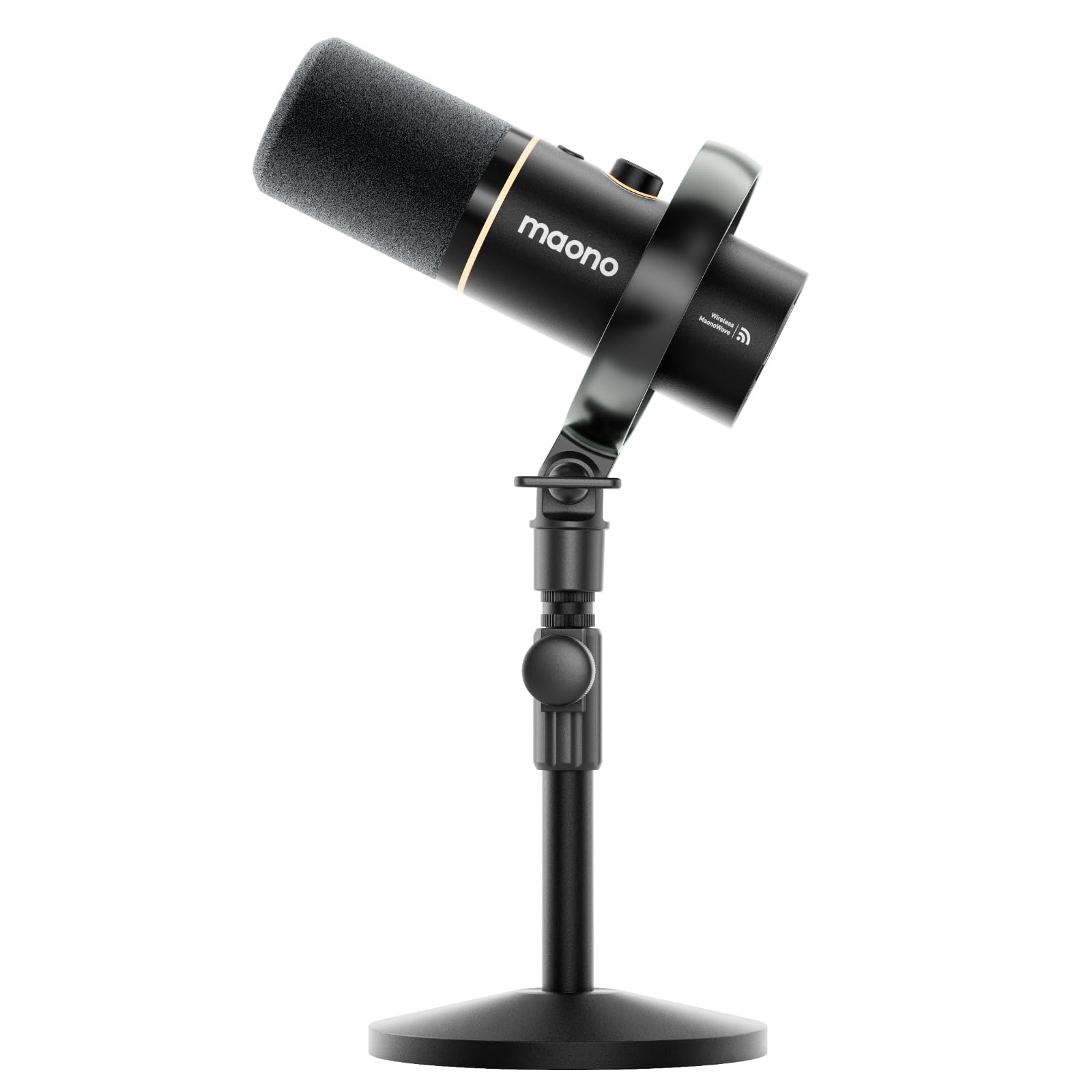
The MAONO PD200W breaks new ground at the upper end of the budget spectrum by offering three connectivity modes in one package: a 2.4 GHz wireless link, standard USB-C, and traditional XLR. Using a 30 mm dynamic capsule with a cardioid pattern, it delivers a clean 82 dB signal-to-noise ratio and handles up to 128 dB SPL without distortion, making it suitable for loud vocal performances or close-up podcasting.
What really sets the PD200W apart is its dual-mic wireless capability. A single receiver can connect two of these mics and record each to its own track, which is a genuine game-changer for duo podcasts and guest interviews. The MaonoLink app provides four preset EQ modes plus adjustable reverb and three-stage noise cancellation, letting you tune the sound signature to your voice without needing a separate audio interface.
The battery life reaches up to 60 hours with the RGB lighting turned off, and the wireless range is a solid 60 meters. The included desktop stand feels hefty, although the weight of the all-metal microphone does require a sturdy mount. For content creators who want the freedom to move around a room or record a two-person show without a nest of cables, the PD200W offers a premium experience at near-mid-range pricing.
Why it’s great
- Three-way connectivity (wireless, USB, XLR) provides unmatched flexibility
- Single receiver supports two mics on separate tracks for duo recording
- Long battery life and robust wireless range for untethered sessions
Good to know
- Heavier build requires a sturdy boom arm or stand
- Wireless dongle is needed for PC connection; not Bluetooth
- RGB lighting drains battery faster when enabled
3. HyperX SoloCast 2 Gaming USB Condenser Mic

The HyperX SoloCast 2 is a textbook example of doing the basics brilliantly. It uses a cardioid condenser capsule that records at 24-bit depth and 96 kHz sampling rate, offering the highest audio resolution in this list. The built-in suspension system provides shock-mount benefits without adding bulk, and the integrated foam pop filter means you can start recording with crisp, plosive-free audio straight out of the box.
A tiltable, weighted base keeps the mic stable on any desk, and the inclusion of standard 3/8″ and 5/8″ threads lets you attach it to a boom arm instantly. The tap-to-mute sensor on the top is responsive, with a bright red LED that confirms when you are live. Through the HyperX NGENUITY software, you can apply high-pass, low-pass, or voice-enhancement filters directly to the mic, saving those settings to the onboard memory so they persist across different computers.
The most common criticism is the lack of a physical gain knob, meaning you must adjust input level through Windows sound settings or the NGENUITY app. The built-in stand is also a bit low for some users, placing the capsule below mouth level when sitting at a standard desk. Despite these small compromises, the SoloCast 2 delivers exceptional clarity for voice calls, streaming, and single-track recording at a price that undercuts many competitors with lower specs.
Why it’s great
- High-resolution 24-bit/96kHz recording for studio-grade detail
- Built-in pop filter and shock mount reduce setup hassle
- Compact design with standard threading for easy boom arm mounting
Good to know
- No onboard gain control; must adjust via software
- Stand is short; most users will want a boom arm for proper positioning
- USB-C port on the lower back can disconnect with accidental cable tugs
4. Razer Seiren V2 X USB Condenser Microphone

The Razer Seiren V2 X focuses on a single task — capturing a gamer’s voice with maximum rejection of environmental noise. Its 25 mm condenser capsule uses a supercardioid pattern that narrows the pickup angle significantly compared to standard cardioid, making it one of the best options here for minimizing keyboard clatter and mouse clicks. The integrated digital limiter prevents clipping during loud moments without introducing distortion, a real safety net for excitable streamers.
Physical controls are straightforward: a mute button, a volume knob, and a mic gain knob, all located on the front of the body for easy access. The built-in shock absorber dampens vibrations from desk bumps, and the USB-C connection ensures reliable data transfer. Plugging a headset directly into the mic enables zero-latency monitoring, which helps you keep your voice at a consistent level even in chaotic voice channels.
The main downsides are the plastic enclosure, which feels less premium than the all-metal Yeti or MAONO, and a free-spinning gain knob that some users find imprecise. The desk stand is functional but not as weighty as the HyperX base, so it can slide on a smooth surface. For gamers who prioritize noise isolation and need a small, reliable mic that won’t pick up their mechanical switches, the V2 X is a strong, focused choice.
Why it’s great
- Supercardioid pattern delivers excellent side and rear noise rejection
- Digital limiter prevents audio clipping during peak moments
- Front-facing mute and gain controls are easy to reach mid-game
Good to know
- Plastic body feels less durable than metal alternatives
- Free-spinning gain knob lacks tactile detents for precision adjustment
- Requires Razer Synapse software for advanced customization
5. ZealSound Podcast Microphone with Boom Arm & Tripod

The ZealSound Podcast Microphone is the most complete out-of-box package in this list. For a very accessible price, you get the USB mic, a metal scissor boom arm, a foldable tripod stand, a shock mount, and a detachable pop filter — everything needed to build a clean streaming setup without additional purchases. The cardioid capsule captures audio at up to 96 kHz, delivering detailed voice reproduction for Discord chat, Twitch commentary, or podcasting.
The included boom arm extends to 30.8 inches and rotates 360 degrees, making it easy to position the capsule at mouth level while keeping your desk surface clear. The bottom-mounted gain knob is a smart design choice — it stays out of the way of your hand during gaming but remains accessible for quick level adjustments. Zero-latency monitoring via the 3.5 mm headphone jack lets you hear your own voice in real time, which helps avoid fatigue during long sessions.
Build quality is good considering the price, though the boom arm clamp fits surfaces up to only 1.8 inches thick, which may be an issue for some thicker desks. The RGB lighting looks attractive on camera and can be turned off for a professional look. For newcomers who want a fully equipped streaming kit that only needs a computer, the ZealSound delivers exceptional value with no hidden costs.
Why it’s great
- Complete bundle includes boom arm, tripod, shock mount, and pop filter
- 96 kHz sampling rate provides clear, detailed voice reproduction
- Bottom-mounted gain knob prevents accidental adjustments during use
Good to know
- Boom arm clamp works only on desks up to 1.8 inches thick
- Included USB cable is long but not braided for durability
- Plastic components on the boom arm may wear over extended use
6. Razer Seiren V3 Mini USB Condenser Mic

The Razer Seiren V3 Mini proves that good things come in small packages. Standing just over six inches tall, it takes up minimal desk space while still packing a custom condenser capsule with a supercardioid pickup pattern. Its primary strength is simplicity: plug the USB-A cable into your PC, tap the top to mute, and you are ready. The tap-to-mute sensor is satisfyingly tactile, and the LED indicator shows red when muted and green when active, eliminating any guesswork.
The built-in shock absorber in the tilting stand dampens knocks and bumps effectively, and the stand can be detached entirely if you want to mount the mic on a boom arm. The mic works with Discord, OBS Studio, and XSplit without any additional drivers, and the Razer Synapse software adds options for studio-level sample rates and separate volume mixes for playback and stream output. Despite the small size, the audio clarity is impressive for voice chat and light streaming.
Battery life is not a concern since this is a bus-powered USB mic. The main limitation is the lack of a physical volume or gain knob — all level adjustments must be made through software. The supercardioid pattern also requires you to speak directly into the top grill for optimal sound, so positioning is more critical than with a wider cardioid mic. For users with a cramped desk or a preference for minimalist gear, the V3 Mini is a sleek, effective tool.
Why it’s great
- Ultra-compact footprint saves valuable desk space
- Satisfying tap-to-mute sensor with clear LED status indicator
- Built-in shock absorber reduces impact noise from desk bumps
Good to know
- No onboard volume or gain controls; software adjustment required
- Supercardioid pattern demands precise positioning in front of the mic
- Not a significant upgrade over a quality headset mic for casual users
7. TONOR TD510 Air S H+ Dynamic XLR/USB Mic
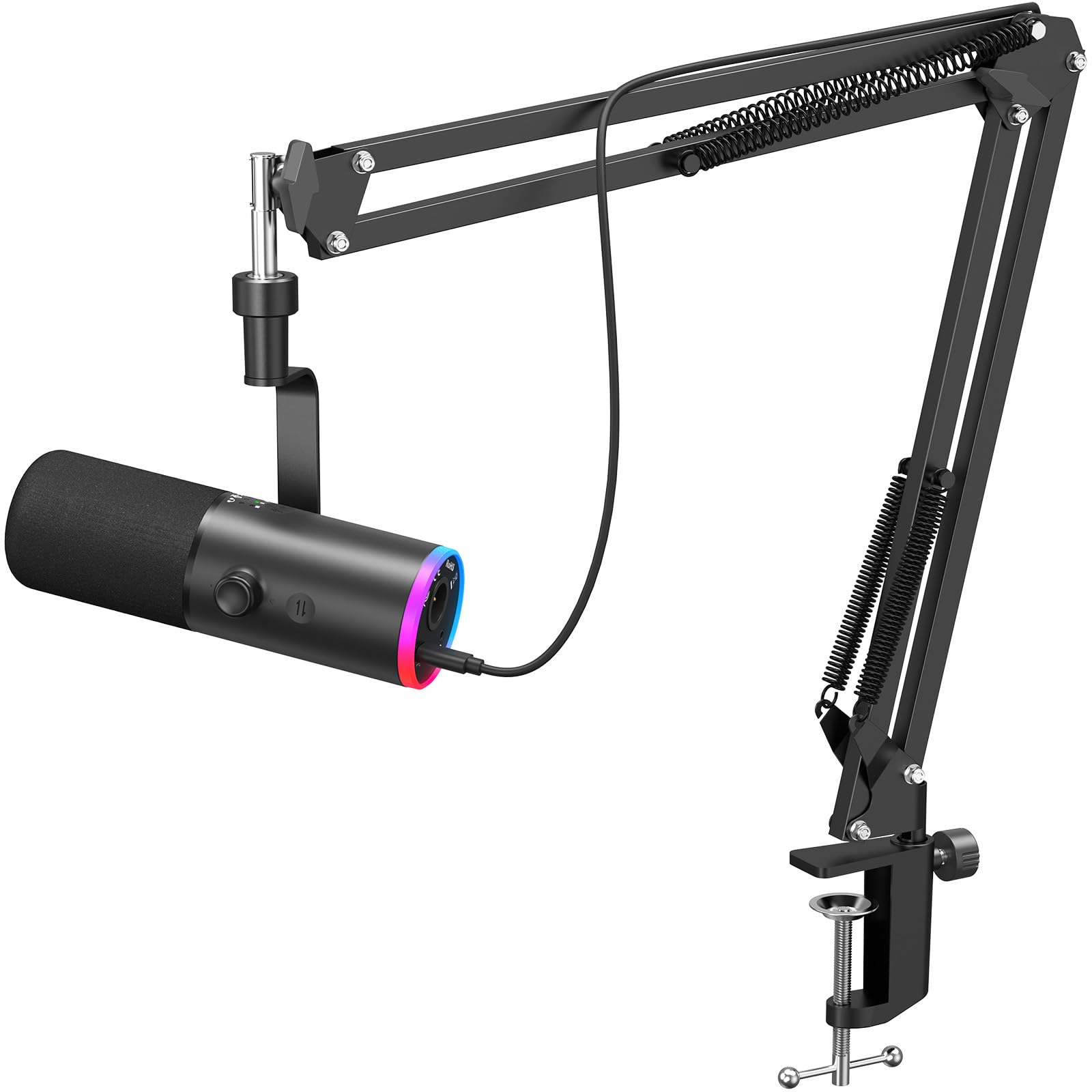
The TONOR TD510 Air S H+ offers the best noise cancellation in the budget tier thanks to its triple AI noise reduction technology. Unlike standard cardioid rejection, the AI processing actively subtracts consistent background sounds like air conditioning hum, refrigerator drones, and even persistent keyboard clatter. As a dynamic microphone, it is inherently less sensitive than condenser mics, which works in its favor in untreated rooms or shared living spaces.
The dual XLR and USB connectivity gives you a clear upgrade path. In USB mode, it works plug-and-play with PC, PS4, and PS5; in XLR mode, you can connect to an audio interface or mixer for more refined sound shaping. The adjustable RGB lighting and tap-to-mute function are welcome additions, and the boom arm included in the package is robust enough to hold the mic steady without sagging. The three noise cancellation modes can be cycled through on the fly.
The dynamic nature means the TD510 requires closer positioning to your mouth — about two to three inches — to achieve full volume, which can feel restrictive if you prefer to lean back. The AI processing also introduces a very subtle compression that some users describe as making the voice sound slightly less natural than a pure condenser. For streamers and remote workers in noisy environments, however, this is a small price to pay for dramatically cleaner audio.
Why it’s great
- Triple AI noise cancellation effectively removes persistent background noise
- Dual XLR and USB connectivity provides future upgrade flexibility
- Included boom arm is sturdy and easy to position at mouth level
Good to know
- Requires very close proximity (2-3 inches) for optimal volume
- AI processing can subtly compress and alter natural voice timbre
- Boom arm is bulky and may not suit minimal desk setups
FAQ
What is the difference between a condenser and a dynamic microphone for PC use?
Do I need an audio interface for a USB microphone?
How close should I sit to my microphone for the best sound?
What does zero-latency monitoring mean and why does it matter?
Final Thoughts: The Verdict
For most users, the best affordable pc microphone winner is the HyperX SoloCast 2 because it delivers the highest audio resolution in a compact, well-built package at a very reasonable cost, with useful software EQ features and a clean tap-to-mute design. If you want a microphone that actively cancels noise from a loud desk environment, grab the TONOR TD510 Air S H+ for its impressive AI processing and dual connectivity. And for a fully featured wireless setup that handles duo recording straight out of the box, nothing beats the MAONO PD200W.

Mo Maruf
I created WellFizz to bridge the gap between vague wellness advice and actionable solutions. My mission is simple: to decode the research and give you practical tools you can actually use.
Beyond the data, I am a passionate traveler. I believe that stepping away from the screen to explore new environments is essential for mental clarity and physical vitality.