Our readers keep the lights on and my smoothie glass nicely filled. As an Amazon Associate, I earn from qualifying purchases.
Finding a display that delivers factory-calibrated color accuracy, wide gamut coverage, and a high-resolution panel without breaking your budget is the defining challenge for any serious creative professional. The market is flooded with gaming screens and office monitors, but separating the tools built for sRGB/Rec. 709 precision from the rest requires a sharp eye on the spec sheet.
I’m Mohammad Maruf — the founder and writer behind WellFizz. I’ve spent years researching display panels, colorimetry standards, and the specific hardware trade-offs that matter to digital artists, photographers, and video editors working within a tight budget.
After analyzing specifications and real-world performance data, these nine models stand out as the strongest candidates for the best affordable monitor for graphic design.
How To Choose The Best Affordable Monitor For Graphic Design
Selecting a design monitor at a reasonable price requires balancing resolution against color fidelity and connectivity. A 4K panel with poor sRGB coverage is useless for color grading, just as a color-accurate QHD screen might lack the pixel density for detailed vector work. Focus on these four pillars during your search.
Color Accuracy & Gamut Coverage
Look for a factory-calibrated Delta E ≤ 2 rating. This ensures the display reproduces colors faithfully out of the box, minimizing costly calibration time. sRGB coverage should be 99–100% for web and print design; DCI-P3 coverage above 90% is essential if you work with video or HDR content for modern displays.
Panel Technology & Resolution
An IPS (In-Plane Switching) panel is non-negotiable for graphic design due to its wide viewing angles and consistent brightness across the screen. For resolution, 4K UHD (3840 x 2160) provides the sharpest text and most workspace, but a high-quality QHD (2560 x 1440) monitor with superior contrast can be a better choice if your workflow prioritizes deep blacks over pixel density.
Connectivity & Workflow Integration
USB-C with Power Delivery (PD) is the most critical modern connectivity feature. A single USB-C cable should deliver a 4K video signal, transfer data from a built-in USB hub, and charge your laptop simultaneously (65W–90W is ideal). HDMI 2.0 or DisplayPort 1.4 is a fallback, but daisy-chaining via DisplayPort is a bonus for multi-monitor setups.
Ergonomics & Build Quality
An adjustable stand with height, tilt, swivel, and pivot (portrait) is not a luxury — it’s a daily necessity for long editing sessions. A flicker-free backlight and a low-blue-light mode reduce eye fatigue. VESA mount compatibility (100x100mm) adds future flexibility for monitor arms.
Quick Comparison
On smaller screens, swipe sideways to see the full table.
| Model | Category | Best For | Key Spec | Amazon |
|---|---|---|---|---|
| ASUS ProArt PA278CV | QHD Pro | Color-Critical Work on a Budget | Delta E < 2, 100% sRGB/Rec. 709 | Amazon |
| LG 27US550-W | 4K IPS | Multi-Monitor Setups | 90% DCI-P3, 4K UHD, Borderless Design | Amazon |
| LG 27UP650K-W | 4K IPS | Value-Driven 4K Creative Work | 95% DCI-P3, DisplayHDR 400 | Amazon |
| INNOCN 27C1U-D | 4K USB-C | MacBook Users on a Tight Budget | Delta E<2, USB-C 65W PD | Amazon |
| Dell S2725QS | 4K 120Hz | Design & Casual Gaming Combo | 99% sRGB, 120Hz, 1500:1 Contrast | Amazon |
| ViewSonic VP2756-4K | 4K Pro | Pantone-Certified Color Work | Pantone Validated, 100% sRGB, Delta E<2 | Amazon |
| ViewSonic VP2768A | QHD Pro | DICOM-SIM Medical Imaging / Photo | 90W USB-C, Delta E<2, Multiple Color Spaces | Amazon |
| ASUS ProArt PA279CV | 4K Pro | Professional Video Editing | Calman Verified, 100% sRGB/Rec. 709, 65W PD | Amazon |
| BenQ MA270U | Mac 4K | Apple Ecosystem Creatives | P3 Gamut, 90W PD, Mac Color Match | Amazon |
In‑Depth Reviews
1. ASUS ProArt Display PA278CV

The ProArt PA278CV is the benchmark for affordable design monitors. Its 27-inch QHD IPS panel is Calman Verified and factory-calibrated to Delta E < 2, covering 100% sRGB and 100% Rec. 709 color spaces. This ensures your greens, reds, and skin tones are accurate for print and broadcast work right out of the box, without requiring a hardware calibrator for initial setup.
The USB-C port delivers 65W Power Delivery, enabling a single-cable connection to a MacBook or PC laptop that charges the device while transmitting video and data. The ergonomic stand offers height, tilt, swivel, and 90-degree pivot rotation, letting you switch to portrait mode for coding or vertical photo editing. A 75Hz refresh rate with Adaptive-Sync provides smoother scrolling than standard 60Hz office panels.
It supports DisplayPort daisy-chaining for up to four monitors, a huge productivity boost for multitasking designers. The matte IPS coating minimizes glare during long sessions. While QHD resolution lacks the pixel density of 4K, the color accuracy and build quality at this price point make it the smartest choice for serious color work.
Why it’s great
- Factory-calibrated with Delta E < 2 for accurate color reproduction
- USB-C with 65W Power Delivery for clutter-free desktop
- Height/pivot adjustable stand with portrait rotation
Good to know
- QHD (2560×1440) resolution — not 4K UHD
- Brightness is 350 cd/m², not suitable for true HDR color grading
2. LG 27UP650K-W

The LG 27UP650K-W offers a rare combination of 4K UHD resolution and 95% DCI-P3 color gamut coverage at a mid-range price point. This makes it an excellent choice for designers who need to edit HDR video, as the wide P3 gamut handles the expanded color space that modern content demands. The DisplayHDR 400 certification ensures decent peak brightness for specular highlights.
Its ergonomic stand supports height, tilt, and pivot adjustments, allowing you to rotate the screen for vertical layouts. The built-in Black Stabilizer and Dynamic Action Sync are gaming-oriented extras, but the high DCI-P3 coverage makes it a legitimate design tool. The matte anti-glare screen reduces reflections in bright offices, keeping colors stable across the 178-degree viewing angle.
Connectivity includes HDMI and DisplayPort, but lacks USB-C with Power Delivery, which is a notable omission for users who prefer a single-cable laptop setup. The white chassis and thin bezels look modern, and the on-screen joystick control simplifies menu navigation. For pure 4K resolution and wide color at a low cost, this is a sturdy foundation.
Why it’s great
- Excellent 95% DCI-P3 coverage for video and HDR projects
- DisplayHDR 400 certification provides meaningful highlight detail
- Fully adjustable ergonomic stand with pivot
Good to know
- No USB-C connectivity (HDMI/DisplayPort only)
- 5ms response time — fine for design, not for high-refresh gaming
3. INNOCN 27C1U-D

The INNOCN 27C1U-D is a 4K USB-C monitor built specifically for the budget-conscious Mac user. It covers 1.07 billion colors (8-bit+FRC) with a Delta E < 2 rating, providing accurate color right out of the box. The USB-C port delivers 65W Power Delivery, making it a true plug-and-play partner for a MacBook Air or Pro — single cable provides video, data, and power.
The IPS panel offers 400 nits of brightness and HDR400 support, with a 1000:1 contrast ratio that delivers solid depth for web design and photo editing. The bezel-less design looks clean in a dual-monitor arrangement. The included stand supports height, swivel, pivot (±90°), and tilt, so you can orient the screen for portrait-mode work on long documents or social media images.
Built-in speakers are present but underwhelming — expect thin sound best reserved for system alerts. The OSD menu uses physical buttons on the bottom bezel, which some users find finicky. HDCP 2.2 support ensures streaming compatibility. For the price, the combination of 4K resolution, USB-C PD, and color accuracy is hard to beat.
Why it’s great
- True 4K resolution with Delta E < 2 color fidelity
- USB-C with 65W PD simplifies MacBook setup
- Full ergonomic stand with portrait pivot
Good to know
- Built-in speakers have poor sound quality
- OSD navigation via small physical buttons is clunky
4. Dell 27 Plus 4K Monitor S2725QS

The Dell S2725QS stands out with a 120Hz refresh rate — a rarity in the affordable design monitor space. This allows for incredibly smooth scrolling through long design documents, timelines in Premiere Pro, or web page mockups. The 4K IPS panel delivers 99% sRGB coverage and a 1500:1 contrast ratio, providing deeper blacks than the typical 1000:1 IPS display.
AMD FreeSync Premium is built-in, reducing screen tearing when previewing animations or light gaming. ComfortView Plus reduces blue light emissions to ≤35% without shifting the color temperature yellow, which is a significant advantage for all-day editing sessions. The ultra-thin bezel in Ash White has a clean, modern aesthetic suitable for bright studios.
Integrated speakers offer improved frequency response over previous Dell models, though external monitors remain preferable for critical audio editing. The stand provides height, pivot, swivel, and tilt adjustments. Color accuracy is good, though not factory-calibrated to Delta E < 2 like the ProArt series. Calibration is recommended for professional print work. The 120Hz fluidity makes this a compelling hybrid for design and light gaming.
Why it’s great
- 120Hz refresh rate for smoother design workflow
- 1500:1 contrast ratio for deeper black levels
- ComfortView Plus reduces blue light without color shift
Good to know
- No factory Delta E calibration report included
- Minor matte grain can soften text slightly
5. LG 27US550-W
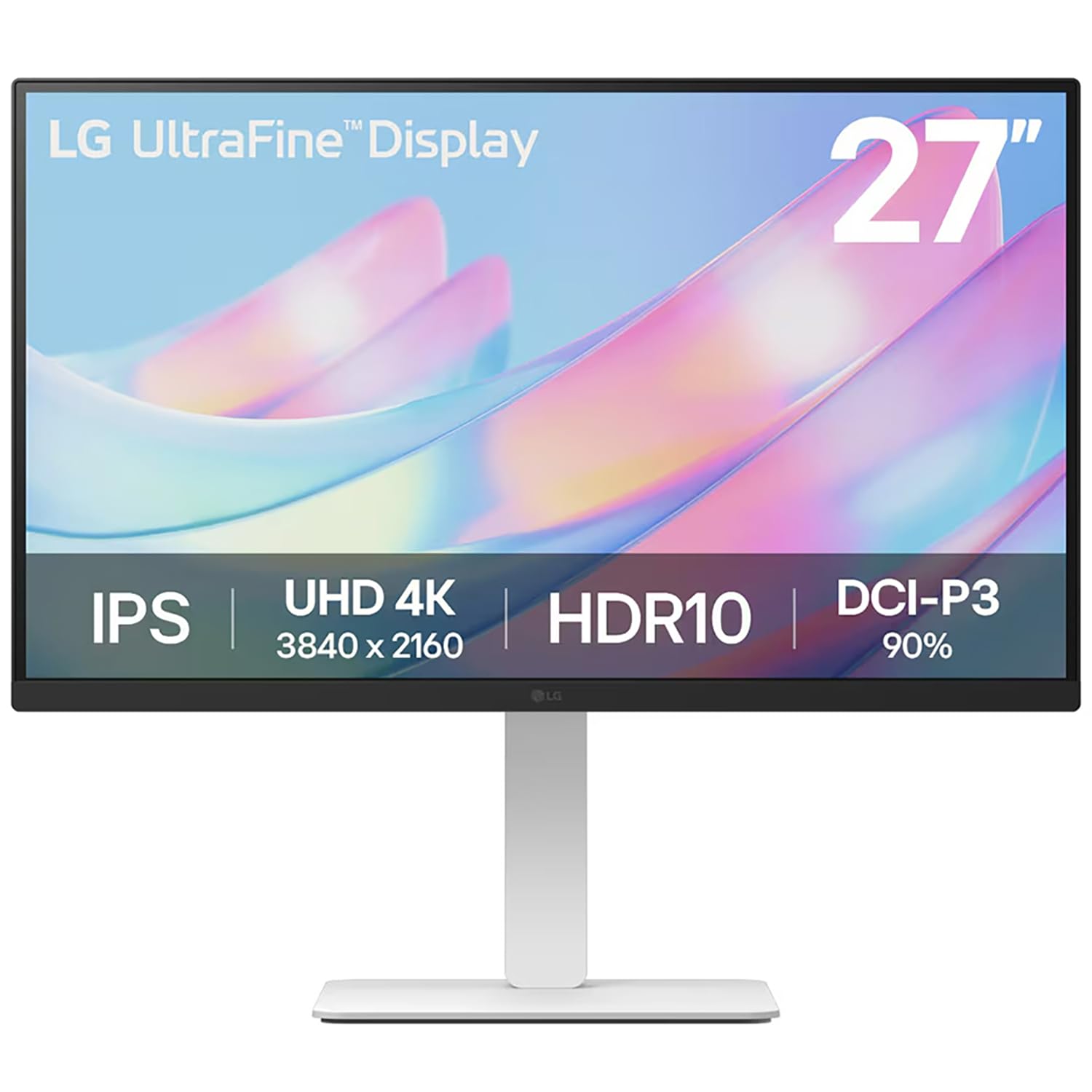
The LG 27US550-W offers a 27-inch 4K IPS panel with 90% DCI-P3 color gamut coverage, making it well-suited for creators who work in video or HDR photography. The 3-side borderless design is ideal for multi-monitor configurations, where ultra-thin bezels help create a nearly seamless viewing field — useful for sprawling timelines or reference image walls in a design layout.
Its 300-nit brightness is adequate for most interior lighting, though it may feel dim next to 400-nit competitors in sunlit rooms. HDR10 support adds dynamic range for compatible content. The LG Switch app lets you toggle between multiple inputs easily, a nice convenience for hybrid PC/Mac workstations. The stand moves smoothly and offers height and tilt adjustments.
Color reproduction is good for the class, but the 90% DCI-P3 falls short of the 95%+ found on the LG 27UP650K-W. The lack of built-in USB-C with Power Delivery means you will need separate cables for video and charging. For a clean, budget-oriented 4K display optimized for tight multi-monitor spaces, this checks the right boxes.
Why it’s great
- Borderless 3-side design for clean dual-monitor setups
- 90% DCI-P3 color gamut for HDR video work
- Smooth and stable adjustable stand
Good to know
- No USB-C port for single-cable laptop connection
- 300 nits brightness is modest for bright rooms
6. ViewSonic VP2756-4K

The ViewSonic VP2756-4K is a premium-grade monitor that brings Pantone Validation and 100% sRGB coverage to the sub- price bracket. This certification means the monitor reproduces Pantone colors accurately — critical for branding, logo design, and any workflow where spot colors must match physical swatch books. The Delta E < 2 rating is factory-calibrated, reducing your setup time.
Connectivity is a highlight: the USB-C port delivers 60W Power Delivery and acts as a full-featured hub with four USB-A ports, an Ethernet port, and a DisplayPort output for daisy-chaining a second monitor. The advanced ergonomic stand offers tilt, swivel, pivot, and height adjustments with a heavy, stable base. The 350-nit brightness and matte panel work well in shared office environments.
Users report colors that match closely with MacBook displays, making it reliable for print-to-screen matching. The built-in speakers are usable for conference calls. The OSD joystick is a bit buried in the menu structure, but the included software control (vDisplay Manager) offers a more accessible alternative. For color-critical professionals on a budget, this is a top-tier tool.
Why it’s great
- Pantone Validated for exact spot color reproduction
- USB-C with 60W PD and built-in USB/Ethernet hub
- Full ergonomic adjustments with heavy-duty stand
Good to know
- Vertical rotation does not work correctly with macOS
- OSD menu navigation can be complex
7. ViewSonic VP2768A
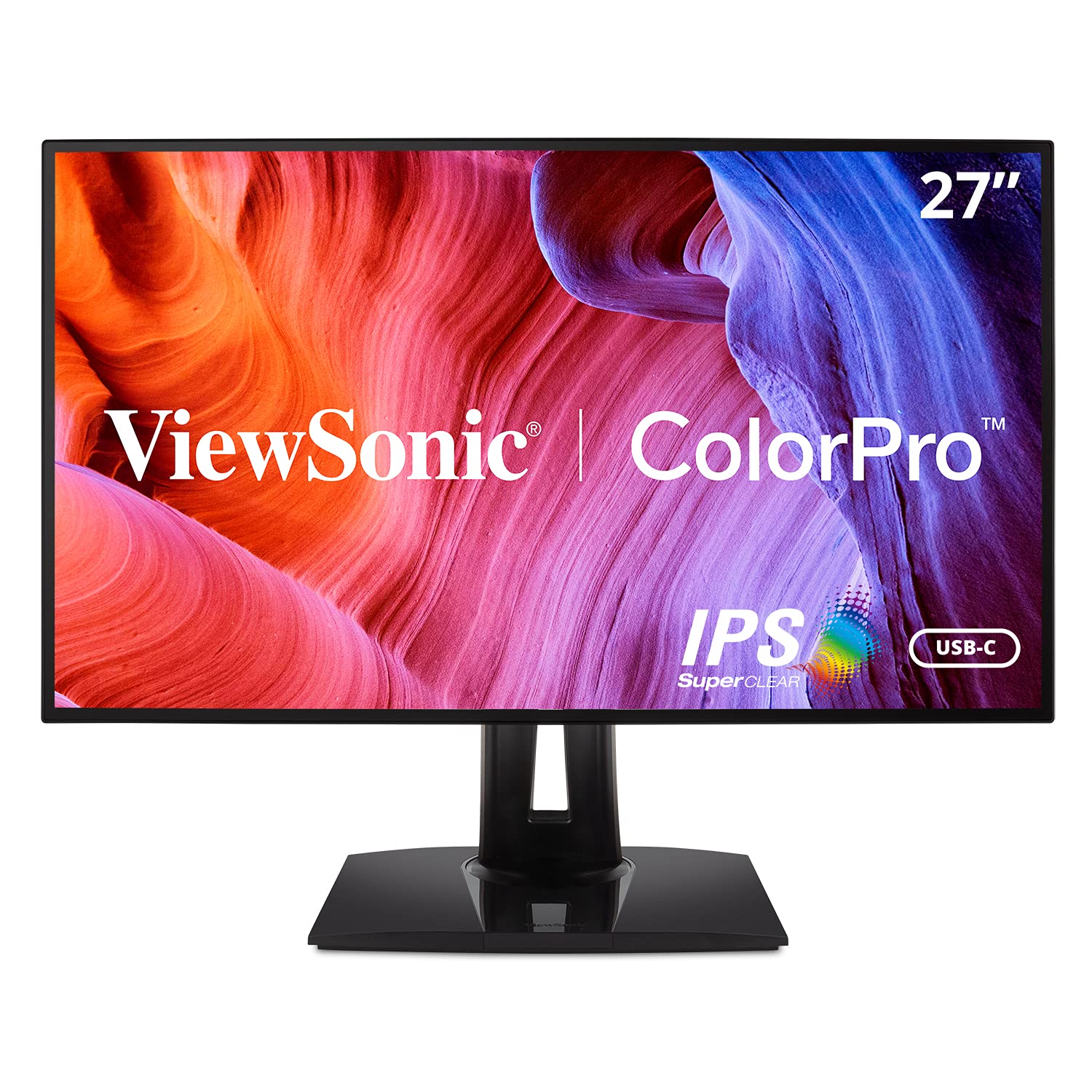
The ViewSonic VP2768A trades 4K resolution for extraordinary color versatility. It supports 100% sRGB, Rec. 709, EBU, SMPTE-C, and DICOM-SIM color spaces, making it suitable for creative professionals who need to output across broadcast, medical, and web standards. The Delta E < 2 accuracy is factory-calibrated, and the 27-inch QHD IPS panel delivers excellent text definition.
This monitor boasts an industry-leading 90W USB-C Power Delivery, enough to charge a 16-inch MacBook Pro at full speed. It also includes an RJ45 Ethernet port, which is valuable for stable wired networking in a design office. The ergonomic stand offers the full range of height, pivot, swivel, and tilt adjustments with a professional-grade feel.
Some user units have reported early USB-C failures, which is a reliability concern for mission-critical use. The OSD buttons are located on the back and can be difficult to identify by touch. For a professional who needs the highest possible charge rate and multi-standard color support, the VP2768A is a powerhouse — provided you get a reliable unit.
Why it’s great
- 90W USB-C PD — fastest charging in this class
- DICOM-SIM and Rec. 709 color space support included
- RJ45 Ethernet port for stable office networking
Good to know
- Some units have experienced USB-C port reliability issues
- OSD buttons are rear-mounted and hard to reach
8. ASUS ProArt Display PA279CV

The ASUS ProArt PA279CV is the 4K big brother of the PA278CV, offering 3840 x 2160 resolution with the same rigorous color standards: 100% sRGB, 100% Rec. 709, and Calman Verified for Delta E < 2 accuracy. This is the monitor to choose if you need the fine detail of 4K for video editing, photo retouching, or UI design where pixel density directly affects precision.
The USB-C port supports 65W Power Delivery and acts as a full USB 3.1 hub with four downstream Type-A ports, making it a central command station for your peripherals. The split-screen feature within the OSD allows side-by-side comparison of two inputs — useful for previewing a final grade against a reference clip. The ergonomic stand includes height, pivot, swivel, and tilt adjustments.
Some users note a slight green tint out of the box, easily corrected via the five-way OSD joystick by adjusting the color temperature. The included three-month Adobe Creative Cloud subscription is a welcome bonus for new subscribers. For graphic designers who need 4K canvas space with professional color backup, this is the default recommendation.
Why it’s great
- True 4K resolution with Calman Verified factory calibration
- USB-C 65W PD with built-in four-port USB hub
- Split-screen input comparison for video grading
Good to know
- May require slight color temperature adjustment out of box
- Brightness is listed as variable — ensure consistent settings
9. BenQ MA270U

The BenQ MA270U is engineered specifically for the Apple ecosystem, with BenQ’s exclusive Color Tuning that matches the P3 wide color gamut of MacBook, iPad, and iPhone displays. This makes it the closest you can get to the Apple Studio Display experience at a fraction of the cost. The 27-inch 4K IPS panel delivers 400 nits of brightness with a sharp, vibrant image.
Dual USB-C ports are a standout feature: one delivers 90W Power Delivery for your MacBook, while the second provides 15W to charge an iPad or iPhone simultaneously. The monitor integrates with MacBook controls, letting you adjust volume and brightness directly from the MacBook keyboard — a seamless experience that feels native. The ergonomic stand supports full height, tilt, swivel, and pivot adjustments.
The built-in speakers are notably weak, and you will need external speakers or headphones for any serious audio work. Some units have reported early failures, though BenQ support has been responsive. For any creative deeply embedded in the Apple hardware ecosystem, the color matching and single-cable convenience make this an outstanding choice.
Why it’s great
- P3 color gamut matched to MacBook displays for accurate color
- 90W + 15W dual USB-C charging for MacBook and iPad
- Native Mac keyboard control of brightness and volume
Good to know
- Built-in speakers are very poor quality
- Some reliability concerns reported in early units
FAQ
Is 4K resolution necessary for graphic design at 27 inches?
What does Delta E ≤ 2 mean in real design work?
Can I use a gaming monitor for graphic design?
Does USB-C Power Delivery affect color accuracy?
Final Thoughts: The Verdict
For most users, the best affordable monitor for graphic design winner is the ASUS ProArt PA278CV because it delivers factory-calibrated Delta E < 2 accuracy, USB-C 65W PD, and a full ergonomic stand without the premium price of a 4K panel. If you need 4K pixel density for video editing, grab the ASUS ProArt PA279CV. And for deep Apple ecosystem integration with native color matching, nothing beats the BenQ MA270U.

Mo Maruf
I created WellFizz to bridge the gap between vague wellness advice and actionable solutions. My mission is simple: to decode the research and give you practical tools you can actually use.
Beyond the data, I am a passionate traveler. I believe that stepping away from the screen to explore new environments is essential for mental clarity and physical vitality.