Our readers keep the lights on and my smoothie glass nicely filled. As an Amazon Associate, I earn from qualifying purchases.
The difference between losing your competitive edge and crossing the finish line first often comes down to a single spec: refresh rate. A 60Hz screen on a budget tablet can turn a smooth racing game into a stuttering slideshow. But the market has shifted. You no longer need to spend a fortune for a fluid, responsive gaming experience that keeps up with your reflexes.
I’m Mohammad Maruf — the founder and writer behind WellFizz. I analyze the hardware market weekly, comparing processor benchmarks, battery capacities, and display technologies to separate genuine gaming value from marketing hype.
This guide cuts through the noise to reveal the best affordable gaming tablet options that deliver high frame rates and responsive touch controls without breaking your budget.
How To Choose The Best Affordable Gaming Tablet
Selecting a gaming tablet on a budget requires knowing which hardware specs actually drive performance in popular mobile games like Genshin Impact, Call of Duty Mobile, and PUBG. Ignoring the processor and focusing solely on RAM is the most common mistake buyers make.
Processor: The Real Engine
The processor, or SoC, decides whether a game runs at high settings or stutters at medium. For the budget segment, the MediaTek Helio G99 is a reliable baseline — it handles most modern titles at medium to high graphics. If you find a Dimensity 6300, 7300-Ultra, or an Exynos 1380, you are stepping into smoother territory with better thermal management during longer sessions. Avoid generic octa-core processors without a known chipset name — they often lack the GPU power for consistent frame rates.
Display Refresh Rate and Touch Sampling
A 60Hz display is the bare minimum, but for fast-paced gaming, 90Hz or 120Hz provides noticeably smoother motion and quicker response to on-screen actions. Equally important is the touch sampling rate — a 120Hz display with a 180Hz touch sampling rate registers your taps faster than a 60Hz panel. Look for at least 90Hz refresh for a genuinely competitive gaming feel.
RAM, Storage, and Thermal Throttling
Modern games need at least 6GB of physical RAM to avoid reloading levels. Virtual RAM expansion (adding 8GB or 16GB) helps with app switching but does not improve raw gaming speed. For storage, 128GB is the minimum comfortable space; 256GB is better. Also consider sustained performance — tablets with metal bodies or larger cooling chambers dissipate heat better, preventing the processor from slowing down mid-game to cool itself.
Quick Comparison
On smaller screens, swipe sideways to see the full table.
| Model | Category | Best For | Key Spec | Amazon |
|---|---|---|---|---|
| OnePlus Pad Go 2 | Mid-Range | All-day gaming & streaming | Dimensity 7300-Ultra / 120Hz | Amazon |
| Samsung Galaxy Tab S10 Lite | Mid-Range | Casual gaming & note-taking | Exynos 1380 / S Pen included | Amazon |
| TABWEE 13.4″ (2026) | Premium | Large-screen gaming & productivity | 24GB RAM / 120Hz display | Amazon |
| AGM PAD P2 Active | Premium | Rugged outdoor gaming | Helio G99 / Waterproof IP68 | Amazon |
| TECLAST Artpadpro | Mid-Range | Large-screen drawing & gaming | 12.7″ 2K display / 10000mAh | Amazon |
| Lenovo Idea Tab | Mid-Range | College & study gaming | Dimensity 6300 / 2.5K display | Amazon |
| TCL NXTPAPER 11 Plus | Mid-Range | Eye-friendly reading & light gaming | Helio G100 / 120Hz display | Amazon |
| TABWEE T90 | Budget | Entry-level gaming & study | T615 Octa-core / 8000mAh | Amazon |
| TABWEE 11″ (2026) | Budget | Budget multitasking & streaming | 24GB RAM (8+16 virtual) | Amazon |
In‑Depth Reviews
1. OnePlus Pad Go 2
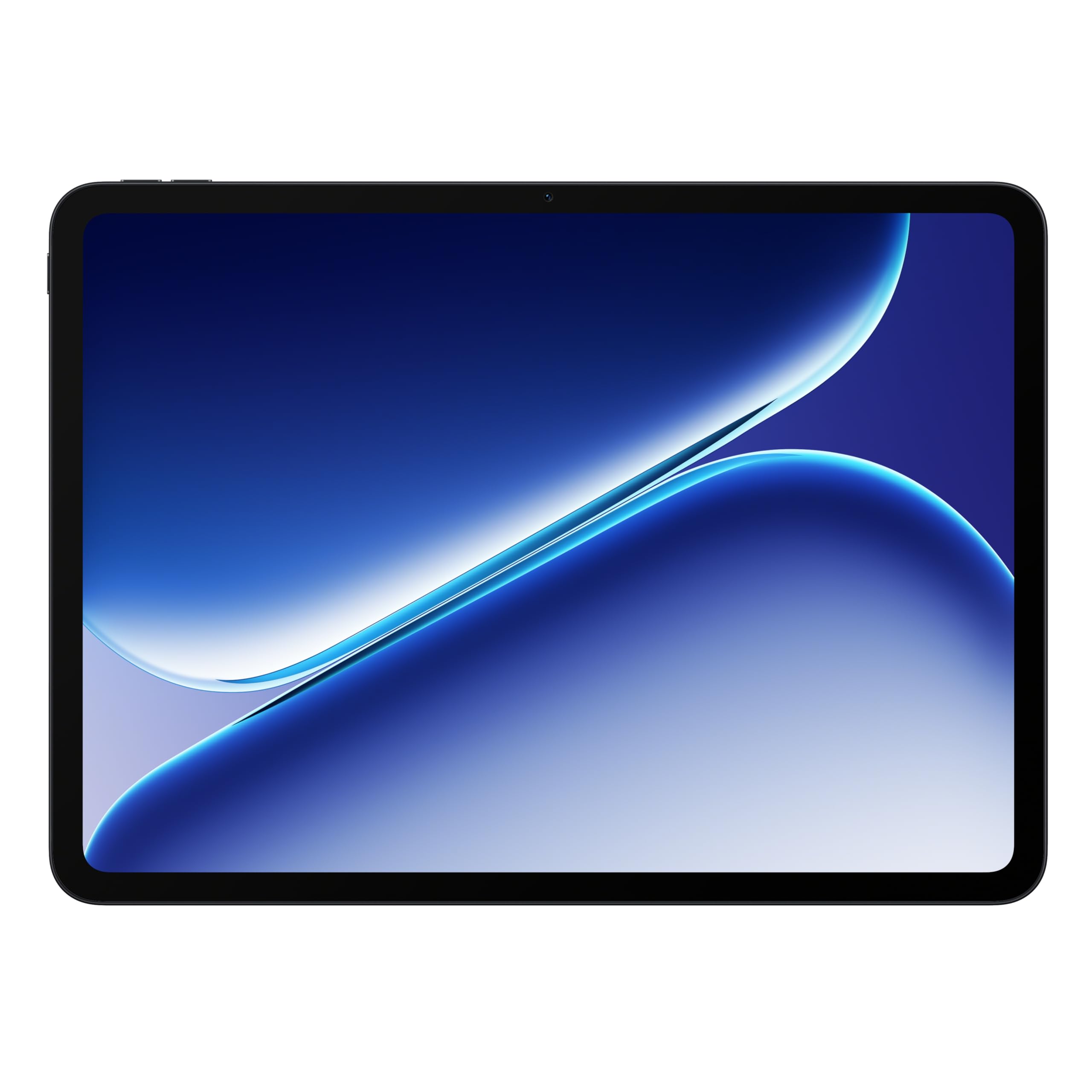
The OnePlus Pad Go 2 delivers the best balance of processor muscle and display smoothness in the affordable gaming segment. Its MediaTek Dimensity 7300-Ultra chipset handles demanding titles at high graphics settings without noticeable stutter, while the 12.1-inch Dolby Vision display with a 120Hz refresh rate keeps every frame crisp and fluid. The 10,050mAh battery is the largest in this roundup, providing over 16 hours of mixed gaming and streaming on a single charge.
At just 8GB of physical RAM, the OnePlus relies on efficient software optimization rather than inflated virtual memory numbers. The result is a tablet that feels snappy in daily use and maintains consistent frame rates during longer gaming sessions. The sleek metal build also helps with passive cooling, reducing the chance of thermal throttling.
If you want a premium gaming experience without paying flagship prices, this is the tablet to beat. It ships with a SUPERVOOC fast charger in the box — a rare inclusion among competitors at this tier. The only real miss is the lack of a bundled stylus, but for pure gaming and media consumption, the Pad Go 2 is unmatched in its price range.
Why it’s great
- True 120Hz Dolby Vision display for ultra-smooth gaming
- Dimensity 7300-Ultra delivers reliable high-frame-rate performance
- Massive 10,050mAh battery for all-day play
Good to know
- No bundled stylus or keyboard
- 8GB RAM may feel limiting for extreme multitasking
2. Samsung Galaxy Tab S10 Lite

Samsung’s Galaxy Tab S10 Lite pairs the capable Exynos 1380 processor with 6GB of physical RAM, making it a solid choice for casual gaming and app-based titles. The 10.9-inch LCD display runs at a standard 60Hz, so competitive players will notice less fluid motion compared to 90Hz or 120Hz rivals. However, the S Pen is included out of the box, adding real value for note-taking and drawing between gaming sessions.
Battery life is a strong point — the 8,000mAh cell supports up to 16 hours of video playback. Super Fast Charging fills the battery fully in about two hours. Samsung’s One UI also brings practical AI tools like Circle to Search and note cleanup, which elevate daily usability beyond gaming.
For anyone who wants a reliable Android tablet from a trusted brand with good software support, the Tab S10 Lite is a safe choice. It is not built for high-frame-rate shooters or heavy emulation, but it handles everyday gaming and media with grace. The lack of a 90Hz or higher refresh rate is the main reason it does not top the gaming list.
Why it’s great
- Trusted brand with long software update support
- Includes S Pen for creative and productivity tasks
- Excellent battery life and fast charging
Good to know
- 60Hz display limits competitive gaming smoothness
- 6GB RAM is lower than some budget competitors
3. TABWEE 13.4″ (2026 Upgraded)

The TABWEE 13.4-inch model brings a massive screen and a 120Hz refresh rate to the affordable gaming market, offering an immersive experience for gamers who prioritize display real estate. The 1920×1200 resolution with Widevine L1 certification ensures smooth streaming and gaming, while the 180Hz touch sampling rate delivers snappy touch responses. The octa-core processor keeps things running, though it is not as powerful as the Dimensity or Exynos chips in premium tablets.
The 10,000mAh battery supports extended gaming sessions, and the 18W fast charging gets you back in action fairly quickly. This bundle is impressively complete — it includes a keyboard, mouse, stylus, case, and tempered glass screen protector right in the box, making it a true laptop alternative for gaming and work.
Where this tablet falls short is in raw gaming grunt. While it handles 2D and mid-tier 3D games well, demanding titles like Genshin Impact may require medium settings for smooth play. The virtual RAM expansion (16GB virtual) helps with multitasking but does not substitute for a faster GPU core. For gamers who want a huge screen and a full accessory kit, this is a compelling package.
Why it’s great
- 13.4-inch 120Hz display is great for immersive gaming
- Full bundle includes keyboard, mouse, stylus, and case
- Large 10,000mAh battery for extended play
Good to know
- Processor is weaker than Helio G99 or Dimensity chips
- Virtual RAM does not improve raw gaming frame rates
4. AGM PAD P2 Active

The AGM PAD P2 Active is built for gamers who take their play outdoors or into demanding environments. The MediaTek Helio G99 processor is a proven performer in the affordable gaming space, running popular titles at high settings without overheating. The 11-inch FHD IPS display with a 90Hz refresh rate and 480 nits brightness is perfectly readable under direct sunlight — a rare feature among gaming tablets.
The IP68 and IP69K ratings mean this tablet survives dust, water immersion, and drops from 1.8 meters. With 8GB of physical RAM plus 8GB virtual expansion, multitasking is smooth, and the 256GB internal storage leaves ample room for game files. The included protective case is rugged, though some users find it bulky for everyday carry.
The main trade-offs are weight and display color accuracy. The rugged build adds heft, and the screen is not as vibrant as OLED or high-end IPS panels. However, if you need a gaming tablet that can handle the elements, the AGM PAD P2 Active is in a class of its own. The 8,000mAh battery also provides solid endurance for day-long trips.
Why it’s great
- Helio G99 offers reliable gaming performance
- IP68/IP69K waterproof and drop-proof design
- 90Hz 480-nit display works in bright outdoor conditions
Good to know
- Rugged build adds noticeable weight
- Display color quality is mid-range
5. TECLAST Artpadpro

The TECLAST Artpadpro stands out with its 12.7-inch 2176×1600 IPS display, offering 20% more viewable area than standard 16:10 tablets of the same size. The 4:3 aspect ratio is ideal for drawing and reading sheet music, but it also provides a spacious canvas for gaming. The G99 processor handles medium-to-high settings in most games, though heavy 3D titles push its limits.
The 10,000mAh battery with 30W fast charging is generous, and the 20GB RAM configuration (8GB physical plus 12GB virtual) keeps apps loaded without reloading. The T-Pen stylus supports 4096 pressure levels, making this a strong dual-purpose device for gamers who also draw or take handwritten notes. The metal build and narrow bezels give it a premium feel.
Where the Artpadpro loses ground to competitors is in gaming-specific features. There is no high-refresh-rate display — the panel is capped at 60Hz, which limits smoothness in fast-paced titles. The stylus also received mixed feedback for palm rejection. If you want a large-screen device for both creative work and occasional gaming, this is a strong option.
Why it’s great
- Large 12.7-inch 2K display with vibrant colors
- Massive 10,000mAh battery and 30W fast charging
- Includes 4096-pressure-level stylus for drawing
Good to know
- Display is 60Hz, not ideal for competitive gaming
- Stylus palm rejection can be inconsistent
6. Lenovo Idea Tab

The Lenovo Idea Tab offers an excellent combination of display quality and processor power for the price. The 11-inch 2.5K IPS touchscreen (2560×1600) with a 90Hz refresh rate provides sharper and smoother visuals than most tablets in its class. The MediaTek Dimensity 6300 chipset handles day-to-day gaming with ease, from casual puzzles to mid-tier shooters, with minimal stutter.
The 8GB of physical RAM is adequate for gaming, and the 256GB internal storage provides generous space for game installations. The included Tab Pen and folio case add value for students and note-takers. Battery life reaches up to 12 hours of mixed usage, and the 20W charger gets the 7,216mAh battery back up reasonably quickly.
Lenovo’s software experience is clean, with AI-powered study tools like Lenovo AI Note and Squid pre-installed. The quad Dolby Atmos-tuned speakers provide clear audio for gaming and media. The main downside is that the 90Hz display, while smooth, is not a full 120Hz panel. For the asking price, however, the Idea Tab punches well above its weight in overall value.
Why it’s great
- Sharp 2.5K display with 90Hz refresh rate
- Dimensity 6300 provides smooth gaming performance
- Includes Tab Pen and folio case
Good to know
- No charger included in the box
- 90Hz refresh is below the 120Hz gaming sweet spot
7. TCL NXTPAPER 11 Plus

The TCL NXTPAPER 11 Plus is unlike any other tablet on this list. Its 11.5-inch 2.2K display uses NXTPAPER 4.0 technology to mimic the look of real paper, with an anti-glare coating and DC dimming that drastically reduces eye strain during long gaming or reading sessions. The 120Hz refresh rate ensures smooth motion, making this a rare find: a gaming tablet that is also gentle on the eyes.
The MediaTek Helio G100 processor is a capable mid-range chip that runs most games at medium to high settings without issues. The 8GB of physical RAM plus 8GB virtual expansion keeps multitasking fluid. The T-Pen stylus supports 4096 pressure levels, and the included flip case adds protection. The 8,000mAh battery supports 33W PD fast charging and can even reverse charge other devices at 1.5A.
Where the NXTPAPER 11 Plus compromises is in raw gaming performance — the Helio G100 is not as powerful as the Dimensity or Exynos chips in faster tablets. The lack of microSD expansion (storage is fixed at 256GB) may also limit game library size. For gamers who prioritize eye comfort and love reading between gaming sessions, this is a uniquely compelling option.
Why it’s great
- Paper-like NXTPAPER display reduces eye strain significantly
- 120Hz refresh for smooth gaming and scrolling
- 33W fast charging and reverse charging capability
Good to know
- No microSD card slot for storage expansion
- Helio G100 is not a high-end gaming chip
8. TABWEE T90 (with Keyboard Bundle)

The TABWEE T90 is the most complete accessory bundle in this price range, including a keyboard, mouse, stylus, and case right out of the box. The 11-inch FHD IPS display with a 60Hz refresh rate is adequate for media consumption and entry-level gaming, but competitive players will notice the lack of smoothness compared to 90Hz panels. The Unisoc T615 octa-core processor is designed for everyday tasks rather than demanding gaming.
The 8GB of physical RAM plus 16GB virtual expansion helps with multitasking, and the 8,000mAh battery provides a full day of mixed use. The 13MP rear camera and 5MP front camera are functional for video calls and document scanning. The Android 16 operating system with Gemini AI integration offers useful productivity features like real-time translation and note summarization.
For light gaming — think card games, puzzles, or older titles — the T90 works fine. However, it struggles with modern 3D games at high settings. The real appeal here is the value bundle for students or professionals who want a convertible tablet for both work and casual entertainment. The 4-year warranty adds peace of mind.
Why it’s great
- Comprehensive bundle — keyboard, mouse, stylus, and case included
- Android 16 with Gemini AI for productivity
- 4-year warranty coverage
Good to know
- 60Hz display limits gaming smoothness
- T615 processor is underpowered for modern 3D games
9. TABWEE 11″ Android 16 Tablet
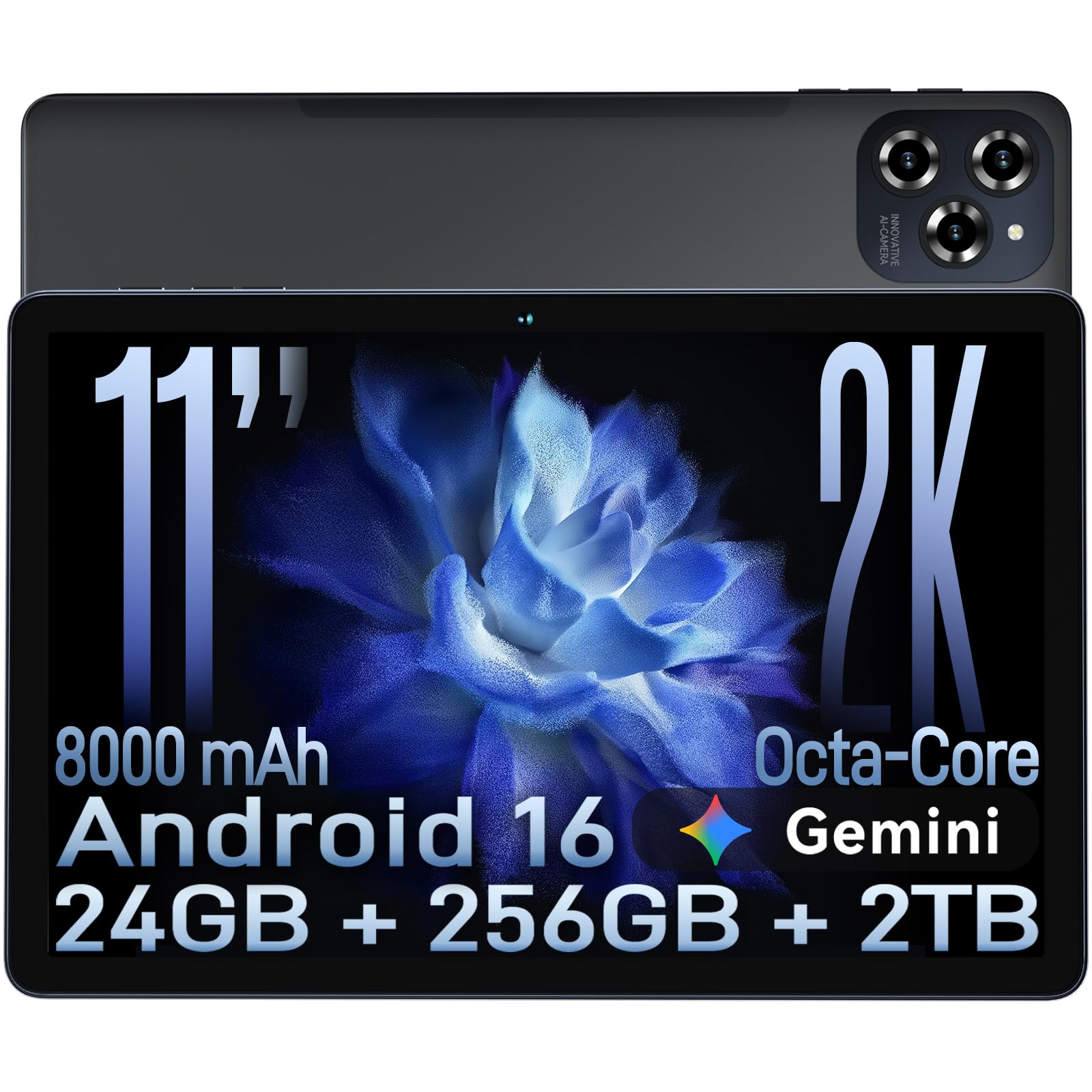
The TABWEE 11-inch tablet offers the lowest entry price in this roundup while still delivering a 90Hz FHD display — a rare spec at this budget level. The 90Hz refresh rate noticeably improves scrolling and game animations compared to standard 60Hz panels. The 8GB of physical RAM plus 16GB virtual expansion ensures apps stay loaded, and the 256GB internal storage (expandable to 2TB) provides ample room for game libraries.
The 8,000mAh battery with 18W fast charging covers a full day of moderate gaming. The 16MP rear camera with Google Lens support is a nice extra for object recognition and document scanning. Android 16 runs smoothly, and the all-metal build feels more premium than the price suggests. The 4-year warranty is a strong commitment from TABWEE.
The primary limitation is the octa-core T615 processor. While it handles casual gaming and older titles well, it will struggle with demanding 3D games like Genshin Impact at high settings. A verified customer review specifically cited lag in battleship games and poor touch sensitivity. For budget-constrained gamers who stick to lighter titles, this is a solid deal. For more demanding games, saving up for a Helio G99 tablet is advisable.
Why it’s great
- 90Hz FHD display at a budget-friendly price point
- Large 256GB storage plus 2TB expandable via microSD
- 4-year warranty coverage
Good to know
- T615 processor struggles with demanding 3D games
- Some reports of touch sensitivity issues in fast-paced games
FAQ
Can I play Genshin Impact smoothly on a budget gaming tablet?
Is virtual RAM important for gaming performance?
What is the minimum refresh rate for a gaming tablet?
Does a bigger screen make gaming better on a budget tablet?
Should I buy a rugged tablet for gaming?
Final Thoughts: The Verdict
For most users, the best affordable gaming tablet winner is the OnePlus Pad Go 2 because it combines a true 120Hz Dolby Vision display with the powerful Dimensity 7300-Ultra processor and the largest battery in its class, delivering smooth gaming performance without compromise. If you want a tablet that also excels at note-taking and drawing, grab the Samsung Galaxy Tab S10 Lite for its included S Pen and reliable software support. And for gamers who need a rugged device that survives outdoor adventures, nothing beats the AGM PAD P2 Active with its waterproof IP68 rating and Helio G99 processor.

Mo Maruf
I created WellFizz to bridge the gap between vague wellness advice and actionable solutions. My mission is simple: to decode the research and give you practical tools you can actually use.
Beyond the data, I am a passionate traveler. I believe that stepping away from the screen to explore new environments is essential for mental clarity and physical vitality.