Our readers keep the lights on and my smoothie glass nicely filled. As an Amazon Associate, I earn from qualifying purchases.
Specs are compiled from manufacturer listings and verified buyer reviews and can change over time — please confirm the key details on the product page before buying.
Finding a capable computer that doesn’t drain your savings means cutting through a jungle of confusing specs and recycled hardware. You want something that handles daily work, light gaming, or school tasks without freezing every time you open a browser. This guide digs into eleven real-world options to separate the genuine value from the marketing fluff.
I’m Mohammad Maruf — the founder and writer behind WellFizz. This guide is built by comparing the manufacturers’ published specifications and the patterns across verified customer reviews, so you get each pick’s real strengths and trade-offs instead of marketing spin.
These picks cover home offices, family setups, and everything in between. This is your straight-talking look at the best affordable computers that actually earn their spot on your desk.
Our Picks at a Glance


How To Choose The Best Affordable Computers
Choosing a budget computer means focusing on the specs that match your actual workload. A gaming rig is overkill for spreadsheets, and a basic office PC will struggle with video editing. Here is what to focus on.
Processor Generation and Core Count
The processor is the engine that determines overall speed and responsiveness. A newer generation (like Intel 13th Gen or AMD Ryzen 5000 series) uses more efficient architecture than older chips. Core count matters too — a quad-core Intel N100 is fine for web browsing and documents, but a six-core i7 or Ryzen 5 handles multitasking and heavier software without stuttering. Pay more attention to the generation number than the GHz speed.
RAM is Your Multitasking Budget
RAM is your multitasking budget. 8GB is the bare minimum for Windows 11 and a few browser tabs. 16GB is the balance for comfortable multitasking, letting you run Office, a dozen Chrome tabs, and a video call at the same time. If you can, 32GB future-proofs you for years and handles more demanding creative or data work.
Storage: SSD vs NVMe
Every computer on this list uses a solid-state drive (SSD), which is a non-negotiable for speed. The newer standard, NVMe (Non-Volatile Memory Express), is significantly faster than a standard SATA SSD. An NVMe drive makes your computer boot in seconds and launch programs instantly. A 256GB drive holds the OS and your core apps; a 512GB or 1TB drive gives you room for games and media.
Refurbished Business PCs vs New Budget Models
Refurbished business PCs are the best-kept value secret in affordable computing. Refurbished business-class desktops from Dell (OptiPlex series) or HP (ProDesk series) were built to higher durability standards than consumer-grade machines. They often come with more RAM, faster processors, and better build quality for the same price as a new, entry-level consumer PC. The trade-off is cosmetic wear and older processor generations.
Quick Comparison
| Model | Best For | Processor | RAM / Storage | Graphics | Amazon |
|---|---|---|---|---|---|
| Acer Aspire Business Desktop★ Best Overall | Ultra-budget office work | Intel Celeron N4505 | 8GB / 256GB PCIe SSD | Intel UHD | Amazon |
| Dell OptiPlex 7070 SFFAlso Great | Premium value powerhouse | Intel i7-9700 (8 Core) | 32GB / 1TB NVMe | Intel UHD 630 | Amazon |
| Dell OptiPlex 7060 SFFValue Champ | Budget power for multitasking | Intel i7-8700 (6 Core) | 32GB / 512GB NVMe | Intel UHD 630 | Amazon |
| HP Pro Tower 290 G9 | New, quiet daily driver | Intel i3-13100 (4 Core) | 8GB / 256GB SSD | Intel UHD 730 | Amazon |
| STGAubron RX 560 Gaming PC | Entry-level gaming on a budget | Intel i5-4570 | 16GB / 512GB SSD | RX 560 4GB | Amazon |
| Lenovo IdeaCentre AIO | All-in-one simplicity | Intel N100 (4 Core) | 8GB / 512GB PCIe SSD | Intel UHD | Amazon |
| HP 22″ All-in-One | Compact, modern AIO | Intel N100 (4 Core) | 8GB DDR5 / 128GB SSD | Intel UHD | Amazon |
| suevery Pre Built Gaming PC | Stylish beginner gaming rig | AMD Ryzen 5 (6 Core) | 16GB / 512GB NVMe | Radeon 4GB | Amazon |
| YAWYORE Gaming PC | Integrated gaming and creation | AMD R5 5600GT (6 Core) | 16GB / 1TB NVMe | Radeon Vega | Amazon |
| STGAubron RTX 3050 Gaming PC | Dedicated GPU for real gaming | Intel i7 8th Gen | 16GB / 512GB SSD | RTX 3050 6GB | Amazon |
| CyberPowerPC Gamer Master | Modern entry-level gaming rig | AMD R5 5500 (6 Core) | 8GB / 500GB PCIe 4.0 SSD | RX 6500 XT 4GB | Amazon |
In‑Depth Reviews
1. acer Aspire Business Desktop, Intel Processor, 8GB Memory, 256GB PCIe SSD, Ultra-Quiet Design, SD Card Reader, Dual 4K Monitor Support, USB-C, Wired Keyboard and Mouse, Windows 11
The slim, silent desktop that costs the least but covers the basics well.
The Acer Aspire Business Desktop is the most affordable entry on our list. It uses an Intel Celeron N4505 dual-core processor with 4 MB of cache and Intel UHD Graphics, paired with 8GB of RAM and a 256GB PCIe SSD. This spec sheet is squarely for light computing: web browsing, email, Microsoft Office, and video streaming at up to 4K resolution. Its slim tower takes up very little desk space and operates near-silently.
Reviewers point out that it works well for what it is — a straightforward, basic machine. One owner called it a “perfect size for small office, reasonable price, easy setup.” The 4 MB cache memory, and the Celeron processor is far less powerful than the i7s at the top of this guide. The included wired keyboard is functional, though some find the keys noisy.
This is the absolute entry point. If your budget is tight and your needs are simple, it will get the job done. Just do not expect it to handle heavy multitasking or any modern gaming.
What Works
- Smallest footprint of any desktop here — very slim case
- Ultra-quiet during operation
- Supports dual 4K monitors via HDMI and VGA
Where It Falls Short
- Celeron N4505 is the weakest processor on the list
- 8GB RAM is entry-level, and storage is limited at 256GB
Choose this only if: your budget can’t stretch further and your computer use is limited to email, documents, and streaming.
2. Dell OptiPlex 7070 SFF Desktop Computer PC, Intel 8 Core i7-9700 3.0GHz, 32GB DDR4, 1TB NVMe M.2 SSD, WiFi 6E, Windows 11 Pro (Renewed)
The refurbished office classic that out-muscles most new machines at this price.
The Dell OptiPlex 7070 SFF is the undisputed value king here, and the reason is raw spec-per-dollar. It packs a 9th-gen Intel i7-9700 processor with 8 cores running up to 4.70 GHz, 32GB of DDR4 RAM, and a brand-new 1TB NVMe M.2 SSD. Buyers consistently call it “surprisingly fast” and praise how quiet it stays even under load.
A few owners note the Wi-Fi comes as a USB dongle rather than an internal card, and one unit arrived without a power cord. The machine is a refurbished business PC, so cosmetic marks are possible, but the consensus is that the performance is a steal for the money. The UHD Graphics 630 covers office visuals, streaming, and even some older games, but this is a workstation, not a gaming rig.
The crowd favorite — holding a strong 4.1-star rating across hundreds of owners — agrees: this machine exceeds expectations for the price. As owners put it: “PC arrived in very good condition and started up with no problem from the start.”
What Wins People Over
- 32GB DDR4 RAM handles heavy multitasking without a sweat
- 1TB NVMe SSD is brand-new and blazing fast for boot and app loads
- 8-core i7-9700 processor runs up to 4.70 GHz
- Includes AX210 WiFi 6E for super-fast wireless connectivity
What to Watch For
- Refurbished unit may have minor cosmetic marks
- Wi-Fi uses a USB dongle, not a built-in card
- Integrated graphics limit gaming potential
Reach for this if: you want maximum performance for office work, data processing, and years of future-proofing without spending a fortune.
Think twice if: you need a dedicated graphics card for modern gaming — the integrated Intel UHD 630 isn’t built for that.
3. DELL Optiplex 7060 SFF Desktop Computer PC | Intel 8th Gen i7-8700 (6 Core) | 32GB DDR4 Ram 512GB NVMe M.2 SSD | Built-in WiFi & Bluetooth | Windows 11 Pro | Wireless Keyboard & Mouse(Renewed)
Nearly all the muscle of the top pick for a noticeably lower entry fee.
The Dell OptiPlex 7060 SFF sits just a step behind the 7070, but the gap is narrow. It runs an Intel 8th Gen i7-8700 processor with six cores that can turbo up to 4.60 GHz. This is still a very fast chip for daily work. The 32GB of DDR4 RAM matches the top pick, and the 512GB NVMe M.2 SSD offers a generous amount of ultra-fast storage. It also comes with built-in WiFi and Bluetooth, plus a wireless keyboard and mouse, so you are ready to go from the start.
Owners describe it as a “lightning fast” machine with a compact tower that is easy to set up after initial updates. The included keyboard and mouse are functional but basic, and some note the lack of a built-in HDMI port means you might need DisplayPort-to-HDMI adapters for dual monitors. The 12 MB cache memory matches the 7070, keeping the system snappy.
This is a fantastic fallback if the 7070 is out of stock or slightly beyond your budget. The performance in everyday tasks is nearly identical, and you still get the rock-solid build quality of a Dell business-class machine. As buyers report: “Compact tower; setup easy after updates.”
Perfect for the price: 6-core i7-8700, 32GB RAM, and a 512GB NVMe drive for less money — just note the older processor generation and the need for adapter cables on some setups.
Your move: Grab this if the 7070’s 1TB storage isn’t a must-have and you want to save. Its 4.1-star rating across thousands of reviews confirms the reliability.
skip it if: you need the extra two cores of the i7-9700 for heavier multi-threaded workloads.
4. STGAubron Gaming PC Desktop,Corei7 8th Gen,RTX 3050 6G,16G DDR4,512G SSD | Gaming Computer Tower for Streaming,Video Editing,Home,School,I7 up to 4.1GHz,ARGB Fan,WiFi 6,BT 5.2,4K DP,HDMI,Win11 Home
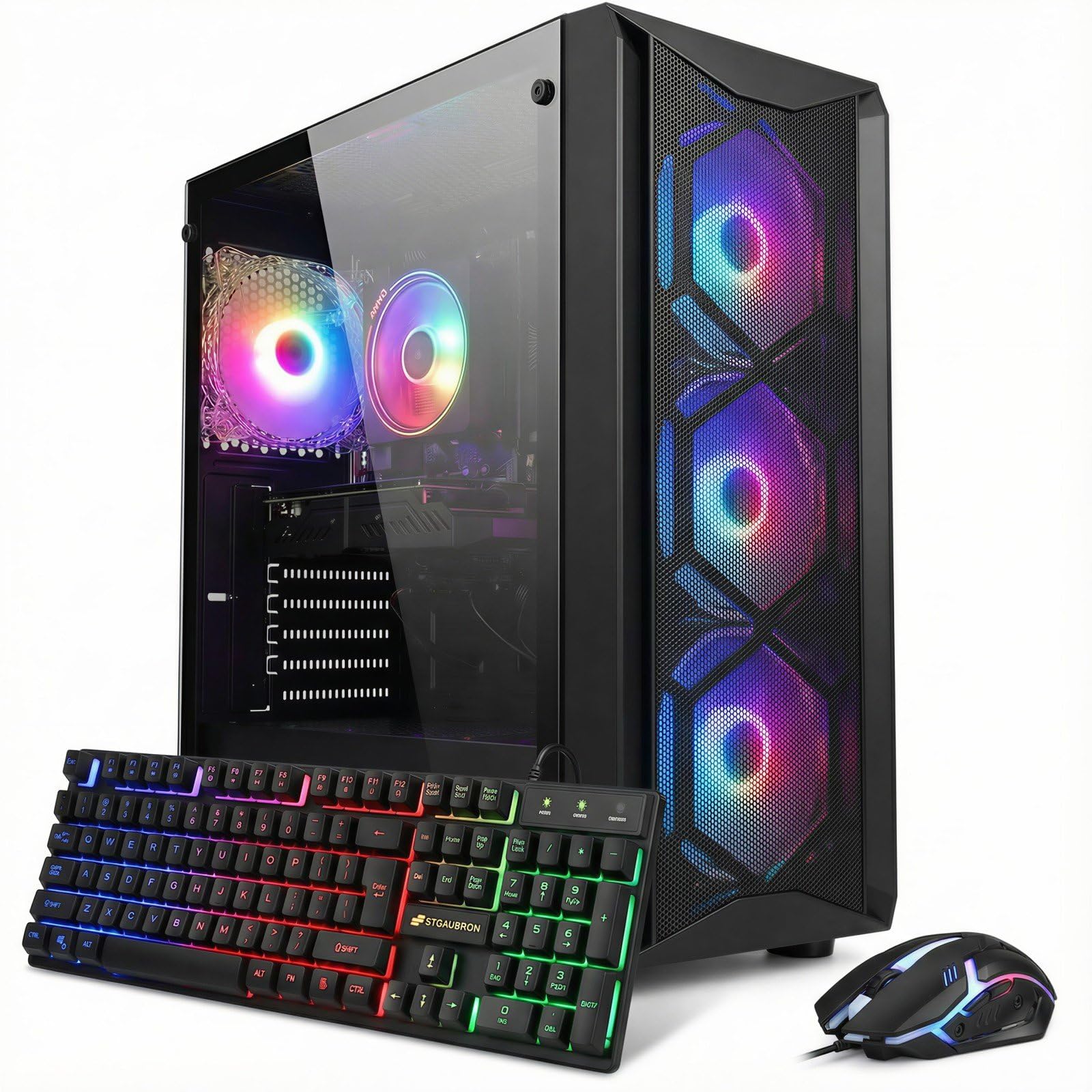
The genuine dedicated GPU makes this the first real gaming machine on the list.
This STGAubron build steps into true gaming territory with an NVIDIA GeForce RTX 3050 6GB GDDR6 graphics card. That is a dedicated GPU (a separate video card with its own memory) that can handle modern titles at 60+ FPS on 1080p settings, including Call of Duty, Fortnite, and Apex Legends. The Intel Core i7 8th Gen processor runs up to 4.1 GHz with 6 cores and 12 threads, giving the CPU side of the equation solid multitasking chops.
The 16GB of DDR4 RAM and 512GB SSD are adequate for loading games and running streaming software. The case features 4 ARGB fans, WiFi 6, and Bluetooth 5.2. One owner noted the RAM arrived slightly loose and needed reseating, but after that, the system ran smoothly. Another mentioned the components are older generation (CPU and GPU from around 2019-2022), so performance is not cutting-edge, but it is a massive step up from integrated graphics.
The mix in reviews reflects that it offers good value for the performance it delivers, especially for someone wanting to play real games without building a PC. The ability to drive three 4K monitors is another plus for productivity users.
Why It Earns Its Spot
- NVIDIA RTX 3050 6GB is a real gaming GPU for 60+ FPS play
- 6-core i7 and 16GB RAM handle streaming and gaming together
- Includes RGB gaming keyboard and mouse plus ARGB fans
The Fine Print
- CPU and GPU are previous-generation tech
- Occasional report of loose internal components on arrival
Grab it for: gaming on a budget — the RTX 3050 is the real deal for 1080p gaming at this price point.
Look elsewhere if: you need a brand-new warranty and modern components; a refurbished office PC with more RAM might serve you better for pure work.
5. Lenovo IdeaCentre All-in-One Desktop Computer, 24″ FHD Anti-Glare IPS Display, 8GB RAM, 512GB PCIe SSD, Intel 4-Core Processor, Wi-Fi 6, Bluetooth 5.2, Windows 11 Home, Everyday Use AIO

One cable, zero clutter — the all-in-one solution for a tidy desk.
The Lenovo IdeaCentre All-in-One ditches the tower entirely, integrating the computer into the back of a 23.8-inch Full HD IPS display. The screen uses an anti-glare coating and covers 99% of the sRGB color space, making it a pleasure for office work and media consumption. Inside is an Intel N100 processor with 4 cores, 8GB of DDR4 RAM (upgradeable to 32GB), and a fast 512GB PCIe SSD.
Owners highlight the “stunning display” and praise its speed for basic tasks and its overall value. The whole setup is clean: a single power cable and a keyboard. The USB-C port and HDMI-out let you connect a second display. The trade-off is that the N100 processor is designed for light duty — browsing, documents, video calls — not heavy multitasking or gaming. The 8GB of RAM is sufficient for several browser tabs and Office, but power users will want more.
If your desk space is limited and you value a clean look, this is a strong contender. The consensus among owners is that it performs all basic tasks well for the money.
Solid choice for: a student, reception desk, or home office where simplicity and a small footprint matter more than raw power.
Not for: anyone who needs to run demanding software, edit video, or game — its integrated Intel UHD graphics and efficient processor are purpose-built for light duty.
Best for: the user who wants a complete, attractive desktop in one box with no tower to hide.
6. HP Pro Tower 290 G9 Desktop Computer Tower, 13th Gen Intel Quad-Core Processor, 8GB DDR4 RAM, 256GB SSD, Keyboard and Mouse, WiFi Adapter, Vga, Rj-45, Hdmi, Windows 11 Home, Office 365

A brand-new, quiet tower from a major brand that just works from the start.
The HP Pro Tower 290 G9 is a new (not refurbished) machine powered by a 13th Gen Intel Core i3-13100 processor. This quad-core chip with Turbo Boost up to 4.5 GHz handles office applications and multitasking with ease. The 8GB of DDR4 RAM is paired with a 256GB PCIe SSD, giving you snappy boot times. The system is notably quiet, and owners consistently call it fast, dependable, and easy to set up.
It includes a wired keyboard and mouse, a USB WiFi adapter (as there is no built-in wireless), and a range of ports including HDMI, VGA, and RJ-45 Ethernet. The integrated Intel UHD Graphics 730 can drive up to a 5120 x 2880 pixel display for crisp visuals on compatible monitors. Performance is the most praised aspect — over 20 owners specifically mention it in positive reviews.
The downside is the limited storage and RAM — 256GB fills up fast with modern software, and 8GB is just the entry point for Windows 11. You cannot do heavy gaming or video editing here, but for standard office work, it is a rock-solid, low-maintenance pick.
The Highlights
- New 13th Gen Intel i3 processor with a 12 MB cache
- Remarkably quiet operation during daily use
- Full-size tower is easy to open and upgrade later
The Limitations
- Only 8GB RAM and a 256GB SSD — plan for upgrades soon
- No built-in WiFi; a USB adapter is included
Choose this if: you want a warranty-backed new PC for basic office tasks and don’t want to deal with refurbished hardware.
7. HP 2025 22″ FHD All-in-One Desktop Computer • The New Version for Everyday Use • Latest 13th Gen Intel Quad-Core CPU • 8GB DDR5 • 128GB Storage • HDMI • Type-C • Wi-Fi • HD Webcam • Win11 Pro • Black

Future-ready DDR5 memory in a sleek, space-saving all-in-one package.
This 2025 version of the HP All-in-One brings one standout feature for its price tier: 8GB of DDR5 RAM. DDR5 is the latest memory standard, offering faster speeds and better efficiency than DDR4. The 13th Gen Intel N100 processor handles basic computing smoothly, and the 21.5-inch Full HD IPS display includes an anti-glare coating for comfortable viewing. A built-in HD webcam with a privacy shutter rounds out the package for video calls.
Owners rave about the simple setup (one review says it took about five minutes) and consider it great value for the money. The performance is praised by over 40 reviewers, making it the most-discussed positive aspect. The 128GB solid-state drive is the clear bottleneck here — it is enough for the operating system and essential apps, but you will quickly run out of room for photos, music, or large files. The included wired keyboard is also described as basic.
For a secondary computer, a student’s first machine, or a home office setup for web-based work, this HP is a clean, modern choice. The internal upgrade path is limited, so consider your storage needs carefully. The value is clear from the strong 4.4-star rating from nearly 200 owners.
Smart pick for: a sleek home office with limited space — DDR5 memory gives it a slight speed edge over other AIOs, but that 128GB drive demands cloud storage or an external drive for anything beyond the basics.
Ideal for: web browsing, email, and video calls where a clean setup and modern RAM matter more than massive storage.
8. CyberPowerPC Gaming PC, AMD Ryzen 5 5500, Radeon RX 6500 XT 4GB | Gamer Master, 8GB DDR4, 500GB PCIe 4.0 SSD, WiFi Ready & Windows 11 Home (GMA3100A3)

A name-brand gaming PC from a trusted builder, ready for entry-level fragging.
CyberPowerPC is a well-known name in pre-built gaming systems, and the Gamer Master GMA3100A3 is a solid entry point. It pairs an AMD Ryzen 5 5500 processor (6 cores, 3.6 GHz base) with a dedicated AMD Radeon RX 6500 XT 4GB graphics card. That GPU (graphics processing unit) allows for gaming at medium to high settings on many popular titles. The 500GB PCIe 4.0 NVMe SSD is one of the fastest storage types available, ensuring games load quickly.
The build quality and performance receive the most praise from owners, who call it a solid starter PC that is reliable and easy to upgrade. The 8GB of DDR4 RAM is the weak link — it is enough for booting and light gaming, but for modern titles you will want to add another stick. The system also comes with a tempered glass side panel, customizable RGB lighting, and a wired keyboard and mouse.
Some owners mention an issue with dual monitors requiring specific cable types, and a single report of a unit failing after a day. The reliability consensus, however, is positive. For someone wanting a modern, upgradeable gaming system with a warranty, this CyberPowerPC is a safe bet.
The Good Stuff
- Dedicated RX 6500 XT GPU handles entry-level gaming well
- PCIe 4.0 SSD is incredibly fast for load times
- Tempered glass case with RGB lighting looks the part
The Catch
- 8GB RAM is the bare minimum — budget for an upgrade soon
- WiFi is “ready” but requires a separate adapter to function
Your pick if: you want a ready-to-play gaming PC with a stylish case and an upgrade path, all from a reputable brand.
9. YAWYORE Gaming PC Desktop Computer AMD R5 5600GT 16GB 1TB NVMe Towers WiFi | 16GB DDR4 3200MHz, 1TB M.2 NVMe PCIe, 550W 80PLUS PSU, WiFi BT, Game Design Office Console

Massive storage and integrated graphics that can actually play games at 1080p.
The YAWYORE PC is built around the AMD Ryzen 5 5600GT processor, which has integrated Radeon Vega graphics. This is a special case — the integrated GPU is powerful enough to play “1080P mainstream games at quality frame rates,” according to the specs, so you can skip a dedicated card for less demanding titles. The 16GB of DDR4 3200MHz RAM and a massive 1TB M.2 NVMe PCIe SSD give you plenty of speed and space for games and projects.
Owners highlight the great value, stunning appearance, and sturdy build quality. The system includes a 550W 80PLUS Bronze power supply and five 12cm ARGB fans for cooling. Built-in WiFi and Bluetooth keep the desk clean. The most common positive mentions are around raw performance, with over 50 buyers calling it out. The trade-off is that gaming performance on more demanding modern titles will be limited — many owners recommend adding a dedicated GPU down the line for games like GTA V roleplay.
For a beginner or someone playing esports titles (Fortnite, League of Legends, Rocket League), it is a fantastic value that leaves room to grow.
Performance powerhouse: The 1TB storage and 16GB RAM are generous at this price. The integrated Vega graphics are surprisingly capable, but you will want a dedicated GPU for AAA gaming.
Best for: a budget-conscious gamer who plays less demanding titles and wants plenty of storage from day one.
10. suevery Pre Built Gaming PC, White Tower | M.2 NVMe 512G SSD Radeon 4G Graphics Card DDR4 16G RAM AMD Ryzen5 6Cores Up to 4.1G Wi-Fi6 Desktop Computer Gamer
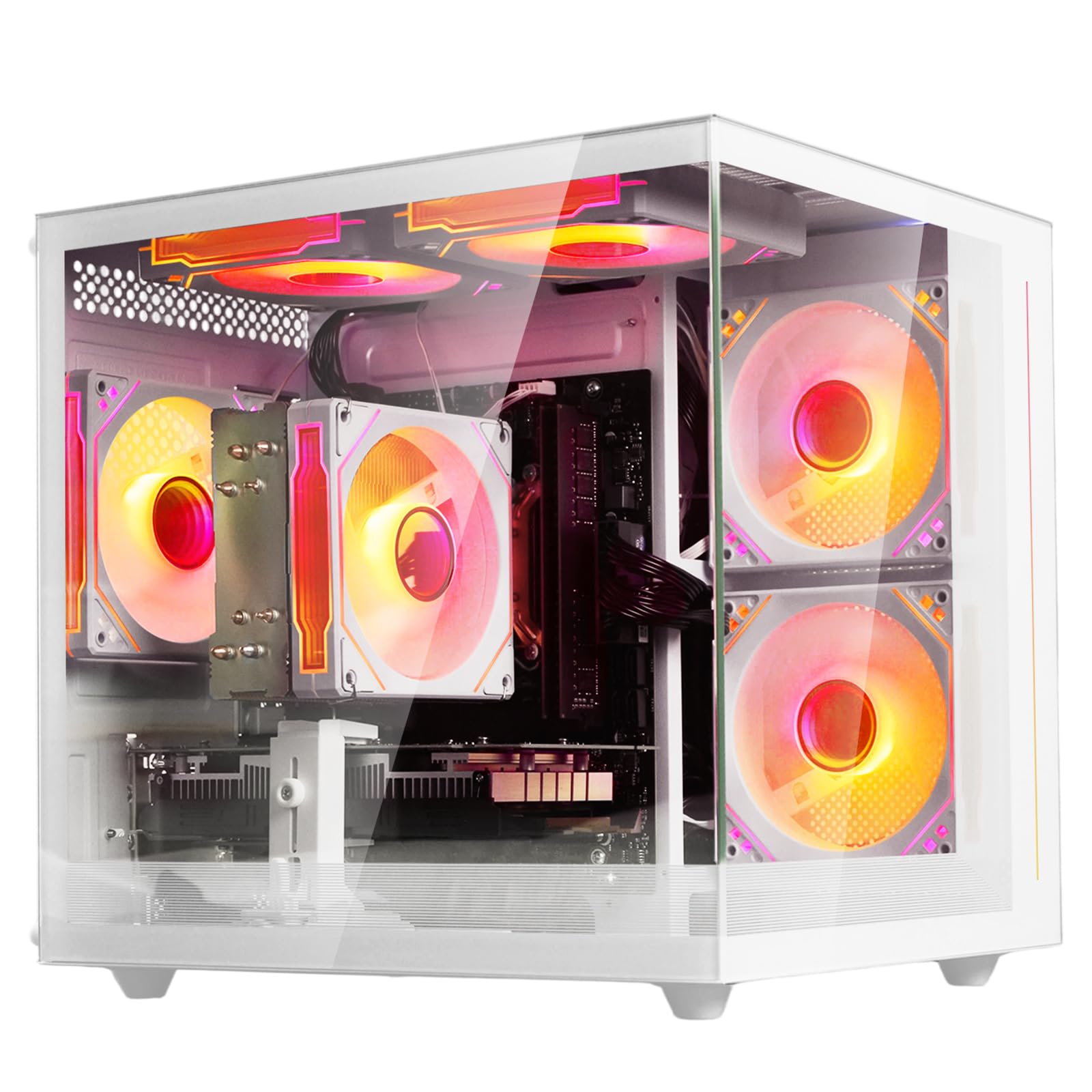
A clean white build with a dedicated Radeon GPU for smooth entry-level gaming.
The suevery gaming PC stands out visually with its all-white tower and customizable RGB lighting. Inside, it packs an AMD Ryzen 5 six-core processor that boosts up to 4.1 GHz, 16GB of DDR4 3200MHz RAM, and a dedicated Radeon 4GB graphics card. The 512GB M.2 NVMe SSD is fast and gives you room for several games and daily applications. Built-in Wi-Fi 6 keeps your connection fast and latency low.
Owners consistently call it a great beginner system and excellent value for someone on a budget. The setup process is simple, and it handles solo indie games and esports titles without lag or stutter. The case stays cool thanks to the included RGB fans and remains quiet under load. Some owners note that the components feel budget-oriented and are not designed for ultra-high settings on the newest AAA games. A couple of negative reports mention slow performance on very demanding titles, which aligns with the machine’s price and tier.
For a first gaming PC for a teenager or someone exploring PC gaming, this white tower is a stylish and capable start. The 4.1-star rating from over a hundred owners backs up its reputation as a solid beginner rig.
The Appeal
- Attractive white case with customizable RGB lighting
- 16GB of fast DDR4 RAM and a dedicated 4GB graphics card
- Wi-Fi 6 and Bluetooth built-in for clean connectivity
The Reality Check
- Not built for max settings on modern AAA titles
- Storage is 512GB, which fills up quickly with large games
Reach for this: if you want a good-looking entry-level gaming desktop that is easy to set up and ready to play indie and esports games immediately.
11. STGAubron Gaming PC Desktop,Core I5,RX 560 4G,16G RAM,512G SSD | Gaming Computer Tower for Streaming,Video Editing,Home,School,I5 up to 3.6GHz,ARGB Fan,WiFi 6,BT 5.0,4K DP,HDMI,Win11 Home
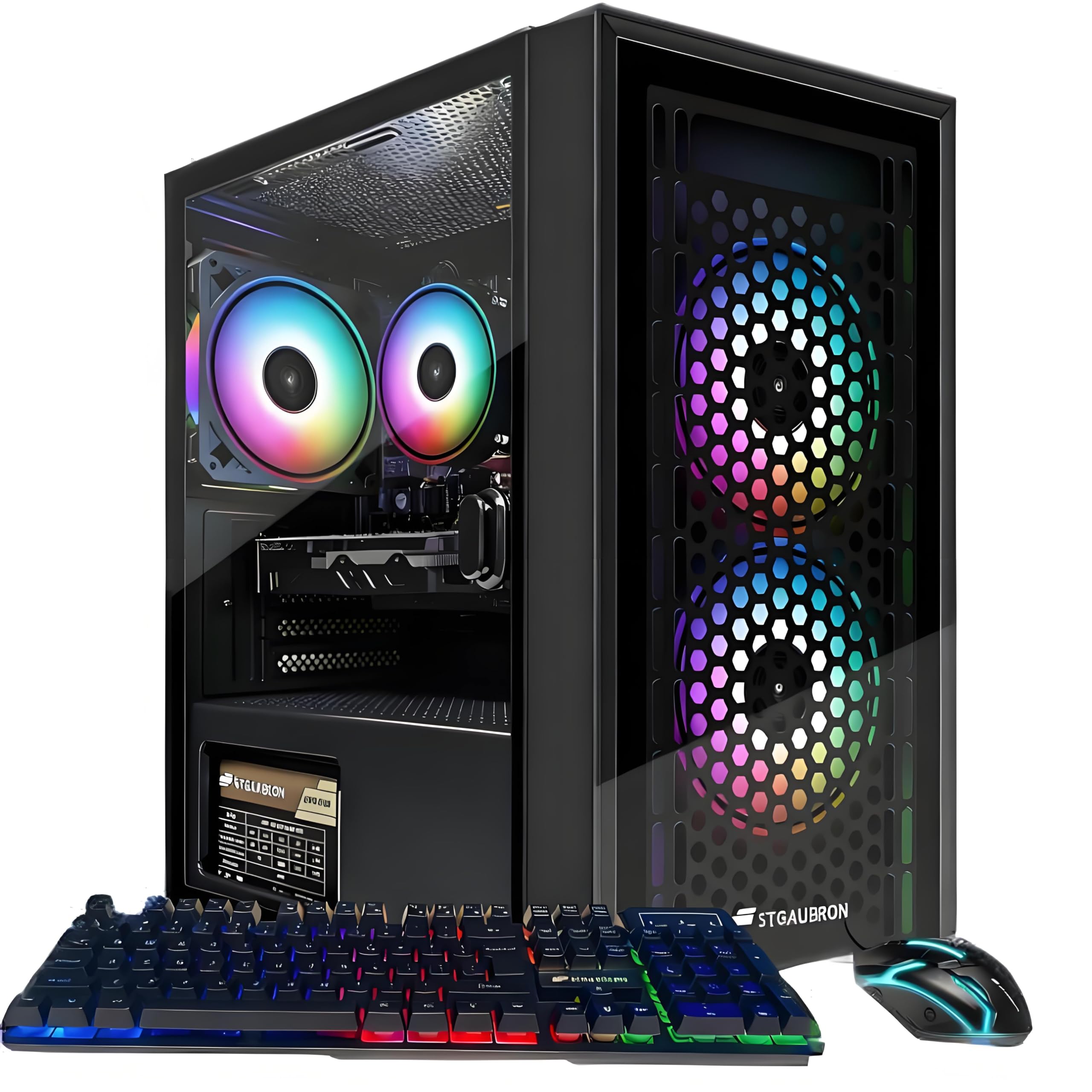
An older-gen i5 with a dedicated GPU that still competes on price.
This STGAubron build uses an Intel Core i5-4570 processor (up to 3.6 GHz) paired with an AMD Radeon RX 560 4GB graphics card. The RX 560 is an older dedicated GPU, but it still allows you to play a wide range of titles at 60+ FPS, including Fortnite, GTA V, Valorant, and Minecraft. The 16GB of RAM and 512GB SSD are solid for this price point. The case includes 3 ARGB fans, and the system comes with an RGB gaming mouse and keyboard.
The reviews paint a picture of a great value starter PC for beginners. Owners say it is fast, quiet, and handles games well. Several customers note it is perfect for a younger gamer or as a first desktop. The main critical feedback is about the age of the components — the i5-4570 is from the 4th Gen Intel series, which is quite old. A few units arrived with connectivity issues, and customer service response times were a frustration for some.
For someone who wants to play older or less demanding games without spending much, this is a functional entry point. The free lifetime tech support is a nice safety net.
Solid for the price: The RX 560 4GB is a capable entry-level GPU, but the i5-4570 processor is the oldest on this list — budget accordingly if you need newer CPU features.
Best for: a very tight budget for a dedicated gaming machine where playing current esports titles at medium settings is the goal.
Understanding the Specs
CPU: Cores, Threads, and Clock Speed
The processor (CPU) is the brain of your computer. Cores handle individual tasks; more cores let you run more apps at once. Threads double the work each core can juggle. Clock speed (GHz) is how fast each core works. A newer generation (like 13th Gen Intel) with fewer cores can often beat an older generation with more cores for everyday work. For balanced affordable computing, a 6-core processor with a boost clock over 4.0 GHz is a solid target.
RAM: How Much Do You Need?
RAM is your computer’s short-term memory for active tasks. 8GB is the baseline for Windows 11 — you can browse and run Office, but multiple tabs and apps will cause slowdowns. 16GB is the comfortable standard today, letting you keep many apps open. 32GB is for power users running virtual machines, large spreadsheets, or creative suites. Faster RAM speeds (MHz) help, but the capacity is the bigger factor for most affordable computer buyers.
Dedicated vs Integrated Graphics
Integrated graphics are built into the processor and share your system RAM. They are fine for video streaming, office work, and very old games. A dedicated graphics card (GPU) has its own video memory (VRAM) and processor. This is essential for modern gaming, video editing, 3D modeling, and running multiple high-resolution monitors. Look at the GPU’s VRAM amount (4GB, 6GB) as a rough guide to its capability.
Storage Types and Speeds
An SSD (Solid State Drive) is the modern minimum — it is dramatically faster than old spinning hard drives. A PCIe NVMe SSD is even faster than a standard SATA SSD, making your PC feel snappier for years. For the operating system alone, you need about 30GB of space. A 256GB drive is tight for many apps and files; 512GB is comfortable, and 1TB gives you room for games and media without worrying.
FAQ
Should I buy a refurbished business PC or a new budget computer?
Can an affordable computer handle video editing or gaming?
Is 8GB of RAM enough in 2025?
What is the difference between a SATA SSD and an NVMe SSD?
Will a small form factor (SFF) desktop limit my upgrade options?
Do I need a dedicated graphics card if I use dual monitors?
How often should I replace an affordable desktop computer?
Is Windows 11 Pro worth it over Windows 11 Home on an affordable PC?
What does a computer’s “cache memory” do?
Final Thoughts: The Verdict
If you want one dependable pick, the best affordable computers winner is the Dell OptiPlex 7070 SFF because it drops a full 32GB of RAM and a brand-new 1TB NVMe drive into a proven, quiet business chassis — at a price that beats almost everything new in its class. If you want the confidence of a new machine with zero fuss, grab the HP Pro Tower 290 G9. And for dedicated gaming on a budget, the STGAubron with an RTX 3050 is the one to reach for. No matter which path you take, you are getting real capability without wasting money on overpriced specs you will not use.
How We Picked
We do not accept paid placement. Every pick is matched to a real buyer and a real use-case; we do not hands-on test units.
Sources & Methodology
Specifications: manufacturer listings and product documentation. Review insights: verified customer reviews, as of July 2026. Pricing: not shown on this page (it changes often); check the current price via the retailer link.
As an Amazon Associate, WellFizz earns from qualifying purchases. This does not affect which products we feature.
Related Guides

Mo Maruf
I created WellFizz to bridge the gap between vague wellness advice and actionable solutions. My mission is simple: to decode the research and give you practical tools you can actually use.
Beyond the data, I am a passionate traveler. I believe that stepping away from the screen to explore new environments is essential for mental clarity and physical vitality.