Our readers keep the lights on and my smoothie glass nicely filled. As an Amazon Associate, I earn from qualifying purchases.
A single router rarely covers a modern home’s layout — thick walls, multiple floors, and concrete blocks turn the farthest bedroom into a dead zone. A dedicated access point solves this by placing the signal exactly where you need it, wired directly to your network for zero-compromise speed and stability.
I’m Mohammad Maruf — the founder and writer behind WellFizz. I’ve spent hundreds of hours analyzing the hardware specs, real-world throughput, and ecosystem lock-in of enterprise-grade and prosumer access points to identify which models actually deliver consistent coverage for home use.
Whether you run a mesh system, a hardwired UniFi stack, or a single powerful AP, finding the right model comes down to matching your home’s layout with the right Wi-Fi standard and mounting flexibility. That’s exactly what this guide to the best access points for home helps you figure out.
How To Choose The Best Access Points For Home
An access point is not a router. It extends your existing wired network by emitting Wi-Fi, and the right one depends on your home’s construction, the number of devices, and whether you want a simple standalone unit or a managed ecosystem. Focus on these three areas before comparing models.
Wi-Fi Standard and Real-World Throughput
Wi-Fi 6 (802.11ax) is the baseline for any new purchase in 2025. It delivers higher per-client speeds in congested environments thanks to OFDMA and MU-MIMO. A 2×2 AX3000 AP handles 80+ simultaneous devices without bufferbloat, while older Wi-Fi 5 gear will choke with multiple video calls and 4K streams running at once.
Mounting and Power Delivery
Ceiling-mounted APs provide the best signal propagation because Wi-Fi radiates downward without furniture interference. Power over Ethernet (PoE) eliminates the need for a nearby outlet — just run a single Cat6 cable. Verify whether the AP uses standard 802.3af PoE, 802.3at PoE+ (required for higher-power models), or passive PoE, as passive injectors are less common and easier to lose.
Management and Ecosystem Lock-In
Some APs work instantly in standalone mode via a web browser or mobile app. Others require a dedicated hardware controller or subscription-based cloud service to unlock roaming, VLANs, and bandwidth management. If you plan to expand to multiple APs later, choose an ecosystem (Omada, UniFi, or Insight) that scales without forcing you to replace existing units.
Quick Comparison
On smaller screens, swipe sideways to see the full table.
| Model | Category | Best For | Key Spec | Amazon |
|---|---|---|---|---|
| TP-Link Omada EAP650 | Dual-Band | Best Overall — cloud-managed home setup | AX3000, 2976 Mbps, 5yr warranty | Amazon |
| ASUS ExpertWiFi EBA63 | Dual-Band | AiMesh integration with ASUS routers | AX3000, 3000 Mbps, 5 SSIDs | Amazon |
| Ubiquiti U6+ | Dual-Band | Clean UniFi ecosystem expansion | 3 Gbit/s, 1,500 ft² coverage | Amazon |
| NETGEAR WAX610 | Dual-Band | Cloud-managed with Insight subscription | AX1800, 2.5G port, 200 clients | Amazon |
| Ubiquiti U6-LR | Tri-Band | Maximum range for large homes and barns | 2.4 Gbps (5 GHz), 600 Mbps (2.4 GHz) | Amazon |
| TP-Link EAP615-Wall | In-Wall | Discrete per-room wired and Wi-Fi | AX1800, 3× Gigabit downlink ports | Amazon |
| Tenda i27 AX3000 | Dual-Band | Budget-friendly entry-level coverage | AX3000, 3000 Mbps, 4,300 ft² | Amazon |
In‑Depth Reviews
1. TP-Link Omada WiFi 6 AX3000 (EAP650)

The EAP650 strikes the ideal balance between feature depth and cost for a home network that will grow with you. Its AX3000 class delivers 2.4 Gbps on the 5 GHz band and 574 Mbps on 2.4 GHz, enough for simultaneous 4K streaming, gaming, and video calls across a 1,300+ square foot house. The built-in 1024-QAM and Long OFDM Symbol ensure that even older Wi-Fi 5 clients see a measurable speed bump.
What sets this AP apart is the free Omada Cloud management. You get VLAN support, band steering, load balancing, and captive portal without paying for a hardware controller or a monthly subscription. The web UI is fully configurable in standalone mode, but when you add a second EAP650, the Omada app lets you manage seamless roaming (802.11k/r) across both units from a single dashboard.
Power flexibility is another highlight — it accepts 802.3at PoE+, passive PoE, and the included 12V DC adapter, so you can deploy it on a ceiling or desk regardless of your existing switch. The 5-year warranty backs the hardware, and firmware updates are still rolling out regularly, a sign of long-term support uncommon at this tier.
Why it’s great
- Free cloud controller with full feature set — no subscription trap
- Exceptional signal strength and stable throughput across multiple clients
- Multiple power options including PoE+ and included DC adapter
Good to know
- Requires Omada SDN controller for seamless roaming features
- One out of five units reported as DOA in a single batch order
2. ASUS ExpertWiFi EBA63 AX3000

If you already own an ASUS router running AiMesh, the EBA63 is the only PoE-powered AP that slots directly into that ecosystem as a dedicated mesh node. It connects via a wired gigabit Ethernet backhaul, which eliminates the wireless throughput halving that happens when a standard AiMesh node relies on a second radio hop. Real-world speeds sit between 300 and 600 Mbps on a 1 Gb line, and the handoff between the router and the AP is seamless enough for Zoom calls while walking between floors.
Up to five SSIDs with VLAN segregation make it easy to keep smart home devices, guest traffic, and work laptops on separate virtual networks without extra hardware. The device supports up to 100 concurrent clients, and the Self-Defined Network wizard in the ExpertWiFi app simplifies VLAN setup for users who find traditional managed switch configuration overwhelming.
One quirk — the EBA63 requires the mobile app for initial setup; the browser interface alone won’t complete the configuration. It also needs 802.3at PoE+ (not standard PoE) to run at full power, so check your switch or injector before mounting. Owners report strong performance over months of continuous use, with no reboots required after the initial firmware update.
Why it’s great
- Native AiMesh integration with wired backhaul for zero roaming lag
- Five SSIDs with VLAN support for network segmentation
- Compact ceiling/wall design that blends into any room
Good to know
- Setup requires the mobile app — browser-only configuration fails
- Does not support passive PoE; needs 802.3at PoE+ injector or switch
3. Ubiquiti U6+

The U6+ is Ubiquiti’s entry-level Wi-Fi 6 access point, and it delivers exactly what the UniFi community expects: rock-solid stability, simple adoption, and a clean management interface via the UniFi Network application. Rated for 1,500 square feet, it works best as part of a multi-AP deployment where each unit covers a specific zone. The 3 Gbit/s aggregate data rate makes it overkill for most home internet connections, but the real value lies in the seamless roaming and centralized VLAN management that UniFi controllers provide.
Setup is genuinely quick if you already run a UniFi gateway or self-host the software controller. The U6+ is adopted within 30 seconds via the mobile app, and firmware updates install automatically. Owners report zero crashes or reboots after months of continuous operation, a durability benchmark that few consumer mesh nodes can match. The internal antennas are tuned for balanced coverage rather than raw distance, so you get strong throughput even at the edge of the coverage zone.
One important catch — the U6+ does not include a PoE injector in the box. You need an 802.3af PoE switch or a separate injector (Ubiquiti sells the PoE+ adapter separately). If you are new to the UniFi ecosystem, factor in that extra cost. The wall/ceiling mount kit is included, and the low-profile white housing disappears once installed.
Why it’s great
- Set-and-forget reliability — no reboots or connection drops reported
- Simple adoption into existing UniFi network with centralized management
- Balanced antenna design provides consistent throughput across the coverage zone
Good to know
- PoE injector not included — requires separate purchase or PoE switch
- Best value only within the UniFi ecosystem; overkill as a standalone AP
4. NETGEAR WAX610 Insight Managed AX1800
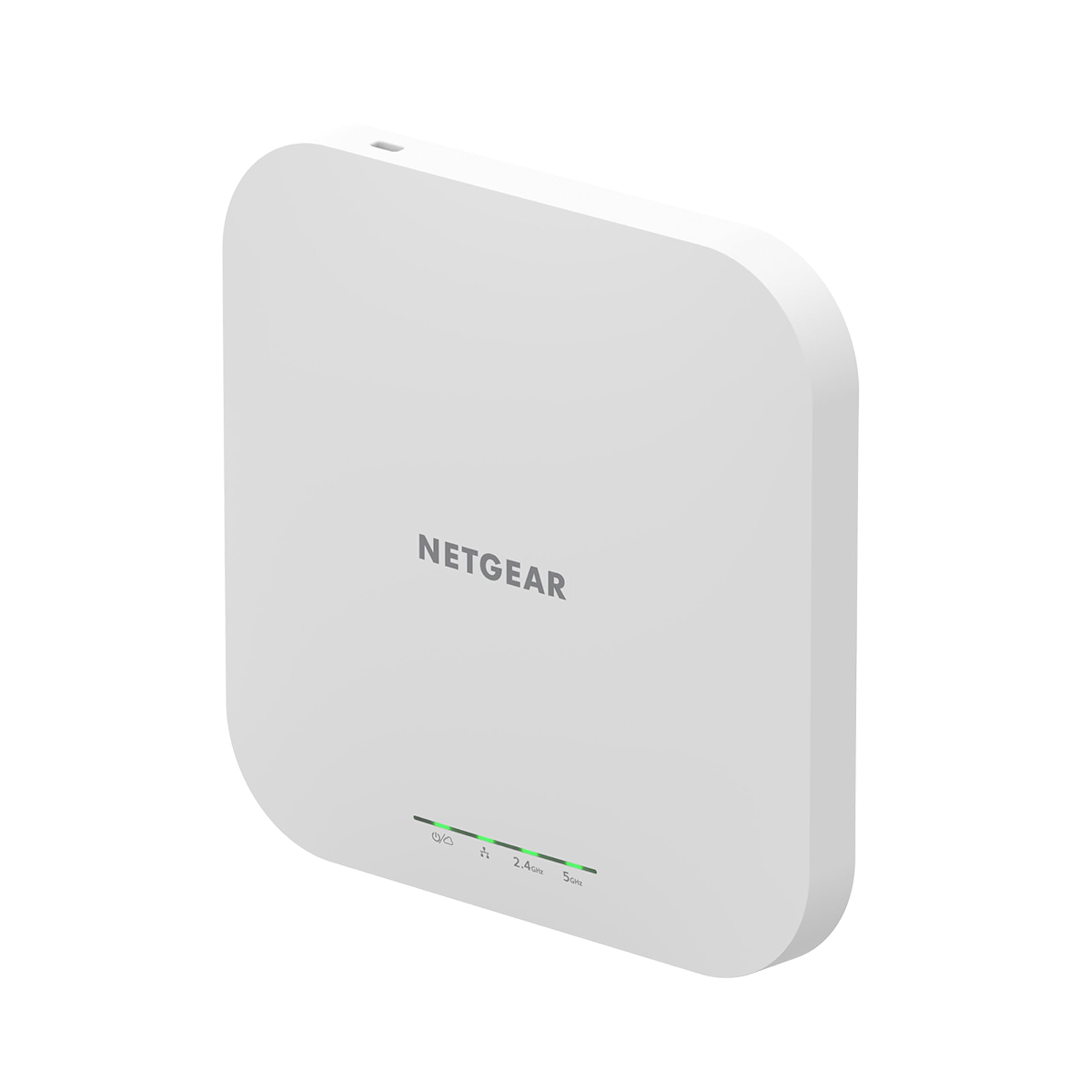
NETGEAR’s WAX610 targets the user who wants enterprise-level remote management without building a full UniFi or Omada stack. The 2.5Gigabit Ethernet port is a rare find at this price — it lets you take full advantage of multi-gig fiber or cable internet without bottlenecking at 1 Gbps. The AX1800 spec covers 1.2 Gbps on 5 GHz and 600 Mbps on 2.4 GHz, supporting up to 200 simultaneous client devices across 2,500 square feet.
The included one-year NETGEAR Insight subscription unlocks remote cloud management, rogue AP detection, band steering, and assisted roaming. After the first year, the subscription costs about the same as a streaming service, but the AP also works in standalone mode through a local web UI if you want to skip the cloud entirely. Owners using the WAX610 for VR headsets report latency dropping from 40ms to under 25ms, making it a strong pick for wireless gaming and Quest 2 streaming.
Thermal management is worth noting — several reviewers mention the unit runs hot to the touch. This is normal for the chipset, but if you are mounting it in an enclosed ceiling space, ensure adequate ventilation. Power delivery requires a 12V/2.5A adapter or an 802.3at PoE+ injector; standard 802.3af PoE injectors will cause the LED to flash amber and limit throughput.
Why it’s great
- 2.5G uplink port prevents wired bottleneck on multi-gig connections
- Low latency for VR streaming — tested under 25ms with Quest 2
- One year of Insight cloud management included for remote configuration
Good to know
- Runs hot during normal operation — ensure airflow in mounting location
- Requires 802.3at PoE+ or specific 12V/2.5A adapter; standard injectors cause issues
5. Ubiquiti U6-LR-US (U6 Long-Range)

The U6-LR is the heaviest hitter in UniFi’s consumer-accessible lineup. It packs a 1.3 GHz quad-core processor with full-duplex 1 Gbps TCP/IP performance, a 4×4 MU-MIMO radio on the 5 GHz band (2.4 Gbps), and a 4×4 MIMO radio on the 2.4 GHz band (600 Mbps). The extra antenna elements and higher transmit power allow it to punch through metal barn walls, concrete garage slabs, and multi-story brick construction where standard APs drop the signal entirely.
Owners report stable connections at 75+ feet through fiberglass and metal buildings, making it the go-to choice for homes with detached workshops, large backyards, or outbuildings that need network access. The Tri-Band designation refers to the dual 5 GHz and 2.4 GHz radios plus Bluetooth for simplified setup via the UniFi mobile app. It adopts into the UniFi ecosystem just as cleanly as the U6+, but the LR requires 802.3at PoE+ to power the higher-gain radios — a regular 802.3af injector will not provide enough wattage.
The main trade-off is the known early-production bug where the U6-LR occasionally goes offline after the initial adoption cycle. This appears to affect units from certain manufacturing batches, and Ubiquiti has addressed it through firmware updates, but some users still encounter it. Buy from a retailer with a no-hassle return policy if you are risk-averse. Setup remains non-trivial for network beginners — the UniFi controller software is required for full management.
Why it’s great
- Exceptional range through metal, concrete, and brick construction
- 4×4 radios on both bands for high multi-client throughput
- Hardware feels substantially built compared to previous UniFi generations
Good to know
- Known adoption bug in early production batches — may randomly go offline
- PoE injector not included — needs 802.3at PoE+ switch or injector
6. TP-Link EAP615-Wall AX1800

The EAP615-Wall is designed for the specific scenario where ceiling mounting is impractical — think finished basements with no drop ceiling, homes with plaster walls, or rooms where the network drop is an existing wall jack. It replaces a standard Ethernet wall plate and provides AX1800 Wi-Fi plus three downlink gigabit ports (one with PoE pass-through) for wired devices like a desk PC or smart TV.
Coverage is intentionally limited to about 500 square feet per unit, which is ideal for per-room deployments. Three EAP615-Wall units, each wired back to a central PoE switch, create a high-performance mesh with no wireless backhaul degradation. The Omada controller handles seamless roaming across all three, and the device draws under 5 watts during normal operation, keeping power bills negligible even in a multi-AP installation.
One recurring criticism from advanced users involves guest network isolation — Omada APs lack Layer 2 client isolation, meaning multicast traffic like AirPlay and Google Cast can leak between guest SSIDs. This is a niche security concern for most home users, but worth noting if you plan to run a dedicated guest VLAN with strict separation. Standalone configuration via the web interface is straightforward, and the unit works without any controller at all if you only need a single AP.
Why it’s great
- Replaces an existing wall plate for clean, discrete installation
- Three downlink gigabit ports with PoE pass-through reduce switch clutter
- Excellent per-room performance — measured 390 Mbps on older Wi-Fi 5 laptops
Good to know
- Coverage limited to roughly 500 ft² — best deployed one per room
- No Layer 2 client isolation for guest networks; multicast traffic may leak
7. Tenda WiFi 6 AX3000 (i27)

The Tenda i27 proves that Wi-Fi 6 AP performance can be accessed without a premium price tag. Its AX3000 spec (theoretical 3 Gbps aggregate) includes 160MHz channel width support, which doubles the peak throughput of the 80MHz channels used by many budget APs. Real-world testing shows around 600 Mbps on the 5 GHz band, enough for 4K streaming, online gaming, and video conferencing even with 30+ connected devices.
Coverage is unusually ambitious for the price — Tenda rates the i27 for up to 4,300 square feet, and owners consistently report stronger signal penetration than their existing router, including through multiple interior walls. The built-in 4dBi high-gain antennas and independent signal boosters deliver on that promise in open floor plans. OFDMA reduces latency in crowded device scenarios, and 802.11k/v seamless roaming works with other Tenda APs if you expand later.
The bundled power adapter is physically large (similar in size to a laptop charger), which can be annoying if you plan to desk-mount the unit. PoE+ is supported, so you can replace the adapter with an injector for a cleaner install. The web interface is functional but basic — no cloud dashboard or mobile app management — and the lack of VLAN support limits segmentation for advanced users. For a simple, one-AP home setup where budget is the primary constraint, this unit is hard to beat.
Why it’s great
- True 160MHz bandwidth for double the channel width of budget peers
- Excellent coverage range at a fraction of the price of enterprise APs
- Supports 802.11k/v roaming for future multi-AP expansion
Good to know
- No cloud management or mobile app — web UI only
- Included power adapter is bulky; best used with PoE+ injector
FAQ
Do I need a hardware controller for Omada or UniFi access points?
Can I mix different brands of access points on the same home network?
What is the difference between a mesh system and an access point?
How many access points do I need for a 2,500 square foot home?
Is Wi-Fi 6 backward compatible with Wi-Fi 5 and older devices?
Final Thoughts: The Verdict
For most users, the access points for home winner is the TP-Link Omada EAP650 because it combines free cloud management, robust VLAN support, and seamless roaming at a mid-range price without requiring a separate controller. If you want to extend an existing ASUS AiMesh network with a wired PoE backhaul, grab the ASUS ExpertWiFi EBA63. And for maximum range in a large property or a construction-heavy home, nothing beats the Ubiquiti U6-LR — just make sure you have a PoE+ switch ready before you mount it.

Mo Maruf
I created WellFizz to bridge the gap between vague wellness advice and actionable solutions. My mission is simple: to decode the research and give you practical tools you can actually use.
Beyond the data, I am a passionate traveler. I believe that stepping away from the screen to explore new environments is essential for mental clarity and physical vitality.