Our readers keep the lights on and my smoothie glass nicely filled. As an Amazon Associate, I earn from qualifying purchases.
An A3 printer for a small business is a serious investment in professional capability, yet many buyers walk into the category carrying the wrong assumptions about running costs, speed, and the true value of wide-format output. Whether you are producing floor plans, mood boards, marketing collateral, or engineering schematics, the wrong machine can bleed your budget dry in consumables within a year.
I’m Mohammad Maruf — the founder and writer behind WellFizz. I analyze market data across the printer segment, breaking down realistic total cost of ownership, print head technology, and page yields so business owners can skip expensive mistakes.
For that reason, I read thousands of verified customer reports and compared 11 top contenders to assemble this practical guide to the best a3 printer for small business.
How To Choose The Best A3 Printer For Small Business
Business printers live and die by three metrics: page yield per consumable, speed under mixed workload, and the reliability of the paper transport path at A3 size. Most small business owners over-focus on the initial sticker price and neglect the recurring expense of toner or ink, which can exceed the cost of the machine itself within the first 18 months.
Realistic total cost of ownership
Starter cartridges that ship inside the box typically contain half the toner of standard retail cartridges or less. A printer that lists a low per-page cost may actually require high-yield cartridges to achieve that number. Always verify the yield of the included supplies and calculate the cost per page using standard retail high-yield replacements — not the starter set. For inkjets, supertank models deliver the lowest per-page cost in the category because you buy bottled ink instead of cartridge assemblies.
Paper handling at A3 size
A3 paper is wider and heavier than letter-size sheets, so the paper path must be straight or nearly straight to avoid jams, especially on heavier cardstock used for presentations and signs. Look for a rear paper feed or a multipurpose tray that supports a straight-through path for thick media. Printers with a separate A3 bypass tray are less likely to skew or jam on wide stock than those that route every sheet through a tight U-turn.
Speed versus duty cycle
Advertised pages per minute are measured under ideal conditions printing a simple text document. Real-world throughput on mixed color graphics and A3 layouts is often 40-60% slower. Duty cycle — the recommended monthly page volume — matters more than peak speed. A printer rated for 30,000 pages per month will handle occasional A3 jobs without premature wear, while a light-duty unit may fail within a year under the same load.
Quick Comparison
On smaller screens, swipe sideways to see the full table.
| Model | Category | Best For | Key Spec | Amazon |
|---|---|---|---|---|
| HP OfficeJet Pro 9730 | Color Inkjet | Wide-format graphics | 22 ppm B&W / 18 ppm color | Amazon |
| Epson EcoTank ET-4950 | Inkjet Supertank | Low running cost volume | 18 ppm B&W / 9 ppm color | Amazon |
| Canon imageCLASS MF753Cdw II | Color Laser | Fast business documents | 35 ppm B&W / 35 ppm color | Amazon |
| HP Color LaserJet Pro MFP 3301fdw | Color Laser | Small team productivity | 26 ppm B&W / 26 ppm color | Amazon |
| Brother MFC-L8730CDW | Color Laser | Security-focused office | 33 ppm B&W / 33 ppm color | Amazon |
| Canon imageCLASS MF751Cdw | Color Laser | Reliable color laser | 35 ppm B&W / 35 ppm color | Amazon |
| Brother MFC-L8930CDW | Color Laser | High-speed scanning | 33 ppm B&W / 33 ppm color | Amazon |
| Xerox C235dni | Color Laser | Entry-level laser | 24 ppm B&W / 24 ppm color | Amazon |
| MZK A3 DTF F1080 | DTF | Custom apparel printing | 1880×1440 dpi resolution | Amazon |
| WJTZXY A3 XP600 DTF | DTF | Garment decoration | 13 inch max print width | Amazon |
| Lancelot M1630 Pro DTF | DTF Bundle | All-in-one print studio | 720×1440 dpi photo clarity | Amazon |
In‑Depth Reviews
1. HP OfficeJet Pro 9730

The HP OfficeJet Pro 9730 delivers genuine A3-plus printing in a color inkjet that supports up to 11×17-inch output, making it ideal for floor plans, mood boards, and oversized spreadsheets. At 22 ppm monochrome and 18 ppm color, this machine matches the pace of a busy small office, and the 4.3-inch color touchscreen simplifies navigation between scan, copy, and fax functions. Two 250-sheet input trays allow you to keep letter and A3 paper loaded simultaneously.
Print quality benefits from a wide color gamut with P3 support, which produces screen-accurate hues that matter for client-facing materials. The single-pass duplex ADF scans both sides of a page in one pass, slashing the time needed for multi-page document digitization. HP Wolf Pro Security provides a layer of network protection that many small offices lack.
The included Instant Ink trial covers three months of automatic ink delivery, but after the trial the monthly fee structure shifts the running cost calculation. The footprint is substantial — plan for a dedicated stand or a pair of filing cabinets — and the phone app feels less complete than the desktop interface. For a team that needs reliable A3 output with low attention overhead, this is the most balanced pick in the category.
Why it’s great
- True A3-wide color output with excellent color accuracy
- Single-pass duplex scanning saves significant time on multi-page jobs
- Dual 250-sheet trays keep two media sizes ready
Good to know
- Large footprint requires dedicated desk or stand space
- Instant Ink subscription shifts to monthly fee after trial period
- Mobile app is less functional than the web or desktop interface
2. Xerox C235dni

The Xerox C235dni brings a color laser engine into the affordable range, printing at 24 ppm in both monochrome and color. For a small team that wants the durability of laser technology without the premium price of higher-speed competitors, this printer covers the basics: wireless connectivity, automatic duplex, and an all-in-one suite that includes scan, copy, and fax. Setup through the Xerox Easy Assist App is straightforward for most users.
Print quality is crisp on standard business documents, though some users report that light text can result from using generic copy paper rather than a premium laser-grade stock. The starter toner yields only about 500 pages per cartridge, so the first replacement cycle arrives quickly. The scanner, when working properly, delivers usable copies, but several users have noted difficulty installing drivers on Windows 11 and overly light scans from the document feeder.
The C235dni supports high-yield cartridges that reduce per-page cost over the long run, but the initial investment in replacement toner can feel steep relative to the purchase price. This is a solid entry-level color laser for a small office that prints moderate volumes and understands the scanner limitations. It is not the right choice if you need high-volume scanning or flawless driverless setup on modern operating systems.
Why it’s great
- Low initial purchase price for a color laser all-in-one
- Compact desktop footprint relative to other A3-capable lasers
- Wireless and mobile printing with Apple AirPrint and Mopria
Good to know
- Scanner and copier quality are inconsistent out of the box
- Starter toner yield is low (approximately 500 pages per cartridge)
- Windows 11 driver installation can be problematic without a CD drive
3. Epson EcoTank ET-4950

The Epson EcoTank ET-4950 represents the seventh generation of Epson’s cartridge-free supertank design, shipping with enough bottled ink to produce up to 6,600 black pages and 5,500 color pages before the first refill. Each replacement bottle set replaces the equivalent of roughly 80 cartridges, making this the most cost-effective inkjet option on the list for volume printing. The 250-sheet paper tray and auto document feeder support a steady workflow, and the 2.4-inch color touchscreen keeps settings accessible.
Print speed sits at 18 ppm monochrome and 9 ppm color, which is slower than competing laser models but adequate for a small business that prioritizes low operating cost over raw speed. The uniquely keyed EcoFit bottles eliminate the risk of mixing up colors during refill, and the ink tanks are transparent so you can see levels at a glance. Wireless connectivity is reliable, and the Epson Smart Panel app handles setup in under ten minutes according to most user reports.
The initial setup includes a lengthy ink charging cycle that can take up to 45 minutes, and some users report a lag between pressing print and the first page feeding. The plastic chassis feels less robust than a business-grade laser, so frequent relocation may accelerate wear. For a small business printing mostly text documents and occasional color graphics at a very low per-page cost, the ET-4950 is a strong contender.
Why it’s great
- Extremely low running cost with high-capacity ink bottles
- Cartridge-free design eliminates waste and replacement frequency
- Easy, color-coded refill system with no ink bottle mix-ups
Good to know
- Warm-up time between print commands can be noticeable
- Color print speed (9 ppm) is significantly slower than monochrome
- Plastic build quality may not withstand heavy relocation
4. Canon imageCLASS MF753Cdw II

The Canon imageCLASS MF753Cdw II is a speed-focused color laser all-in-one that churns out 35 pages per minute in both monochrome and color, with a first-page-out time of approximately seven seconds. The 5-inch color touchscreen provides access to the Application Library, which lets you create shortcuts for repetitive tasks like scanning to a specific folder or printing double-sided sets. A 50-sheet duplex ADF handles two-sided scanning in a single pass.
Paper capacity starts at 250 sheets from the main cassette plus a 50-sheet multipurpose tray, and an optional 550-sheet cassette can expand the total to 850 sheets. Canon Genuine Toner 069 high-capacity cartridges keep replacement intervals reasonable for a moderate-volume office. The three-year limited warranty is one of the longest in this category, signaling confidence in the mechanical longevity of the chassis and fuser unit.
Setup via the touchscreen is straightforward for basic functions, but Canon’s software ecosystem has a mixed reputation. Several users report that the Canon website produces errors when trying to download full drivers, and some scan-to-email configurations required extended tech support calls. For a small business that needs a fast, reliable print engine and is willing to manage the software layer separately, the MF753Cdw II delivers class-leading speed and a strong warranty.
Why it’s great
- Blazing 35 ppm speed in both color and black-and-white
- Three-year limited warranty provides long-term peace of mind
- Duplex ADF scans both sides of a document in a single pass
Good to know
- Canon software and driver downloads can be unreliable
- Scan-to-email setup may require a support call
- Starter toner yields are lower than standard retail cartridges
5. HP Color LaserJet Pro MFP 3301fdw

The HP Color LaserJet Pro MFP 3301fdw targets small teams that need professional-grade color documents without the noise of a high-speed production printer. At 26 ppm in both monochrome and color, it is not the fastest laser on this list, but its TerraJet toner technology produces richer color saturation on standard business paper. The dual-band Wi-Fi includes a self-reset feature that automatically detects and resolves connection drops without IT intervention.
The all-in-one suite covers print, scan, copy, and fax, with a single-pass duplex ADF for two-sided scanning. The 250-sheet input tray is modest for a shared office printer, so heavy users may find themselves refilling paper frequently. The HP Smart app provides a usable interface for mobile printing and scanning, though its feature set trails the full desktop driver experience.
A notable downside is HP’s cartridge authentication system: the printer is designed to block non-HP toner, and firmware updates may reinforce this restriction. Some users reported severe print defects like streaks and missing toner after a firmware update, and replacement toner availability was inconsistent. For a small business willing to buy genuine HP toner and disable automatic firmware updates, the 3301fdw offers reliable, quiet operation and vivid output.
Why it’s great
- Exceptional color saturation with TerraJet toner technology
- Dual-band Wi-Fi with self-reset reduces connectivity headaches
- Quiet operation suitable for open office environments
Good to know
- Printer blocks non-HP toner through firmware authentication
- 250-sheet paper capacity is low for a shared office printer
- Firmware updates have been linked to print quality defects
6. Brother MFC-L8730CDW

The Brother MFC-L8730CDW updates Brother’s proven business color laser formula with a design that is 25% smaller than the previous generation while maintaining a robust 33 ppm speed in both black and color. The 3.5-inch color touchscreen supports up to 48 customizable shortcuts for repetitive tasks, and the integrated NFC card reader enables badge-based authentication for secure pull printing. Triple Layer Security covers device protection, document encryption, and network safeguards.
Scanning performance is a highlight: the 80-page ADF supports two-sided scanning at up to 104 images per minute, and the legal-size glass bed accommodates larger documents without folding. The included starter toner provides 3,000 black pages and 1,800 color pages, which is more generous than most competitors. High-yield and super high-yield replacement cartridges (TN635XL and TN635XXL) allow you to push per-page costs down significantly at volume.
The main drawback is the chipped toner system — Brother requires genuine cartridges, and third-party alternatives may not work or may trigger error messages. The cost of Brother-brand toner is high, and some users have reported that the printer forces a stop when any toner reaches the warning level, wasting residual toner. Weighing 50 pounds, this printer needs two people for unpacking and placement. For a security-conscious small business that prioritizes print quality and advanced scanning, this is a top-tier choice.
Why it’s great
- Triple Layer Security with NFC badge authentication
- Extremely fast duplex scanning at 104 ipm
- Generous starter toner and high-yield cartridge options
Good to know
- Chipped toner system blocks third-party cartridges
- Heavy unit (over 50 pounds) requires two-person setup
- Brother toner is expensive, though long-lasting per cartridge
7. Canon imageCLASS MF751Cdw

The Canon imageCLASS MF751Cdw delivers the same 35-ppm engine as the MF753Cdw II but in a 3-in-1 configuration (print, scan, copy) that omits the fax module many small businesses no longer need. The 5-inch color touchscreen provides intuitive navigation, and the 50-sheet simplex ADF handles multi-page originals without constant reloading. Paper capacity starts at 250 sheets from the cassette plus a 50-sheet multipurpose tray, expandable to 850 sheets with the optional PF-K1 cassette.
Toner 069 high-capacity cartridges deliver strong page yields, and Canon’s policy of allowing third-party toner gives budget-conscious offices a wider range of consumable pricing. Users consistently report vibrant color output and crisp black text even on inexpensive office paper. The duplex printing is fast and jam-free, and the front-loading toner access makes replacements quick.
Setup over a wired USB connection is trouble-free, but wireless network configuration on Windows can be confusing for less experienced users. The starter toner yield of 1,100 pages for color and 2,100 for black is adequate for initial evaluation but requires a replacement sooner than some competitors. With its three-year warranty and strong build quality, the MF751Cdw is a reliable workhouse for a small business that prints color documents at high speed.
Why it’s great
- 35 ppm speed in both color and monochrome, very fast for the class
- Expandable paper capacity up to 850 sheets
- Accepts third-party toner for lower ongoing costs
Good to know
- Wireless network setup can be confusing on Windows
- Starter toner yields are lower than standard retail cartridges
- Simplex ADF only (does not duplex scan automatically)
8. Brother MFC-L8930CDW

The Brother MFC-L8930CDW is the higher-tier sibling of the L8730CDW, swapping the 3.5-inch touchscreen for a spacious 7-inch color display that significantly improves scan preview and workflow management. Up to 64 customizable shortcuts let you program one-touch access to scan-to-cloud, scan-to-email, or scan-to-SharePoint operations. The 80-page duplex ADF delivers the same 104 ipm scanning speed as the L8730CDW, making this one of the fastest document digitization tools in its class.
Print speed holds at 33 ppm color and monochrome, with a first-page-out time under ten seconds. The super high-yield TN635XXL toner achieves 7,500 black pages and 6,500 color pages per cartridge set, reducing the frequency of replacements for busy offices. Like the L8730CDW, this model includes Triple Layer Security and an integrated NFC card reader for badge authentication.
The super high-yield toner delivers the lowest per-page cost in Brother’s lineup, but the initial cartridge investment is substantial. The printer is heavy (over 50 pounds) and requires a sturdy surface. Some users have reported that the Windows scanning software, while functional, is less polished than the hardware itself. For a small business that processes a high volume of A4 and A3 documents and needs fast, reliable scanning with advanced security features, the L8930CDW is the premium choice.
Why it’s great
- Large 7-inch color touchscreen with excellent scan preview
- Super high-yield toner provides the lowest per-page cost
- Advanced scanning at 104 ipm with 64 programmable shortcuts
Good to know
- Very heavy unit requires a sturdy, dedicated stand
- Brother scanning software is functional but feels dated
- High initial cost for super high-yield toner cartridges
9. WJTZXY A3 Plus XP600 DTF Printer
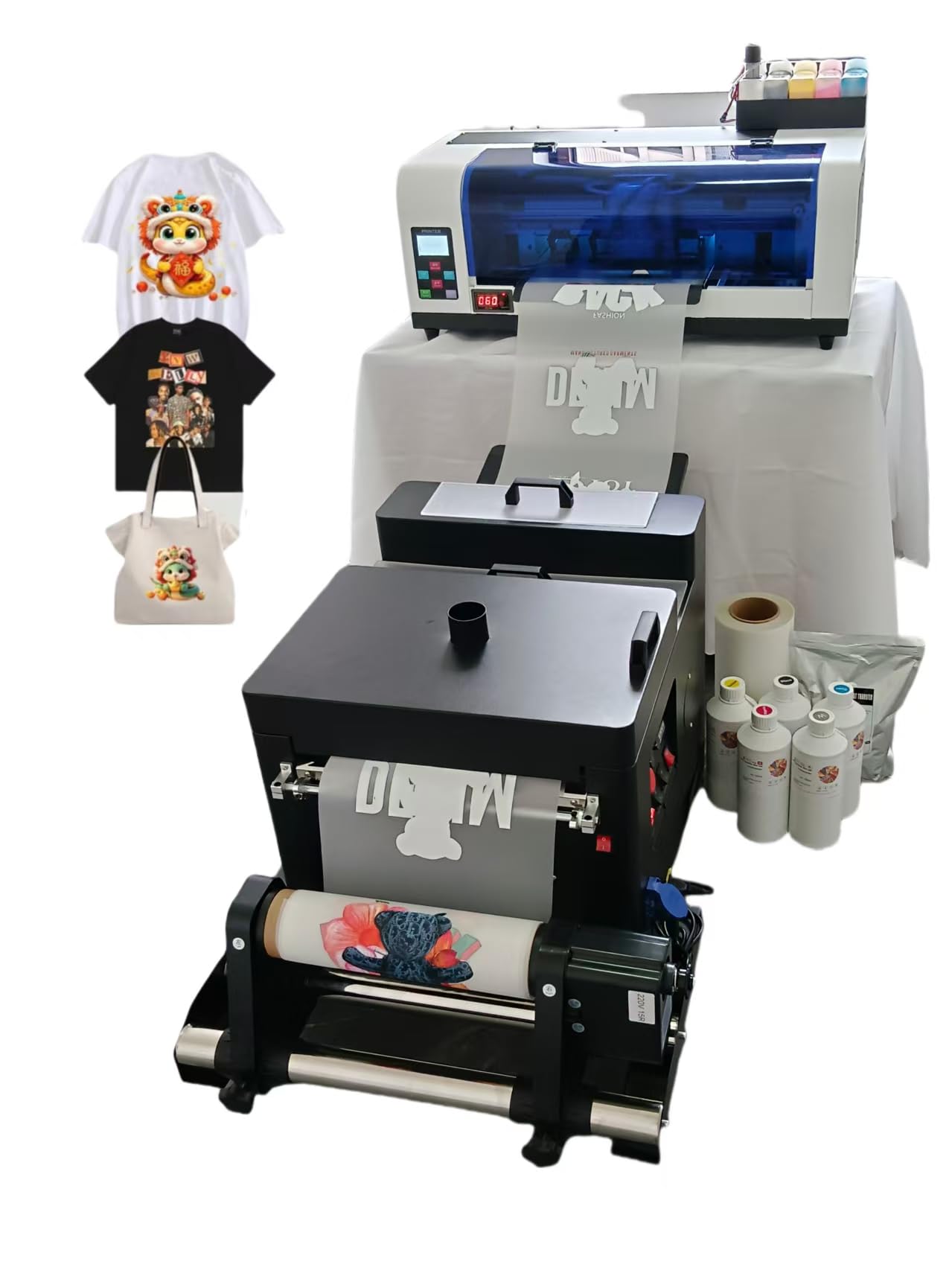
The WJTZXY A3 Plus XP600 is a specialized DTF (Direct-to-Film) printer designed for small businesses that produce custom apparel, bags, and fabric items. It uses an XP600 printhead and ships as a complete bundle with a shaking dryer machine, five 500 ml ink bottles (CMYK plus white), 1 kg of hot melt powder, and a roll of double-sided DTF film. The maximum printable width is 33 cm (13 inches), which accommodates a wide range of garment sizes.
The printer runs on RIIN Hosonsoft software, which is stable and virus-free according to the manufacturer, but it only supports Windows, not macOS. Setup is more involved than a standard business printer — users report a two-day process that includes remote assistance from the factory’s technical support team. The factory claims direct replacement parts availability, which reduces the risk of the machine becoming a paperweight after standard warranty periods.
Customer support receives high praise for responsiveness, especially for new DTF users who need guidance on software configuration and print settings. The print quality on transfers is described as clear and vibrant, but the software interface is in Kanji and lacks an English option, which creates a steep learning curve. For a small apparel business that plans to print DTF transfers at scale, this bundle provides a complete start-to-finish solution.
Why it’s great
- Complete DTF bundle with printer, shaker dryer, ink, film, and powder
- Responsive factory technical support with remote assistance
- Replaceable parts available directly from the manufacturer
Good to know
- Software interface is in Kanji without an English option
- Setup can take two days and requires remote help
- Print width is 12.5 inches, not true edge-to-edge
10. MZK A3 DTF Printer with F1080 Printhead
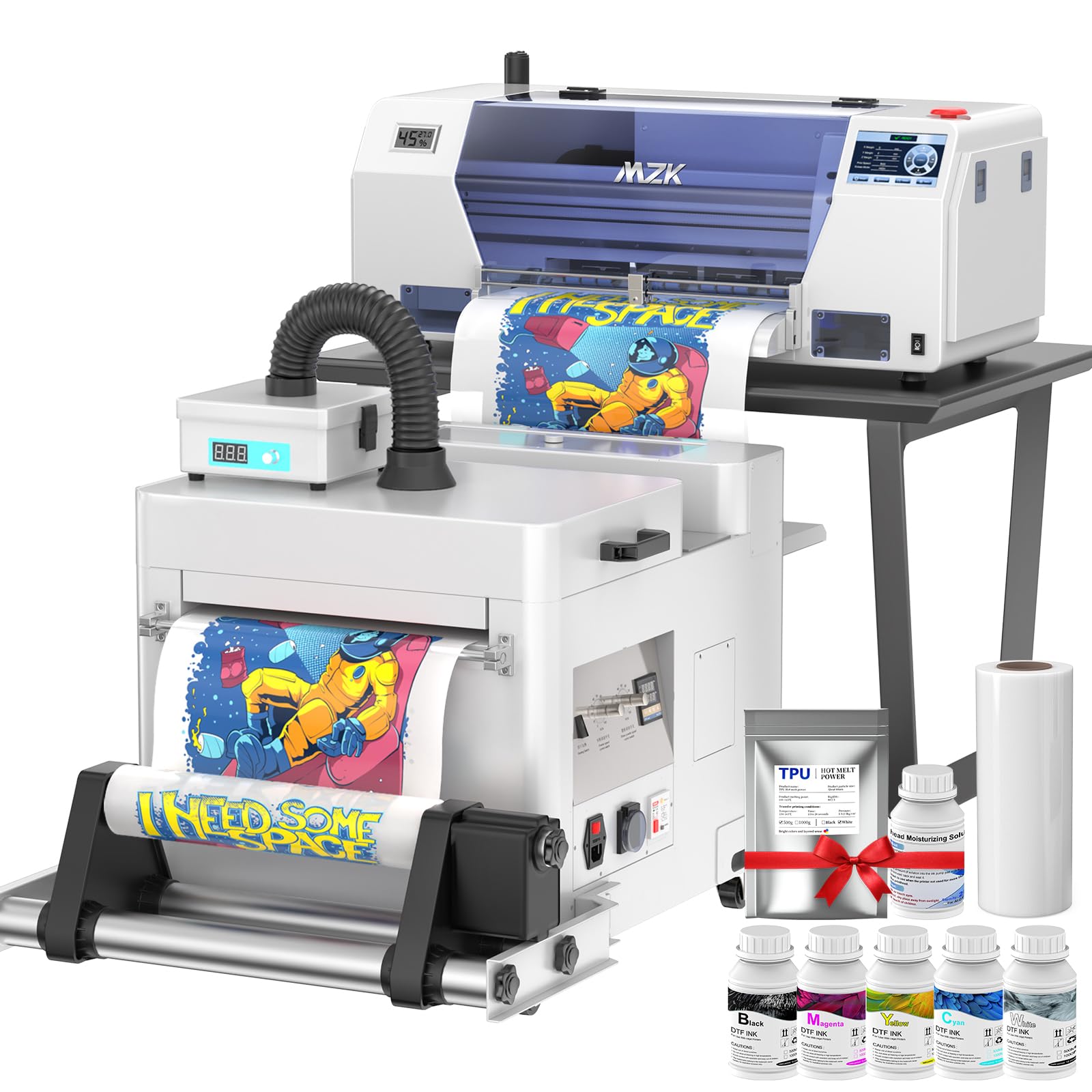
The MZK A3 DTF printer uses an upgraded F1080 printhead (the manufacturer’s evolution of the XP600) and offers an intelligent timed cleaning system that prevents nozzle clogs during idle periods — a common pain point in DTF printing. The Holiday Mode automatically cycles, mixes, and filters the ink while the printer is not in use, so you can leave the machine unattended for days without dried-out nozzles. A 5-inch LED touch panel lets you check nozzles, clean heads, and adjust layouts without touching a computer.
Print resolution reaches 1880×1440 dpi with Variable Sized Droplet Technology, producing photo-quality transfers with smooth gradients. The ink shortage alarm system indicates which specific ink cartridge is running low, and the waste ink alarm prevents overflow onto the desktop. The printer ships with a 100-meter roll of 33 cm wide DTF film, 5 x 250 ml ink bottles, 500 g of hot melt powder, and a maintenance toolkit.
A standout offer is the two-year supply program: the manufacturer sends 5 bottles of 250 ml ink and 500 g of powder every two months, covering shipping within the US. This effectively removes the consumable cost variable for two years. Setup is guided by video tutorials and responsive technical support. For a small apparel business that wants to minimize downtime and avoid nozzle maintenance headaches, this is the most thoughtfully engineered DTF option in this list.
Why it’s great
- Anti-clog intelligent cleaning and Holiday Mode prevent nozzle drying
- Two-year free ink and powder supply lowers operational costs
- 5-inch LED panel allows offline nozzle checks and head cleaning
Good to know
- Only supports Windows 7/10/11 (no macOS compatibility)
- Setup involves a learning curve for DTF software and ICC profiles
- Print speed is slower than laser-based alternatives for typical office documents
11. Lancelot M1630 Pro DTF Printer Bundle

The Lancelot M1630 Pro is an all-in-one DTF production station that bundles the printer with an intelligent powder shaker, a heater dryer unit, and a preconfigured laptop loaded with design software — everything needed to start producing transfers immediately. The printhead is based on the XP600 (F1080) platform and delivers prints at 720×1440 dpi resolution, roughly twice the speed of the L1800 or R1390-based DTF printers. Each 12×12 print takes about 10 minutes, enabling roughly six prints per hour on a single shift.
The Holiday Mode feature performs automatic ink maintenance during breaks, reducing the risk of clogs. The laptop is preloaded with DTF design software and configured for plug-and-play operation, which eliminates a major frustrating step for first-time DTF buyers. The mobile workstation frame organizes the printer, shaker, and dryer into a single footprint, saving floor space in a small workshop.
The powder refill process is described as messy, and the top reservoir has been reported to malfunction in some units. The software is locked to the Lancelot ecosystem, which may limit flexibility for advanced users. For a small business or startup that wants a complete, turnkey DTF operation with reliable support and fast setup, the M1630 Pro bundle removes most of the guesswork and gets you to production quickly.
Why it’s great
- Complete production bundle with printer, shaker, dryer, and laptop
- Preloaded software enables printing within hours, not weeks
- Holiday Mode automatic ink maintenance prevents downtime
Good to know
- Powder refill process is messy and requires careful handling
- Software is locked to the Lancelot proprietary ecosystem
- Top reservoir has been reported to malfunction in some units
FAQ
Should I buy an inkjet or laser A3 printer for a small business?
How important is the A3 paper path design for avoiding jams?
What does the monthly duty cycle number actually mean?
Can I use third-party toner in a business laser printer?
What is the real cost of a DTF printer setup for apparel printing?
Final Thoughts: The Verdict
For most users, the best a3 printer for small business winner is the HP OfficeJet Pro 9730 because it combines true wide-format output, fast color printing, and a low per-page cost structure through the Instant Ink program, making it the most balanced machine for general office use. If you want the absolute lowest running cost and print high volumes of text documents, the Epson EcoTank ET-4950 delivers unmatched ink value per page. And for a small business that needs a secure, fast scanning solution with professional color output, the Brother MFC-L8930CDW provides the best combination of hardware durability, advanced security features, and scanning speed in this category.

Mo Maruf
I created WellFizz to bridge the gap between vague wellness advice and actionable solutions. My mission is simple: to decode the research and give you practical tools you can actually use.
Beyond the data, I am a passionate traveler. I believe that stepping away from the screen to explore new environments is essential for mental clarity and physical vitality.