Our readers keep the lights on and my smoothie glass nicely filled. As an Amazon Associate, I earn from qualifying purchases.
Specs are compiled from manufacturer listings and verified buyer reviews and can change over time — please confirm the key details on the product page before buying.
An 8TB external hard drive is the point of no return for serious digital hoarding — where you stop picking and choosing and start keeping everything. The problem is that one wrong pick, and you are staring at a dead drive, a lost game library, or years of family photos gone in a click. This guide cuts through the glib marketing to the drives that actually hold up: the 7200RPM workhorses, the PS5-ready storage vaults, and the desktop backups that quietly do their job for years.
I’m Mohammad Maruf — the founder and writer behind WellFizz. This guide is built by comparing the manufacturers’ published specifications and the patterns across verified customer reviews, so you get each pick’s real strengths and trade-offs instead of marketing spin.
This breakdown helps you find the reliable best 8tb external hard drive for your exact workflow and budget — if you need bulk media storage, a game library expansion, or reliable archival backup.
Our Picks at a Glance


How To Choose The Best 8TB External Hard Drive
Picking the right 8TB drive is not just about the sticker. You need to match the drive’s internal guts — its speed, cooling, and build quality — to how you actually plan to use it. Here is what changes the experience from a daily frustration to a set-and-forget setup.
Speed: 5400RPM vs 7200RPM
A 7200RPM drive spins its platters faster than a 5400RPM one, which directly translates to snappier file transfers and quicker game load times. If you are moving large video files or playing games off the drive, the 7200RPM speed is the one to look for. The trade-off is that faster spinning often means more noise and heat, so a desktop drive with active cooling becomes important.
Interface: USB 3.0 vs USB 3.2 Gen 1
Both USB 3.0 and USB 3.2 Gen 1 offer the same real-world top speed (5 Gbps), enough for any mechanical hard drive to saturate. What matters more is what the drive does with that connection. Look for features like TurboCopy or hardware encryption that use that bandwidth efficiently, rather than getting hung up on the version number.
Data Protection: Hardware Encryption and Recovery
Your data’s safety relies on two separate things. Hardware encryption (like 256-bit AES) scrambles your data at the circuit level so a stolen drive stays locked. A data recovery service, such as Seagate’s Rescue plan, gives you a professional shot at getting your files back if the mechanism itself fails. Not all drives include either, so check before you buy.
Quick Comparison
| Model | Best For | Speed (RPM) | Cache | Interface Speed | Amazon |
|---|---|---|---|---|---|
| Seagate 4TB Portable★ Best Overall | On-the-Go Backup | — | 4 MB | 120 Mbps | Amazon |
| Seagate 8TB Expansion DesktopAlso Great | Archival Backups | — | 8 MB | 5 Gbps | Amazon |
| BUFFALO DriveStation 8TBTAA Compliant Speeder | Desktop & TAA Compliant | 7200 | 256 MB | 5 Gbps | Amazon |
| Avolusion HDDGear 8TB (PS4) | PS4 Game Storage | 7200 | 64 MB | 6 Gbps | Amazon |
| Avolusion PRO-5X 8TB (PS5) | PS5 Game Storage | 7200 | 256 MB | 5 Gbps | Amazon |
| WD 8TB My Book | Encrypted Desktop Backup | — | 8 MB | 5 Gbps | Amazon |
| WD 8TB Elements Desktop | Plug-and-Play PC Storage | — | 8 MB | 16 Gbps | Amazon |
| WD_BLACK 8TB D10 Game Drive | Multi-Platform Gaming | 7200 | 8 MB | — | Amazon |
In‑Depth Reviews
1. Seagate 4TB Portable Hard Drive | USB 3.0 (STGX4000400) – Everyday HDD Storage
Our pick — over 4.5★ from 272,000+ verified ratings; the strongest balance of quality and price.
The most popular portable drive on the planet — 4TB of pocket-sized storage with a proven track record.
This Seagate Portable Drive is the crowd-favorite for good reason. It packs 4TB into a compact, bus-powered form factor — no AC adapter needed — and at 120 Mbps data transfer rate, it is fast enough for daily backups, music production, and photo archiving. The USB 3.0 cable is 18 inches long, making it easy to reach from a laptop port. It is plug-and-play on Windows and requires a simple reformat for Mac (APFS or ExFAT), which owners say is a one-click process in Disk Utility.
The quality and compact size are what win people over. As customers note: “Reliable, portable Seagate drive for music production.” Another owner uses it for storing plugins and samples on a MacBook Pro without any delay. The shared experience is that this drive handles daily shuffling in a bag without complaint. The honest limit is capacity — at 4TB, it holds less than half of an 8TB desktop drive. It is also not designed for intensive 24/7 use or gaming; it is a backup companion, not a primary workstation drive.
Compared to the large desktop drives above, this is the one you slide into your laptop bag for travel. The trade-off for portability is that you sacrifice half the capacity and the ruggedness of a desktop enclosure. It is the right pick if you need to carry your data, not park it on a desk.
The portable favorite: 4TB of reliable, bus-powered storage that travels anywhere and works instantly with any computer — just accept that it is half the capacity of the desktop drives for the convenience.
Grab it for the road warrior who needs 4TB of easy, reliable storage that fits in a jacket pocket and works without a power brick.
it’s not for you if you need the full 8TB capacity for a stationary desk setup — the desktop drives above give you double the space for a better per-TB value.
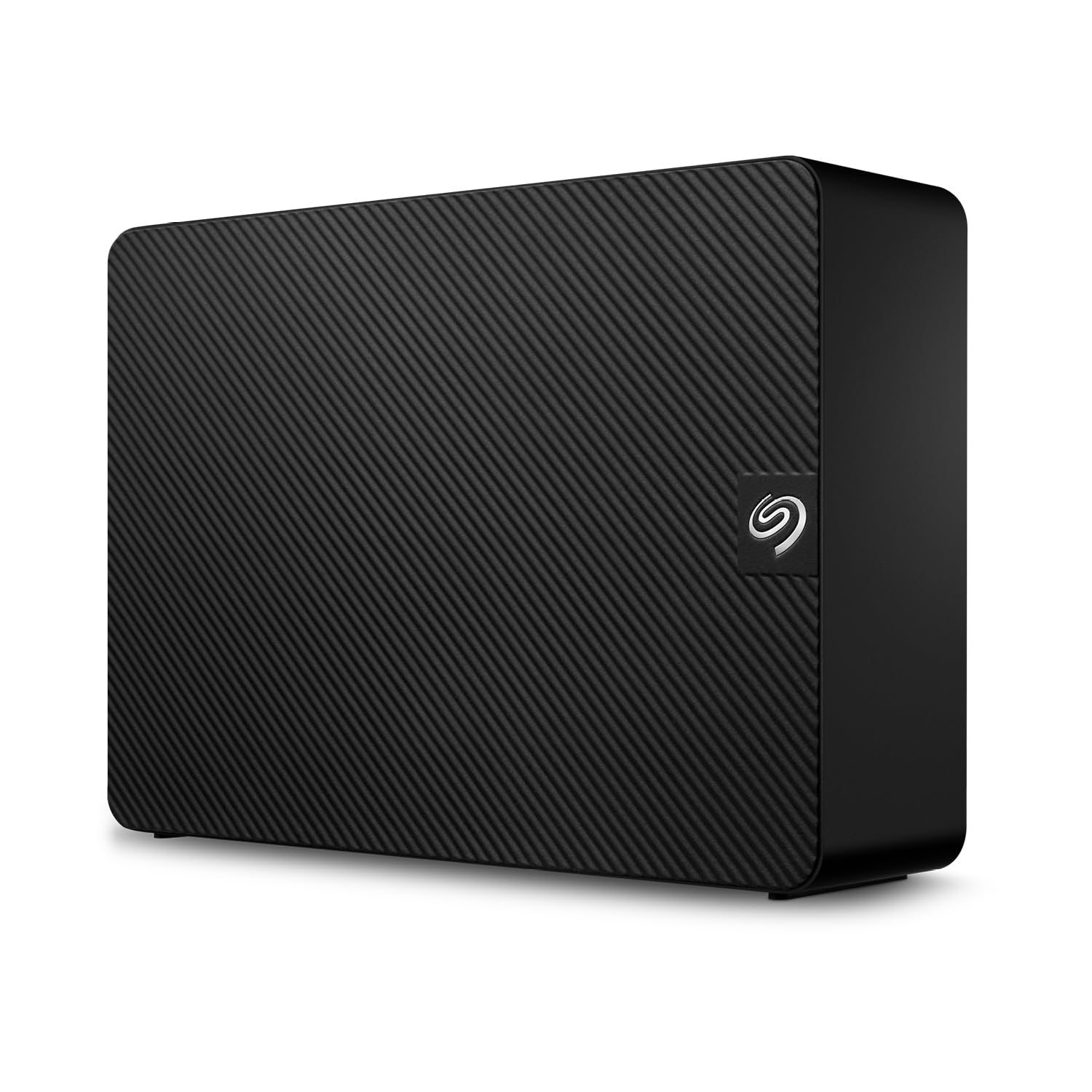
2. Seagate 8TB Expansion Desktop Hard Drive | USB 3.0 (STKP8000400)
The desktop workhorse that knows its job — archival storage, not daily punishment.
This Seagate is built for the owner who wants to plug in a power adapter and a USB cable, drag a folder, and walk away. Its core job is high-capacity backup for a stationary desk, and it does that with a 5 Gbps data transfer rate over USB 3.0. The drive comes with a 1-year Rescue Data Recovery Services plan — a legit safety net if the mechanism ever gives up, something the cheaper options simply leave out.
What wins people over is the price-to-capacity ratio and the dead-simple setup. Buyers report that it is “quiet” and “faster than old drive,” and one owner uses it for a 22TB archival system. The recurring wisdom is clear: treat it as an archive, not a daily driver. The trade-off is a short included USB cable and a plain black plastic enclosure that feels basic. A few units have failed within a month, reinforcing that this is best used as a backup for your backup, not your only copy.
The honest limit is endurance. Owners consistently recommend pairing this with a battery backup (APC) and handling it gently, because moving it around too much or exposing it to power dips cuts its life short. It is not a portable drive — it is a desktop vault that thrives on being left alone.
What Owners Love
- Excellent cost-to-capacity ratio for archival storage.
- Includes 1-year Rescue Data Recovery Services.
- Quiet and immediately recognized by Mac and Windows.
The Honest Limits
- Plain plastic enclosure feels cheap.
- Short USB cable — plan to replace it with a braided one.
- Not designed for constant daily read/write use.
Reach for it when: you need a set-and-forget 8TB archive for your desktop and want the confidence of a data recovery service plan.
Look elsewhere when: you need a rugged, portable drive you carry in a bag every day, or if you plan to run games directly from it.
3. BUFFALO DriveStation 8TB High Speed 7200RPM TAA Desktop External Hard Drive USB 3.2
A 7200RPM desktop drive that pairs business-level speed with government-grade security.
This Buffalo drive brings the speed where it counts: a 7200RPM spindle paired with a 256 MB cache — the largest cache in this lineup — for fast file transfers over USB 3.2 Gen 1 at 5 Gbps. You also get optional 256-bit AES hardware encryption, meaning your data is scrambled at the circuit level, not just through software. It is TAA compliant, which matters for government and enterprise buyers who need to meet purchasing regulations.
Buyers find the drive fast and easy to set up, with the TurboCopy utility giving transfers a real boost. The 2-year warranty adds a layer of confidence. However, the honest reality from owners is that this is not a silent drive. As the review pages sum it up: “Good drive but noisy during access (audible from 5 feet).” It also runs hot — one owner measured temps exceeding 55°C, hitting over 60°C under load. The aluminum enclosure helps, but this is not a bedroom or quiet-office drive.
Where it shines is for a 24/7 workstation or a DIY DVR setup. Several owners run them intensively for years. The caveat is that the hardware controller has a 32-bit LBA limitation reported by a few, causing some units to only show 1.3TB of usable space when connected to certain setups — so compatibility check with your specific hardware is wise.
Peak speed, peak noise: the 7200RPM and massive 256 MB cache make this the fastest-feeling desktop drive here, but the acoustic and thermal trade-off is real — plan to stash it in a ventilated cabinet, not next to your couch.
Best for the serious desktop user who needs TAA-compliant hardware, hardware encryption, and doesn’t mind fan noise or a warm enclosure in exchange for 7200RPM speed.
The Catch: audible from five feet away during access and runs hot (55°C+), making it a poor fit for quiet home offices or media centers.
4. Avolusion HDDGear 8TB USB 3.0 External Gaming Hard Drive (for PS4 Pro & Slim, Pre-Formatted)

Pre-formatted for PS4 — plug it in, power it on, and your library expands instantly.
This Avolusion drive is purpose-built for PlayStation 4 owners with massive game libraries. It ships pre-formatted for PS4, Slim, and Pro — so no formatting, no menu diving. You just plug in the USB 3.0 cable, turn on the power, and your console sees 8TB of extra space immediately. The 7200RPM internal drive and a 6 Gbps data transfer rate keep loading times close to what you get with the internal HDD. Reliability is the most-praised aspect, with 38 owners singling it out as solid.
The concrete win here is capacity. As one owner put it: “This product is great if you have 420 games like I do!” That is the exact buyer this is for — someone who never wants to delete a title again. The 2-year warranty adds reassurance. But the drive runs hot under extended play sessions, and it lacks built-in ventilation. A few owners note random crashes mid-game if the drive overheats, recommending cooling breaks during marathon sessions.
Compared to the WD_BLACK below, this one is pure PS4-focused simplicity with no bells like active cooling or charging ports. It is the right pick if your console is a PS4 and your only need is extra space, not speed gimmicks.
The great trade-off: you get the single easiest setup for PS4 and a 2-year warranty, but you trade away active cooling — expect to manage heat if you run demanding titles for hours.
Grab it for the PS4 owner with a packed library who wants plug-and-play simplicity and a 7200RPM experience inside a pre-formatted case.
skip it if you need a drive for PC or Xbox, or if your game sessions run 6+ hours straight without a break.
5. Avolusion PRO-5X Series 8TB USB 3.0 External Gaming Hard Drive for PS5 Game Console (White) – 2 Year Warranty

A white 8TB vault built for PS5 — active cooling and a 7200RPM enterprise drive inside.
This is the PS5-native version of the Avolusion HDDGear, and it addresses the heat issue directly. The PRO-5X uses a 7200RPM enterprise-grade HDD — designed for 24/7 operation — inside a white case that matches the PS5 aesthetic. It comes pre-formatted for USB extended storage, meaning you plug it in, and the PS5 recognizes it immediately for storing PS4 games and moving PS5 games off the internal SSD. The 256 MB cache helps transfers feel smooth.
The standout use case is the sheer convenience of 8TB. Owners mention never needing to delete a game again, and the plug-and-play setup is smooth, with the drive powering on and off with the console. The 2-year warranty backs the build. However, the noise level is the recurring edge. A few owners found the spinning and clicking audible during quiet moments, and one warns that the drive is “very big storage but also very fragile” after an accidental disconnect caused data repair issues.
Compared to the Seagate desktop drives, this one is pure gaming utility — you are paying for the PS5 convenience and the enterprise-grade internal drive, not for data recovery services or encryption.
Perfect for the PS5 gamer who wants 8TB of near-silent background storage for their entire library, with a 7200RPM enterprise spine that handles daily transfers without complaint.
Reach for this if your PS5 internal SSD is full and you want a matched white drive that stores, cools, and transfers quickly without thinking about it.
Think twice if noise sensitivity is a deal-breaker — the drive clicks during file access and one owner found it too loud for a quiet room.
6. Western Digital 8TB My Book Desktop External Hard Drive, USB 3.0 – WDBBGB0080HBK-NESN

The book-like desktop drive that locks your data with hardware encryption and a decade of proven reliability.
WD’s My Book has been a staple of desktop backup for years, and this 8TB version keeps the formula intact. It delivers 256-bit AES hardware encryption at the circuit level — not a software password that can be bypassed by removing the drive. It also includes WD backup software and a USB 3.0 interface running at 5 Gbps. The form factor is vertical, so it needs its own space on your desk, and it requires the supplied 12V 2.0A power adapter.
What owners consistently report is a surprising durability. One buyer’s My Book survived a hard drop from a table onto a hardwood floor and its data was fully recovered. Another owner had a 4TB unit that lasted over 10 years as a Time Machine drive. The speed is adequate but not blistering — expect roughly 150 MB/s for large files, which becomes slow when doing initial network backups of multiple machines. A recurring observation is that the drive’s sleep mode can be annoying for gamers, and the included backup software is lost if you reformat for Windows NTFS.
The honest limit is that this is a desktop-bound device. It is not portable, the write speeds are not spectacular, and the “disk in use” ejection alerts can be persistent during network backups.
The quiet survivor: hardware encryption and a proven track record of dropping-surviving, decade-spanning reliability make this the trust-first backup drive, as long as you are okay with desktop-bound, moderate-speed storage.
Ideal for the backup-conscious owner who needs hardware encryption and trusts a brand with a ten-year track record of keeping data safe from drops and time.
Not the one for you if you need fast transfer speeds for daily video editing, or if you want a drive that lives in a laptop bag.
7. Western Digital 8TB Elements Desktop External Hard Drive, USB 3.0 – WDBBGB0080HBK-NESN

The crowd-favorite desktop drive — 8TB of plug-and-play storage that just works with Windows.
This is the Elements line from WD, and it is the most-reviewed 8TB drive in the entire category by a wide margin. It is a no-frills, plug-and-play desktop drive designed for Windows PCs. You plug in the AC adapter and USB cable, and it appears as a drive instantly — no formatting, no software installation. The data transfer rate is listed at 16 Gbps, making it one of the faster interfaces here on paper, though real-world mechanical drive speeds still top out well below that.
What wins people over is the reliability and the physical footprint. Owners describe it as “quiet,” “reliable,” and “good value vs. Seagate.” One owner reports using a 20TB version daily for 8+ months with consistent 180 MB/s+ transfers. The lego-like stackable design is practical. The honest downside is that the shiny plastic top is a fingerprint magnet, and the drive needs a power adapter (it is not bus-powered). Also, it comes formatted as NTFS, so Mac users will need a reformat to ExFat for cross-compatibility, which is a quick step but worth knowing.
The biggest caveat from owners is that a small number of units arrive with compatibility issues — some are not recognized by specific computer setups. WD’s reputation for reliability is strong, but this is a desktop drive for stationary use, not for daily carrying.
The mass-appeal desktop drive: thousands of owners trust this for daily backups and large media libraries because it is quiet, fast enough, and requires zero setup — just keep it on your desk and plugged in.
Best for the Windows PC owner who wants a reliable, quiet desktop drive for backups or media storage without any software or formatting friction.
pass on it if you need portability, hardware encryption, or if you primarily use a Mac without wanting to reformat.
8. WD_BLACK 8TB D10 Game Drive – Portable External Hard Drive HDD for Playstation, Xbox, PC & Mac

The gaming-grade drive with active cooling and two USB charging ports built into the front.
WD_BLACK’s D10 is the most feature-packed gaming drive here. It spins at 7200RPM and is rated at 250 MB/s, with a CrystalDiskMark test from one owner showing it hitting 258 MB/s — faster than advertised. It has an internal fan for active cooling, which keeps the drive temperature at around 54°C under load. The front panel has two 7.5W USB Type-A ports, letting you charge your controller, headset, or phone directly from the drive. The enclosure is metal and stands vertically on a stable stand.
Storage capacity is the most-praised aspect by far — 116 owners single it out. The drive works with PlayStation, Xbox, PC, and Mac right from the start. Owners love the fast transfer speeds and the convenience of the charging ports. However, performance and speed get a [MIXED] verdict from the customer data. While many report it works flawlessly, a smaller group reports failures within six months. The noise level is also [MIXED] — the internal fan and drive are quiet to some, but one owner found it noisier than a 5400RPM drive and noted faint tapping during large file transfers.
The main trade-off is the price and the noise trade-off for the active cooling. It is the most expensive 8TB drive in this lineup. The honest reality from owners is that you buy this for the speed, the active cooling, and the charging ports — not for silence.
Game Storage Essentials
- Active cooling fan keeps temps around 54°C under load.
- Two 7.5W USB-A charging ports on the front panel.
- Faster than advertised — tested at 258 MB/s.
Gamer’s Honest Trade-offs
- Some units have reported failure within six months.
- Noticeably noisier than 5400RPM drives during transfers.
- Not bus-powered — requires AC adapter and vertical desk space.
Reach for the D10 if you game across PC and consoles and want the fastest load times plus charging ports for your gear, all in a rugged metal case.
Think twice if you need a silent drive for a quiet room — the fan and drive do make themselves heard during heavy use.
Understanding the Specs
7200RPM vs 5400RPM Speed
The rotation speed of the internal platters — measured in Revolutions Per Minute (RPM) — determines how fast data can be read or written. A 7200RPM drive feels snappier for game loading and large file transfers than a 5400RPM drive, but it also runs hotter and louder. If you see just “8TB” with no RPM listed, it is almost certainly a 5400RPM drive, which is fine for archival backups but slower for active use.
Cache Memory Size
The cache (measured in MB) is a small amount of very fast memory on the drive that stores frequently accessed data for quick retrieval. A larger cache (like 256 MB) helps the drive feel faster during multitasking and repeated file access, while a smaller cache (8 MB or 64 MB) is adequate for simple sequential backups. This is one spec where bigger makes a real, noticeable difference in day-to-day feel.
USB Interface and Data Transfer Rate
The USB standard (3.0, 3.2 Gen 1) determines the maximum speed the connection can handle, measured in gigabits per second (Gbps). USB 3.0 and 3.2 Gen 1 both top out at 5 Gbps, which is faster than any mechanical hard drive can fill. The real-world number to watch is the Data Transfer Rate in Gbps or MB/s — that tells you the actual throughput you can expect with the included cable.
Hardware Encryption
256-bit AES hardware encryption scrambles your data at the circuit level inside the drive. This means if the drive is stolen or removed from its enclosure, the data is unreadable without the correct password. It is a far stronger protection than software-based encryption, which can be bypassed by reading the drive directly. Look for this if you store sensitive files.
FAQ
Can I use an 8TB external hard drive with my PS5?
How long does an 8TB external hard drive last?
Do I need a 7200RPM hard drive or is 5400RPM fine?
Is a desktop external hard drive better than a portable one?
Can I use an 8TB external hard drive with both Windows and Mac?
What is hardware encryption and do I need it?
How do I know if an 8TB drive is compatible with my computer?
What does Rescue Data Recovery Service include?
Is it safe to leave an 8TB external hard drive plugged in all the time?
What is the difference between a gaming hard drive and a regular external hard drive?
Final Thoughts: The Verdict
For the majority of shoppers, the 8tb external hard drive winner is the Seagate 8TB Expansion Desktop because it offers the best balance of cost, capacity, and the priceless safety net of a Rescue Data Recovery plan. If you are a console gamer, the WD_BLACK D10 gives you the fastest load times, active cooling, and built-in charging ports. And for a silent, encrypted desktop vault, the WD 8TB My Book is the one owners trust to survive a decade and a drop onto hardwood.
How We Picked
We do not accept paid placement. Every pick is matched to a real buyer and a real use-case; we do not hands-on test units.
Sources & Methodology
Specifications: manufacturer listings and product documentation. Review insights: verified customer reviews, as of July 2026. Pricing: not shown on this page (it changes often); check the current price via the retailer link.
As an Amazon Associate, WellFizz earns from qualifying purchases. This does not affect which products we feature.
Related Guides

Mo Maruf
I created WellFizz to bridge the gap between vague wellness advice and actionable solutions. My mission is simple: to decode the research and give you practical tools you can actually use.
Beyond the data, I am a passionate traveler. I believe that stepping away from the screen to explore new environments is essential for mental clarity and physical vitality.