Our readers keep the lights on and my smoothie glass nicely filled. As an Amazon Associate, I earn from qualifying purchases.
The 6 GHz band is the first truly uncrowded spectrum for Wi-Fi, but most routers waste it with weak antennas and poor traffic management. Buying a 6E router is about more than just a new frequency—it’s about whether the hardware can actually deliver the low-latency, high-throughput connection the spec promises.
I’m Mohammad Maruf — the founder and writer behind WellFizz. I’ve spent years analyzing wireless hardware specifications, real-world throughput benchmarks, and mesh topology performance to separate marketing claims from measurable gains.
This guide cuts through the jargon to help you find the best 6e router for your home, whether you’re gaming, streaming, or managing a smart home full of connected devices.
How To Choose The Best 6E Router
A 6E router unlocks the 6 GHz band, but the real choice comes down to three factors: coverage topology, wired backhaul support, and port configuration. The wrong pick can leave your 6 GHz signal struggling through walls while your old 5 GHz band handles all the traffic.
Single Router vs. Mesh: Coverage Matters
The 6 GHz band delivers incredible speed but has shorter range and poorer wall penetration than 5 GHz. A single high-power router like the ASUS ROG Rapture works well in open spaces, but for multi-level homes or concrete walls, a mesh system like the eero Pro 6E or Linksys Velop Pro ensures the 6 GHz band reaches every corner.
Multi-Gig Ports: Don’t Strand Your Speeds
If your internet plan exceeds 1 Gbps, a 2.5 Gb or 10 Gb WAN port is non‑negotiable. Many 6E routers still ship with gigabit-only ports, which bottleneck multi-gig fiber connections. The Netgear Nighthawk RS600 and ASUS ROG Rapture both include 10 Gb ports for future-proofing.
Quad-Band vs. Tri-Band: The Dedicated Backhaul Debate
Tri-band routers split one 5 GHz band for backhaul in mesh setups, which reduces available client bandwidth. Quad-band routers like the ASUS ROG Rapture add a second 5 GHz band dedicated solely to backhaul, preserving full speed for your devices on the remaining bands.
Quick Comparison
On smaller screens, swipe sideways to see the full table.
| Model | Category | Best For | Key Spec | Amazon |
|---|---|---|---|---|
| ASUS ROG Rapture GT-AXE16000 | Quad-Band | Gaming & high-throughput tasks | 2x 10 Gb ports | Amazon |
| Netgear Nighthawk RS600 | Tri-Band WiFi 7 | Future-proof single-router setups | 1x 10 Gb port | Amazon |
| Ubiquiti UniFi Dream Machine SE | Enterprise All-in-One | Advanced home/small business | 1x 10 Gb SFP+ | Amazon |
| Linksys Velop Pro MX6200 | Cognitive Mesh | Whole-home mesh with 6 GHz | 3,000 sq ft per node | Amazon |
| TP-Link Archer GXE75 | Gaming Router | Affordable gaming with 6E | 1x 2.5 Gb port | Amazon |
| Google Nest WiFi Pro 3-Pack | Mesh System | Easy whole-home coverage | 2,200 sq ft per node | Amazon |
| TP-Link Archer AXE95 | Tri-Band Router | Max speed in a single unit | 7.8 Gbps aggregate | Amazon |
| Amazon eero Pro 6E | Mesh Router | Smart home hubs & easy management | 2,000 sq ft coverage | Amazon |
| Netgear Orbi 370 Series | Entry WiFi 7 Mesh | Budget WiFi 7 entry point | 5 Gbps aggregate | Amazon |
In‑Depth Reviews
1. ASUS ROG Rapture GT-AXE16000

The GT-AXE16000 is the first quad-band 6E router on the market, and it earns every bit of that claim. With dual 10 Gb ports and a dedicated 2.5 Gb WAN port, this router can handle fiber plans up to 10 Gbps without breaking a sweat. The 6 GHz band delivers congestion-free channels for compatible devices, and the second 5 GHz band acts as a dedicated backhaul in AiMesh configurations, preserving client throughput on other bands.
Gamers will appreciate the triple-level game acceleration that prioritizes traffic from consoles, PCs, and gaming peripherals. The built-in AiProtection Pro offers lifetime internet security without a subscription, including intrusion detection and parental controls. The RangeBoost Plus technology improves wall penetration significantly, with customers reporting strong signals through multiple floors and cinder block walls.
On the downside, the router is physically large and runs warm under load. A few users report AiMesh detection issues with older ASUS routers, and the 6 GHz band’s range is limited to open spaces. For power users with multi-gig fiber and demanding device loads, this is the most future-proof standalone 6E router available. It’s overkill for most homes, but unmatched for those who need it.
Why it’s great
- Quad-band design preserves full client speed with dedicated backhaul
- Dual 10 Gb ports for future multi-gig internet plans
- Lifetime AiProtection Pro security without subscription fees
Good to know
- Large footprint and runs hot under continuous load
- Some AiMesh incompatibility with older ASUS models
- Overkill for sub-gigabit internet plans
2. Netgear Nighthawk RS600

The RS600 is technically a WiFi 7 router, but its backward compatibility includes full 6 GHz support, making it a strong candidate for anyone future-proofing their network. With a 10 Gb internet port and four 1 Gb LAN ports, this router delivers up to 18 Gbps aggregate throughput. The tri-band setup includes a dedicated 6 GHz band for WiFi 7 and 6E devices, while the 5 GHz and 2.4 GHz bands handle legacy gear.
Real-world performance is excellent, with customers reporting full 1 Gbps download speeds over Wi-Fi and stable 100% uptime even with 30+ connected devices. The 10 Gb port also supports multi-gig intranet transfers, ideal for NAS or media server setups. The Nighthawk app includes basic parental controls and guest network management, and setup is straightforward for a router with this level of capability.
A few users have reported WAN/LAN throughput issues after firmware updates, where speeds dropped to 200–250 Mbps. Disabling advanced security features like Armor and the protection engine seems to restore performance. The 3,300 sq ft coverage claim holds up in open floor plans but may require additional access points in multistory homes with dense construction.
Why it’s great
- 10 Gb port fully utilizes multi-gig fiber plans
- Excellent coverage and stability for 30+ devices
- Backward-compatible with WiFi 6 and 6E devices
Good to know
- Firmware quirks can throttle WAN/LAN speeds intermittently
- Advanced security features may need disabling for full performance
- No dedicated backhaul band for mesh expansion
3. Ubiquiti UniFi Dream Machine Special Edition

The UDM-SE is not a consumer router—it’s an enterprise-grade all-in-one gateway designed for advanced home users and small businesses. It combines a full UniFi network controller, a 8-port PoE+ switch, and a multi-gig router with a 10 Gb SFP+ WAN port. The built-in IDS/IPS can inspect traffic at multi-gig speeds without crippling throughput, a rare capability in this price range.
For 6E connectivity, you’ll need to pair the UDM-SE with UniFi 6E access points like the U6-Enterprise, which support the full 6 GHz band with 160 MHz channels. The UniFi OS provides granular traffic monitoring, VLAN segmentation, VPN support, and geofencing—everything a network engineer would want without the licensing fees of Cisco or Fortinet. Customers with no IT background have reported intuitive setup, though the feature set rewards those willing to learn.
Complaints include bright switch port LEDs that can’t be dimmed and limited internet filtering (on/off toggle only). The built-in Wi-Fi is only single-band 5 GHz, so you must add separate access points for 6E coverage. The UDM-SE is silent, runs cool, and fits a standard 1U rack mount. It’s overkill for a basic home network, but for anyone building a segmented, secure, and scalable 6E network, it’s the best foundation available.
Why it’s great
- 10 Gb SFP+ WAN with multi-gig IDS/IPS throughput
- Full UniFi controller with VLAN, VPN, and traffic monitoring
- PoE+ switch built-in for powering access points and cameras
Good to know
- Requires separate 6E access points for 6 GHz coverage
- Bright port LEDs and limited internet filtering options
- Steep learning curve for non-technical users
4. Linksys Velop Pro MX6200

The Velop Pro MX6200 uses Cognitive Mesh technology that dynamically selects the best channel and band for each node based on real-time network congestion. This is a genuine improvement over static mesh routing—the system actively steers traffic away from busy channels, which reduces bufferbloat and maintains consistent latency. Each node covers 3,000 sq ft, so a two-pack can handle most homes without dead zones.
Setup via the Linksys app takes about 20 minutes, and the system intelligently merges 2.4 GHz, 5 GHz, and 6 GHz into a single SSID. Customers have reported 900+ Mbps throughput on gigabit connections with excellent range covering entire homes and yards. The parental controls are more granular than most consumer mesh systems, allowing group-based schedules for devices. The 3.5-year warranty and 24/7 phone support add peace of mind.
However, some users have reported receiving units with cut warranties or gray-market packaging, and a few experienced node failures within weeks. The lack of a dedicated backhaul band means the 5 GHz band shares duty between client traffic and node-to-node communication. For homes needing reliable 6 GHz mesh coverage across multiple floors, the Velop Pro is a top contender.
Why it’s great
- Cognitive Mesh dynamically avoids congested channels in real time
- Extensive 3,000 sq ft per node with strong 6 GHz signal
- Granular parental controls with per-group device scheduling
Good to know
- No dedicated backhaul band reduces client throughput on 5 GHz
- Some customers report gray-market packaging or early node failure
- Advanced network settings are limited for power users
5. TP-Link Archer GXE75

The Archer GXE75 is a dedicated gaming router that integrates 6E support with specific acceleration for gaming gear and platforms. Its exclusive acceleration feature optimizes connections for gaming headsets, mice, and controllers while reducing jitter and ping for Steam and Origin traffic. The 2.5 Gb WAN port ensures multi-gig internet plans aren’t bottlenecked, and the four 1 Gb LAN ports provide wired connections for consoles and PCs.
The gaming panel displays real-time network status, router performance, and accelerated games and gear in a single dashboard. Customers have reported consistent wired speeds of 1020–1033 Mbps and strong wireless coverage in homes up to 4,200 sq ft, even through cinder block walls. The EasyMesh compatibility allows expanding coverage with additional TP-Link devices. HomeShield provides basic antivirus protection without a subscription.
Signal drop-off outside the immediate room is noticeable—some customers report needing extra access points for whole-house coverage. A few units have experienced reliability issues, with one 5 GHz band failing every 2–3 days requiring a restart. The bulky design and limited advanced web UI features may disappoint networking enthusiasts. For gamers on a budget who want 6E acceleration, this is a solid value.
Why it’s great
- Exclusive game acceleration for peripherals and platforms
- 2.5 Gb WAN fully utilizes multi-gig internet plans
- EasyMesh support for expanding coverage
Good to know
- Signal drops quickly beyond one room or through walls
- Some units experience band failure requiring restart
- Web UI and app lack advanced configuration options
6. Google Nest WiFi Pro 3-Pack

The Nest WiFi Pro is the easiest 6E mesh system to set up, period. The Google Home app guides you through the entire process in minutes, and the system automatically adjusts performance to prioritize video calls and fast web page loading. The tri-band system uses 2.4 GHz, 5 GHz, and the new 6 GHz band, and each node covers up to 2,200 sq ft, providing up to 6,600 sq ft coverage with a 3-pack.
Customers consistently praise the plug-and-play experience, with many reporting exponentially faster Wi-Fi for multiple devices in their homes. The built-in security features include automatic firmware updates, secure boot, and the ability to pause access for unknown devices. The system works seamlessly as a replacement for older mesh setups, and the Snow color design blends into home decor without looking like networking gear.
The biggest limitation is compatibility: Nest WiFi Pro is not backward-compatible with previous Google Wifi or Nest WiFi devices, so you cannot mix generations. The 6 GHz band range is shorter than 5 GHz, so large homes may need more nodes than the 3-pack provides. A few customers have reported issues with reconditioned units from third-party sellers. For anyone wanting a dead-simple whole-home 6E upgrade, this is the top pick.
Why it’s great
- Fastest and most intuitive setup of any mesh system
- Automatic performance prioritization for video calls and browsing
- Compact, attractive design that works with home decor
Good to know
- Not compatible with older Google Wifi or Nest WiFi devices
- 6 GHz range is limited; large homes may need extra nodes
- Risk of receiving reconditioned units from third-party sellers
7. TP-Link Archer AXE95

The Archer AXE95 offers an impressive aggregate speed of 7.8 Gbps across three bands, using Wi-Fi 6E’s full 160 MHz channel width on the 6 GHz band. The USB 3.0 port supports network-attached storage hosting with double the transfer rates of previous generations, making it a solid choice for homes with centralized media libraries. The OneMesh compatibility allows for easy expansion with TP-Link range extenders.
Customers report that the VPN configuration is straightforward, making this a good option for remote workers needing secure site-to-site connections. The wired throughput hits 950 Mbps on gigabit connections, and the tri-band setup provides reliable performance for multiple devices. The setup process via the Tether app is simple, and the router supports both VPN client and server configurations.
Wireless power is a known compromise: tests show 250 Mbps less throughput at 15 feet compared to the Deco XE75 mesh system. The basic security features now require a subscription for full protection, which is a step back from earlier TP-Link models that included lifetime security. The AXE95 is best for users who need high wired speeds and USB-based storage sharing but don’t require top-tier wireless range.
Why it’s great
- Aggregate 7.8 Gbps speed across three bands
- USB 3.0 port with double the transfer rate of previous gen
- Easy VPN configuration for secure remote access
Good to know
- Wireless range and throughput lag behind mesh competitors
- Full security features require a paid subscription
- Setup can be confusing for non-technical users
8. Amazon eero Pro 6E (Refurbished)
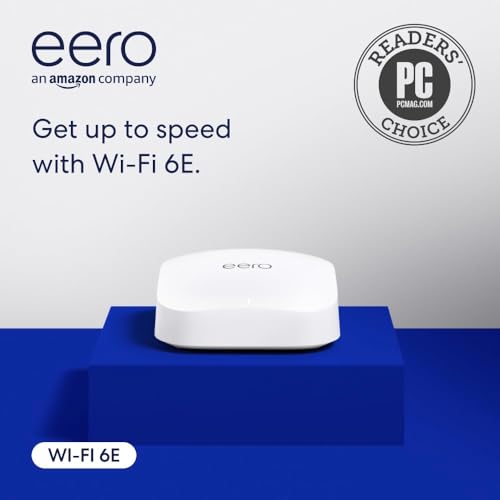
The eero Pro 6E is a certified refurbished unit that delivers the same performance as new, but at a more accessible price point. This single node covers up to 2,000 sq ft and supports 100+ connected devices, making it a strong foundation for mesh expansion. The TrueMesh technology intelligently routes traffic to avoid dead spots, and the 2.5 Gb Ethernet port supports gigabit+ internet plans.
One of the standout features is the built-in smart home hub support for Thread and Zigbee devices, plus Alexa integration. This eliminates the need for separate hubs for lights, locks, and sensors. The eero app provides simple network management, and automatic firmware updates keep the system secure without user intervention. Customers report handling 100+ smart home devices without lag or connectivity issues.
As a refurbished unit, some users have received defective units that required replacement, and the refund process can take over a week. The 2.5 Gb port is limited compared to dedicated multi-gig routers, and advanced network controls are less granular than competitor offerings. For budget-conscious buyers who want a reliable mesh foundation with smart home integration, this is an excellent starting point.
Why it’s great
- Includes built-in Thread and Zigbee smart home hub
- TrueMesh technology eliminates dead spots effectively
- Certified refurbished quality at a budget-friendly entry point
Good to know
- Refurbished units may have failure risk and slow refunds
- 2.5 Gb port is the only multi-gig option
- Limited advanced network settings for power users
9. Netgear Orbi 370 Series

The Orbi 370 Series is a dual-band WiFi 7 mesh system that provides an entry point into the next generation of wireless technology without the premium price. It delivers aggregate speeds up to 5 Gbps, with 2.5 Gb WAN and LAN ports that support multi-gig fiber plans. The system covers up to 6,000 sq ft with the router and two satellites, making it suitable for large homes.
Customers upgrading from older mesh systems like Google Mesh report massive improvements in signal strength and speed, with seamless roaming and dead zone elimination. The enhanced backhaul on the dual-band setup helps maintain reliable speeds throughout the home, and the system is fully backward-compatible with older devices. The app-based setup is straightforward, and automatic firmware updates enhance security.
The dual-band design lacks a dedicated 6 GHz backhaul band, which can cause performance drop at extreme ranges compared to tri-band or quad-band systems. Some customers have reported satellites dropping offline multiple times daily, requiring manual resets. The app-based setup can be finicky, and support after the 30-day window may require a paid plan. For a budget entry into WiFi 7 with multi-gig ports, this is a stepping stone.
Why it’s great
- Budget-friendly entry point into WiFi 7 technology
- 2.5 Gb WAN and LAN ports support multi-gig internet
- Strong 6,000 sq ft coverage with extended range
Good to know
- Dual-band design lacks dedicated backhaul for peak performance
- Satellites may drop offline requiring manual resets
- Paid support required after 30-day warranty window
FAQ
Do I need Wi-Fi 6E devices to benefit from a 6E router?
Can I use a 6E router with a gigabit internet plan?
Final Thoughts: The Verdict
For most users, the 6e router winner is the Linksys Velop Pro MX6200 because its Cognitive Mesh technology dynamically avoids congestion and provides strong 6 GHz coverage across large homes. If you want maximum multi-gig performance, grab the ASUS ROG Rapture GT-AXE16000. And for the simplest whole-home 6E upgrade, nothing beats the Google Nest WiFi Pro 3-Pack.

Mo Maruf
I created WellFizz to bridge the gap between vague wellness advice and actionable solutions. My mission is simple: to decode the research and give you practical tools you can actually use.
Beyond the data, I am a passionate traveler. I believe that stepping away from the screen to explore new environments is essential for mental clarity and physical vitality.