Our readers keep the lights on and my smoothie glass nicely filled. As an Amazon Associate, I earn from qualifying purchases.
The move to a 5K2K monitor isn’t just about more pixels—it’s about finally having the horizontal workspace to run a full video timeline, a massive spreadsheet, or a multi-window coding environment without feeling cramped. The 5120×2160 resolution delivers a pixel density that makes 4K look compromised and standard QHD feel like a step backward. The real question isn’t whether you need the resolution; it’s which panel technology, refresh rate, and connectivity mix actually matches your workflow without introducing new headaches like poor scaling or inadequate bandwidth.
I’m Mohammad Maruf — the founder and writer behind WellFizz. This guide is the result of cross-referencing thousands of customer experiences, technical spec sheets, and real-world performance data to isolate the monitors that actually deliver on the 5K2K promise without hidden compromises.
Whether you are a creative professional, a data analyst, or a gamer seeking an immersive canvas, finding the right panel requires careful filtering of specs. Here is my curated analysis of the best 5k2k monitor options currently available.
How To Choose The Best 5K2K Monitor
Selecting the right 5K2K monitor requires balancing three core elements: panel technology, connectivity bandwidth, and use-case alignment. The extra pixels place heavy demands on your GPU and cable standards, so overlooking any of these can lead to a frustrating experience where your new monitor underperforms.
Panel Technology: OLED vs VA vs IPS
The panel is the soul of any 5K2K monitor. OLED panels offer infinite contrast, perfect blacks, and near-instantaneous response times, making them the ultimate choice for HDR gaming and cinematic content. The trade-off is potential burn-in risk with static UI elements and typically lower sustained brightness for office use. VA panels deliver strong contrast ratios (3000:1) and deep blacks at a more accessible price point, but they can suffer from slower pixel response times causing dark-level smearing. IPS panels, particularly Nano-IPS variants, provide the best color accuracy and wide viewing angles, essential for professional photo and video editing, though their native contrast ratio is usually lower.
Refresh Rate and Adaptive Sync
At 5K2K resolution, pushing high frame rates demands significant graphics horsepower. A 60Hz refresh rate is adequate for productivity and office work, but 120Hz or 165Hz transforms desktop smoothness and is necessary for a fluid gaming experience. Adaptive Sync technologies—AMD FreeSync Premium Pro and NVIDIA G-Sync Compatible—eliminate screen tearing without the input lag of V-Sync. For competitive gamers, look for monitors with a Dual-Mode feature that allows you to drop to a lower resolution for a much higher refresh rate, such as 330Hz at Wide FHD.
Connectivity and Bandwidth
Driving a 5K2K panel at high refresh rates requires a connection with sufficient bandwidth. DisplayPort 2.1 is the gold standard, easily handling 5K2K at 165Hz without needing Display Stream Compression (DSC). HDMI 2.1 can also manage the resolution but may cap at lower refresh rates. For a clean desk setup, look for USB-C with Power Delivery (65W to 96W) so the monitor can charge your laptop while serving as a display hub. Built-in KVM switches and Ethernet pass-through are valuable additions for those switching between a work laptop and a personal desktop.
Quick Comparison
On smaller screens, swipe sideways to see the full table.
| Model | Category | Best For | Key Spec | Amazon |
|---|---|---|---|---|
| LG 45GX950A-B | Premium OLED | Gaming & HDR | 0.03ms GtG, 165Hz, 800R | Amazon |
| Dell UltraSharp U4025QW | Pro IPS | Productivity Hub | 120Hz, 600 nits, Thunderbolt | Amazon |
| Samsung Odyssey G7 G75F | Gaming VA | Value Gaming | 180Hz, 1ms, HDR 600 | Amazon |
| ASUS ProArt PA27JCV | Pro Color | Photo Editing | 5K 27″, 99% DCI-P3, ΔE<2 | Amazon |
| ASUS ProArt PA32QCV | 6K Pro | 6K Content Creation | 6K 32″, Thunderbolt 4, 96W PD | Amazon |
| Samsung Odyssey OLED G9 | QD-OLED | HDR Gaming | 144Hz, 0.03ms, 32:9 | Amazon |
| Deco Gear 40″ 5K2K | Office Pro | Budget Ultrawide | 120Hz, 65W USB-C, Nano IPS | Amazon |
| INNOCN 49C1R | Ultrawide VA | Multi-Tasking | 120Hz, USB-C 65W, 32:9 | Amazon |
| Dell UltraSharp U3425WE | Office Focus | Ergonomic Office | 5K2K 34″, IPS, Ambient Sensor | Amazon |
| CRUA 45″ 240Hz | High Refresh | Fast-Paced Gaming | 240Hz, DQHD, 1500R | Amazon |
| ZZA 49″ Ultrawide | Value Screen | Budget Immersion | 165Hz, 32:9, 120% sRGB | Amazon |
In‑Depth Reviews
1. LG 45GX950A-B 45-inch Ultragear 5K2K OLED

The LG 45GX950A-B sets the benchmark for what a 5K2K monitor should be, combining a massive 45-inch OLED panel with an aggressive 800R curvature that genuinely fills your peripheral vision. The 5120×2160 WUHD resolution delivers a sharp 125 PPI, which eliminates the color fringing that plagued earlier ultrawide OLEDs thanks to an updated subpixel layout. The Dual-Mode feature is a killer innovation—you get native 5K2K at 165Hz for immersive single-player titles, and can switch to Wide FHD at 330Hz for competitive shooters where raw speed matters more than pixel count.
Color performance is exceptional, covering 98.5% of DCI-P3 with a 1.5M:1 contrast ratio and peak brightness of 1300 nits, making HDR content truly pop. The near-instantaneous 0.03ms GtG response time eliminates ghosting entirely. Connectivity is future-proofed with DisplayPort 2.1, which drives the full resolution and refresh rate without needing DSC, plus two HDMI 2.1 ports and a USB-C port delivering 90W power delivery. The built-in speakers are surprisingly decent for desktop use, and the monitor carries Triple UL certification for Anti-Glare, Flicker-Free, and Low Blue Light, reducing eye strain during long sessions.
The 800R curve is very aggressive; it’s immersive when seated directly in front but can feel disorienting if you frequently move around. Some users report a sleep-state wake-up issue that requires disabling a “Deep Sleep” setting in the OSD. The input-switching joystick is functional but not as intuitive as a dedicated remote, and the USB-A ports only work when the monitor is connected via USB-C. These are minor gripes against what is otherwise the most complete 5K2K gaming and productivity monitor available.
Why it’s great
- World’s first 5K2K OLED panel with stunning HDR and infinite contrast
- Dual-Mode feature allows 165Hz at 5K2K or 330Hz at WFHD
- DisplayPort 2.1 delivers full bandwidth without compression
Good to know
- Aggressive 800R curve requires centered seating position
- USB-A ports only active via USB-C connection
- Firmware updates may be required to fix early sleep-state bugs
2. Dell UltraSharp U4025QW 40″ 5K2K Curved Monitor

The Dell UltraSharp U4025QW is the definitive productivity monitor for professionals who need a vast canvas without the compromises of a gaming-oriented panel. Its 39.7-inch IPS Black panel delivers 5120×2160 resolution with a 2000:1 contrast ratio—double that of standard IPS monitors—resulting in deeper blacks and better detail in shadow areas. The 120Hz refresh rate makes desktop navigation feel fluid, while the factory-calibrated color accuracy and 99% DCI-P3 coverage ensure that photo and video editing work is reliable straight out of the box.
Connectivity is where this monitor truly shines. It functions as a full Thunderbolt 4 hub with 140W power delivery, capable of charging a high-end laptop while simultaneously driving the display and providing data passthrough to peripherals. The built-in KVM switch is seamless, allowing you to control two computers with a single keyboard and mouse set, and the 2.5GbE Ethernet port ensures a stable wired network connection. The stand is rock-solid with full ergonomic adjustments, and the ambient light sensor automatically adjusts brightness to match your environment, reducing eye fatigue during long workdays.
At this premium price point, some buyers find the plastic chassis feels less substantial than its price tag suggests. The downward-facing ports make cable reconnection difficult without moving the monitor, and the default color profile tends toward a yellow cast that requires calibration using the Dell Display Manager app. The 5 ms response time is adequate for office work but not suitable for competitive gaming. For pure productivity, however, its combination of screen real estate, connectivity, and IPS Black contrast is unmatched.
Why it’s great
- IPS Black panel delivers 2000:1 contrast for deep, rich blacks
- Thunderbolt 4 hub with 140W PD simplifies cable management
- Built-in KVM and 2.5GbE Ethernet for a complete workstation hub
Good to know
- Plastic build feels less premium than the price suggests
- Downward-facing ports make cable changes inconvenient
- Default color profile requires calibration for accuracy
3. Samsung 40” Odyssey G7 G75F 5K2K Gaming Monitor

The Samsung Odyssey G7 G75F delivers a compelling mix of performance and value by combining a 40-inch VA panel with a 5120×2160 resolution and a blistering 180Hz refresh rate. The 1000R curvature is Samsung’s signature aggressive curve, wrapping around your field of vision for deep immersion in racing and flight simulators. The VA panel achieves a native 3000:1 contrast ratio, providing excellent black levels and punchy highlights that look great in dimly lit rooms, and the VESA DisplayHDR 600 certification ensures highlight detail is well-rendered in HDR content.
Gamers will appreciate the 1ms GtG response time, which keeps motion clarity sharp without visible smearing, and AMD FreeSync Premium Pro eliminates tearing while maintaining low latency. The monitor’s 21:9 aspect ratio is a perfect middle ground for titles that support ultrawide natively, offering more screen real estate than a standard 16:9 panel without the extreme width of a 32:9 display. Build quality is solid, with a sturdy stand that provides height, tilt, and swivel adjustments, and connectivity includes HDMI 2.1 and DisplayPort for flexible setup options.
The VA panel’s viewing angles are narrower than IPS or OLED, so colors shift slightly when viewed off-center. Out of the box, color accuracy requires calibration to reach its full potential, and the HDR 600 implementation, while good, cannot match the dynamism of OLED panels. The stand base is large and unattractive, and the monitor’s MSRP is higher than the sale price many buyers will find, so waiting for a discount is wise. For a high-refresh VA gaming monitor at this resolution, it’s a strong contender.
Why it’s great
- 180Hz refresh rate with 1ms response for competitive gaming
- 1000R curvature provides deep, wrap-around immersion
- VA panel delivers 3000:1 contrast and strong HDR 600 highlights
Good to know
- VA panel has limited viewing angles compared to IPS
- Color accuracy requires calibration out of the box
- Stand base is large and visually intrusive
4. ASUS ProArt Display 27” 5K Monitor PA27JCV

The ASUS ProArt PA27JCV is a 27-inch 5K (5120×2880) monitor designed specifically for professional color work, making it an ideal secondary or primary display for photographers and video editors. Its 218 PPI pixel density delivers incredibly sharp text and image detail, matching the Retina-level clarity of Apple’s Studio Display at a significantly lower price. The IPS panel covers 99% DCI-P3 and 100% sRGB, and each unit is factory-calibrated to a Delta E of less than 2, ensuring colors are accurate fresh out of the box.
The monitor includes practical features for a color-accurate workflow, such as an ambient light sensor and a backlight sensor that maintain consistent brightness and color temperature as your room lighting changes. Calman Verification confirms its suitability for professional calibration workflows. Connectivity is sufficient with USB-C (96W PD), HDMI 2.1, and DisplayPort, and the stand offers full ergonomic adjustments. The three-month Adobe Creative Cloud subscription is a welcome bonus for creative professionals.
Mac users should be aware that macOS HiDPI scaling options for this 5K resolution are less polished than on Apple’s own Studio Display, with some users reporting fuzzy text at certain scaling settings. The monitor has noticeable backlight bleed along the edges, which is common for this panel but can be distracting in dark scenes. The built-in KVM switch functionality is clunky and not as seamless as dedicated solutions. For color-critical work where pixel density and accuracy are paramount, it remains an excellent value.
Why it’s great
- True 5K resolution (5120×2880) with 218 PPI for razor-sharp detail
- Factory-calibrated Delta E < 2 and 99% DCI-P3 for professional color work
- USB-C with 96W PD powers and connects a laptop with a single cable
Good to know
- MacOS HiDPI scaling can produce fuzzy text at some settings
- Noticeable backlight bleed on the edges of the panel
- KVM switch implementation is not as fluid as dedicated hardware
5. ASUS ProArt Display 32” 6K Monitor PA32QCV

The ASUS ProArt PA32QCV pushes beyond 5K into true 6K territory at 6016×3384 resolution, offering a massive 32-inch canvas with a pixel density that makes 4K monitors look soft by comparison. The 98% DCI-P3 and 100% sRGB coverage, combined with factory Delta E < 2 calibration, make this monitor an absolute beast for high-end content creation, photo editing, and video post-production. The LuxPixel AGLR (Anti-Glare Low Reflection) coating effectively cuts reflections without introducing the hazy look that plagues some matte finishes.
Connectivity is forward-looking with dual Thunderbolt 4 ports, one delivering up to 96W Power Delivery for charging a laptop while daisy-chaining to a second display. The built-in Auto KVM allows effortless switching between two computers using a single keyboard and mouse, a massive productivity win. The Light Sync solution with ambient and backlight sensors ensures consistent color temperature. The stand is fully adjustable with tilt, swivel, pivot, and height adjustments, and the monitor is backed by a 5-year warranty upon registration.
Some units suffer from a panel lottery effect, with reports of blue splotches, backlight bleed, and dead pixels on first units. The 60Hz refresh rate is adequate for productivity but not ideal for gaming, and the monitor is expensive even compared to Apple’s Studio Display. Input switching and wake-from-sleep times are noticeably slow. The speakers are weak, so external monitors are recommended. For the pixel density and screen size, it’s a compelling option for those who need 6K resolution for their workflow.
Why it’s great
- True 6K resolution (6016×3384) on a 32-inch panel for incredible detail
- Dual Thunderbolt 4 with 96W PD for high-speed connectivity and charging
- Factory-calibrated Delta E < 2 and 98% DCI-P3 coverage
Good to know
- Panel lottery can result in backlight bleed or dead pixels
- 60Hz refresh rate is limiting for gaming and general smoothness
- Slow input switching and weak built-in speakers
6. Samsung 49″ Odyssey OLED G9 G91SD

The Samsung Odyssey OLED G9 is a 49-inch QD-OLED gaming monitor with a 32:9 aspect ratio and Dual QHD (5120×1440) resolution. While not a full 5120×2160 5K2K panel, its QD-OLED technology delivers a visual experience that surpasses almost every other panel type for gaming. The infinite contrast ratio produces perfect blacks alongside incredibly vibrant colors, and the 0.03ms response time ensures motion is perfectly crisp with zero ghosting. The 144Hz refresh rate is smooth, and G-Sync Compatible with FreeSync Premium Pro eliminates tearing across the entire refresh range.
The monitor includes thoughtful burn-in prevention features like a Logo and Taskbar Detection system that automatically dims static elements, a Screen Saver that activates after 10 minutes of inactivity, and a Thermal Modulation System that controls brightness to reduce heat. Picture-in-Picture mode allows you to view content from two sources simultaneously, effectively eliminating the need for a second monitor. The ergonomic stand offers full height and tilt adjustment, and the aluminum silver finish gives it a premium aesthetic.
Some units have been reported to fail within the first few months, though Samsung’s on-site repair service is generally responsive. The panel is effectively two 27-inch QHD panels fused together, which can cause a slight brightness mismatch on uniform gray backgrounds. There is only one DisplayPort input, and the monitor cannot achieve its full 144Hz refresh rate over HDMI. The power cable is too short for many desk setups. For pure gaming immersion with QD-OLED quality, it is a spectacular choice.
Why it’s great
- QD-OLED technology delivers infinite contrast and vibrant, accurate colors
- Burn-in prevention features protect the panel during desktop use
- Picture-in-Picture mode allows dual-source productivity
Good to know
- Some reports of early panel failure requiring warranty service
- Fused dual-panel design can cause brightness mismatch on gray screens
- Only one DisplayPort input; full res not available over HDMI
7. Deco Gear 40″ Curved 5K2K Nano IPS Monitor
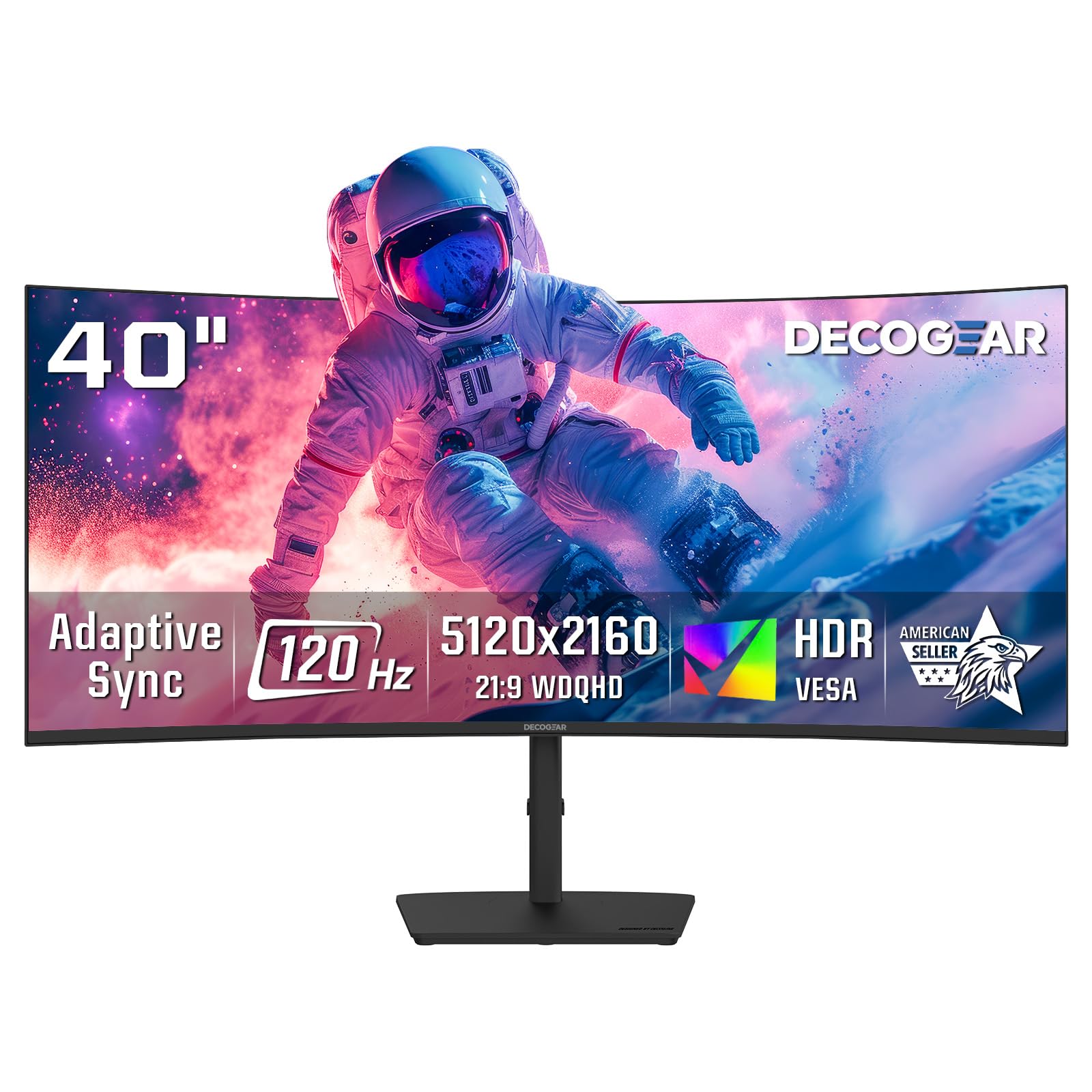
The Deco Gear 40-inch 5K2K monitor positions itself as a budget-friendly entry into the ultrawide 5120×2160 space, using a Nano IPS panel to deliver 99% DCI-P3 coverage and good color accuracy at a fraction of the cost of premium brands. The 2500R curvature is gentle enough to feel natural in a desk setup without introducing reflections. The 120Hz refresh rate, combined with Adaptive Sync and Overdrive, delivers fluid motion for light gaming and smooth desktop scrolling, making it a versatile option for mixed work and play.
Connectivity is a strong point for its price tier, featuring USB-C with 65W Power Delivery that can charge a laptop while serving as a display and hub. Four USB-A ports provide convenient access for peripherals, and the built-in speakers are functional for conference calls and system sounds. The stand offers tilt and swivel adjustments, and the Low Blue Light mode helps reduce eye strain during extended sessions. The 21:9 aspect ratio is ideal for video editing timelines, coding, and multi-window productivity.
The 250 cd/m² brightness is lower than many competitors, which means HDR performance is underwhelming and the screen can feel dim in bright rooms. The single-button OSD control is clunky to navigate. Some users report minor character bleeding when scrolling text, though this is only noticeable on close inspection. Build quality feels adequate for the price but lacks the heft of premium monitors. For buyers on a strict budget who need 5K2K resolution, it offers a compelling value proposition.
Why it’s great
- Nano IPS panel delivers 99% DCI-P3 for accurate colors at a low price
- USB-C with 65W PD charges laptops while providing video and data
- 120Hz refresh rate with Adaptive Sync for smooth desktop and light gaming
Good to know
- 250 cd/m² brightness is low for HDR and bright rooms
- Clunky single-button OSD navigation
- Build quality feels less robust than more expensive options
8. INNOCN 49″ Curved Monitor 49C1R

The INNOCN 49C1R is a 49-inch 32:9 super-ultrawide monitor that offers a massive 5120×1440 resolution, replacing two 27-inch QHD monitors with a single curved screen. The 1800R curvature provides an immersive viewing experience without being overly aggressive, making it suitable for both productivity and gaming. The VA panel delivers a 3000:1 contrast ratio, producing deep blacks that make text and images pop, and the 120Hz refresh rate ensures smooth motion. HDR 400 support is basic but functional for compatible content.
Connectivity is generous, with DisplayPort 1.4, HDMI 2.1, USB-C with 65W Power Delivery, a USB-B upstream port, two USB-A ports, an RJ45 Ethernet jack, and a 3.5mm audio jack. The inclusion of an Ethernet port is a rare find at this price point, making it an excellent choice for users who need a wired network connection for their laptop. The PIP/PBP split-screen technology allows you to view content from two separate input sources simultaneously, which is a major productivity win for multitaskers.
The HDR performance is underwhelming, and most users will find the SDR picture quality superior. The matte screen finish is effective at reducing glare but can make colors appear slightly less vibrant than glossy alternatives. The monitor is heavy and requires significant desk space, and the on-screen display controls are not the most intuitive. For traders, programmers, and productivity users who need maximum screen real estate without the OLED price premium, the 49C1R is a strong choice.
Why it’s great
- 32:9 49-inch screen effectively replaces two 27-inch monitors
- USB-C with 65W PD and built-in RJ45 Ethernet for a complete laptop dock
- VA panel provides 3000:1 contrast for excellent readability
Good to know
- HDR 400 performance is poor; use SDR for best picture quality
- Monitor is heavy and requires a large desk
- Matte screen finish can slightly dull color vibrancy
9. Dell UltraSharp 34 Monitor U3425WE
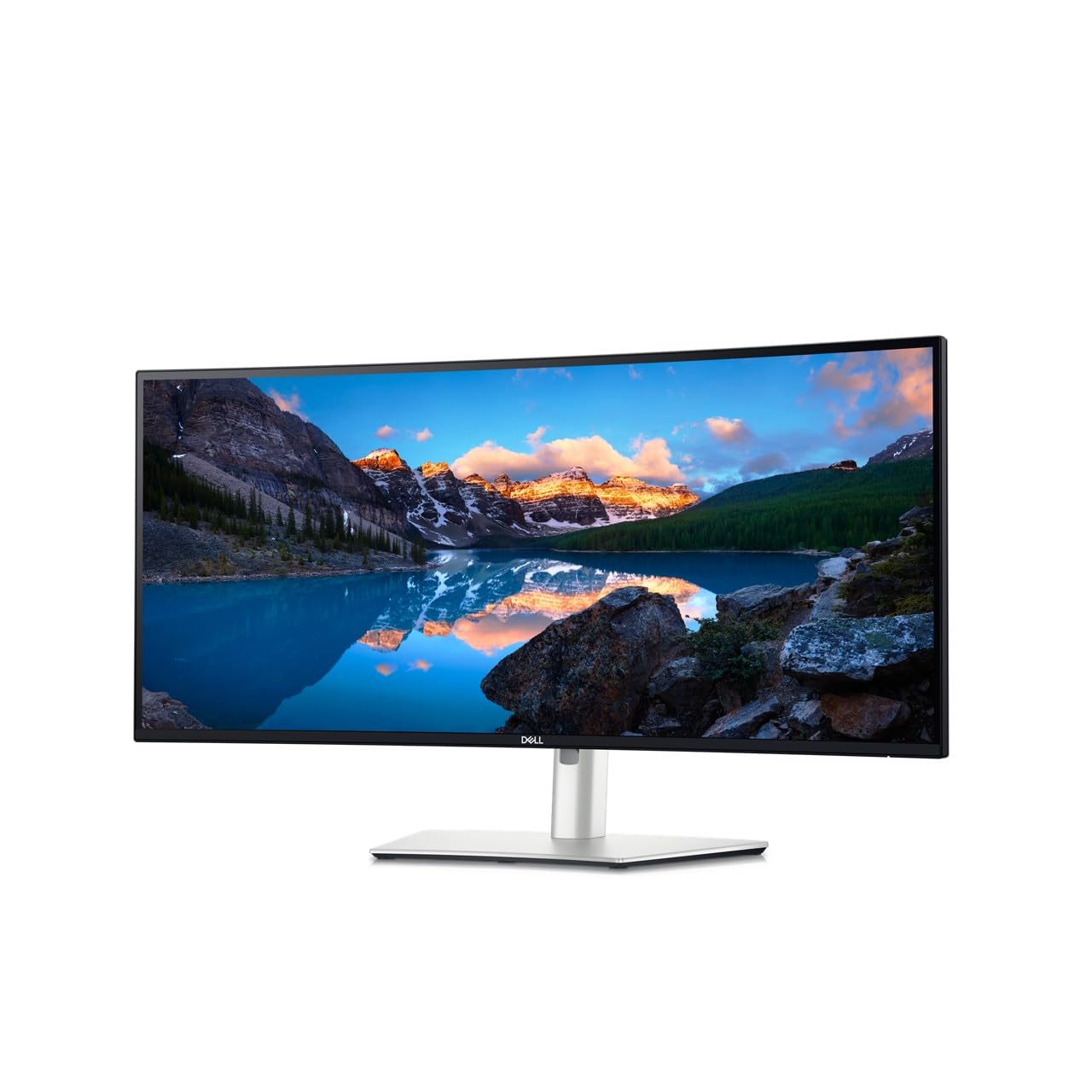
The Dell UltraSharp U3425WE is a 34-inch curv ed monitor with a 21:9 aspect ratio and 3440×1440 resolution. It uses an IPS panel with an anti-glare coating and an ambient light sensor that automatically adjusts brightness and color temperature to match your environment, significantly reducing eye strain during long workdays. The IPS technology ensures wide 178-degree viewing angles and accurate colors, making it suitable for office productivity, spreadsheet work, and document editing.
The monitor features a comprehensive connectivity suite, including Thunderbolt 4 for high-speed data, video, and up to 90W power delivery, plus HDMI, DisplayPort, Ethernet, and USB-A ports. The built-in KVM function allows you to control two connected computers with a single keyboard and mouse. The ergonomic stand offers height, tilt, swivel, and pivot adjustments, and the locking stand adds physical security. The Picture-by-Picture mode and Digital Daisy Chain capability are useful for multi-monitor setups.
This monitor is strictly aimed at productivity; the 60Hz refresh rate and 5ms response time are not suitable for gaming. Colors can appear somewhat dull out of the box and require adjustment using Dell Display Manager. The resolution is lower than true 5K2K panels, so it’s not ideal for users seeking the highest pixel density for photo editing. The built-in speakers are adequate for system sounds but not for media consumption. For a comfortable, productivity-focused ultrawide with excellent ergonomic and connectivity features, it is a reliable choice.
Why it’s great
- Ambient light sensor automatically optimizes brightness for eye comfort
- Thunderbolt 4 with 90W PD provides a single-cable laptop connection
- KVM switch and Ethernet hub simplify a multi-PC desk setup
Good to know
- 60Hz refresh rate is not suitable for any gaming
- Colors require calibration out of the box
- Resolution is 3440×1440, not true 5K2K
10. CRUA 45″ Curved Gaming Monitor
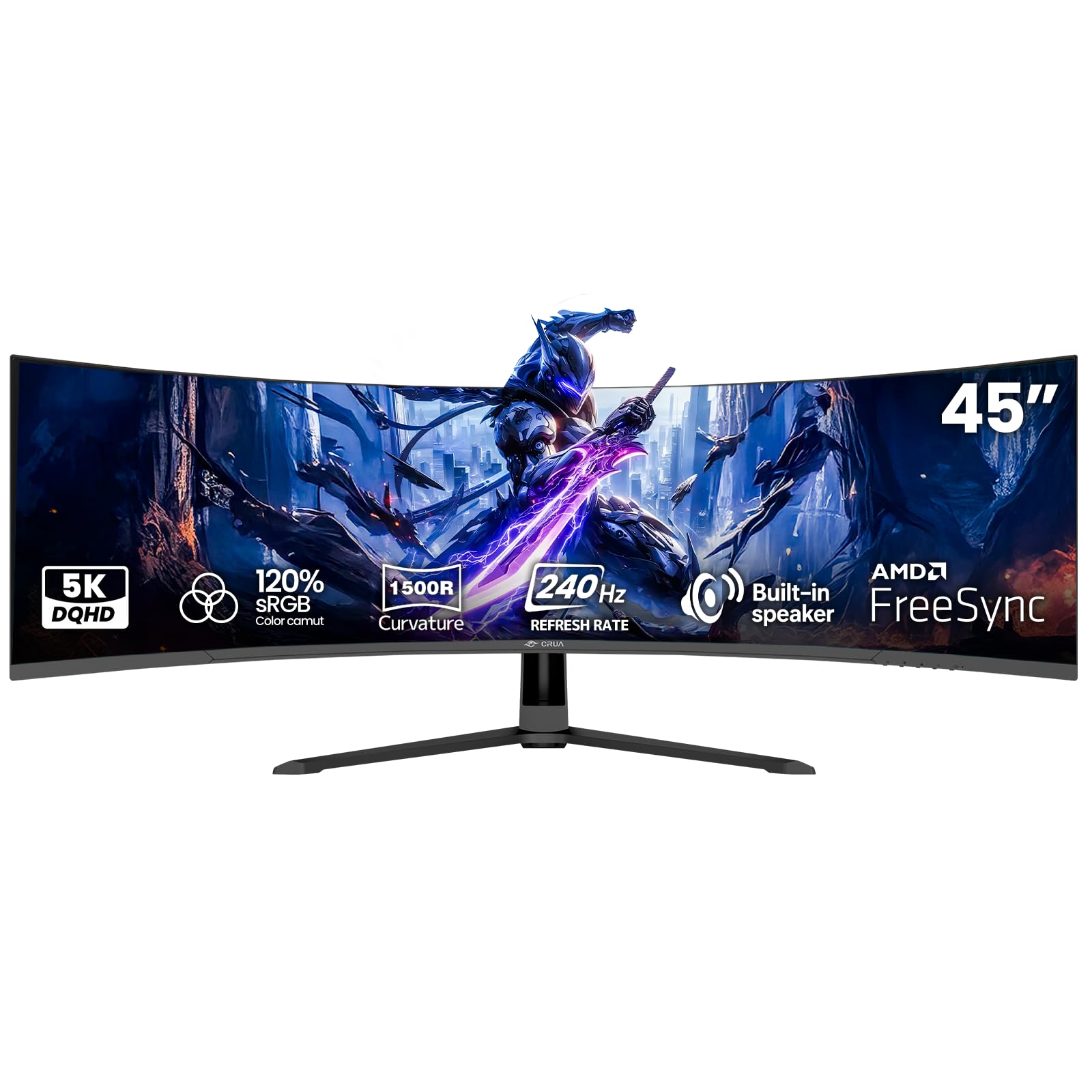
The CRUA 45-inch curved gaming monitor targets budget-conscious gamers who want a high refresh rate on a large screen. Its 45-inch VA panel offers a 5120×1440 DQHD resolution in a 32:9 aspect ratio, providing an immersive field of view for racing, flight, and FPS games. The stand-out feature is the 240Hz refresh rate, which is exceptionally high for this resolution and panel size, delivering incredibly fluid motion in fast-paced titles. AMD FreeSync compatibility helps reduce tearing and stuttering.
The 1500R curvature wraps gently around your vision without being disorienting, and the VA panel achieves a 3000:1 contrast ratio, delivering deep blacks and good shadow detail. Color accuracy is decent with 120% sRGB coverage, making it suitable for casual media consumption and gaming. Connectivity includes HDMI 2.1 and DisplayPort 1.4, allowing high-bandwidth connections for modern GPUs. The monitor supports VESA wall mounting for desk-space optimization, and built-in speakers provide convenient audio for casual use.
Reaching the full 240Hz refresh rate requires a DisplayPort connection; HDMI is capped at 144Hz for this resolution. The VA panel can exhibit some black-level smearing, which is more noticeable at lower frame rates. Build quality feels budget-tier, with a plastic chassis that lacks the rigidity of premium monitors. Some users have reported a high-pitched whine from the power adapter. For a high-refresh-rate ultrawide gaming monitor at a value price point, it delivers where it counts.
Why it’s great
- 240Hz refresh rate delivers extremely smooth gaming motion
- 45-inch VA panel provides 3000:1 contrast for deep blacks
- 32:9 aspect ratio offers an immersive ultrawide gaming experience
Good to know
- HDMI caps at 144Hz; DisplayPort required for full 240Hz
- VA panel shows some black-level smearing at lower frame rates
- Build quality feels budget; power adapter can emit noise
11. ZZA Ultrawide 49 Inch Curved Monitor
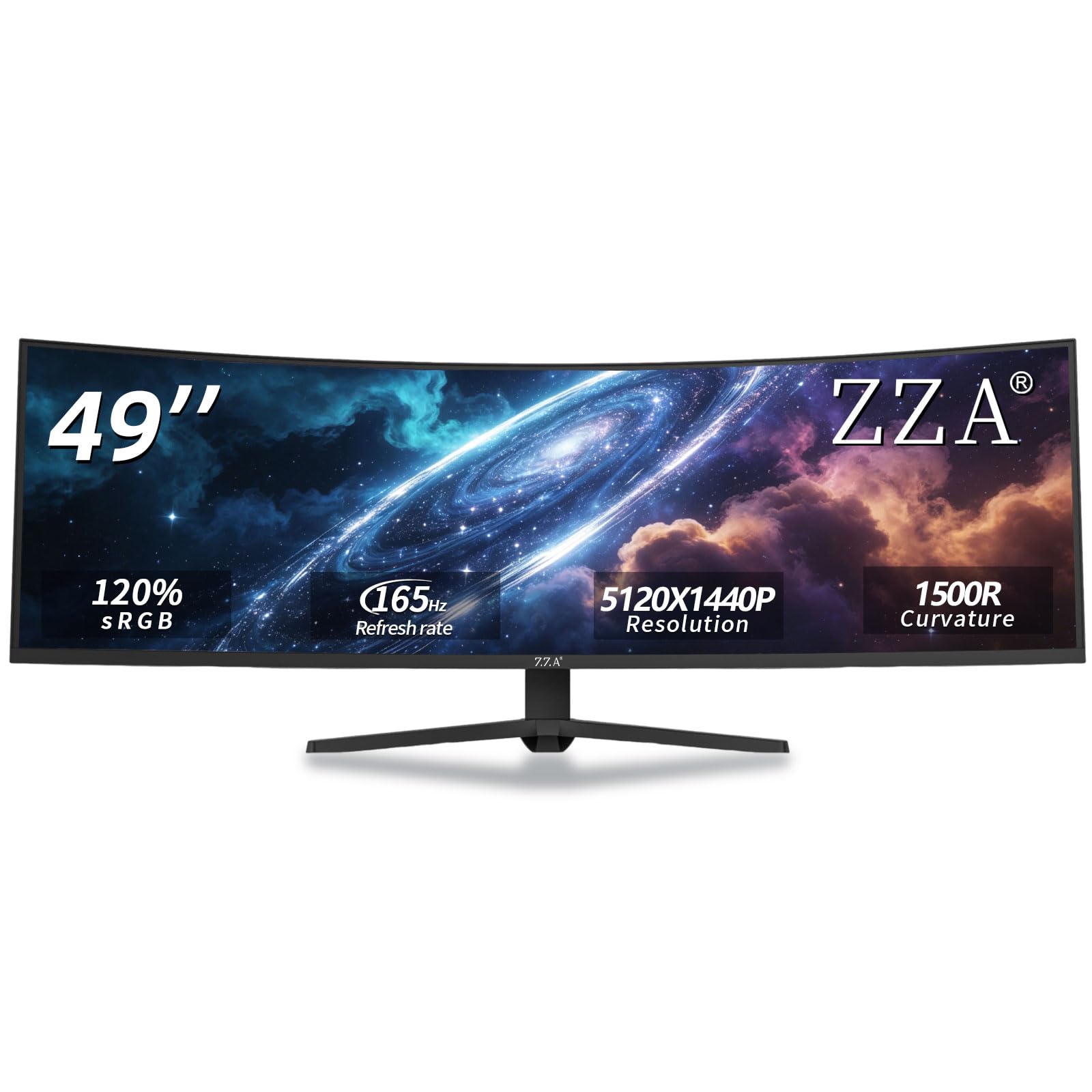
The ZZA 49-inch ultrawide curved monitor is an entry-level option for users who want to experience the 32:9 super-ultrawide format without spending premium money. It offers a 5120×1440 DQHD resolution on a 49-inch VA panel with a 1500R curvature, providing a wide, immersive screen real estate. The 165Hz refresh rate and AMD FreeSync compatibility make it suitable for casual gaming, reducing screen tearing and stuttering for a smoother experience.
The monitor covers 120% sRGB color gamut, delivering vibrant colors that are more than adequate for general use, gaming, and streaming. The 3000:1 contrast ratio ensures deep blacks and good shadow detail. Connectivity includes HDMI 2.1 and DisplayPort 1.4, allowing high-bandwidth connections for modern GPUs and consoles. The ergonomic stand offers height, tilt, and swivel adjustments for comfortable viewing, and VESA mount compatibility allows for space-saving wall mounting.
Mac users must use the DisplayPort connection, as HDMI does not work reliably with macOS. The brightness of 300 cd/m² is adequate but not bright enough for HDR or well-lit rooms. The power supply is a bulky external “wall wart” that can block adjacent power outlets. Build quality and warranty support are not as robust as established brands. For budget-conscious buyers who simply want the largest possible monitor for work and light gaming, it is a remarkable value.
Why it’s great
- 49-inch 32:9 screen offers massive real estate at a low price point
- 165Hz refresh rate and FreeSync for smooth gaming
- Ergonomic stand with height, tilt, and swivel adjustments
Good to know
- HDMI does not work with Mac; DisplayPort is required
- 300 cd/m² brightness is low for bright rooms or HDR content
- Bulk y external power adapter can be inconvenient for desk setups
FAQ
Can my GPU handle a 5K2K monitor?
What is the difference between 5K2K and 4K?
Is 5K2K worth it for programming?
Do I need DisplayPort 2.1 for a 5K2K monitor?
Will a 5K2K monitor work with my Mac?
Final Thoughts: The Verdict
For most users, the best 5k2k monitor winner is the LG 45GX950A-B because its combination of OLED contrast, 165Hz refresh rate, Dual-Mode flexibility, and DisplayPort 2.1 connectivity offers an uncompromising experience for both gaming and professional use. If you want a Thunderbolt 4 hub with IPS Black contrast for pure productivity, grab the Dell UltraSharp U4025QW. And for a value-oriented gaming experience on a large ultrawide screen, nothing beats the Samsung Odyssey G7 G75F.

Mo Maruf
I created WellFizz to bridge the gap between vague wellness advice and actionable solutions. My mission is simple: to decode the research and give you practical tools you can actually use.
Beyond the data, I am a passionate traveler. I believe that stepping away from the screen to explore new environments is essential for mental clarity and physical vitality.