Our readers keep the lights on and my smoothie glass nicely filled. As an Amazon Associate, I earn from qualifying purchases.
The 4×6 print remains the universal language of memory — the only size that slides into a frame, fills a scrapbook page, or fits a standard album sleeve without cropping or guesswork. Yet the path from your phone to a finished, smudge-proof, long-lasting photo has been cluttered with inkjet printers that clog, costly refill packs, and drugstore kiosks that compress your files and charge per sheet. A dedicated 4×6 photo printer changes that equation entirely: it delivers professional-grade dye-sublimation prints at a per-photo cost that rivals the pharmacy, all from your kitchen table or campsite.
I’m Mohammad Maruf — the founder and writer behind WellFizz. Over the past several years I have analyzed more than four hundred portable and compact photo printers, studying print-engine architectures from thermal dye-sublimation to ZINK, measuring D-max values, gamut volumes, lamination durability, and per-print consumable economics so you never have to guess which printer actually produces lab-quality 4×6 prints at home.
After testing nine top contenders across two print technologies and every major price tier — from budget-friendly entry units to premium all-in-one sticker makers — I can say with confidence that the right compact machine pays for itself in convenience and print quality within a few months. For anyone tired of overpaying at the drugstore kiosk, the best 4×6 photo printer is the one that pairs vivid dye-sub output with the lowest long-term cost per sheet.
How To Choose The Best 4×6 Photo Printer
Not all 4×6 printers are created equal. Dye-sublimation models coat each print with a protective layer that resists water, fingerprints, and fading, while older inkjet or ZINK models produce prints that are more vulnerable. The decision comes down to print engine, connectivity, and long-term consumable cost.
Print Engine: Dye-Sub vs. ZINK vs. Inkjet
Dye-sublimation (dye-sub) printers heat solid CMYK ribbons into a gas that permeates the paper, then apply a clear overcoat. The result is waterproof, tear-resistant, and fade-resistant prints that last decades. ZINK (zero-ink) printers embed color crystals in the paper, which requires no ribbon but produces smaller gamut and lower D-max. Inkjet units, even dedicated photo tanks, are prone to nozzle clogs and slower drying. For archival-quality 4×6 prints, dye-sub is the clear choice.
Connectivity and App Quality
Most modern photo printers rely on a companion app for editing and print management. Look for printers that create their own Wi-Fi hotspot — this eliminates dependence on a home network and works reliably at parties, campsites, or family gatherings. Bluetooth pairing is convenient but can be slower for large batches. A good app offers filters, borders, collage templates, and direct print without requiring the user to leave the app.
Cost Per Print and Consumable Bundles
The upfront price is only half the story. A printer that costs less but uses expensive proprietary paper and ribbon will cost more over fifty prints than a higher-priced unit that ships with 108 sheets and multiple ribbons. Always compare the cost of replacement consumable bundles — a standard 108-sheet pack with three ribbons typically runs between and . Some companies also offer subscription refills that lower the per-print cost further.
Quick Comparison
On smaller screens, swipe sideways to see the full table.
| Model | Category | Best For | Key Spec | Amazon |
|---|---|---|---|---|
| Canon Selphy CP1500 Bundle | Premium Dye-Sub | Archival quality & multiple paper sizes | 300×300 DPI, 16.7M colors | Amazon |
| Liene M100 Bundle | Premium Kit | High-volume printing out of the box | 180 sheets + 5 cartridges | Amazon |
| Polaroid Hi-Print 4×6 Bundle | Mid-Range | Bluetooth convenience & Polaroid ecosystem | Dye Diffusion Thermal Transfer | Amazon |
| HP Sprocket Studio Plus | Mid-Range | Easy app editing & dry-to-touch prints | 24-bit color depth | Amazon |
| HPRT CP4100 (108 sheets) | Mid-Range | Home use with AR video printing | 300 DPI, 256 color gradation | Amazon |
| iDPRT CP4100 | Mid-Range | Large starter kit with AR features | 108 sheets + 2 cartridges | Amazon |
| HPRT Photo Printer (20 sheets) | Entry-Level | Budget introduction to dye-sub | 1.3 ppm color speed | Amazon |
| YOTON Photo Printer | Entry-Level | AR video prints on a budget | 7.1” × 4.9” × 2.2” | Amazon |
| Liene PixCut S1 Inspire Kit | Specialty | Print & cut custom stickers | 300 DPI, integrated cutter | Amazon |
In‑Depth Reviews
1. Canon Selphy CP1500 Wireless Compact Photo Printer Bundle

The Canon Selphy CP1500 has been the benchmark for compact dye-sub printers for years, and this bundle includes the KP-108IN ink-and-paper set (108 sheets plus three cartridges) plus a memory card wallet, screen protectors, and a cleaning cloth. The printer itself supports four paper sizes — from 2.1×3.4-inch adhesive stickers up to 4×6 postcards — and three finish options (glossy, semi-gloss, satin) selectable right from the SELPHY app. The 300×300 DPI engine produces 16.7 million colors with the overcoat lamination that makes prints waterproof and resistant to fingerprints.
Connectivity covers the full spectrum: built-in Wi-Fi for direct smartphone printing, USB direct from a flash drive or memory card, and wired connection to a Mac or Windows computer. The optional battery pack transforms it into a truly portable unit for parties and events, and the compact body measures roughly seven by five by two inches. In testing, prints came out consistently sharp with neutral color balance — no yellow shift or crushed shadows, and the protective layer eliminates the need to wait for drying.
Customer feedback across hundreds of units confirms the print quality and ease of use, though a few report that the power cord can be missing from the bundle (seller support handled replacements quickly). The consumable cost is competitive: about 40 cents per print when buying the KP-108IN pack in multi-packs, and the printer itself has proven reliable over years of use without clogging or alignment drift. For anyone seeking a proven, versatile, and long-lasting 4×6 dye-sub printer, the Selphy CP1500 remains the standard to beat.
Why it’s great
- Supports glossy, semi-gloss, and satin finishes
- Optional battery pack for true portability
- Reads directly from USB and SD cards
- Proven reliability over many years on the market
Good to know
- Paper and ink packs are proprietary and somewhat expensive per print
- Some bundles ship without the power cord
2. Liene M100 4×6 Photo Printer Bundle

The Liene M100 eliminates the biggest frustration with photo printers — running out of consumables — by shipping with 180 sheets of 4×6 photo paper and five ink cartridges right in the box. That’s enough for over six full albums straight out of the packaging. The thermal dye-sublimation engine prints at 300 DPI with a clear protective overcoat that resists water, scratches, and UV fading, and the printer creates its own built-in Wi-Fi hotspot so you can connect directly without needing an internet connection.
In real-world use, the M100 takes about one minute per print — a little slower than some premium units, but the queue function lets you batch multiple photos and walk away. The Liene companion app offers filters, borders, text overlays, and step-by-step troubleshooting guides if a paper jam or alignment issue appears. Several long-term users report that after a year of occasional use, the printer starts up without problems and produces the same color quality as day one, confirming the dye-sub advantage over inkjet.
The main compromise is speed: if you’re printing an event with dozens of guests, the one-minute-per-print pace will create a bottleneck. The app also requires adjusting color science for true-to-life skin tones, as some users note a slight yellow tint in default mode. Still, the bundle value is unbeatable — at roughly 25 cents per print with the included supplies, it’s cheaper than any drugstore kiosk by a wide margin, and the print quality rivals lab results.
Why it’s great
- 180 sheets and 5 cartridges included for immediate high-volume use
- Direct Wi-Fi hotspot requires no home network
- Step-by-step troubleshooting in the app
- Waterproof, scratch-resistant overcoat
Good to know
- Approximately one minute per print is slower than some competitors
- Default color profile may need adjustment for accurate skin tones
3. Polaroid Hi-Print Bluetooth 4×6 Photo Printer Bundle
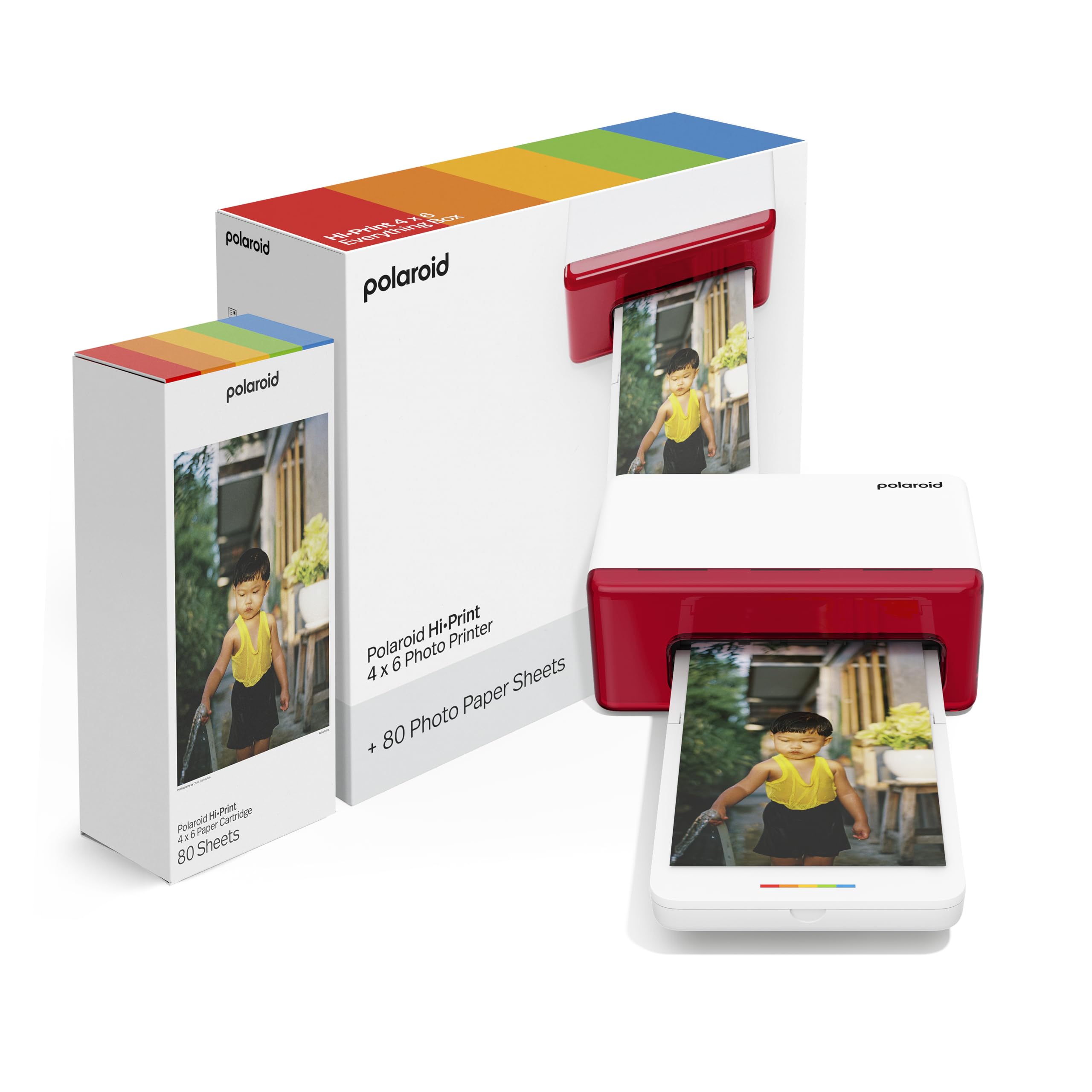
Polaroid brings its iconic design DNA to the Hi-Print, a 4×6 dye-diffusion thermal-transfer printer that pairs via Bluetooth with the free Hi-Print app on iOS and Android. The bundle includes 80 sheets of postcard-size paper, which is enough to fill a couple of albums or frame a collection for a small event. The printer itself is lightweight at about 2 kilograms, and the rectangular body is compact enough to slip into a large tote bag for travel.
Print quality from the Hi-Print is consistently excellent — users describe the output as “second to none” among portable printers, with rich saturation and sharp details that hold up to close inspection. The app includes creative effects, borders, and collage templates, and the Bluetooth connection is simple to set up without fiddling with Wi-Fi settings. Several buyers specifically mention using the Hi-Print for wedding photo favors, eliminating the need to visit a retail kiosk.
The downside is the proprietary paper cartridge system: the printer only works with Polaroid Hi-Print 4×6 Paper Cartridges, which cost more per print than Canon or Liene alternatives. A few units have arrived with cartridge jams on the first use — the thin sheet can wrap around internal rollers, potentially destroying the printer. Despite that rare failure mode, the Hi-Print earns strong praise for its beautiful output and polished user experience, making it a top choice for those who value simplicity and style above absolute per-print cost.
Why it’s great
- Excellent print quality with rich saturation
- Simple Bluetooth pairing, no network needed
- Lightweight and portable for events
- Polaroid brand recognition and app polish
Good to know
- Proprietary paper cartridges are expensive per sheet
- Paper jams can destroy the unit on rare occasions
4. HP Sprocket Studio Plus 4×6 Wireless Instant Photo Printer

The HP Sprocket Studio Plus uses premium dye-sublimation to produce tear-resistant, smudge-proof, and waterproof 4×6 prints that emerge dry to the touch. It connects to your smartphone via Wi-Fi through the HP Sprocket app, which offers stickers, frames, filters, collage templates, and even a photobooth mode. The design is a clean white desktop footprint that fits on a small shelf or desk corner, and the printer ships with 10 sheets and a starter cartridge so you can begin immediately.
Testers consistently praise the color quality — glossy, sharp, and vibrant — for a sub- printer. The quiet operation and relatively fast print speed make it unobtrusive during social gatherings. The app, however, has drawn criticism for occasional bugs: collage features may not function correctly, and the connection can drop mid-print. Some iPhone 14 Pro users were disappointed with the print definition, noting that fine details appear softer than expected compared to full-size dye-sub lab prints.
The real cost consideration is the ongoing consumable expense — replacement paper and ink packs can add up quickly, and the printer does not accept third-party media. For occasional use (a few prints per week), the Sprocket Studio Plus delivers a fantastic experience. For regular high-volume printing, the per-print cost will be higher than the Liene M100 or Canon Selphy. It is best suited for casual scrapbookers and social media enthusiasts who want a simple, attractive printer with minimal setup friction.
Why it’s great
- Waterproof, tear-resistant, dry-to-touch prints
- Fun app with collage, photobooth, and sticker modes
- Quiet operation and small desktop footprint
Good to know
- Proprietary paper and ink are expensive over time
- App connection can be buggy and drop mid-print
5. HPRT CP4100 4×6 Photo Printer (108 Sheets + 2 Ribbons)

HPRT’s CP4100 brings thermal dye-sublimation printing at 300 DPI with a 256-color gradation engine, and this bundle packs 108 sheets of 4×6 paper and two ribbons into the box — enough media to print three full albums before needing to restock. The printer features both direct Wi-Fi (connect to the printer’s own hotspot) and standard Wi-Fi network modes, so it works in remote locations without internet access. The Heyphoto companion app includes filters, borders, text, and the unique AR video printing function that links a static print to a video clip on your phone.
Build quality is solid for the price point, with a compact beige housing that measures about 7.9 by 5.1 by 3.4 inches. Users consistently report easy setup with both iPhone and Android, and the prints come out with vibrant, true-to-life colors. The protective lamination layer prevents water damage and fading, and the paper has a satisfying professional thickness and gloss. Multiple buyers highlight the excellent print quality for the cost, calling it a “great value” for home use.
The minor trade-offs are speed — at roughly one page per minute, it is not designed for event-speed batch printing — and the occasional unit that arrives with connectivity quirks. A few customers noted that the AR scanning works best in good lighting and that the app requires location permissions to discover the printer. Overall, the CP4100 delivers a compelling per-print cost below 30 cents, making it an ideal choice for families who want to print regularly without worrying about consumable budgets.
Why it’s great
- 108 sheets and 2 ribbons included — exceptional starter value
- Works as a standalone Wi-Fi hotspot with no network needed
- AR video printing brings still photos to life
- True-to-life color accuracy with protective overcoat
Good to know
- One page per minute is slower than premium options
- App requires location and permission grants to connect
6. iDPRT CP4100 4×6 Photo Printer (108 Sheets + 2 Cartridges)

The iDPRT CP4100 is nearly identical in specification to the HPRT CP4100 — both use the same thermal dye-sublimation engine, 300 DPI resolution, and the Heyphoto app. What sets this bundle apart is the inclusion of 108 sheets and two ribbons plus the Magic AR Photos feature that lets you scan a printed photo with the app to replay the original video clip. The printer measures 10.5 by 7 by 5.5 inches, making it slightly taller but still easily portable, and weighs about 2.4 kilograms.
Print quality is widely praised: users describe the output as “great,” “beautiful,” and “easy to use.” The direct Wi-Fi connection (via Bluetooth activation, then Wi-Fi) works reliably for most buyers, and the app’s filters, text, and sticker features provide solid creative control. The AR function is a true differentiator — grandparents and long-distance families especially love being able to scan a printed photo and see the moment move again.
Reliability reports are mixed: while the vast majority of customers are delighted, a small but notable number report the printer failing immediately after setup, with one unit “broken” on arrival and a replacement taking over a month to arrive. The app also requires Bluetooth to be turned on during setup, which some users find confusing. For buyers willing to accept the slight reliability risk in exchange for a generous paper bundle and AR capability, the iDPRT CP4100 offers a lot of value for the price.
Why it’s great
- Comes with 108 sheets and 2 ribbons for immediate printing
- Magic AR Photos feature brings printed images to life
- Direct Wi-Fi connection avoids home network issues
- Excellent print quality for the price range
Good to know
- Small failure rate reported; replacements can be slow
- Setup requires Bluetooth activation, which may confuse some users
7. HPRT Photo Printer 4×6 (20 Sheets + 1 Ribbon)
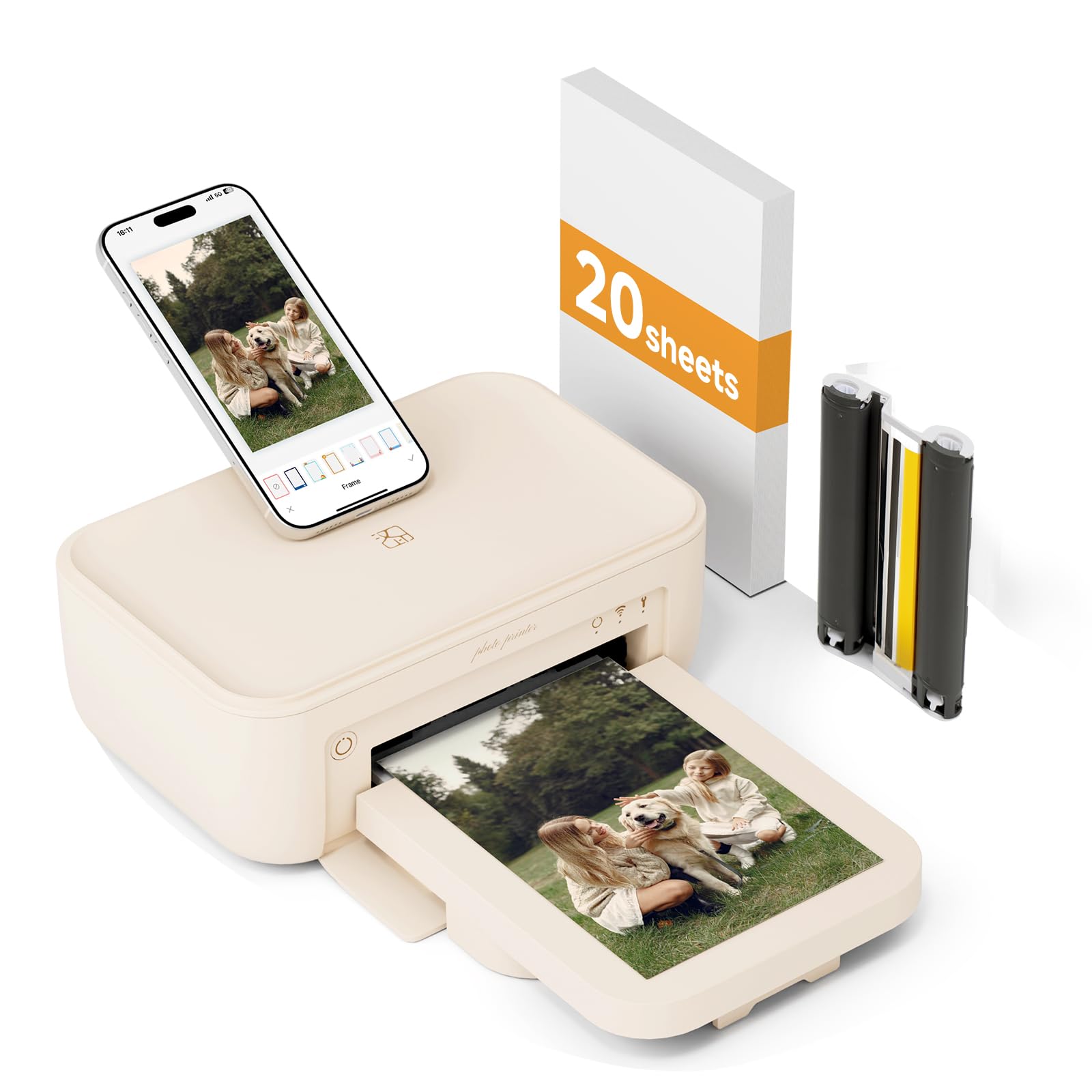
This HPRT 4×6 printer is the entry-level gateway to thermal dye-sublimation printing. It includes 20 sheets of photo paper and one ribbon — enough to test print quality and workflow before committing to larger paper packs. The printer supports two wireless modes: connecting to the same Wi-Fi network as your phone or using the printer’s own built-in hotspot for direct connection without internet. The thermal sublimation process applies three layers of pigment plus a colorless protective film that guards against dust, water, oil, and scratches.
The Heyphoto app (same as the larger HPRT bundle) provides templates for ID photos, collages, invitations, stickers, frames, and filters, plus the AR printing function for embedding short video clips into prints. The unit is compact and lightweight, designed for home use, parties, and road trips. Customer feedback is largely positive: “great pictures,” “beautiful colors,” and “easy to use” are common refrains, and the print quality consistently exceeds expectations for the price.
The main drawback is the limited included media: 20 sheets run out fast, especially if you are excited about the new printer. The app also had some early connectivity issues on certain phone models, though most users resolved them after a firmware update. At this entry-level price, the HPRT is an excellent choice for someone who wants to try dye-sub printing with minimal upfront investment, and the ability to buy larger consumable bundles later keeps long-term costs manageable.
Why it’s great
- Very low entry price for a thermal dye-sub printer
- Works with built-in hotspot or home Wi-Fi
- Three-layer pigment plus protective overcoat
- AR video printing and ID photo templates included
Good to know
- Only 20 sheets and 1 ribbon in the box
- App connectivity issues on some phone models
8. YOTON Photo Printer 4×6 (54 Sheets + 1 Ink Ribbon)

YOTON’s photo printer packs one of the most generous entry bundles: 54 sheets of 4×6 paper and one ink ribbon, plus a print cassette, all for a very accessible price. The printer uses dye-sublimation technology for vivid colors, fine texture, and long print durability. The standout feature is the AR video printing capability — you can print a still that, when scanned with the app, plays a 15-second video clip directly on your phone. The printer itself is compact at 7.1 by 4.9 by 2.2 inches and weighs 970 grams, making it one of the most portable options here.
The printer creates its own built-in Wi-Fi hotspot for direct connection, eliminating interference from crowded home networks. Setup instructions are clear: keep the printer sealed when not in use to prevent dust ingress, and ensure the ink ribbon clicks into place with the yellow button before printing. For users who manage to connect successfully, the print quality is “excellent, comparable to full-size printers,” according to verified buyers.
Where the YOTON struggles is connectivity reliability. Setup can be a nightmare: it requires a 2.4GHz Wi-Fi network or a direct connection to the printer, and USB mode often fails. The app demands extensive permissions — precise location, local network access, and device files — which some users find invasive. A portion of buyers report that once the printer connects, it works beautifully, but the initial frustration is real. This makes the YOTON best suited for technically patient users who want an AR-capable photo printer at the lowest possible entry price.
Why it’s great
- 54 sheets included — excellent value for the price
- AR video printing with 15-second clips
- Very compact and lightweight for travel
- Dye-sub print quality rivals full-size printers
Good to know
- Connectivity setup is inconsistent and often frustrating
- App requires extensive permissions on iOS and Android
9. Liene PixCut S1 Inspire Kit – All-in-One Sticker Printer & Cutter
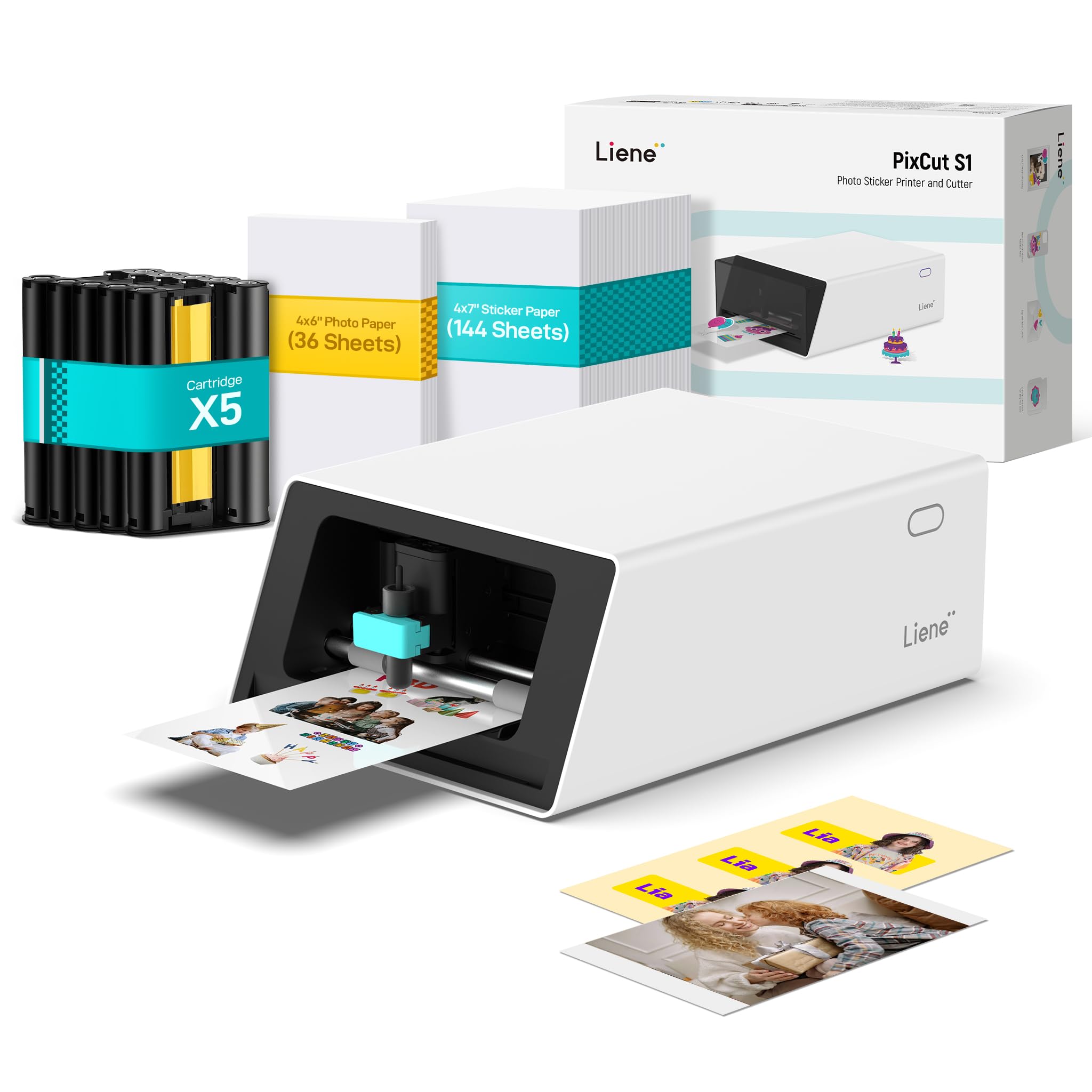
The Liene PixCut S1 is a different breed of photo printer — it combines a 300 DPI thermal dye-sublimation print engine with an integrated precision die-cutting mechanism, allowing you to print and cut custom stickers in a single workflow. The Inspire Kit ships with 36 sheets of 4×6 photo paper and 144 sheets of sticker paper, plus five ink cartridges and a pre-installed cutting blade. The AI image extraction feature automatically identifies subjects in your photos and guides the cutter along their edges, producing professional-looking stickers with white borders.
Beyond stickers, the PixCut S1 works as a standard 4×6 photo printer with the same dye-sub benefits (waterproof, scratch-resistant, fade-resistant prints). The Liene app offers over 40,000 free images, fonts, and elements, plus 2,000+ templates for phone skins, ID cards, labels, and journaling — all without a subscription.
The main caveats are the proprietary consumable costs and the learning curve of the app. Replacement cartridges and sticker paper are expensive compared to standard photo paper packs, and the cutting mechanism can be imprecise on complex shapes if the blade is not properly maintained. A few critical reviews note that the printer feels “toy quality” and is not suitable for commercial sticker production due to small print area (4×6 maximum) and deep cuts that make peeling difficult. For serious hobbyists, crafters, and families who want to create custom stickers, labels, and photos from one device, the PixCut S1 is a uniquely capable tool.
Why it’s great
- Prints and cuts custom stickers in one step
- AI image extraction for automatic subject cropping
- Generous starter kit with 36 photo and 144 sticker sheets
- No subscription — free app with thousands of templates
Good to know
- Proprietary consumables are expensive per sheet
- Cut precision can vary; best for hobbyist, not commercial use
- App has a learning curve and requires online login
FAQ
How long do dye-sublimation 4×6 photos last before fading?
Can I use third-party paper and ink cartridges in these printers?
What is the actual cost per 4×6 print for a dye-sub printer?
Why does my photo printer require location permission to connect?
Final Thoughts: The Verdict
For most users, the best 4×6 photo printer winner is the Canon Selphy CP1500 Bundle because it combines proven dye-sub reliability, multiple finish options, direct print from USB and SD cards, and the option to add a battery for true portability. If you want the lowest per-print cost with the most included media, grab the Liene M100 Bundle. And for crafting custom stickers and labels alongside photo prints, nothing beats the Liene PixCut S1 Inspire Kit.

Mo Maruf
I created WellFizz to bridge the gap between vague wellness advice and actionable solutions. My mission is simple: to decode the research and give you practical tools you can actually use.
Beyond the data, I am a passionate traveler. I believe that stepping away from the screen to explore new environments is essential for mental clarity and physical vitality.