Our readers keep the lights on and my smoothie glass nicely filled. As an Amazon Associate, I earn from qualifying purchases.
Struggling with peeling inkjet labels, running out of toner mid-run, or wasting time taping paper to boxes? A dedicated 4×6 label printer eliminates those hassles by using direct thermal technology to print sharp, scannable shipping labels instantly—without a single ink cartridge or toner refill.
I’m Mohammad Maruf — the founder and writer behind WellFizz. I’ve spent the last 15 years analyzing e-commerce hardware specifications, from printhead resolution to duty cycles, to find which label printers actually hold up under real shipping loads.
Whether you’re fulfilling orders for a Shopify store or sending out Poshmark bundles, choosing the right model can make or break your workflow. That’s where a solid 4×6 label printer keeps your packing line moving and your labels scannable.
How To Choose The Best 4×6 Label Printer
Before diving into the top models, you need to match your shipping volume and workspace to the right set of specs. Three factors separate the printers that save you time from the ones that hold you up: print resolution, connection type, and physical footprint.
Resolution & Print Quality
Most 4×6 thermal printers come with either 203 DPI or 300 DPI printheads. The 203 DPI standard is perfectly adequate for plain-text shipping labels, barcodes, and USPS/UPS labels. The 300 DPI bump matters if you print dense 2D QR codes, small barcodes, or graphic-heavy labels—the higher density reduces scanning failures on complex patterns. For general shipping, 203 DPI will serve you well; for warehouse or inventory labeling with small fonts, pay the premium for 300 DPI.
Connectivity
USB-only printers are the most reliable and affordable, but they tether you to a computer. Bluetooth models let you print directly from a phone or tablet, which is a huge time-saver if you print labels from a mobile app like ShipStation or Pirate Ship. Some units offer both USB and Bluetooth, giving you flexibility to switch between desktop and mobile workflows. Ethernet adds another layer for shared office environments.
Speed & Duty Cycle
Print speed is measured in millimeters per second (mm/s) or inches per second (ips). A typical speed of 150 mm/s prints about one 4×6 label per second. If you batch-print 100+ labels every day, even a slight speed boost matters. Also consider label roll compatibility—some printers handle fanfold labels, others rely on rolls, and a few support both. Make sure the printer accommodates the exact media format your shipping platform requires.
Quick Comparison
On smaller screens, swipe sideways to see the full table.
| Model | Category | Best For | Key Spec | Amazon |
|---|---|---|---|---|
| MUNBYN 941BP | Wireless / 300 DPI | Mobile printing with high-resolution labels | 300 DPI, 180 mm/s, Bluetooth | Amazon |
| Rollo USB | Wired / Reliable | High-volume shipping with minimal fuss | 203 DPI, 150 mm/s, USB | Amazon |
| Brother QL-1100c | Wide Format / DK Rolls | Crisp QR codes and small-density barcodes | 300 DPI, 69 LPM, USB | Amazon |
| Westinghouse WHTP203e | Commercial / ZPL | Ethernet sharing in busy offices | 203 DPI, 6 ips, Ethernet, USB | Amazon |
| HP Shipping Label Printer | Wired / Dependable | Plug-and-play for traditional PC users | 203 DPI, 7 ips, USB | Amazon |
| Phomemo PM64D | Touch Screen / BT | Start-ups wanting a modern, compact setup | 203 DPI, 150 mm/s, BT, USB | Amazon |
| Muotich All Purpose Labels | Value Labels | Bulk labeling for established printers | 5400 labels, BPA-free, perforated | Amazon |
In‑Depth Reviews
1. MUNBYN RealWriter 941BP
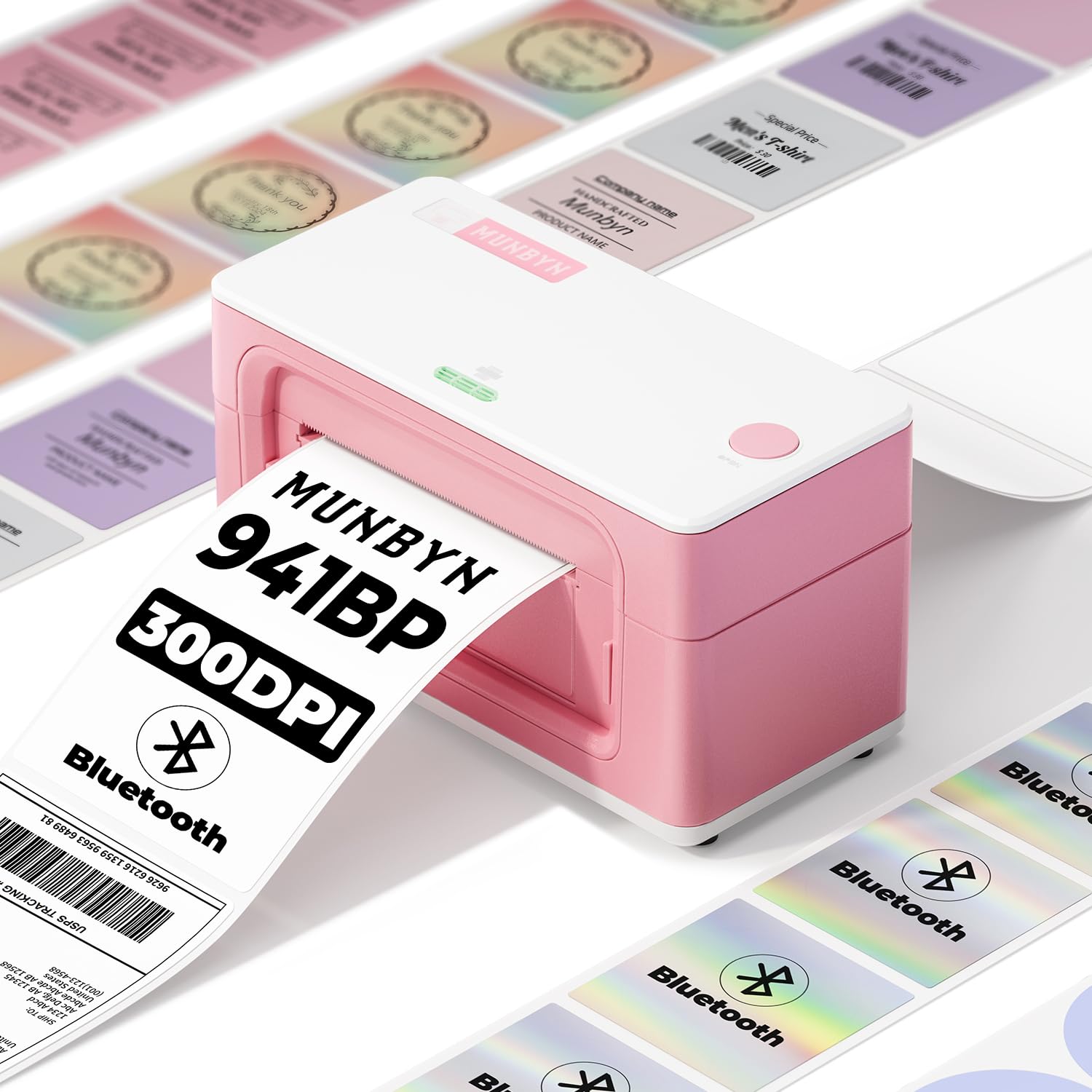
The MUNBYN 941BP strikes the best balance between resolution, speed, and wireless flexibility for the average small business. Its 300 DPI printhead produces noticeably sharper text and barcodes than the standard 203 DPI models, which helps reduce scanning failures on dense codes. Print speed tops out at 180 mm/s, making it one of the faster options even in its price tier, and the Bluetooth connection pairs reliably with both iOS and Android via the Munbyn Print app.
On the physical side, the auto-label rewinding feature keeps each label aligned and ready, reducing waste during high-volume runs. The unit accepts label widths from 1.57 inches up to 4.3 inches, so you can use it for smaller address stickers or full 4×6 shipping labels without changing settings. Setup videos and remote assistance are included, which is helpful if you are new to thermal printing or Linux-based systems like POP! OS.
One minor friction point is the app’s user interface—some users find the button labels unintuitive at first. But after the initial learning curve, the print quality and connection stability justify the investment. For the majority of sellers who want crisp labels and mobile printing without a steep price bump, this is the unit to beat.
Why it’s great
- Sharp 300 DPI output reduces barcode scan failures.
- Fast 180 mm/s print speed for batch shipping runs.
- Reliable Bluetooth pairing with both iOS and Android.
Good to know
- App interface can be confusing for first-time users.
- Slightly bulkier than some compact USB-only models.
2. Rollo USB Shipping Label Printer

The Rollo USB has a nearly legendary reputation among e-commerce sellers for its no-nonsense reliability. It uses a standard 203 DPI printhead and prints at 150 mm/s, which is fast enough to output one 4×6 label per second. Setup on both Windows and Mac takes under 15 minutes—download the drivers, connect via USB, and you are printing. There is no Bluetooth, no app, and no touchscreen, just straightforward thermal printing that works consistently shift after shift.
What makes the Rollo stand out is its build quality. The rugged chassis and straight-paper path handle thousands of labels without jams. It supports label widths from 1.57 to 4.1 inches, so you can switch between small barcode stickers and full shipping labels. The included Rollo Ship app gives you access to discounted shipping rates, which is a nice bonus for small sellers who want to avoid a third-party platform.
The main trade-off is the lack of wireless connectivity. If your workflow is entirely mobile-based, this printer won’t fit. But for desktop-only packing stations where you batch-print labels before taping boxes, the Rollo USB remains the gold standard for wired simplicity and durability.
Why it’s great
- Proven track record of jam-free operation for thousands of labels.
- Straightforward plug-and-play setup with no apps required.
- Compatible with nearly every major shipping platform and e-commerce marketplace.
Good to know
- No Bluetooth or mobile printing capability.
- Lower 203 DPI resolution compared to 300 DPI alternatives.
3. Brother QL-1100c

The Brother QL-1100c is the specialist in the lineup. It prints at 300 DPI and uses Brother’s proprietary DK drop-in label rolls, which come pre-sized and feature an easy-peel backing that separates cleanly. The auto-cutter function is particularly useful for printing continuous banners up to three feet long, and the 300 DPI resolution shines when you need to render dense 2D QR codes or small barcodes that cheaper 203 DPI printers struggle with.
Setup is simple via USB, and the P-touch Editor software gives you granular control over label templates. One standout feature is the automatic crop function for Windows that lets you print directly from A4 or Letter-size label sheet templates, saving time if you already use pre-formatted sheets. The printer also ships with starter DK rolls for shipping labels and continuous tape, so you can test both formats immediately.
The catch is the proprietary media. While the DK rolls are convenient and reliable, they are more expensive per-label than generic rolls used by Rollo or MUNBYN. If you need absolute print clarity on complex codes and your label volume is moderate, the Brother QL-1100c delivers a quality edge that justifies the higher media cost.
Why it’s great
- Superior 300 DPI quality for dense QR codes and small barcodes.
- Auto-cutter and continuous-length printing for custom label lengths.
- Drop-in DK rolls make media changes fast and mess-free.
Good to know
- Proprietary DK label rolls carry higher per-label cost.
- USB-only connectivity, no Bluetooth or Ethernet.
4. Westinghouse WHTP203e

The Westinghouse WHTP203e brings commercial-grade features to the desktop thermal printer market. It supports ZPL (Zebra Programming Language), which is a requirement for warehouses and enterprises that use legacy or custom label-printing software. Print speed is 6 inches per second at 203 DPI, and the unit handles both roll and fanfold media up to 4.6 inches wide. The inclusion of an Ethernet port allows multiple computers on the same network to send labels to a single printer, eliminating the need for USB swapping.
Setup is guided by a USB flash drive included in the box with drivers and manuals, so you don’t need an internet connection to start. The unit comes with a starter roll of labels and an internal label holder. Customer support from Westinghouse earns high marks for responsiveness, with reports of agents helping with calibration issues via phone or email in under an hour.
On the downside, this printer has no Bluetooth, so mobile printing is out unless you wire it into a network. The 203 DPI is standard for the category, but users who need ultra-sharp 300 DPI will need to look elsewhere. For shared office environments or warehouses running ZPL-based systems, the Westinghouse offers robust connectivity and build quality at a competitive cost.
Why it’s great
- Native ZPL support for industrial and enterprise software compatibility.
- Ethernet port enables network sharing without a dedicated print server.
- Includes driver flash drive, starter labels, and thorough quick-start guide.
Good to know
- No Bluetooth—desktop and wired network only.
- Resolution is 203 DPI, not the sharper 300 DPI found on other units.
5. HP Shipping Label Printer

HP’s entry into the 4×6 thermal label market is a straightforward, dependable option for those who prefer a recognizable brand backing their gear. The printer prints at 7 ips (roughly 178 mm/s) with a standard 203 DPI resolution, producing clear text and barcodes for most shipping use cases. The adjustable media holders accept labels up to 4 inches wide, and direct thermal technology eliminates any ink or toner requirements.
Setup is typical for a USB-connected device: install the drivers from HP’s website, connect the power and USB cable, and the printer is recognized by Windows or Mac within a few minutes. The quiet operation is a plus for home offices where noise is a concern. Print quality fix instructions for Windows include disabling dithering in the printer settings, which resolves most complaints about fuzzy text.
Some users report driver detection hiccups on certain Windows configurations, and the printer only includes a small starter roll—plan to buy a bulk pack of HP or compatible thermal labels immediately. It also lacks Bluetooth or Ethernet, so it is purely a wired desktop printer. For users who value the HP ecosystem and need a fast, no-frills thermal printer, this model delivers consistent results.
Why it’s great
- Fast 7 ips print speed for high-volume label batches.
- Quiet operation suitable for shared or home workspaces.
- Low noise levels on entry-level model.
Good to know
- No Bluetooth or wireless connectivity—USB only.
- Starter label roll is small; bulk labels need to be purchased separately.
6. Phomemo PM64D Touch Screen
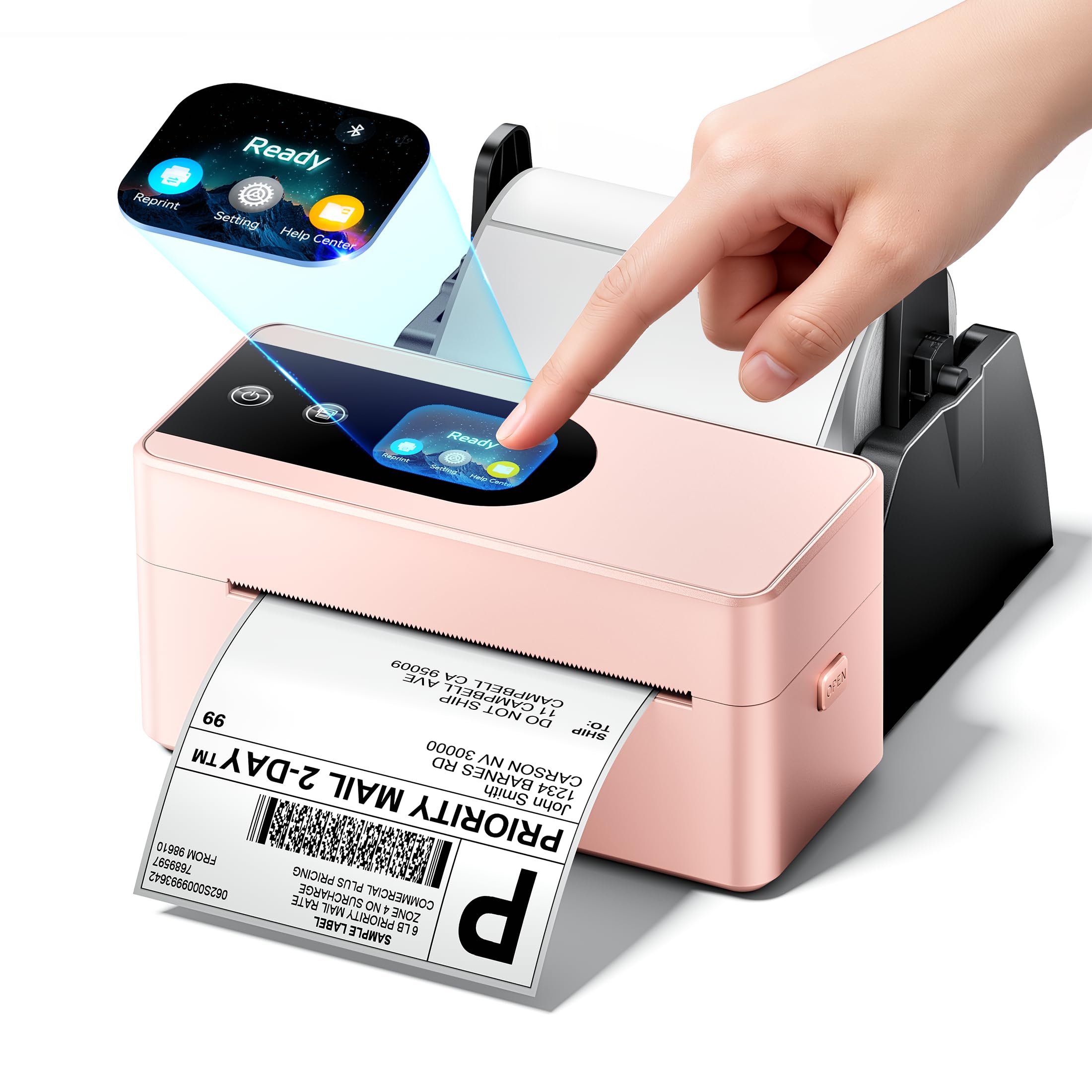
The Phomemo PM64D differentiates itself with a built-in touch screen that simplifies status checks and label calibration—no need to connect to a computer just to adjust settings. It prints at 150 mm/s with a 203 DPI printhead, and the Bluetooth connectivity worked reliably with both iOS and Android in testing. The smart paper return feature prevents wasted labels by rewinding partial rolls, which is a thoughtful touch for sellers who change label types frequently.
Its compact dimensions (6.6 x 3.2 x 2.9 inches) plus the included label holder mean it takes up minimal desk space and comes ready to use out of the box. The printer supports label widths from 1 to 4.6 inches, covering everything from small address labels to standard 4×6 shipping labels. Integration with major e-commerce platforms like Shopify, Amazon, Etsy, and UPS worked without issues during testing.
A few users reported that the mobile app could use interface improvements, and there was one report of print alignment issues likely caused by incorrect label size selection in the app. Overall, the touch screen and Bluetooth combination make the Phomemo PM64D an excellent choice for mobile-first sellers who want a modern, space-saving thermal printer with minimal cables.
Why it’s great
- Built-in touch screen simplifies calibration and status checks.
- Smart paper return feature reduces label waste between print jobs.
- Ultra-compact footprint plus included label holder saves desk space.
Good to know
- App interface needs some polish for intuitive navigation.
- Occasional print alignment issues if label size is not correctly set in the app.
7. Muotich Direct Thermal Labels (5400 Pack)
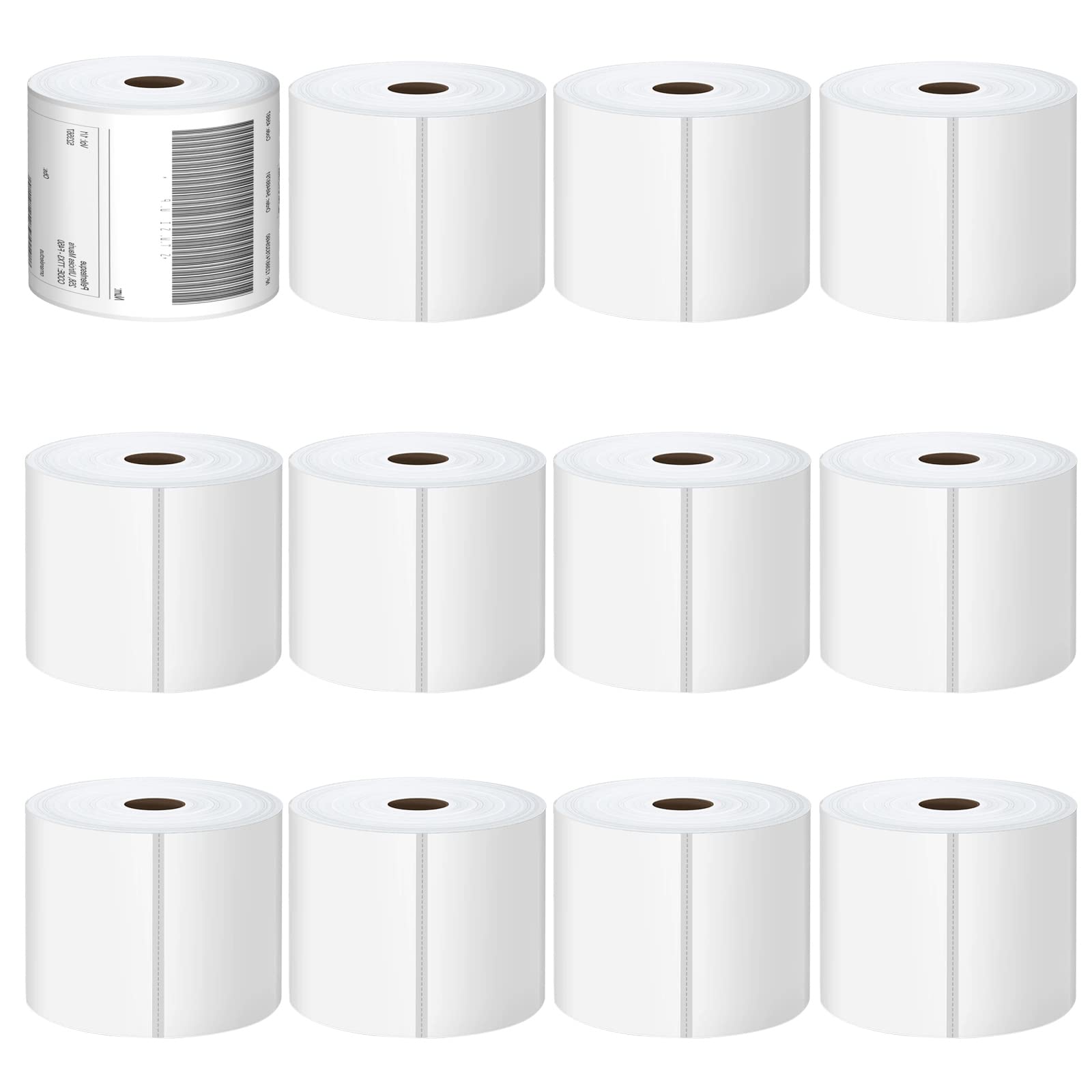
Even the best thermal printer is useless without quality labels. The Muotich 4×6 label pack delivers 5400 labels across 12 rolls, making it a strong bulk buy for established sellers. Each label is perforated for clean tearing, uses a peel-and-stick permanent adhesive that grips cardboard and plastic mailers, and is printed on BPA-free direct thermal paper that resists fading under normal storage conditions.
Compatibility is broad: the Muotich labels work with Rollo, Zebra, MUNBYN, Polono, and most other direct thermal printers. They are approved for USPS, UPS, FedEx, DHL, Amazon, eBay, and PayPal, so you won’t run into carrier rejection issues. The paper thickness is sturdy enough to avoid curling or jamming, and the prints come out crisp and scannable at both 203 DPI and 300 DPI resolutions.
The only note is that these labels are designed exclusively for direct thermal printers—do not attempt to use them in laser or inkjet printers. Also, they are not compatible with DYMO printers due to different roll core specifications. For budget-conscious sellers who go through several hundred labels per month, this pack offers a low cost-per-label without sacrificing print quality or adhesive strength.
Why it’s great
- Bulk 5400-count pack delivers very low per-label cost.
- BPA-free and fade-resistant thermal paper for reliable scanning.
- Strong adhesive works on both cardboard and plastic surfaces.
Good to know
- Not compatible with DYMO printers (different roll core).
- Designed for direct thermal printers only—not for inkjet or laser.
FAQ
What does direct thermal printing mean for a 4×6 label printer?
Is 300 DPI worth the extra cost for a 4×6 thermal printer?
Can I use these thermal printers with my phone to print shipping labels?
Final Thoughts: The Verdict
For most users, the 4×6 label printer winner is the MUNBYN 941BP because it blends high-resolution 300 DPI output with Bluetooth and USB connectivity at a price that beats most premium competitors. If you want a proven wired workhorse with zero software fuss, grab the Rollo USB. And for ultra-sharp quality on complex barcodes with convenient pre-sized rolls, nothing beats the Brother QL-1100c.

Mo Maruf
I created WellFizz to bridge the gap between vague wellness advice and actionable solutions. My mission is simple: to decode the research and give you practical tools you can actually use.
Beyond the data, I am a passionate traveler. I believe that stepping away from the screen to explore new environments is essential for mental clarity and physical vitality.