Our readers keep the lights on and my smoothie glass nicely filled. As an Amazon Associate, I earn from qualifying purchases.
When your photo library, game vault, or project archives outgrow your laptop’s internal drive, you need a storage upgrade that matches your workflow—not one that throttles your transfer speed or fails after a few drops. A 4TB external hard drive is the sweet spot between capacity and portability, offering enough room for years of files without chaining you to a desk.
I’m Mohammad Maruf — the founder and writer behind WellFizz. For this guide, I spent countless hours analyzing read/write speeds, enclosure durability, encryption standards, and real-world compatibility data across nine competing 4TB models to separate genuine workhorses from marketing fluff.
Whether you’re backing up a creative studio, expanding a gaming console’s library, or building a mobile file archive, understanding the spec sheet is the difference between a drive that lasts and one that lets you down. That’s exactly what this breakdown of the best 4tb external hard drive options delivers.
How To Choose The Best 4TB External Hard Drive
Not all 4TB drives are built the same. The enclosure material, spindle speed, interface generation, and recording technology directly affect how fast you can transfer a video project, how long the drive survives in a bag, and whether your data stays safe after a power flicker. Focus on the specs that actually dictate real-world performance for your specific use case.
Interface Speed: USB 3.2 Gen 1 vs. USB 3.2 Gen 2×2
USB 3.2 Gen 1 caps out at 5 Gbps, which is more than enough for a traditional 2.5-inch mechanical hard drive. A solid-state drive like the Samsung T9 uses USB 3.2 Gen 2×2 to hit 2,000 MB/s sustained reads. If your workflow involves editing 4K video or transferring huge game installs, the interface generation directly determines how long you wait. For backup and archival, 5 Gbps is perfectly adequate.
Recording Technology: SMR vs. CMR
Shingled Magnetic Recording (SMR) packs more data into the same platter area, increasing capacity at a lower cost. The trade-off: after writing roughly 100 GB continuously, write speeds can drop below 10 MB/s as the drive reorganizes data. Conventional Magnetic Recording (CMR) maintains consistent performance regardless of data volume. If you regularly write multiple terabytes in a single session, CMR is the safer bet.
Enclosure Durability and Shock Protection
A portable drive travels, which means it will be dropped, bumped, and jostled. Look for rubber bumpers, shock-absorbing suspensions, or a rugged chassis rated for drops from at least 4 feet. The LaCie Rugged Mini and Transcend StoreJet both include multi-stage shock protection. A standard polycarbonate shell offers no impact protection—pair it with a padded case if you move it daily.
Data Security: Hardware Encryption and Software
Password protection at the firmware level—256-bit AES hardware encryption—protects data even if the drive is removed from its enclosure. Some drives also include backup software and ransomware detection. The WD My Passport Ultra and My Book both support hardware encryption without requiring third-party tools. If the drive is lost, encryption is the only layer between your files and anyone who finds it.
Quick Comparison
On smaller screens, swipe sideways to see the full table.
| Model | Category | Best For | Key Spec | Amazon |
|---|---|---|---|---|
| Samsung T9 4TB | SSD | Creative Pros & Gamers | 2,000 MB/s Read (USB 3.2 Gen 2×2) | Amazon |
| WD My Passport Ultra 5TB | Portable HDD | Travel & Daily Carry | 256-bit AES Hardware Encryption | Amazon |
| WD My Book 4TB | Desktop HDD | Desktop Backup Hub | 3.5-inch Drive + AC Power | Amazon |
| Transcend StoreJet 4TB | Rugged HDD | Field Work & Outdoor Use | Three-Stage Shock Protection | Amazon |
| LaCie Rugged Mini 4TB | Rugged HDD | Creative Field Production | 4-Foot Drop Resistance | Amazon |
| WD Elements 4TB | Portable HDD | Plug-and-Play Backup | USB 3.2 Gen 1 (5 Gbps) | Amazon |
| Seagate Portable 4TB | Portable HDD | Console & PC Storage | 1-Year Rescue Data Recovery | Amazon |
| Toshiba Canvio Basics 4TB | Portable HDD | Budget-Friendly Backup | Matte Finish, No Software | Amazon |
| Seagate Portable 5TB | Portable HDD | Extra Capacity on a Budget | 5TB in Slim Chassis | Amazon |
In‑Depth Reviews
1. Samsung T9 Portable SSD 4TB

The Samsung T9 is an entirely different class of external storage. Instead of a spinning platter, it uses a solid-state drive that delivers sustained read speeds of 2,000 MB/s via USB 3.2 Gen 2×2. That means transferring a 50 GB game folder takes under thirty seconds. The Dynamic Thermal Guard keeps internal temperatures in check during extended write sessions, so heavy workflows like 4K video editing or large Photoshop projects don’t cause throttling.
Hardware-level AES 256-bit encryption is built directly into the controller, providing password protection without relying on software that can be bypassed if the drive is removed from its enclosure. The chassis is rated to survive drops from up to 9.8 feet, and the compact body fits easily in a pocket or camera bag. It also supports direct recording from an iPhone 15 Pro at 4K 60fps, making it a genuine all-rounder for mobile creatives.
Going from a mechanical drive to an SSD transforms the daily feel of file management. The T9 is whisper-quiet, runs cool even after hours of transfers, and doesn’t require external power. The premium buy-in pays for speed and durability that a mechanical drive simply cannot match.
Why it’s great
- Sustained 2,000 MB/s read speed eliminates waiting for large transfers
- USB 3.2 Gen 2×2 interface fully leveraged by modern laptops and desktops
- 9.8-foot drop rating and AES encryption in a pocket-sized package
Good to know
- Requires a USB 3.2 Gen 2×2 port to reach full speed
- Higher cost per gigabyte compared to mechanical HDDs
2. WD 5TB My Passport Ultra

The My Passport Ultra stands out for its refined metal cover and native USB-C support. The drive ships with a USB 3.0 cable, but it works directly with USB-C ports using the included adapter, which makes a noticeable difference for modern laptops that have dropped Type-A ports. The hardware encryption is paired with WD’s backup software that includes ransomware detection—a practical layer of protection for daily file syncing.
Users consistently report the drive runs quietly and fits easily into a small bag or pocket. The 5 TB capacity option gives you an extra terabyte over most competitors without increasing the footprint. A three-year warranty backs the unit, and the drive maintains stable transfer speeds for the first several hundred gigabytes before any SMR-related slowdown kicks in during extreme continuous writes.
For a daily carry external drive that balances capacity, security, and build quality, the My Passport Ultra is a refined choice. The USB-C compatibility ensures it stays relevant across laptop upgrades, and the encryption protects sensitive files without needing additional software running in the background.
Why it’s great
- USB-C compatibility for modern laptops without dongles
- 256-bit AES hardware encryption with ransomware detection
- 5 TB capacity in a slim 2.5-inch form factor
Good to know
- Runs warm during extended use
- Included cable is short; a longer USB-C cable is recommended
3. Western Digital 4TB My Book

The My Book is a desktop external hard drive, not a portable one. It uses a full-size 3.5-inch mechanical hard drive inside a plastic enclosure and requires an AC power adapter. This design allows for higher sustained performance than bus-powered 2.5-inch drives because the platter can spin at 7,200 RPM without power constraints. The included WD software adds automatic backup scheduling and password-protected hardware encryption at the AES 256-bit level.
Users report the drive is quiet during idle and only produces noticeable spin noise during heavy transfers. The My Book has a reputation for surviving accidental drops when the drive is not spinning—several accounts describe the enclosure saving the drive after a table-height fall. The 256-bit encryption is built into the hardware controller, meaning even if the enclosure is opened, the data remains inaccessible without the password.
If you need a dedicated backup hub for a desktop workstation and don’t plan to move the drive daily, the My Book delivers excellent reliability and the highest physical resilience among desktop-class drives. The external power supply also means no USB port power draw concerns.
Why it’s great
- Desktop-grade 3.5-inch drive offers consistent performance
- 256-bit AES hardware encryption with integrated backup software
- AC power eliminates bus-power limitations
Good to know
- Requires a wall outlet—not portable
- Some units arrive with formatting issues; reformat with native OS utility
4. Transcend StoreJet 4TB Rugged

The Transcend StoreJet is engineered for environments where drops, dust, and vibration are part of the routine. Its three-stage shock protection system includes a rubberized outer shell, a suspended internal frame, and thick damping material around the drive mechanism. This design has earned a reputation among field technicians and mobile gamers who need a drive that can survive being tossed into a backpack full of gear.
One of its unique features is the one-touch auto-backup button on the front of the enclosure. Pressing it launches Transcend Elite software to immediately start a backup of designated folders. The drive also includes the store-bought version of RecoveRx data recovery software, which can recover accidentally deleted files without sending the drive to a lab. The USB 3.1 Gen 1 interface delivers up to 600 MB/s in burst transfers, though sustained writes settle into typical mechanical HDD territory.
For anyone working in construction, outdoor photography, or any field where gear gets knocked around, the StoreJet’s protection system is a meaningful upgrade over a standard plastic shell. The backup button is a genuinely useful shortcut that eliminates the need to open software every time you dock the drive.
Why it’s great
- Three-stage shock protection for drops and vibration
- One-touch auto-backup button for quick folder sync
- Includes RecoveRx file recovery software
Good to know
- Formatting on Mac can be finicky with included utilities
- Packaging documentation is small and hard to read
5. LaCie Rugged Mini 4TB
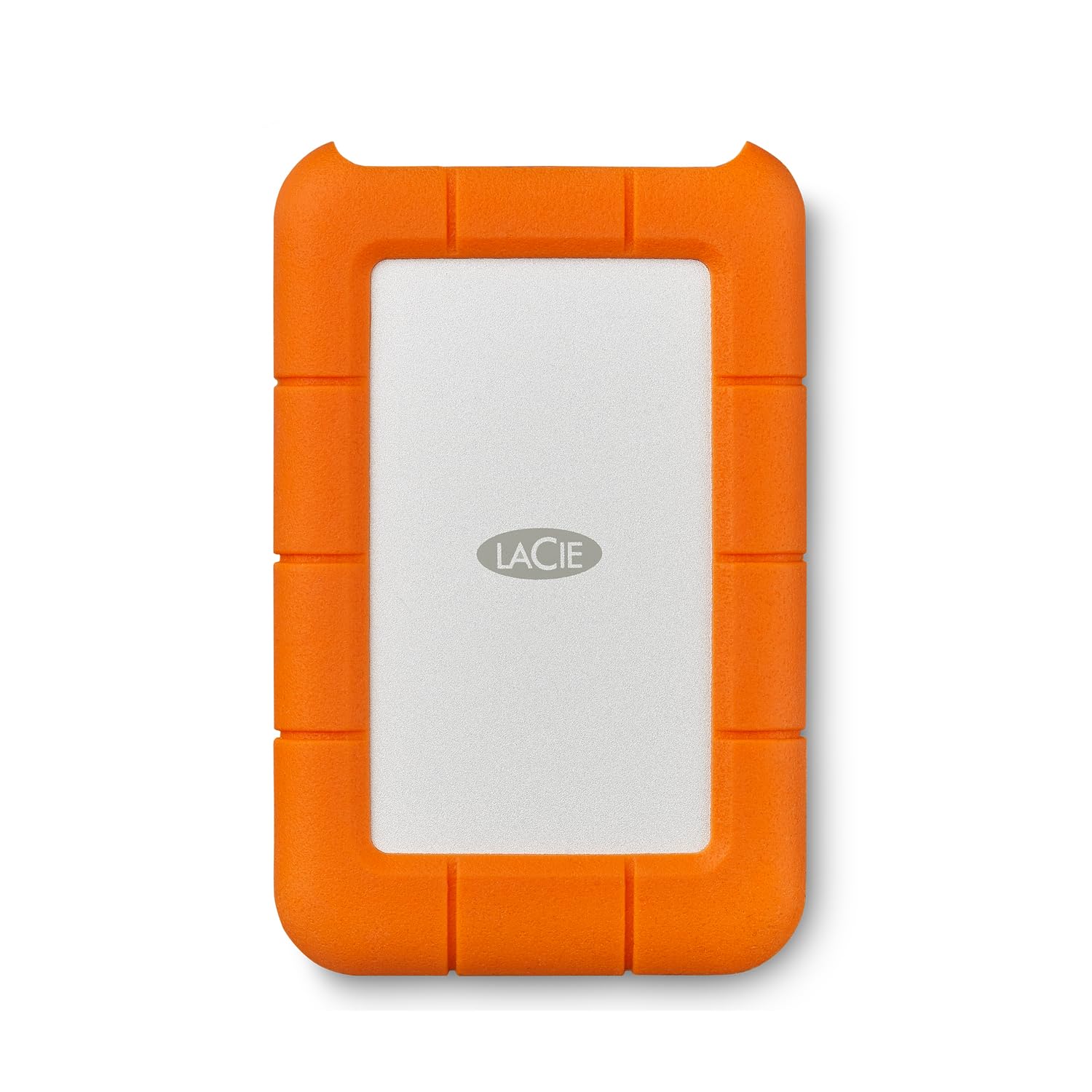
The bright orange rubber bumper absorbs impact from drops up to 4 feet, and the enclosure is rated for dust and water resistance. This is the drive you see strapped to camera rigs or tossed into production cases on film sets because it genuinely survives the abuse.
The drive ships pre-formatted as exFAT, which works on both Windows and Mac without reformatting. However, some users report reliability issues with exFAT on macOS over extended periods; reformatting to APFS or Mac OS Extended (Journaled) before heavy use resolves those inconsistencies. The maximum transfer speed sits around 130 MB/s, which is typical for a 2.5-inch mechanical drive over USB 3.0.
Included with the purchase is a complimentary one-month Adobe Creative Cloud All Apps plan, which adds value for photographers and video editors. The LaCie Rugged Mini is a proven tool for demanding environments, though the micro-USB interface feels slightly dated compared to newer USB-C competitors in the same price tier.
Why it’s great
- 4-foot drop resistance with dust and water protection
- Pre-formatted exFAT for cross-platform use
- Proven reliability in film and photography production
Good to know
- Micro-USB cable required (included); no USB-C
- exFAT formatting can cause mounting issues on Mac over time
6. WD 4TB Elements Portable

The WD Elements is the bare-bones version of the My Passport line—no encryption software, no backup utilities, just a reliable 2.5-inch SMR drive in a compact black enclosure. USB 3.2 Gen 1 provides 5 Gbps bandwidth, which is more than enough for the drive’s mechanical limits. It is plug-and-play on Windows and requires a simple reformat on macOS before Time Machine will recognize it.
Users consistently report the drive is whisper-quiet, runs only slightly warm during extended use, and holds up well to daily travel in a laptop bag. The stock cable is known to be a weak point; swapping it for a higher quality USB-A cable eliminates intermittent disconnects. Once that minor issue is addressed, the Elements is one of the most dependable budget-friendly drives available.
If you need raw capacity without paying for features you won’t use, the Elements delivers exactly that. It is ideal for archival storage, media libraries, or as a secondary backup drive where speed and encryption are not critical requirements.
Why it’s great
- Reliable plug-and-play performance on Windows
- Compact and lightweight for daily carry
- USB 3.2 Gen 1 provides full bandwidth for mechanical HDD
Good to know
- Stock USB cable can cause disconnects; upgrade recommended
- No hardware encryption or backup software included
7. Seagate Portable 4TB

Seagate’s Portable drive is designed with console users in mind. It works with Xbox Series S, PlayStation 4, and PlayStation 5 for game storage and backup, and its slim profile fits neatly into entertainment center cabinets. The drive is bus-powered via USB 3.0 and is recognized automatically by both PC and Mac without any driver installation.
One of the standout inclusions is the one-year Rescue Data Recovery Service. If the drive suffers a mechanical failure during the first year, Seagate attempts to recover your data at no extra cost. This is a significant safety net for users who do not maintain a separate backup. The drive uses SMR technology, so sustained write speeds will drop after the initial cache fills, but for typical backup and game storage workloads this is rarely noticeable.
The Seagate Portable 4TB is a straightforward, reliable choice for users who want broad compatibility and the peace of mind of professional data recovery. The Rescue Service alone makes it worth considering for those who store important files without a redundant backup strategy.
Why it’s great
- Works with Xbox, PlayStation, PC, and Mac right out of the box
- Includes one-year Rescue Data Recovery Service
- Slim, portable design with no external power needed
Good to know
- SMR cache can drop write speeds below 10 MB/s after large transfers
- Some Linux users encounter LUKS I/O errors without partition adjustments
8. Toshiba Canvio Basics 4TB

The Toshiba Canvio Basics focuses on simplicity. There is no software to install, no backup utility, and no encryption—just a matte black 2.5-inch USB 3.0 drive that works the moment you plug it in. The enclosure is made from polycarbonate with a smudge-resistant texture that keeps it looking clean in a bag. Pre-formatted as NTFS for Windows, it requires reformatting for macOS use.
Users report fast read and write speeds for a mechanical drive, with consistent performance during single-session transfers. The drive stays cool even after three hours of continuous downloads, which suggests decent thermal management inside the compact shell. The included USB cable is short, but the drive is lightweight enough to carry without feeling the cable tension.
For anyone who wants a no-fuss backup drive for a Windows laptop at an entry-level price point, the Canvio Basics delivers exactly what it promises. It lacks the extra features of more expensive drives, but those omissions keep the cost low and the experience friction-free.
Why it’s great
- True plug-and-play with no software installation
- Matte finish resists fingerprints and smudges
- Runs cool under sustained load
Good to know
- Pre-formatted NTFS; requires reformatting for Mac
- No included backup or encryption software
9. Seagate Portable 5TB
The Seagate Portable 5TB delivers an extra terabyte over the standard 4TB configuration without increasing the physical footprint. It uses the same slim 2.5-inch form factor, making it the highest capacity per square inch in this comparison. Like its 4TB sibling, it is compatible with PC, Mac, PlayStation, and Xbox, and includes the one-year Rescue Data Recovery Service.
This drive also uses SMR recording, which means large continuous writes will eventually slow down as the cache fills—users report average speeds dropping to around 25 MB/s after 100 GB of sequential data. For typical workloads like incremental backups, media storage, and game libraries, this is rarely a bottleneck. The drive is bus-powered and runs quietly, though it can become noticeably warm after extended use.
If you need every gigabyte you can get in a portable package, the Seagate 5TB is the practical choice. The extra terabyte can store roughly 250 more full-length movies or 50,000 more photos, making it a smart pick for media hoarders who want to maximize capacity over transfer speed.
Why it’s great
- 5 TB capacity in a standard 2.5-inch portable chassis
- Works with gaming consoles and computers
- Includes one-year Rescue Data Recovery Service
Good to know
- SMR cache can cause slow writes after ~100 GB continuous transfer
- Plug-and-play requires leaving the drive connected 30 min post-large write for reorganization
FAQ
Do I need to reformat a 4TB external hard drive for a Mac?
What is SMR and why does it affect write speeds?
Can I use a 4TB external hard drive with a PlayStation 5 or Xbox Series X?
How long does a 4TB external hard drive typically last?
Is it safe to leave a portable external hard drive plugged in 24/7?
Final Thoughts: The Verdict
For most users, the best 4tb external hard drive winner is the Samsung T9 Portable SSD because its sustained 2,000 MB/s read speed, compact size, and built-in thermal management transform file transfers from a waiting game into an instant process. If you want hardware encryption and USB-C compatibility in a portable HDD, grab the WD My Passport Ultra. And for field work in rough environments, nothing beats the drop-protected Transcend StoreJet 4TB.

Mo Maruf
I created WellFizz to bridge the gap between vague wellness advice and actionable solutions. My mission is simple: to decode the research and give you practical tools you can actually use.
Beyond the data, I am a passionate traveler. I believe that stepping away from the screen to explore new environments is essential for mental clarity and physical vitality.