Our readers keep the lights on and my smoothie glass nicely filled. As an Amazon Associate, I earn from qualifying purchases.
Treating a 4K television as your primary computer monitor once meant accepting washed-out text, sluggish 60Hz refresh rates, and a frustrating lack of pixel density. That trade-off has evaporated. Today’s 4K TVs deliver modern HDMI 2.1 ports, adaptive sync support, and high refresh rates that make switching between code and a console session seamless on a single large panel.
I’m Mohammad Maruf — the founder and writer behind WellFizz. I’ve spent countless hours analyzing input lag figures, chroma subsampling limitations, panel technologies, and connectivity standards to separate the genuine productivity boons from the marketing fluff in this specific use case.
Whether you need a massive canvas for multitasking, a color-accurate workspace for creative work, or a single display that duals as your gaming powerhouse, this guide breaks down the top options for the 4k tv as a computer monitor use case to help you find the right fit without wasting budget on incompatible hardware.
How To Choose The Best 4K TV As A Computer Monitor
Using a 4K TV as a computer monitor involves distinct considerations that a standard monitor buyer rarely thinks about. Input lag, pixel density, chroma subsampling support, and the physical depth of the desk all come into play. Below are the critical specs and factors you need to evaluate before making a purchase.
Pixel Density (PPI) and Viewing Distance
A 43-inch 4K TV delivers roughly 103 pixels per inch (PPI), while a 27-inch 4K monitor packs around 163 PPI. For desktop use, a lower PPI means you need to sit farther back to avoid seeing individual pixels. Most users find a 32-inch panel to be the sweet spot for a standard desk depth of around 30 inches, while a 43-inch screen works best when you push the display back or use a deeper desk surface.
Input Lag and Chroma 4:4:4
Many 4K TVs add post-processing that introduces significant input lag — often 30ms or more, which feels sluggish with a mouse and keyboard. Look for a dedicated “Game Mode” or “PC Mode” that bypasses image processing and reduces lag to under 10ms. Additionally, the panel must support 4:4:4 chroma subsampling at the correct resolution and refresh rate; without it, text will appear blurry and colored, making reading code or documents a headache.
Connectivity and Refresh Rate
HDMI 2.1 is the gold standard for a 4K TV used as a monitor, as it enables 4K at 120Hz or higher with full bandwidth. HDMI 2.0 caps out at 4K 60Hz with 8-bit color, which is acceptable for office work but limiting for gaming or smooth scrolling. USB-C with 60W+ power delivery is a huge convenience for laptop users, allowing a single cable to carry video, data, and charging. Always check that the TV supports the exact combination of resolution, refresh rate, and color depth you plan to use.
Quick Comparison
On smaller screens, swipe sideways to see the full table.
| Model | Category | Best For | Key Spec | Amazon |
|---|---|---|---|---|
| ASUS ROG Swift PG32UCDM | Premium OLED | Ultimate gaming & creative | 4K 240Hz QD-OLED, 0.03ms | Amazon |
| LG UltraGear 27G810A-B | High-Performance IPS | Dual-use gaming & productivity | Dual Mode 4K 180Hz / FHD 360Hz | Amazon |
| Dell UltraSharp U4323QE | Productivity Hub | Multi-PC setups & coding | 43″ IPS, KVM, USB-C 90W PD | Amazon |
| LG 32UP83AK-W | Mid-Range IPS | Color work & portrait mode | 4K 60Hz IPS, USB-C 60W PD | Amazon |
| Samsung 43″ M70D | Smart Monitor | All-in-one streaming & work | 43″ 4K, USB-C, Gaming Hub | Amazon |
| Samsung 43″ M70F | Smart Monitor | AI-enhanced multimedia | 43″ 4K, Vision AI, Alexa | Amazon |
| ASUS TUF VG27UQ1A | Gaming IPS | Competitive gaming & console | 27″ 4K 160Hz, HDMI 2.1, 1ms | Amazon |
| Dell 32 Plus S3225QS | Value VA | Budget-friendly productivity | 32″ 4K 120Hz, VA, FreeSync | Amazon |
| CRUA 32″ Curved | Budget Curved | Immersive entry-level gaming | 4K 240Hz VA, 1500R, FreeSync | Amazon |
| Panasonic Z8 Series 77″ | Home Theater OLED | Cinematic display & gaming | 77″ OLED, 144Hz, HDMI 2.1 | Amazon |
| Sony BRAVIA 8 77″ | Premium OLED | Perfect PS5 & movie experience | 77″ OLED, XR Processor | Amazon |
In‑Depth Reviews
1. ASUS ROG Swift PG32UCDM

The ASUS ROG Swift PG32UCDM is the definitive premium choice for anyone who demands uncompromising image quality and fluid motion from a single desktop display. The 32-inch QD-OLED panel delivers a 3840×2160 resolution, a 240Hz refresh rate, and a near-instantaneous 0.03ms GtG response time. The custom heatsink and graphene film work together to manage heat dissipation, a critical OLED care feature that reduces long-term burn-in risk during static desktop use.
Color performance is exceptional — 99% DCI-P3 coverage, true 10-bit depth, and Delta E under 2 out of the box. The glossy screen enhances perceived contrast and makes HDR content genuinely pop in a controlled lighting environment. VESA DisplayHDR 400 True Black compliance means black levels are truly infinite, which transforms shadow detail in games and movies.
For a desktop workflow, the high pixel density (roughly 140 PPI) keeps text razor-sharp, and the 90W USB-C port lets you charge a laptop while transmitting video. The 3-year warranty that covers burn-in provides the peace of mind that a big-ticket OLED needs. If you want a single display that excels at both competitive gaming and color-accurate productivity, this is the benchmark.
Why it’s great
- Infinite black levels and vivid HDR performance
- High PPI eliminates text fringing at normal distances
- Burn-in warranty adds long-term security
Good to know
- Glossy screen can reflect overhead lighting
- Premium pricing places it outside budget builds
- Requires careful OLED care routine for static elements
2. LG UltraGear 27G810A-B

The LG UltraGear 27G810A-B solves the classic dilemma of wanting both high resolution for work and extreme refresh rates for competitive gaming. Its Dual Mode feature lets you run the native 4K IPS panel at 180Hz for immersive gameplay, then switch to Full HD at 360Hz with a hotkey for esports titles where every millisecond matters. The 1ms GtG response time keeps motion blur minimal across both modes.
Color coverage hits 95% DCI-P3, and VESA DisplayHDR 400 certification provides a noticeable step up in contrast and peak brightness over standard SDR panels. The ergonomic stand offers height, tilt, swivel, and pivot adjustment — essential for aligning the screen to your natural eye line during long work sessions. Compatibility with both AMD FreeSync Premium and NVIDIA G-SYNC ensures tear-free gameplay regardless of your GPU brand.
One trade-off to note is the audible fan noise from the internal cooling system, which may be distracting in a dead-silent room. The 27-inch size yields a high PPI that makes text look sharp, but some users might prefer a larger canvas for pure productivity. For a hybrid work-and-gaming setup, this is a uniquely flexible solution.
Why it’s great
- Dual Mode enables both 4K 180Hz and FHD 360Hz
- Full ergonomic stand with pivot and height adjust
- Supports G-SYNC and FreeSync Premium
Good to know
- Internal fan produces audible noise
- 27-inch size may feel small for multi-window work
- Contrast ratio is typical IPS at 1000:1
3. Dell UltraSharp U4323QE
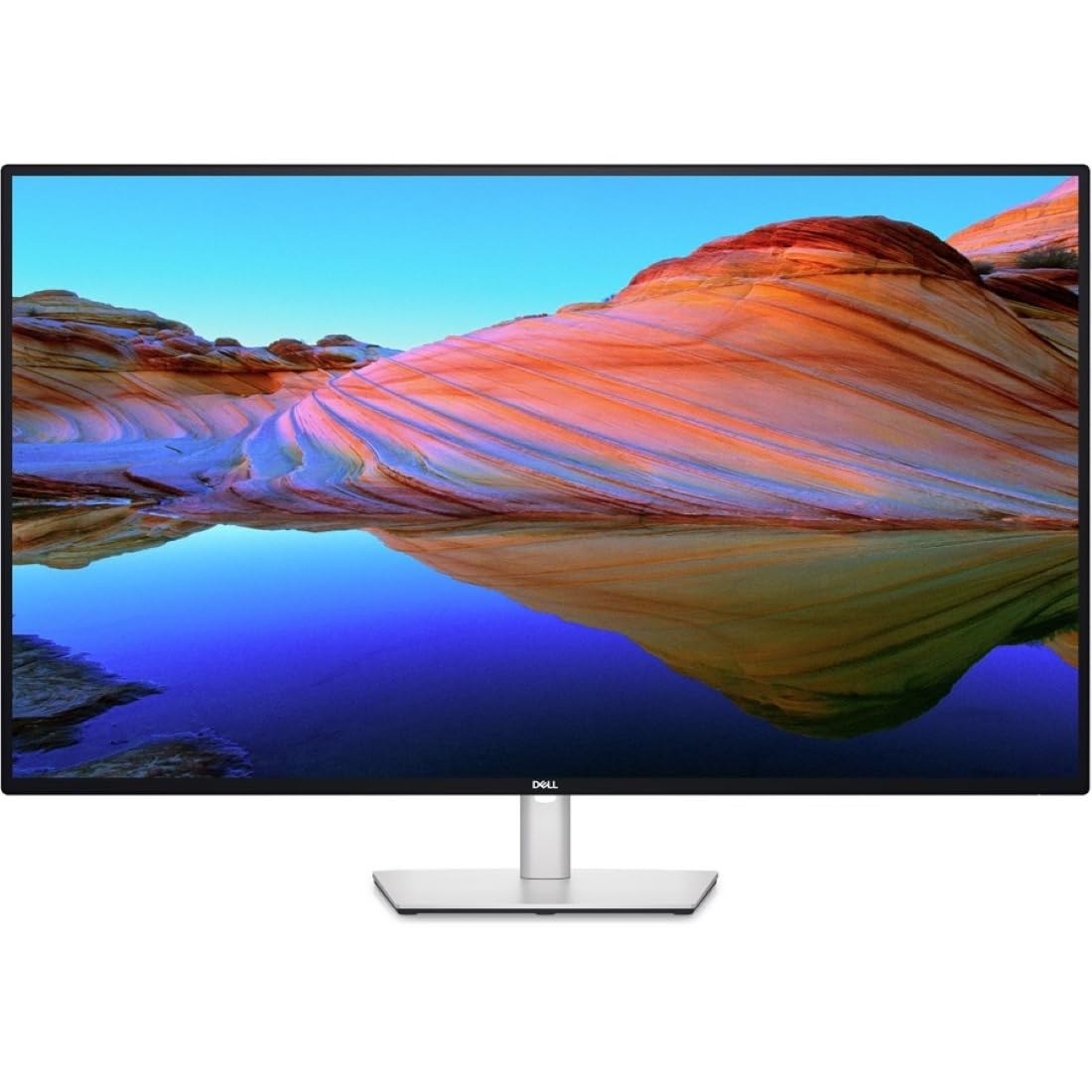
The Dell UltraSharp U4323QE is engineered specifically for multi-PC productivity. Its 43-inch IPS panel runs at 4K 60Hz, which is sufficient for coding, design, and office work while avoiding the refresh rate premium that adds cost. The standout feature is the integrated KVM with Auto KVM, allowing you to control up to four connected devices with a single keyboard and mouse. The front-facing pop-out USB-C and USB-A ports add easy-access peripheral connectivity.
Using internal Multi-Stream Transport (iMST), the display can partition the screen into four Full HD zones when connected to a single PC, mimicking a multi-monitor layout without bezels. The USB-C port delivers up to 90W of power delivery, enough to charge a 16-inch MacBook Pro at full speed. The stand includes full ergonomic adjustability — height, tilt, swivel, and pivot — which is rare at this size.
The KVM implementation has been noted to be software-based by some reviewers, which can occasionally require a manual reconnection. Also, the 60Hz refresh rate is adequate for general use but far from smooth for high-frame-rate gaming. This monitor is a no-compromise hub for professionals who manage multiple machines rather than a general-purpose family display.
Why it’s great
- Built-in KVM for seamless multi-PC control
- 90W USB-C power delivery for laptops
- iMST creates virtual multiple monitors
Good to know
- KVM can be unstable and require manual reset
- 60Hz refresh rate limits gaming and scrolling smoothness
- Premium pricing reflects hub features, not raw performance
4. LG 32UP83AK-W
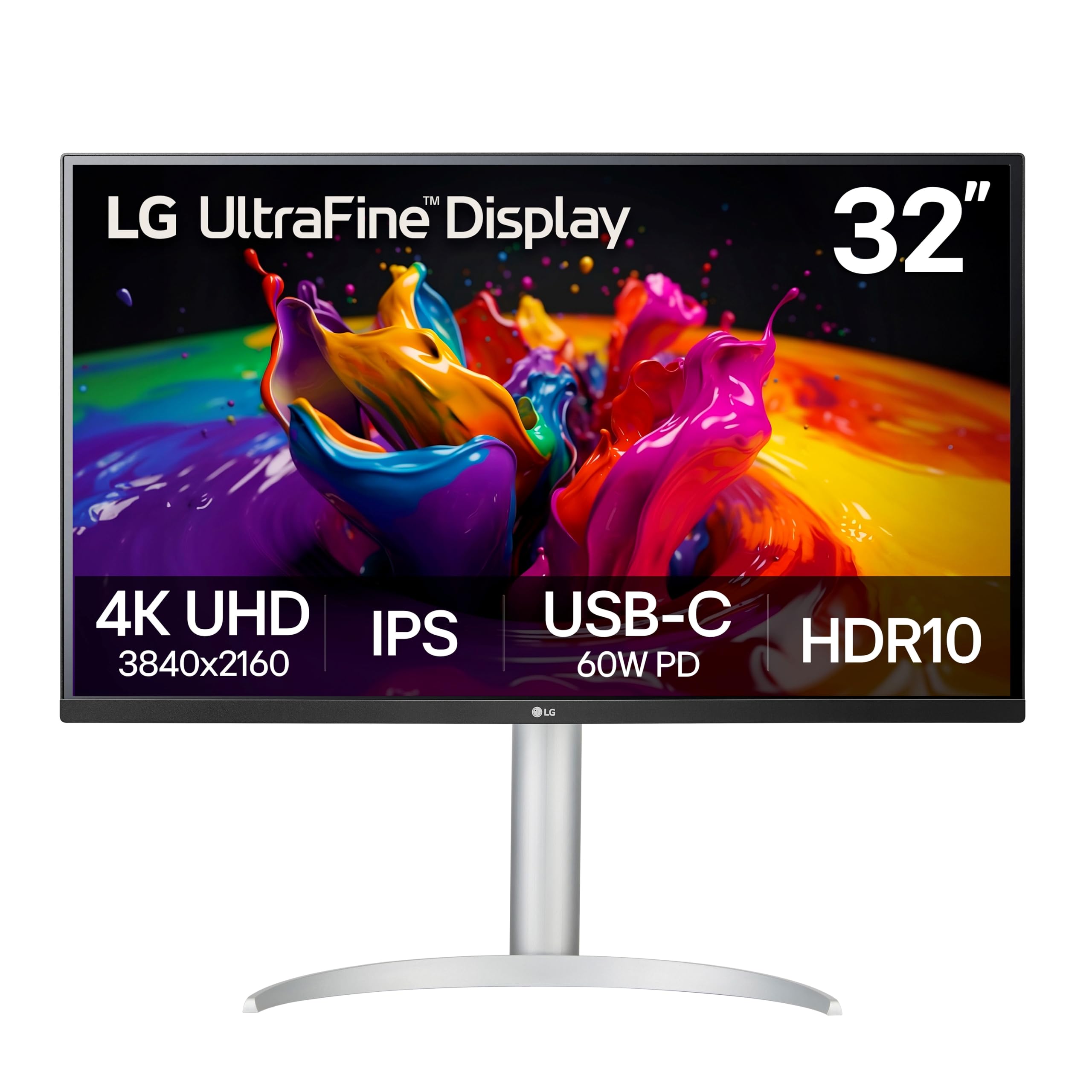
The LG 32UP83AK-W hits the value sweet spot for professionals who need a large, color-accurate 4K workspace without the high refresh rate markup. The 32-inch IPS panel covers 95% DCI-P3 and HDR10, delivering wide viewing angles and consistent brightness across the screen. The built-in speakers are adequate for videoconferencing and background music, reducing desk clutter.
Connectivity is a major strength: USB-C supports 4K video, data transfer, and 60W power delivery over a single cable, which pairs perfectly with a modern laptop as the centerpiece of a clean desk setup. The ergonomic stand includes height, tilt, and pivot adjustments — the pivot feature is particularly useful for coding or reading long documents in portrait orientation. Dynamic Action Sync and Black Stabilizer are included for light gaming duty.
Potential buyers should be aware of the stand base design. The semicircular legs extend far forward on shallow desks, which can interfere with keyboard tray positioning. At 60Hz, this is not a competitive gaming display, but it delivers excellent image clarity for code, design, and media consumption at a very accessible price point.
Why it’s great
- USB-C with 60W PD enables single-cable laptop setup
- IPS panel provides excellent color and viewing angles
- Full ergonomic stand with pivot for portrait mode
Good to know
- Stand legs are wide and may block desk space
- 60Hz refresh rate limits gaming potential
- Power cord is relatively short
5. Samsung 43″ M7 (M70D)

The Samsung 43-inch M70D is not just a monitor — it is a full smart TV platform inside a 4K display. The 43-inch VA panel offers a 5000:1 native contrast ratio, which produces deeper blacks and more punchy images than IPS alternatives at this price. The Tizen smart platform provides instant access to Netflix, Prime Video, and Samsung TV Plus without needing a separate streaming device.
For desktop use, the USB-C port supports video, data, and charging in a single cable. The Smart Monitor ecosystem allows you to drag and drop content between the display and a Galaxy tablet, making it a natural fit for anyone invested in the Samsung ecosystem. The SolarCell Remote charges from ambient light, eliminating battery waste.
The primary limitation for PC use is the glossy screen finish, which creates visible reflections if you have windows behind your desk. Some users also report that the smart TV menu system can be cumbersome for navigating PC display settings. At 60Hz, it is not a gaming powerhouse, but for a combined work-from-home monitor and living room TV, it provides exceptional versatility.
Why it’s great
- Integrated smart TV platform with all major streaming apps
- High 5000:1 VA contrast ratio for deep blacks
- USB-C connectivity for single-cable laptop use
Good to know
- Glossy screen reflects ambient light
- Smart TV menu can be slow for PC settings
- No DisplayPort input
6. Samsung 43″ M7 (M70F)

The Samsung M70F is the successor to the M70D, adding Samsung Vision AI features to the smart monitor formula. The AI Picture Optimizer automatically adjusts visuals based on the content type — boosting contrast for games, sharpening text for documents, and balancing brightness for movie watching. The VA panel still delivers the same 5000:1 contrast ratio that makes blacks look rich and inky.
Active Voice Amplifier uses AI to detect background noise and boost dialogue volume, which is genuinely useful if you work in a noisy environment or have a fan running nearby. Connectivity includes USB-C, HDMI, and USB-A ports for versatile peripheral management. Samsung Knox security integration adds an extra layer of data protection for users who handle sensitive information on their display.
As with the M70D, the glossy screen is a potential issue in bright rooms, and the 60Hz refresh rate limits fast-paced gaming. A small number of users have reported instability when using the monitor as a dedicated PC display, particularly with Windows 11 scaling. It works best as a hybrid productivity and entertainment hub rather than a pure desktop monitor.
Why it’s great
- AI picture optimization for varied content types
- Active Voice Amplifier improves dialogue clarity
- Samsung Knox security for data protection
Good to know
- Glossy finish creates glare in bright rooms
- 60Hz is fine for desktop but not for competitive gaming
- Some Windows compatibility issues reported
7. ASUS TUF VG27UQ1A
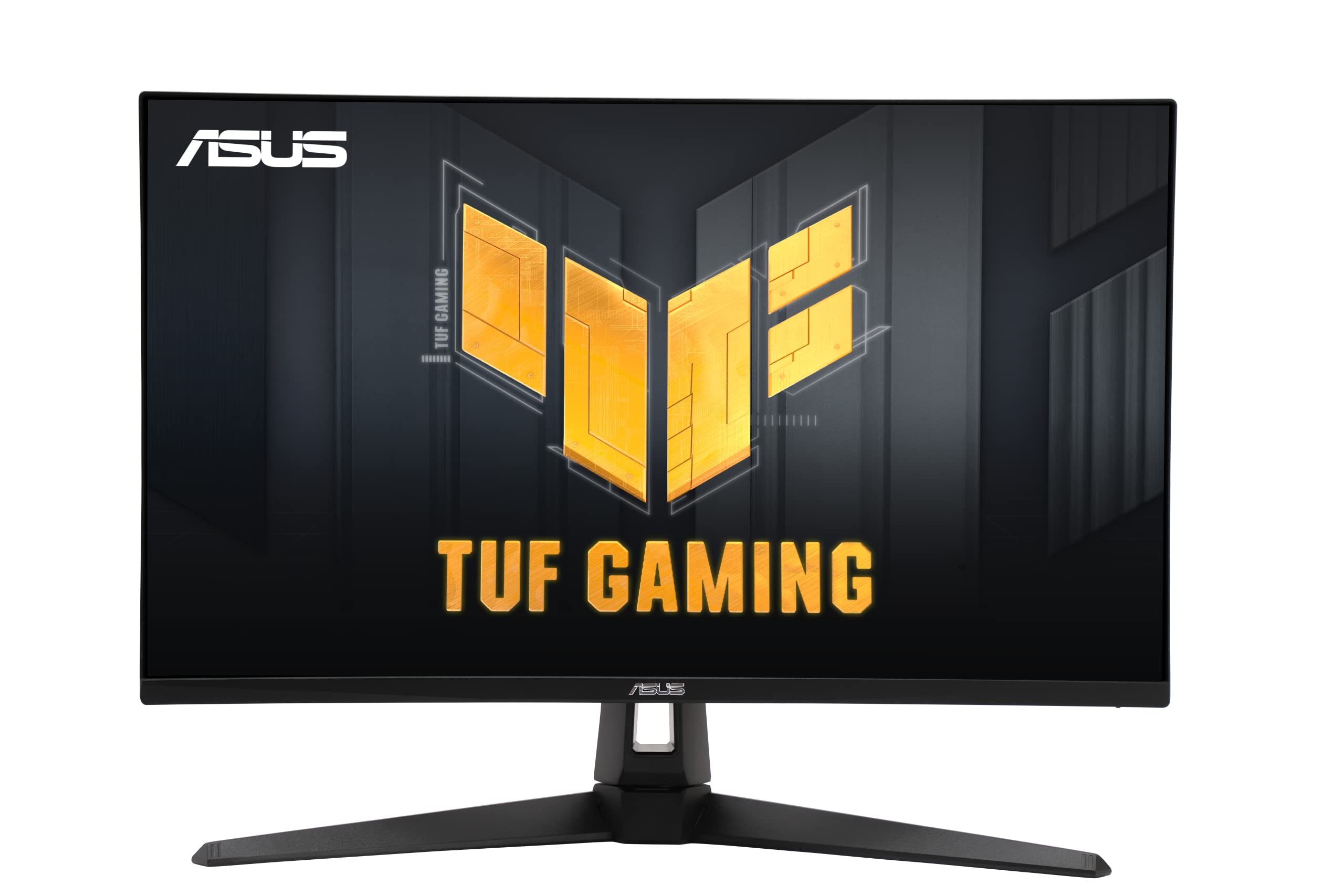
The ASUS TUF VG27UQ1A brings 4K gaming to a 27-inch screen, which is the ideal size for desk depth and pixel density. With a 160Hz refresh rate and 1ms response time, it delivers smooth motion for both first-person shooters and single-player adventures. HDMI 2.1 support means you can get a full 4K 120Hz signal from a PlayStation 5 or Xbox Series X, making this an excellent console companion.
The IPS panel covers 95% DCI-P3, and the HDR support adds enough dynamic range to make game worlds feel more realistic without the blooming issues of a VA panel. ASUS Extreme Low Motion Blur Sync (ELMB Sync) allows simultaneous use of variable refresh rate and motion blur reduction, striking a balance between clarity and smoothness that competing monitors cannot always achieve.
Setback wise there have been durability concerns in some user reviews, with reports of premature failure after a few months. The built-in speakers are basic and unlikely to replace a dedicated audio setup. For the price, this monitor packs exceptional features for both PC and console gamers, but potential buyers should weigh the reliability feedback from the community.
Why it’s great
- Full 4K 160Hz via HDMI 2.1 for console and PC
- ELMB Sync reduces ghosting without disabling VRR
- Compact 27-inch size with high PPI
Good to know
- Some reports of early hardware failure
- Built-in speakers are only average quality
- No USB-C port for laptop charging
8. Dell 32 Plus S3225QS

The Dell 32 Plus S3225QS is a smart budget-to-mid-range buy that delivers a genuine 120Hz refresh rate without the premium cost of OLED or high-end IPS panels. The VA panel achieves a 1500:1 native contrast ratio, which gives images a good sense of depth, and the 99% sRGB and 95% DCI-P3 color coverage ensures accurate color reproduction for photo editing and design work.
ComfortView Plus is a certified low blue light solution that reduces emissions to 35% or less without distorting the color balance — a huge advantage for all-day productivity compared to software-based blue light filters. The built-in speakers have been redesigned with greater output power and deeper frequency response than the previous generation, and users report surprisingly good bass for integrated monitor audio.
The stand offers height and tilt adjustment but lacks pivot or swivel, which limits flexibility for shared or multi-orientation setups. The 32-inch size provides a balanced pixel density that works well for both text and video. This is a strong choice for the buyer who wants the smooth feel of 120Hz for daily desktop use without paying for gaming-specific features they may not use.
Why it’s great
- 120Hz refresh rate for smooth desktop navigation
- ComfortView Plus reduces eye strain without color shift
- VA panel gives 1500:1 contrast for good black depth
Good to know
- No pivot or swivel on the stand
- VA panel viewing angles are narrower than IPS
- Speakers, while improved, are not HDR-grade
9. CRUA 32″ Curved Gaming Monitor

The CRUA 32-inch Curved Gaming Monitor enters the budget tier with an aggressive feature list: 4K resolution at 240Hz, a 1500R curvature, and AMD FreeSync support — all at a price that undercuts most premium options by a wide margin. The VA panel delivers a 3000:1 contrast ratio, which produces better black levels than many competitors in this price bracket, and the 120% sRGB coverage ensures colors are vibrant and punchy.
The 1500R curve wraps naturally around your field of view, making it easier to stay focused during long gaming sessions or when managing multiple windows. PIP/PBP support allows you to display inputs from two sources simultaneously, a feature usually reserved for higher-end business displays. The inclusion of an RGB backlight adds a soft ambient glow that can be turned off if you prefer a more professional look.
There are some compromises at this price point. The stand offers only tilt adjustment, so you will likely want a VESA monitor arm for full ergonomic comfort. Some users report that the on-screen display menu can be confusing without a remote. Also, the built-in speakers are functional but lack the clarity and volume needed for serious media consumption.
Why it’s great
- 4K 240Hz at a deeply competitive price
- 1500R curve enhances immersion and reduces eye strain
- 3000:1 VA contrast delivers solid HDR-like blacks
Good to know
- Tilt-only stand limits ergonomic positioning
- OSD navigation can be unintuitive
- No USB-C port for laptop users
10. Panasonic Z8 Series 77″
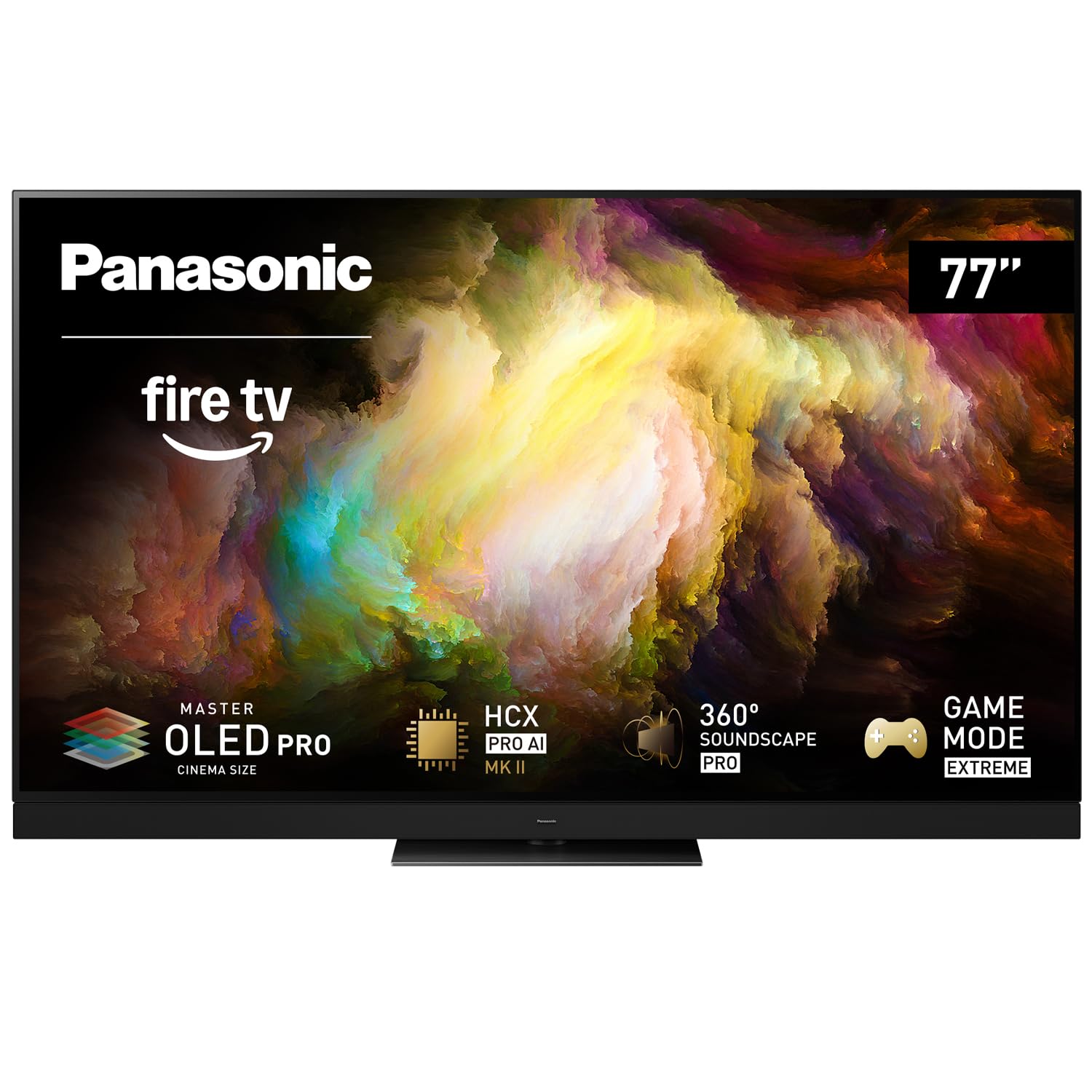
The Panasonic Z8 Series is a 77-inch Master OLED PRO panel that brings cinema-grade image quality to a format large enough to replace a multi-monitor desktop setup. The micro-lens-array OLED technology enhances peak brightness to levels that rival QD-OLED displays, while the HCX Pro AI Processor MKII handles real-time scene optimization. The 144Hz refresh rate, VRR support, and HDMI 2.1 connectivity make it genuinely capable for PC gaming at gigantic scale.
Multi-format HDR support includes Dolby Vision IQ, HDR10+ Adaptive, HLG, and standard HDR10, ensuring that whatever content you throw at it is displayed in the intended dynamic range. The 360 Soundscape Pro audio system, tuned by Technics, includes front-firing, upward-firing, and side-firing speakers with Dolby Atmos — eliminating the immediate need for a soundbar in most rooms. The anti-glare coating helps maintain contrast even with some ambient light present.
For desktop use, the 77-inch size demands a massive desk (at least 30 inches deep) and a significant viewing distance of 4 to 5 feet to avoid neck strain. The Fire TV platform is functional but some users prefer an external streamer for a faster interface. If you have the physical space and budget, this is a display that doubles as a home theater centerpiece and an immersive workstation.
Why it’s great
- Master OLED PRO panel with exceptional brightness
- 144Hz and VRR support for demanding PC gaming
- Integrated 360-degree Dolby Atmos sound system
Good to know
- Requires massive desk depth and viewing distance
- Heavy unit (~100 lbs) needs sturdy furniture
- Fire OS may feel slower than dedicated streamers
11. Sony BRAVIA 8 77″

The Sony BRAVIA 8 is a 77-inch OLED 4K TV built around the XR Processor, which uses cognitive intelligence to optimize color, contrast, and clarity in real-time. For PS5 owners, this display offers exclusive integration: Auto HDR Tone Mapping and Auto Genre Picture Mode automatically configure the ideal settings when it detects a PlayStation 5. The OLED panel produces pure black levels with 8 million self-lit pixels, and XR Contrast Booster 15 enhances peak brightness for HDR highlights.
Studio calibrated picture modes for Netflix, Prime Video, and Sony Pictures Core mean that streaming and disc content is displayed exactly as the creator intended. XR OLED Motion keeps fast-moving sports and action scenes free from blur, while Dolby Vision and Dolby Atmos support provide a true cinematic experience. The Acoustic Surface Audio+ system turns the entire screen into a speaker, creating sound that feels like it comes from the on-screen action.
Using a 77-inch OLED as a daily computer monitor requires a very large desk and a dimmable room, as glare can be an issue on the glossy screen. The Google TV interface requires multiple privacy agreement sign-ins, which some users find intrusive. The price point is the highest on this list, but for a media-first, gaming-second, and desktop-third scenario, the BRAVIA 8 delivers image quality that few monitors can match.
Why it’s great
- Exclusive PS5 integration for auto-optimized gaming
- XR Processor delivers accurate real-time scene tuning
- Acoustic Surface Audio+ creates immersive sound
Good to know
- Requires very large desk space and controlled lighting
- Google TV setup involves multiple privacy prompts
- Significant investment relative to other options
FAQ
Can any 4K TV work as a computer monitor?
What size 4K TV is best for a standard 30-inch desk?
Is 60Hz enough for using a TV as a monitor?
Final Thoughts: The Verdict
For most users, the 4k tv as a computer monitor winner is the LG UltraGear 27G810A-B because it combines high pixel density, a versatile Dual Mode feature for work and play, and full ergonomic adjustability at a mid-range price that refuses to compromise on refresh rate or adaptive sync. If you want a massive desktop canvas with integrated smart features, grab the Samsung 43″ M70D. And for uncompromising image quality that also serves as a home theater powerhouse, nothing beats the ASUS ROG Swift PG32UCDM.

Mo Maruf
I created WellFizz to bridge the gap between vague wellness advice and actionable solutions. My mission is simple: to decode the research and give you practical tools you can actually use.
Beyond the data, I am a passionate traveler. I believe that stepping away from the screen to explore new environments is essential for mental clarity and physical vitality.