Our readers keep the lights on and my smoothie glass nicely filled. As an Amazon Associate, I earn from qualifying purchases.
Packing a true 3840×2160 resolution into a panel barely thicker than a smartphone is no small feat, but the current generation of portable monitors finally delivers desktop-class sharpness without chaining you to a desk. The challenge now is cutting through the spec sheet noise—OLED vs. IPS, 60Hz vs. 120Hz, color gamut claims versus actual Delta E—to find the panel that matches how you actually work and play away from home.
I’m Mohammad Maruf — the founder and writer behind WellFizz. I’ve spent hundreds of hours analyzing panel specifications, port configurations, and build quality thresholds across the portable monitor market so you don’t have to gamble on a + purchase.
Whether you need a second screen for photo editing on a flight, a gaming display for your console in a hotel room, or a dual-monitor setup that folds into your backpack, this guide cuts through the marketing to find the best 4k portable monitor for your specific workflow and budget.
How To Choose The Best 4K Portable Monitor
Choosing a 4K portable monitor involves more than just checking resolution. The interplay of panel technology, brightness, connectivity, and physical build determines whether your investment feels like a seamless extension of your primary setup or a frustrating compromise. Focus on these four pillars to narrow the field.
Panel Technology: OLED vs. IPS vs. QLED
The panel type dictates contrast, color volume, and viewing angles. OLED delivers true blacks, infinite contrast ratios (100,000:1+), and vibrant DCI-P3 coverage—ideal for HDR content and color-critical editing. However, OLED panels are more expensive and can be susceptible to burn-in with static elements. IPS (LCD) panels offer excellent color consistency, wide viewing angles, and lower cost, but suffer from backlight bleed and grayish blacks in dark scenes. QLED (Quantum Dot) enhances color volume and brightness over standard IPS, bridging the gap between IPS and OLED in vibrancy while retaining IPS cost advantages.
Brightness and Usability
Measured in nits (candelas per square meter), brightness is critical for outdoor or bright-room usability. A 300-nit panel may feel dim next to a window, while 500-600 nits allows comfortable use in varied lighting. Some monitors require external power to reach peak brightness (e.g., 600 nits)—without it, they cap at 400 nits via USB-C. For travel, prioritize a monitor that can hit at least 400 nits on a single USB-C cable to avoid carrying an extra power brick.
Connectivity and Power Delivery
Look for USB-C with DP Alt Mode and Power Delivery (PD) input. A monitor with dual USB-C ports often supports pass-through charging—allowing you to charge your laptop while using the monitor. Standard HDMI ports (full-size or Mini) ensure compatibility with game consoles and older laptops. Some premium models include DisplayPort or Mini DP for high-refresh-rate 4K. Check if your laptop’s USB-C port supports both video and power; otherwise, you’ll need a dedicated power adapter.
Build, Weight, and Stand
A true portable monitor weighs under 2.5 pounds and fits in a laptop bag sleeve. The integrated stand should support tilt (0-180°) for ergonomic positioning. VESA mount compatibility (75x75mm) adds flexibility for desk use. For dual-screen setups, consider the SOTSU or InnoView foldable designs—they pack flat but retain stability. Avoid monitors with flimsy detachable stands; a built-in kickstand with friction hinges is more reliable over daily use.
Quick Comparison
On smaller screens, swipe sideways to see the full table.
| Model | Category | Best For | Key Spec | Amazon |
|---|---|---|---|---|
| ViewSonic VX1655-4K-OLED | OLED | Color-accurate creative work | 80,000,000:1 Contrast Ratio | Amazon |
| SOTSU FlipAction Elite 16″ | LCD | MacBook Pro seamless pairing | 3840×2400 / 16:10 Aspect Ratio | Amazon |
| UPERFECT 13.3″ OLED | OLED | Ultra-portable premium display | 500 nits / 13.3-inch OLED | Amazon |
| UPERFECT 17.3″ QLED | QLED | Bright room / HDR gaming | 600 nits / 150% sRGB | Amazon |
| cocopar 17.3″ 4K | LCD | Budget-conscious 4K setup | 1.7 lbs / 150% sRGB | Amazon |
| InnoView 18.5″ 4K | IPS | Large-screen productivity | 18.5-inch / 400 nits | Amazon |
| InnoView Dual 15.6″ 4K | LCD | Mobile dual-monitor workstation | Dual 4K / Foldable | Amazon |
| ASUS ProArt PA329CRV | IPS | Professional color grading | 98% DCI-P3 / Delta E < 2 | Amazon |
| Magedok 16″ 4K OLED | OLED | Vibrant gaming on the go | 100% DCI-P3 / 16:10 | Amazon |
| Magedok 16″ 4K Touch OLED | OLED | Touch/stylus creative work | 10-Point Touch / Stylus | Amazon |
| Magedok 17.3″ 120Hz Touch | IPS | High-refresh gaming + touch | 120Hz / 1ms / Touch | Amazon |
In‑Depth Reviews
1. ViewSonic VX1655-4K-OLED

The ViewSonic VX1655-4K-OLED is the benchmark for portable 4K monitors, combining a true OLED panel with a sub-1.5-pound chassis that slips into any bag. Its 80,000,000:1 contrast ratio delivers inky blacks and luminous highlights that IPS panels simply cannot match, making it the obvious choice for photographers and video editors who need to review HDR footage away from a calibrated desktop display.
At 400 nits brightness, the panel is vivid indoors and usable near a window, though you will need the included USB-C cable and power adapter to drive it at full brightness. The built-in stand cover doubles as a screen protector and supports both portrait and landscape orientations, a thoughtful touch for professionals who switch between code and content.
The 60Hz refresh rate is fine for productivity and casual gaming, but competitive players will want higher. Audio is a weak point—the built-in speakers are thin and tinny. For a premium portable OLED experience backed by a solid 3-year warranty, this is the most complete package available today.
Why it’s great
- True OLED with 80,000,000:1 contrast delivers reference-level blacks
- Extremely portable at 1.5 lbs with included protective cover/stand
- USB-C power delivery up to 60W reduces cable clutter
Good to know
- 60Hz refresh rate limits high-frame-rate gaming potential
- Built-in speakers are subpar; external audio is advised
- Requires external power adapter for maximum brightness
2. SOTSU FlipAction Elite 16″

The SOTSU FlipAction Elite is engineered specifically for MacBook Pro users who demand seamless integration. Its 16:10 ratio (3840×2400) matches the MacBook’s native aspect ratio perfectly, and the CNC-machined aluminum body in Space Black looks like a natural extension of Apple’s design language. The magnetic folding stand collapses flush to 0.5 inches thick, making it one of the most packable premium monitors tested.
With 450 nits brightness and an anti-reflective coating, this panel delivers sharp text and accurate colors that pair well with XDR displays. The integrated SD card slot in the kickstand is a clever addition for traveling photographers. Pass-through charging supports up to 60W, so your MacBook stays powered through a single USB-C connection.
The 60Hz refresh rate and lack of touch input mean it is strictly a productivity and content consumption tool. The protective case feels low-quality compared to the monitor itself. At this price point, the SOTSU is a niche masterpiece—perfect for creative professionals who prioritize build and design over raw specs.
Why it’s great
- Premium CNC aluminum build matches MacBook aesthetic perfectly
- 16:10 4K resolution with 450 nits and anti-reflective coating
- Integrated SD card slot and 60W pass-through charging
Good to know
- High price tag compared to similarly spec’d competition
- No built-in speakers; requires external audio
- Included carry case feels cheap for the cost
3. UPERFECT 13.3″ OLED (UColor O Lite)
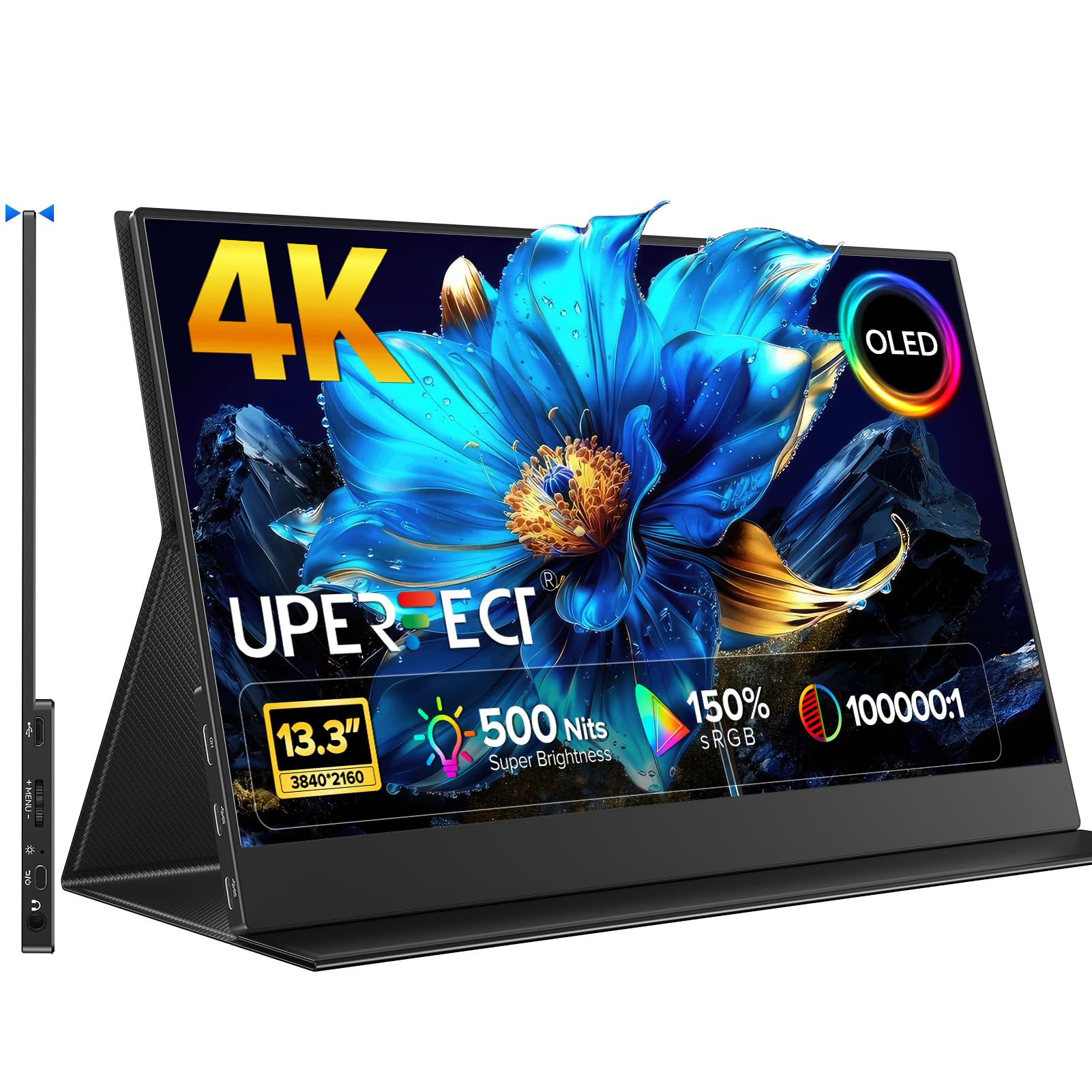
The UPERFECT 13.3-inch OLED is the ideal travel companion for those who refuse to compromise on visual quality. Its 500-nit OLED panel—feeling even brighter due to the contrast advantage—covers 150% sRGB and renders 1.07 billion colors. This is a monitor that makes standard IPS panels look washed out by comparison, especially in dim environments where OLED’s true blacks shine.
Weighing under two pounds and wrapped in a full aluminum alloy frame, this monitor feels premium in hand. The plug-and-play USB-C connection works seamlessly with laptops and even smartphones, and the 1ms response time keeps motion crisp during movies and casual gaming. The magnetic kickstand is simple but effective, and the 178-degree viewing angles ensure consistent color from any position.
The 60Hz refresh rate and small 13.3-inch footprint make it less suited for immersive gaming or split-screen productivity. Some users report a faint coil whine on certain units. For creative professionals who need a true OLED second screen that vanishes into a bag, this is a top-tier choice.
Why it’s great
- 500-nit OLED panel with 150% sRGB and 100,000:1 contrast
- Ultra-slim aluminum build that weighs under 2 lbs
- 1ms response time keeps fast motion clear
Good to know
- 13.3-inch size feels cramped for extended multitasking
- Some units may exhibit faint coil whine noise
- 60Hz refresh rate limits high-refresh gaming potential
4. UPERFECT 17.3″ QLED

The UPERFECT 17.3-inch QLED monitor stands out for its sheer brightness. With 600 nits peak and 150% sRGB coverage, this panel is usable even in direct sunlight—a rarity among portable monitors. The QLED technology delivers purer reds, deeper greens, and brighter blues than standard IPS, making it a fantastic choice for HDR gaming and outdoor presentations.
The virtually bezel-less design reduces visual distractions, and the built-in 180-degree adjustable stand allows for fine ergonomic tuning. Dual fully functional USB-C ports plus a standard HDMI input ensure broad compatibility with laptops, phones, and gaming consoles. The monitor also supports both FreeSync and G-Sync, reducing screen tearing during fast-paced gaming sessions.
Viewing angles are a noticeable weak point—color shifts and brightness loss become apparent beyond about 30 degrees off-center. The built-in speakers are mediocre. At this price, you are paying for a bright, large, and color-rich display that performs best in well-lit environments.
Why it’s great
- Industry-leading 600 nits brightness for outdoor use
- QLED technology with 150% sRGB provides vibrant, punchy colors
- Standard HDMI plus dual USB-C with FreeSync/G-Sync support
Good to know
- Poor viewing angles; color shifts rapidly off-axis
- Built-in speakers are weak and tinny
- Requires external power for 600 nit operation
5. cocopar 17.3″ 4K
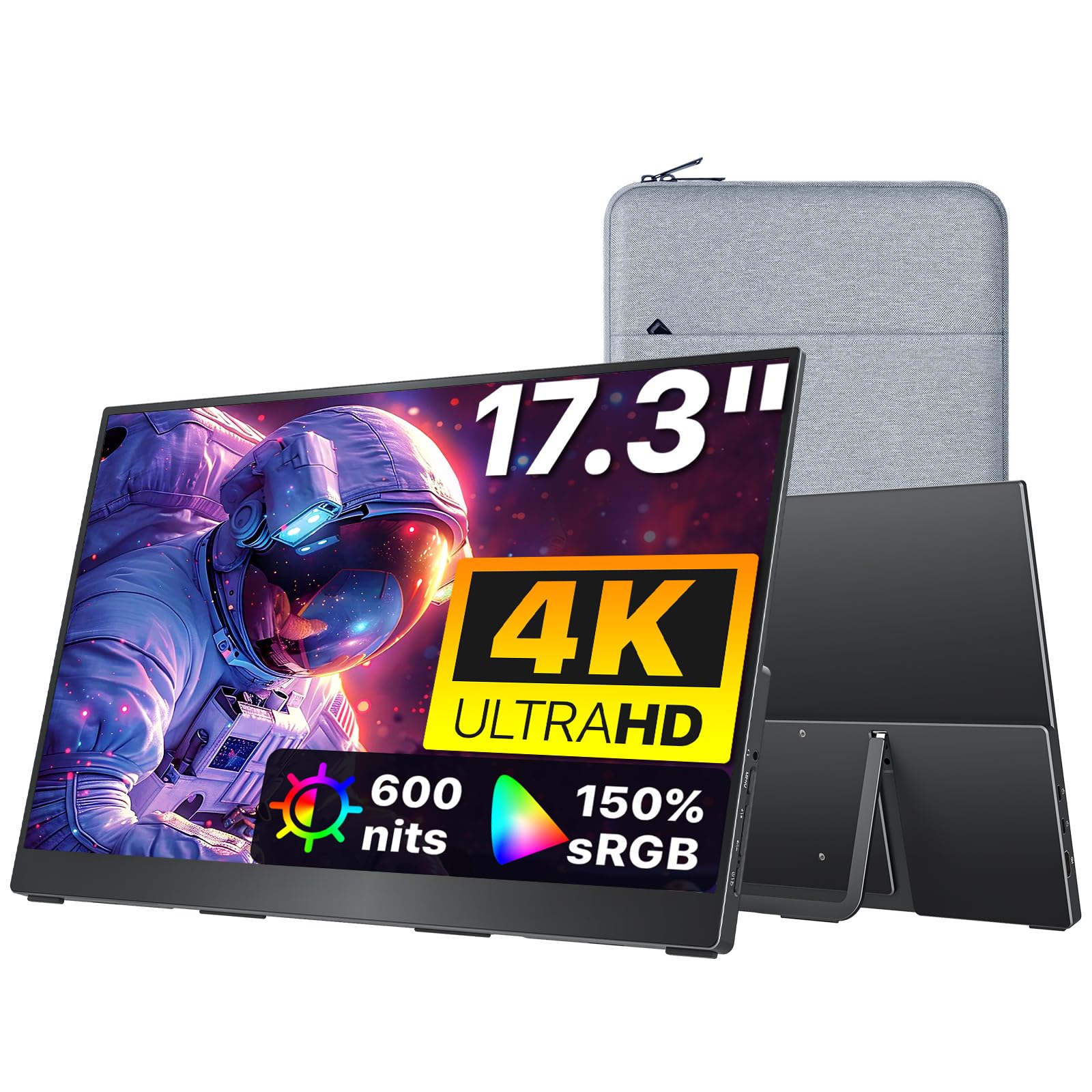
The cocopar 17.3-inch 4K monitor delivers an impressive balance of screen size, build quality, and price. At just 1.7 pounds with a premium aluminum chassis and a built-in kickstand, it offers a clean, stable setup for remote work. The 150% sRGB color gamut and 600 nits peak brightness (with external power) produce sharp, vibrant images that satisfy most creative workloads.
Connectivity is straightforward: dual USB-C ports and one standard HDMI port ensure compatibility with modern laptops and game consoles alike. The included sleeve case adds protection during transit, and the VESA mount compatibility allows for a permanent desk setup. Users report flawless plug-and-play with MacBook Pro M-series chips via a single USB-C cable at 500 nits.
The IPS panel cannot match the contrast of OLED—blacks appear gray in dark rooms. The 60Hz refresh rate is fine for productivity but does not suit competitive gaming. For a mid-range 4K monitor that prioritizes portability and a large screen, this is a compelling option.
Why it’s great
- Large 17.3-inch 4K IPS panel with 150% sRGB coverage
- Lightweight 1.7 lbs build with included sleeve case
- Peak 600 nits brightness when using external power adapter
Good to know
- IPS panel with typical grayish black levels in dark scenes
- 60Hz refresh rate not ideal for competitive gaming
- Requires external power to reach maximum 600 nit brightness
6. InnoView 18.5″ 4K
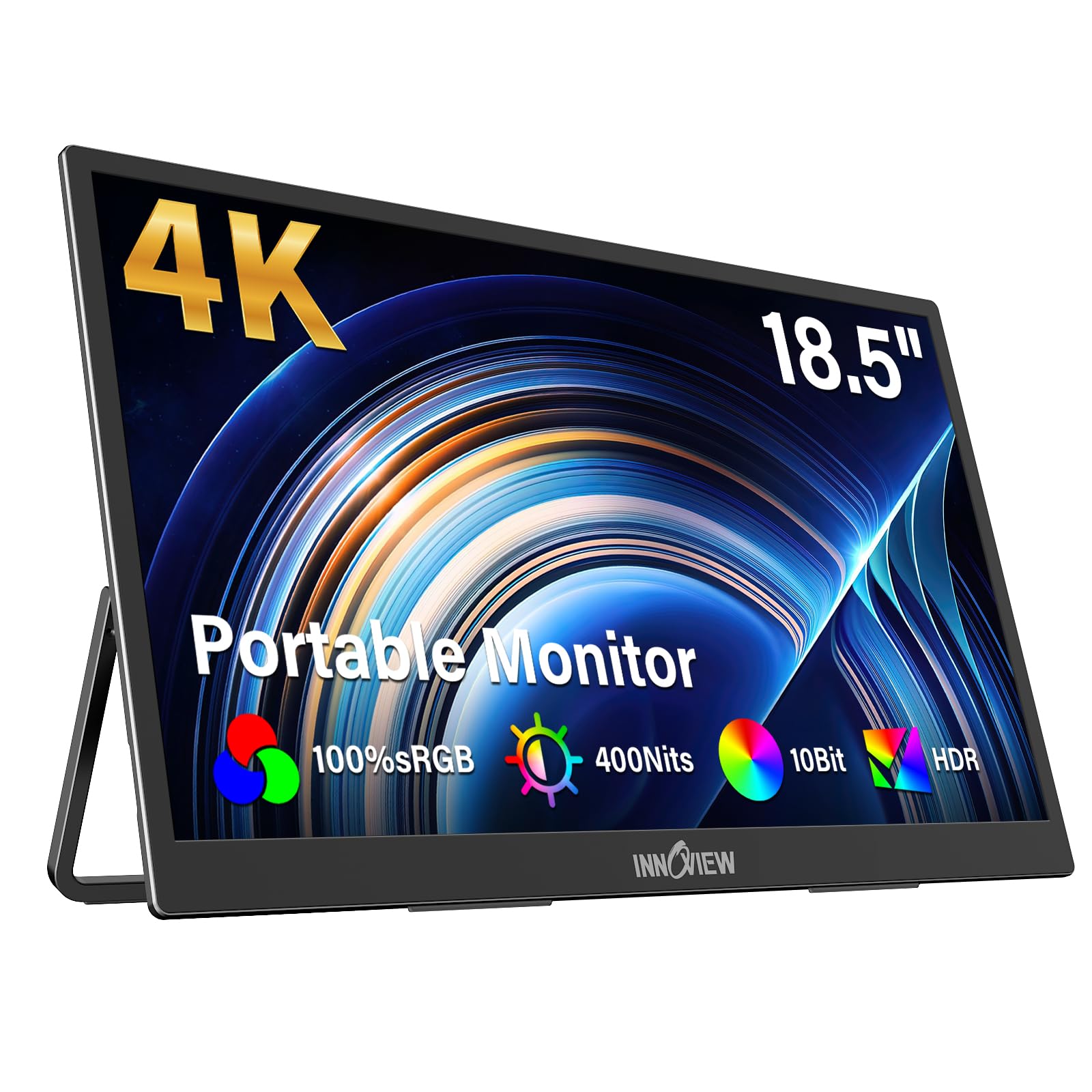
The InnoView 18.5-inch 4K monitor offers the largest screen in this roundup without jumping to a full desktop form factor. With a 400-nit IPS panel and 100% sRGB coverage, it provides a spacious workspace for spreadsheets, code, and docked laptop setups. The integrated 180-degree adjustable stand is metal and feels sturdy, reducing neck strain during long work sessions.
Setup is simple via dual USB-C or HDMI, and the monitor works out of the box with Windows, macOS, and game consoles. The 10-bit color depth (8-bit + FRC) displays over one billion colors, producing smooth gradients for photo editing. Users consistently praise its brightness and clarity, noting it outshines older 1080p portable monitors significantly.
The 60Hz refresh rate and typical IPS contrast ratio are limiting factors for gamers and HDR enthusiasts. The built-in speakers are weak. For productivity-focused users who want the largest possible portable 4K canvas, this is a strong mid-range contender.
Why it’s great
- Largest screen at 18.5 inches for maximum productivity real estate
- Bright 400-nit IPS panel with 100% sRGB and 10-bit color
- Sturdy metal stand with 180-degree tilt adjustment
Good to know
- 60Hz refresh rate and limited contrast ratio for gaming
- Built-in speakers are weak; external audio recommended
- Requires external power adapter for full functionality
7. InnoView Dual 15.6″ 4K

The InnoView Dual 15.6-inch 4K monitor is a unique solution for professionals who need a true dual-monitor setup on the road. It folds to the size of a MacBook Air 15, yet unfolds to provide two stacked 4K displays. This is a game-changer for coding, financial analysis, and video editing workflows where screen real estate directly correlates with productivity.
Each panel delivers crisp 4K resolution with 100% sRGB coverage, and the built-in stand supports a 180-degree tilt. The Owl Eye Vision feature enhances contrast and sharpness dynamically, and the AI blue light filter reduces eye strain during extended use. Connection via a single USB-C cable carries power and video to both screens, simplifying the cable setup.
The trade-offs are real: the 300-nit brightness is the lowest in this list, making outdoor use difficult. The dual-screen system requires a 30W power brick, and cable management can become messy. At this price, it is a specialized tool for power users who cannot afford to lose dual-screen productivity while traveling.
Why it’s great
- Two true 4K monitors in a single foldable, packable chassis
- Single USB-C cable drives both displays for easy setup
- AI-enhanced blue light filter for reduced eye strain
Good to know
- Brightness limited to 300 nits, weak for bright environments
- Cable management is cumbersome with multiple cables
- Requires 30W power brick; not powered by laptop alone
8. ASUS ProArt PA329CRV (32″)

The ASUS ProArt PA329CRV is a professional-grade 32-inch 4K monitor that leans into color accuracy for photo and video editors. With factory calibration achieving Delta E < 2 and 98% DCI-P3 coverage, this panel is Calman Verified and supported by a 3-year warranty (extendable to 5 years). It is less portable than the others here, but it is the right choice for a permanent desk setup.
The IPS panel provides wide 178-degree viewing angles and consistent brightness across the screen. Connectivity includes USB-C with 96W Power Delivery—enough to charge a high-end laptop while displaying video—plus DisplayPort, HDMI, and a built-in USB hub. The stand offers tilt, swivel, pivot, and height adjustment for ergonomic positioning.
At 32 inches, this is not a travel monitor—it demands desk space. Some units have reported dead pixels or uniformity issues. The built-in speakers are terrible. For creative professionals who need a second reference display with verified color accuracy, the PA329CRV is a leader in its class.
Why it’s great
- Factory-calibrated Delta E < 2 with 98% DCI-P3 color gamut
- USB-C with 96W Power Delivery charges laptop and drives video
- Fully adjustable stand supports tilt, swivel, pivot, and height
Good to know
- 32-inch size is not portable—a dedicated desk monitor
- Some reports of dead pixels and non-uniform backlight
- Built-in speakers are very poor quality
9. Magedok 16″ 4K OLED

The Magedok 16-inch 4K OLED is a premium panel designed for gamers and creatives who want vibrant colors and deep blacks in a portable format. Using a Samsung E4 AM-OLED panel with 100% DCI-P3 coverage and a Delta E < 1, this monitor produces stunningly accurate colors and near-infinite contrast. The 16:10 aspect ratio offers 10% more vertical space than 16:9, which is a real advantage for coding and reading documents.
At 400 nits brightness, the display is vivid indoors and performant in moderate light. The narrow bezel design achieves a 93% screen-to-body ratio, and the integrated stand provides 0-90 degrees of tilt. Connectivity includes Mini DP, USB-C, and standard HDMI, ensuring compatibility with laptops, consoles, and PCs.
The 60Hz refresh rate is adequate for most games but not for competitive play. Some users report that brightness and color settings reset after disconnecting, requiring re-adjustment on each use. The physical menu buttons are located behind the display, making adjustments awkward. For an OLED-centric portable gaming display with exceptional color accuracy, this is a compelling choice.
Why it’s great
- Premium Samsung E4 AM-OLED with 100% DCI-P3 and Delta E < 1
- 16:10 aspect ratio provides extra vertical screen real estate
- Includes Mini DP, USB-C, and standard HDMI connectivity
Good to know
- 60Hz refresh rate limits high-refresh gaming
- Settings can reset on power disconnect; menu buttons awkwardly placed
- 400 nits brightness is lower than some LCD competitors
10. Magedok 16″ 4K Touch OLED

The Magedok 16-inch 4K Touch OLED takes the premium OLED experience and adds 10-point capacitive touch and MPP stylus support. This transforms the monitor into a portable drawing tablet for digital artists and note-takers. The Samsung E4 panel still delivers 100% DCI-P3 and Delta E < 1, ensuring the touch experience does not compromise color accuracy.
The touch interface works seamlessly with Windows 8/10/11 (10-point) and offers single-touch support for macOS and Linux. The stylus support follows MPP and USI protocols, providing natural pen input for sketching and editing. The 16:10 aspect ratio and 400 nits brightness remain consistent with the non-touch version.
Like its non-touch sibling, the 60Hz refresh rate and resetting settings are drawbacks. The touch layer adds a slight amount of weight and thickness, though it remains highly portable. For digital artists and interactive presenters, the touch functionality is a significant value-add.
Why it’s great
- 10-point capacitive touchscreen with MPP/UPI stylus support
- Premium Samsung E4 OLED with 100% DCI-P3 and high accuracy
- 16:10 aspect ratio offers more vertical workspace than 16:9
Good to know
- 60Hz refresh rate; settings may reset on power cycle
- Touch layer adds slight bulk; stylus sold separately
- Menu buttons behind display are awkward to reach
11. Magedok 17.3″ 4K 120Hz Touch
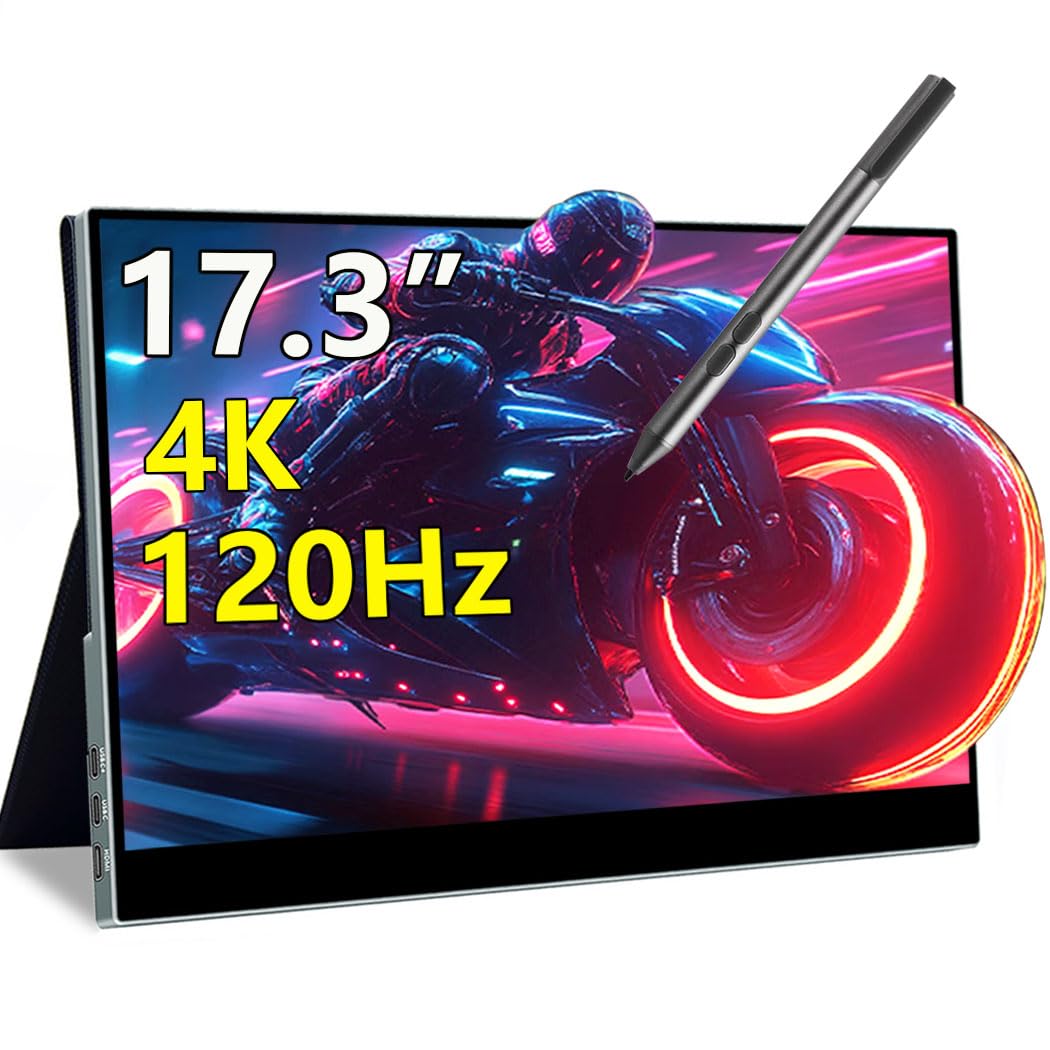
The Magedok 17.3-inch 4K 120Hz Touch is a rare beast: a portable monitor that combines true 4K resolution, a 120Hz refresh rate, and a 10-point capacitive touchscreen. This makes it the ultimate all-in-one for gamers who also need a responsive touch interface for creative or productivity tasks. The IPS panel delivers 100% DCI-P3 coverage and 400 nits brightness.
The 120Hz refresh rate eliminates motion blur and screen tearing, delivering smooth gameplay for fast-paced titles. The 1ms response time ensures inputs feel immediate. The magnetic smart cover doubles as a protective case and stand, and the 75x75mm VESA mount allows for fixed desk installations. Setup is plug-and-play with USB-C and HDMI 2.1 ports.
The IPS panel cannot match OLED contrast—black levels are typical for LCD. The privacy screen filter included on some units reduces viewing angles and slightly mutes colors. At this price point, it is a niche product for users who absolutely need 4K, 120Hz, and touch in one portable package.
Why it’s great
- True 4K resolution at 120Hz with 1ms response time
- 10-point capacitive touchscreen for interactive use
- HDMI 2.1 connectivity supports high-bandwidth gaming
Good to know
- IPS panel with typical grayish blacks; no OLED contrast
- Privacy screen filter can mute colors and reduce viewing angles
- Higher price than many 60Hz 4K portable monitors
FAQ
Can a single USB-C cable drive a 4K portable monitor at full brightness?
Is 60Hz enough for a 4K portable monitor, or is 120Hz worth the premium?
How important is VESA mount compatibility for a portable monitor?
Final Thoughts: The Verdict
For most users, the best 4k portable monitor is the ViewSonic VX1655-4K-OLED because it combines reference-grade OLED contrast with a sub-1.5-pound chassis, a built-in stand, and a 3-year warranty. If you need the ultimate MacBook Pro companion with premium build and a 16:10 aspect ratio, grab the SOTSU FlipAction Elite. And for an ultra-bright, large-screen 4K experience for gaming and outdoor use, nothing beats the UPERFECT 17.3″ QLED.

Mo Maruf
I created WellFizz to bridge the gap between vague wellness advice and actionable solutions. My mission is simple: to decode the research and give you practical tools you can actually use.
Beyond the data, I am a passionate traveler. I believe that stepping away from the screen to explore new environments is essential for mental clarity and physical vitality.