Our readers keep the lights on and my smoothie glass nicely filled. As an Amazon Associate, I earn from qualifying purchases.
A 27-inch 4K OLED monitor delivers the pixel density that makes text razor-sharp while the per-pixel lighting of OLED creates contrast that no LCD can match. The challenge is navigating the trade-offs between glossy and matte coatings, OLED panel generations, and the specific connectivity you need for your GPU or console.
I’m Mohammad Maruf — the founder and writer behind WellFizz. This guide is built on dozens of hours analyzing real-world specs, customer feedback, and panel technology differences across the current 27-inch 4K OLED landscape.
By the end of this guide, you will know exactly which 4k oled monitor 27 inch fits your use case, whether that is competitive gaming, creative work, or a dual-purpose desk setup.
How To Choose The Best 4K OLED Monitor 27 Inch
Choosing a 27-inch 4K OLED monitor means balancing panel technology, connectivity, and the specific lighting of your workspace. These three factors determine whether the monitor looks stunning or struggles in your daily environment.
Panel Type: QD-OLED vs WOLED
QD-OLED panels deliver wider color volume and higher peak brightness in controlled light, but the subpixel structure can show slight text fringing on white backgrounds. WOLED panels have a separate white subpixel that improves text clarity at the cost of slightly lower color volume in bright HDR highlights. For mixed office and gaming use, WOLED often presents sharper text. For dark-room gaming with HDR content, QD-OLED provides richer, more vibrant colors.
Coating and Light Control
Glossy coatings preserve contrast and pop, but reflect overhead lights and windows. Matte or anti-glare coatings diffuse reflections, making them better in bright rooms, though they reduce perceived depth in dark scenes. The best choice depends on whether you control ambient light or work under harsh ceiling fixtures.
Connectivity and Power Delivery
DisplayPort 2.1 delivers full 80Gbps bandwidth for uncompressed 4K at 240Hz, while HDMI 2.1 handles consoles at the same resolution and frame rate. USB-C with power delivery is essential for laptop users who want a single-cable setup. If you run an older GPU, check whether it supports DSC for HDMI 2.0 or DP 1.4 to hit 4K at 240Hz.
Quick Comparison
On smaller screens, swipe sideways to see the full table.
| Model | Category | Best For | Key Spec | Amazon |
|---|---|---|---|---|
| ASUS ROG Swift PG27UCDM | Premium | High-end PC gaming and creative work | DP 2.1a, Dolby Vision | Amazon |
| MSI MPG 272URX QD-OLED | Premium | Enthusiast gaming with perfect text clarity | DP 2.1a, USB-C 98W PD | Amazon |
| GIGABYTE MO27U2 | Mid-Range | Value-focused 4K QD-OLED gaming | AI-based burn-in protection | Amazon |
| Samsung Odyssey G8 (G81SF) | Mid-Range | Bright-room gaming with anti-glare | Glare Free technology | Amazon |
| INNOCN GA27W1Q | Mid-Range | Budget entry into QD-OLED 4K | Built-in speakers, LED lighting | Amazon |
| LG 27GS93QE UltraGear | Mid-Range | 1440p OLED gaming at high speed | 240Hz, 0.03ms response | Amazon |
| BenQ MA270UP | Mid-Range | MacBook external display solution | USB-C 90W PD, Mac color match | Amazon |
| ASUS ROG Swift PG27AQWP-W | Premium | Competitive 540Hz esports | Dual-mode 540Hz, Glossy tandem | Amazon |
| Alienware AW3225QF | Premium | Large 32-inch 4K QD-OLED experience | 32-inch, Dolby Vision | Amazon |
In‑Depth Reviews
1. ASUS ROG Swift PG27UCDM

The PG27UCDM uses the latest 4th-gen QD-OLED panel with a custom heatsink that extends OLED lifespan significantly over previous generations. Its 4K resolution at 27 inches gives you a sharp 166 PPI that makes text and fine details look crisp without the subpixel blurring that plagued early QD-OLED monitors. The DP 2.1a port delivers full 80Gbps bandwidth, so you can run 4K at 240Hz with 10-bit color and HDR without needing display stream compression.
Dolby Vision support and VESA DisplayHDR 400 True Black certification mean this monitor handles both gaming HDR and professional color work with equal authority. The Neo Proximity Sensor detects when you walk away and automatically dims the screen to reduce burn-in risk. The bundled USB-C port provides 90W of power delivery, letting you charge a laptop through a single cable.
Color accuracy is factory-calibrated to Delta E less than 2 out of the box. The 99% DCI-P3 coverage ensures that HDR games and movies show the full intended color volume. Owners report that HDR calibration through Windows greatly improves sharpness and brightness, making this one of the most versatile monitors for someone who games and edits photos or video on the same screen.
Why it’s great
- 4th-gen QD-OLED delivers best-in-class color volume and text clarity
- Full DP 2.1a bandwidth for uncompressed 240Hz
- Dolby Vision and HDR 400 True Black for rich HDR content
Good to know
- No built-in speakers
- Ports face downward, which can be awkward for cable management
2. MSI MPG 272URX QD-OLED

The MSI MPG 272URX uses a 5-layer tandem QD-OLED panel with EL Gen 3 technology that improves efficiency up to 30% compared to earlier OLED iterations. This translates to brighter whites and more saturated colors during HDR gaming without pushing the panel harder. The 4K resolution at 27 inches yields a pixel density of 166 PPI, and users with macOS and Linux report perfect out-of-box text clarity with no fringing on standard operating systems.
Connectivity is future-proof: DP 2.1a handles uncompressed 4K at 240Hz, while USB-C delivers 98W of power delivery for laptops. The graphene heatsink operates completely fanless, so there is no risk of fan noise or dust buildup inside the monitor. MSI’s OLED Care 2.0 software includes pixel shift, panel refresh, and taskbar detection to prevent burn-in over extended use.
Owners who upgraded from older IPS or mini-LED panels consistently mention that the MSI delivers superior contrast without blooming and that the 99% DCI-P3 color gamut looks punchy but not oversaturated. The 4-way adjustable stand includes height, tilt, swivel, and pivot. The only recurring downside reported is a potential for bubbles developing under the screen on rare units, which MSI covers under RMA.
Why it’s great
- EL Gen 3 panel improves brightness and efficiency by 30%
- Fanless graphene heatsink ensures silent operation
- USB-C with 98W power delivery for single-cable laptop use
Good to know
- RMA shipping costs can fall on the buyer
- Premium pricing positions it near the top of the mid-range category
3. GIGABYTE MO27U2
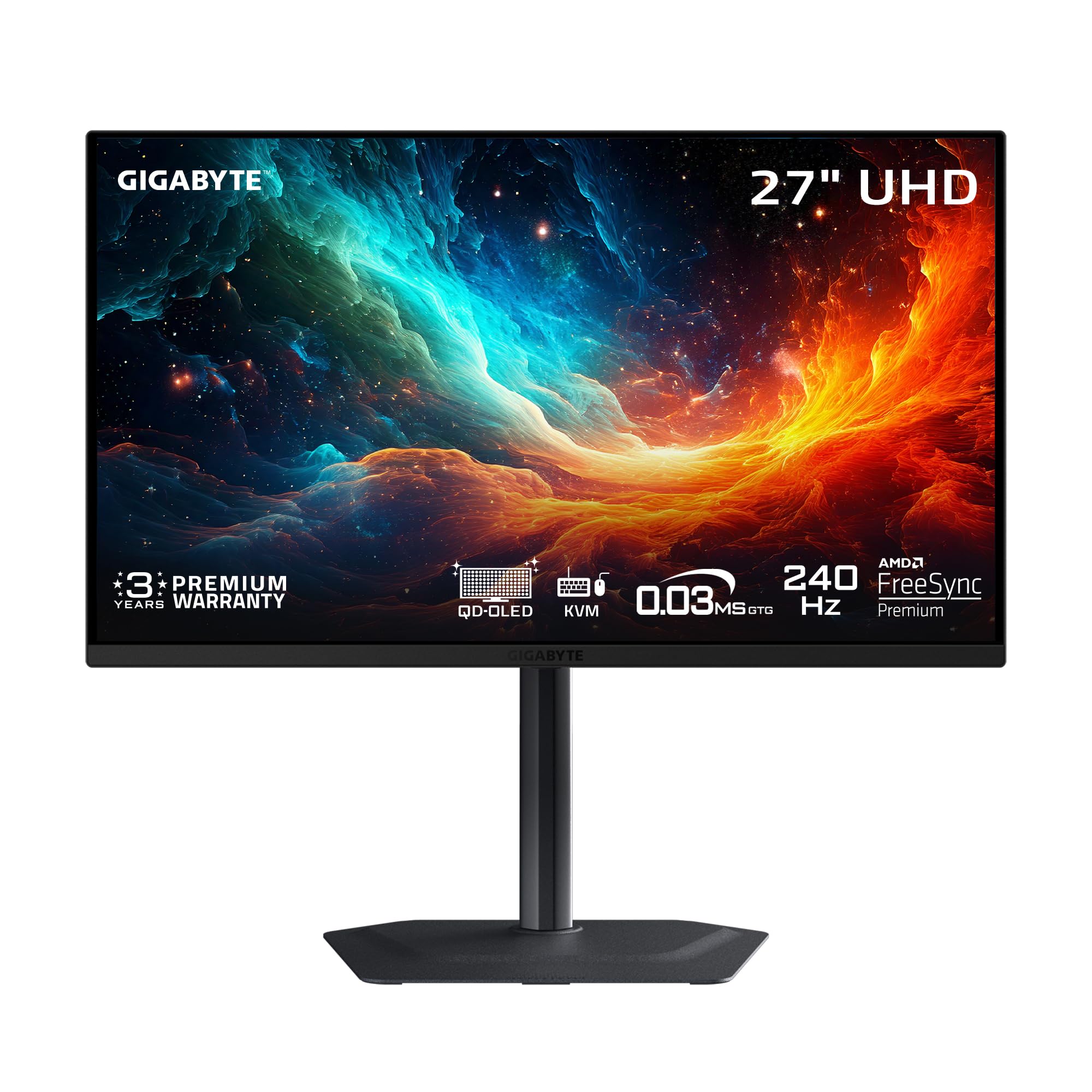
The GIGABYTE MO27U2 brings a 5-layer tandem QD-OLED panel to a price point that undercuts many competitors by several hundred dollars while keeping premium specs intact. It runs 4K at 240Hz with a 0.03ms GtG response time and supports both FreeSync Premium Pro and G-Sync Compatible for tear-free play on any modern GPU. The 1.5M:1 contrast ratio and 99% DCI-P3 coverage deliver the deep blacks and vivid colors that define the QD-OLED experience.
GIGABYTE’s OLED Care uses an AI-based algorithm to monitor static elements and adjust brightness automatically to prevent burn-in. The graphene thermal film and four-sided ventilation keep the panel cool without a fan, ensuring silent operation even during long sessions. Dual HDMI 2.1 ports make this a great choice for gamers who switch between a PC and a PS5 Pro or Xbox Series X.
Buyers who purchased this as their first OLED monitor note that the jump from a standard IPS panel is dramatic, with one user describing it as the “looking through a window” effect. The built-in speakers are functional for occasional use, which is rare at this price tier. The small, elegant stand saves desk space, though it does not offer the full articulation of higher-priced models.
Why it’s great
- Best QD-OLED price-to-spec ratio in the current market
- AI-driven burn-in protection adds peace of mind
- Dual HDMI 2.1 perfect for multi-console setups
Good to know
- Stand lacks full ergonomic pivot adjustment
- No DP 2.1, uses HDMI 2.1 for high bandwidth
4. Samsung Odyssey G8 (G81SF)

The Samsung Odyssey G8 G81SF stands apart because of its Glare Free technology, which reduces reflections by 54% compared to conventional anti-reflection films. This makes it the best option for rooms with large windows or bright overhead lights where glossy QD-OLED monitors would wash out dark scenes. It still uses a QD-OLED panel with 4K resolution at 27 inches and a 166 PPI density for sharp text and fine details.
The 240Hz refresh rate and 0.03ms GtG response time keep competitive gaming smooth, while VESA DisplayHDR True Black 400 ensures that black levels remain deep even when the room is bright. Samsung’s Pulsating Heat Pipe cooling system is built directly into the monitor and diffuses heat five times faster than a standard graphite sheet, reducing the risk of burn-in. The Thermal Modulation System algorithmically controls brightness to prevent overheating during extended HDR gaming sessions.
CoreSync and CoreLighting Plus project on-screen colors onto the desk and wall behind the monitor, creating ambient lighting that matches gameplay. The ergonomic stand supports height, tilt, swivel, and pivot adjustments. Some users report that the warranty paperwork shows a shorter term than advertised, so checking the official Samsung warranty before purchase is recommended.
Why it’s great
- Glare Free coating is best-in-class for bright environments
- Pulsating Heat Pipe cooling prevents burn-in effectively
- Ambient CoreSync lighting adds immersive game atmosphere
Good to know
- Warranty term may need confirmation before purchase
- Mini joystick button for OSD navigation can be finicky
5. INNOCN GA27W1Q

The INNOCN GA27W1Q is a QD-OLED monitor that brings flagship-level specs to a more accessible price point without cutting corners on the panel itself. It features a 27-inch 4K UHD resolution, 240Hz refresh rate, 0.03ms GtG response time, and 99% DCI-P3 coverage with 1.5M:1 contrast ratio. For gamers moving from 1080p or 1440p, the jump in image quality and motion clarity is immediate and dramatic.
Connectivity covers two DisplayPort inputs and two HDMI ports, which is generous for a value-focused monitor. A dedicated Mac-View mode adjusts the color profile to match Apple’s display standards, making this a budget-friendly companion for a Mac Mini or MacBook. The stand supports height, tilt, swivel, and pivot adjustments, and VESA 100mm mounting is supported for monitor arms.
Build quality receives mixed feedback. While the panel itself performs at the same level as more expensive QD-OLED models, the plastic housing and external power brick feel less premium than competitors. The built-in speakers are weak and described as “poor” by multiple owners. The HDR settings menu lacks clear labeling, requiring some trial and error to find the correct mode for your content.
Why it’s great
- QD-OLED panel performance at a budget-tier price
- Mac-View mode provides accurate colors for Apple users
- Full ergonomic stand included, not sold separately
Good to know
- Build materials feel cheap compared to premium brands
- Built-in speakers are noticeably lacking in quality
6. LG 27GS93QE UltraGear

The LG 27GS93QE uses a WOLED panel rather than QD-OLED, and in this specific case the WOLED approach offers better text clarity and more natural color reproduction out of the box. Resolution is 2560 x 1440, which is not 4K, but the 240Hz refresh rate and 0.03ms GtG response time make it a superb choice for high-frame-rate competitive gaming where pixel density is less critical than motion clarity. VESA DisplayHDR True Black 400 ensures deep blacks with minimal blooming even on a WOLED panel.
The anti-glare screen coating minimizes reflections effectively, and the panel is described by owners as “near-glossy” in appearance, meaning it retains image depth while still being cleanable and scratch-resistant. G-Sync Compatible and FreeSync Premium Pro support prevent screen tearing across both NVIDIA and AMD GPUs. The stand offers height, tilt, pivot, and swivel adjustments, giving you full desk ergonomics.
LG backs this monitor with a 2-year limited warranty covering the OLED panel, which is longer than many competitors offer on their budget-tier models. The HDMI 2.1 and DisplayPort 1.4 connections support full 240Hz operation. One reviewer specifically noted that this WOLED panel outperforms QD-OLED in bright rooms because the blacks remain true black instead of shifting to purple under strong ambient light.
Why it’s great
- WOLED panel produces true blacks even in bright rooms
- 2-year warranty covers the OLED panel
- Full ergonomic stand with pivot and swivel
Good to know
- 1440p resolution means lower pixel density than 4K models
- Brightness is typical for OLED, best used in controlled lighting
7. BenQ MA270UP

The BenQ MA270UP uses an IPS panel with a P3 wide color gamut, not OLED, but it earns its place here as the best monitor for MacBook users who need a color-accurate external display. It is factory-calibrated to match the color characteristics of a MacBook Pro or MacBook Air screen, so design and photo editing workflows see no color shift between the built-in display and this external monitor. The dual USB-C ports deliver 90W to your MacBook and 15W to charge an iPad or iPhone simultaneously.
Brightness and volume control work directly from the MacBook keyboard, which is a feature unique to BenQ’s Mac-optimized monitors. The 4K resolution at 27 inches gives you the same Retina-class sharpness as the Apple Studio Display but at a fraction of the price. The adjustable stand supports height, tilt, swivel, and pivot adjustments, making it easy to switch between portrait and landscape orientations.
The built-in speakers are described as “mediocre but usable” for system sounds and video calls. This is an excellent choice if color accuracy and single-cable MacBook connection matter more than OLED contrast.
Why it’s great
- Mac-calibrated P3 color gamut matches Apple displays
- 90W USB-C power delivery charges your MacBook
- Keyboard-integrated brightness and volume control
Good to know
- IPS panel cannot match OLED black levels
- Built-in speakers are functional but underwhelming
8. ASUS ROG Swift PG27AQWP-W

The ASUS ROG Swift PG27AQWP-W is built for competitive gamers who prioritize refresh rate above all else. It uses a new Tandem WOLED panel that can switch between QHD resolution at 540Hz and HD resolution at 720Hz. The 0.02ms response time is the fastest available in any consumer monitor. For players in fast-paced esports titles, the motion clarity at 540Hz eliminates any perceptible blur or ghosting.
The TrueBlack Glossy panel has a zero-haze surface that makes imagery exceptionally sharp, though it also means reflections are more visible in bright rooms. ASUS OLED Care Pro includes a Neo Proximity Sensor that detects when you leave the desk and switches the screen to black to prevent burn-in. The monitor is covered by a 3-year warranty with burn-in coverage, addressing the main concern buyers have about OLED longevity.
Connectivity includes DP 2.1 UHBR20 with full 80Gbps bandwidth and dual HDMI 2.1 ports. The white color scheme is unusual for gaming monitors and fits clean desk aesthetics. Owners love the 540Hz mode for competitive FPS games but note that the built-in speakers are quieter than expected and that some units show noticeable grey banding given the premium price.
Why it’s great
- Unmatched 540Hz refresh rate for esports-level motion clarity
- 3-year warranty with burn-in coverage
- Tandem OLED delivers 15% higher peak brightness than previous WOLED
Good to know
- Grey banding reported on some units at this price tier
- Glossy panel shows reflections in bright rooms
9. Alienware AW3225QF

The Alienware AW3225QF is a 32-inch QD-OLED monitor that delivers the same 4K resolution as the 27-inch models but at a larger physical size. The increased screen real estate makes it better for immersive gaming and multitasking with multiple windows side by side. Dolby Vision support and 12-bit color depth provide excellent HDR performance for movies and games that support the format.
This monitor is built for users who want the deepest possible immersion without moving to a TV-sized display. The QD-OLED panel produces infinite contrast and vibrant colors out of the box. The stand is sturdy and offers height, tilt, and swivel adjustments. For Mac users, connecting via USB-C to DisplayPort enables 120Hz refresh rate, whereas HDMI on M1 Macs is limited to 60Hz.
Buyers overwhelmingly praise the image quality and motion handling, with one user calling it the definitive monitor for any use case. The main downside at this size is the requirement for significant GPU power to drive 4K at high refresh rates. A 4090-class card is recommended to take full advantage of the panel. Some users note that turning off HDR improves text sharpness on Mac systems.
Why it’s great
- 32-inch QD-OLED provides a truly immersive gaming experience
- Dolby Vision with 12-bit color for superior HDR
- Sturdy build quality with full stand articulation
Good to know
- Large size requires deep desk and powerful GPU
- Mac users need USB-C to DisplayPort for 120Hz support
FAQ
Is a 27-inch 4K OLED monitor good for text work?
How long do 4K OLED monitors last before burn-in?
Can I use a 4K OLED monitor for console gaming?
What does VESA DisplayHDR True Black 400 mean?
Final Thoughts: The Verdict
For most users, the 4k oled monitor 27 inch winner is the ASUS ROG Swift PG27UCDM because it combines the latest 4th-gen QD-OLED panel, uncompressed DP 2.1a bandwidth, Dolby Vision, and a 3-year burn-in warranty in a single versatile package. If you want the best price-to-performance ratio, grab the GIGABYTE MO27U2. And for bright-room gaming where reflections ruin the OLED experience, nothing beats the Samsung Odyssey G8 G81SF with its Glare Free coating.

Mo Maruf
I created WellFizz to bridge the gap between vague wellness advice and actionable solutions. My mission is simple: to decode the research and give you practical tools you can actually use.
Beyond the data, I am a passionate traveler. I believe that stepping away from the screen to explore new environments is essential for mental clarity and physical vitality.