Our readers keep the lights on and my smoothie glass nicely filled. As an Amazon Associate, I earn from qualifying purchases.
Pixel density defines your daily computing reality. A 4K monitor packs four times the information of a 1080p panel into the same physical space, which means razor-sharp text, photographic image detail, and enough screen real estate to stack windows without squinting. Whether you edit video, manage spreadsheets, or game in HDR, the monitor you choose determines how clearly you see every edge, gradient, and shadow.
I’m Mohammad Maruf — the founder and writer behind WellFizz. I have spent years analyzing panel technologies, color gamut specs, and connectivity standards to separate marketing claims from real-world performance across the 4K monitor market.
This guide breaks down the most important features — from refresh rates and color accuracy to panel types and connectivity — so you can confidently choose the right 4k monitor for your specific workflow and budget.
How To Choose The Best 4K Monitor
Choosing a 4K monitor means balancing resolution, panel technology, refresh rate, and connectivity against how you actually use it. A designer needs color accuracy; a gamer needs speed; an office worker needs ergonomics and text clarity. Here’s what matters most.
Panel Type: IPS, VA, or OLED
IPS panels provide wide viewing angles and consistent color — the standard for professional creative work. VA panels deliver higher native contrast (3000:1 or more), which makes blacks deeper and HDR content more convincing, but viewing angles are narrower. OLED panels produce perfect blacks and infinite contrast, with response times under 0.1ms, but they cost more and require burn-in management for static UI elements.
Color Gamut and Accuracy
For photo and video editing, look for 99% sRGB coverage as a baseline. DCI-P3 coverage above 90% matters for video production and HDR content. Adobe RGB above 95% is essential for print work. Factory calibration to Delta E < 2 ensures you see accurate color out of the box without needing a separate calibrator.
Refresh Rate and Response Time
Standard office and creative work runs smoothly at 60Hz. A 100Hz or 120Hz panel provides noticeably smoother cursor movement and scrolling. Competitive gamers benefit from 144Hz, 165Hz, or 240Hz panels paired with a 1ms or lower response time to reduce motion blur and input lag.
Connectivity and Ergonomics
USB-C with Power Delivery (60W to 100W) lets you charge a laptop and transmit video through a single cable. HDMI 2.1 is required for full 4K at 120Hz on consoles. Height-adjustable stands with tilt, swivel, and pivot reduce neck strain during long sessions. VESA mount compatibility gives you the flexibility to use monitor arms.
Quick Comparison
On smaller screens, swipe sideways to see the full table.
| Model | Category | Best For | Key Spec | Amazon |
|---|---|---|---|---|
| ASUS ROG Swift PG32UCDM | Premium | High-end Gaming & HDR | 32″ 4K QD-OLED, 240Hz, 0.03ms | Amazon |
| LG UltraGear 32GX850A-B | Premium | OLED Gaming & Dual-Mode | 32″ 4K Glossy OLED, 165Hz/330Hz | Amazon |
| MSI MPG 321URX QD-OLED | Premium | Fast 4K Gaming & KVM | 32″ QD-OLED, 240Hz, 0.03ms | Amazon |
| ViewSonic VP2788-5K | Premium | Mac Users & 5K Detail | 27″ 5K IPS, 100W TB4, 99% DCI-P3 | Amazon |
| Samsung Odyssey G7 G75F | Mid-Range | Immersive Curved Gaming | 37″ 4K VA, 165Hz, 1ms, 1000R | Amazon |
| Dell Pro 32 Plus P3225QE | Mid-Range | Office & USB-C Hub | 32″ 4K IPS, 100Hz, 90W USB-C | Amazon |
| BenQ MA270UP | Mid-Range | MacBook Color Matching | 27″ 4K IPS, 90W USB-C, P3 Gamut | Amazon |
| ASUS ProArt PA279CRV | Mid-Range | Color-Critical Creation | 27″ 4K IPS, ΔE < 2, 96W PD | Amazon |
| Samsung ViewFinity S8 S80D | Mid-Range | Ergonomic Productivity | 27″ 4K IPS, HDR10, USB Hub | Amazon |
| Dell 32 Plus S3225QS | Entry-Level | Value & Mixed Use | 32″ 4K VA, 120Hz, FreeSync Premium | Amazon |
| LG 32UR550K-B | Entry-Level | Budget 4K Workspace | 32″ 4K VA, 60Hz, 3000:1 Contrast | Amazon |
In-Depth Reviews
1. ASUS ROG Swift PG32UCDM

The ASUS ROG Swift PG32UCDM combines a 32-inch QD-OLED panel with a 240Hz refresh rate and a 0.03ms response time, delivering inky blacks and vibrant colors that make both games and media look deeply dimensional. The custom heatsink and graphene film manage heat to reduce burn-in risk, which is a genuine concern for OLED monitors handling static desktop elements. Dolby Vision support and VESA DisplayHDR 400 True Black compliance mean HDR content retains highlight detail without washing out shadow areas.
Color coverage hits 99% DCI-P3 with factory Delta E < 2 accuracy, so this monitor pulls double duty as a gaming screen and a creative professional’s reference display. The Uniform Brightness setting keeps luminance consistent across the panel, and the DisplayWidget Center software lets you adjust OLED Care functions and monitor settings with a mouse rather than fumbling with on-screen menus.
Peak brightness varies slightly depending on the color pre-calibration profile, but the overall luminance is strong for an OLED panel. The glossy finish enhances perceived contrast in controlled lighting, though reflections can be distracting in a brightly lit room. The 3-year warranty includes burn-in coverage, which is a meaningful safety net for such an investment.
Why it’s great
- True 10-bit QD-OLED with infinite contrast and perfect blacks
- 240Hz refresh rate with 0.03ms response for elite gaming responsiveness
- Effective burn-in mitigation with custom heatsink, graphene film, and OLED Care features
Good to know
- Glossy screen finish shows reflections in bright ambient light
- Peak brightness varies depending on the selected color calibration profile
2. LG UltraGear 32GX850A-B

The LG UltraGear 32GX850A-B uses a WOLED panel with Micro Lens Array+ technology that pushes typical brightness to 275 nits — higher than older OLED UltraGear models — while maintaining the per-pixel black levels that make OLED so compelling. The dual-mode feature lets you switch between 4K at 165Hz for story-driven titles and 1080p at 330Hz for competitive shooters, all via a hotkey. That flexibility matters if you play both immersive RPGs and fast-paced esports titles on the same monitor.
NVIDIA G-SYNC Compatible and AMD FreeSync Premium Pro certification ensure tear-free variable refresh rate operation across a wide range of frame rates. The 98.5% DCI-P3 coverage and VESA DisplayHDR True Black 400 certification deliver saturated, life-like colors with deep shadow detail. The glossy finish enhances perceived sharpness and contrast, making text and graphics look more three-dimensional than matte panels.
The monitor is triple UL-certified for Anti-Glare, Flicker-Free, and Low Blue Light, which reduces eye fatigue during long sessions. However, text clarity on OLED panels can exhibit slight color fringing on small fonts due to the subpixel layout, and some units have reported dead green subpixels. The build quality is excellent, with a metal border and full ergonomic adjustment.
Why it’s great
- Dual-mode switching between 4K 165Hz and 1080p 330Hz via hotkey
- True Black 400 HDR with 98.5% DCI-P3 coverage
- Triple UL certification for eye comfort during extended use
Good to know
- OLED pixel layout can cause minor color fringing on small text
- Brightness is lower than high-end QD-OLED panels at 275 nits typical
3. MSI MPG 321URX QD-OLED

The MSI MPG 321URX delivers a 32-inch QD-OLED panel running at 240Hz with a 0.03ms GtG response time, making it one of the fastest 4K displays available. The 10-bit panel covers 99% of the DCI-P3 color space with Delta E ≤ 2 accuracy, so colors transition smoothly without banding, and the VESA DisplayHDR True Black 400 certification ensures highlights pop without crushing shadow detail.
A built-in KVM switch with Picture-in-Picture and Picture-by-Picture support makes this monitor a practical choice for users who control multiple workstations or consoles from one desk. The HDMI 2.1 ports support full 48Gbps bandwidth, enabling 4K at 240Hz without chroma subsampling on compatible GPUs. Console Mode optimizes the image for PlayStation 5 and Xbox Series X input signals.
The OLED Care 2.0 suite includes pixel shift, panel refresh, and static logo detection to minimize burn-in risk over years of use. Some users report needing to disable Display Stream Compression for proper Mac dual-monitor setups, which limits the refresh rate to 120Hz. The stand is sturdy but offers less height adjustment range compared to premium competitors.
Why it’s great
- 240Hz QD-OLED with 0.03ms response for exceptionally smooth motion
- KVM switch, PiP, and PbP support for multi-device workflows
- Full HDMI 2.1 bandwidth for uncompromised console and PC gaming
Good to know
- Mac dual-monitor setup may require disabling DSC, limiting to 120Hz
- Stand has limited height adjustment range
4. ViewSonic VP2788-5K

The ViewSonic VP2788-5K pushes resolution beyond 4K to 5120 x 2880 on a 27-inch IPS panel, delivering a pixel density of 218 PPI that makes individual pixels nearly invisible at normal viewing distance. Thunderbolt 4 connectivity provides 40Gbps data transfer, 100W power delivery to a host laptop, and daisy-chain support for a dual 5K monitor setup — a clean solution for users who need a single cable for power, video, and peripherals.
Pantone Validation and 99% DCI-P3 coverage (100% sRGB) ensure colors match industry standards out of the box, making this monitor a strong contender for Mac-based creative workflows. The IPS panel maintains color consistency across wide viewing angles, and the 500-nit brightness provides good HDR400 performance for highlights and specular reflections.
The frameless design and full ergonomic stand (tilt, swivel, pivot, height) support all-day comfort. However, some users report buggy USB reconnection after the monitor wakes from sleep, and the Adobe RGB coverage (around 88%) falls short for high-end print work where an ASUS ProArt display would perform better. The 75Hz refresh rate is a minor upgrade over standard 60Hz panels but not suitable for fast-paced gaming.
Why it’s great
- 5K resolution at 218 PPI for incredibly sharp text and image detail
- Thunderbolt 4 with 100W power delivery and daisy-chain capability
- Pantone Validated with 99% DCI-P3 for color-accurate Mac workflow
Good to know
- Adobe RGB coverage is limited for advanced print photography work
- Some users experience USB connectivity issues after sleep mode
5. Samsung Odyssey G7 G75F

The Samsung Odyssey G7 G75F wraps a 37-inch 4K VA panel around the viewer with an aggressive 1000R curvature, matching the natural field of vision for an immersive gaming and productivity experience. The 165Hz refresh rate and 1ms GtG response time keep fast-moving content crisp, and the VESA DisplayHDR 600 certification delivers noticeably better contrast — deeper blacks and brighter whites — than standard VA panels without HDR.
The 3000:1 native contrast ratio of the VA panel produces richer shadow detail than IPS alternatives, which is especially noticeable in dark game environments and cinematic content. AMD FreeSync Premium Pro ensures tear-free variable refresh rate performance, and the 37-inch size provides the real-estate equivalent of a multi-monitor setup without the bezel gap.
For software engineers and power users, the large curved screen handles four windows side by side without scaling issues. The curvature can be disorienting for color-critical photo editing where straight lines and edge-to-edge uniformity matter. Some users report occasional connection issues after the monitor wakes from sleep, resolved by restarting the display or the connected device.
Why it’s great
- Aggressive 1000R curve enhances immersion for gaming and multi-window productivity
- 3000:1 VA contrast ratio delivers deep blacks for HDR content
- 165Hz refresh rate with FreeSync Premium Pro for smooth, tear-free gaming
Good to know
- The 1000R curve is not ideal for color-accurate creative work with straight lines
- Some users experience connection issues after monitor wakes from sleep
6. Dell Pro 32 Plus P3225QE
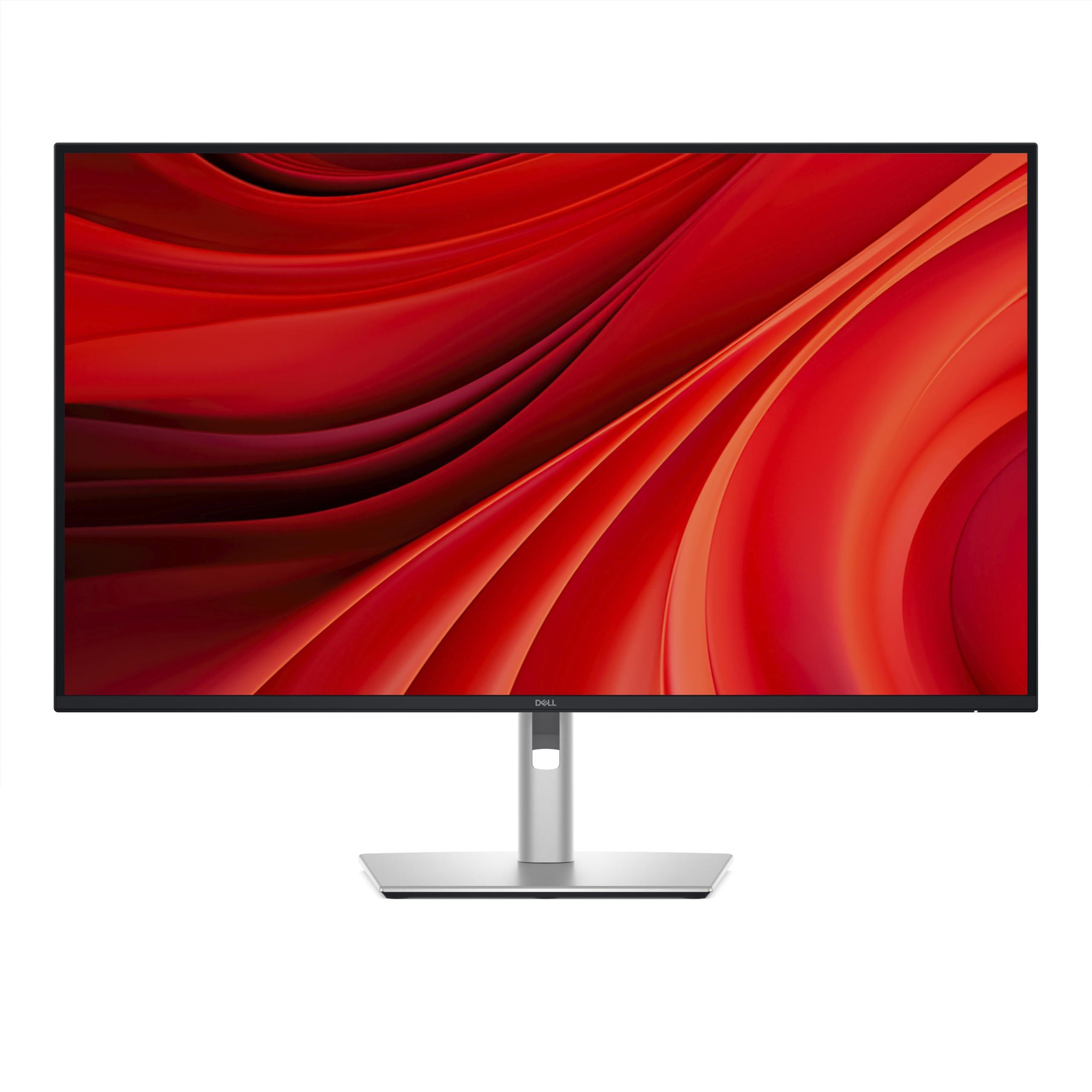
The Dell Pro 32 Plus P3225QE pairs a 31.5-inch 4K IPS panel with a 100Hz refresh rate, delivering noticeably smoother scrolling and cursor movement than standard 60Hz office monitors. The IPS technology provides wide viewing angles and consistent color across the screen, and the 99% sRGB coverage ensures accurate color reproduction for document work, spreadsheets, and presentations.
Connectivity is a highlight: USB-C with 90W Power Delivery lets you charge a laptop and transmit video through a single cable, while the built-in Ethernet port provides a stable wired network connection without a separate dongle. The fully adjustable stand offers tilt, swivel, pivot, and height adjustments, and the narrow bezels make multi-monitor setups feel seamless.
The 5ms GTG response time is sufficient for productivity and casual gaming but not competitive for fast-paced shooters. Some users note the lack of audio in/out ports, which means you need separate speakers or a headphone connection directly to your computer. Daisy-chain capability is available but untested in all setups.
Why it’s great
- USB-C with 90W Power Delivery and built-in Ethernet for a single-cable desk setup
- 100Hz refresh rate makes everyday productivity feel smoother than 60Hz
- Fully ergonomic stand with tilt, swivel, pivot, and height adjustment
Good to know
- No audio in/out ports for direct speaker or headphone connection
- 5ms response time is not optimal for competitive gaming
7. BenQ MA270UP

The BenQ MA270UP is designed specifically for MacBook Pro and MacBook Air users, with BenQ’s proprietary color tuning that matches the P3 wide color gamut of Apple’s built-in displays. The 27-inch 4K IPS panel reaches 400 nits brightness, and the dual USB-C ports deliver 90W to charge the MacBook while a second port provides 15W for an iPad or iPhone — keeping the entire ecosystem powered from the monitor.
Integrated MacBook controls allow you to adjust brightness and volume directly from the MacBook keyboard, eliminating the need to reach for fiddly monitor buttons. The fully adjustable stand supports height, tilt, swivel, and pivot, and the color accuracy out of the box is excellent for design, photography, and video editing work without needing a separate calibrator.
The glossy screen finish improves perceived sharpness and color vibrancy compared to matte panels, though it introduces reflections in bright rooms. Built-in speakers are usable for system sounds but lack bass and clarity for serious media consumption or music production. Some users note that the stand looks and feels less premium compared to higher-end options, though it remains fully functional.
Why it’s great
- Factory color tuning matches MacBook P3 gamut for a seamless visual experience
- Dual USB-C ports with 90W + 15W power delivery for a clean Apple ecosystem setup
- Integrated MacBook brightness and volume control via keyboard
Good to know
- Glossy screen shows reflections in bright ambient light
- Built-in speakers are adequate but lack depth for music or movie use
8. ASUS ProArt PA279CRV

The ASUS ProArt PA279CRV is a 27-inch 4K IPS display factory-calibrated to Delta E < 2 accuracy and Calman Verified, covering 99% of both DCI-P3 and Adobe RGB color spaces. This makes it a reliable choice for photographers, videographers, and graphic designers who need consistent color across print and screen without investing in a hardware calibrator.
USB-C with 96W Power Delivery charges a laptop at full speed while carrying the video signal and connecting peripherals through the built-in USB hub. The monitor includes DisplayPort-out for daisy-chaining a second display, which simplifies multi-monitor creative setups. The stand provides full ergonomic adjustment including pivot for portrait-mode document review.
The 60Hz refresh rate is standard for creative work but means this monitor is not designed for gaming. Some users report that the speakers deliver shallow, thin sound — fine for system beeps but inadequate for media playback. There have been isolated reports of USB-C port failure and warranty support issues, so testing connectivity immediately upon arrival is recommended.
Why it’s great
- 99% DCI-P3 and 99% Adobe RGB coverage with Delta E < 2 factory calibration
- USB-C with 96W Power Delivery and DisplayPort daisy-chain support
- Full ergonomic stand with pivot mode for vertical content
Good to know
- 60Hz refresh rate limits its use for gaming or fast-paced video
- Some users report USB-C port failure and inconsistent warranty support
9. Samsung ViewFinity S8 S80D

The Samsung ViewFinity S8 S80D is a 27-inch 4K UHD monitor built around ergonomic flexibility and tool-free setup. The stand snaps together without screws and offers full height, tilt, swivel, and pivot adjustments, including a 90-degree pivot that is ideal for reading long documents or coding with less scrolling. The matte anti-glare screen reduces reflections in bright rooms, and the TÜV-certified Eye Saver Mode adjusts brightness and color temperature to reduce eye strain.
HDR10 support provides realistic contrast with deeper blacks and brighter highlights, and the 350-nit peak brightness is sufficient for most indoor lighting conditions. Connectivity includes HDMI, DisplayPort, USB-A, and USB-B ports, allowing you to connect peripherals directly to the monitor and switch between them when changing input sources.
This monitor has no built-in speakers, so you will need external audio. The single-button joystick for menu navigation takes some practice to master, though it consolidates all controls into one tactile input. Some users find that the monitor sits higher than expected even at the lowest height setting, which may cause ergonomic strain for shorter users.
Why it’s great
- Tool-free stand setup with full ergonomic adjustment including 90-degree pivot
- TÜV-certified Eye Saver Mode and matte anti-glare screen reduce eye fatigue
- USB hub with multiple ports for clean peripheral management
Good to know
- No built-in speakers — external audio is required
- Minimum height may be too high for shorter users in some desk setups
10. Dell 32 Plus S3225QS

The Dell 32 Plus S3225QS offers a 31.5-inch VA panel with a 120Hz refresh rate and AMD FreeSync Premium at an entry-level price point, making it one of the most affordable ways to get smooth 4K motion. The VA panel delivers a 1500:1 contrast ratio that produces deeper blacks than typical IPS panels, and the 99% sRGB and 95% DCI-P3 coverage provide better-than-average color for its tier.
The ComfortView Plus feature reduces blue light emissions to ≤35% without washing out color accuracy, which is a meaningful advantage for all-day use. The re-engineered speakers offer more output power and deeper frequency response than the previous generation, and the ultra-thin bezels and ash white finish give the monitor a clean, modern aesthetic.
The 300-nit brightness is adequate for typical indoor use but may feel dim in very bright rooms or next to higher-end displays. The stand offers height and tilt adjustment but lacks swivel and pivot, which limits flexibility. Some users note the included HDMI cable is only 6 feet long, so you may need a longer cable depending on your desk layout.
Why it’s great
- 120Hz refresh rate with FreeSync Premium at an entry-level price point
- 1500:1 VA contrast ratio for deeper blacks than typical IPS office monitors
- ComfortView Plus reduces blue light to ≤35% without color shift
Good to know
- 300-nit brightness can feel dim in brightly lit rooms
- Stand lacks swivel and pivot adjustment
11. LG 32UR550K-B

The LG 32UR550K-B is a straightforward 32-inch 4K VA monitor that focuses on the essentials: a sharp 3840 x 2160 resolution, a 3000:1 contrast ratio for deep blacks, and a sturdy stand with height, tilt, and pivot adjustment. HDR10 support and 90% DCI-P3 coverage provide respectable color performance for the price, and the VA panel’s high contrast makes text pop against dark backgrounds.
Gaming-focused features like Dynamic Action Sync and Black Stabilizer reduce input lag and improve visibility in dark scenes, making this monitor usable for casual gaming even with the 60Hz refresh rate. Waves MaxxAudio powers the built-in speakers, providing clearer audio than the typical office monitor. The Switch app allows you to split the screen into up to six sections and customize display layouts for multitasking.
The 250-nit peak brightness is noticeably lower than most competitors, which limits HDR impact and can make the screen feel dim in a sunlit room. The anti-glare coating is effective, but the lower brightness means you may need to control ambient light to get the best image quality. For pure productivity and media consumption on a budget, this monitor delivers solid value.
Why it’s great
- 3000:1 VA contrast ratio provides deep blacks and good shadow detail
- Full ergonomic stand with height, tilt, and pivot adjustment included
- Built-in speakers with Waves MaxxAudio for clear system audio
Good to know
- 250-nit peak brightness is low, limiting HDR impact and bright-room visibility
- 60Hz refresh rate is not suitable for competitive gaming
FAQ
Is a 4K monitor worth it for office productivity?
Do I need HDMI 2.1 for a 4K monitor?
What is the difference between sRGB, DCI-P3, and Adobe RGB color gamuts?
Can I use a 32-inch 4K monitor for competitive gaming?
Does a 4K monitor work with a MacBook?
Final Thoughts: The Verdict
For most users, the 4k monitor winner is the ASUS ROG Swift PG32UCDM because it combines a 32-inch QD-OLED panel with 240Hz speed, infinite contrast, and a 3-year burn-in warranty — delivering professional-grade color accuracy and elite gaming performance in one package. If you want a Mac-native experience with a single USB-C cable and color-matched P3 gamut, grab the BenQ MA270UP. And for a budget-conscious workspace upgrade, nothing beats the Dell 32 Plus S3225QS for combining 120Hz smoothness, VA contrast, and blue-light comfort at a truly accessible price.

Mo Maruf
I created WellFizz to bridge the gap between vague wellness advice and actionable solutions. My mission is simple: to decode the research and give you practical tools you can actually use.
Beyond the data, I am a passionate traveler. I believe that stepping away from the screen to explore new environments is essential for mental clarity and physical vitality.