Our readers keep the lights on and my smoothie glass nicely filled. As an Amazon Associate, I earn from qualifying purchases.
A live stream that stutters, loses focus, or looks grainy is the fastest way to lose an audience. Whether you are broadcasting a church service, hosting a corporate town hall, or building a channel from your bedroom, the camera you choose dictates whether viewers stay or click away. The demands of real-time encoding, low-light performance, and continuous autofocus separate a purpose-built streaming rig from a repurposed smartphone.
I’m Mohammad Maruf — the founder and writer behind WellFizz. I’ve spent years analyzing broadcast hardware, evaluating sensor performance, and comparing encoding protocols to identify which models actually hold up under the sustained thermal load and frame-rate consistency that live production requires.
This guide cuts through the marketing noise to find the absolute best camera for your specific streaming setup, from a compact PTZ solution to a full interchangeable-lens system. You are reading the only resource you need to find the ideal 4k camera for live streaming that fits your space, workflow, and budget.
How To Choose The Best 4K Camera For Live Streaming
Selecting a live-streaming camera involves more than just resolution. You need to evaluate sensor performance, connectivity, autofocus behavior, and the specific ergonomics of your production environment — whether that is a fixed podium, a meeting room table, or a solo creator desk.
Sensor Quality and Low-Light Performance
A larger sensor (APS-C or 1-inch) captures more light, reducing noise in dim venues like a church sanctuary or a conference room with minimal overhead lighting. Cameras with a 1/2.8-inch sensor, common in PTZ models, rely on good lighting to deliver clean 4K. For variable or darker environments, prioritize models with higher native ISO ranges and wider apertures.
Optical Zoom vs. Digital Zoom
For dedicated streaming, optical zoom is non-negotiable. A 20x optical zoom retains full 4K detail at a distance, whereas digital zoom simply crops and enlarges the image, degrading resolution. If the camera will sit far from the subject — a stage, a pulpit, or a classroom presenter — look for 10x or 20x optical zoom. For desktop streaming, a fixed wide-angle lens may suffice.
Connectivity and Encoding Options
Your streaming workflow dictates required ports. HDMI output works with capture cards and ATEM switchers. USB Video Class (UVC) enables plug-and-play webcam mode for software like OBS, Zoom, and Teams. NDI and RTMP push video directly over your network, eliminating long HDMI runs. PoE (Power over Ethernet) simplifies cable management by sending power and data through a single Ethernet cable. Verify that the camera’s encoding (H.264/H.265) matches your streaming platform’s recommended bitrate.
AF Reliability and Tracking
Continuous autofocus must be fast and quiet. Phase-detection AF systems (like Sony’s or Canon’s Dual Pixel CMOS AF II) lock onto moving subjects without hunting. For PTZ cameras, AI auto-tracking adds hands-free following, keeping a presenter centered during natural movement. Verify that the camera’s tracking works reliably in the lighting conditions of your venue.
Quick Comparison
On smaller screens, swipe sideways to see the full table.
| Model | Category | Best For | Key Spec | Amazon |
|---|---|---|---|---|
| Sony ZV-E10 | Mirrorless | Versatile streaming with lens options | APS-C 24.2MP / 4K oversampled from 6K | Amazon |
| Canon EOS R50 Kit | Mirrorless | Beginner-friendly creator kit | APS-C 24.2MP / 4K uncropped up to 30fps | Amazon |
| Blackmagic Micro Studio 4K G2 | Production | Broadcast/ATEM switcher setups | 13 stops DR / 12G-SDI input & output | Amazon |
| Logitech Mevo Core | All-in-One | Wireless multicam streaming | Micro Four Thirds / 6-hour battery | Amazon |
| OBSBOT Tail Air | PTZ | Compact PTZ with NDI & AI tracking | 4K 30fps / 320° pan, 180° tilt | Amazon |
| Tenveo 4K NDI AI PTZ | PTZ | Church/venue AI tracking | 20x optical zoom / NDI & PoE | Amazon |
| Panasonic LUMIX G85 | Mirrorless | Stabilized 4K with kit lens | 5-axis IBIS / 16MP Micro Four Thirds | Amazon |
| OBSBOT Tiny 3 | Webcam/PTZ | Desktop AI tracking webcam | 1/1.28″ sensor / 4x digital zoom | Amazon |
| TONGVEO 4K AI PTZ | PTZ | Church streaming on a budget | 20x optical zoom / HDMI, USB, LAN, PoE | Amazon |
| Canon PowerShot V10 | Compact | Ultra-portable vlogging | 1-inch sensor / 19mm fixed wide lens | Amazon |
| KATOVJJTS PTZ 4K | PTZ | Entry-level PTZ for live events | 20x optical zoom / 340° pan, 120° tilt | Amazon |
In‑Depth Reviews
1. Sony ZV-E10
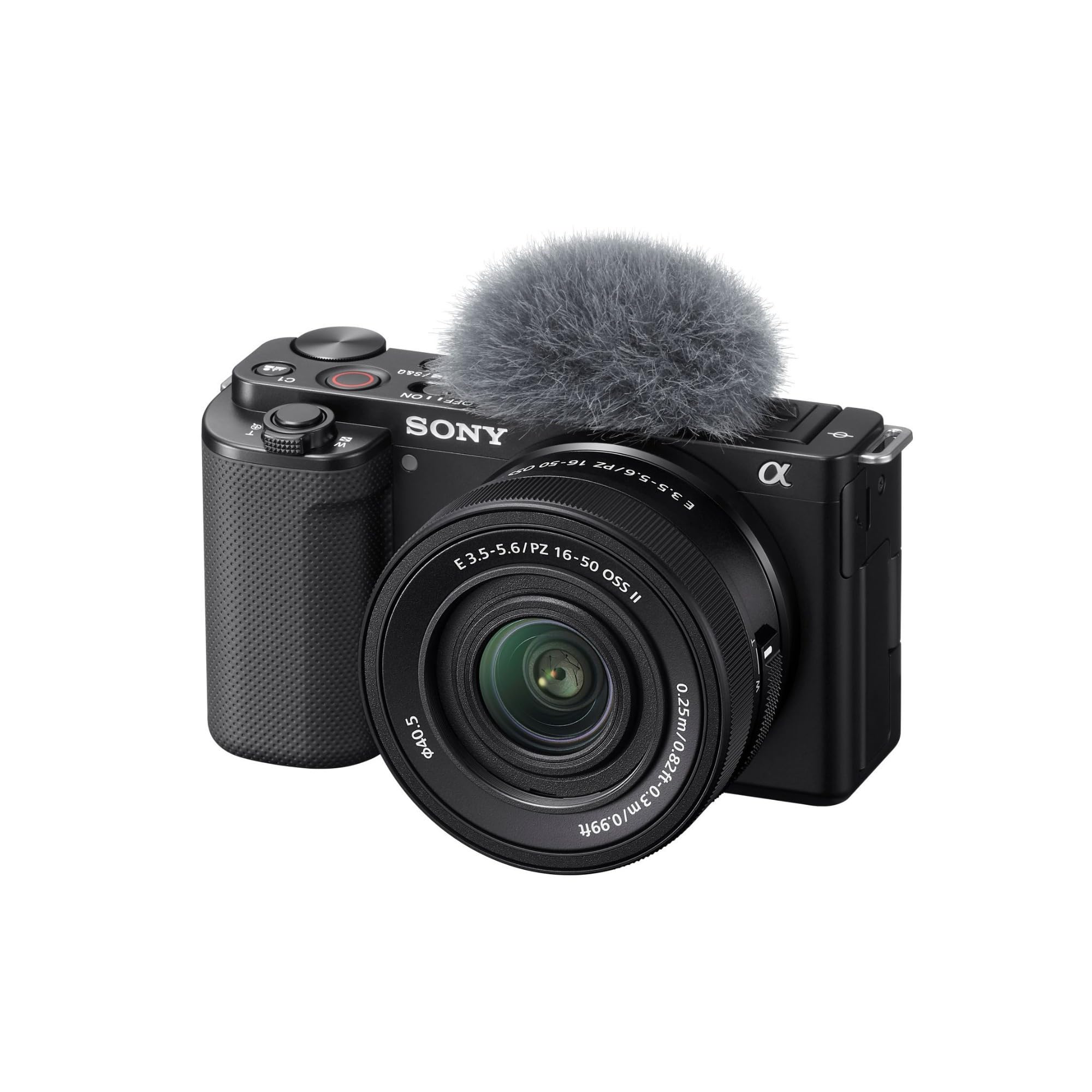
The Sony ZV-E10 marries a 24.2MP APS-C sensor with the BIONZ X processor, delivering 4K video oversampled from a 6K readout. This oversampling produces noticeably sharper, more detailed footage than PTZ cameras with smaller sensors, especially in mixed lighting. The camera’s Product Showcase setting and Background Defocus button are genuinely useful for live demos and streaming, instantly shifting focus from your face to an object without menu diving.
Thanks to its UVC/UAC support, the ZV-E10 connects via a single USB cable to a computer and is immediately recognized as a webcam in OBS, Zoom, or Teams — no capture card required. The 425-point phase-detection AF system locks onto eyes reliably and tracks subjects smoothly, even as they move around the frame. The included 16-50mm power zoom lens offers flexibility for different shooting distances, though swapping to a prime with a wider aperture improves low-light streaming significantly.
Battery life is modest (around 45 minutes of continuous 4K recording), so a dummy battery or external power solution is recommended for extended streams. The 3.5mm mic input and flip-out screen make it a practical choice for solo creators who need to monitor their frame while presenting. The ZV-E10 is the most versatile hybrid camera for streamers who also want occasional photography capability.
Why it’s great
- Oversampled 4K from 6K readout delivers superior sharpness
- USB plug-and-play webcam mode without capture card
- Reliable real-time eye and subject tracking AF
Good to know
- Short battery life; external power recommended for long streams
- Kit lens aperture is small; upgrade to a brighter prime for low light
- No in-body image stabilization for handheld recording
2. Canon EOS R50 Content Creator Kit

The Canon EOS R50 packs a 24.2MP APS-C sensor and Canon’s DIGIC X processor into a lightweight body that weighs just under a pound. It records uncropped 4K video at up to 30fps, oversampled from a 6K area, which makes it one of the sharpest sub- mirrorless cameras for streaming. The kit includes the RF-S 18-45mm lens, a tripod grip, an external microphone, and a wireless remote — everything a beginner needs to start streaming immediately.
Dual Pixel CMOS AF II covers 100% of the sensor area with 651 zones, automatically detecting and tracking people, animals, and vehicles. For close-up demo streams, the Movie for Close-up Demo Mode instantly shifts focus to an object brought near the lens, similar to the ZV-E10’s product showcase. In live streaming tests, the AF remained quiet and responsive, even during rapid movement, which is essential for keeping the presenter in perfect focus.
The main trade-off is the lack of in-body stabilization; the kit lens includes optical IS, but for smooth handheld panning, you will need a gimbal or tripod. The single SD card slot and absence of a headphone jack limit advanced monitoring options. For beginners and intermediate streamers who want an all-in-one bundle, the R50 kit offers exceptional value with minimal setup friction.
Why it’s great
- Complete kit with mic, tripod, and remote included
- Uncropped 4K oversampled from 6K produces excellent detail
- Dual Pixel CMOS AF II with 100% coverage and subject tracking
Good to know
- No in-body image stabilization; relies on lens OIS
- Single SD slot and missing headphone jack limit pro monitoring
- Kit lens aperture is slow; upgrade for low-light performance
3. Blackmagic Design Micro Studio Camera 4K G2

The Blackmagic Micro Studio Camera 4K G2 is purpose-built for live production. Its carbon composite body houses a 4K sensor with dual native ISO (400 and 3200) and 13 stops of dynamic range, recording Blackmagic RAW for maximum color grading flexibility. Designed primarily to pair with ATEM switchers, the camera provides tally, remote control, and genlock compatibility over 12G-SDI — a level of integration that consumer cameras cannot match.
Connectivity is extensive: one HDMI output, one 12G-SDI input, and one 12G-SDI output allow for daisy-chaining multiple cameras and accepting return video for confidence monitoring. The MFT lens mount gives access to a wide range of affordable optics, though the camera ships without a lens, so factor that cost into your budget. The 3.5mm stereo input doubles as timecode, and the USB-C 3.1 port supports direct recording to external drives.
This is not a camera for casual desktop streaming. The body is compact but lacks a built-in screen for framing (menu adjustments require you to face the front), and the LP-E6N battery provides less than 30 minutes of runtime. It is designed for a rack-mounted, multi-cam production environment where it never runs on internal battery. If your workflow involves a pro switcher and you need RAW color science in a box the size of a lens, the G2 is unbeatable.
Why it’s great
- 13 stops dynamic range with Blackmagic RAW recording
- 12G-SDI in/out for seamless ATEM switcher integration
- Compact carbon composite body for tight rigging
Good to know
- No lens included; requires separate MFT lens purchase
- Internal battery runtime under 30 minutes; needs external power
- No built-in monitor for framing; menu adjustment is awkward
4. Logitech Mevo Core

The Mevo Core reimagines the streaming camera as a wireless, battery-powered production tool. It streams 4K at 30fps directly to YouTube, Twitch, and other platforms over Wi-Fi 6E, with no capture card or computer required. The Micro Four Thirds lens mount lets you swap lenses (sold separately), and the built-in 6-hour battery at 1080p means you can run a full church service or multi-hour live event without hunting for an outlet.
Multi-cam setups are the Core’s calling card. Using the Mevo Multicam app, you can control several cameras from a single iPad or iPhone, switching angles, adjusting zoom, and monitoring audio. The three-mic array captures spatial audio with noise cancellation, and NDI and SRT support allow integration into existing wired production workflows. HDMI output is also available for use as a clean feed into a switcher.
The trade-off is the app-centric control model — there are no physical buttons for PTZ or manual exposure on the camera body. Some users report that the focus mechanism can be finicky in very low light, and Logitech’s support structure for the Mevo line has been criticized for slow responses. The Mevo Core is best suited for creators who want a wireless, portable multi-cam production without the tangle of HDMI or SDI cables.
Why it’s great
- Wireless 4K streaming with 6-hour battery life
- Multi-cam control via Mevo Multicam app
- NDI/SRT support for professional integration
Good to know
- Lens not included; cost of additional lenses can add up
- App-dependent control with limited physical buttons
- Support response times and focus reliability can be inconsistent
5. OBSBOT Tail Air

The OBSBOT Tail Air crams a full PTZ system into a body smaller than a soda can, yet delivers 4K at 30fps with a 320° horizontal and 180° vertical rotation range. The 23mm f/1.8 lens provides a bright aperture that helps in dimmer venues, and the upgraded AI tracking now recognizes humans, animals, and objects, maintaining lock even when the subject is temporarily obstructed. Gesture control and a dedicated remote add operational flexibility.
Connectivity is the Tail Air’s strongest suit. It includes micro HDMI, USB-C, Ethernet, and wireless options, supporting RTMP, RTSP, and VISCA protocols for direct streaming to platforms like YouTube, Facebook, and Twitch. The NDI license key (sold separately) unlocks network-based video transport, eliminating the need for long cables. The companion OBSBOT Start app provides full manual control over exposure, white balance, and tracking parameters.
The critical reliability concern is the internal battery. If the battery degrades and dies after the warranty period, the camera becomes unusable, as it cannot operate without a functional battery — even on external power. This is a single point of failure in an otherwise excellent portable PTZ. For users who need a compact, highly mobile PTZ with excellent AI tracking, the Tail Air delivers, but paying attention to battery health is essential.
Why it’s great
- Extremely compact design with full PTZ range
- AI tracking works for people, animals, and objects
- Multiple connectivity options including NDI (license required)
Good to know
- Internal battery failure renders camera unusable
- NDI license key is an additional purchase
- Firmware updates require a U3 Micro SD card
6. Tenveo 4K NDI AI PTZ Camera
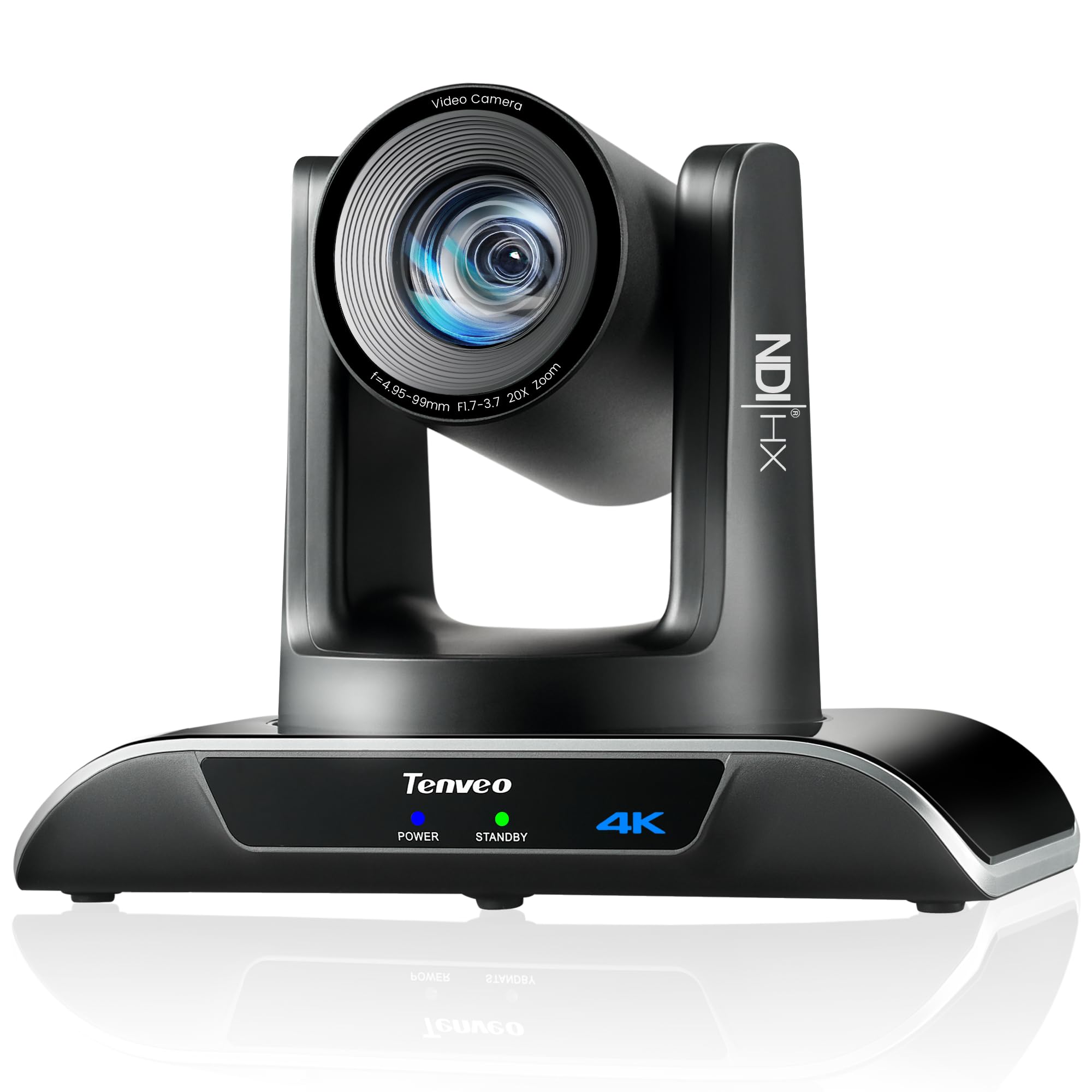
The Tenveo 4K NDI PTZ Camera combines a Sony 1/2.8-inch CMOS sensor with 20x optical zoom and advanced AI humanoid and face auto-tracking. The deep-learning algorithm achieves millisecond-level response, locking onto a presenter and keeping them centered even when temporarily occluded. This makes it a strong candidate for church services, lecture halls, and corporate events where the speaker moves naturally across a stage.
Output options include HDMI (4K), USB 3.0 (4K), and IP streaming (1080p via NDI), with PoE support for single-cable power and data. The camera supports RTMP, RTSP, and SRT protocols, enabling direct streaming to YouTube, Facebook, or OBS without additional hardware. The IP Search Tool automates network discovery for multi-camera deployments, and the included IR remote controls up to 10 presets, expandable to 255 via RS232/RS485.
Some users note that the tracking can lag under certain network conditions, and the camera is not truly silent during PTZ movement — it produces a mechanical hum that could be picked up by room mics in a quiet sanctuary. The 3-year warranty and lifetime technical support are valuable, but the onus is on the buyer to have a stable network for optimal NDI performance. Overall, the Tenveo offers professional AI tracking and connectivity at a mid-range price.
Why it’s great
- AI auto-tracking with millisecond-level response and occlusion handling
- 20x optical zoom retains full 4K detail at distance
- NDI, PoE, HDMI, USB 3.0 for flexible integration
Good to know
- PTZ movement produces mechanical noise audible in quiet rooms
- Tracking performance depends on network stability
- No built-in microphone; external audio required
7. Panasonic LUMIX G85

The Panasonic LUMIX G85 remains a compelling choice for live streamers who prioritize stabilization. Its 5-axis in-body image stabilization works with any lens, producing smooth handheld footage without a gimbal. The 16MP Micro Four Thirds sensor eliminates the low-pass filter, boosting fine detail resolving power by nearly 10 percent over its predecessor, and the 4K video capture (3840×2160) is solid for its price tier.
The camera includes a 12-60mm Power O.I.S. kit lens that covers a useful range from wide-angle to portrait-length zoom. The articulating 3-inch touchscreen and eye-level OLED viewfinder (2360K dots) offer flexibility in framing. Users also report that the weather-sealed magnesium alloy build is reassuring for tougher location shoots, and the dedicated mic input and focus peaking make it suitable for serious live production.
The contrast-detect AF system can hunt in low light, which is a notable limitation compared to phase-detection rivals. Battery life is below average for its class, lasting roughly 45 minutes of continuous 4K video. The G85 is best for streamers who need excellent stabilization and a robust build at a value price, but are willing to manage autofocus behavior in dimmer environments.
Why it’s great
- Excellent 5-axis in-body image stabilization for smooth handheld shots
- Weather-sealed magnesium alloy build is durable
- 4K photo and Post Focus features add creative flexibility
Good to know
- Contrast-detect AF hunts more in low light than phase-detect systems
- Lower 16MP sensor resolution compared to APS-C rivals
- Relatively short battery life for continuous video
8. OBSBOT Tiny 3

The OBSBOT Tiny 3 is 48 percent smaller than its predecessor but houses a significantly larger 1/1.28-inch CMOS sensor — unusual for a desktop webcam-class device. This sensor, combined with Dual All-Pixel PDAF and a Wide ISO Domain (0-12800), produces clean 4K at 30fps or 1080p at 120fps, even in dimly lit home offices. The 2-axis gimbal and AI Tracking 2.0 system follow your movements quietly and precisely, keeping you centered without the mechanical noise typical of larger PTZ cameras.
The upgraded triple-mic array includes one omnidirectional and two MEMS directional mics, feeding five specialized audio modes that effectively reduce background noise. Voice and gesture control allow you to command the camera to track, zoom, or switch presets hands-free. The OBSBOT Center software adds pro-grade calibrations like exposure gamma curve adjustment, auto white balance offset, and NVIDIA Maxine Eye Contact for maintaining gaze correction.
The primary drawbacks are the mounting challenge on extra-wide monitors (the included magnetic mount works best on screens up to a certain thickness) and the unit’s tendency to run warm during extended use. Some users report initial setup complexity, and the 4x digital zoom is a crop, not optical, so moving closer to the subject is always better. The Tiny 3 is the premier choice for a solo desktop streamer who wants AI-driven, quiet PTZ functionality in a compact footprint.
Why it’s great
- Large 1/1.28-inch sensor for superior low-light performance
- Whisper-quiet gimbal with excellent AI tracking
- Triple-mic array with professional noise reduction modes
Good to know
- Mounting can be tricky on ultra-wide monitors
- Runs warm during extended streaming sessions
- Digital zoom only; optical zoom is not available
9. TONGVEO 4K AI PTZ Camera
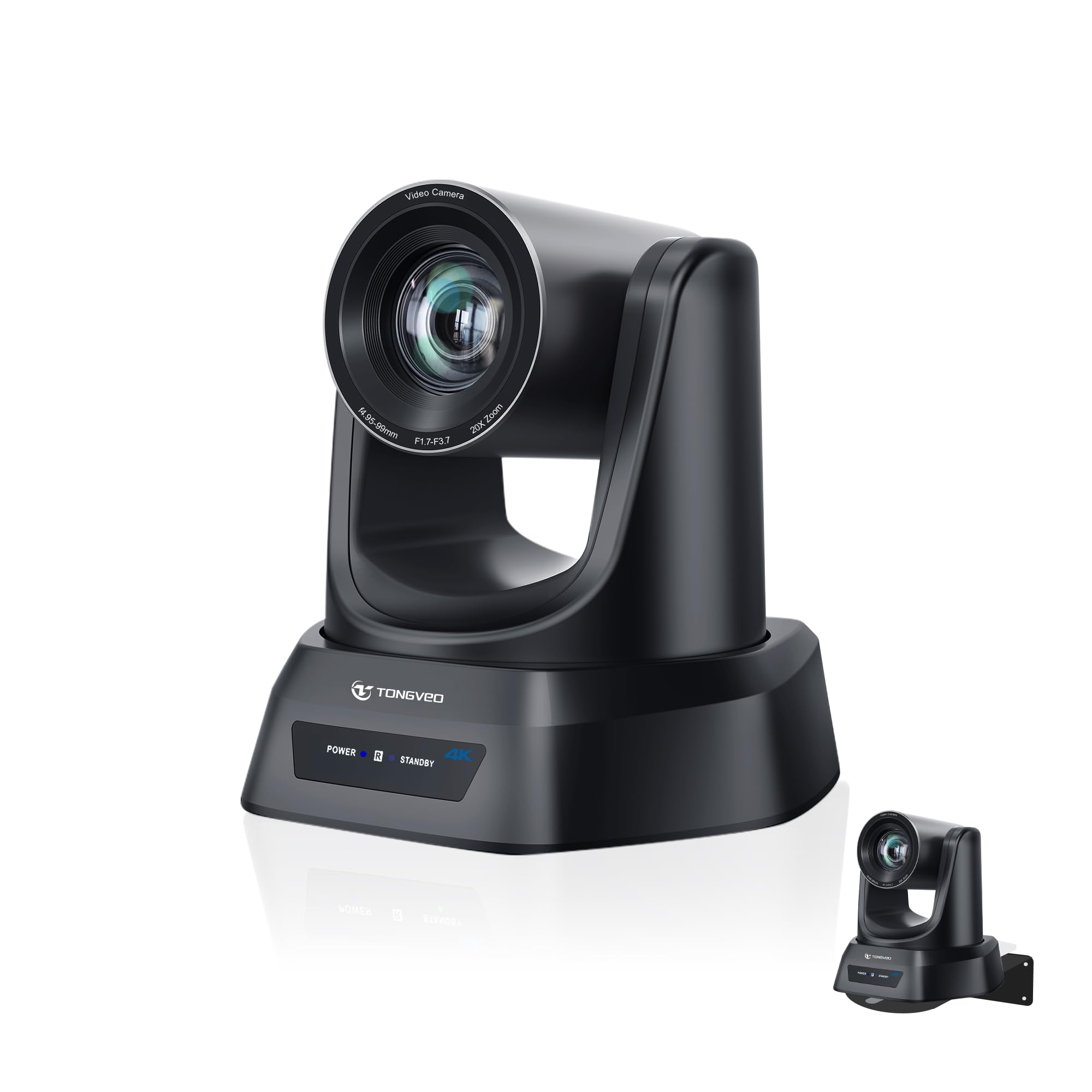
The TONGVEO 4K AI PTZ Camera targets the church and education market with a 20x optical zoom and AI auto-tracking that uses face and body recognition to follow presenters. At distances up to 80 feet, the optical zoom retains sharp detail, and the camera supports up to four programmable presets for switching between pulpit, wide shot, and congregation views. The plug-and-play setup works over HDMI, USB 3.0, LAN, or PoE, and compatibility with OBS, Zoom, Teams, and Facebook Live ensures broad platform support.
The IR remote control lets you adjust PTZ movement and toggle presets from across the room, and the ability to mount on walls, ceilings, or tripods makes venue installation flexible. Users note that the 1080p 60fps mode is noticeably smoother for fast-moving subjects compared to the 4K 30fps stream, which is a practical consideration for livestreaming active worship or classroom settings. The built-in Micro SD slot supports recording up to V60 speed class.
The risk with TONGVEO is variable after-sales support. Several users reported that the installation software link is broken and that email/phone support was slow to respond, though one reviewer received a prompt replacement after a hardware freeze. The camera itself delivers solid image quality for its price, but the support inconsistency makes it a more cautious recommendation for buyers who are not comfortable troubleshooting on their own.
Why it’s great
- 20x optical zoom maintains 4K clarity at long distances
- AI auto-tracking with face and body recognition works well
- Multiple output options: HDMI, USB 3.0, LAN, PoE
Good to know
- After-sales support is inconsistent based on user reports
- 4K mode limited to 30fps; 1080p 60fps is smoother for fast action
- No built-in microphone; external audio required
10. Canon PowerShot V10

The Canon PowerShot V10 is a dedicated vlogging camera that fits in a pocket. Its 1-inch, 15.2MP back-illuminated CMOS sensor outperforms any smartphone sensor for low-light recording, and the fixed 19mm wide-angle lens (35mm equivalent) captures expansive shots without the distortion of ultra-wides. The built-in flip-out stand and front-facing screen make it easy to set on a table and monitor your framing — ideal for travel vlogging or casual desktop streaming.
The V10 includes a stereo mic array with a third center microphone for noise cancellation, and the micro-HDMI port and USB-C allow connection to a capture card or direct streaming through the Canon software. Recent firmware updates added three image stabilization modes (IS On, IS Off, IS Enhanced), smoothing out handheld footage. The 14 movie color filters let you tweak the mood without post-processing.
The V10 has no optical zoom — you must physically move closer to your subject. The battery life is modest, and the small body can run warm during extended recording. The lack of a lens cover and mic windscreens are minor omissions. As a dedicated streaming camera for a fixed desk or portable vlogging, the V10 delivers impressive image quality in a truly compact form factor, but it is limited to wide shots only.
Why it’s great
- Large 1-inch sensor for excellent low-light performance
- Ultra-portable design with built-in flip stand
- Good image stabilization and stereo audio quality
Good to know
- No optical zoom; fixed wide-angle lens limits framing options
- Short battery life for extended recording sessions
- No lens cover or external mic windscreens included
11. KATOVJJTS PTZ Camera 4K UHD
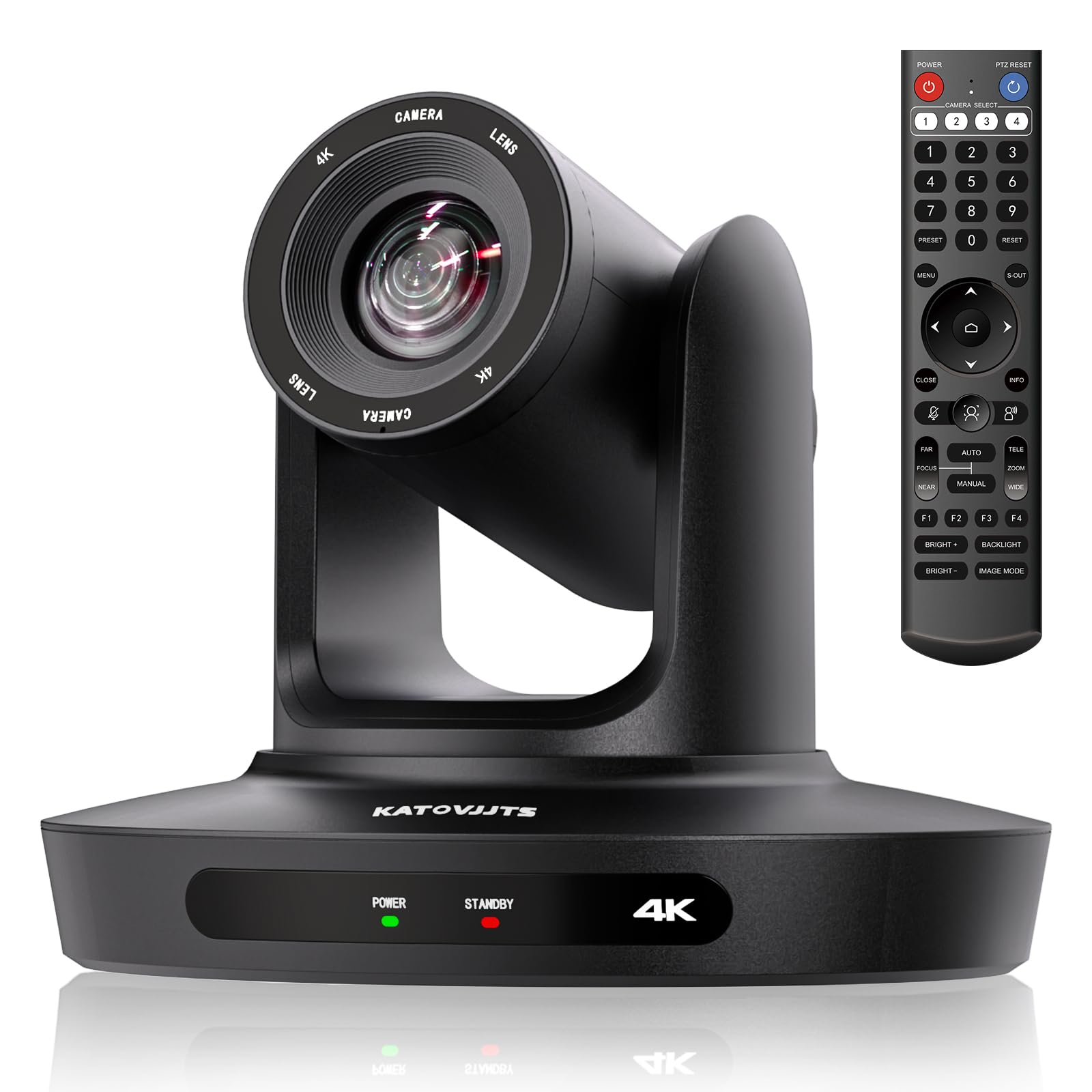
The KATOVJJTS PTZ Camera offers a 4K UHD sensor and 20x optical zoom at a budget-friendly price point, making it accessible for small churches, community centers, or anyone stepping into PTZ streaming for the first time. The 340° pan and 120° tilt range cover a wide venue, and the camera supports HDMI, USB 3.0, and IP connections with H.264/H.265 encoding. The 2D/3D noise reduction improves image quality in lower light, which is useful for evening services or dimly lit conference rooms.
Users consistently praise the picture quality, with several noting that the output rivals cameras costing several times more. The IR remote works without line-of-sight, and the camera’s compatibility with Zoom, OBS, Teams, and Facebook Live makes integration straightforward. The plug-and-play nature — no additional drivers required — reduces setup time for volunteers or less technical users.
The main downside is mechanical noise. The PTZ motors are audible during movement, which can be distracting in a quiet sanctuary or meeting room. The remote works well at 60-70 feet, but the lack of a dedicated software suite for fine-tuning may be limiting for power users. For its price, the KATOVJJTS delivers surprising image quality and reliable basic PTZ functionality, as long as the motor noise is acceptable in your environment.
Why it’s great
- 20x optical zoom with excellent 4K image quality for the price
- Wide pan and tilt range covers large venues effectively
- Plug-and-play with major streaming and conferencing software
Good to know
- PTZ motors are noisy during movement
- No dedicated software suite for advanced camera control
- Lacks hardware microphone; external audio solution needed
FAQ
Do I need a capture card for a mirrorless streaming camera?
What are the minimum bitrate and network requirements for streaming 4K?
Can a PTZ camera track a moving presenter without a human operator?
Final Thoughts: The Verdict
For most users, the 4k camera for live streaming winner is the Sony ZV-E10 because its APS-C sensor, oversampled 4K, and instant USB webcam mode provide the best balance of image quality and ease of use. If you want AI-powered PTZ tracking for a dedicated venue setup, grab the Tenveo 4K NDI AI PTZ Camera. And for a true broadcast-grade studio camera that integrates with ATEM switchers and records Blackmagic RAW, nothing beats the Blackmagic Micro Studio Camera 4K G2.

Mo Maruf
I created WellFizz to bridge the gap between vague wellness advice and actionable solutions. My mission is simple: to decode the research and give you practical tools you can actually use.
Beyond the data, I am a passionate traveler. I believe that stepping away from the screen to explore new environments is essential for mental clarity and physical vitality.