Our readers keep the lights on and my smoothie glass nicely filled. As an Amazon Associate, I earn from qualifying purchases.
Stepping up from a standard 1080p set to a true 4K panel at this screen size transforms how you see fast-moving content, whether it’s the latest cinematic release, a high-speed sporting event, or an intense gaming session. The difference lies in the pixel density and color processing, which turns a good picture into an immersive experience you can feel.
I’m Mohammad Maruf — the founder and writer behind WellFizz. I’ve spent countless hours dissecting manufacturer spec sheets, comparing panel technologies, and analyzing real-world user feedback to identify which 40-inch class 4K televisions genuinely deliver on their performance promises.
From premium QLED panels with Dolby Vision IQ to budget-friendly entry-level options, this guide breaks down the real-world specs and features you need to know before buying the best 4k 40 inch tv for your home theater setup.
How To Choose The Best 4K 40 Inch TV
Choosing the right 4K TV for a 40-inch class screen requires a sharper focus on panel quality and HDR performance than larger sets. At this size, you are sitting closer, so pixel-level imperfections and color banding become more noticeable. You need to weigh smart TV ecosystems, HDR format support, and motion handling equally.
Panel Technology and Color Performance
At this price tier, you will encounter standard LED-backlit LCD panels, Crystal UHD displays, and Hi-QLED or QLED quantum dot panels. QLED technology uses a quantum dot film to boost color volume and brightness, which makes HDR content pop significantly more than a standard LED panel. Crystal UHD is Samsung’s branding for an enhanced LED panel with better color mapping, but it still lacks the pure color vibrancy of a true quantum dot layer. If color accuracy and HDR punch are your priorities, lean toward a QLED or Hi-QLED model.
HDR Format Support and Brightness
The most common HDR formats at this screen size are HDR10, HLG, HDR10+, and Dolby Vision. Dolby Vision is a dynamic metadata format that adjusts brightness and color scene by scene, and it is widely supported by streaming services. HDR10+ is Samsung’s competing dynamic format. A TV that supports both Dolby Vision and HDR10+ gives you the widest compatibility. Peak brightness is equally important — a panel that cannot hit at least 400 nits will struggle to display HDR specular highlights convincingly.
Smart TV Platform and Connectivity
The operating system dictates your daily experience. Roku TV offers a clean, fast interface with a massive free channel library. Google TV provides deep integration with Google services and voice control. Fire TV gives you Alexa hands-free capabilities but can feel more cluttered. For PS5 owners, a Sony BRAVIA with Google TV unlocks exclusive features like Auto HDR Tone Mapping. Check for at least three HDMI inputs (one with eARC) and Wi-Fi 6 if you stream high-bitrate 4K content frequently.
Quick Comparison
On smaller screens, swipe sideways to see the full table.
| Model | Category | Best For | Key Spec | Amazon |
|---|---|---|---|---|
| Samsung 43″ U8000H | Crystal UHD | Color accuracy & free content | Crystal Processor 4K, Color Booster | Amazon |
| Hisense 43″ E6 QLED | Quantum Dot | HDR movie watching | Dolby Vision + Atmos, HDR10+ Adaptive | Amazon |
| Sony BRAVIA 2 II 43″ | LED + X1 | PS5 gaming | 4K Processor X1, Motionflow XR | Amazon |
| Amazon Fire TV 43″ Omni QLED | QLED | Hands-free Alexa ecosystem | Dolby Vision IQ, Adaptive Brightness | Amazon |
| Samsung 43″ U8000F | Crystal UHD | MetalStream design & security | 4K Upscaling, Motion Xcelerator | Amazon |
| Roku 43″ Select Series | 4K LED | Easy-to-use streaming | HDR10, Bluetooth Headphone Mode | Amazon |
| TuTu 40″ FHD TV | Non-Smart | Ad-free experience with streaming sticks | 1080p, ATSC Tuner, Dolby Audio | Amazon |
| Hisense 40″ H4 Roku | 1080p LED | Budget-friendly streaming | Motion Rate 120, Roku TV | Amazon |
| FPD 40″ Google TV | 1080p LED | First-time smart TV buyers | Google TV, Chromecast Built-in | Amazon |
In‑Depth Reviews
1. Samsung 43-Inch Class Crystal UHD U8000H Series (2026 Model)

The Samsung U8000H is anchored by the Crystal Processor 4K, which handles 4K upscaling and 3D color mapping to deliver a crisp, vibrant image from nearly any source. The Color Booster feature supercharges reds and blues, making HDR content feel punchier than standard UHD panels in this class. Motion Xcelerator at 60Hz keeps fast-moving sports and action sequences clear without visible judder, though it is not a true native 120Hz panel.
The Tizen smart platform offers Samsung TV Plus, which provides over 2,700 free channels without any subscription, making it a fantastic cord-cutter choice. The MetalStream design and ultra-thin bezel give it a premium aesthetic that blends into any living space. The built-in Alexa and Bluetooth 5.3 support add modern convenience for voice control and wireless headphone pairing.
Setup requires a phone app and internet connection, which can be frustrating for less tech-savvy users. The minimalist remote is small and can feel unresponsive, though an older Roku remote can work as a replacement. For those who prioritize color accuracy and a vast content library without monthly fees, this is the most well-rounded package.
Why it’s great
- Excellent 4K upscaling and color vibrancy
- Huge free channel library via Samsung TV Plus
- Very slim bezel and premium build quality
- Alexa built-in with Bluetooth 5.3
Good to know
- Setup requires phone app and internet
- Small remote can feel unresponsive
- No Dolby Vision support
2. Hisense 43″ E6 Cinema Series Hi-QLED 4K UHD Smart Fire TV

The Hisense E6 delivers the best HDR performance in this mid-range tier thanks to its Hi-QLED quantum dot panel combined with Dolby Vision IQ and HDR10+ Adaptive support. The Dolby Vision IQ uses an AI light sensor to adjust brightness and color based on your room’s ambient lighting, so you get consistent cinematic quality whether watching in a dark room or a bright living space. The Dolby Atmos integration adds a wider soundstage without requiring an external soundbar.
The Total HDR Solution handles Dolby Vision, HDR10+, HDR10, and HLG, making it the most format-compatible panel in this guide for streamers who hop between Netflix, Amazon Prime, and Disney+. The Game Mode Plus reduces input lag, though Fire TV OS can feel sluggish during initial boot-up, taking 30-60 seconds to fully load apps. The AI Light Sensor is a standout quality-of-life feature that automatically optimizes the picture based on your environment.
During extended use, occasional app freezing has been reported, which may be related to WiFi stability rather than the hardware itself. The built-in Fire TV remote with Alexa lets you launch content hands-free, though the interface is busier than Roku. For movie nights and HDR-heavy content consumption, this panel is the clear winner.
Why it’s great
- Quantum dot panel with high color volume
- Dolby Vision IQ + HDR10+ Adaptive support
- AI Light Sensor optimizes picture automatically
- Dolby Atmos gives wider soundstage
Good to know
- Fire TV OS can be sluggish on initial boot
- Occasional app freezing reported
- Remote can lag initially
3. Sony BRAVIA 2 II 43 Inch 4K LED Smart TV with Google TV

The Sony BRAVIA 2 II is built around the 4K Processor X1, which delivers exceptional motion handling and upscaling from lower-resolution content. The Motionflow XR technology ensures blur-free clarity during fast-moving sports and action movies, and for PS5 owners, the exclusive Auto HDR Tone Mapping and Auto Genre Picture Mode automatically optimize settings for gaming sessions. The Game Menu consolidates all picture and assist features in one interface, making it easy to switch between gaming and streaming modes.
Dolby Atmos and DTS:X audio support add sonic depth, though the built-in speakers cannot fully reproduce cinematic bass. The Sony Pictures CORE app includes movies with purchase, adding immediate value for film collectors. The Google TV platform offers a clean interface with support for Apple AirPlay 2 and Google Cast, making it easy to stream from any device. The annual energy consumption is only 95 Watts, making it one of the most efficient 4K panels available.
Some users report that the TV starts with the menu each time, which can be slightly annoying. There have been isolated reports of WiFi dropping and the unit freezing, though this appears to be a lemon issue rather than a widespread defect. For PS5 integration and superior motion processing, this is the top choice.
Why it’s great
- Exclusive PS5 features (Auto HDR Tone Mapping)
- Excellent motion handling with Motionflow XR
- Very low power consumption (95W)
- Clean Google TV interface with AirPlay 2
Good to know
- Menu always appears on start-up
- Isolated WiFi drop issues reported
- Built-in speakers lack deep bass
4. Amazon Fire TV 43″ Omni QLED Series 4K UHD Smart TV

The Fire TV Omni QLED brings a true quantum dot display to the 43-inch class, producing richer colors and higher brightness than standard LED sets. Dolby Vision IQ works with the built-in adaptive brightness sensor to automatically adjust HDR performance based on your room’s lighting, so you never need to fiddle with picture settings as the sun shifts. The Fire TV Ambient Experience can turn the screen into a canvas for art or personal photos when you are not actively watching content.
With four HDMI inputs (including eARC), the connectivity is generous for a 43-inch panel. The hands-free Alexa integration uses built-in microphones so you can turn on the TV, launch apps, and control content without touching the remote. However, the Fire TV interface can feel cluttered with ads, and some users report sluggish app-loading times compared to a dedicated streaming stick. The highest power consumption peaks at 320W in Dolby Vision mode, which is high for this screen size.
The out-of-box picture has a noticeable soap opera effect and requires calibration to look its best. Once dialed in, the QLED panel delivers a picture that approaches mid-range LG quality. For users already deep in the Alexa ecosystem, this TV integrates more seamlessly than any other option here.
Why it’s great
- QLED panel with Dolby Vision IQ
- Adaptive brightness sensor for automatic tuning
- 4 HDMI inputs with eARC
- Deep Alexa integration with hands-free control
Good to know
- Fire TV interface is cluttered with ads
- Requires calibration to reduce soap opera effect
- High power draw in Dolby Vision mode
5. Samsung 43-Inch Class Crystal UHD U8000F (2025 Model)

The U8000F features Samsung’s MetalStream design, which uses a single metal sheet and an aircraft-inspired slim bezel to create one of the most attractive panels at this size. The 4K upscaling engine does an impressive job of sharpening lower-resolution content, and the Motion Xcelerator at 60Hz smooths out fast-moving frames without introducing visible artifacts. The Color Booster is slightly less aggressive than the U8000H, but the picture remains bright and vivid for most content.
Knox Security provides triple-layer protection against phishing sites, malicious apps, and unauthorized access to your connected IoT devices, which is a unique selling point if you are concerned about smart home privacy. Samsung TV Plus delivers 2,700+ free channels directly out of the box, and the inclusion of Alexa built-in expands voice control options. The remote is smaller and more minimalist, which some users find less ergonomic than standard remotes.
Setup requires downloading the Samsung SmartThings app and creating an account, which can be a barrier for less technical users. The picture quality is excellent front-on, and the panel is lightweight and easy to mount. This is a strong mid-range choice if you value design and security features over raw HDR brightness.
Why it’s great
- Premium MetalStream design with ultra-thin bezel
- Knox triple-layer security protection
- Excellent 4K upscaling engine
- Large free channel library via Samsung TV Plus
Good to know
- Setup requires phone app and account creation
- Small remote can feel unresponsive
- Color Booster less impactful than U8000H
6. Roku 43-Inch Select Series 4K HDR Smart TV
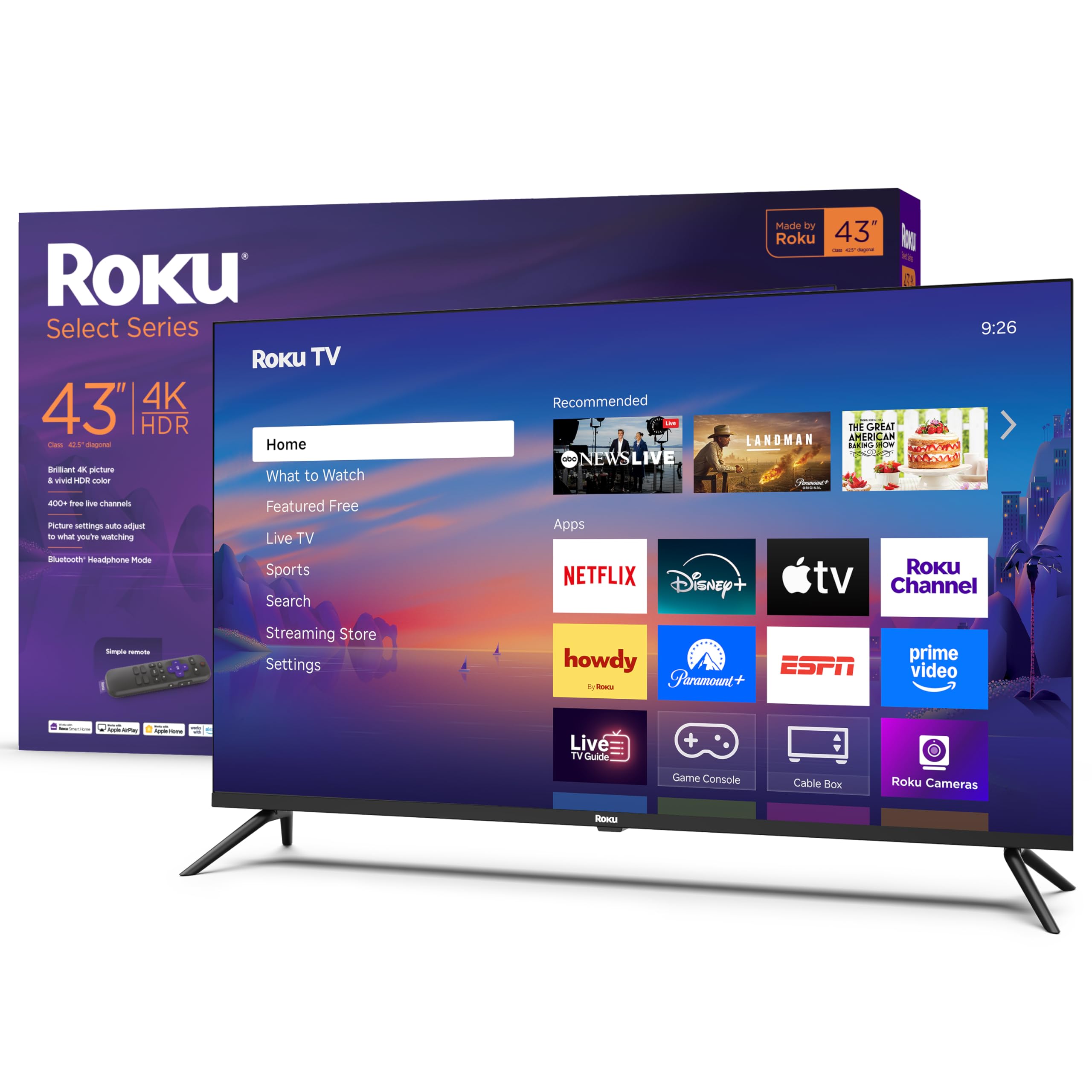
The Roku Select Series focuses on a no-fuss streaming experience. The 4K panel with HDR10 support delivers a clean, bright picture that looks noticeably better than 1080p sets, and the Roku Smart Picture feature automatically adjusts settings based on the incoming signal type. The interface is the fastest and most intuitive among all smart TV platforms, with direct access to 500+ free channels and all major streaming services. The Bluetooth Headphone Mode is a thoughtful addition for late-night viewing without disturbing others.
The Direct LED backlighting provides decent contrast for dark scenes, though blacks are not as deep as QLED panels. The 60Hz refresh rate is standard for this price tier, and the built-in game mode reduces input lag for casual gaming. The remote is simple with dedicated shortcut buttons for major streaming services, and automatic software updates keep the platform current without user intervention.
One trade-off is the lack of Dolby Vision support, which limits HDR performance in some content. The 43-inch size may feel slightly oversized for a small apartment, but it is still manageable. For a straightforward, user-friendly smart TV that just works out of the box, the Roku Select Series is a reliable pick.
Why it’s great
- Fastest and most intuitive smart TV interface
- Bluetooth Headphone Mode for private listening
- Automatic picture optimization per signal type
- 500+ free channels without subscription
Good to know
- No Dolby Vision HDR support
- Black levels not as deep as QLED
- Standard 60Hz refresh rate
7. TuTu 40 Inch FHD TV, 2K LED Non-Smart Television
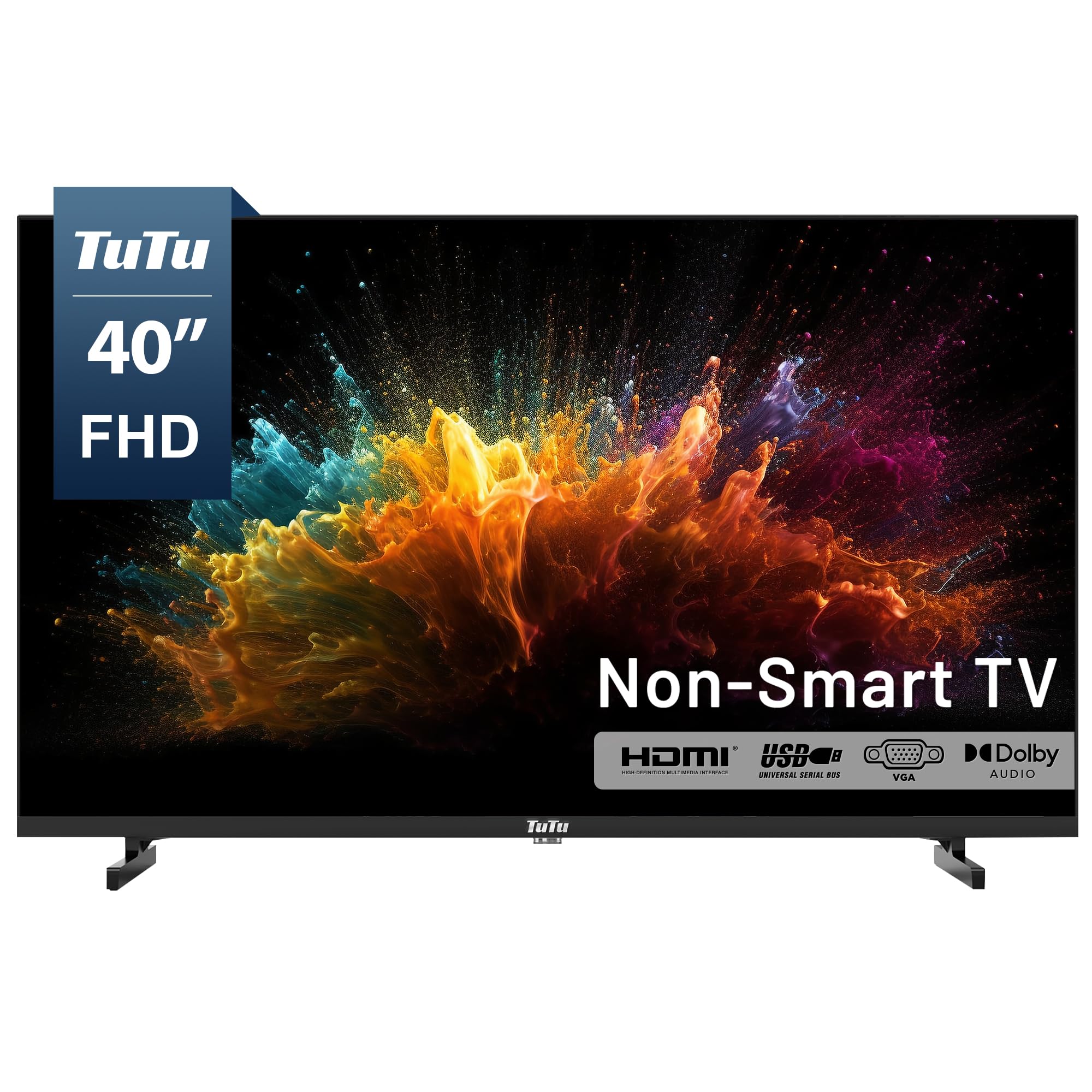
The TuTu 40-inch is a non-smart television that strips away all smart TV bloatware, ads, and privacy tracking. When paired with an external streaming device like a Roku, Fire Stick, or Apple TV, it becomes a fast, ad-free display that starts up in about five seconds directly into your selected HDMI input. The Full HD 1080p resolution is sharp enough for most content at this screen size, and the built-in ATSC tuner lets you scan for free over-the-air HD channels for local news and sports without any monthly fee.
The panel offers a wide 160-degree viewing angle and a 5ms response time, which is competitive for this price class. Dolby Audio integration provides clear dialogue and decent volume levels for a bedroom or workout room. The connectivity is minimal — one HDMI, one VGA, one AV input, and one USB — so you will need a switch for multiple devices. The remote is basic and cycles through inputs sequentially, meaning there is no direct input button.
Some users have reported durability issues, with one unit failing after two days. The sound is adequate for small rooms but lacks bass for larger spaces. This is a niche product designed for users who value simplicity, privacy, and speed over smart features. If you already own a streaming stick and want a clean, fast display, this fits the bill.
Why it’s great
- Totally ad-free, no bloatware interface
- Insta-on in under five seconds
- Wide 160-degree viewing angle
- Built-in ATSC tuner for free local channels
Good to know
- Only one HDMI input included
- Remote cycles inputs without direct button
- Isolated durability complaints reported
8. Hisense 40-Inch Class H4 Series LED Roku Smart TV

The Hisense H4 Roku TV combines a 1080p panel with the user-friendly Roku platform, making it a strong entry-level option for those who do not need 4K resolution. The Motion Rate 120 image processing helps minimize motion blur during fast-paced sports and action scenes, though it is a software-based enhancement rather than a native 120Hz panel. The picture quality is excellent for a 1080p set, with vibrant colors and decent contrast for the price.
The Roku platform offers a streamlined home screen with one-touch access to over 5,000 streaming channels, and it can be controlled via an iOS or Android app. Alexa and Google Assistant compatibility are available through external devices, though not built-in. The VESA mount uses a 100×200 pattern with M6 screws, which is standard for this size. The included remote is simple and functional, with shortcut buttons for major services.
Some users have reported that the box includes M4 screws instead of the required M6 screws for wall mounting, which is an inconvenience. The WiFi performance can be affected by certain router settings like Airtime Fairness, which may require disabling those features in your router admin panel. For a budget-friendly 1080p streaming TV with a proven smart platform, the H4 is a solid workhorse.
Why it’s great
- Proven Roku TV platform with huge channel library
- Motion Rate 120 reduces motion blur
- Works with Alexa and Google Assistant via external devices
- Excellent 1080p picture quality for the price
Good to know
- Box may include wrong screws for wall mount
- WiFi performance sensitive to router settings
- 1080p only, not true 4K
9. FPD 40-inch Smart TV, 1080p Full HD Google TV

The FPD 40-inch Google TV is an accessible entry point for users transitioning from non-smart TVs. The Google TV interface organizes content from all your streaming subscriptions on one home screen, and the Chromecast built-in allows you to cast directly from your phone or laptop without needing an external dongle. The Full HD 1080p resolution with HDR10 support delivers sharp images and enhanced contrast that outperforms older 720p panels.
The Google Assistant voice remote enables hands-free navigation, making it easy to search for shows, control playback, and ask for weather updates. Connectivity includes two HDMI 1.4 ports, two USB 2.0 ports, AV-in, optical-out, and LAN, plus Bluetooth 5 and Wi-Fi 5 for wireless streaming. The 60Hz refresh rate is standard, and the panel has a 5000:1 contrast ratio that helps black levels look deeper than many budget sets.
Some users have reported that the remote does not work out of the box, possibly due to battery contact issues, though this seems to be an isolated manufacturing defect. The viewing angle is limited to about 90 degrees, with colors washing out beyond 45 degrees off-axis. For a first-time smart TV buyer who values the Google ecosystem and wants a simple setup, this is a practical budget-friendly choice.
Why it’s great
- Google TV with Chromecast built-in for easy casting
- Google Assistant voice remote included
- Good contrast ratio for a budget panel
- Multiple ports including optical-out
Good to know
- Narrow viewing angle, colors wash off-axis
- Isolated remote battery contact issues
- 1080p only, not true 4K
FAQ
Is there a noticeable difference between 1080p and 4K on a 40-inch screen?
What does Dolby Vision IQ do compared to standard Dolby Vision?
Can I use a 40-inch 4K TV as a computer monitor?
How do I know if a TV supports Dolby Vision, HDR10+, or both?
Final Thoughts: The Verdict
For most users, the best 4k 40 inch tv winner is the Samsung 43-inch U8000H because it combines excellent 4K upscaling, a huge free content library, and a premium design at a reasonable cost. If you want Dolby Vision IQ and quantum dot color for cinematic movie nights, grab the Hisense 43″ E6 QLED. And for PS5 gaming with exclusive features like Auto HDR Tone Mapping, nothing beats the Sony BRAVIA 2 II.

Mo Maruf
I created WellFizz to bridge the gap between vague wellness advice and actionable solutions. My mission is simple: to decode the research and give you practical tools you can actually use.
Beyond the data, I am a passionate traveler. I believe that stepping away from the screen to explore new environments is essential for mental clarity and physical vitality.