Our readers keep the lights on and my smoothie glass nicely filled. As an Amazon Associate, I earn from qualifying purchases.
Driving a 4K panel at 240 frames per second requires a GPU capable of brute-force rendering and a monitor whose panel can keep pace without introducing ghosting, tearing, or input lag. The difference between a mediocre high-refresh screen and a great one is measured in milliseconds of response time, accuracy of color reproduction, and the effectiveness of the burn-in mitigation technology baked into the firmware. This guide breaks down the thirteen most compelling options on the market right now, covering OLED, QD-OLED, and Mini-LED architectures so you can match the panel tech to your specific tolerance for text clarity, HDR performance, and budget.
I’m Mohammad Maruf — the founder and writer behind WellFizz. I’ve spent countless hours cross-referencing factory specifications, real-world user data, and third-party calibration tests to identify which 4K 240Hz gaming monitors deliver on their promises and which fall short under sustained use.
Whether you are upgrading from a 1440p panel or building a top-tier rig for competitive play, this guide to the best 4k 240hz gaming monitor will help you decide where to invest your money for the smoothest, most visually immersive experience possible.
How To Choose The Best 4K 240Hz Gaming Monitor
Picking the right monitor involves more than just matching the refresh rate to your GPU. The panel type determines black levels, the response time determines how clean motion looks, and the connectivity determines whether you can actually hit 240Hz without compression artifacts. Here’s what to focus on.
Panel Technology: OLED vs. QD-OLED vs. Mini-LED
Traditional WOLED panels use a white OLED layer with color filters, while QD-OLED uses blue OLED emitters with quantum-dot color conversion for wider color volume. Mini-LED uses thousands of tiny LEDs behind an LCD layer to achieve near-OLED black levels without the burn-in risk. Each has a trade-off: OLED offers infinite contrast and instant response but carries burn-in concerns; Mini-LED avoids burn-in but can show blooming around bright objects in dark scenes.
Refresh Rate and Variable Refresh Rate (VRR) Compatibility
Hitting a steady 240 frames per second at 4K requires an RTX 4090, 4080 Super, or the AMD equivalent. If your GPU cannot consistently push 240 fps, G-Sync Compatible or FreeSync Premium Pro ensures the monitor adjusts its refresh rate dynamically to eliminate tearing without adding the latency of V-Sync. Look for monitors that pass NVIDIA’s official G-Sync Compatible validation, as some panels flicker during VRR transitions below 60 fps.
HDR Performance and Brightness
VESA DisplayHDR 400 True Black is the baseline for OLED monitors, guaranteeing a black level below 0.0005 nits. Mini-LED monitors like the Samsung Odyssey Neo G8 achieve 2000 nits peak brightness, making them far brighter for daytime viewing. If you play in a dark room, OLED’s infinite contrast wins. If you play in a bright room, Mini-LED’s sustained brightness holds up better.
Burn-In Mitigation and Warranty
Every OLED monitor includes pixel refresh cycles and screen-saver dimming, but the quality of these features varies. ASUS includes a Neo Proximity Sensor that detects when you walk away and blacks out the screen. MSI uses a graphene heatsink for passive cooling. Dell and ASUS offer three-year burn-in coverage on their premium models; LG offers two years. If you plan to use the monitor for productivity with static taskbars, burn-in warranty length is a deciding factor.
Quick Comparison
On smaller screens, swipe sideways to see the full table.
| Model | Category | Best For | Key Spec | Amazon |
|---|---|---|---|---|
| ASUS ROG Swift PG32UCDM | QD-OLED | Best Overall | 32″ 4K 240Hz 0.03ms | Amazon |
| Samsung Odyssey Neo G8 | Mini-LED | Bright Room HDR | 32″ 4K 240Hz 2000 nits | Amazon |
| ASUS ROG Strix XG27UCDMG | QD-OLED | Compact Premium | 27″ 4K 240Hz 0.03ms | Amazon |
| MSI MPG 321URX | QD-OLED | Value OLED | 32″ 4K 240Hz 0.03ms | Amazon |
| MSI MPG 321URXW (White) | QD-OLED | White Build Aesthetic | 32″ 4K 240Hz 0.03ms | Amazon |
| LG 32GS95UE | WOLED | Dual Mode 480Hz FHD | 32″ 4K 240Hz 0.03ms | Amazon |
| Acer Predator X32 | QD-OLED | Curved OLED Value | 32″ 4K 240Hz 0.03ms | Amazon |
| INNOCN GA27W1Q | QD-OLED | Budget QD-OLED | 27″ 4K 240Hz 0.03ms | Amazon |
| LG 45GS95QE | WOLED | Ultrawide Immersion | 45″ 3440×1440 240Hz | Amazon |
| Alienware AW3425DW | QD-OLED | Premium Ultrawide | 34″ 3440×1440 240Hz | Amazon |
| ASUS ROG Swift PG27AQWP-W | Tandem OLED | Competitive 540Hz | 27″ 1440p 540Hz 0.02ms | Amazon |
| Dell UltraSharp U4025QW | IPS Black | Productivity Light Gaming | 40″ 5120×2160 120Hz | Amazon |
| Samsung Odyssey Neo G9 (57″) | Mini-LED | Super Ultrawide Flagship | 57″ 7680×2160 240Hz | Amazon |
In‑Depth Reviews
1. ASUS ROG Swift PG32UCDM

The PG32UCDM combines a 32-inch QD-OLED panel with a custom heatsink and graphene film, which collectively reduce the risk of burn-in while maintaining 1000 nits peak brightness. The 0.03ms GtG response time eliminates perceptible ghosting, and the 99% DCI-P3 gamut with Delta E < 2 calibration makes it viable for color-critical work between gaming sessions. The uniform brightness setting prevents luminance clamping in HDR mode, a common frustration on OLED monitors that auto-dim during static content.
Connectivity includes DisplayPort 1.4 with DSC, two HDMI 2.1 ports, and a USB-C port delivering 90W Power Delivery for a laptop. The VESA DisplayHDR 400 True Black certification ensures blacks drop to near-zero nits, and Dolby Vision support adds extra tonal range for streaming content. The 3-year warranty includes burn-in coverage, which is rare in the OLED market and signals ASUS’s confidence in its thermal management solution.
Users report that the glossy coating does not produce distracting reflections in moderately lit rooms, and the anti-reflective layer maintains contrast better than matte QD-OLED alternatives. The only common complaint is the premium price, but the PG32UCDM justifies it with the most complete feature set of any 32-inch 4K 240Hz OLED monitor available.
Why it’s great
- Custom heatsink and graphene film for superior thermal management
- Dolby Vision HDR and true 10-bit color for media consumption
- 3-year warranty includes burn-in protection
Good to know
- Peak brightness is limited to small highlight areas, typical of OLED
- Matte finish is glossy—may reflect direct overhead lighting
2. Samsung Odyssey Neo G8 (G85NB)

The Neo G8 was the first 4K monitor to hit 240Hz, and it does so using a VA panel with Quantum Mini-LED backlighting rather than OLED. The result is 2000 nits peak brightness and a 1,000,000:1 contrast ratio that approaches OLED black levels without any burn-in risk. The 1000R curvature matches the human field of view, creating deep immersion for racing and flight sims, though some users report that the aggressive curve takes up to two weeks to adjust to.
AMD FreeSync Premium Pro and G-Sync Compatible support keep the panel tear-free across the full VRR range, but owners have reported scan line artifacts at 240Hz in certain brightness presets. Dropping to 120Hz eliminates the issue entirely, which may be a compromise for users sensitive to visual noise. The matte display coating absorbs reflections effectively, making it the best option for brightly lit rooms where an OLED would struggle with ambient light washout.
Color accuracy out of the box skews toward oversaturation in the default mode; switching to the sRGB preset and enabling Contrast Enhancer restores natural tonality. The VESA adapter is included but requires separate screws for mounting, a minor oversight that Samsung has not addressed across production batches.
Why it’s great
- 2000 nits peak brightness handles any ambient lighting condition
- No burn-in risk—safe for productivity with static UI elements
- 1000R curve provides exceptional field-of-view immersion
Good to know
- Scan lines reported at 240Hz by multiple long-term users
- Default color profile is oversaturated out of the box
3. ASUS ROG Strix XG27UCDMG

The XG27UCDMG is a 27-inch 4K QD-OLED built on the fourth-generation panel architecture, which improves text clarity and reduces the subpixel fringing that earlier QD-OLED generations suffered from. The 0.03ms response time and 240Hz refresh rate are standard for the class, but the OLED Anti-Flicker 2.0 algorithm reduces perceived flicker by 20% compared to the previous generation, making it more comfortable for extended sessions.
ASUS’s Neo Proximity Sensor is a standout feature: it detects when the user leaves the desk and automatically switches to a black screen, reducing the cumulative time static elements are displayed. This is paired with the DisplayWidget Center software, which lets you adjust OLED Care settings and monitor calibration through a mouse-driven interface rather than the OSD joystick. The stand offers 120mm height adjustment, tilt, swivel, and pivot, providing full ergonomic flexibility.
Connectivity includes DisplayPort 1.4, HDMI 2.1, and a USB-C port with 90W Power Delivery. The 27-inch size at 4K yields a pixel density of 163 PPI, which makes text look razor-sharp for mixed-use scenarios. Users report no VRR flicker during transitions, and the 3-year warranty includes burn-in coverage.
Why it’s great
- 4th-gen QD-OLED panel with improved text clarity
- Neo Proximity Sensor for automatic burn-in protection
- Compact 27″ size fits smaller desks while maintaining 4K density
Good to know
- Glossy coating shows fingerprints easily
- No DisplayPort 2.1—uses DSC for 4K 240Hz
4. MSI MPG 321URX QD-OLED

The MSI MPG 321URX delivers the same 32-inch QD-OLED panel found in monitors costing significantly more, with VESA DisplayHDR True Black 400 certification and a 0.03ms GtG response time. MSI’s Gaming Intelligence software includes OLED Care 2.0, which runs pixel refresh cycles and static-dimming routines to extend panel lifespan. The built-in KVM switch with PiP/PbP support allows two devices to share the screen and peripherals simultaneously, a feature usually reserved for productivity monitors.
Color accuracy is factory-calibrated to Delta E ≤ 2 across the DCI-P3 99% gamut, and the 10-bit panel handles gradients without banding. The 4-way adjustable stand provides tilt, swivel, pivot, and height adjustment, and the Mystic Light RGB strip adds aesthetic customization without feeling gaudy. HDMI 2.1 ports support full 48 Gbps bandwidth, enabling 4K 240Hz from consoles and GPUs without compression.
User feedback highlights the crisp text reproduction compared to earlier QD-OLED monitors, and the graphene heatsink operates fanless, so the monitor remains silent during operation. The only downside is the peak brightness ceiling of 250 nits in SDR mode, which can feel dim in a sunlit room. In a controlled lighting environment, the 321URX is arguably the best value 4K 240Hz OLED on the market.
Why it’s great
- KVM functionality with PiP/PbP for multi-device setups
- Factory Delta E ≤ 2 color accuracy out of the box
- Fanless graphene heatsink for silent operation
Good to know
- SDR brightness is capped at 250 nits
- Stand feels slightly less premium than ASUS or LG offerings
5. MSI MPG 321URXW QD-OLED (White)

The 321URXW is functionally identical to its black counterpart but housed in a white chassis for users building a light-themed gaming setup. The same 31.5-inch QD-OLED panel delivers 3840×2160 resolution, 240Hz refresh rate, and 0.03ms response time. MSI’s OLED Care 2.0 software includes the Taskbar Detection and Boundary Detection features, which help prevent burn-in by dimming static elements during extended use.
Connectivity covers DisplayPort 1.4a, HDMI 2.1 with CEC support, and a USB-C port that delivers 90W Power Delivery. The USB hub includes two USB 2.0 Type-A ports and a Type-B upstream port for data passthrough. The 4-way adjustable stand matches the white chassis, and the RGB illumination at the base is customizable through Mystic Light software. The VESA DisplayHDR True Black 400 certification ensures black levels remain near-zero during HDR content.
User reports confirm the same strong color accuracy and zero banding as the black version, with the only difference being the exterior color. The graphene heatsink runs completely silent, and the 3-year warranty includes burn-in protection. If you are building an all-white or Arctic-themed rig, the 321URXW is the only white QD-OLED option at this spec level.
Why it’s great
- Identical performance to the black 321URX with a white aesthetic
- OLED Care 2.0 with Taskbar Detection for burn-in prevention
- USB-C with 90W Power Delivery for laptop charging
Good to know
- White chassis shows dust more readily than black
- USB 2.0 ports only—no high-speed data passthrough
6. LG 32GS95UE Ultragear OLED
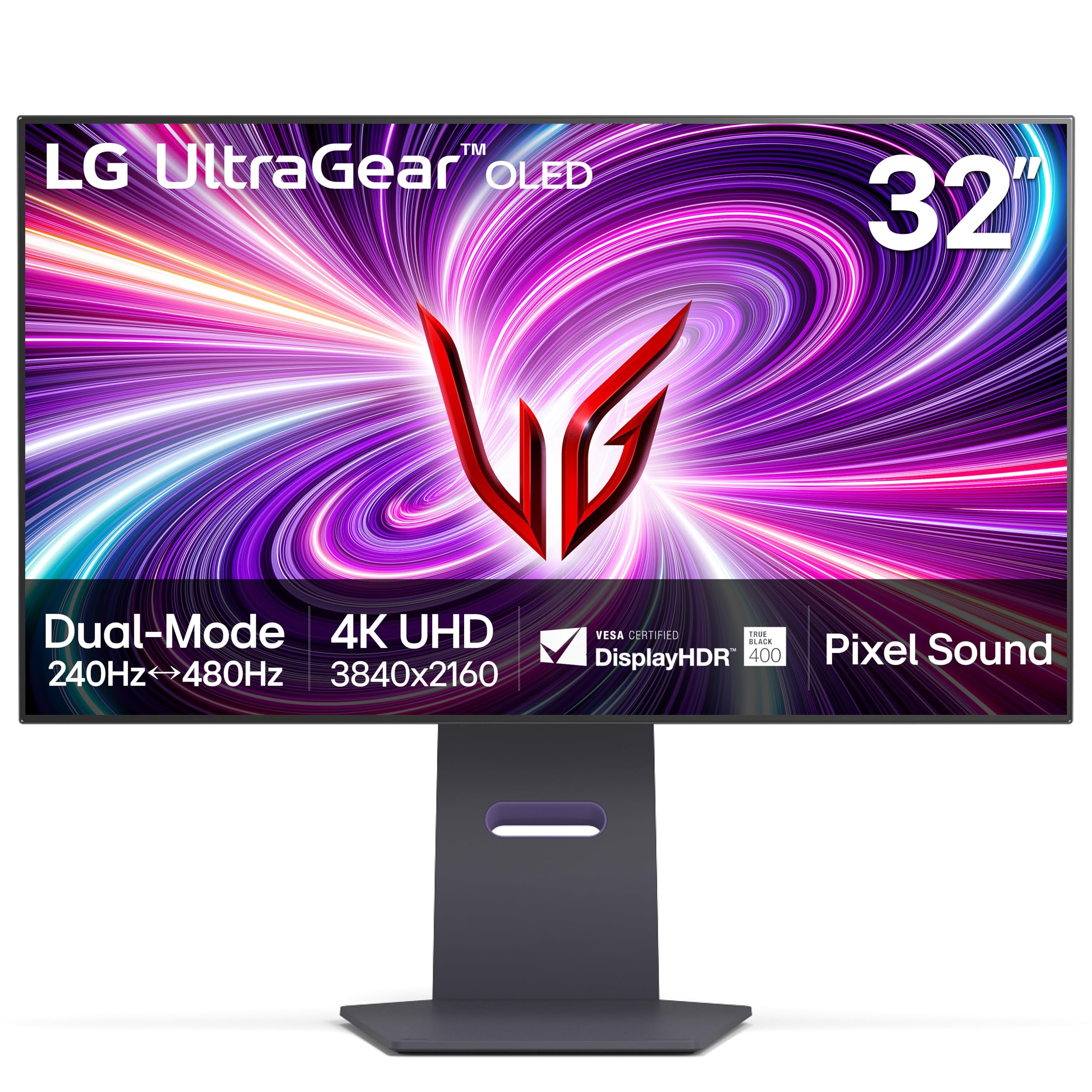
The 32GS95UE is the first VESA-certified Dual Mode monitor, allowing users to switch between 4K 240Hz and FHD 480Hz with a single button press. This flexibility is ideal for players who want crisp resolution for exploration games and maximum frame rate for competitive shooters. The WOLED panel delivers the characteristic infinite contrast ratio and 0.03ms response time, with a matte anti-glare coating that reduces reflections better than glossy QD-OLED alternatives.
Pixel Sound is an innovative feature where the OLED panel itself vibrates to produce audio, effectively turning the entire screen into a speaker. While not competitive with dedicated desktop speakers, Pixel Sound provides surprisingly clear mids and highs for casual use and eliminates the need for external monitors. The 2-year limited warranty covers the OLED panel specifically, which is shorter than the 3-year coverage offered by ASUS and MSI but still competitive in the premium tier.
User feedback consistently praises the text clarity improvements over previous-gen WOLED panels, though some users find the maximum brightness of 275 nits insufficient for HDR impact in bright rooms. The dual mode function works seamlessly with both NVIDIA and AMD GPUs, and the G-Sync Compatible certification ensures tear-free operation across both resolution presets.
Why it’s great
- Dual Mode switches between 4K 240Hz and FHD 480Hz
- Matte anti-glare coating reduces reflections effectively
- Pixel Sound tech provides built-in audio without external speakers
Good to know
- 2-year warranty is shorter than QD-OLED competitors
- Peak brightness is lower than QD-OLED or Mini-LED alternatives
7. Acer Predator X32

The Predator X32 brings a 31.5-inch QD-OLED panel with a 1700R curvature, which is gentler than the aggressive 1000R curve found on Samsung monitors but still provides noticeable peripheral wrap-around in first-person games. The 4K resolution, 240Hz refresh rate, and 0.03ms response time match the flagship specs of pricier competitors, while the VESA DisplayHDR True Black 400 certification ensures proper black-level performance in HDR content. Acer includes built-in 2W speakers, which are usable for system sounds but not adequate for serious gaming audio.
Connectivity covers DisplayPort 1.4, two HDMI 2.1 ports, and a USB-C port with data passthrough. The stand offers tilt, swivel, and height adjustment, though the V-shaped feet protrude significantly from the desk edge, requiring a deep surface for proper placement. The OSD is serviceable but lacks the refined interface of ASUS or MSI offerings, and some users report a periodic on-screen prompt that requires manual dismissal.
The price positions the X32 as an entry-level QD-OLED, making it accessible for users who want 4K 240Hz performance without paying the ASUS or Samsung premium. The included image retention refresh feature cycles pixels to prevent burn-in, though Acer does not publish a specific burn-in warranty term. For users comfortable with a few OSD quirks, the X32 delivers excellent panel quality at a competitive price.
Why it’s great
- 1700R curvature provides immersion without extreme distortion
- Built-in speakers sufficient for system sounds and casual use
- Costs significantly less than flagship OLED competitors
Good to know
- V-shaped stand requires deep desk space
- OSD has periodic prompts that require manual intervention
8. INNOCN GA27W1Q

The GA27W1Q is a 27-inch QD-OLED monitor that targets the mid-range with full 4K 240Hz specs and a 0.03ms response time. It supports both FreeSync and G-Sync Compatibility, which is rare at its price point, and includes a MAC-View mode that adjusts the color profile to match Apple’s display standards, reducing color mismatches when used as an external monitor for MacBooks. The 1,500,000:1 contrast ratio is typical of OLED panels, delivering deep blacks and vivid highlights.
The build quality is where cost savings are apparent: the chassis uses more plastic than aluminum competitors, and the external power brick with a short cable can make desk cable management tricky. The OSD menu is basic and lacks a quick-setting shortcut for HDR presets, which users have noted as a frustration when switching between gaming and productivity modes. The integrated speakers are weak, suitable only for notification sounds.
LED atmosphere lights on the rear add ambient bias lighting, which helps reduce eye strain in dark rooms. The stand provides tilt, swivel, height, and pivot adjustment, and VESA 100mm mounting is supported. For users who prioritize panel performance over build polish, the GA27W1Q offers some of the best raw QD-OLED value on the market.
Why it’s great
- Full QD-OLED specs at a price well below the market average
- MAC-View mode provides accurate color matching for Apple devices
- Built-in bias lighting reduces eye strain in dark rooms
Good to know
- External power brick complicates cable management
- OSD menu is basic and lacks HDR shortcut presets
9. LG 45GS95QE Ultragear OLED
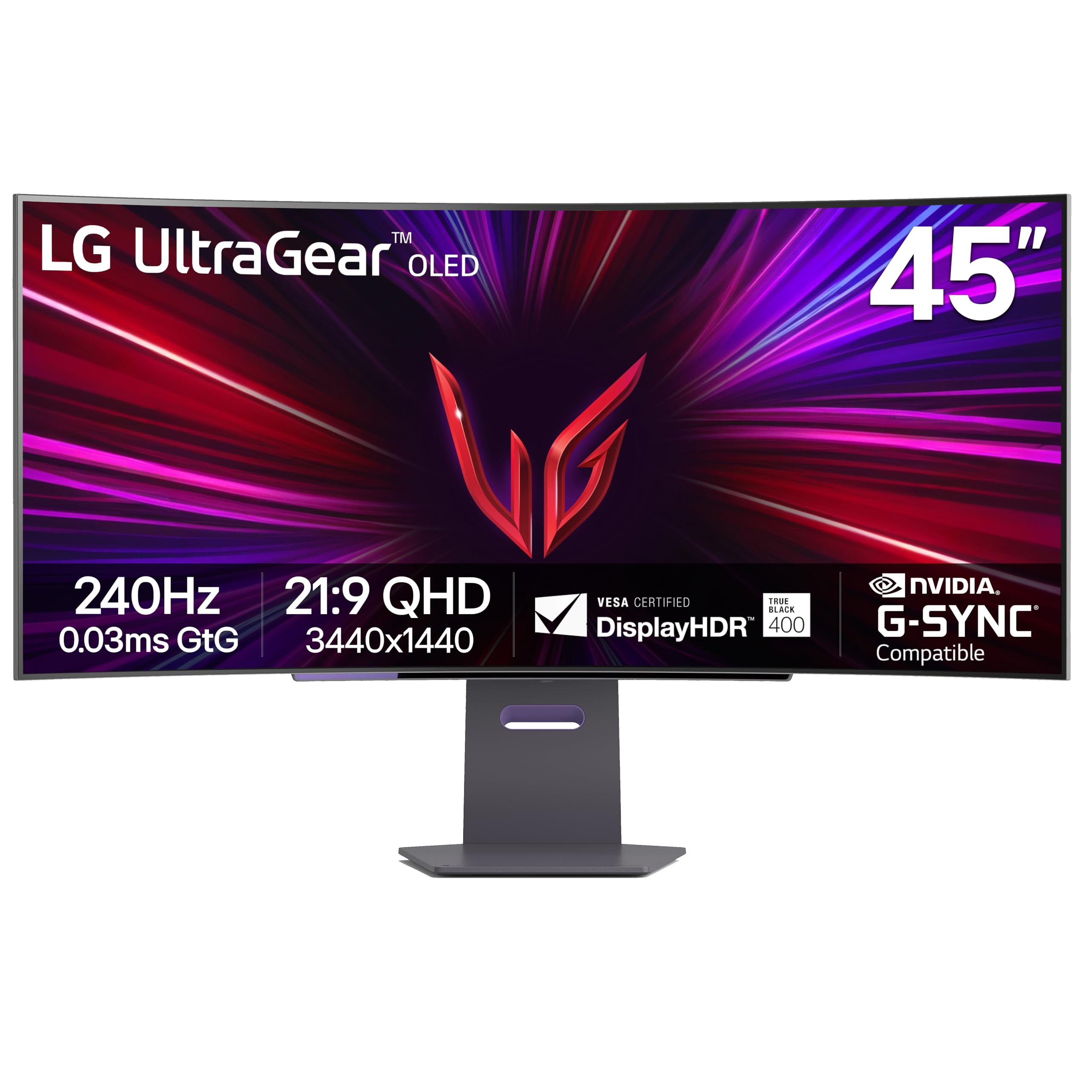
The 45GS95QE is a massive 45-inch 21:9 WOLED monitor with an aggressive 800R curvature that fully envelops the user’s peripheral vision. The 3440×1440 resolution at 240Hz delivers smooth motion with 0.03ms response time, and the Micro Lens Array technology boosts typical brightness to 275 nits while maintaining the infinite contrast ratio expected from OLED. The DisplayHDR True Black 400 certification ensures HDR content retains deep black levels with minimal blooming.
The stand is made from solid aluminum with a compact square base that saves desk space compared to V-shaped alternatives, and the build quality feels premium throughout. Connectivity includes DisplayPort 1.4, two HDMI 2.1 ports, and a USB hub, though there is no USB-C port, which limits compatibility with modern laptops. The 21:9 aspect ratio is ideal for immersive single-player games and flight simulators, and the 240Hz refresh rate keeps fast-paced multiplayer games feeling fluid.
User feedback is overwhelmingly positive for immersion, but some note that the pixel density at 3440×1440 on a 45-inch screen results in slightly larger pixel pitch, making text appear less sharp than a 32-inch 4K display. The built-in speakers are adequate for casual use, and the anti-glare coating handles direct light well. This monitor is best suited for users who prioritize immersion over pixel density.
Why it’s great
- 800R curve provides the most immersive peripheral wrap available
- Aluminum stand with compact base saves desk space
- Micro Lens Array boosts brightness over standard WOLED panels
Good to know
- Pixel density at 3440×1440 on 45″ is lower than 32″ 4K panels
- No USB-C port limits laptop connectivity options
10. Alienware AW3425DW QD-OLED

The AW3425DW is a 34-inch 21:9 QD-OLED monitor with an 1800R curvature that provides a comfortable field-of-view wrap without the extreme distortion of tighter curves. The WQHD (3440×1440) resolution runs at 240Hz with a 0.03ms response time, and the VESA DisplayHDR True Black 400 certification ensures blacks remain deep during HDR content. Alienware backs the panel with a 3-year warranty that includes burn-in coverage, matching the industry best.
Color reproduction reaches 99.3% DCI-P3 with Delta E < 2 accuracy out of the box, and the QD-OLED technology delivers vibrant highlights and rich saturation. The anti-glare coating is minimal, which preserves contrast in dim environments but can show reflections from direct light sources. The stand provides tilt, swivel, and height adjustment, and the monitor ships with both DisplayPort and HDMI cables in the box.
User feedback praises the smooth multitasking experience enabled by the 21:9 aspect ratio, with enough horizontal space for two application windows side-by-side. The only consistent critique is the slightly lower brightness in well-lit rooms compared to Mini-LED alternatives, but the infinite contrast ratio more than compensates in darker gaming environments.
Why it’s great
- 3-year warranty with burn-in coverage provides long-term peace of mind
- 99.3% DCI-P3 and Delta E < 2 for accurate color reproduction
- 34″ ultrawide format fits perfectly between immersion and desk compatibility
Good to know
- Brightness is inadequate in very bright rooms
- Minimal anti-glare coating shows reflections from direct light
11. ASUS ROG Swift PG27AQWP-W

The PG27AQWP-W breaks the 4K 240Hz mold by offering a Dual Mode that switches between QHD at 540Hz and HD at 720Hz, using Tandem OLED technology that stacks two OLED layers for 15% higher peak brightness and 60% longer lifespan than previous WOLED panels. The 0.02ms response time is the fastest of any monitor in this guide, and the TrueBlack Glossy coating provides a zero-haze surface that maximizes perceived contrast and sharpness.
Connectivity is future-proofed with DisplayPort 2.1 UHBR20, delivering 80 Gbps bandwidth—enough for 540Hz without Display Stream Compression (DSC). This eliminates the potential for compression artifacts and reduces input latency. The Neo Proximity Sensor is included, automatically blacking out the screen when the user walks away. The 3-year warranty covers burn-in, and the white chassis fits light-themed builds.
User feedback notes that the 540Hz mode provides a tangible competitive advantage in esports titles like Valorant and Counter-Strike, where frame-rate consistency directly affects aim tracking. The 1440p resolution at 27 inches yields a pixel density of 109 PPI, which is less sharp than 4K but more than sufficient for gaming at typical desk distances. The price is high, but for competitive players who want the absolute lowest latency, this is the monitor to beat.
Why it’s great
- 540Hz refresh rate provides a measurable competitive edge in esports
- DisplayPort 2.1 with 80 Gbps bandwidth eliminates need for DSC
- Tandem OLED delivers 15% higher brightness and longer lifespan
Good to know
- 1440p resolution is less sharp than 4K for productivity tasks
- Grey banding reported by some users at 540Hz refresh rate
12. Dell UltraSharp U4025QW

The U4025QW is a 40-inch 5K2K (5120×2160) IPS Black monitor with a 120Hz refresh rate, making it the best option for users who need high-resolution productivity first and gaming second. The IPS Black technology delivers a 2000:1 contrast ratio—double that of standard IPS panels—resulting in deeper blacks without the burn-in risk of OLED. The 600 nits peak brightness ensures clear visibility in bright office environments, and the built-in KVM supports seamless switching between two computers.
Connectivity is unmatched: Thunderbolt 4, HDMI 2.1, DisplayPort, Ethernet, and a USB hub with multiple downstream ports. The 120Hz refresh rate is lower than the 240Hz standard for gaming monitors, but it is twice the typical productivity refresh rate and provides noticeably smoother mouse movement and scrolling. The anti-glare coating is highly effective, and the 2500R curvature is subtle enough to avoid interference with grid-based applications.
User feedback from creative professionals is overwhelmingly positive, citing the color fidelity and the extra horizontal resolution that eliminates the need for horizontal scrolling in timelines and spreadsheets. Light gaming is possible, but the 120Hz cap and 5ms response time make it unsuitable for competitive titles. This monitor is purpose-built for productivity-first users who occasionally game on the side.
Why it’s great
- 5K2K resolution provides massive horizontal workspace for productivity
- Thunderbolt 4 and Ethernet make it a true docking station monitor
- IPS Black technology delivers deep blacks without burn-in risk
Good to know
- 120Hz refresh rate is inadequate for competitive gaming
- 5ms response time may produce visible ghosting in fast-paced titles
13. Samsung Odyssey Neo G9 (57″) G95NC

The 57-inch Odyssey Neo G9 is the world’s first Dual UHD monitor, combining two 4K (3840×2160) panels side-by-side into a single 7680×2160 resolution with a 32:9 aspect ratio. The 1000R curvature wraps the massive screen around your field of view, and the Mini-LED backlight with 2,392 local dimming zones delivers VESA DisplayHDR 1000 certification with 1000 nits peak brightness. The 240Hz refresh rate with 1ms response time is powered by DisplayPort 2.1, which provides enough bandwidth to drive the 57-inch resolution at full refresh rate without compression.
AMD FreeSync Premium Pro ensures tear-free performance, and the Quantum Matrix Technology controls the Mini-LED zones precisely enough to minimize blooming in high-contrast scenes. The stand offers tilt, swivel, and height adjustment, and the monitor supports Picture-by-Picture mode, allowing two video sources to display simultaneously at native resolution. The 40-pound weight requires a sturdy desk or a heavy-duty monitor arm.
User feedback highlights the transformative experience of having the equivalent of two 32-inch 4K monitors without a bezel gap, which is particularly valuable for flight simulators and racing games that benefit from peripheral vision fill. The only significant downside is the firmware, which some users report has wake-from-sleep issues with the Auto Source Switch feature. A firmware update is recommended immediately upon setup to address this.
Why it’s great
- Dual 4K resolution (7680×2160) eliminates bezel gap between multi-monitor setups
- 2,392 local dimming zones provide excellent Mini-LED contrast
- DisplayPort 2.1 supports full 240Hz without DSC
Good to know
- Requires a deep, sturdy desk due to 40-pound weight and 57-inch width
- Firmware wake-from-sleep issues require manual power cycling
FAQ
Can a RTX 4080 Super run 4K at 240Hz consistently?
Is QD-OLED more prone to burn-in than WOLED?
Does DSC degrade image quality at 4K 240Hz?
Final Thoughts: The Verdict
For most users, the best 4k 240hz gaming monitor winner is the ASUS ROG Swift PG32UCDM because it combines the superior contrast and response time of QD-OLED with a comprehensive heatsink design, Dolby Vision support, and a 3-year burn-in warranty that makes the investment feel secure. If you want Mini-LED brightness for a well-lit room, grab the Samsung Odyssey Neo G8. And for competitive players who prioritize the highest possible frame rate over resolution, nothing beats the ASUS ROG Swift PG27AQWP-W and its 540Hz Tandem OLED display.

Mo Maruf
I created WellFizz to bridge the gap between vague wellness advice and actionable solutions. My mission is simple: to decode the research and give you practical tools you can actually use.
Beyond the data, I am a passionate traveler. I believe that stepping away from the screen to explore new environments is essential for mental clarity and physical vitality.