Our readers keep the lights on and my smoothie glass nicely filled. As an Amazon Associate, I earn from qualifying purchases.
Stepping up to a 49-inch curved monitor is a declaration of intent. It means you’re done with alt-tabbing, done with bezels splitting your battlefield or timeline, and ready to drown in a single, sweeping vista of pixels. This isn’t a minor upgrade; it’s a complete shift in how you interact with your digital world, demanding a careful evaluation of panel technology, curvature, and resolution to get the experience you’re paying for.
I’m Mohammad Maruf — the founder and writer behind WellFizz. My workflow is built on dissecting the dense technical specifications and real-world performance data of flagship monitors to separate the genuinely superior from the merely expensive.
After analyzing dozens of models across performance, connectivity, and build quality, my goal is to guide you to the right investment. This guide is designed to help you confidently choose the best 49-inch curved monitor for your specific needs, whether you prioritize blistering gaming speed or pixel-perfect color accuracy for professional work.
How To Choose The Best 49-Inch Curved Monitor
Selecting a 49-inch monitor is a significant investment, so understanding the core technologies that separate a good setup from a great one is essential. The three pillars are panel type, resolution, and curvature, and how they interact defines the entire user experience.
Panel Technology: The Foundation of Picture Quality
The panel is the heart of the monitor. VA (Vertical Alignment) panels are common in this size and offer excellent contrast with deep blacks, making them a solid choice for dark-room gaming and media. However, they suffer from narrow viewing angles and can exhibit “black crush” in shadows. IPS (In-Plane Switching) panels, like Dell’s IPS Black technology, provide superior color accuracy and wide viewing angles, making them the professional’s choice for photo and video editing. The pinnacle is QD-OLED (Quantum Dot OLED), which combines perfect blacks, infinite contrast, vibrant colors, and near-instant response times. QD-OLED delivers the most immersive and visually stunning experience, but it comes at a premium price and requires careful burn-in management.
Resolution: DQHD vs. DFHD – The Clarity Difference
Resolution dictates sharpness and usable screen area. DFHD (Double Full HD) at 3840×1080 is an entry-level resolution that is easier to drive with a mid-range graphics card, but the pixel density is low, making text appear slightly soft and individual pixels visible. The gold standard for 49-inch monitors is DQHD (Dual Quad HD) at 5120×1440. This resolution offers a massive 33% more pixels than standard 4K and provides crisp, sharp text and incredible detail in games. It requires a powerful GPU, ideally an RTX 4070 or better, to run modern titles smoothly. There is also a new class of 5K2K (5120×2160) ultra-wides, offering even more vertical space, but they are rare and demand the most graphical horsepower.
Curvature: The Immersion Factor
The curvature, measured in radius (R), dictates how the screen wraps around your field of view. The tighter the curve, the more immersive it feels. At this size, 1800R is a gentle curve that helps reduce reflections but does little for peripheral vision. The sweet spot for gaming is 1000R, which matches the natural curvature of the human eye, ensuring every corner of the screen is equidistant from your face. This eliminates distortion at the edges and dramatically increases the feeling of being “in” the game. Newer monitors are pushing to an even more aggressive 800R curve for an unprecedented level of wrap-around immersion.
Quick Comparison
On smaller screens, swipe sideways to see the full table.
| Model | Category | Best For | Key Spec | Amazon |
|---|---|---|---|---|
| INNOCN 49Q1S OLED | Gaming OLED | High-FPS Gaming & Immersion | 240Hz / 0.03ms / OLED | Amazon |
| Samsung Odyssey OLED G9 (G91SD) | Gaming OLED | Premium Gaming & Multimedia | 144Hz / 0.03ms / QD-OLED | Amazon |
| MSI MPG 491CQP QD-OLED | Gaming OLED | Color Accurate Gaming & Work | 144Hz / 0.03ms / QD-OLED | Amazon |
| Samsung Odyssey G9 (G95SD) | Gaming VA | High-Performance Gaming & HDR | 240Hz / 1ms / 1000R VA | Amazon |
| Dell U4924DW | Productivity IPS | Professional Work & Color Accuracy | 60Hz / IPS Black 2000:1 | Amazon |
| ASUS ROG Strix XG49VQ | Gaming VA | Mid-Range Gaming & Budget | 144Hz / DFHD 3840×1080 | Amazon |
| LG 49WQ95C-W | Productivity Nano IPS | Professional Productivity & Color | 60Hz / Nano IPS / 98% DCI-P3 | Amazon |
| Dell U4919DW | Productivity IPS | General Productivity & Multitasking | 60Hz / 350 cd/m² Brightness | Amazon |
| INNOCN 49C1G | Gaming VA | Budget Gaming & Productivity | 144Hz / DFHD 3840×1080 | Amazon |
| Deco Gear QD-OLED | Gaming OLED | Value QD-OLED Gaming Experience | 144Hz / 0.03ms / QD-OLED | Amazon |
| Acer Nitro EI491CUR | Gaming VA | Entry-Level DQHD Gaming | 120Hz / 1000R VA / DQHD | Amazon |
| Dell U4025QW | Professional 5K2K | Ultimate Professional Workstation | 120Hz / 5K2K / IPS Black | Amazon |
| LG 45GX900A-B | Gaming OLED | Hardcore Competitive Gaming | 240Hz / 0.03ms / 800R OLED | Amazon |
In‑Depth Reviews
1. INNOCN 49Q1S OLED Curved Gaming Monitor

The INNOCN 49Q1S is a midfield beast that delivers a staggering 240Hz refresh rate on a massive OLED panel at a price point that challenges competitors. The combination of DQHD resolution and a 0.03ms response time makes it an absolute weapon for fast-paced sim racing and first-person shooters, where every millisecond of latency matters. The image clarity is razor-sharp, and the colors pop with the vibrancy that only an OLED can deliver.
Connectivity is a major strength here. The built-in USB-C port provides a full 90W of power delivery, making it a true one-cable solution for a compatible laptop. It also packs a pair of surround speakers, an RJ45 port, and a full USB hub, effectively turning it into a workstation docking station. The height and tilt adjustable stand is sturdy and functional right out of the box.
Some users have reported issues with very small or misaligned text in certain applications, which is a common quirk with super-ultrawide resolutions. While the customer support seems responsive, a small number of reviews mention the unit failing after a few months, which is a risk to weigh against the lower price for OLED technology. For the price, the feature-per-dollar ratio is exceptionally high.
Why it’s great
- Industry-leading 240Hz refresh rate for buttery-smooth motion
- Excellent OLED contrast with vibrant HDR performance
- Robust connectivity including USB-C with 90W PD and RJ45
Good to know
- Some reported long-term reliability concerns after a few months
- Interface scaling can cause issues with certain niche applications
2. Samsung Odyssey OLED G9 (G91SD)

The Samsung Odyssey OLED G9 (G91SD) is a statement piece. It uses the same advanced QD-OLED technology as the higher-end G9 models but packages it at a more accessible price tier without sacrificing the core experience. The colors are incredibly rich, the blacks are perfectly deep, and the 144Hz refresh rate with a 0.03ms response time ensures that the image is always fluid and responsive.
Samsung’s suite of OLED burn-in prevention features is robust, including logo detection, taskbar dimming, and a thermal modulation system. The ergonomic stand offers full height, tilt, and swivel adjustments, and the monitor is G-Sync Compatible, removing any tearing or stuttering on a wide range of graphics cards. The Picture-in-Picture feature is also a welcome addition for multitasking.
User experiences vary significantly regarding Samsung’s warranty service. While the on-site repair service is praised by some, others report a cumbersome and slow process for replacements. The build quality is good, but the primary concern is the reliability of the panel itself, with some users reporting failures within the first year. This is a top-tier visual experience, but the gamble on long-term support is a real consideration.
Why it’s great
- Stunning QD-OLED picture quality with deep blacks and vibrant colors
- Comprehensive burn-in protection features for long-term use
- Strong adaptive sync support (FreeSync Premium Pro & G-Sync Compatible)
Good to know
- Customer service and warranty experiences are inconsistent
- Power cable is notably short, limiting placement options
3. MSI MPG 491CQP QD-OLED

The MSI MPG 491CQP is a superb marriage of gaming performance and professional-grade color accuracy. With a factory-calibrated Delta E value of ≤2, it boasts an exceptional 98% Adobe RGB and 99% DCI-P3 color gamut coverage, making it one of the few monitors that can seamlessly transition from an intense gaming session to critical photo editing work. The 144Hz refresh rate and 0.03ms response time are perfectly matched to the QD-OLED panel.
The included KVM feature is a major boon for any mixed-platform setup, allowing you to control a PC and a laptop with a single keyboard and mouse. The MSI Gaming Intelligence App provides deep control over the monitor’s settings, and the OLED Care 2.0 suite gives you ample tools to manage burn-in risks. The stand is stable and adjustable, and the cable management system is functional, though you may need adhesive clips to keep things tidy.
The main drawback is the potential for a frustrating warranty experience. While the monitor is widely praised for its picture quality, a small number of users report the panel failing after a few months. In those cases, the cost of shipping for a repair (even under warranty) has been an issue for some, and the replacements received have sometimes been refurbished units. This is a stellar monitor, but the after-sales support is a gamble.
Why it’s great
- Professional-grade color accuracy with factory calibration
- Excellent QD-OLED performance for gaming and creative work
- Built-in KVM simplifies multi-device control
Good to know
- Warranty repair process can be costly and slow for the buyer
- May require a USB 4 cable for full bandwidth, which is not included
4. Samsung Odyssey G9 (G95SD)

The legendary Samsung Odyssey G9 needs no introduction. This iteration features a 1000R VA panel that wraps your peripheral vision, a blistering 240Hz refresh rate, and a 1ms response time, making it one of the most immersive gaming monitors you can buy. The VESA DisplayHDR 1000 certification is the real deal, delivering searing bright highlights and deep, 1,000,000:1 contrast that makes games look spectacular.
The CoreSync lighting adds to the atmosphere by projecting the colors from your screen into the room, and the fully adjustable stand ensures you find the perfect viewing angle. The matte coating on this model is well-regarded for reducing reflections without making the image look fuzzy. The 1000R curve is the defining feature here, creating a truly wrap-around effect that is unmatched by monitors with a shallower curve.
Reliability remains the elephant in the room. A worrying number of long-term reports detail the monitor failing after a few months, with Samsung’s customer support described as a frustrating, multi-month ordeal to get a refund or replacement. While the monitor is incredible when it works, the risk of a very poor after-sales experience is a significant factor to consider before purchasing.
Why it’s great
- Extremely immersive 1000R curve and 240Hz high-speed gaming
- Stunning HDR 1000 performance with high peak brightness
- Effective matte coating and robust build quality
Good to know
- Significant risk of panel failure and poor warranty support
- Can be difficult to use with a tall monitor arm due to weight
5. Dell UltraSharp U4924DW
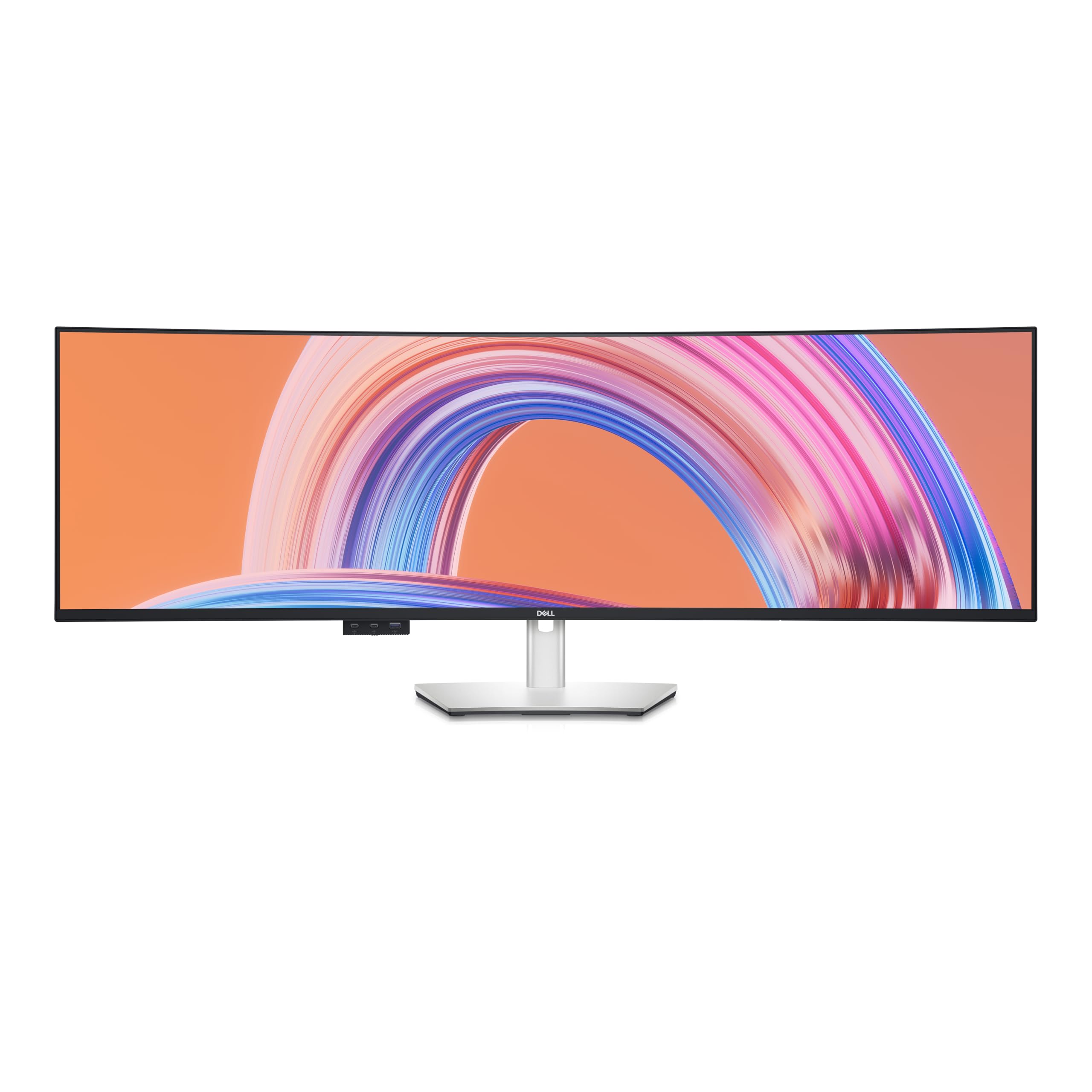
If your world is code, spreadsheets, and design software, the Dell U4924DW is the benchmark. It is the first monitor to bring IPS Black technology to a 49-inch form factor, achieving a 2000:1 contrast ratio that is a massive step up from standard IPS monitors. This allows for much deeper blacks and a more premium image quality without sacrificing the wide viewing angles and color accuracy that IPS is famous for.
The connectivity suite is tailor-made for professionals. The built-in KVM switch is seamless, allowing you to switch between a Mac and a Windows PC with a single button press. The 90W USB-C power delivery charges a laptop, and the USB hub is incredibly convenient for peripherals. The 60Hz refresh rate is fine for productivity tasks, and many users report excellent results for photo and video editing work.
Some users report receiving units with dead pixels or broken lines, indicating a possible quality control issue. While Dell’s warranty is generally good, dealing with a defective unit is always a hassle. The monitor is also explicitly not designed for gaming, with poor responsiveness that can show up as ghosting on fast-moving objects. For pure productivity, it’s hard to beat, but you are paying a premium for that focus.
Why it’s great
- Superb IPS Black panel with excellent contrast and color accuracy
- Seamless KVM and powerful 90W USB-C connectivity
- Highly comfortable for all-day professional multitasking
Good to know
- 60Hz refresh rate; not suitable for fast-paced gaming
- Inconsistent quality control with some receiving defective units
6. ASUS ROG Strix XG49VQ

The ASUS ROG Strix XG49VQ is a veteran of the 49-inch space that still offers a compelling entry point for gamers on a tighter budget. Its key differentiator is the DFHD 3840×1080 resolution, which is much easier for a mid-range graphics card to drive at high frame rates. This makes it a fantastic pairing with a sub- gaming rig, where you can still hit 144 FPS in many competitive titles without upgrading your GPU.
The VA panel provides decent contrast and good color, and the 1800R curve is gentle enough to reduce eye strain. The DisplayHDR 400 certification offers a slight visual lift, and the fully ergonomic stand is a welcome addition at this price tier. It’s a great choice for gamers who prioritize a smooth, high-frame-rate experience over raw pixel density.
The lower resolution is a significant compromise. Text and fine details will look noticeably soft and pixelated compared to a DQHD screen. The HDR performance is also disappointing, with low peak brightness and poor local dimming, rendering it largely ineffective. Some users also report that FreeSync 2 flickers when paired with NVIDIA graphics cards, and the build quality feels a bit plastic-y compared to more premium options.
Why it’s great
- Excellent value for entry-level ultrawide gaming
- High refresh rate is easy to achieve with a modest GPU
- Good ergonomically adjustable stand included
Good to know
- Low 3840×1080 resolution results in soft text
- Poor HDR implementation and cheap-feeling build quality
7. LG 49WQ95C-W Nano IPS Monitor

The LG 49WQ95C-W is a premium productivity powerhouse that uses LG’s Nano IPS technology to deliver industry-leading color accuracy, covering 98% of the DCI-P3 color space. This makes it an ideal choice for photographers, video editors, and designers who need to trust what they see on screen. The DQHD resolution provides a massive canvas for timelines, toolbars, and reference images.
The inclusion of a USB-C port with 90W Power Delivery is a huge plus, allowing for a single-cable connection to a MacBook Pro or a modern PC laptop. The monitor is also G-Sync Compatible and supports HDMI 2.1, making it a versatile choice for light gaming. The Picture-by-Picture mode is one of the best in the business, allowing for a perfect split between two inputs.
The major criticism is the very gentle 3800R curve, which is so subtle that many users consider the monitor to be effectively flat. This leads to some discomfort with edge visibility when using it for a single computer. The white color scheme may also not fit every setup.
Why it’s great
- Excellent color gamut and accuracy for professional creative work
- Convenient 90W USB-C PD and versatile connectivity
- Great Picture-by-Picture mode for dual-computer setups
Good to know
- Very shallow curve can cause ergonomic issues for some users
- Reports of the monitor failing completely after about a year
8. Dell UltraSharp U4919DW

The Dell UltraSharp U4919DW is the original workhorse of the 49-inch world, and it still holds its own for productivity. It offers a solid, no-frills 60Hz experience with a sharp DQHD resolution on an IPS panel that provides good color accuracy and wide viewing angles. It is a proven solution for coders and financial analysts who need to see multiple full-size windows without bezels.
The build quality is excellent, as expected from Dell’s UltraSharp line, and the stand is fully adjustable. The USB-C connection handles data and video, simplifying a desk setup. While not a gaming monitor, it can handle casual use, and its reliability record is generally better than the more exotic gaming panels.
This monitor is aging. It lacks modern features like high refresh rates, local dimming, or HDR. It runs a standard 1000:1 contrast ratio, which is fine but not impressive. The IPS Black technology of its successor (the U4924DW) offers a much better image. Carriers often require a pallet to ship this monitor due to its size and weight. It’s a reliable choice, but you can get more modern technology for a similar price.
Why it’s great
- Proven and reliable monitor for professional multitasking
- Solid IPS panel with good viewing angles and color
- Sturdy build quality and robust adjustable stand
Good to know
- Aging specifications with a basic 60Hz refresh rate
- Standard contrast ratio; lacks modern HDR performance
9. INNOCN 49C1G Curved Gaming Monitor

The INNOCN 49C1G is a budget-friendly entry point into the world of 49-inch monitors, offering a VA panel with a 144Hz refresh rate and a DFHD resolution. For users coming from a single 1080p monitor, this is a massive upgrade in screen real estate. It is well-suited for productivity and lighter gaming, especially if you have a mid-range PC that would struggle with DQHD.
The connectivity is a major value-add at this price point. It includes a USB-C port with 65W power delivery, an RJ45 port, and a full USB hub. The inclusion of PiP/PbP is also a nice touch for dual-computer setups. The stand is fully adjustable, which is a rarity in the budget tier, allowing for a comfortable ergonomic setup without an aftermarket arm.
The DFHD resolution is the biggest compromise here, resulting in soft, pixelated text that may be distracting for long reading sessions. The VA panel, while offering decent contrast, suffers from narrow viewing angles where the edges can look washed out. Some users find the overall height to be shorter than expected, and the speakers are passable at best. It’s a solid deal, but the low pixel density is a real drawback.
Why it’s great
- Excellent value for an entry-level 49-inch monitor
- Includes a versatile USB-C port with 65W power delivery
- Good ergonomic stand with full adjustability
Good to know
- Lower 3840×1080 resolution leads to soft text
- VA panel has typical viewing angle and color shift issues
10. Deco Gear QD-OLED Curved Monitor
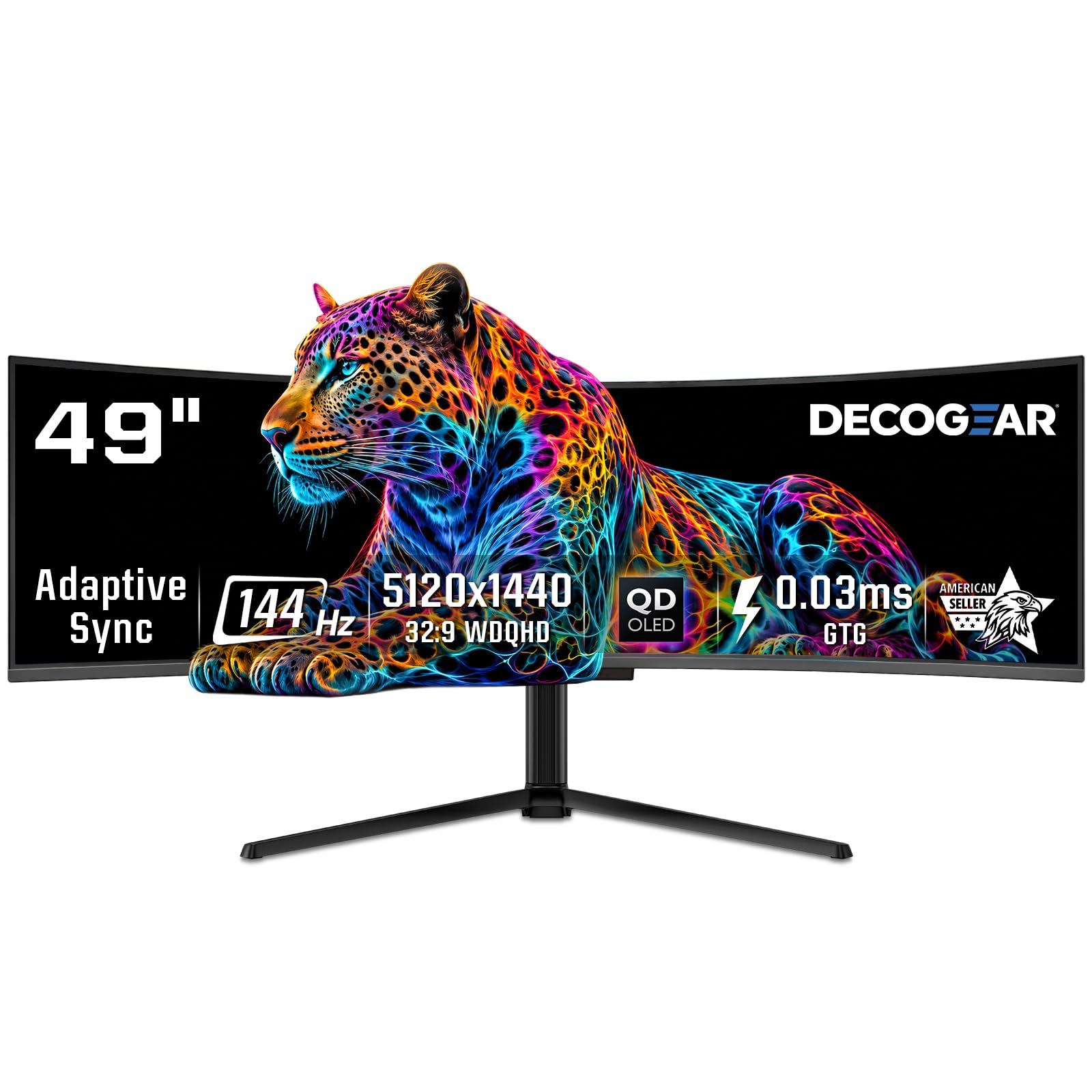
The Deco Gear QD-OLED monitor is a fascinating case, identified as sharing a Samsung QD-OLED panel with the Innocn 49Q1R model but sold under a different brand at a competitive price. It delivers the core QD-OLED experience: perfect blacks, stunning color volume, and a rapid 0.03ms response time that makes everything you do feel fluid. It is a fantastic-looking screen for both gaming and media.
The monitor is packed with features for daily use, including a robust KVM switch, a 90W USB-C port for laptop charging, and a height-adjustable stand. The QD-OLED Care features, like static screen detection and pixel shifting, are in place to help prevent burn-in. For a user wanting the QD-OLED look on a tighter budget, this is a strong candidate.
The main issue reported by users is a cheap power cable that is tightly folded in the box, causing immediate or early power failure. User reviews warn strongly against buying a refurbished model, as failures and poor support were reported. The customer support experience seems inconsistent, with one user getting a quick replacement for a screen issue, while another was left with a dead refurbished unit. It’s a great value if you get a good unit, but a gamble.
Why it’s great
- Provides premium QD-OLED image quality at a lower cost
- Excellent connectivity with 90W USB-C and KVM
- Impressive color accuracy covering 100% sRGB
Good to know
- Cheap power cable can fail immediately out of box
- Poor reliability reports for refurbished units and inexperienced support
11. Acer Nitro EI491CUR
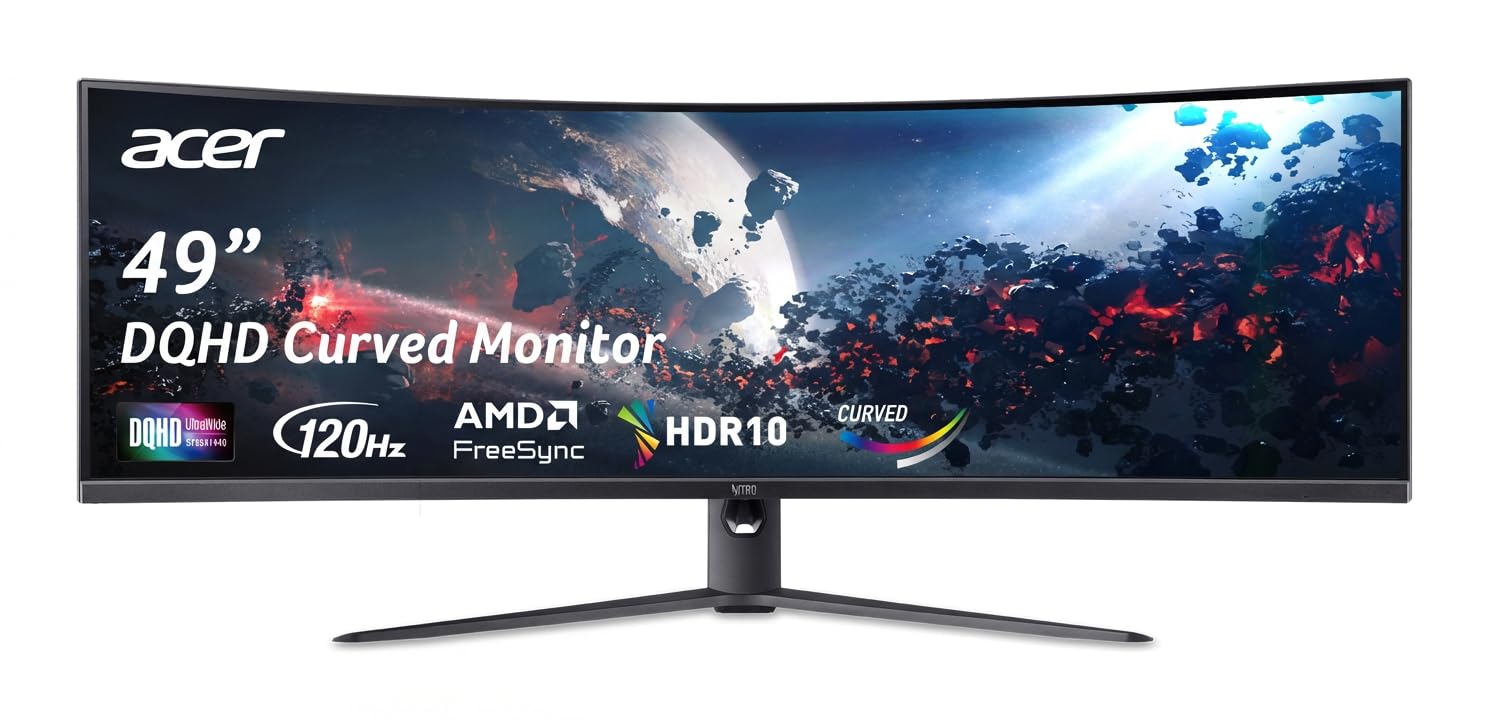
The Acer Nitro EI491CUR is a unique entry that combines a sharp DQHD resolution with a tight 1000R curve and a 120Hz refresh rate, all at a price that undercuts many competitors. For a new user who wants the immersive experience of a 1000R curve and the pixel density of DQHD without paying the full premium, this Acer is a compelling option that delivers exactly what it promises.
The 1000R VA panel provides excellent contrast, and the 120Hz is a noticeable step up from a standard 60Hz monitor for a smoother desktop experience and more playable gaming. The stand offers both tilt and height adjustment, and the maximum brightness of over 1000 nits is surprisingly high for this price tier, making HDR content more impactful than expected.
Compatibility is a major hurdle. The monitor has well-documented issues with Apple MacBooks, failing to achieve full resolution or working correctly at all. The Picture-by-Picture (PBP) feature has been reported to fail after a few days of use, rendering the feature useless. The On-Screen Display (OSD) menu system can be unresponsive. It’s a fantastic base monitor, but these software and compatibility issues could be dealbreakers for many.
Why it’s great
- Excellent value for a 1000R DQHD monitor
- High static contrast and surprisingly high brightness
- Good, fully adjustable stand included
Good to know
- Notoriously incompatible with Apple MacBooks
- Quality control issues with PBP and OSD features
12. Dell UltraSharp U4025QW

The Dell UltraSharp U4025QW is the ultimate professional workstation monitor. It boasts a unique 40-inch 5K2K (5120×2160) resolution that offers significantly more vertical space than any 32:9 monitor, making it ideal for reading long documents, coding, and complex video editing timelines. The IPS Black panel delivers a stunning 2000:1 contrast ratio, which is exceptional for an IPS monitor.
The 120Hz refresh rate and excellent color accuracy make this a surprisingly capable monitor for creative work and even some light gaming. The built-in KVM is one of the best in the business, with the ability to switch between inputs quickly. It also acts as a full Thunderbolt 4 hub, with a 140W power delivery port for charging the most demanding laptops. The Delta E precision is factory-calibrated, so you can trust the colors out of the box.
The price is the largest barrier, making it one of the most expensive monitors on this list. The IPS Black technology, while great, still does not match the infinite contrast of an OLED. Some HDMI 2.1 features are limited, and the lower contrast ratio means HDR performance is not as punchy as a high-end gaming monitor. The ports face downward at a sharp angle, making it difficult to plug and unplug cables when the monitor is on a stand.
Why it’s great
- Best-in-class 5K2K resolution for extra vertical screen space
- High-quality IPS Black panel with great contrast and color
- Excellent productivity features (KVM, Thunderbolt 4 hub)
Good to know
- Very high price point puts it out of reach for many
- IPS Black still lags behind OLED in true black levels
13. LG UltraGear 45GX900A-B

The LG UltraGear 45GX900A-B breaks the mold with a 21:9 aspect ratio and a radical 800R curve that creates the deepest, most immersive viewing experience of any monitor on this list. This is a monitor built for pure peripheral immersion, pulling you into the game like nothing else. The 240Hz refresh rate and 0.03ms response time are matched to the lightning-fast OLED panel for an unparalleled gaming experience.
This monitor is LG’s flagship, and it shows. The OLED panel is bright with a peak luminance of 1300 nits (APL 1.5%), and the DCI-P3 coverage of 98.5% is stunning. It features both FreeSync Premium Pro and G-Sync Compatibility for perfect frame sync. The OLED Care tools, including a 2-year limited warranty on the panel, give buyers some peace of mind against burn-in.
The main drawback for many will be the size and price. It is a premium product, and the cost reflects that. Some users on 32:9 monitors find the 21:9 aspect ratio to be less wide than expected. The 3440×1440 resolution, while crisp, is not as high as the DQHD found on 32:9 models. The DPI is also considered “trash” by some users who struggle with scaling in certain apps. It’s a beast, but not a perfect fit for everyone.
Why it’s great
- Extremely immersive 800R curve for a wrap-around feel
- Top-tier 240Hz OLED gaming performance
- High peak brightness and excellent color coverage
Good to know
- 21:9 aspect ratio offers less width than a 32:9 49-inch panel
- Very expensive and requires a powerful GPU to run titles at high framerates
FAQ
Can a 49-inch curved monitor be used for productivity?
What is the difference between 1000R and 1800R curvature?
Does a 49-inch 32:9 monitor replace two 27-inch monitors?
Do I need a powerful graphics card for a 49-inch DQHD monitor?
What is QD-OLED and is it better than regular OLED?
Final Thoughts: The Verdict
For most users, the best 49-inch curved monitor winner is the INNOCN 49Q1S OLED because it delivers a superb 240Hz OLED gaming experience and a full workstation connectivity suite at a relatively accessible price point. If you want the ultimate professional screen with superior vertical space for work, grab the Dell UltraSharp U4025QW. And for the most immersive, envelope-pushing gaming experience money can buy, nothing beats the LG UltraGear 45GX900A-B with its aggressive 800R curve.

Mo Maruf
I created WellFizz to bridge the gap between vague wellness advice and actionable solutions. My mission is simple: to decode the research and give you practical tools you can actually use.
Beyond the data, I am a passionate traveler. I believe that stepping away from the screen to explore new environments is essential for mental clarity and physical vitality.