Our readers keep the lights on and my smoothie glass nicely filled. As an Amazon Associate, I earn from qualifying purchases.
A 43-inch TV is the sweet spot for dedicated streaming — large enough to make movie nights immersive, yet compact enough to fit a bedroom, apartment living room, or dorm setup without dominating the space. The problem? Streaming demands consistent Wi-Fi, a snappy interface to skip buffering, and a panel that makes 4K HDR content look its best without washing out dark scenes.
I’m Mohammad Maruf — the founder and writer behind WellFizz. I’ve spent months analyzing panel technologies, smart platform speeds, and real-user experiences to separate the TVs that actually enhance streaming from those that just add frustration.
This guide evaluates nine models with the latest specs on dimming zones, HDR support, processor speed, and smart OS responsiveness, helping you confidently choose the best 43 inch tv for streaming for your actual viewing habits.
How To Choose The Best 43 Inch TV For Streaming
Selecting the right streaming TV isn’t just about screen size — four key specs define whether your Netflix binges look cinematic or washed out. Here’s what to prioritize.
Panel Technology: QLED vs LED
A standard LED panel uses a single backlight layer, which often results in grayish blacks during dark scenes — common in streaming dramas. QLED uses quantum dots to boost color volume, producing over a billion shades that remain vibrant even in bright rooms. For daytime streaming, QLED is a meaningful upgrade.
HDR Format Support
Dolby Vision and HDR10+ adjust brightness and color scene-by-scene, revealing shadow details in dark movies. HDR10 uses static metadata, which is less precise. If you watch a lot of Prime Video or Disney+, prioritize a TV with Dolby Vision IQ or HDR10+ Adaptive.
Smart Platform & Processor
Roku OS is famously snappy for navigating apps. Fire TV offers deep Alexa integration but can feel laggy on slower processors. Google TV provides personalized recommendations with strong search. A quad-core processor with Wi-Fi 6 support prevents buffering and long load times.
Refresh Rate & Motion Handling
Native 60Hz is standard for streaming series and works fine for most content. If you stream live sports, look for motion smoothing technology like Motion Xcelerator or Motionflow XR to reduce blur. Only gamers need 120Hz, but it’s a bonus for future-proofing.
Quick Comparison
On smaller screens, swipe sideways to see the full table.
| Model | Category | Best For | Key Spec | Amazon |
|---|---|---|---|---|
| Amazon Fire TV 43″ Omni QLED | Premium | Hands-free Alexa streaming | QLED + Dolby Vision IQ | Amazon |
| Samsung QLED Q8F 43″ | Premium | 4K gaming & sports | 100% Color Volume, 144Hz | Amazon |
| LG QNED82A 43″ | Mid-Range | Accurate colors & Filmmaker Mode | Alpha 7 AI Processor Gen8 | Amazon |
| Samsung M70H Mini LED 43″ | Premium | Deep blacks & bright highlights | Mini LED, Pure Color Spectrum | Amazon |
| Sony BRAVIA 2 II 43″ | Premium | 4K upscaling & PS5 gaming | 4K Processor X1, Motionflow XR | Amazon |
| Westinghouse Roku QLED 43″ | Mid-Range | Value QLED with Roku OS | QLED, Dolby Vision, HDR10+ | Amazon |
| Roku Select Series 43″ | Mid-Range | Ease of use & Bluetooth audio | 4K HDR10, Bluetooth Headphone | Amazon |
| Amazon Ember 40″ Fire TV | Budget | Compact bedroom streaming | Wi-Fi 6, Omnisense wake | Amazon |
| Samsung F6000 40″ | Budget | Basic 1080p streaming | Full HD, Object Tracking Sound | Amazon |
In‑Depth Reviews
1. Amazon Fire TV 43″ Omni QLED Series

This set combines a 4K Quantum Dot display with Dolby Vision IQ, which automatically adjusts brightness based on room lighting. The result is exceptionally lifelike color and contrast for streaming movies and shows, whether you’re watching in a dark bedroom or a bright living room. The Fire TV Ambient Experience transforms the screen into an art display when idle, adding value beyond just streaming.
The built-in microphones enable hands-free Alexa control — just ask to launch Netflix, search titles, or skip episodes. Four HDMI inputs, including eARC, let you connect a soundbar or gaming console without sacrificing ports. The interface is smooth, though initial setup requires patience with software updates.
A few users note occasional interface lag or remote slowdown, but these are often resolved with a reset. The out-of-box picture settings benefit from calibration to eliminate the “soap opera effect.” Overall, this is the most fully-featured streaming TV in the 43-inch class, especially for Prime Video and Alexa households.
Why it’s great
- Quantum Dot color produces rich, vibrant streams
- Dolby Vision IQ adapts HDR to your room brightness
- Hands-free Alexa with mic disable switch for privacy
Good to know
- Interface can feel slower than Roku-based TVs
- Some users report initial app installation bugs
2. Samsung 43″ QLED Q8F 4K Smart TV

The Q8F delivers 100% Color Volume thanks to Quantum Dot technology, meaning over a billion shades remain accurate at any brightness level — essential for HDR streaming. The Q4 AI Processor upscales 1080p content to near-4K, improving the clarity of older shows on Prime Video or Hulu. The AirSlim design makes wall-mounting feel flush and clean.
Motion Xcelerator supports up to 4K 144Hz, which eliminates tearing in fast-paced gaming streams. While its native refresh rate is 60Hz, the interpolation works well for live sports. Samsung TV Plus offers 2,700+ free channels, reducing reliance on external subscriptions. The solar USB-C remote is a thoughtful eco-friendly addition.
Onboard speakers produce adequate sound for casual viewing, but adding a soundbar reveals the full potential for cinematic streaming. The menu system is clean, though it defaults to Samsung TV Plus on startup unless adjusted. Overall, the Q8F is a premium choice that balances streaming clarity with gaming capability.
Why it’s great
- 100% Color Volume perfect for HDR streaming
- AI upscaling improves older streaming content
- 144Hz support for tear-free gaming streams
Good to know
- Thin sound may require external audio setup
- Legs feel less stable than expected
3. LG 43″ QNED82A 4K Smart TV
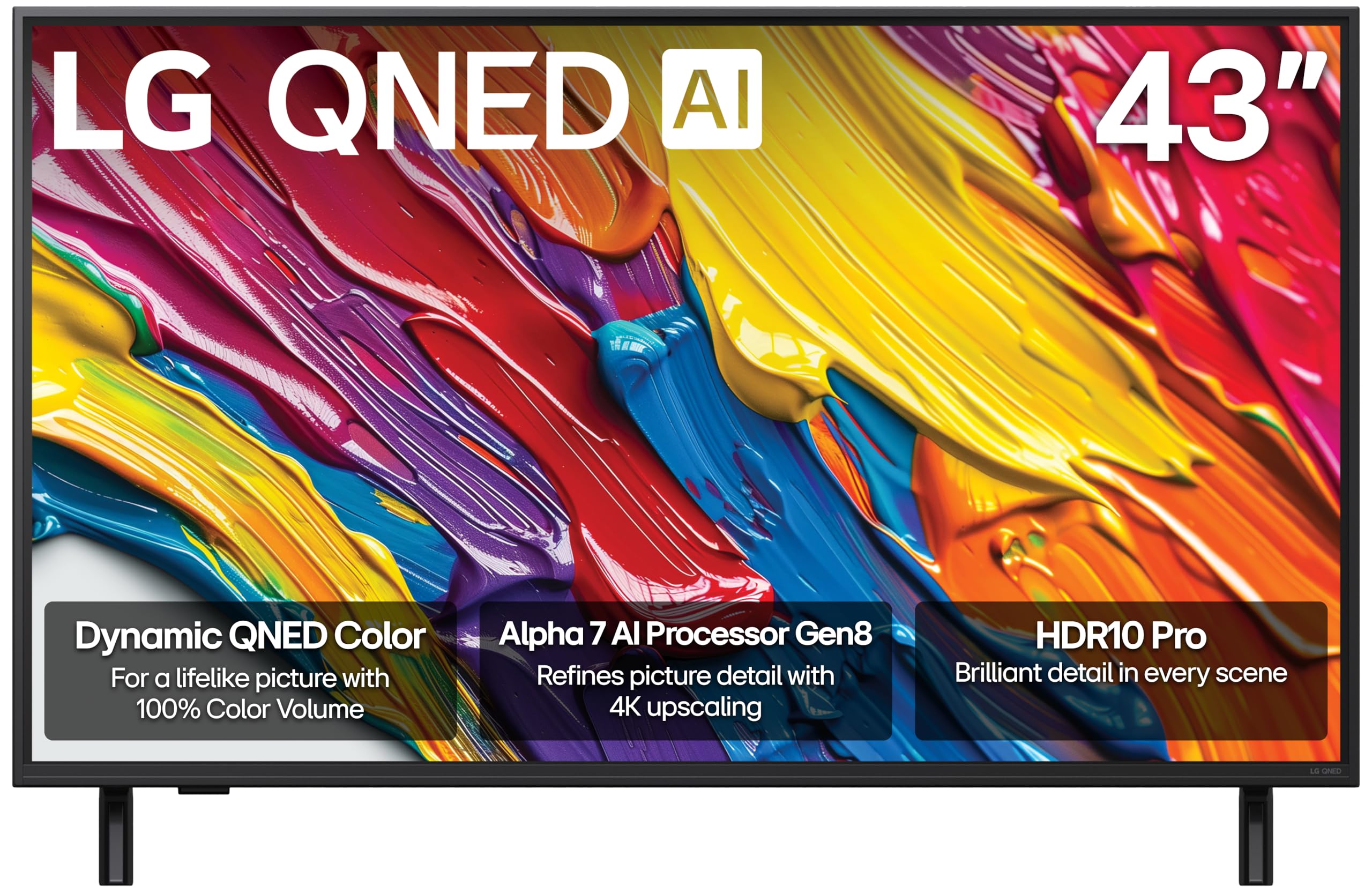
LG’s QNED82A uses a combination of Quantum Dot and NanoCell technology to deliver 100% Color Volume, making streaming series look punchy without oversaturation. The Alpha 7 AI Processor Gen8 handles 4K upscaling with dynamic tone mapping, preserving shadow detail in dark HDR scenes — crucial for shows like “The Last of Us” or “House of the Dragon.”
Filmmaker Mode automatically adjusts picture settings to match the director’s intent, bypassing motion smoothing for a more natural experience. webOS provides a personalized smart interface with over 350 free LG Channels. The Game Optimizer dashboard supports VRR and FreeSync, making this a versatile pick for mixed-use households that stream and game.
The included remote features a track-wheel that some find finicky, and the menu defaults to Sling unless reconfigured. Picture quality is outstanding for the price, with true black levels that outperform many standard LED competitors. If accurate color for streaming drama is your priority, this is top-tier.
Why it’s great
- Filmmaker Mode preserves accurate streaming color
- Excellent black levels and shadow detail for HDR
- Quad HDMI 2.0 ports for multi-device setups
Good to know
- Remote track-wheel can be unintuitive
- May default to unwanted apps on startup
4. Samsung 43″ M70H Mini LED Smart TV

Mini LED backlighting is a significant step up from standard LED, offering over 1,000 dimming zones that create deeper blacks and brighter highlights. The M70H’s Pure Color Spectrum delivers one billion true-to-life colors, making streams from Disney+ and Netflix look incredibly detailed. The 60Hz panel with Motion Xcelerator essentially offers software-based 120Hz for smoother sports and action sequences.
Samsung’s Vision AI optimizes picture and audio based on the type of content you’re watching — whether it’s a drama series or a live soccer match. The Suprem UHD Dimming ensures contrast remains punchy even in bright rooms, which is rare at this size. Samsung TV Plus provides 2,700+ free channels, so you can start streaming immediately without subscriptions.
A notable downside: the remote has a sluggish startup delay of 10-12 seconds, and the TV defaults to Samsung TV Plus on power-on unless you adjust deep menu settings. The lack of number buttons on the remote can make live TV navigation cumbersome. Still, the picture quality per dollar is among the best for streaming enthusiasts.
Why it’s great
- Mini LED provides excellent contrast for HDR streams
- Pure Color Spectrum produces rich, accurate color
- Vision AI optimizes settings per content type
Good to know
- Remote has noticeable startup lag
- TV may require deep menu tweaks to avoid Samsung TV Plus
5. Sony BRAVIA 2 II 43″ 4K Smart TV

Sony’s 4K Processor X1 upscales 1080p streaming content with impressive realism, restoring lost texture and sharpness better than many competitors. The Motionflow XR technology reduces blur during fast-moving sports and action movies, so you won’t miss details in high-speed scenes. The integration with Google TV provides a clean, personalized home screen that learns your preferences over time.
Exclusive features for PlayStation 5 — Auto HDR Tone Mapping and Auto Genre Picture Mode — automatically optimize picture settings when you switch from streaming to gaming. This eliminates the hassle of manual calibration. The Eco Dashboard keeps energy efficiency settings in one place, consuming less than half the power of older LCD TVs.
Some users report occasional Wi-Fi drops or freezing that requires unplugging to reset, though these appear to be isolated incidents possibly related to firmware. The menu startup defaults to TV channels unless navigated away, which annoyed some users. For households with a PS5, this TV syncs seamlessly with Google TV streaming.
Why it’s great
- 4K upscaling brings new life to older streaming content
- Auto PS5 HDR Tone Mapping for seamless gaming
- Low power consumption compared to old LCDs
Good to know
- Occasional Wi-Fi or freezing issues reported
- Startup navigation to TV channels required
6. Westinghouse 43″ Roku TV QLED
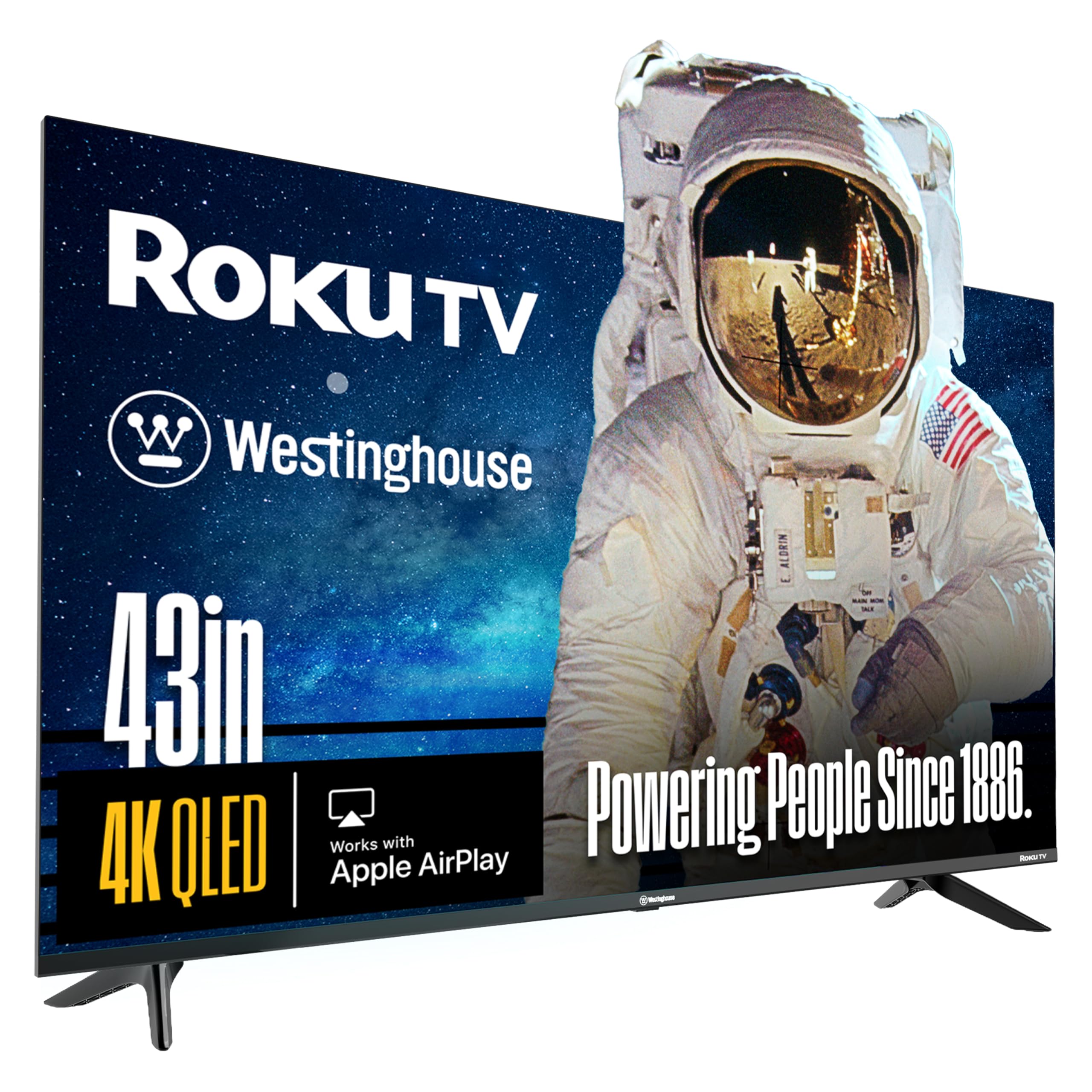
This model brings Quantum Dot technology and Dolby Vision — typically found on premium sets — into a more accessible price tier. The QLED panel produces wider viewing angles and more vibrant colors than standard LED, and the bezel-less design gives a modern, immersive look. Roku’s fast, simple operating system makes navigating streaming apps like Netflix, Hulu, and Disney+ effortless.
The Roku Voice Remote includes a push-to-talk button for hands-free search, and the Roku mobile app supports private listening via headphones. Apple AirPlay and HomeKit compatibility allows easy casting from Apple devices. For a mid-range option, this TV packs surprisingly robust HDR performance.
A small number of users report video streaming failures after several months, where audio works but video takes 15+ minutes to appear — a potential hardware defect. The built-in speakers are adequate but not exceptional. If you get a good unit, this is the best value QLED for streaming, but check return policies carefully.
Why it’s great
- QLED + Dolby Vision at a competitive price
- Roku OS is fast and intuitive for streaming
- Apple AirPlay and HomeKit support included
Good to know
- Long-term reliability concerns reported by some users
- Speaker quality may not satisfy movie enthusiasts
7. Roku Select Series 43″ 4K HDR TV
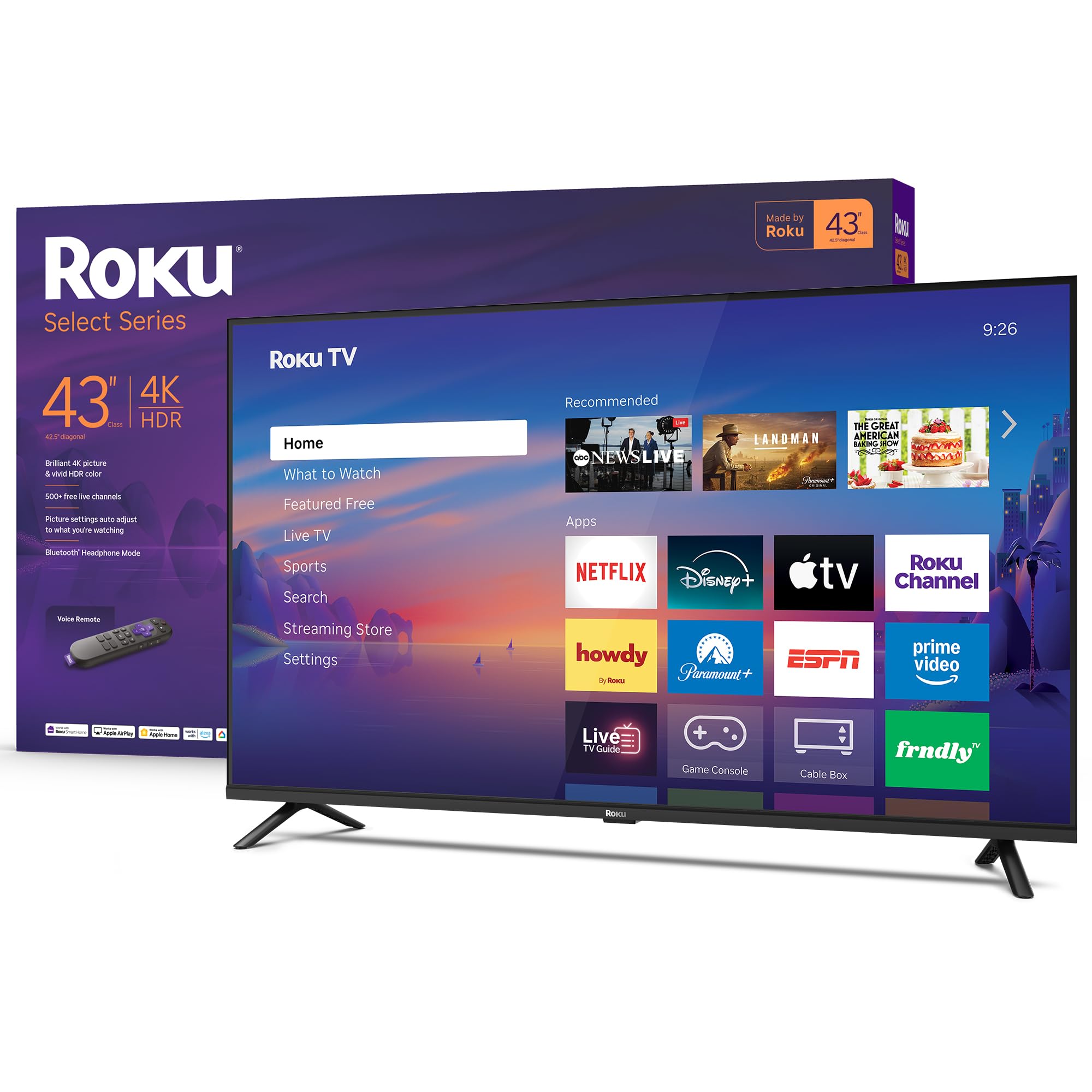
Roku’s own Select Series TV is designed from the ground up for hassle-free streaming — no bloatware, no slow menus. The 4K HDR10 panel delivers sharp, colorful picture with Roku Smart Picture optimization that cleans up incoming signals. The frameless design keeps the focus on content, and the 60Hz panel handles standard streaming seamlessly.
One standout feature is Bluetooth Headphone Mode, which lets you pair wireless headphones directly to the TV for private streaming without disturbing others — perfect for late-night binges. The built-in speakers are tuned for clear speech, and Apple AirPlay support makes sharing from iOS devices easy. The Roku platform receives automatic updates, ensuring access to the latest apps.
The 60Hz refresh rate can show slight judder during fast sports streaming, but for drama series and movies, it’s solid. Some users wish the legs were center-mounted for narrower stands. Overall, if you value simplicity and a clutter-free streaming experience, this is a top contender in the 43-inch space.
Why it’s great
- Bluetooth Headphone Mode for private streaming
- Simple, fast Roku OS with automatic updates
- Clear speech audio tuning for dialogue-heavy shows
Good to know
- 60Hz panel may show motion judder in sports
- Leg placement not ideal for narrow furniture
8. Amazon Ember 40″ 2-Series Fire TV

The Amazon Ember 2-Series is a budget-friendly entry point with Wi-Fi 6 support — a rarity at this price, providing faster, more stable streaming in congested networks. The Full HD 1080p panel is adequate for smaller rooms, and the new quad-core processor makes menu navigation responsive. The custom Omnisense technology wakes the display when you enter the room, providing instant access to artwork or content.
Fire TV integration with Alexa Voice Remote Enhanced lets you search across streaming apps, control smart home devices, and ask about virtually any topic. The 40-inch size fits well in bedrooms, dorms, or above a kitchen counter. Pre-built app support includes Netflix, Prime Video, Hulu, and Disney+, with access to hundreds of thousands of titles.
Being 1080p, this is not a 4K HDR set, which limits visual fidelity for high-end streaming content. Ambient mode is less useful than advertised — the TV sleeps after five minutes of inactivity with no setting to extend it. For basic streaming in a secondary room, it’s a serviceable choice with a responsive interface.
Why it’s great
- Wi-Fi 6 ensures fast, stable streaming connections
- Responsive quad-core processor for snappy menu browsing
- Omnisense wake feature adds convenience
Good to know
- 1080p panel lacks 4K and HDR support
- Ambient mode auto-sleeps with no override setting
9. Samsung 40″ F6000 Full HD Smart TV

The Samsung F6000 is a Full HD 1080p set that focuses on basic streaming fundamentals at an entry-level price. It includes Object Tracking Sound Lite, which places audio spatially to match on-screen action — a feature rarely found at this tier. Samsung Tizen OS provides access to 2,700+ free channels via Samsung TV Plus, covering news, sports, and movies without subscriptions.
The 3-bezel-less design looks clean and modern, and PurColor technology delivers vibrant color despite the 1080p resolution. Setup is straightforward, with clear instructions and a lightweight chassis that’s easy to mount. Q Symphony support allows compatible soundbars to work in harmony with the TV speakers for better audio.
The most frequent complaint is remote lag — a 1-4 second delay when switching apps or navigating menus that can be frustrating. A small number of users report the TV losing channel settings after power off. For a budget streaming TV that prioritizes simplicity and free content access, it serves well in smaller rooms but fails to deliver the snappy experience of higher-tier models.
Why it’s great
- Object Tracking Sound Lite adds spatial audio for streams
- Samsung TV Plus offers free, ad-supported content
- Clean bezel-less design at an accessible price
Good to know
- Remote lag is a common and persistent complaint
- Some units lose channel settings after power cycle
FAQ
Is 60Hz enough for streaming movies and shows?
What HDR format should I look for in a streaming TV?
Does the smart platform affect streaming performance?
Can I use Bluetooth headphones with any 43-inch streaming TV?
Final Thoughts: The Verdict
For most users, the best 43 inch tv for streaming winner is the Amazon Fire TV 43″ Omni QLED because it combines a quantum dot panel, Dolby Vision IQ, and hands-free Alexa for a fully immersive streaming experience. If you want exceptional color accuracy and Filmmaker Mode for cinematic streams, grab the LG 43″ QNED82A. And for the best value QLED with a fast, simple interface, nothing beats the Westinghouse 43″ Roku TV QLED.

Mo Maruf
I created WellFizz to bridge the gap between vague wellness advice and actionable solutions. My mission is simple: to decode the research and give you practical tools you can actually use.
Beyond the data, I am a passionate traveler. I believe that stepping away from the screen to explore new environments is essential for mental clarity and physical vitality.