Our readers keep the lights on and my smoothie glass nicely filled. As an Amazon Associate, I earn from qualifying purchases.
A 40-inch 4K TV sits in a unique sweet spot — large enough to deliver a cinematic experience in a bedroom, dorm, or small living room, yet compact enough to fit on standard furniture without dominating the space. The real challenge in this category isn’t finding a screen; it’s navigating a market flooded with 1080p panels marketed with confusing “4K-ready” or “UHD upscaling” labels. A true 4K panel delivers four times the pixel density of standard HD, and that difference matters most when you sit closer than 8 feet, where the human eye can actually resolve the extra detail.
I’m Mohammad Maruf — the founder and writer behind WellFizz. My deep-dive into display technologies, HDMI 2.1 bandwidth requirements, and HDR format support means I analyze the raw panel specifications behind the marketing claims so you don’t have to. I focus on measurable metrics: native resolution, contrast ratios, refresh rates, and color gamut coverage that define real-world performance.
After sifting through hours of user feedback and technical data sheets across dozens of models, I’ve identified the models that actually earn their place in your home. This guide cuts through the noise to help you find the best 40 inch 4k tv for your specific room dimensions, viewing habits, and budget.
How To Choose The Best 40 Inch 4K TV
Buying a 40-inch 4K TV means balancing panel technology, smart platform preferences, and connectivity for gaming or streaming. The wrong choice can leave you with washed-out colors or an interface that lags every time you open an app. Here’s what separates the models worth buying from those best left on the shelf.
Native Resolution and Panel Type
Verify the panel outputs a native 3840×2160 resolution. Some budget models use 1080p panels with software upscaling marketed as “4K compatible.” A true 4K panel displays four times the detail, which is critical for desktop use or close-range viewing. IPS panels offer wider viewing angles but lower contrast; VA panels deliver deeper blacks at the cost of angle shift. For a 40-inch bedroom setup, VA wins for movie night. For a bright kitchen or multi-angle living room, IPS holds up better.
HDR Format Support
HDR10 is the baseline, but Dolby Vision and HDR10+ add dynamic metadata that adjusts brightness and color scene-by-scene. A 40-inch 4K TV with Dolby Vision support transforms dark sequences in streaming content, preventing the “muddy gray” look that plagues static HDR. If you watch a lot of Netflix or Disney+, prioritize models with Dolby Vision certification over those with HDR10 alone.
Smart Platform and Interface Speed
The operating system dictates your daily experience. Roku TV and Fire TV offer the largest app libraries and fastest response times at this price tier. Google TV provides deep search integration but can feel sluggish on entry-level processors. Samsung’s Tizen and Hisense’s VIDAA are solid but may lack niche streaming apps. A slow interface on a TV you use daily will frustrate far more than a marginal difference in contrast ratio.
Connectivity for Gaming and External Devices
HDMI 2.1 ports enable higher bandwidth for 4K at 60Hz with lower input lag, but most 40-inch models top out at HDMI 2.0. Two HDMI ports is the minimum; four gives you room for a console, streaming stick, and soundbar. Look for eARC support on at least one HDMI port to pass Dolby Atmos audio to a sound system. Bluetooth headphone support is a hidden gem for late-night gaming without disturbing others.
Audio Performance and Soundbar Readiness
Don’t expect immersive sound from built-in speakers in a 40-inch chassis. Most models use 8W or 10W stereo drivers that handle dialogue adequately but lack bass and soundstage. Prioritize TVs with Dolby Audio or DTS Virtual: X processing to improve virtual surround. Plan for a soundbar budget unless you only watch news or talk shows. Optical audio output and HDMI eARC are essential for clean audio passthrough.
Quick Comparison
On smaller screens, swipe sideways to see the full table.
| Model | Category | Best For | Key Spec | Amazon |
|---|---|---|---|---|
| Panasonic W70 Series | Premium | Upscaling & HDR | HDMI 2.1 + MEMC | Amazon |
| Samsung Crystal UHD U8000F | Premium | Smart Features & Design | Samsung Knox Security | Amazon |
| Roku Select Series 43″ | Premium | Interface & Simplicity | 4K HDR10 + Roku OS | Amazon |
| Hisense E6 Cinema Series 43″ | Mid-Range | QLED Color & Dolby Atmos | Hi-QLED + Dolby Vision | Amazon |
| Samsung F6000 Smart TV | Mid-Range | Object Tracking Sound | Full HD 1080p + HDR | Amazon |
| Hisense A4 Series | Entry-Level | Budget Friendly Option | Full HD 1080p LED | Amazon |
| VIZIO VFD40M-08 | Entry-Level | Value & Gaming | Auto Low Latency Mode | Amazon |
| FPD Palette-Series CG40-P3 | Budget | Google TV Integration | Full HD + Google TV OS | Amazon |
| Amazon Ember 2-Series | Budget | Alexa Integration | Wi-Fi 6 + Quad-Core | Amazon |
In‑Depth Reviews
1. Panasonic W70 Series 43″ 4K Smart Fire TV
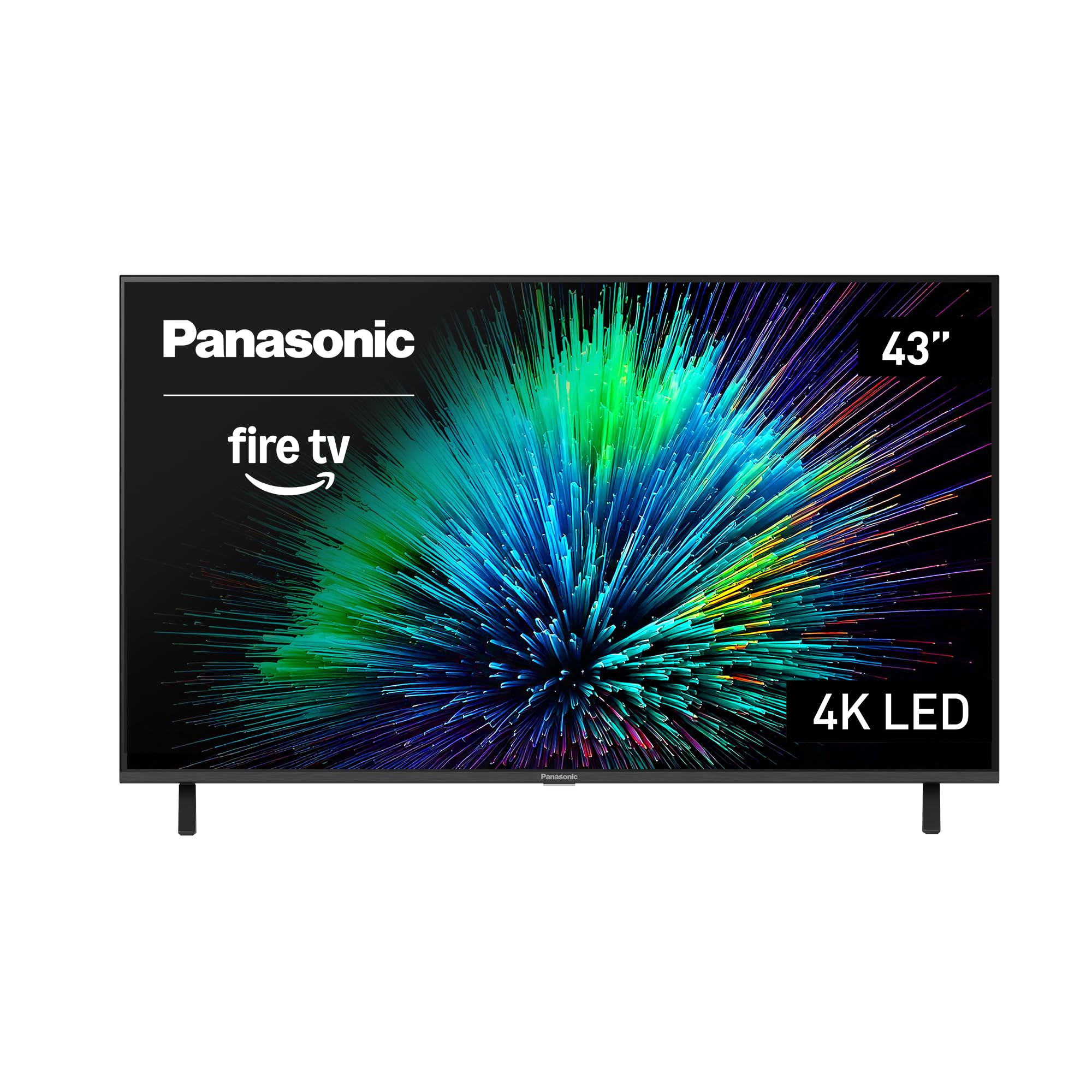
The Panasonic W70 Series is the standout performer in the 40-inch class thanks to its 4K Studio Color Engine that intelligently upscales lower-resolution content to near-4K clarity. The HDR10+ support with a bright panel means streaming movies retain shadow detail without blowing out highlights — a rare trait at this size. Four HDMI inputs, including one HDMI 2.1 port, provide the bandwidth to handle 4K at 60Hz from a gaming console with minimal input lag.
Users consistently praise the “excellent picture and sound quality” and the ease of setup under ten minutes via the Fire TV platform. The metal stand adds a reassuring sturdiness that cheap plastic bases lack, and the built-in Alexa integration gives hands-free control over both the TV and compatible smart home devices. The 137 kWh annual energy consumption also makes this one of the more efficient models in its tier.
On the downside, the Fire TV interface can feel sluggish during app switching — a common trade-off for the deep integration with Amazon’s ecosystem. Some early units shipped with software glitches that required a factory reset to resolve. If you prioritize HDMI versatility and HDR performance over pure interface speed, this Panasonic delivers the best picture-to-price ratio in the category.
Why it’s great
- Four HDMI inputs with HDMI 2.1 for gaming
- MEMC technology smooths fast-motion scenes
- Sturdy metal stand and slim bezel design
Good to know
- Fire TV interface can lag when switching apps
- Bluetooth version 5.0, not 5.3
- Bulky remote design compared to competitors
2. Samsung 43-Inch Crystal UHD U8000F 4K Smart TV

The Samsung U8000F makes a compelling case for design-conscious buyers who don’t want a bulky TV dominating their room. The MetalStream design uses a single metal sheet for the chassis, resulting in an ultra-slim profile with a nearly bezel-less edge that disappears into the wall when mounted. The 4K upscaling engine — powered by Samsung’s 3D color mapping — effectively sharpens 1080p content, making older streaming services look crisper than they have any right to on a 43-inch panel.
Buyers highlight the “gorgeous color” and “easiest install ever,” with the Samsung Tizen platform providing access to over 2,700 free channels via Samsung TV Plus. The Motion Xcelerator at 60Hz is adequate for sports and casual gaming, reducing judder without introducing noticeable artifacts. Knox Security adds a layer of protection for PINs and connected IoT devices, a feature that matters if you use the TV as a smart home hub.
The Achilles’ heel is the remote responsiveness — multiple users report a lag of 1 to 4 seconds when pressing buttons or switching apps. The initial setup requires a phone app and a forced 10-minute update, which is frustrating for anyone who expects plug-and-play. If you can tolerate the remote delay for the sake of a stunning thin profile and robust content library, this Samsung is a premium-feeling option.
Why it’s great
- Ultra-slim MetalStream design with minimal bezels
- 4K upscaling improves lower-resolution sources effectively
- Samsung Knox security for data protection
Good to know
- Remote lag is a common complaint
- Setup requires mandatory phone app and update
- USB output limited to 0.5A when TV is on
3. Roku Select Series 43-Inch 4K HDR TV
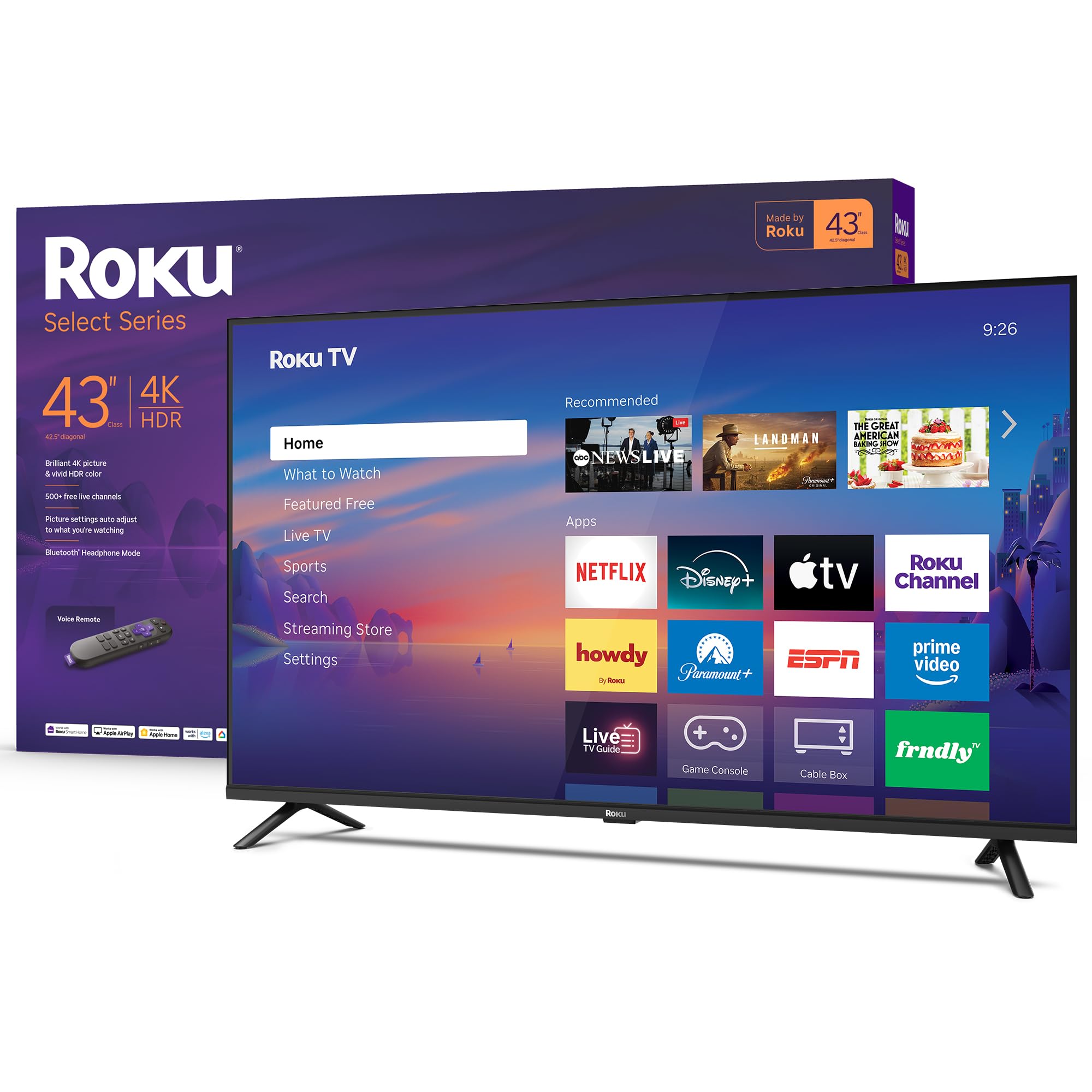
Roku’s Select Series is the ultimate antidote to complicated smart TV interfaces. The Roku OS is famously intuitive — a simple grid of apps with no learning curve, automatic software updates, and a home screen that puts your subscriptions front and center. The 4K HDR10 panel delivers sharp picture quality out of the box, and Roku’s Smart Picture processing automatically adjusts the mode based on incoming content, so you rarely need to dive into settings menus.
User reviews repeatedly mention the “very easy setup” and “intuitive Roku navigation” as the deciding factor. The Bluetooth Headphone Mode is a standout feature for late-night viewing without disturbing anyone, and compatibility with Siri, Alexa, and Google Assistant means it fits into any smart home setup. The Direct LED backlight configuration provides uniform brightness across the screen, avoiding the “flashlighting” effect seen on edge-lit competitors.
Speakers are adequate for dialogue but lack bass for action movies — a soundbar is recommended for immersive audio. The 60Hz refresh rate shows motion blur on fast-scrolling sports broadcasts, though this is standard for the category. The frameless design is clean and modern, though the fixed stand legs can’t be repositioned inward, so ensure your entertainment center is wide enough.
Why it’s great
- Fastest, most intuitive smart TV interface available
- Bluetooth Headphone Mode for private listening
- Works with all major voice assistants out of the box
Good to know
- No 3.5mm audio jack for legacy speakers
- 60Hz panel shows motion blur in sports
- Wide fixed stand feet require adequate space
4. Hisense 43″ E6 Cinema Series Hi-QLED 4K UHD Smart Fire TV

The Hisense E6 punches well above its price point by bringing a QLED panel into the 40-inch class. Quantum dot technology delivers a wider color gamut than standard LED-LCD TVs, producing richer reds and greens that make nature documentaries and animated films pop. Dolby Vision and HDR10+ support means the TV dynamically adjusts brightness and contrast scene-by-scene, extracting far more detail from shadow areas than static HDR10 can manage.
Buyers consistently note the “crystal clear picture with gorgeous colors” and consider it a fantastic value, especially when compared to more expensive Samsung 4K models from previous years. The Game Mode Plus reduces input lag significantly, and the Motion Rate 120 effectively smooths fast-moving content despite the 60Hz panel. Dolby Atmos processing creates a wider soundstage than typical built-in speakers, though a soundbar still improves explosions and bass.
The Fire TV platform can feel sluggish on boot, with some users reporting 60-90 second load times and occasional freezing during streaming. The remote is functional but lacks dedicated buttons for major apps beyond the standard Prime, Netflix, and Disney+ keys. If you value HDR performance and color accuracy over raw processing speed, this Hisense QLED delivers the best image quality for the money.
Why it’s great
- QLED panel offers superior color vibrancy over standard LEDs
- Dolby Vision + HDR10+ for dynamic scene-by-scene optimization
- Game Mode Plus minimizes input lag for console gaming
Good to know
- Fire TV interface can be slow to boot and navigate
- Occasional app freezing reported during streaming
- Built-in speakers lack deep bass for action content
5. Samsung 40-Inch F6000 Smart TV (2025 Model)

The Samsung F6000 introduces Object Tracking Sound Lite to the 40-inch class, creating a virtual top channel that makes audio feel like it’s moving with the action on screen. This is a genuine differentiator — most competitors at this size use generic stereo drivers that make dialogue sound flat. Combined with Q Symphony support (compatible with 2020-2025 Samsung soundbars), the F6000 creates a cohesive audio bubble that many larger TVs fail to achieve.
Users report that the “crystal clear picture even with antenna” and the “awesome color” make this an excellent value for a quality TV. The 3-bezeless design gives it a modern look, and the One UI Tizen platform is snappier than previous generations. The PurColor technology widens the color spectrum, producing lifelike skin tones and natural landscapes that stand out against typical 1080p panels.
The biggest frustration is the remote lag — multiple users describe a 1-4 second delay between pressing a button and the TV responding. Some units lose channel memory and reset to initial setup after power cycles, which is a potential firmware issue. If you prioritize sound innovation and color accuracy over remote responsiveness, this Samsung is a solid mid-range option.
Why it’s great
- Object Tracking Sound Lite creates immersive virtual surround
- PurColor delivers wide, natural-looking color gamut
- Q Symphony works seamlessly with Samsung soundbars
Good to know
- Remote lag is a frequently reported issue
- Some units lose channel memory after power off
- Only 2 HDMI inputs limit connectivity options
6. Hisense 40″ A4 Series Full HD Smart VIDAA TV

The Hisense A4 Series is an entry-level 1080p LED TV that fills the “second room” niche — bedrooms, guest rooms, or kitchens where streaming at 4K isn’t a priority. The Full HD panel delivers “crystal clear picture” according to users, and the DTS TruSurround audio processing provides a wider soundstage than the mono speakers found on ultra-budget models. The VIDAA OS interface is simple and straightforward, with quick access to Netflix, Prime Video, and Tubi.
Multiple buyers note that this is their “second Hisense TV” and that the ease of setup and reliable performance keeps them coming back. The Motion Rate 120 rating is a marketing term for 60Hz panel interpolation, but it does help reduce judder in fast scenes. The slim bezel design makes the 40-inch screen feel larger than its physical footprint, fitting comfortably on smaller entertainment centers.
The major limitation is the 1366x768p resolution — this is not a true 1080p panel despite some marketing ambiguity. PC gaming is capped at 75Hz with resolution dropping to 1280×1024 above 60Hz, which disappointed buyers expecting full 1080p support. If you only need a TV for background noise, kids’ cartoons, or casual streaming, this Hisense works fine — just don’t expect sharp text or detailed gaming graphics.
Why it’s great
- DTS TruSurround creates immersive audio from small speakers
- Slim bezel design maximizes screen-to-body ratio
- VIDAA OS is simple and boots quickly
Good to know
- Native resolution is 1366×768, not full 1920×1080
- PC gaming resolution drops above 60Hz
- Limited HDMI and USB ports for expansion
7. VIZIO 40-Inch Full HD 1080p Smart TV (VFD40M-08)

The VIZIO VFD40M-08 is built with gamers in mind, featuring Auto Low Latency Mode that automatically switches the TV into a low-lag state when a console or PC is detected. This eliminates the need to dig through settings menus when swapping between streaming and gaming. The Full Array LED Backlight with Active Pixel Tuning provides more uniform brightness than edge-lit competitors, reducing the “hot spots” that plague cheap backlight designs.
User feedback highlights the “great picture quality” and “fantastic sound quality” after adjusting audio settings to the Clear mode. The built-in DTS Virtual:X creates a convincing 3D sound bubble without requiring extra speakers, and Bluetooth headphone support is a rare find at this price point for private gaming sessions. The VIZIO OS loads fast and provides access to all major streaming apps, plus hundreds of free WatchFree+ channels.
The two HDMI ports are stingy for a gaming setup — you’ll be swapping cables if you have a console, streaming stick, and soundbar. The remote has small, low-profile buttons that can be fiddly in the dark, and the OTA channel input interface feels clunky compared to dedicated tuners. If you want the lowest input lag for console gaming without spending on premium models, this VIZIO is the smart budget pick.
Why it’s great
- Auto Low Latency Mode reduces input lag for gaming
- DTS Virtual:X provides convincing virtual surround
- Bluetooth headphone support for private listening
Good to know
- Only 2 HDMI ports limit multi-device setups
- Remote buttons are small and slippery
- Wireless OTA channel input interface is clunky
8. FPD 40-inch Smart TV, 1080p Full HD Google TV

The FPD Palette-Series brings Google TV integration to the budget segment, providing a unified interface that aggregates content from across your subscriptions. The Chromecast built-in allows seamless casting from Android phones and tablets, while Google Assistant voice control via the remote handles navigation and smart home commands hands-free. For buyers who live inside Google’s ecosystem, this is the most natural smart TV experience at the entry level.
Owners describe it as “very reasonable and user friendly” with “awesome sounds and picture quality.” The Full HD 1080p panel with HDR10 support provides adequate clarity for streaming and gaming, and Dolby Audio processing improves dialogue intelligibility. The 60Hz refresh rate is standard for the price, and the 5000:1 contrast ratio is surprisingly high for this tier, producing deeper blacks than many budget LED panels.
Build quality is where corners are cut — the remote is finicky, with some units arriving with non-functional batteries out of the box. The viewing angle is narrow at roughly 90 degrees, with colors washing out beyond 45 degrees off-center. If you can live with a limited sweet spot and accept that the remote may need replacement, the FPD delivers a full Google TV experience at the lowest possible entry point.
Why it’s great
- Google TV with Chromecast built-in for seamless casting
- Google Assistant voice remote for hands-free control
- 5000:1 contrast ratio produces decent black levels
Good to know
- Narrow 90-degree viewing angle with color shift
- Remote batteries may not work out of the box
- Limited to Full HD — no 4K upscaling
9. Amazon Ember 40″ 2-Series with Fire TV

The Amazon Ember 2-Series is a fresh contender that introduces Wi-Fi 6 support to the budget 40-inch class — a significant upgrade over the Wi-Fi 5 found in most entry-level TVs. The quad-core processor and new Omnisense technology allow the TV to wake instantly when it detects you entering the room, automatically showing ambient art or resuming your content. For anyone frustrated by the 30-second boot times of typical smart TVs, this “Instantly On” feature is genuinely transformative.
Early adopters rave about the “great picture quality” and “very responsive and fast” interface, with many purchasing a second unit for other rooms. The Alexa Voice Remote Enhanced includes preset buttons for popular apps and allows natural language searching — “find action movies” rather than typing letters. The 1080p Full HD panel delivers sharp detail at normal viewing distances, and Dolby Audio processing handles dialogue clearly.
The ambient mode is clever but has a fatal flaw — it only runs for five minutes before the TV goes to sleep, with no option to extend it, making it useless as a digital picture frame. The onboard speakers lack bass for action content, and the limited two HDMI inputs restrict multi-device setups. If you prioritize speed and smart features over raw resolution, the Ember is the most responsive TV in its price tier.
Why it’s great
- Wi-Fi 6 support ensures fast, reliable streaming
- Omnisense instant-on eliminates boot wait times
- Quad-core processor makes interface snappy and responsive
Good to know
- Ambient mode sleeps after 5 minutes with no override
- Only 2 HDMI inputs limit connectivity
- Built-in speakers lack bass for cinematic audio
FAQ
Is a 40-inch 4K TV worth it for a bedroom?
Can I use a 40-inch 4K TV as a computer monitor?
Do I need a soundbar for a 40-inch 4K TV?
What HDMI version do I need for 4K gaming?
Final Thoughts: The Verdict
For most users, the best 40 inch 4k tv winner is the Panasonic W70 Series because it delivers genuine 4K HDR performance, HDMI 2.1 flexibility, and reliable upscaling in a well-built chassis. If you want the snappiest smart interface with the least friction, grab the Roku Select Series 43″. And for exceptional color vibrancy at a mid-range price, nothing beats the Hisense E6 Cinema Series QLED.

Mo Maruf
I created WellFizz to bridge the gap between vague wellness advice and actionable solutions. My mission is simple: to decode the research and give you practical tools you can actually use.
Beyond the data, I am a passionate traveler. I believe that stepping away from the screen to explore new environments is essential for mental clarity and physical vitality.