Our readers keep the lights on and my smoothie glass nicely filled. As an Amazon Associate, I earn from qualifying purchases.
The leap from FDM to resin printing is defined by one thing: detail. Where FDM leaves visible layer lines, a quality 3D resin printer delivers surfaces so smooth they look injection-molded. But the market now offers a dizzying range of resolutions, build sizes, and speeds—from entry-level 8K machines to industrial-scale 16K behemoths. The difference between a print that looks good and one that looks flawless comes down to pixel size, light source uniformity, and the precision of the Z-axis.
I’m Mohammad Maruf — the founder and writer behind WellFizz. I’ve spent countless hours analyzing hardware specifications, customer feedback, and real-world print results across the entire spectrum of MSLA printers to bring you this detailed guide.
The goal is simple: help you find the best 3d resin printer for your specific needs, whether you are printing intricate jewelry masters, large cosplay props, or batch after batch of 28mm scale miniatures for tabletop gaming.
How To Choose The Best 3D Resin Printer
The resin printer market has matured rapidly. A machine that cost a fortune two years ago is now entry-level. But with that comes more variables. To avoid a costly mistake, focus on the specs that directly impact your finished parts.
XY Resolution and Screen Technology
The XY resolution, measured in microns, determines how sharp the smallest features of your model will be. A 22 micron pixel size can capture delicate facial features and crisp text, while a 50 micron size is fine for larger functional parts. The screen itself—whether 7K, 8K, 10K, or 16K—only matters relative to the build area. A 10K screen on a 6-inch build plate packs far more detail than a 16K screen scaled to 11 inches.
Light Source and Uniformity
A COB (Chip-on-Board) light source with Fresnel collimation lenses provides far more consistent UV curing than older matrix LED arrays. Light uniformity should be 90% or higher. Uneven light means over-cured edges and under-cured centers, leading to dimensional errors and failed supports. The best resin printers now advertise this spec plainly.
Build Volume and Motion System
Know your largest print. If you plan to print full-size helmets or terrain tiles, you need a machine with a build volume exceeding 8 x 5 x 9 inches. Look for dual linear rails and a lead screw Z-axis for stability. A single cantilever arm works for small machines but introduces wobble at taller print heights.
Speed and Release Film
High-speed printing (120 mm/h and above) relies on specialized release films like ACF (All-Cutter Fluoropolymer) or NACF. These films reduce the suction force between the cured layer and the vat, allowing faster separation without ripping supports. Slower printers using standard FEP or PFA films are still perfectly viable but require longer layer cure times.
Intelligent Features and Environment Control
Resin viscosity changes with temperature. A heated vat maintains 30-35°C to keep resin flowing and reduce failure rates, especially in cooler workspaces. AI cameras that detect failed prints, resin level sensors, and automatic resin filling systems are conveniences that significantly reduce wasted material and time on larger builds.
Quick Comparison
On smaller screens, swipe sideways to see the full table.
| Model | Category | Best For | Key Spec | Amazon |
|---|---|---|---|---|
| Creality Halot-X1 Combo | Mid-Range | Highest resolution prints | 16K LCD, 14×19 μm pixels | Amazon |
| Creality Halot Mage S 14K | Mid-Range | High-speed pro detail | 14K LCD, 150 mm/h speed | Amazon |
| Anycubic Photon Mono M7 Pro 14K | Premium | Fully automated production | 14K LCD, 170 mm/h, heated vat | Amazon |
| Anycubic Photon Mono M7 Max | Premium | Large single-piece prints | 11.8″ build height, heated vat | Amazon |
| Elegoo Jupiter 2 | Premium | High-volume batch production | 16K LCD, 302 x 162 x 300 mm | Amazon |
| Phrozen Sonic Mega 8K S | Premium | Commercial studio throughput | 15″ LCD, 80 models in 90 min | Amazon |
| Elegoo Mars 5 Ultra 9K | Mid-Range | Compact smart features | 9K LCD, AI camera, 150 mm/h | Amazon |
| Phrozen Sonic Mini 8K S | Entry-Level | Value for beginners | 8K LCD, 22 μm XY resolution | Amazon |
| Anycubic Photon Mono 4 Ultra | Entry-Level | Budget-friendly precision | 10K LCD, 17×17 μm pixels | Amazon |
In‑Depth Reviews
1. Creality Halot-X1 Combo 16K
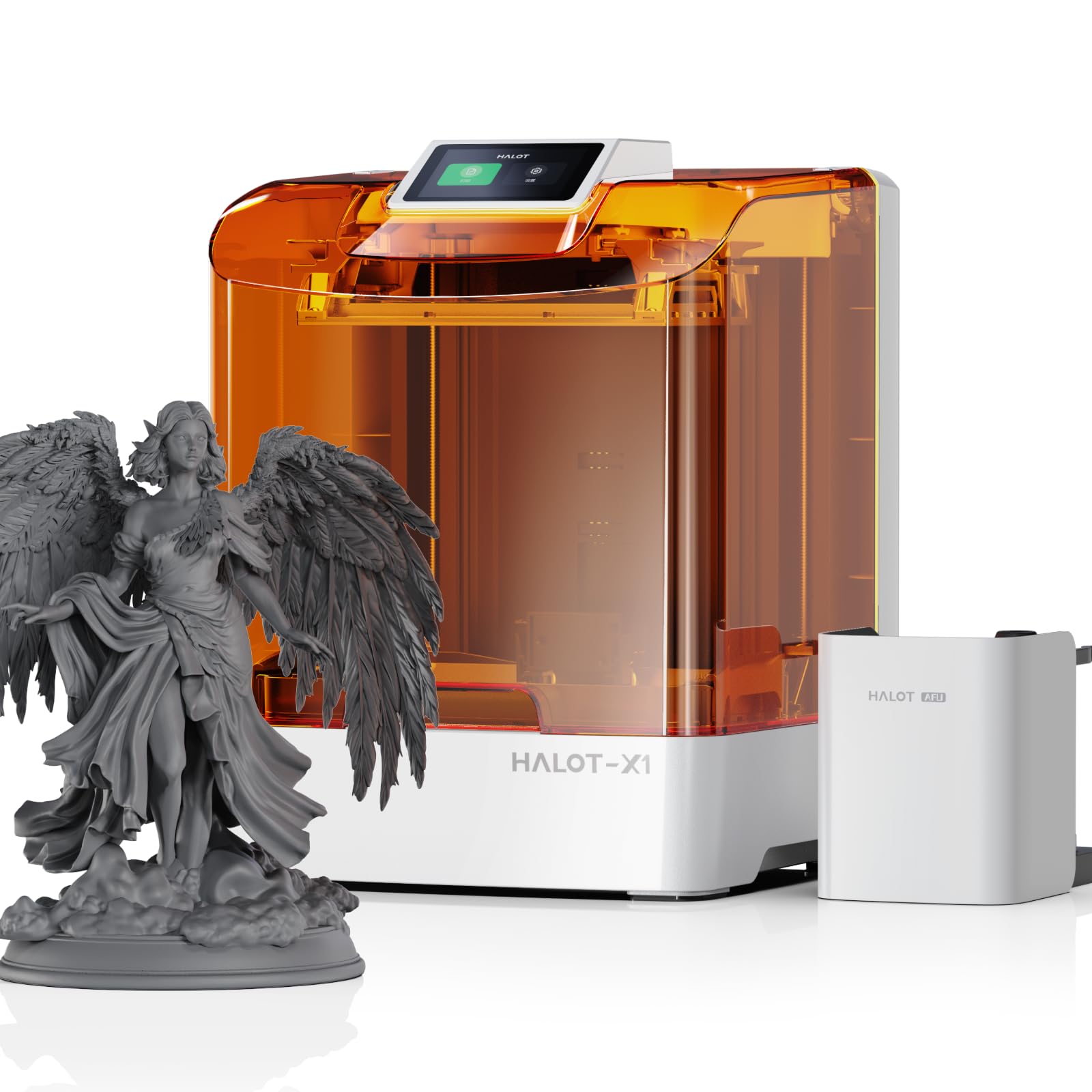
The Halot-X1 Combo brings a 10.1-inch 16K monochrome LCD with a pixel dimension of just 14 x 19 microns into a surprisingly accessible price tier. This pixel pitch is the finest available at this build size, meaning you can print micro-details like chainmail links or wedding ring filigree without any visible stepping. The top-down moving optical system keeps the build plate stationary, which eliminates the common precision loss caused by platform wobble during fast movements.
The Intelligent AFU Resin Management System preheats the resin to 30-45°C within three minutes, drastically reducing failure rates in ambient conditions below 70°F. The 92 independent UV light zones adjust exposure per layer region, reducing over-curing while extending the LED panel lifespan. With a maximum speed of 170 mm/h and a 0.01 mm Z-axis positioning precision via dual linear rails and lead screws, this machine is both fast and dimensionally repeatable.
The twist-release build plate is a welcome ergonomic upgrade that eliminates frustrating prying sessions. Network connectivity is solid, though the bundled Halot Box software has received some reports of instability—users may prefer slicing with Lychee or Chitubox and exporting via USB. If you want the absolute best surface finish available at this price, this is the current benchmark.
Why it’s great
- Best-in-class 14×19 μm pixel resolution for micro-detail
- Active resin heater maintains optimal print temperature
- 170 mm/h speed with stable fixed build plate
Good to know
- Bundled slicer software can be unstable
- Weighs 37.4 lbs; requires dedicated desk space
2. Creality Halot Mage S 14K

The Halot Mage S 14K uses a 10.1-inch 14K display (13320 x 5120 pixels) delivering a 16.8 x 24.8 micron pixel size. This is a significant step up from standard 8K screens, making it an excellent choice for dental models, jewelry masters, and display-quality gaming miniatures. The Dynax+ high-speed mode pushes the printing speed to 150 mm/h using a closed-loop motor and dual linear rail system, which maintains accuracy even during rapid retractions.
The Integral Light Source 3.0 system ensures uniform UV distribution across the entire build plate, eliminating the hot-spotting that causes uneven curing on larger prints. The laser-carved build plate provides immediate adhesion without needing to sand or apply tape, and the three-layered Pictor speed-release film reduces peel force by roughly 35% compared to standard FEP.
Users report successful first-layer adhesion with minimal tinkering, and the bundled three-month Chitubox Pro membership adds value for those ready to dial in advanced support settings. A small number of users have reported LCD spotting issues after six months, so you should factor in the cost of potential future screen replacements when considering the total investment.
Why it’s great
- 14K resolution delivers pro-grade surface finish
- Dynax+ mode produces 150 mm/h with full accuracy
- Pictor release film reduces peel force significantly
Good to know
- Some screen durability reports after extended use
- Build plate is large; needs adequate wash/cure gear
3. Anycubic Photon Mono M7 Pro 14K

The Photon Mono M7 Pro is designed for users who want to minimize hands-on time. The 14K monochrome LCD (13312 x 5120) produces 16.8 x 24.8 micron pixels, and the COB LighTurbo 3.0 system with Fresnel lenses and front-facing reflectors achieves over 90% light uniformity. At 130 mm/h with standard resin and 170 mm/h with high-speed resin, it matches the fastest machines in this class.
The heated resin vat dynamically adjusts temperature to maintain the resin at its ideal viscosity, which is critical for preventing delamination and support failures. The automatic resin filling and one-key recycling system is a genuine time saver—especially if you run multiple prints back-to-back. The machine also packs six types of intelligent detection, including build plate installation detection and release film lifespan monitoring.
Experienced users note that the stated print speeds require the manufacturer’s high-speed resin and specific 0.1 mm-thick layer settings—standard settings will run slower. The M7 Pro is heavier and bulkier than mid-range models, and the top cover is not balanced for easy removal. If you print every day and value a streamlined workflow, this machine pays back the investment in operator time saved.
Why it’s great
- Auto resin fill and drain with one-key recycling
- Heated vat maintains ideal viscosity every print
- Six intelligent detection sensors reduce failures
Good to know
- Heavy top cover is awkward to handle
- High speed requires proprietary resin for full rating
4. Anycubic Photon Mono M7 Max

The M7 Max sacrifices pixel density for sheer volume. Its 13.6-inch 7K LCD produces larger pixels than 14K machines, but the build area of 298 x 164 x 300 mm allows you to print full-size masks, terrain boards, or large cosplay segments in a single piece. The flip-open lid design is a standout feature, allowing one-handed access without sliding the entire machine out from under a shelf.
The LighTurbo 3.0 system with 90%+ uniformity ensures that the large build area cures evenly, while the intelligent release 2.0 algorithm reduces layer separation force. The heated vat is critical here because the large surface area of resin cools faster; users report that the firmware now maintains a stable 30-31.5°C during the full print cycle. The 1300 ml resin vat holds enough for substantial builds, and the auto-refill system works with the integrated pump.
Some early units had Z-axis alignment issues that could scrape the vat refiller, and the ACF film tore prematurely in a few cases. However, the majority of users with firmware v4.0.9.8 report reliable operation. This machine is not for beginners—its size, weight (62.8 lbs), and the complexity of large-format resin printing demand experience. If you need to print big and tall, this is a compelling option without jumping to a full commercial system.
Why it’s great
- 300 mm height for single-piece large objects
- Flip-open lid saves overhead clearance space
- Heated vat with 1300 ml volume for long prints
Good to know
- Early units needed firmware updates for reliability
- Massive and heavy; plan for permanent placement
5. Elegoo Jupiter 2

The Jupiter 2 uses a 16K LCD screen (15120 x 6230) on a large 302.4 x 161.98 x 300 mm build volume. The pixel size of 20 x 26 microns is sharp enough for highly detailed miniatures, and the fully enclosed light source eliminates edge fading. This is Elegoo’s largest and most feature-rich resin printer, designed for users who need to plate multiple large models or dozens of small ones per run.
The multi-point auto-leveling system, paired with a laser-engraved quick-release build plate, simplifies setup significantly. The smart tank heater preheats to a precise 30°C and maintains it, while the automated resin feeding system keeps the vat topped up during long prints. The built-in HDR camera provides clear real-time monitoring, even in low light inside the enclosure, and supports time-lapse creation for process documentation.
The double-door front access is more convenient than a single lid for retrieving large plates. However, the machine lacks a flip-up lid entirely—the entire lid lifts off, which is fine for a dedicated workstation but awkward in tight spaces. The filter system is basic, but the Marsmate air purifier is compatible as an add-on. For anyone moving from a smaller Elegoo to a production-scale tool, this is the most logical upgrade.
Why it’s great
- Massive build volume with sharp 16K resolution
- Automated resin feeding prevents mid-print failures
- HDR camera delivers reliable monitoring footage
Good to know
- Full lid removal required for plate access
- Not the fastest machine; focuses on reliability over speed
6. Phrozen Sonic Mega 8K S

The Sonic Mega 8K S is built for throughput. Its 15-inch 8K monochrome LCD provides a 43 micron XY resolution and a build volume of 330 x 185 x 300 mm, making it one of the largest consumer-accessible resin printers on the market. Phrozen advertises a capacity of 80 1/32-scale miniatures in under 90 minutes using their TR300 high-speed resin and ACF release film. For a production studio running multiple shifts, this speed-to-volume ratio is unmatched at this price.
The lift-up lid design minimizes required vertical clearance, making it practical for shelving or tight benchtops. The built-in metal drip hanger allows the build plate to drain directly back into the vat, reducing waste and resin puddles. The machine runs quietly enough for an office environment, and the dual linear rails ensure the Z-axis can handle the mass of a fully loaded 15-inch build plate without binding.
The main trade-off is that the LCD screen replacement is expensive, and warranty support cycles have been reported as long. The machine is also very heavy (57.3 lbs) and the build plate has holes that preclude the use of standard magnetic flex plates. This is a specialist tool for professional studios and serious power users who need volume and don’t mind the higher operating costs.
Why it’s great
- 80 miniatures in 90 minutes at high speed
- Lift-up lid design saves vertical space
- Metal drip hanger for zero-waste workflow
Good to know
- Printer is heavy and LCD replacement is pricey
- Build plate holes prevent magnetic flex plate use
7. Elegoo Mars 5 Ultra 9K

The Mars 5 Ultra packs advanced features into a compact footprint. The 9K LCD screen (8520 x 4320 pixels) provides a sharp 18 x 18 micron XY resolution on a 6 x 3 x 6.5-inch build volume. The Tilt Release mechanism lifts the vat at an angle during separation, dramatically reducing peel force and enabling the full 150 mm/h printing speed without compromising thin supports.
The built-in AI camera is a genuine differentiator—it can detect empty build plates, warping, and complete print failures in real time, sending alerts to your phone. The mechanical smart sensor adds resin shortage and temperature alarms. WiFi supports both 2.4G and 5G bands, and the cluster printing feature lets you control multiple Mars 5 printers on the same network from a single interface, which is valuable for small studios.
Users consistently praise the print quality for miniatures and jewelry, but note that the Chitubox slicer has a learning curve. Temperature is critical—resin and build plate must be warm. Below 67°F, adhesion failures become frequent. The internal 9H tempered glass screen protector adds durability, and the 92% light uniformity from the COB source ensures consistent curing across the plate. If you want a small, feature-rich machine that leaves little to chance, this is a top pick.
Why it’s great
- Tilt Release enables ultra-fast 150 mm/h printing
- AI camera detects failures and sends alerts
- WiFi cluster management for multi-printer control
Good to know
- Requires warm ambient temps for reliable adhesion
- Chitubox slicer has a steeper learning curve
8. Phrozen Sonic Mini 8K S

The Sonic Mini 8K S is the entry-level workhorse that refuses to compromise on resolution. The 8K monochrome LCD delivers a genuine 22 micron XY resolution on a 6.5 x 2.8 x 6.7-inch build volume, producing details fine enough for orthodontic models or jewelry patterns. The Z-axis calibration system ensures layer stacking remains consistent across the full print height, and the machine is compact enough (11.4 x 11.4 x 16.9 inches) to fit on a desk without dominating it.
Phrozen supports open-source slicing software, so you are not locked into a single toolchain—Lychee, Chitubox, and Tango all work. This flexibility is a major advantage for users who already have a preferred workflow. The 22 lb load capacity of the Z-axis is overbuilt for a machine this size, meaning it handles the tallest prints without any flex or vibration artifacts.
The main limitation is the requirement to use a USB drive for file transfer—there is no WiFi or network connectivity. Additionally, the build plate scraper is fairly aggressive; several users report damaging the build plate surface on the first removal if not careful. Phrozen’s customer support is widely reported as responsive, often replacing screens quickly when defects occur. If you want to enter resin printing with a predictable, high-resolution machine that won’t break your budget, this is the standard answer.
Why it’s great
- True 22 μm XY resolution at an entry-level price
- Open-source slicer compatibility
- Compact, desk-friendly footprint
Good to know
- No WiFi; requires USB for file transfer
- Build plate is easy to scratch during model removal
9. Anycubic Photon Mono 4 Ultra 10K

The Photon Mono 4 Ultra 10K is a statement of how far budget-friendly resin printers have come. Its 7-inch 10K monochrome screen packs a 9024 x 5120 resolution into a compact build area (6.04 x 3.42 x 6.49 inches), delivering a 17 x 17 micron pixel size that rivals machines costing almost twice as much. The ACF release film and Intelligent Release Algorithm enable a maximum speed of 120 mm/h, which is competitive for the price bracket.
The COB light source combined with Fresnel lenses achieves a light angle within 3 degrees, preventing stray UV from softening features outside the curing zone. The Light Uniformity Algorithm maintains 90%+ uniformity, reducing dimensional errors that plague cheaper printers. Five intelligent detection systems—including resin monitoring and failed print detection—cover the common failure modes that drive beginners crazy.
Real-world users confirm the exceptional detail output, with many calling it the best print quality they have seen from a machine under . The 4.3-inch touchscreen UI is clean and easy to navigate. The main downsides are the small build volume and the need for a ventilation solution, as resin odor is noticeable in enclosed spaces. The ACF film is durable but requires periodic replacement—buy a spare pack when you purchase the printer. For anyone on a tight budget who refuses to settle for mediocre resolution, this is the printer to beat.
Why it’s great
- Excellent 17×17 μm pixel size for the price
- ACF film enables smooth, fast separation
- Five detection systems prevent common failures
Good to know
- Small build volume limits large projects
- Noticeable resin fume level; ventilation recommended
FAQ
What is the difference between 8K and 16K resolution in a resin printer?
Do I need a ventilated enclosure for a resin printer?
What does light uniformity mean and why does it matter?
How often do I need to replace the release film?
Final Thoughts: The Verdict
For most users, the best 3d resin printer winner is the Creality Halot-X1 Combo because it delivers the highest pixel resolution available at its build size, paired with a heated resin system and intelligent light management that takes the guesswork out of tuning. If you want a proven workday companion with automated resin handling and a heated vat, grab the Anycubic Photon Mono M7 Pro 14K. And for production-scale batch printing where throughput is king, nothing beats the Phrozen Sonic Mega 8K S.

Mo Maruf
I created WellFizz to bridge the gap between vague wellness advice and actionable solutions. My mission is simple: to decode the research and give you practical tools you can actually use.
Beyond the data, I am a passionate traveler. I believe that stepping away from the screen to explore new environments is essential for mental clarity and physical vitality.